
wkentaro/osam has 128 GitHub stars and 16 forks. Star changes are not measured yet. Last checked 2026-11-14 08:53 UTC. Last push 2026-11-13.
Crecimiento de estrellas medido
- in 24h
- Recopilando historial
- in 7 days
- Recopilando historial
- in 15 days
- Recopilando historial
- in 1 month
- Recopilando historial
Cambios netos en períodos que se solapan, no totales diarios. Los datos no disponibles se dejan en blanco. Las estrellas indican interés, no calidad.
Acerca de
Run SAM 1/2/3, EfficientSAM, YOLO-World and other promptable vision models locally, on CPU, CUDA or CoreML.
Aprendizaje automáticoREADME.md
OriginalOsam
Run promptable vision models locally, on CPU, CUDA, WebGPU or CoreML.


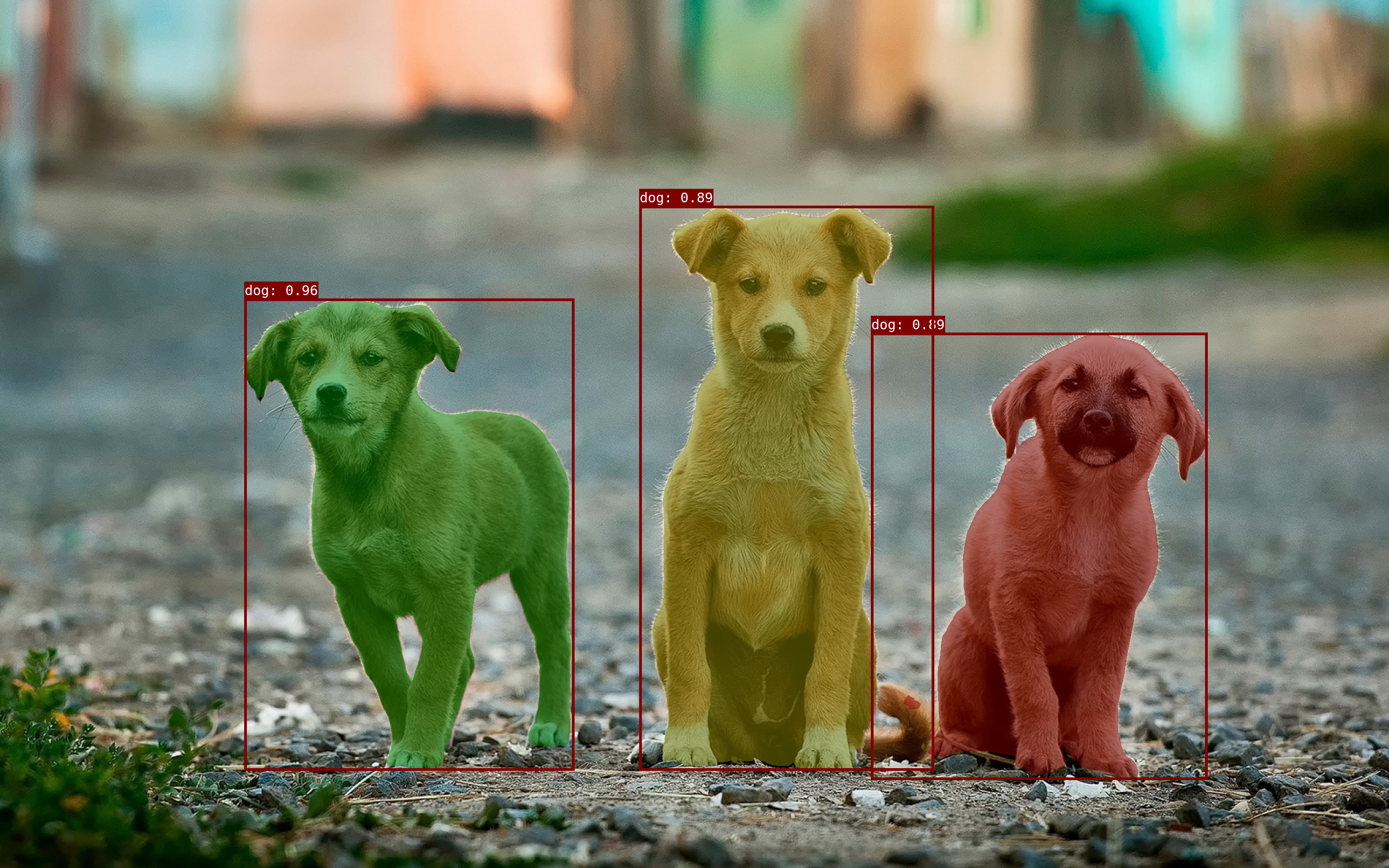
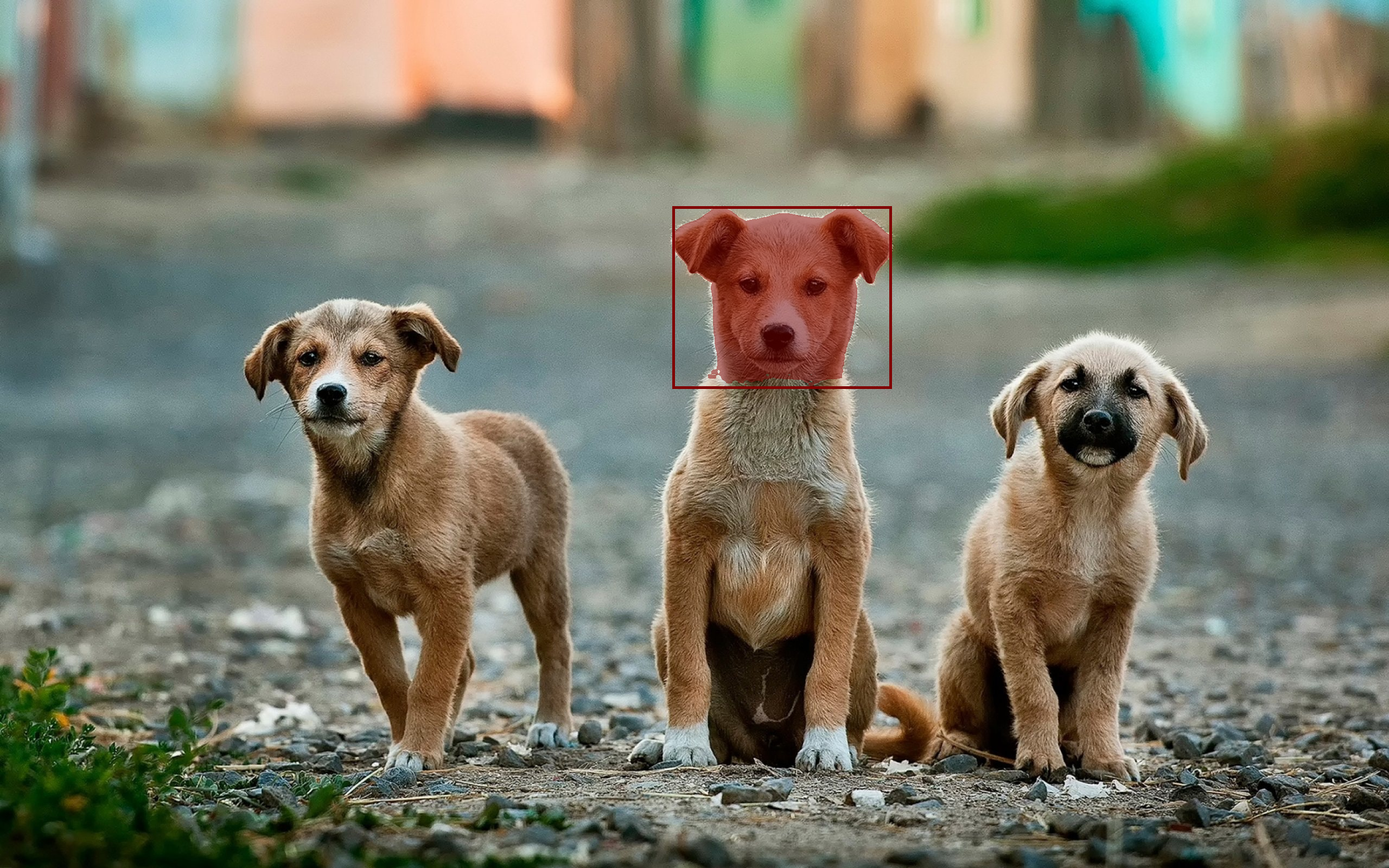
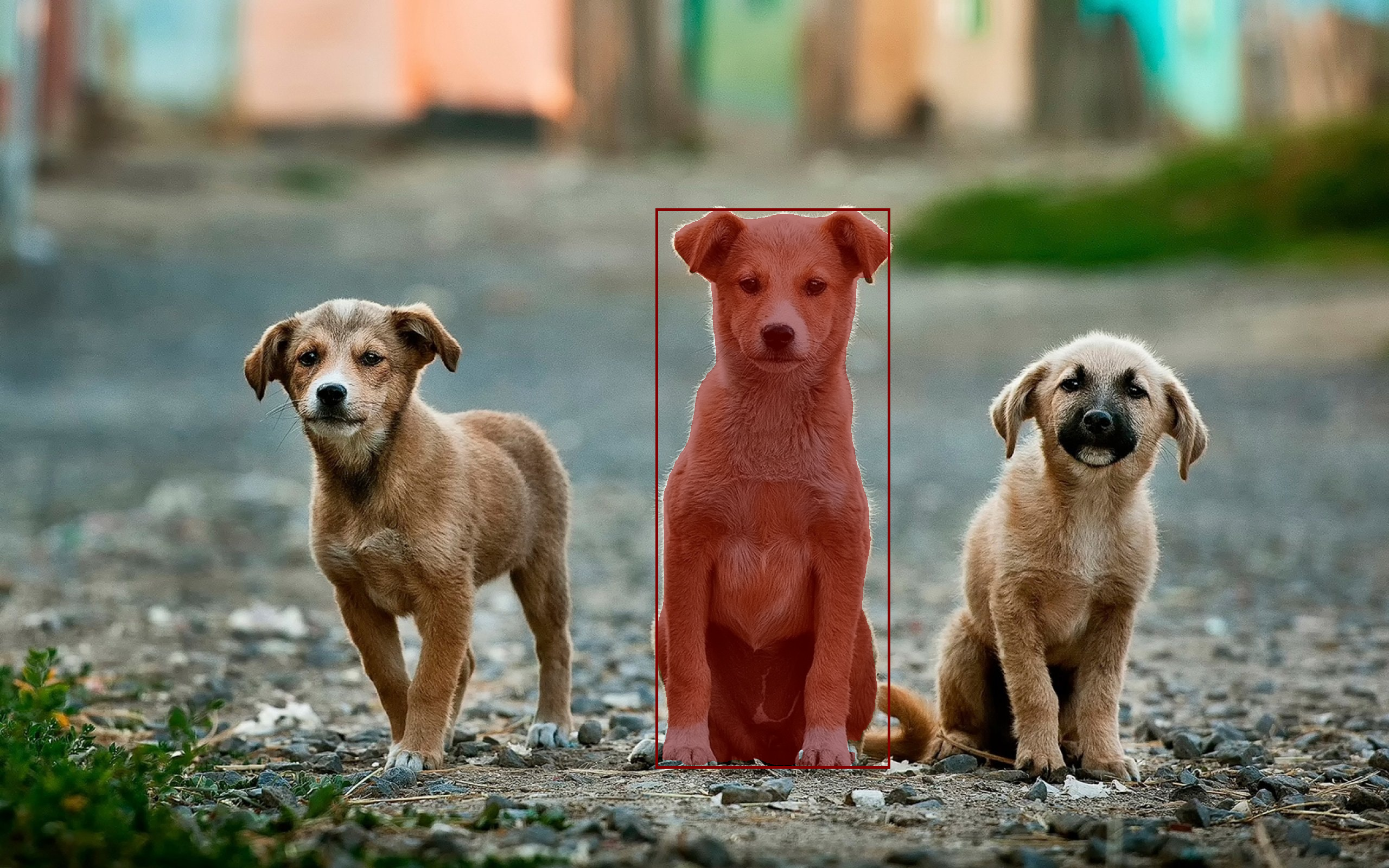
Osam (/oʊˈsɑm/) is a Python library and CLI that runs open-source promptable
vision models locally. Applications such as
labelme embed it, and each
osam.Client runs models in a server process of its own. osam serve is an
optional shared server, and its commands and HTTP API follow
Ollama.
Osam provides:
- Promptable Vision Models - Segment Anything Model (SAM), SAM2, SAM3, EfficientSAM, YOLO-World;
- Local APIs - CLI & Python & HTTP interface.
Installation
Pip
pip install osam[cpu] # or osam[gpu] for NVIDIA GPUs
osam[gpu] installs onnxruntime-gpu together with the CUDA and cuDNN
libraries, so no system CUDA install is needed. Install only one onnxruntime
build: onnxruntime and onnxruntime-gpu overwrite each other's files.
SAM3 needs Python 3.11 or later on CUDA. On Python 3.10, which gets
onnxruntime-gpu 1.23, it runs on the CPU, and device="cuda" raises an error.
For other GPUs (AMD, Intel, or NVIDIA without the CUDA libraries), install
osam[webgpu]; osam then uses the GPU without --device. It runs on Vulkan,
Direct3D 12 or Metal, and needs Python 3.11 or later. On Linux it also needs
the system Vulkan loader (libvulkan.so.1). osam[cpu] includes it on Apple
silicon with macOS 14 or later.
Quickstart
To run with EfficientSAM:
osam run efficientsam --image <image_file>
To run with YOLO-World:
osam run yoloworld --image <image_file>
Model library
Here are models that can be downloaded:
| Model | Parameters | Size | Download |
|---|---|---|---|
| SAM 100M | 94M | 100MB | osam run sam:100m |
| SAM 300M | 313M | 310MB | osam run sam:300m |
| SAM 600M | 642M | 630MB | osam run sam |
| SAM2 Tiny | 39M | 150MB | osam run sam2:tiny |
| SAM2 Small | 46M | 170MB | osam run sam2:small |
| SAM2 BasePlus | 82M | 300MB | osam run sam2 |
| SAM2 Large | 227M | 870MB | osam run sam2:large |
| SAM3 | 893M | 3.4GB | osam run sam3 |
| EfficientSAM 10M | 10M | 40MB | osam run efficientsam:10m |
| EfficientSAM 30M | 26M | 100MB | osam run efficientsam |
| YOLO-World XL | 168M | 640MB | osam run yoloworld |
PS. sam, efficientsam is equivalent to sam:latest, efficientsam:latest.
Prompts
| Model | Point | Box | Negative box | Text |
|---|---|---|---|---|
| SAM | ✓ | ✓ | ||
| SAM2 | ✓ | ✓ | ||
| SAM3 | ✓ | ✓ | ✓ | ✓ |
| EfficientSAM | ✓ | ✓ | ||
| YOLO-World | ✓ |
Speed
Median of 5 runs after a warm-up, excluding model loading.
Image encoding (ms)
| Model | CPU i9-12900K |
CUDA RTX 3080 Ti |
WebGPU RTX 3080 Ti |
CPU Apple M5 |
CoreML Apple M5 |
WebGPU Apple M5 |
|---|---|---|---|---|---|---|
| SAM 100M | 1255 | 692 | 3009 | 2267 | 257678 | 1730 |
| SAM 300M | 2633 | 2125 | 7471 | 6778 | > 15 min | 4802 |
| SAM 600M | 4165 | 4197 | 17640 | 11023 | > 15 min | 8607 |
| SAM2 Tiny | 569 | 65 | 135 | 1627 | 277 | 250 |
| SAM2 Small | 651 | 74 | 121 | 2119 | 320 | 279 |
| SAM2 BasePlus | 1237 | 104 | 179 | 2923 | 570 | 494 |
| SAM2 Large | 2414 | 151 | 319 | 7596 | 1281 | 1109 |
| SAM3 | 8431 | 197 | 616 | 16425 | 1163 | 2390 |
| EfficientSAM 10M | 399 | 55 | 253 | 781 | fails to load | 322 |
| EfficientSAM 30M | 948 | 74 | 448 | 1767 | fails to load | 664 |
| YOLO-World XL | — | — | — | — | fails to load | — |
One prompt (ms)
Point prompt; text for SAM3 and YOLO-World, which has no separate encoding.
| Model | CPU i9-12900K |
CUDA RTX 3080 Ti |
WebGPU RTX 3080 Ti |
CPU Apple M5 |
CoreML Apple M5 |
WebGPU Apple M5 |
|---|---|---|---|---|---|---|
| SAM 100M | 32 | 20 | 149 | 47 | 84 | 49 |
| SAM 300M | 33 | 23 | 367 | 53 | — | 57 |
| SAM 600M | 34 | 27 | 209 | 52 | — | 56 |
| SAM2 Tiny | 40 | 16 | 75 | 59 | 66 | 28 |
| SAM2 Small | 44 | 17 | 74 | 58 | 61 | 28 |
| SAM2 BasePlus | 50 | 17 | 69 | 51 | 65 | 28 |
| SAM2 Large | 43 | 17 | 87 | 48 | 60 | 29 |
| SAM3 | 1085 | 33 | 99 | 1320 | 333 | 320 |
| EfficientSAM 10M | 45 | 16 | 51 | 34 | fails to load | 27 |
| EfficientSAM 30M | 46 | 15 | 56 | 35 | fails to load | 27 |
| YOLO-World XL | 774 | 42 | 100 | 1829 | fails to load | 237 |
Measured on examples/_images/dogs.jpg (2560x1600) with onnxruntime 1.23.2
(onnxruntime-gpu 1.31.1 for CUDA; onnxruntime 1.30.0 and onnxruntime-ep-webgpu
0.5.0 for WebGPU, on Vulkan and Metal, and for SAM3 on CoreML).
Run python examples/benchmark.py --device cpu --device cuda to measure on
your machine. Its New image column is image encoding plus the model's default
prompt.
See docs/benchmark.md for SAM3 per prompt, load times
and CPU/CoreML parity.
Video tracking (ms per frame)
| Model | CPU i9-12900K |
CUDA RTX 3080 Ti |
WebGPU RTX 3080 Ti |
CPU Apple M5 |
CoreML Apple M5 |
WebGPU Apple M5 |
|---|---|---|---|---|---|---|
| SAM3 | 12267 | 266 | 890 | 12987 | 1775 | 3407 |
Measured with osam 0.11.2 on the first 40 frames of SAM 2's bedroom.mp4
(960x540), tracking the 2 people a text prompt of "person" finds, with
onnxruntime 1.30.0 and onnxruntime-ep-webgpu 0.5.0 (onnxruntime-gpu 1.31.1 for
CUDA). CoreML runs SAM3's image encoder and memory attention, and WebGPU the
rest.
Custom download endpoint
Models are downloaded from their canonical URLs by default. To download from a
mirror instead (for example, in networks where the canonical hosts are blocked),
set OSAM_BLOB_ENDPOINT to a comma-separated list of endpoints tried in order:
# Try the mirror first, then fall back to the canonical host.
export OSAM_BLOB_ENDPOINT="https://mirror.example.com,direct"
Each blob is fetched from <endpoint>/<sha256-hex>; the reserved value direct
uses the model's canonical URL. Downloads are verified by SHA-256 regardless of
the endpoint, so a mirror cannot serve corrupted data. When unset, only direct
is used. Omit direct from the list (for example
OSAM_BLOB_ENDPOINT="https://mirror.example.com") to disable the canonical
fallback and serve every blob from the mirror only.
Execution providers
Pick a device per model with --device on the CLI or device= in Python:
osam run sam3 --image examples/_images/dogs.jpg --text dog --device coreml
client = osam.Client(device="cuda")
cpu, cuda, coreml and webgpu are supported. An unavailable device raises an
error instead of falling back to CPU. With coreml, SAM3 runs its image
encoder on CoreML and the rest on WebGPU when osam[webgpu] finds a GPU,
otherwise on CPU. On Apple silicon, SAM3 encodes an image twice as fast on
CoreML as on WebGPU, but its first CoreML load compiles the encoder into a
1.8 GB cache.
Without a device, inference runs on CUDA when the installed onnxruntime has it,
then on WebGPU when osam[webgpu] finds a GPU, otherwise on CPU. A session that
fails to start on the GPU, for example without a Vulkan driver, runs on CPU.
On macOS with onnxruntime 1.24 or later, SAM3 runs as with coreml, falling
back to the order above if CoreML fails.
client.ps() tells which one was picked. To use another accelerator (CoreML on
macOS, DirectML on Windows, TensorRT, ROCm), set OSAM_ONNX_PROVIDERS to a
comma-separated list tried in the given order:
export OSAM_ONNX_PROVIDERS="CoreMLExecutionProvider,CPUExecutionProvider"
CoreML ships in the osam[cpu] build on macOS. For DirectML and other
builds, install osam without extras plus the matching onnxruntime package
(for example onnxruntime-directml). If a session cannot be created with the
given list, osam logs the error and falls back to CPUExecutionProvider.
Usage
CLI
# Run a model with an image
osam run efficientsam --image examples/_images/dogs.jpg > output.png

# Get a JSON output
osam run efficientsam --image examples/_images/dogs.jpg --json
# {"model": "efficientsam:latest", "annotations": [{"bounding_box": {...}, "text": null, "score": null, "mask": "..."}]}

# Give a prompt
# 1. point prompt (x,y[,label]: foreground=1 by default, background=0)
osam run efficientsam --image examples/_images/dogs.jpg \
  --point 1439,504 --point 1439,1289 > efficientsam_point.png
# 2. box prompt with sam2 (x1,y1,x2,y2)
osam run sam2 --image examples/_images/dogs.jpg \
  --box 1233,376,1649,691 > sam2_box.png
# 3. text prompt
osam run sam3 --image examples/_images/dogs.jpg --text dog > sam3_text.png
# 4. box prompt with sam3: one object without --text, as with sam2, or every
# object like the example box with --text visual
osam run sam3 --image examples/_images/dogs.jpg \
  --text visual --box 1233,376,1649,691 > sam3_box.png
# 5. text prompt with sam3, excluding a region
osam run sam3 --image examples/_images/dogs.jpg \
  --text dog --negative-box 1200,400,1700,1400 > sam3_negative_box.png

# Track objects through a directory of frames, prompted on the first one,
# writing one PNG per frame (sam3)
osam run sam3 --video frames/ --text person -o out/

# Or give the whole prompt as JSON, in client.segment's keyword arguments
osam run sam2 --image examples/_images/dogs.jpg \
  --prompt '{"box": [1233, 376, 1649, 691]}'
# from a file (@prompt.json) or stdin (-), with a threshold on top
osam run sam3 --image examples/_images/dogs.jpg --prompt @prompt.json \
  --score-threshold 0.5
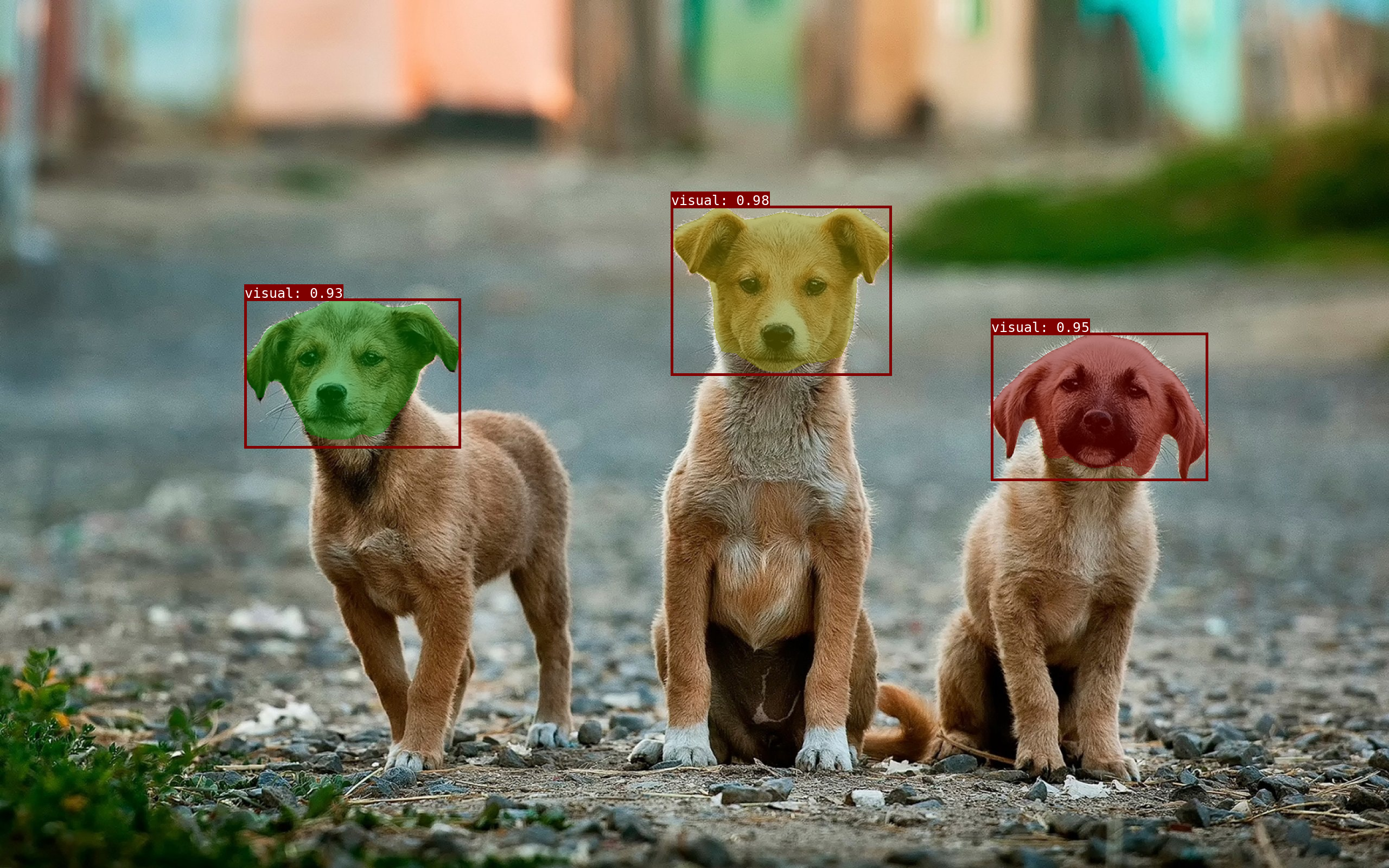
Output images: 'efficientsam_point.png', 'sam2_box.png', 'sam3_text.png', 'sam3_box.png'
Video output refuses to replace existing files unless --overwrite is given.
Input frames are protected even with --overwrite.
Each command starts a private server for its run, so every osam run loads
the model again. To keep it loaded across commands, start osam serve and set
OSAM_HOST, which list, pull, rm and run then use:
# In one terminal
osam serve

# In another, once it has started
export OSAM_HOST=127.0.0.1:11368
osam run efficientsam --image examples/_images/dogs.jpg --point 1439,504 > a.png
# The model and the image embedding are still loaded, so this skips both.
osam run efficientsam --image examples/_images/dogs.jpg --point 1439,1289 > b.png
The server unloads a model 5 minutes after its last request. OSAM_HOST can
also name another machine, such as gpu-box:11368.
Python
import numpy as np
from PIL import Image

import osam

image = np.asarray(Image.open("examples/_images/dogs.jpg"))
with osam.Client() as client:
    (annotation,) = client.segment(
        "efficientsam", image, points=[[1439, 504], [1439, 1289]], point_labels=[1, 1]
    )
mask = np.zeros(image.shape[:2], dtype=np.bool_)
bbox = annotation.bounding_box
mask[bbox.ymin : bbox.ymax + 1, bbox.xmin : bbox.xmax + 1] = annotation.mask
Image.fromarray(mask).save("mask.png")
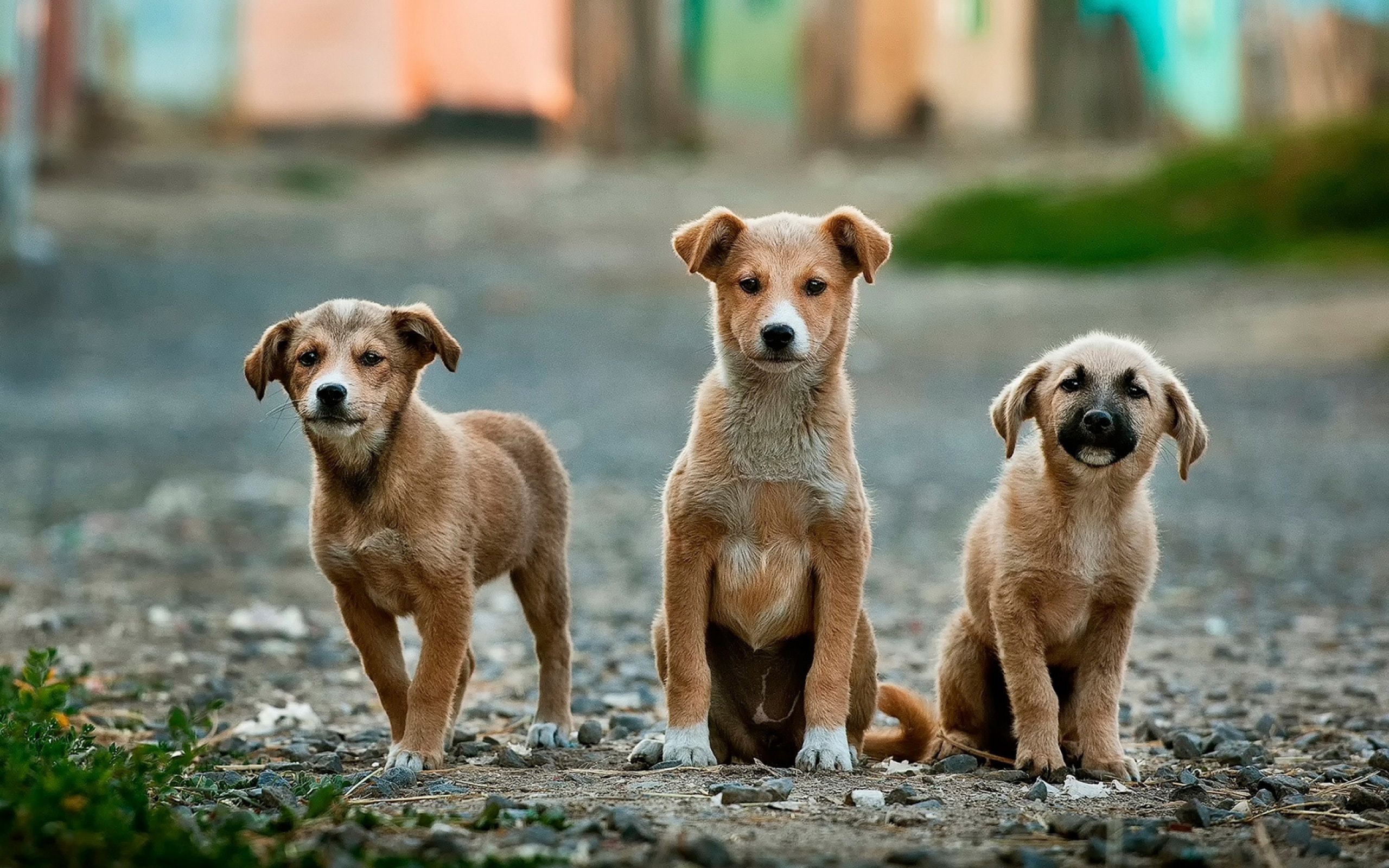
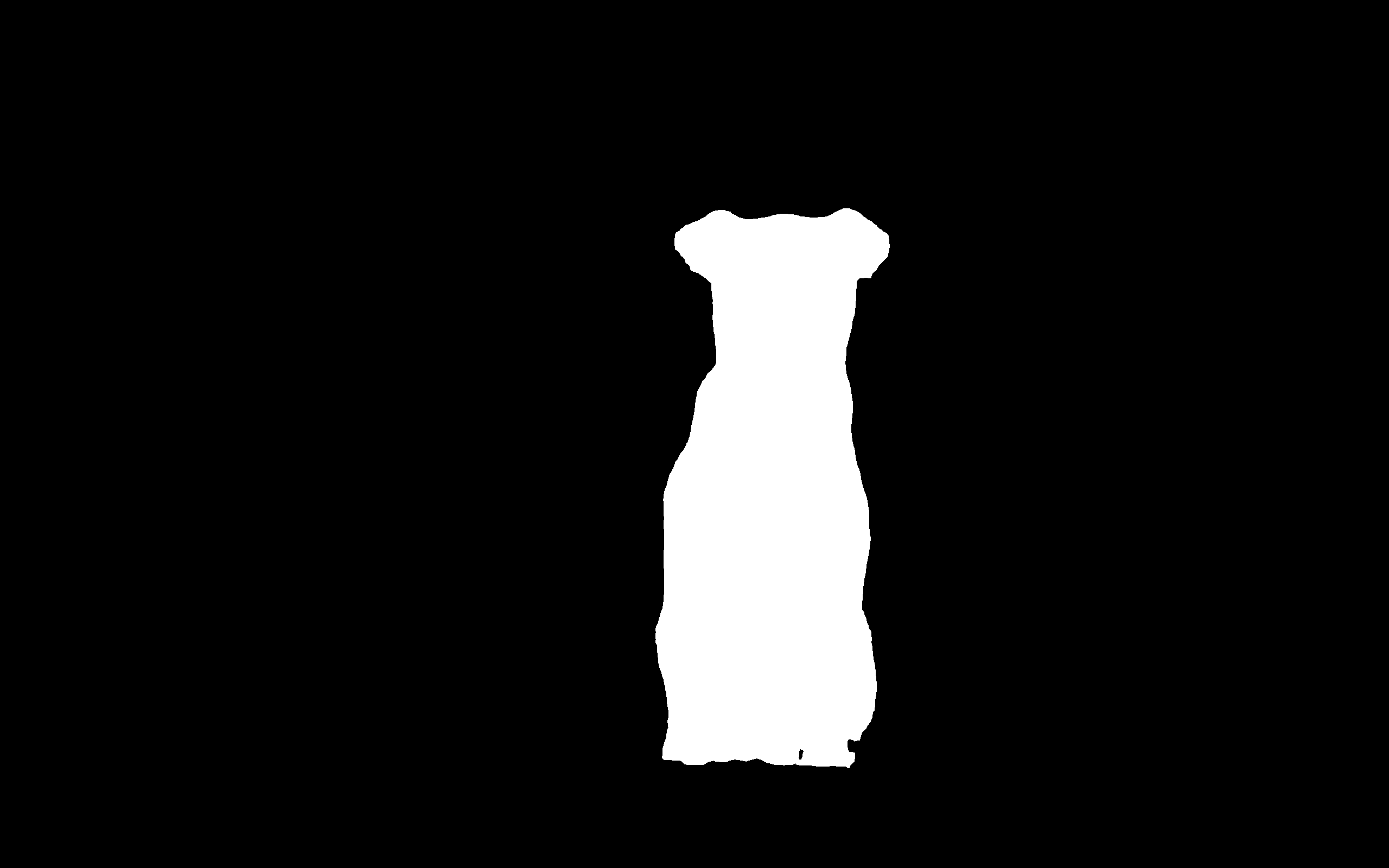
Input and output images ('dogs.jpg', 'mask.png').
client.segment takes one object, as points with point_labels (1 for
foreground, 0 for background) and at most one box as xmin, ymin, xmax,
ymax, or finds every match of texts, example_boxes, or both, such as
client.segment("sam3", image, texts=["dog"]). example_box_labels marks an
example box 0 to exclude what it covers. Coordinates are in pixels. Each
annotation's mask covers its bounding_box, and is None from YOLO-World.
client.load(model, keep_alive=-1) loads a model ahead of time and returns it
as client.ps() lists it, with the device it runs on, and keep_alive=0
unloads it and returns None.
osam.non_maximum_suppression keeps the best of
overlapping boxes, given as (N, 4) boxes and (N, C) per-class scores, on CPU.
osam.Client() starts a server process of its own and stops it on close() or
when your program exits, so each program keeps its model and image embeddings
loaded between calls. Further prompts on the same image skip the image encoder.
A frozen application, such as a PyInstaller bundle, must call
multiprocessing.freeze_support() first. osam.Client(host="gpu-box:11368"), or
OSAM_HOST for a client given no device, max_loaded_models or auto_pull,
uses a running osam serve instead; it checks that both run the
same minor version of osam. Errors from the server raise osam.ResponseError.
timeout=600 raises TimeoutError when a response takes longer, and restarts
a private server, so a hung model stops.
client.pull(model, progress=...) calls progress with each line; raising
from it, such as when the user cancels, stops the download. A download that
fails raises RuntimeError, from pull and from a segment or load that
has to download the model first.
osam.Client(in_process=True) runs models in your own process instead, with
no server, and takes the same calls. device, max_loaded_models and
keep_alive work as they do with a private server, and close() unloads its
models and clears cached frames and tracking results. An unknown model raises
LookupError on both; from a server, it is also an osam.ResponseError with
status code 404.
client.track("sam3", frames, actions) tracks objects through a list of RGB
frames, taking the actions of /api/track below, and returns each frame's
annotations and done. Each edit passes the done.result it was made on as
base. It sends frames by reference first and sends inline only those the
server lacks.
Pass progress=callback to receive osam.types.TrackProgress while inference
runs. A preparing event has action and frame set to None; later events
give zero-based action and frame positions and total_frames. Positions can
go backwards because tracking propagates in both directions, then collects
final results. They are not a completion percentage. Raising from the callback
stops the request. Cancellation takes effect between frames, after any native
inference call or model compilation in flight finishes.
response = client.track(
    "sam3", frames, [{"type": "prompt", "frame": 0, "texts": ["person"]}]
)
first = response.done.objects[0].object_id
response = client.track(
    "sam3",
    frames,
    [
        {"type": "prompt", "frame": 0, "texts": ["person"]},
        {"type": "remove", "object_id": first, "base": response.done.result},
    ],
)
HTTP
# Get up the server (--host and --port change where it listens)
osam serve

# POST request
base64 < examples/_images/dogs.jpg \
  | jq -Rs '{model: "efficientsam", image: gsub("\n"; "")}' \
  | curl 127.0.0.1:11368/api/segment -X POST --json @- \
  | jq -r '.annotations[0].mask' | base64 --decode > mask.png
/api/segment takes the model, the image base64-encoded, and the keyword
arguments of client.segment. /api/load takes model and keep_alive, and returns the model as /api/ps
lists it, or null once unloaded.
osam serve --device picks the execution device for every
request. The server keeps one model loaded. An application using two passes
--max-loaded-models 2, or osam.Client(max_loaded_models=2) for its private
server, so they don't reload in turn; a full server unloads the least recently
used model first. It also keeps the
embeddings of recent images, so further prompts on the same image skip the
image encoder. A response gives its image's reference, "sha256:<hex>",
in image, which further requests can send as image in place of the file;
the server answers 412 with "code": "missing_images" and the references in
images when it no longer has that image, and osam.Client then sends the
image. A model unloads 5 minutes after its last request; keep_alive changes that,
in seconds or as a duration such as "10m", with -1 to keep it loaded and 0
to unload it now. /api/ps lists the loaded models and /api/version the
server's version. Errors come back as {"error": "...", "code": "..."},
where code, such as "model_not_found" or "missing_images", stays the same
across releases, and osam.ResponseError.code holds it. Unknown request and
prompt fields return 422 instead of being ignored. /api/models,
/api/pull and DELETE /api/models/{name} match osam list, osam pull and
osam rm; each model in /api/models also lists its capabilities, such as
"segment", the prompt_kinds it takes, such as "points" and
"texts", and its download_size in bytes for the server's device, known
before a pull. /api/pull streams NDJSON lines such as
{"status": "pulling encoder.onnx", "completed": 524288, "total": 24799761} and
ends with {"status": "success"} or {"error": "...", "code": "pull_failed"}. The full schema is at
http://127.0.0.1:11368/docs.
/api/track tracks objects through a video with SAM3, as
ADR 0005 describes.
It takes frames, each an image file or a reference as in /api/segment, and
actions, every edit so far: a prompt first, then add, refine and
remove, each with base, the result of the response the edit was made on.
{"model": "sam3", "frames": ["sha256:...", "sha256:..."], "actions": [
  {"type": "prompt", "frame": 0, "texts": ["person"]},
  {"type": "refine", "frame": 5, "object_id": 0, "points": [[320, 240]],
   "point_labels": [0], "base": "sha256:..."}]}
It streams one line per frame, {"frame": 0, "annotations": [...]}, each
annotation with its object_id, then
{"done": true, "objects": [...], "result": "sha256:...", "cache": "partial"}
and "images", a reference to each frame to send next.
The NDJSON stream starts with
{"progress": true, "action": null, "frame": null, "total_frames": 20} and
reports current frame positions while inference runs. Only the subsequent
frame records contain finalized annotations. The stream ends with done, or
with an error record such as
{"error": "...", "code": "base_changed", "status_code": 409, "result": "sha256:..."}.
The response has already started with HTTP 200, so clients must read error
records. Invalid request bodies receive HTTP 422 before the stream starts.
A changed base reports base_changed with the current result digest.
missing_images reports status 412 and images to resend inline. The Python
client retries missing frames and raises osam.ResponseError for failures,
preserving status_code, code, images and result. Disconnecting cancels
work between frames, including requests still waiting for the inference worker.
/openapi.json documents all four NDJSON record types and the JSON HTTP error
body. The video CLI prints current frame positions to stderr; --json stdout
contains only finalized frame and done records.
/api/models lists "track" in the capabilities of
a model that tracks, SAM3.
The server keeps the last video's tracking state in memory, so that the next edit applies without tracking from the start. At 1080p, each object takes about 1.3 MB per frame for the first 320 frames and 0.6 MB for each frame after, when the tracker drops the oldest memory features, plus the annotations: one object over 400 frames kept 471 MB and 103 MB of annotations. A request that tracks again, for another video or with actions that don't extend the last ones, replaces it; one answered from the server's cache of results leaves it. Unloading the model frees it.
Explorar proyectos relacionados
tensorflow/tensorflow
Un framework de código abierto de aprendizaje automático para todos
201,593 estrellashuggingface/transformers
🤗 Transformers: el framework de definición de modelos para modelos de aprendizaje automático de vanguardia en texto, visión, audio y multimodal, tanto para inferencia como para entrenamiento.
168,960 estrellasAUTOMATIC1111/stable-diffusion-webui
Interfaz web de Stable Diffusion
165,311 estrellasComfy-Org/ComfyUI
La GUI, la API y el backend más potentes y modulares para modelos de difusión, con una interfaz de grafos y nodos. El motor de inferencia local más rápido del mundo.
146,747 estrellas