
wkentaro/labelme
wkentaro/labelme has 16,299 GitHub stars and 3,729 forks. GitHot measured 0 stars in 24 hours, +48 in 7 days, and +60 in 15 days. Last checked 2026-11-08 18:08 UTC. Last push 2026-11-03.
Anotación de imágenes con Python. Admite polígonos, rectángulos, círculos, líneas, puntos y anotación asistida por IA.
What you can do
- Image annotation for polygon, rectangle, circle, line and point (tutorial)
- Image flag annotation for classification and cleaning (#166)
- Video annotation (video annotation)
- GUI customization (predefined labels / flags, auto-saving, label validation, etc) (#144)
Crecimiento de estrellas medido
- in 24h
- 0
- in 7 days
- +48
- in 15 days
- +60
- in 1 month
- Recopilando historial
Cambios netos en períodos que se solapan, no totales diarios. Los datos no disponibles se dejan en blanco. Las estrellas indican interés, no calidad.
README.md
Original

labelme
Image annotation with Python.


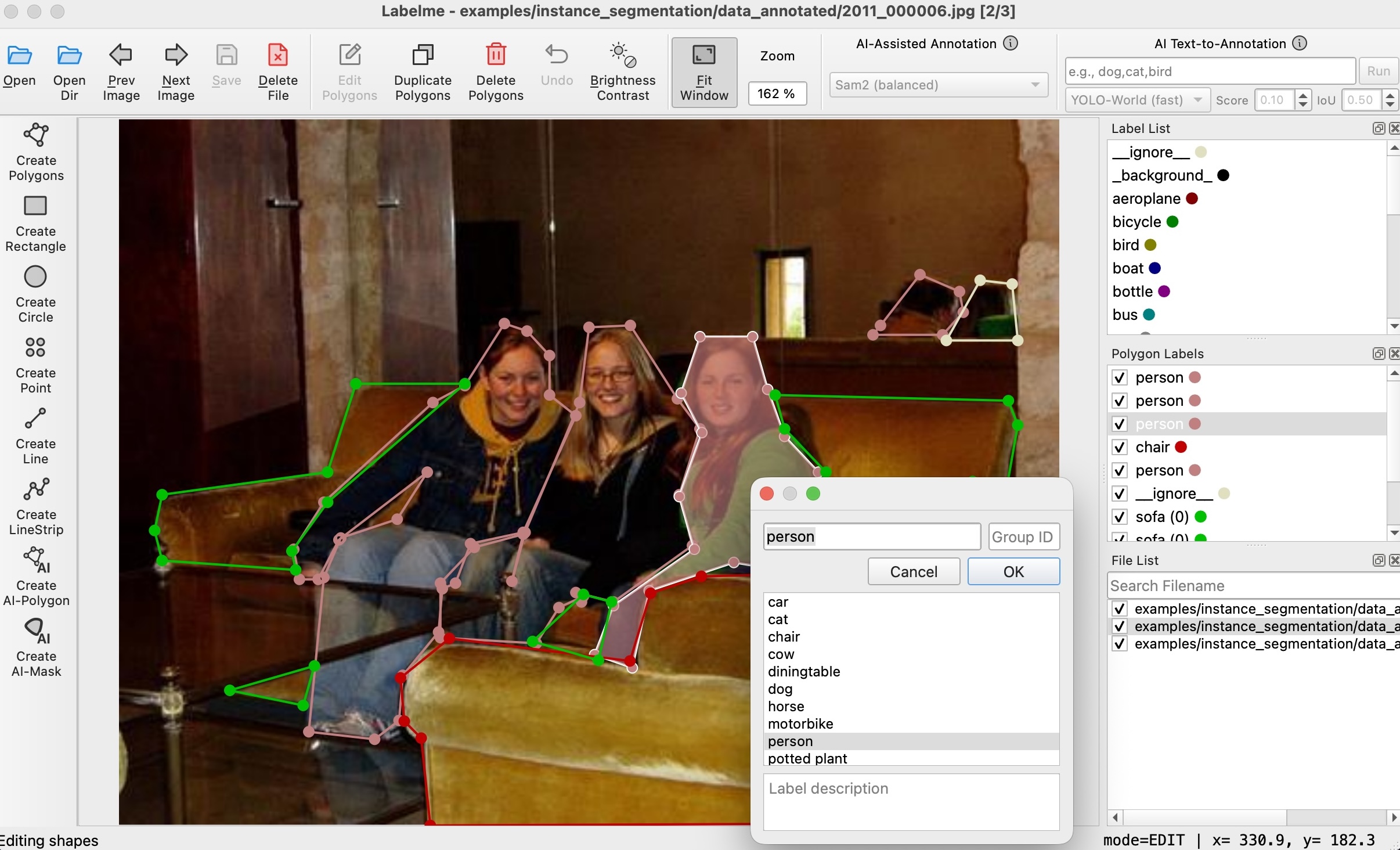
Description
Labelme is a graphical image annotation tool inspired by http://labelme.csail.mit.edu.
It is written in Python and uses Qt for its graphical interface.
Looking for a simple install without Python or Qt? Get the standalone app at labelme.io.



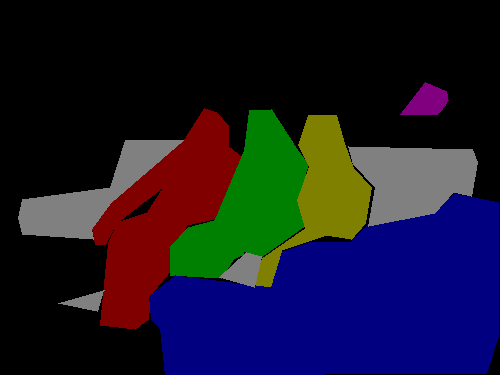
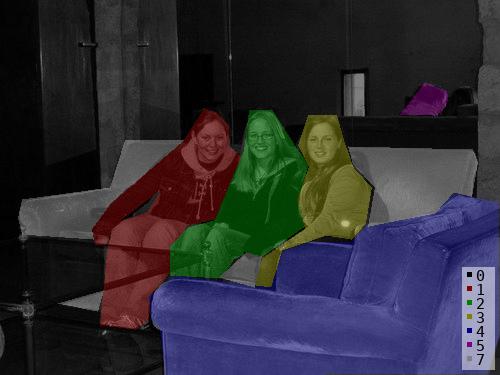
VOC dataset example of instance segmentation.
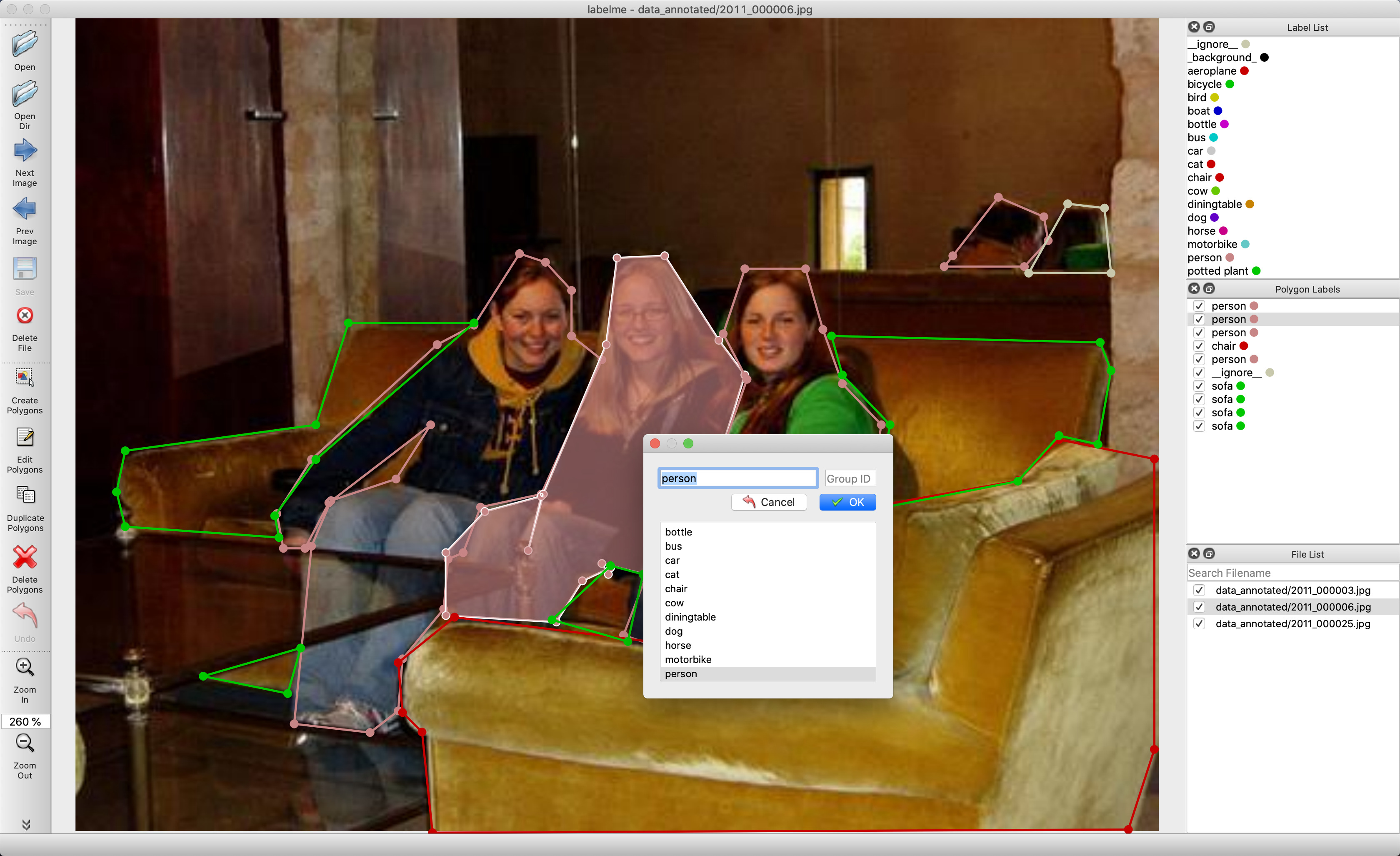
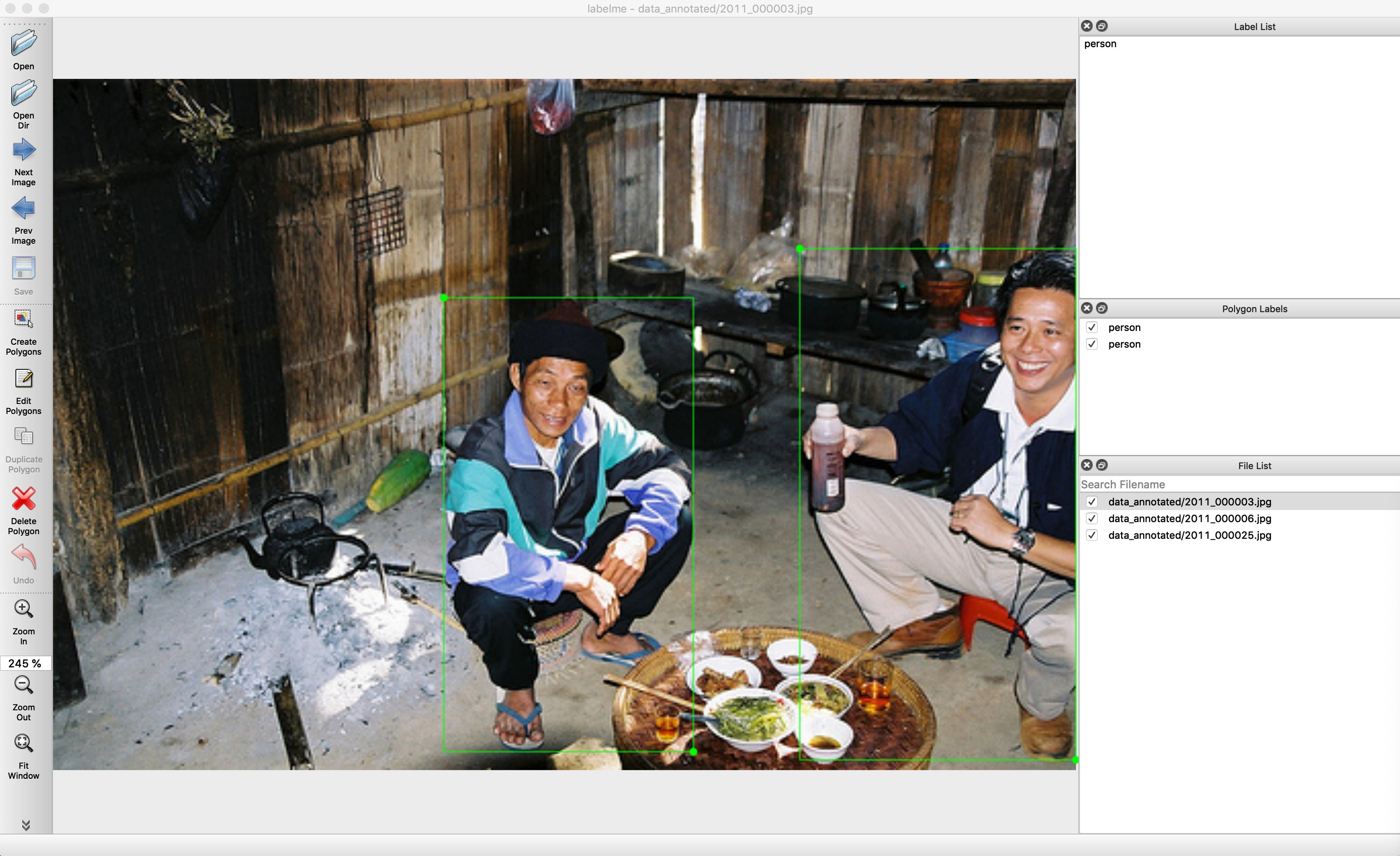
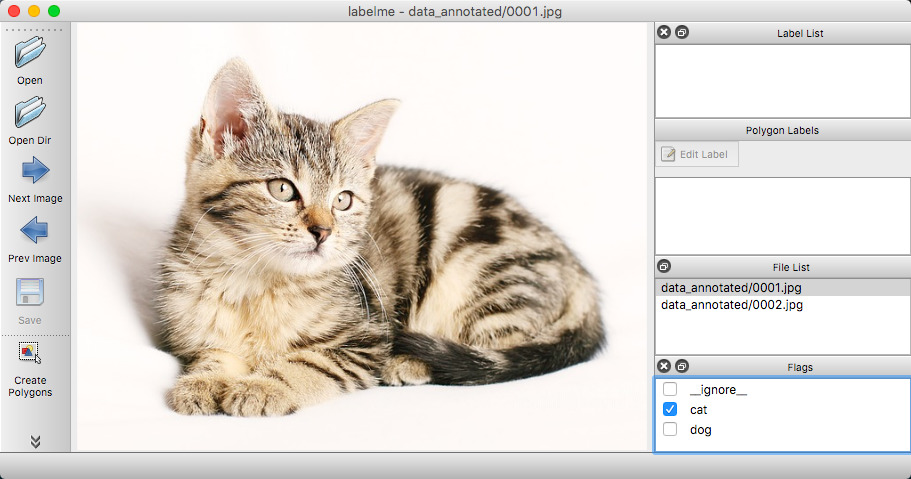
Other examples (semantic segmentation, bbox detection, and classification).


Various primitives (polygon, rectangle, circle, line, and point).
Multi-language support (English, 中文, 日本語, 한국어, Deutsch, Français, and more).
Features
- Image annotation for polygon, rectangle, circle, line and point (tutorial)
- Image flag annotation for classification and cleaning (#166)
- Video annotation (video annotation)
- GUI customization (predefined labels / flags, auto-saving, label validation, etc) (#144)
- Exporting VOC-format dataset for semantic segmentation, instance segmentation
- Exporting COCO-format dataset for instance segmentation
- AI-assisted point-to-polygon/mask annotation by SAM, EfficientSAM models
- AI text-to-annotation by YOLO-world, SAM3 models
🌏 Available in 20 languages - English · 日本語 · 한국어 · 简体中文 · 繁體中文 · Deutsch · Ελληνικά · Français · Español · Italiano · Português · Nederlands · Magyar · Русский · ไทย · Tiếng Việt · Türkçe · Українська · Polski · فارسی (LANG=ja_JP.UTF-8 labelme)
Installation
There are 3 options to install labelme:
Option 1: Using pip
For more detail, check "Install Labelme using Terminal"
pip install labelme

# To install the latest version from GitHub:
# pip install git+https://github.com/wkentaro/labelme.git
Option 2: Using standalone executable (Easiest)
If you're willing to invest in the convenience of simple installation without any dependencies (Python, Qt), you can download the standalone executable from "Install Labelme as App".
It's a one-time payment for lifetime access, and it helps us to maintain this project.
Option 3: Linux distribution packages
On some Linux distributions, labelme is also packaged in the system's native repository and can be installed with the distribution's standard package tooling. The badge below tracks which distributions currently ship labelme and which version each one provides:

Supported Python and platforms
| Supported (v7.x) | Maintenance (v6.3.x) | |
|---|---|---|
| Python | 3.12 - 3.14 | 3.10 - 3.11 |
| Qt | Qt6 (PySide6) | Qt5 |
| OS | 64-bit macOS / Windows / Linux | older OSes |
labelme follows SPEC 0 (the successor to NEP 29) for dropping Python versions, in step with its core scientific dependencies (numpy, scipy, scikit-image). v6.3.x is the maintenance line for Qt5 and Python 3.10 / 3.11 stragglers.
v6.3.x receives critical fixes only, on a best-effort basis with no release cadence or SLA. "Critical" is limited to:
- security vulnerabilities,
- data-loss or annotation-corruption bugs,
- install or launch breakage caused by upstream dependency drift.
Feature backports and non-critical bugs are out of scope; all new development happens on v7.x.
Upgrading from v6.x to v7
v7.0.0 raises the platform floor:
- Qt binding: the GUI moved from PyQt5 (Qt5) to PySide6 (Qt6).
pip install labelmenow pulls PySide6 instead of PyQt5. - Python: the minimum is now Python 3.12 (3.10 and 3.11 are dropped).
- OS: Qt6 requires a 64-bit macOS, Windows, or Linux; older OSes that only Qt5 supported are no longer covered.
- No public Python API: labelme is an application, not a library, and exposes no stable Python API. Its internal modules were privatized in v7 (renamed to underscore-prefixed names), so
import labelme.app,labelme.utils,labelme.widgets, and similar imports no longer work. If you previously imported labelme internals, pinlabelme<7and vendor the code you need; seeexamples/utils.pyfor copy-and-adapt reference code that reads the JSON annotation format without depending on labelme.
If you need to stay on PyQt5/Qt5, Python 3.10 or 3.11, or an older OS, pin to the v6.3.x maintenance line:
pip install 'labelme<7'
All previous releases remain installable from PyPI, so existing pins keep working.
v7.0.0 also changes config parsing:
- Config booleans:
~/.labelmercis now parsed with ruamel.yaml (YAML 1.2), so the boolean spellingsyes/no/on/off(in any capitalization) are read as strings rather than booleans. If you set any boolean option this way, switch it totrue/false.
Public interface
labelme is an application. The interfaces you can build on and that we keep stable are:
- the command-line interface (
labelme ...), - the on-disk JSON annotation format, and
- the
~/.labelmercconfig format.
Everything else, including the Python import surface, is internal and may change or be renamed without notice. To consume annotations from your own code, read the JSON format directly (see examples/utils.py).
Usage
Run labelme --help for detail.
The annotations are saved as a JSON file.
labelme  # just open gui

# tutorial (single image example)
cd examples/tutorial
labelme apc2016_obj3.jpg  # specify image file
labelme apc2016_obj3.jpg --output annotations/  # read and save annotation files in an annotation folder
labelme apc2016_obj3.jpg --with-image-data  # include image data in JSON file
labelme apc2016_obj3.jpg \
  --labels highland_6539_self_stick_notes,mead_index_cards,kong_air_dog_squeakair_tennis_ball  # specify label list

# semantic segmentation example
cd examples/semantic_segmentation
labelme data_annotated/  # Open a folder to annotate all images in it
labelme data_annotated/ --labels labels.txt  # specify label list with a file
Command Line Arguments
Run labelme --help for the full list.
FAQ
- How to convert JSON file to numpy array? See examples/tutorial.
- How to load label PNG file? See examples/tutorial.
- How to get annotations for semantic segmentation? See examples/semantic_segmentation.
- How to get annotations for instance segmentation? See examples/instance_segmentation.
Examples
- Image Classification
- Bounding Box Detection
- Semantic Segmentation
- Instance Segmentation
- Video Annotation
How to build standalone executable
LABELME_PATH=./labelme
OSAM_PATH=$(python -c 'import os, osam; print(os.path.dirname(osam.__file__))')
pyinstaller labelme/labelme/__main__.py \
  --name=Labelme \
  --windowed \
  --noconfirm \
  --specpath=build \
  --add-data=$(OSAM_PATH)/_models/yoloworld/clip/bpe_simple_vocab_16e6.txt.gz:osam/_models/yoloworld/clip \
  --add-data=$(LABELME_PATH)/_config/default_config.yaml:labelme/_config \
  --add-data=$(LABELME_PATH)/icons/*:labelme/icons \
  --add-data=$(LABELME_PATH)/translate/*:translate \
  --icon=$(LABELME_PATH)/icons/icon-256.png \
  --onedir
Development
Install just 1.58.0 or newer and
uv. Recipes use Bash;
on Windows, install Git for Windows and make its Bash available on PATH.
Run just to list commands and their arguments. Common commands are
just setup, just lint, and just test.
Acknowledgement
This repo is the fork of mpitid/pylabelme.
Explorar proyectos relacionados
tensorflow/tensorflow
Un framework de código abierto de aprendizaje automático para todos
201,400 estrellashuggingface/transformers
🤗 Transformers: el framework de definición de modelos para modelos de aprendizaje automático de vanguardia en texto, visión, audio y multimodal, tanto para inferencia como para entrenamiento.
168,668 estrellasAUTOMATIC1111/stable-diffusion-webui
Interfaz web de Stable Diffusion
165,261 estrellasComfy-Org/ComfyUI
La GUI, la API y el backend más potentes y modulares para modelos de difusión, con una interfaz de grafos y nodos. El motor de inferencia local más rápido del mundo.
145,835 estrellas