
wenzhenl/wikitimeline
wenzhenl/wikitimeline has 57 GitHub stars and 6 forks. GitHot measured 0 stars in 24 hours. Last checked 2026-11-15 01:04 UTC. Last push 2026-03-23.
What you can do
- 🔄 Instant Conversion: Transform any Wikipedia article into a timeline in seconds
- 🤖 AI-Powered: Utilizes Google Gemini to extract and organize chronological events
- 📱 Responsive Design: Beautiful interface that works on all devices
- 🌓 Dark Mode: Seamless experience in both light and dark themes
Crecimiento de estrellas medido
- in 24h
- 0
- in 7 days
- Recopilando historial
- in 15 days
- Recopilando historial
- in 1 month
- Recopilando historial
Cambios netos en períodos que se solapan, no totales diarios. Los datos no disponibles se dejan en blanco. Las estrellas indican interés, no calidad.
Acerca de
WikiTimeline: Transform Wikipedia articles into interactive timelines where you can compare historical figures/events and discover surprising connections
AprendizajeREADME.md
Original🌟 WikiTimeline
Transform Wikipedia articles into beautiful, interactive timelines powered by AI
Live Demo • Features • Installation • Usage
Architecture
Can be found with deepwiki/wikitimeline
✨ Features
- 🔄 Instant Conversion: Transform any Wikipedia article into a timeline in seconds
- 🤖 AI-Powered: Utilizes Google Gemini to extract and organize chronological events
- 📱 Responsive Design: Beautiful interface that works on all devices
- 🌓 Dark Mode: Seamless experience in both light and dark themes
- 🔄 Multi-Timeline: Compare multiple timelines side by side
- 🎯 Interactive: Zoom, scroll, and explore events interactively
🚀 Installation
- Clone the repository:
git clone https://github.com/wenzhenl/wikitimeline.git
cd wikitimeline
- Install dependencies:
npm install
- Set up environment variables:
cp .env.example .env.development.local
Configure your environment variables:
- Get a Gemini API key from Google AI Studio
- Set up Vercel KV storage:
- Install Vercel CLI:
npm i -g vercel - Link your project:
vercel link - Create a KV storage in Vercel Dashboard
- Connect KV to your project
- Pull environment variables:
vercel env pull .env.development.local
- Install Vercel CLI:
Run the development server:
npm run dev
🌐 Deployment
- Deploy to Vercel:
vercel deploy
- Configure production environment variables in Vercel Dashboard:
- Add all variables from
.env.example - Connect Vercel KV storage
- Add all variables from
💡 Usage
- Visit the homepage
- Search for any Wikipedia topic
- Select from the autocomplete suggestions
- Click "Generate Timeline" to view your interactive timeline
- For multiple timelines, keep adding topics before generating
🎯 Example Timelines
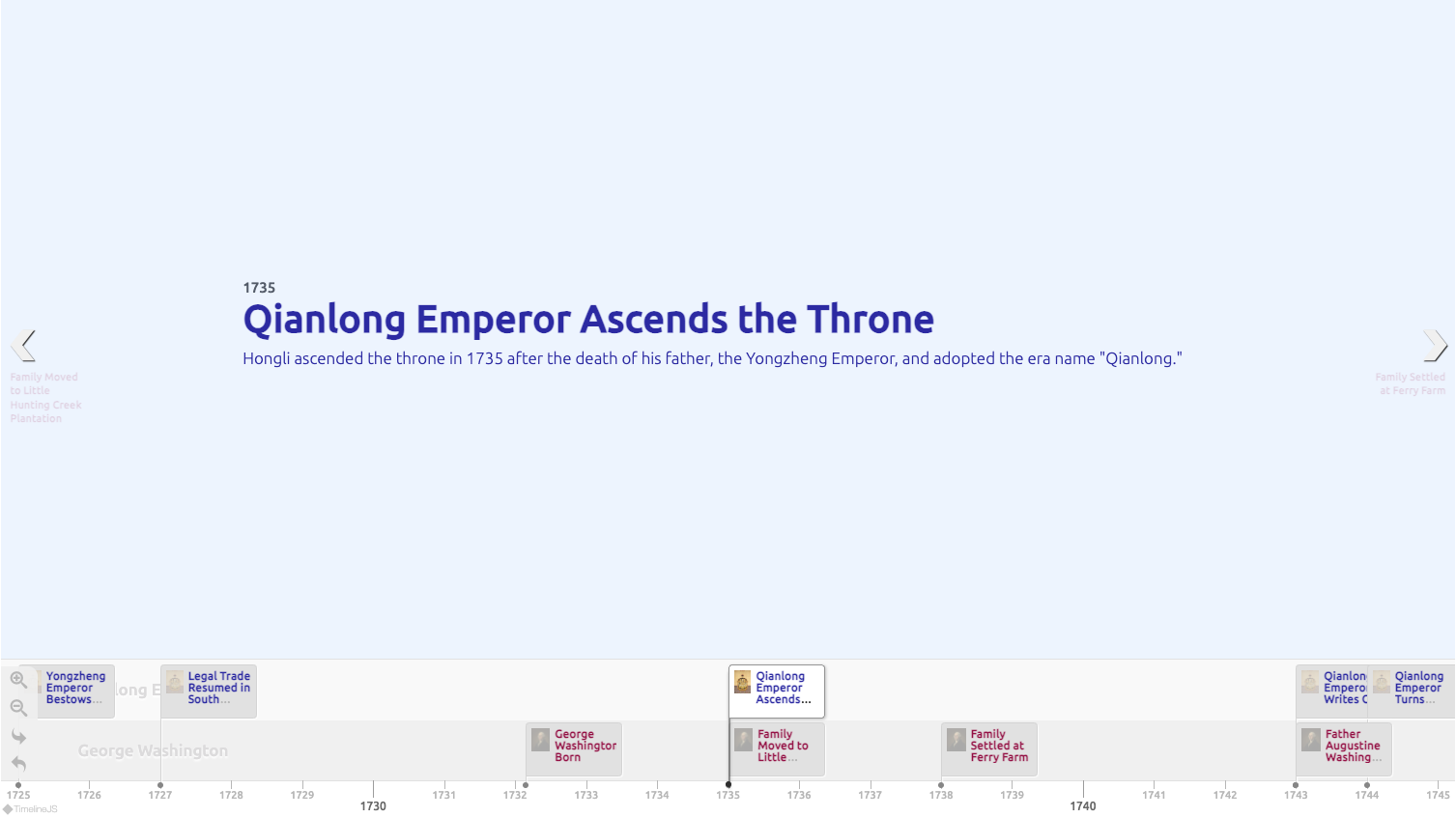 George Washington & Qianlong Emperor - Two great leaders, two empires, one era
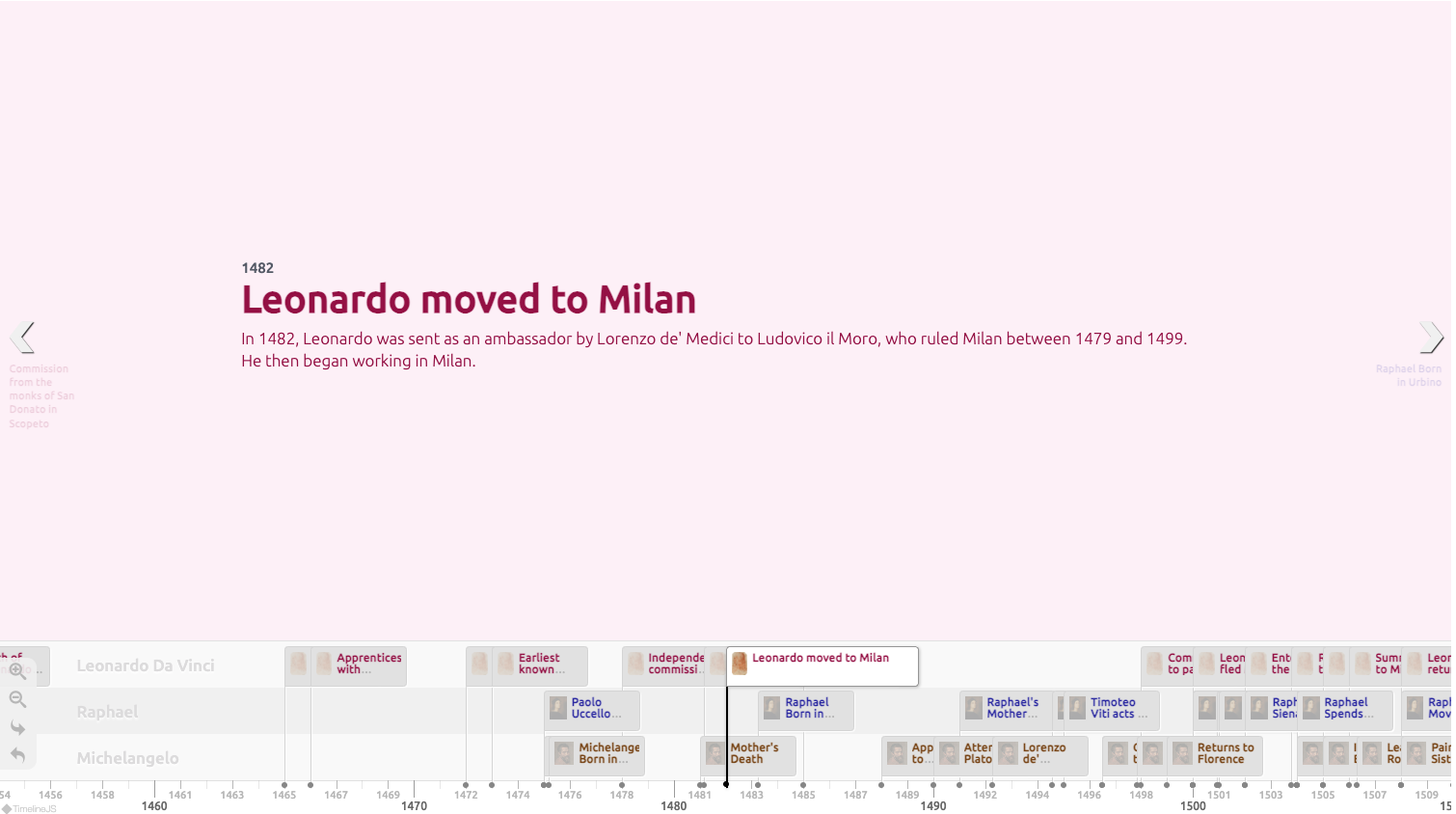 The Three Titans - Renaissance masters who shaped art history
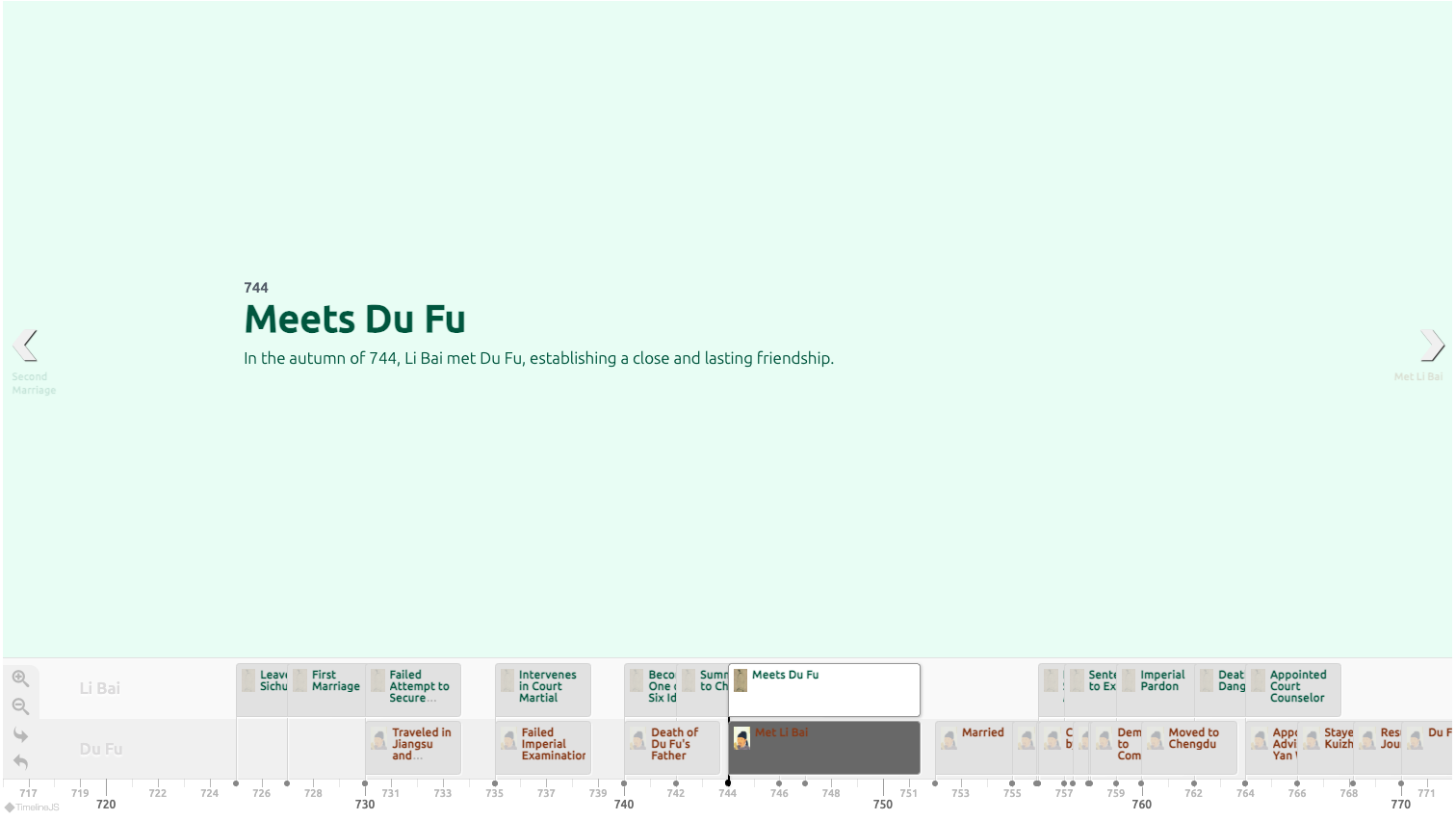 The Poet Saints - China's greatest poets of the Golden Age
🛠️ Tech Stack
- Framework: Next.js 14 with App Router
- Styling: Tailwind CSS
- Database: Vercel KV (Redis)
- AI: Cursor/Claude for development, Gemini for timeline generation
- Deployment: Vercel
🤝 Contributing
Contributions are welcome! Please feel free to submit a Pull Request.
📝 License
This project is licensed under the MIT License - see the LICENSE file for details.