
videosdk-live/videosdk-rtc-react-sdk-example
videosdk-live/videosdk-rtc-react-sdk-example has 144 GitHub stars and 92 forks. GitHot measured 0 stars in 24 hours. Last checked 2026-11-16 18:47 UTC. Last push 2026-08-12.
What you can do
- 📋 Precall Setup - Setup Precall - Configure audio, video devices and other settings before joining the meeting.
- ⏳ Waiting Lobby - Waiting Lobby - Virtual space for participants to wait before joining the meeting.
- 🤝 Join Meeting - Join Meeting - Allows participants to join a meeting.
- 🚪 Leave Meeting - Leave Meeting - Allows participants to leave a meeting.
Crecimiento de estrellas medido
- in 24h
- 0
- in 7 days
- Actualización retrasada
- in 15 days
- Actualización retrasada
- in 1 month
- Actualización retrasada
Cambios netos en períodos que se solapan, no totales diarios. Los datos no disponibles se dejan en blanco. Las estrellas indican interés, no calidad.
Acerca de
WebRTC based video conferencing SDK for React JS
Web y aplicacionesREADME.md
Original🚀 Video SDK for React JS



A production-ready video conferencing app built with the VideoSDK React SDK - precall setup, screen share, chat, whiteboard, recording, and RTMP/HLS live streaming, all wired up and ready to clone.
At Video SDK, we’re building tools to help companies create world-class collaborative products with capabilities for live audio/video, cloud recordings, RTMP/HLS streaming, and interaction APIs.
🥳 Get started with $20 free credit. No credit card required. Try it now!
⚡️From Clone to Launch - Get Started with the Example in 5 mins!
📚 Table of Contents
- 🖥️ Demo App
- ⚡ Quick Setup
- 🛠 Prerequisites
- 📦 Running the Sample App
- 🔥 Meeting Features
- 🧠 Key Concepts
- 🔐 Token Generation
- 🧩 Project OverView
- 📖 Examples
- 📝 VideoSDK's Documentation
- 💬 Join Our Community
🖥️ Demo App
Curious to see it in action? Check out our live demo here.
⚡ Quick Setup
🛠 Prerequisites
- Node v18 or later (required by
react-scripts5) - npm v9 or later
- A valid Video SDK Account
📦 Running the Sample App
Follow these steps to get the sample app up and running:
Step 1: Clone the Repository
git clone https://github.com/videosdk-live/videosdk-rtc-react-sdk-example.git
Step 2: Set Up Environment Variables
Open your favorite code editor and copy the example environment file:
cp .env.example .env
Step 3: Configure Your .env File
Generate a temporary token from your Video SDK Account and update the .env file:
REACT_APP_VIDEOSDK_TOKEN="YOUR_TEMPORARY_TOKEN"
Step 4: Install Dependencies
Install the necessary packages:
npm install
Step 5: Launch the App
Bingo, it's time to push the launch button.
npm run start
🔥 Meeting Features
Unlock a suite of powerful features to enhance your meetings:
| Feature | Documentation | Description |
|---|---|---|
| 📋 Precall Setup | Setup Precall | Configure audio, video devices and other settings before joining the meeting. |
| ⏳ Waiting Lobby | Waiting Lobby | Virtual space for participants to wait before joining the meeting. |
| 🤝 Join Meeting | Join Meeting | Allows participants to join a meeting. |
| 🚪 Leave Meeting | Leave Meeting | Allows participants to leave a meeting. |
| 🎤 Toggle Mic | Mic Control | Toggle the microphone on or off during a meeting. |
| 📷 Toggle Camera | Camera Control | Turn the video camera on or off during a meeting. |
| 🖥️ Screen Share | Screen Share | Share your screen with other participants during the call. |
| 📸 Image Capture | Image Capturer | Capture images of other participant from their video stream, particularly useful for Video KYC and identity verification scenarios. |
| 🔌 Change Input Device | Switch Input Devices | Switch between different audio and video input devices. |
| 🔊 Change Audio Output | Switch Audio Output | Select an output device for audio during a meeting. |
| ⚙️ Optimize Tracks | Track Optimization | Enhance the quality and performance of media tracks. |
| 💬 Chat | In-Meeting Chat | Exchange messages with participants through a Publish-Subscribe mechanism. |
| 📝 Whiteboard | Whiteboard | Collaborate visually by drawing and annotating on a shared whiteboard. |
| 📁 File Sharing | File Sharing | Share files with participants during the meeting. |
| 📼 Recording | Recording | Record the meeting for future reference. |
| 📡 RTMP Livestream | RTMP Livestream | Stream the meeting live to platforms like YouTube or Facebook. |
| 📝 Real-time Transcription | Real-time Transcription | Generate real-time transcriptions of the meeting. |
| 🔇 Toggle Remote Media | Remote Media Control | Control the microphone or camera of remote participants. |
| 🚫 Mute All Participants | Mute All | Mute all participants simultaneously during the call. |
| 🗑️ Remove Participant | Remove Participant | Eject a participant from the meeting. |
🧠 Key Concepts
Understand the core components of our SDK:
Meeting- A Meeting represents Real-time audio and video communication.Note: Don't confuse the terms Room and Meeting; both mean the same thing 😃Sessions- A particular duration you spend in a given meeting is referred as a session, you can have multiple sessions of a specific meetingId.Participant- A participant refers to anyone attending the meeting session. Thelocal participantrepresents yourself (You), while all other attendees are consideredremote participants.Stream- A stream refers to video or audio media content that is published by either thelocal participantorremote participants.
🔐 Token Generation
The token is used to create and validate a meeting using API and also initialize a meeting.
🛠️ Development Environment:
- You may use a temporary token for development. To create a temporary token, go to VideoSDK's dashboard .
🌐 Production Environment:
- You must set up an authentication server to authorize users for production. To set up an authentication server, please take a look at our official example repositories. videosdk-rtc-api-server-examples
🧩 Project Overview
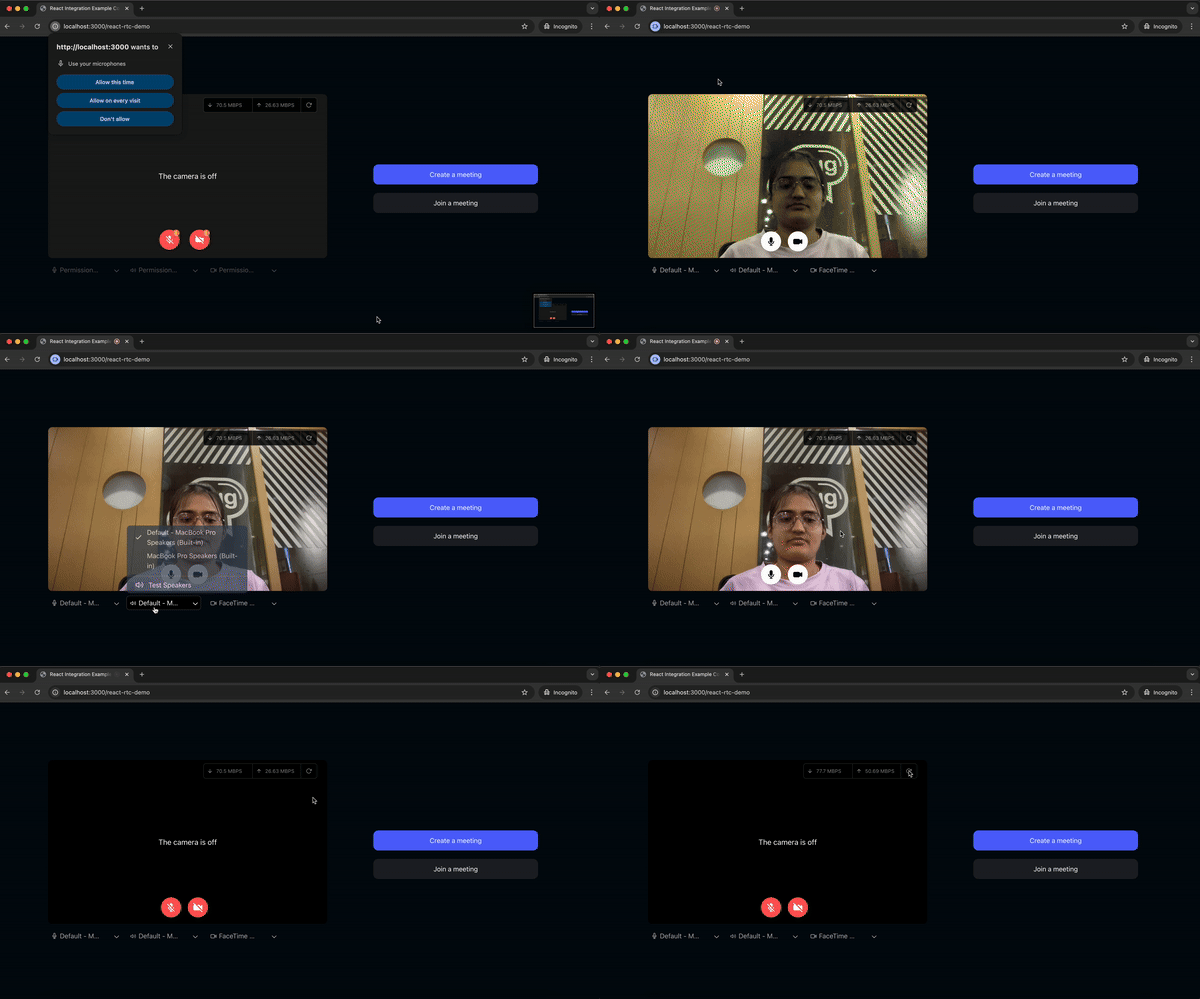
1. Pre-Call Setup on Join Screen
components/DropDown.js : A dropdown component for selecting audio input devices (microphones), monitoring audio via the Web Audio API, and managing microphone settings.
components/DropDownCam.js : A dropdown component for selecting camera devices and managing camera permissions.
components/DropDownSpeaker.js : Allows users to select speakers, test them with sample sounds, and track playback progress for confirmation.
components/RunPrecallTest.js : Runs a pre-call test to measure network quality (uplink/downlink latency, jitter, packet loss, bitrate, frame rate, and resolution) before joining the meeting.
2. Create or Join Meeting
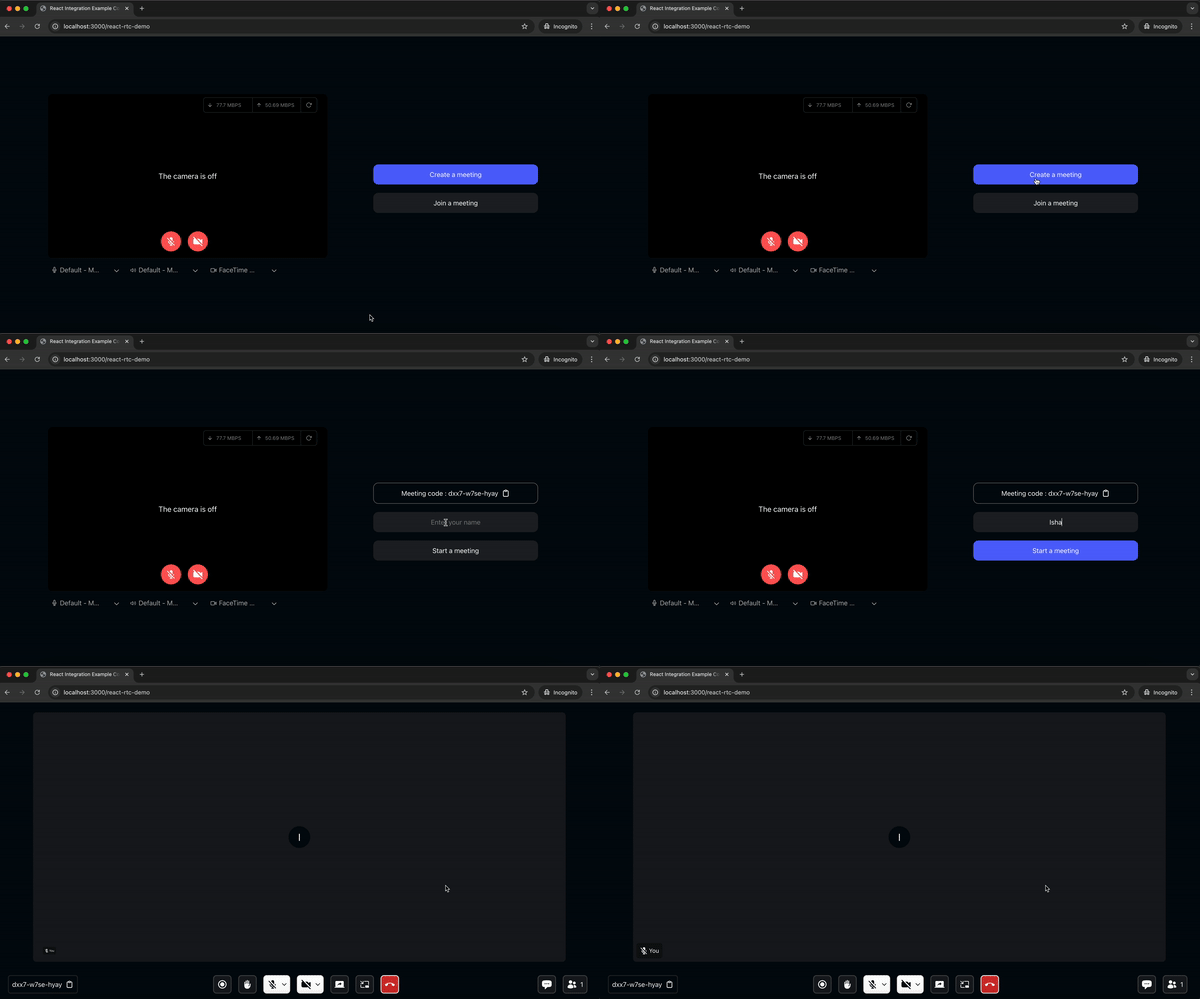
components/screens/JoiningScreen.js: Provides users the option to create or join a meeting, manage webcam and mic status, select devices (microphone, camera, speakers), check permissions, preview video, and monitor network statistics to ensure proper setup before entering the meeting.api.js: Includes all API calls for creating and validating meetings.components/MeetingDetailsScreen.js: Displays options for creating or joining a meeting.
3. Waiting Screen
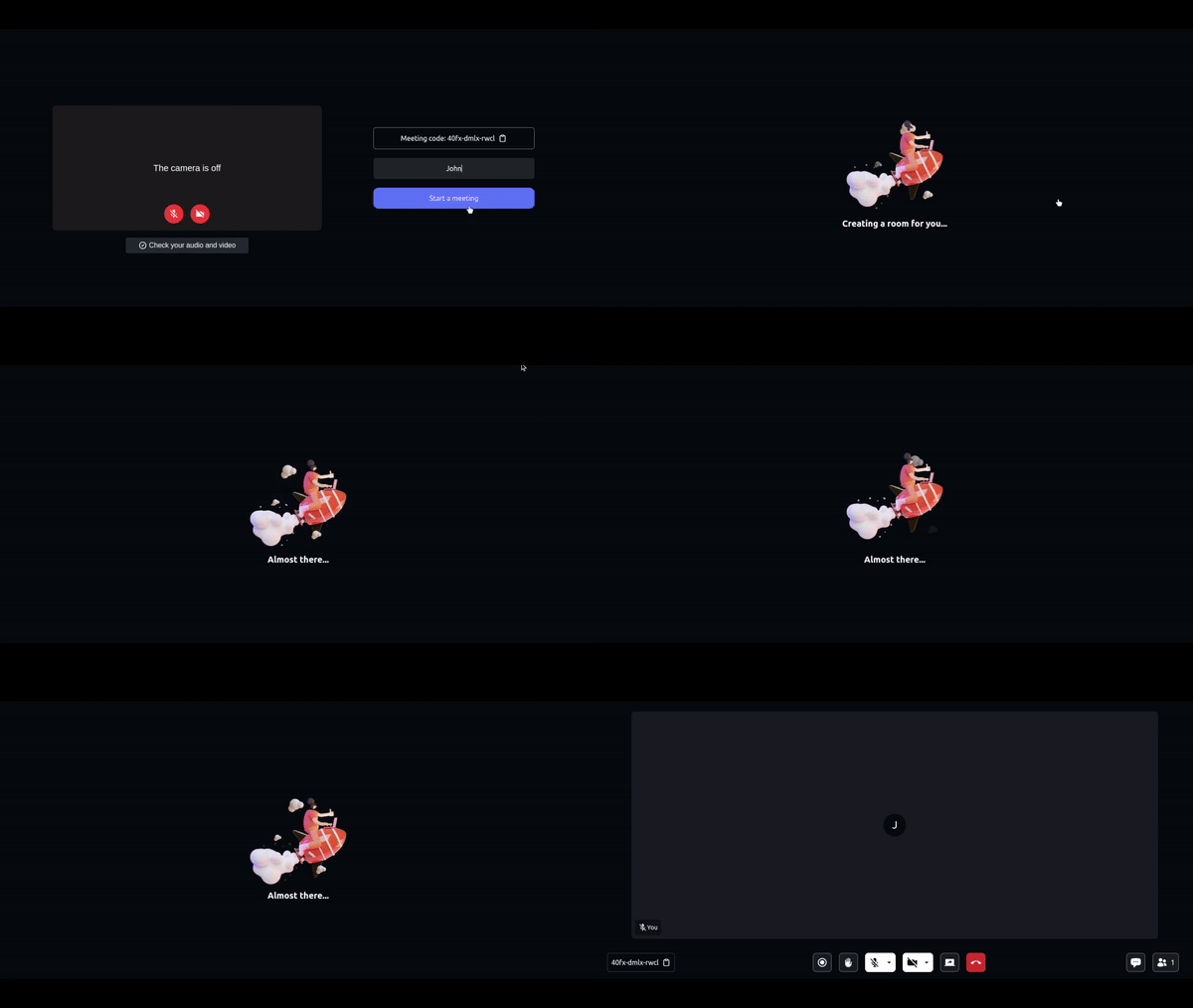
components/screens/WaitingToJoinScreen.js: Displays a Lottie animation with messages while waiting to join the meeting. This screen is shown until theisMeetingJoinedflag is true, which is received from themeetinginitialized usinguseMeeting()from@videosdk.live/react-sdk.
4. Participant View
components/ParticipantView.js: Displays a single participant's video with a corner display for the participant's name.components/ParticipantGrid.js: Displays a grid of participants shown on the main screen.meeting/components/ParticipantView.js: Manage how many participants will be displayed in the participant grid.
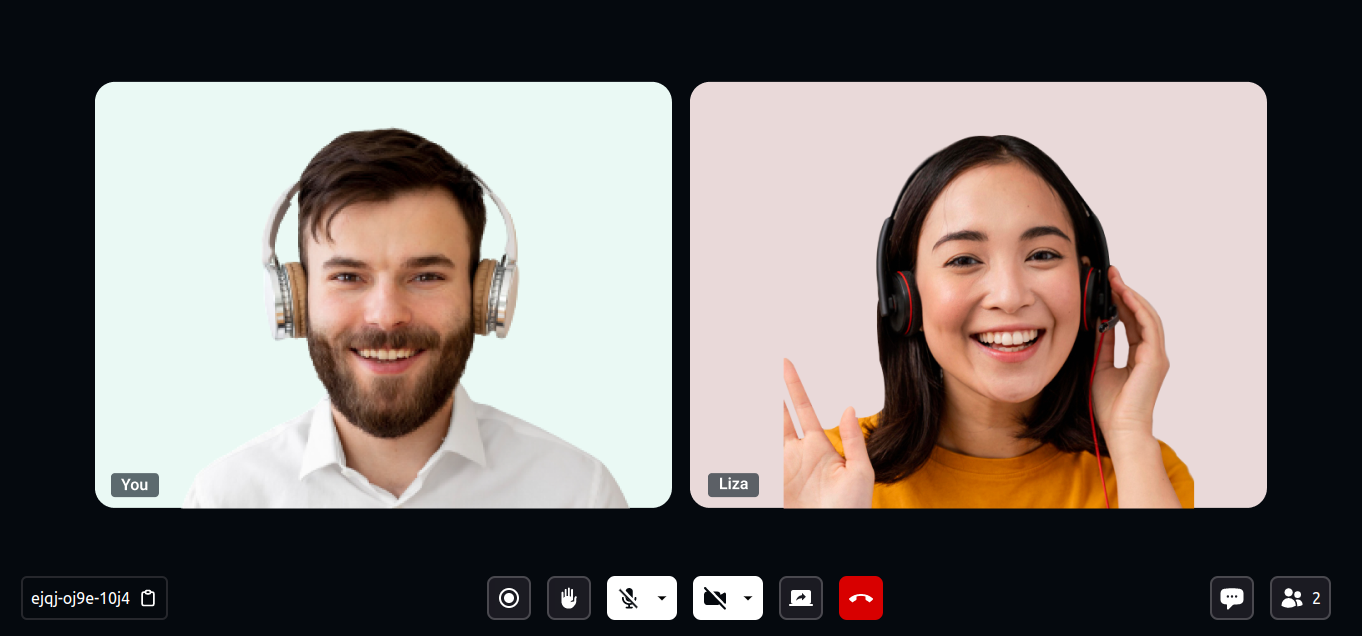
5. Meeting Bottom Bar
meeting/components/BottomBar.js
Contains the buttons displayed at the bottom of the screen:- Shows the meeting ID with a copy icon button on the left.
- Displays the recording indicator, raise hand button, mic button (with a list of available mics), webcam button (with available webcam list), screen share button, and leave meeting button in the middle.
- The rightmost corner contains the chat button and participant count button.
- On a mobile, tablet, or smaller screens, the bottom bar reorders to show the leave button, recording button, mic/webcam buttons, and a
more actionsbutton. Themore actionsbutton opens a drawer containing the remaining options.

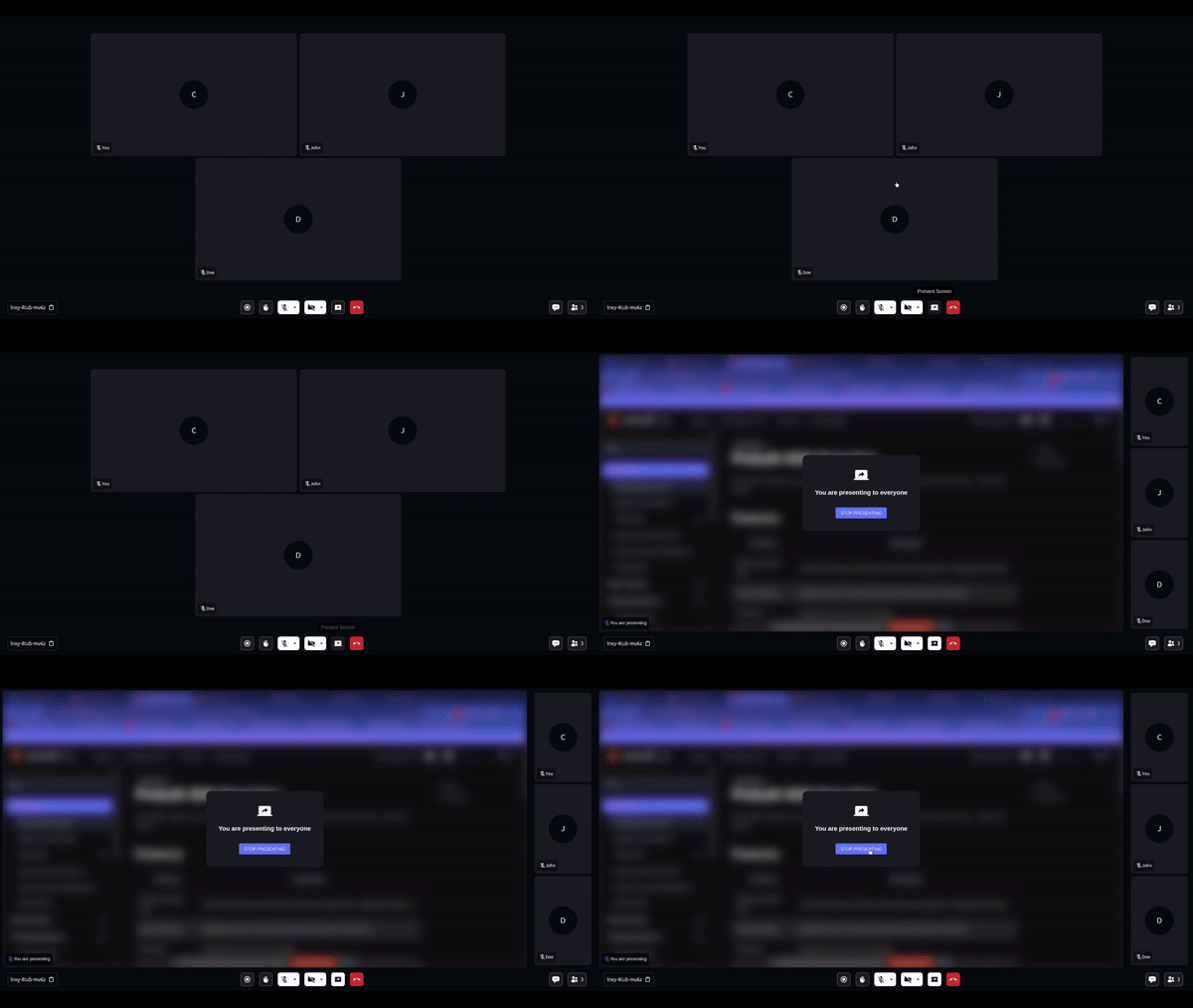
6. Presenter View
components/PresenterView.js: Displays the view when a participant shares their screen.
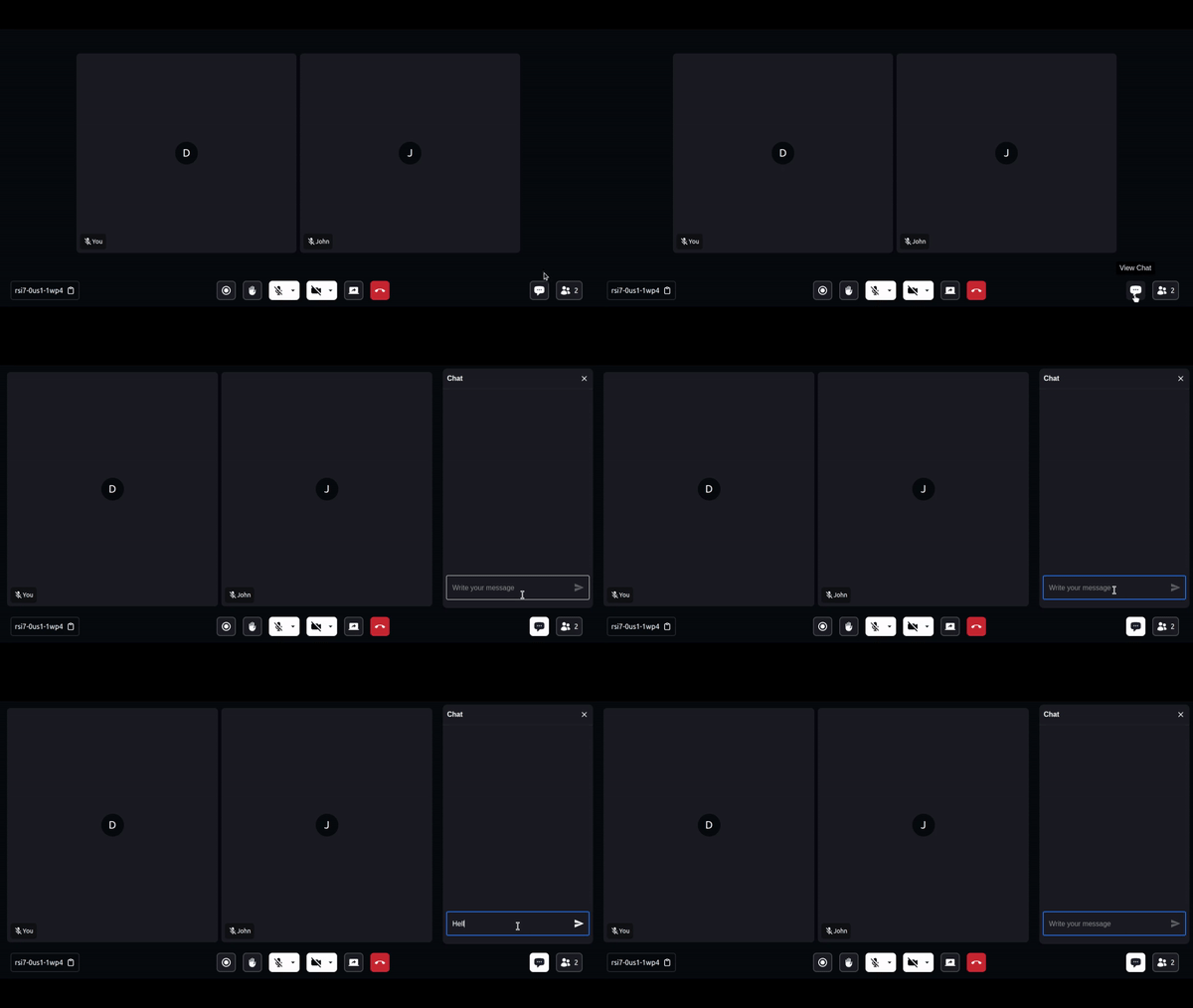
7. Chat
sidebar/ChatPanel.js: Contains the chat side panel, with a chat input field and a list of chat messages.
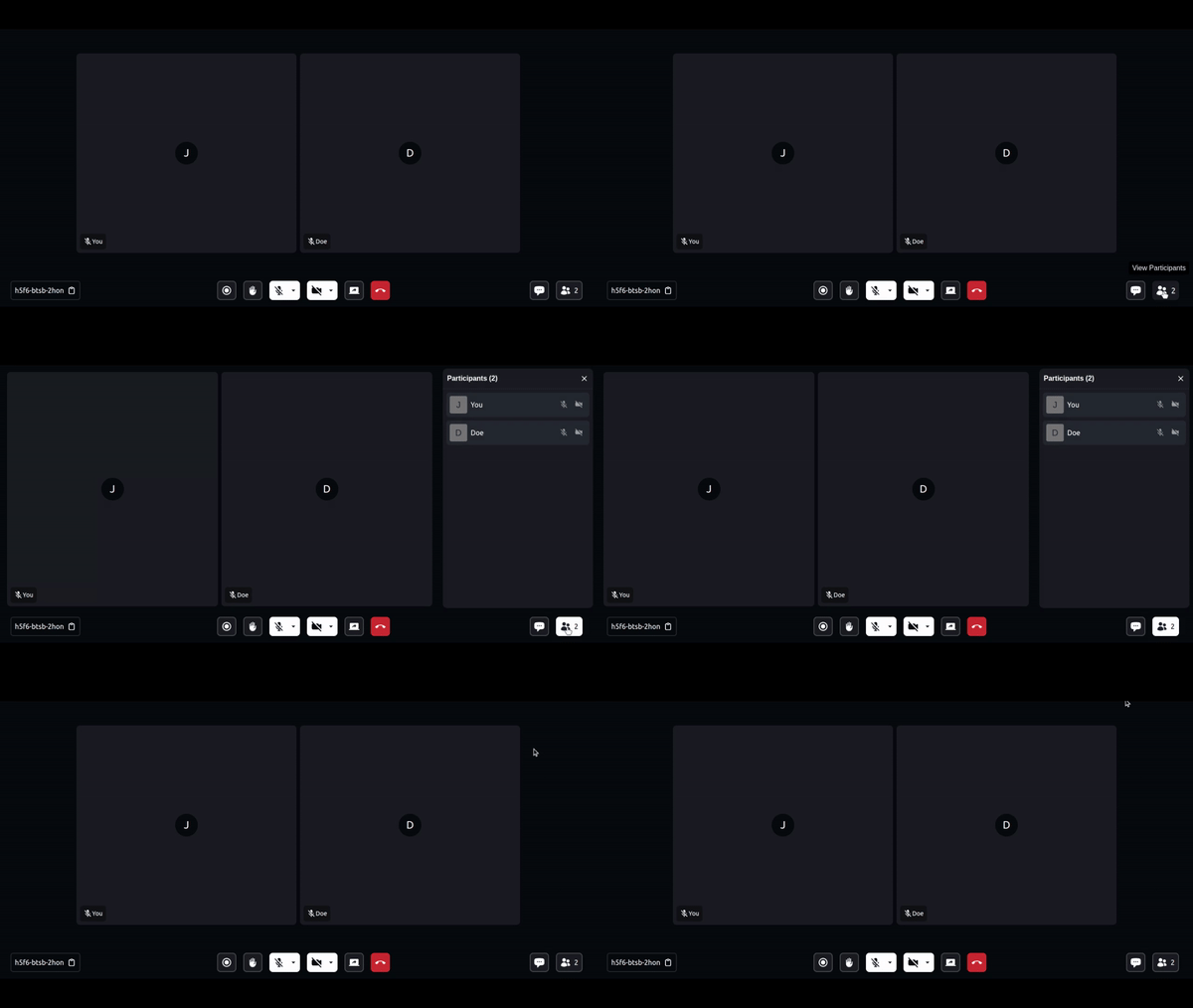
8. Participant List
sidebar/ParticipantPanel.js: Displays the list of participants present in the meeting.
9. Leave Screen
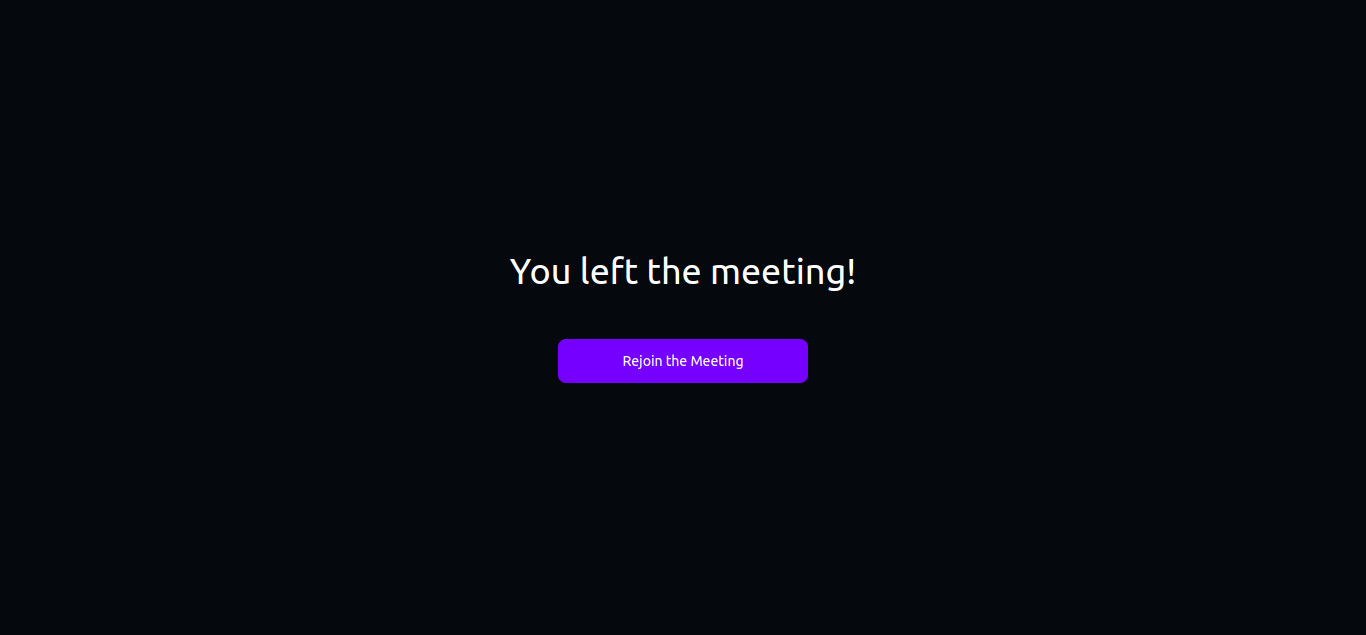
components/screens/LeaveScreen.js: Displays the leave screen when participant exit the meeting.
📖 Examples
- Prebuilt Examples
- JavaScript SDK Example
- React Native SDK Example
- Flutter SDK Example
- Android Java SDK Example
- Android Kotlin SDK Example
- iOS SDK Example
📝 Documentation
Explore more and start building with our Documentation