
supasheet/supasheet
supasheet/supasheet has 29 GitHub stars and 6 forks. GitHot measured 0 stars in 24 hours and 0 in 7 days. Last checked 2026-11-21 03:03 UTC. Last push 2026-11-14.
What you can do
- Authentication — Sign in, sign up, MFA, password reset, OAuth providers
- User Management — Create, invite, edit, and delete users via Supabase Admin API
- Authorization (RBAC) — Role-based access control with user roles and role permissions
- Resource (CRUD) — Auto-generated CRUD for any table, driven by Postgres schema metadata
Crecimiento de estrellas medido
- in 24h
- 0
- in 7 days
- 0
- in 15 days
- Recopilando historial
- in 1 month
- Recopilando historial
Cambios netos en períodos que se solapan, no totales diarios. Los datos no disponibles se dejan en blanco. Las estrellas indican interés, no calidad.
Acerca de
Turn any @supabase project into into a real business platform
DatosREADME.md
OriginalSupasheet
Turn any Supabase project into a real business platform.
Supasheet turns any Supabase project into a real business platform - an ERP, CRM, or admin platform, driven entirely by your schema. Auto-generated CRUD, multiple data views (grid, data grid, kanban, calendar, gallery, list, tree), built-in auth with MFA, RBAC and RLS enforced natively by Supabase Postgres, configurable dashboards, charts, AI chat, SQL editor, file storage, comments, templates, and audit logs. All in one open-source React app.
Try out Supasheet demo at jdydxqrxntcdrxhqqmuv.supasheet.app
Features
Use it as an internal admin panel, or as the backend and UI for a CRM, ERP module, or B2B customer portal. RBAC, RLS, and audit trails are enforced by Supabase Postgres itself, so it's safe to build real business systems on top.
- Authentication — Sign in, sign up, MFA, password reset, OAuth providers
- User Management — Create, invite, edit, and delete users via Supabase Admin API
- Authorization (RBAC) — Role-based access control with user roles and role permissions
- Resource (CRUD) — Auto-generated CRUD for any table, driven by Postgres schema metadata
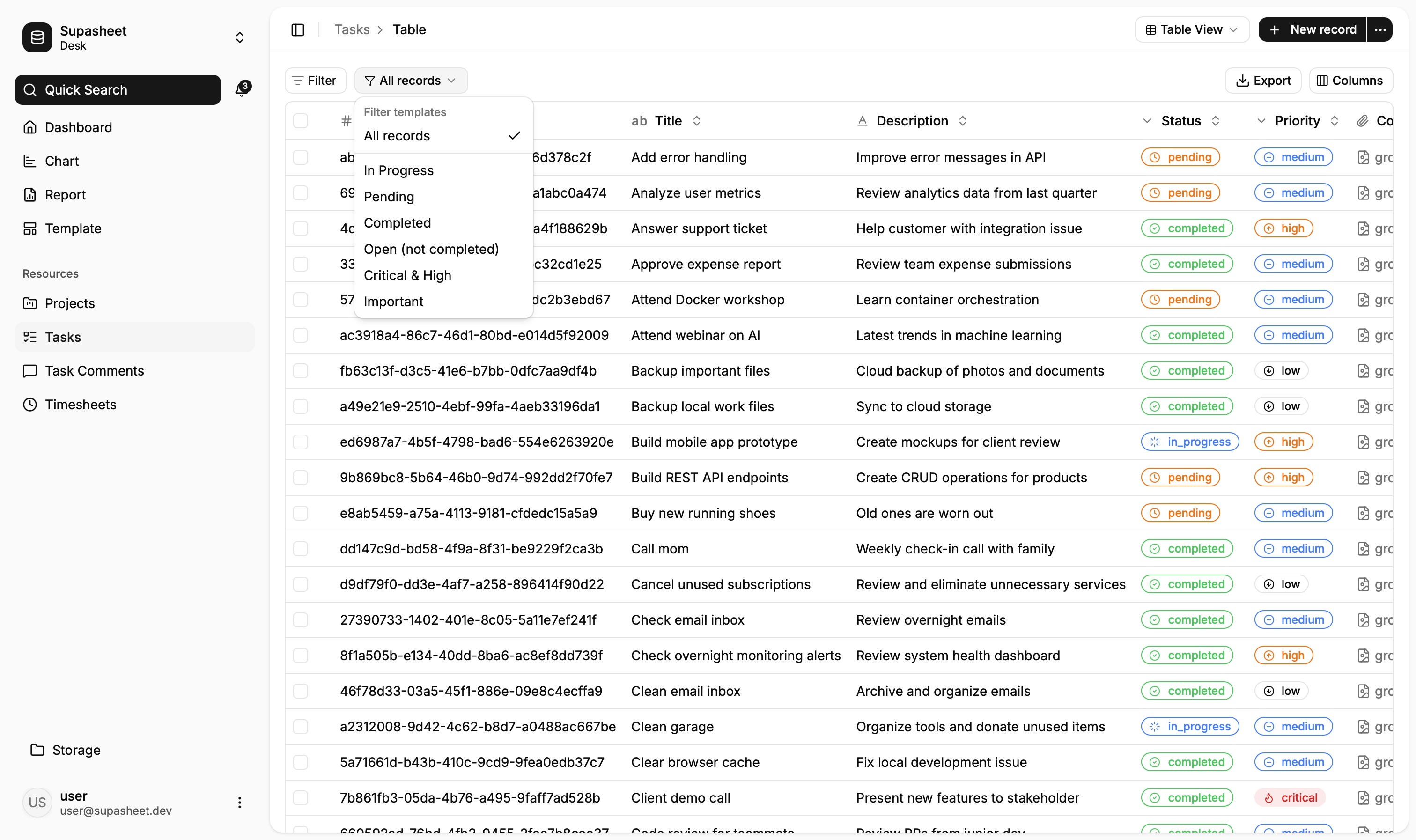
- Data Views — Grid, Data Grid, Kanban, Calendar, Gallery, List, Tree, and Single-record views per resource
- Form Sections — Organize create/update forms into collapsible titled sections with per-mode field visibility
- Conditional Fields — Field visibility, required state, and read-only state driven by other field values
- FK Behavior — Auto-fill related fields and cascading dropdowns on foreign key selection
- Filter Templates — Saved, named filter presets per resource
- Record Duplication — Duplicate records with configurable field selection
- Dashboard — Configurable dashboard widgets
- Analytics & Charts — Area, bar, line, pie, radar chart types
- Reports — Tabular reports built from Supabase data
- AI Chat — Conversational interface for querying your data
- SQL Editor — Run and save SQL snippets directly from the app
- Comments — Per-record threaded comments and collaboration
- Templates — Reusable record templates per resource
- Notifications — In-app notification system
- File Storage — Browse, upload, rename, move, and preview files across Supabase Storage buckets
- Audit Logs — App-wide and per-record change history with filtering
Tech Stack
- App: React 19 + Vite
- Routing: TanStack Router (file-based, type-safe)
- Data Fetching: TanStack Query
- Forms: TanStack Form
- Tables: TanStack Table
- UI: shadcn/ui (Base UI variant) + Tailwind CSS v4
- Rich Text: Lexical
- Charts: Recharts
- Backend: Supabase (Auth, Database, Storage, Edge Functions)
Getting Started
- Clone the repo and install dependencies:
npm install
- Copy
.env.exampleand fill in your Supabase credentials:
cp .env.example .env.local
VITE_SUPABASE_URL=
VITE_SUPABASE_ANON_KEY=
- Run the development server:
npm run dev
Scripts
npx supabase start # Start local Supabase instance
npm run dev        # Start dev server on port 3000
npm run build      # Production build
npm run typecheck  # TypeScript check
npm run lint       # Oxlint
npm run check      # Format + lint fix