
shoumikchow/bbox-visualizer
shoumikchow/bbox-visualizer has 411 GitHub stars and 36 forks. GitHot measured 0 stars in 24 hours, 0 in 7 days, and 0 in 15 days. Last checked 2026-11-19 09:20 UTC. Last push 2026-07-17.
Crecimiento de estrellas medido
- in 24h
- 0
- in 7 days
- 0
- in 15 days
- 0
- in 1 month
- Recopilando historial
Cambios netos en períodos que se solapan, no totales diarios. Los datos no disponibles se dejan en blanco. Las estrellas indican interés, no calidad.
Acerca de
Make drawing and labeling bounding boxes a piece of cake
Aprendizaje automáticoREADME.md
Originalbbox-visualizer


This package helps users draw bounding boxes around objects, without doing the clumsy math that you'd need to do for positioning the labels. It also has a few different types of visualizations you can use for labeling objects after identifying them.
By default the bounding box points are expected in Pascal VOC format: (xmin, ymin, xmax, ymax). COCO and YOLO formats are also supported via the bbox_format keyword argument (see Bounding box formats).
- Documentation: https://bbox-visualizer.readthedocs.io.
- Free software: MIT license
Installation:
pip install bbox-visualizer
Quick Start
A complete example that loads an image, draws a labeled bounding box, and saves the result:
import cv2
import bbox_visualizer as bbv

img = cv2.imread("path/to/image.jpg")

# Bounding boxes use [x_min, y_min, x_max, y_max]
bbox = [150, 100, 450, 300]
label = "person"

img = bbv.draw_box(img, bbox, bbox_color=(0, 255, 0))
img = bbv.add_label(img, label, bbox)

cv2.imwrite("output.jpg", img)
All functions return a new image and never modify the input image, so keep the return value (as above) rather than relying on in-place changes.
For multiple objects, use the _multiple_ variants with parallel lists:
bboxes = [[150, 100, 450, 300], [500, 50, 700, 250]]
labels = ["person", "dog"]

img = bbv.draw_multiple_boxes(img, bboxes)
img = bbv.add_multiple_labels(img, labels, bboxes)
draw_multiple_boxes also accepts one color per box:
img = bbv.draw_multiple_boxes(img, bboxes, bbox_color=[(0, 255, 0), (0, 0, 255)])
The library logs fallback warnings (e.g., when a label doesn't fit) through
Python's logging module. To silence them:
import logging

logging.getLogger("bbox_visualizer").setLevel(logging.ERROR)
Bounding box formats
Every drawing function accepts a bbox_format keyword argument. The default is
Pascal VOC.
bbox_format |
Coordinates | Scale |
|---|---|---|
"voc" (default) |
[x_min, y_min, x_max, y_max] |
absolute pixels |
"coco" |
[x_min, y_min, width, height] |
absolute pixels |
"yolo" |
[x_center, y_center, width, height] |
normalized to [0, 1] |
# COCO format: [x_min, y_min, width, height]
img = bbv.draw_box(img, [150, 100, 300, 200], bbox_format="coco")

# YOLO format: [x_center, y_center, width, height], normalized to [0, 1].
# Image dimensions are read from the image, so no extra arguments are needed.
img = bbv.draw_box(img, [0.5, 0.4, 0.3, 0.25], bbox_format="yolo")

# Works with the multiple-object variants too
img = bbv.draw_multiple_boxes(img, coco_bboxes, bbox_format="coco")
Internally all formats are converted to Pascal VOC before drawing.
Runnable scripts live in examples/:
quickstart.py— minimal example on a blank canvassingle_object.py— every single-object label stylemultiple_objects.py— every multi-object label stylelabel_stress.py— awkward label strings through every style, for eyeballing label layout
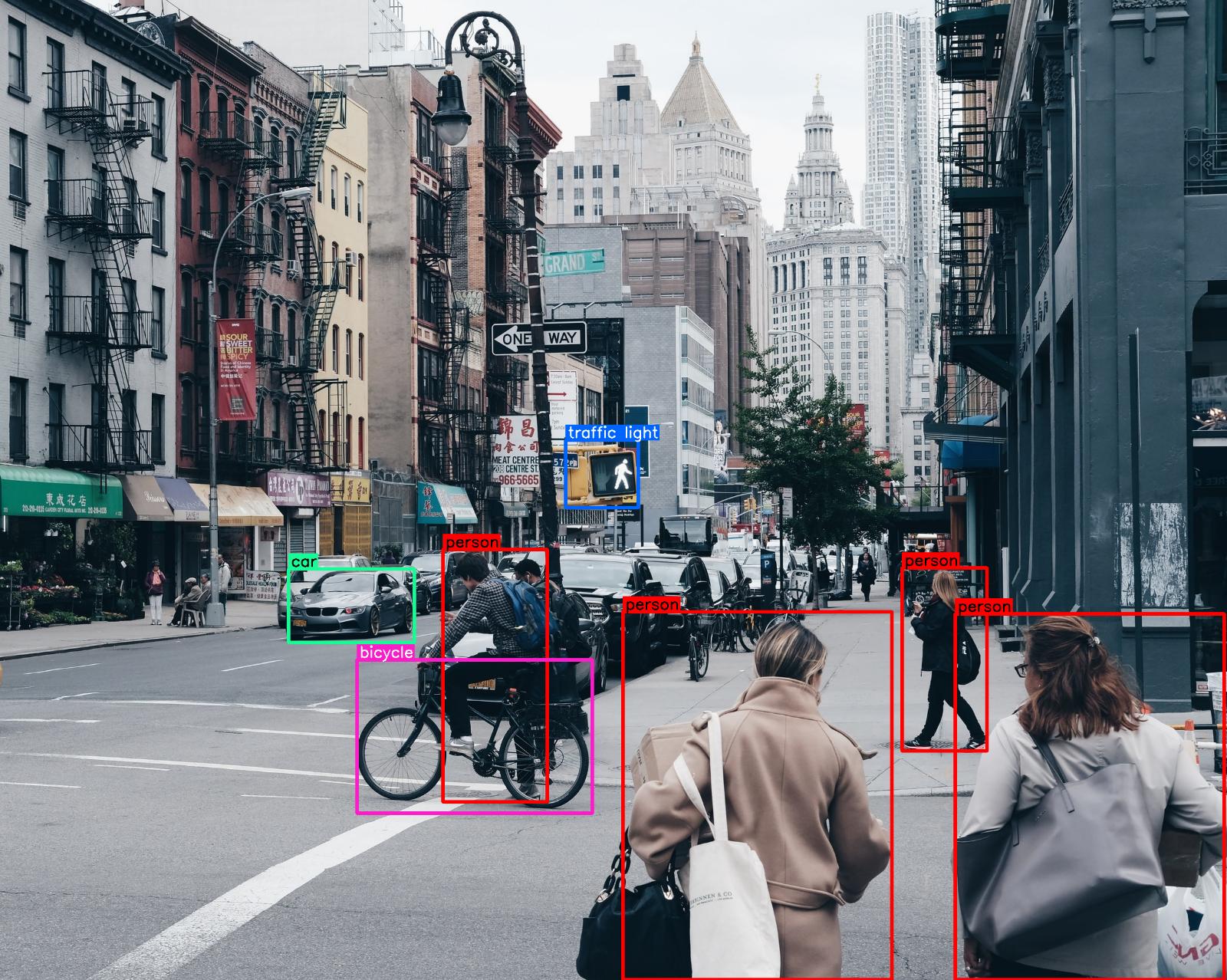
Photos by Joshua Earle, Jonas Weckschmied and Sherzod Max on Unsplash.
| image | function |
|---|---|
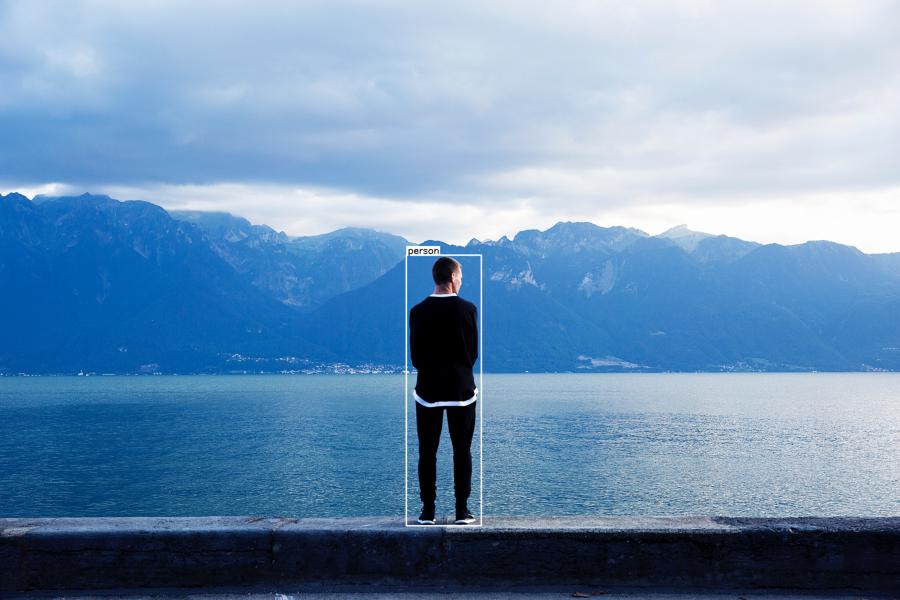 |
img = bbv.draw_box(img, bbox) img = bbv.add_label(img, label, bbox, top=True) |
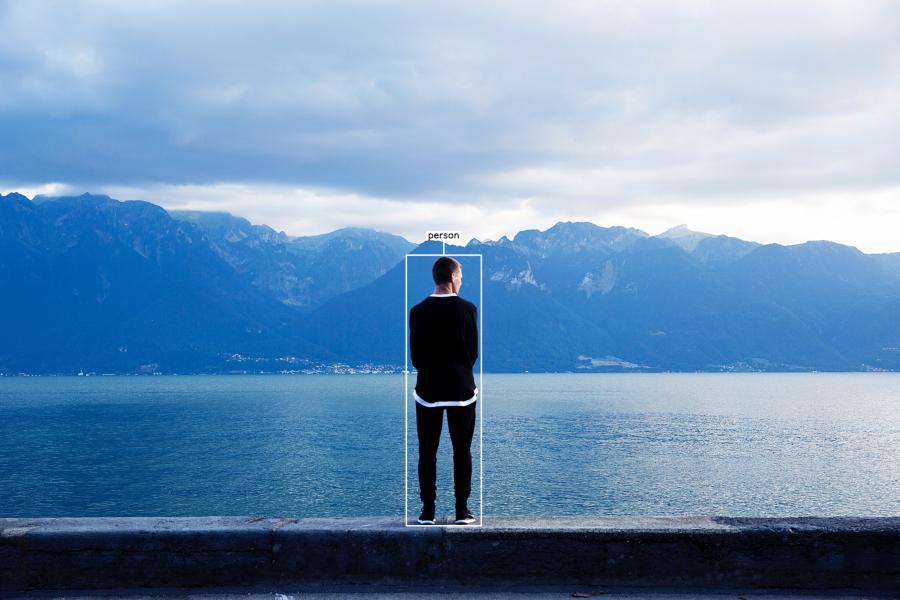 |
img = bbv.draw_box(img, bbox) img = bbv.add_T_label(img, label, bbox) |
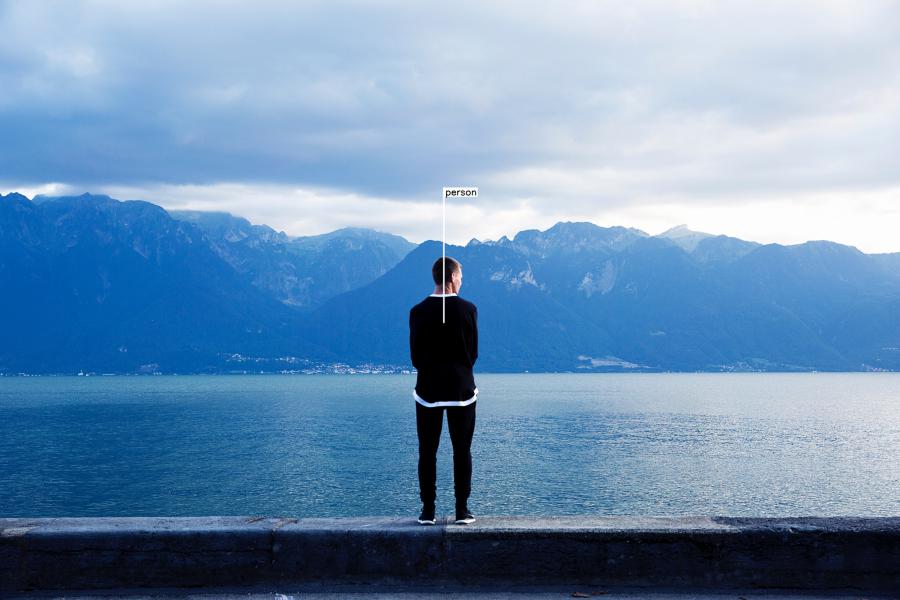 |
img = bbv.draw_flag_with_label(img, label, bbox) |
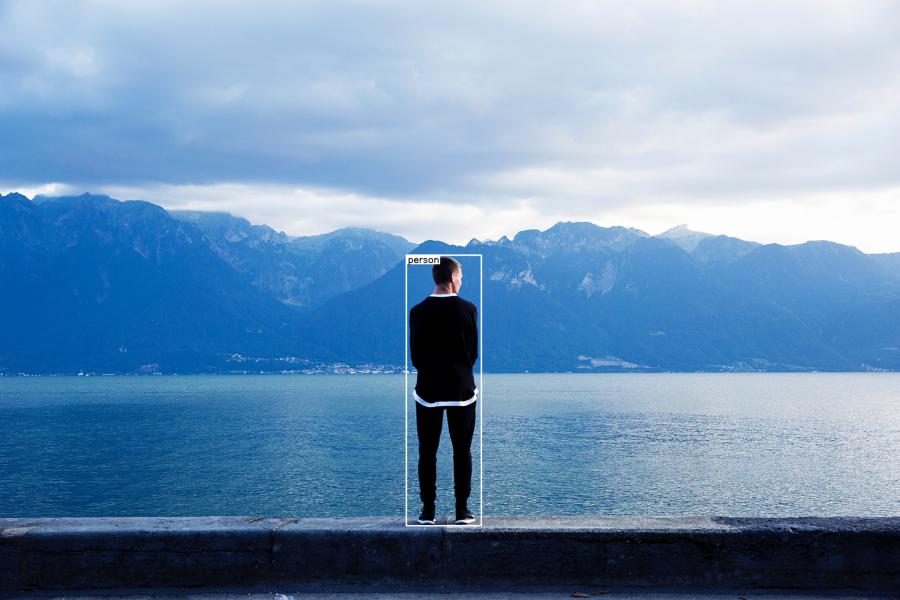 |
img = bbv.draw_box(img, bbox) img = bbv.add_label(img, label, bbox, top=False) |
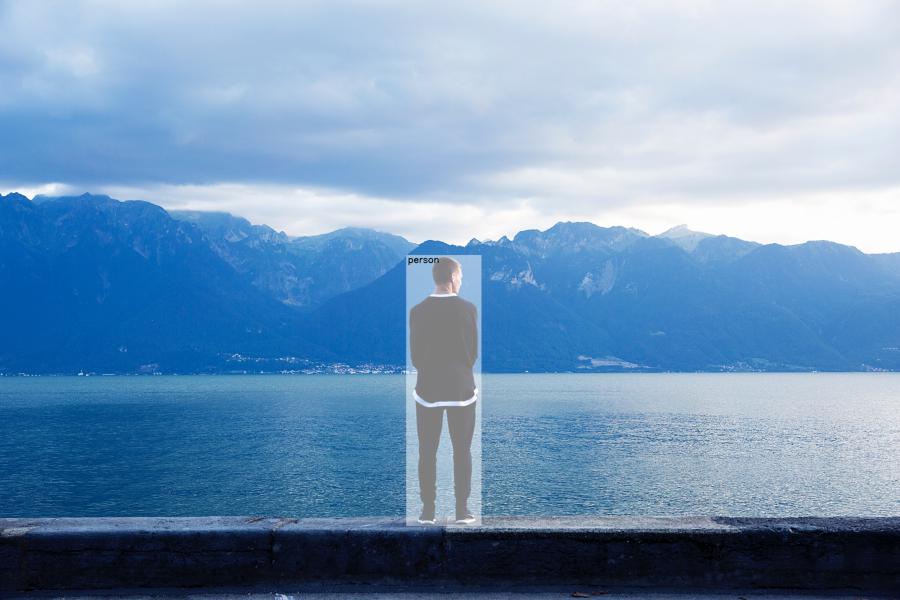 |
img = bbv.draw_box(image, bbox, is_opaque=True) img = bbv.add_label(img, label, bbox, draw_bg=False, top=False) |
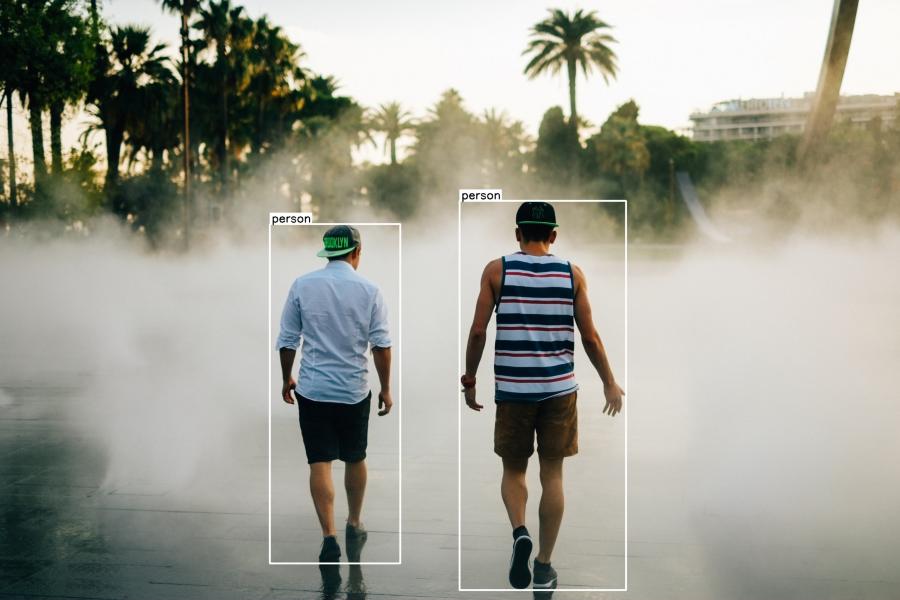 |
img = bbv.draw_multiple_boxes(img, bboxes) img = bbv.add_multiple_labels(img, labels, bboxes) |
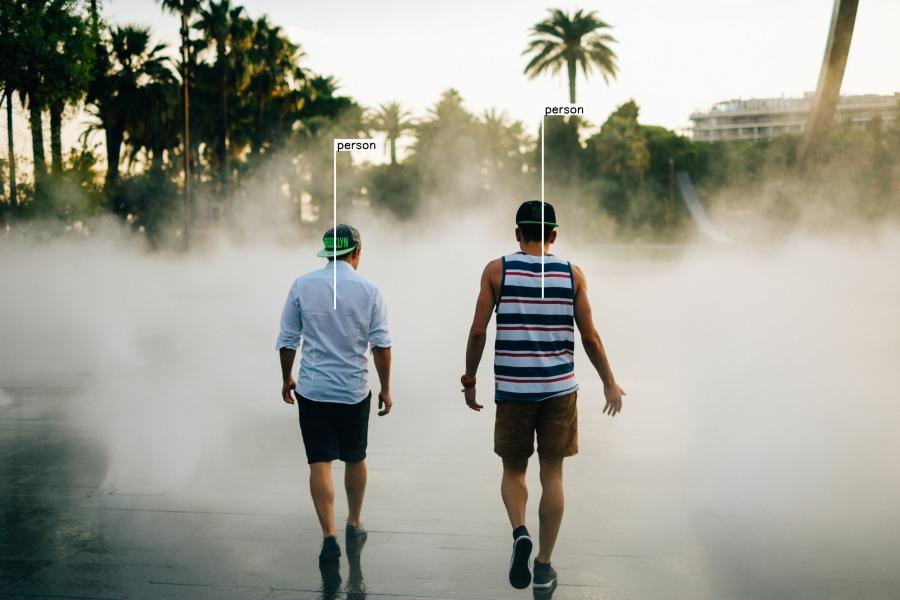 |
img = bbv.draw_multiple_flags_with_labels(img, labels, bboxes) |
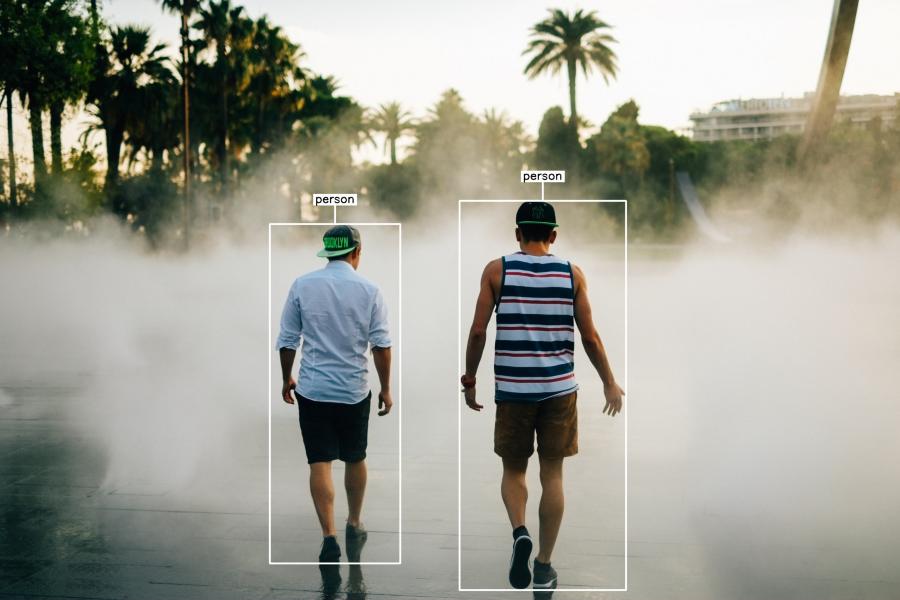 |
img = bbv.draw_multiple_boxes(img, bboxes) img = bbv.add_multiple_T_labels(img, labels, bboxes) |
Note: The functions
draw_rectangleanddraw_multiple_rectanglesare also available as aliases fordraw_boxanddraw_multiple_boxesrespectively. Both naming conventions work identically.
Tip: The
draw_multiple_*andadd_multiple_*functions are convenience helpers. For full control over your visualizations, call the single-box functions (draw_box,add_label, etc.) in a loop instead.