
saimoomedits/dotfiles
saimoomedits/dotfiles has 1,173 GitHub stars and 41 forks. GitHot measured 0 stars in 24 hours and 0 in 7 days. Last checked 2026-11-12 05:29 UTC. Last push 2023-01-11.
The ArchLinux and AwesomeWM configs. 📂
What you can do
- Brightness / Volume OSD
- Light/Dark gtk and zathura theme
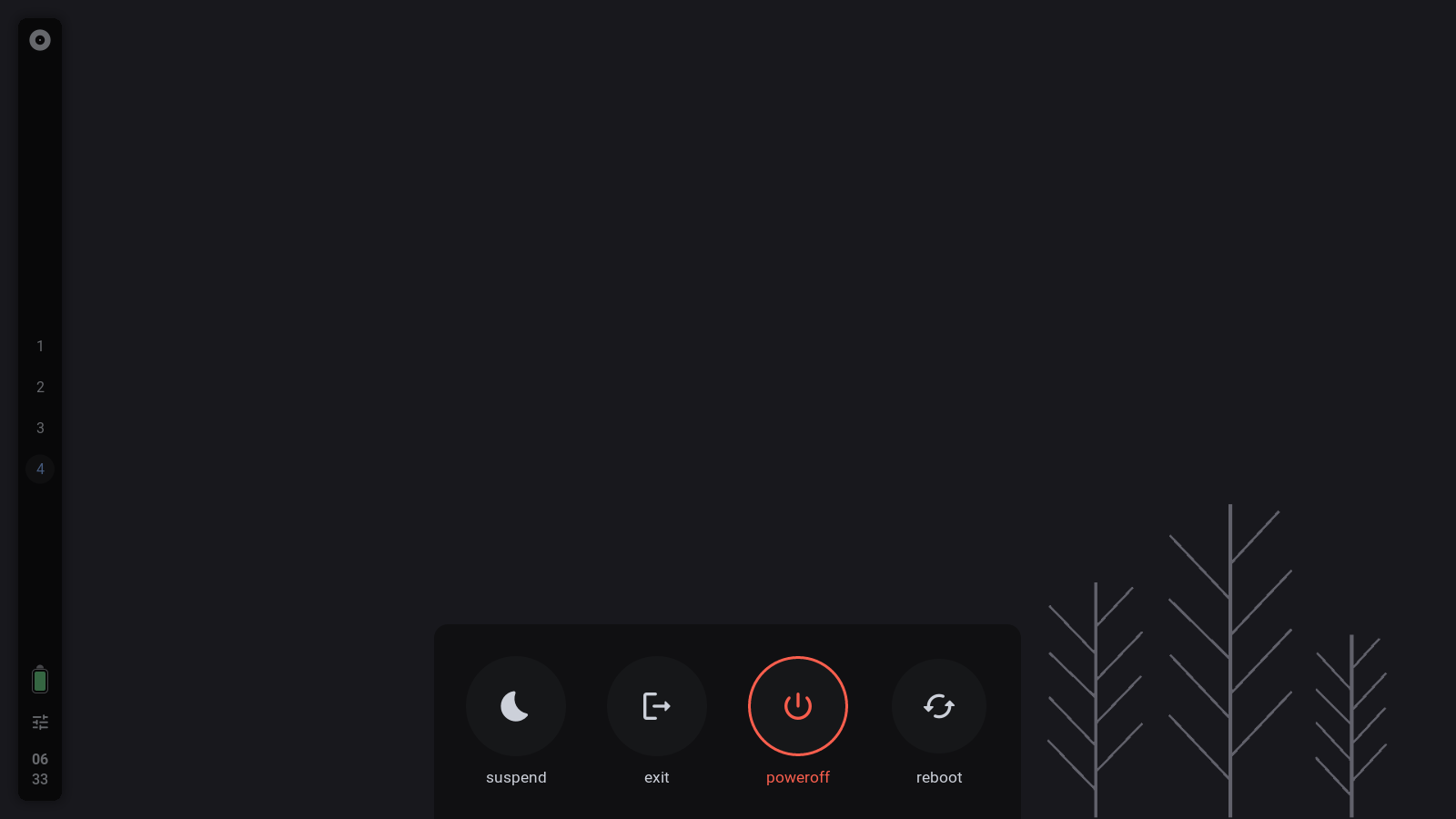
- Minimal exitscreen
- Control state saver
Crecimiento de estrellas medido
- in 24h
- 0
- in 7 days
- 0
- in 15 days
- Actualización retrasada
- in 1 month
- Actualización retrasada
Cambios netos en períodos que se solapan, no totales diarios. Los datos no disponibles se dejan en blanco. Las estrellas indican interés, no calidad.
README.md
Original
Welcome 
|
If you like this setup, please drop a star. I really appreciate it. Thanks! |
Hi there, thanks for dropping by 💙,
these are my Arch Linux and AwesomeWM configuration files.
You can use this repository as a rice reference.
Or use them as a daily driver.
Setup Info


| task | name |
|---|---|
| wm | awesome-git |
| terminal | alacritty |
| music player | mpd & ncmpcpp |
| Light Gtk theme | Cutefish-light |
| Dark Gtk theme | Awesthetic-gtk |
| bar | wibar |
| compositor | picom-git |
more info
- Fonts?
- as for fonts, the setup uses 4 fonts in total
- Roboto - main ui font
- Material Icons - for icons
- Iosevka - Terminal/Monospace font
- JetbrainsMono NF - idk
- as for fonts, the setup uses 4 fonts in total
- gaps/border/titlebar
- titlebars
- you can edit
layout/decorations/init.luato emend/modify the global titlebar.
- you can edit
- borders
- border size can be change in
theme/ui_vars.lua, there is aborder_size.
- border size can be change in
- gaps
- Gaps can also be changed in
theme/ui_vars.lua.
- Gaps can also be changed in
- titlebars
- custom theme?
- for dark, edit
theme/colors/dark.lua - for light, edit
theme/colors/light.lua
- for dark, edit
- rounded corners
by default, windows are rounded with awesome-wm's
client.shapeproperty,if you want to use picom instead, do the following,
- edit
config/others.lua - scroll down to line
252 - either, comment it out or remove that line
- this will disable rounded windows with awesomeWM
- edit
features
- Control Center
- Vertical Bar
- Brightness / Volume OSD
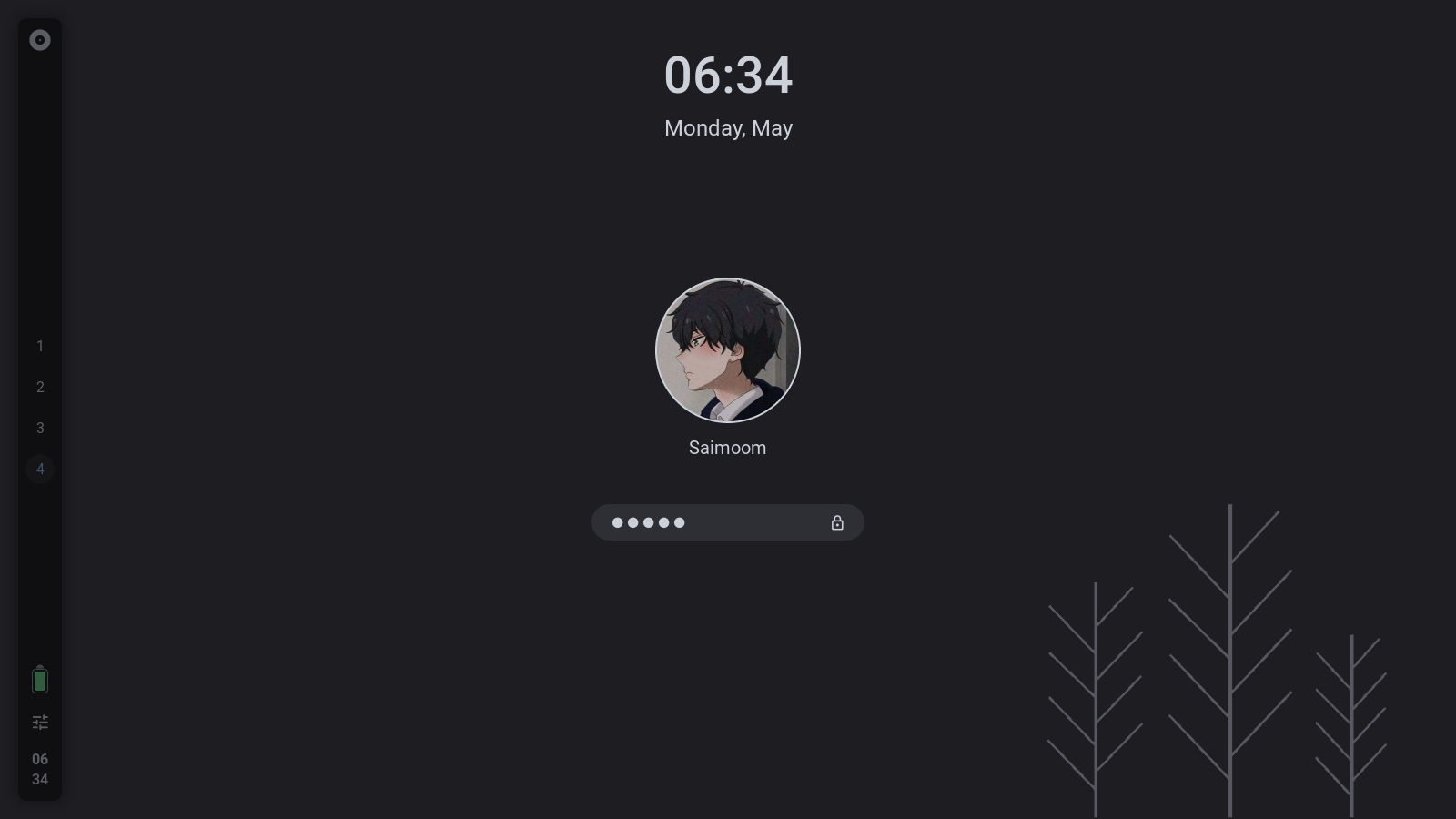
- Lockscreen
- Tasklist Dock
- Light/Dark gtk and zathura theme
- Minimal exitscreen
- Control state saver
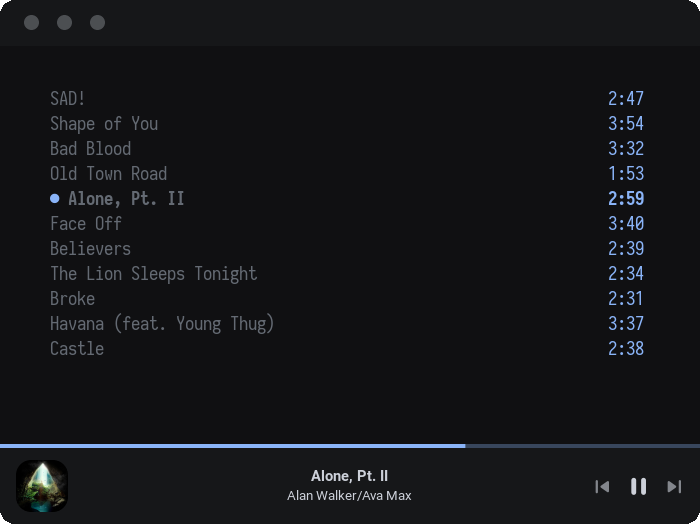
- Better Ncmpcpp ui
- Battery notifier
- And many more!
Show previews
minimalstic vertical bar

expandable control center
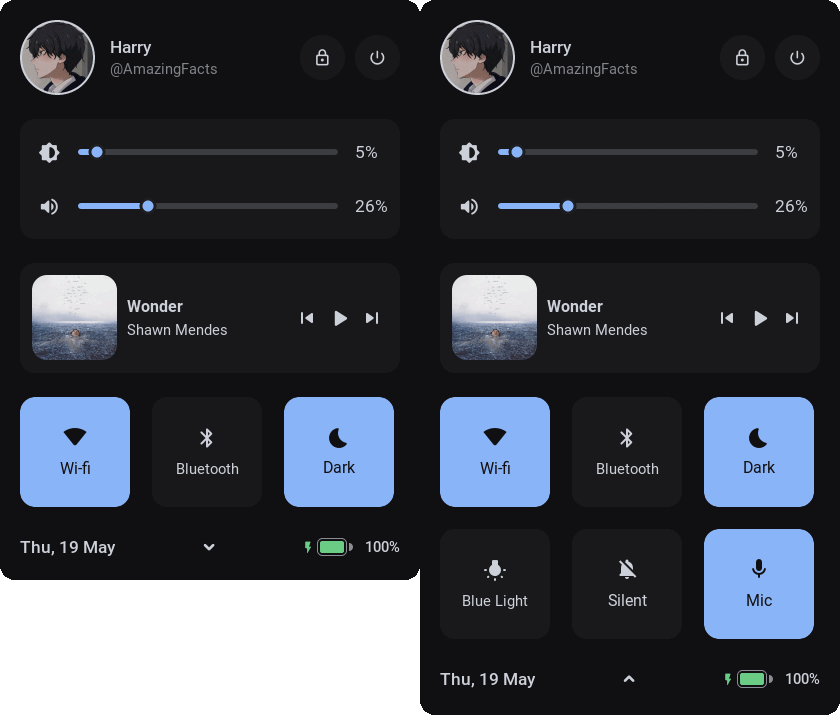
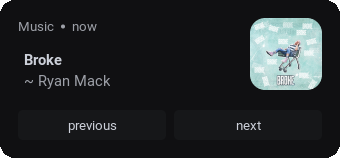
Minimal notifcations with text actions
custom ncmpcpp UI
exit screen
lockscreen
Minimal tasklist dock with pinned apps

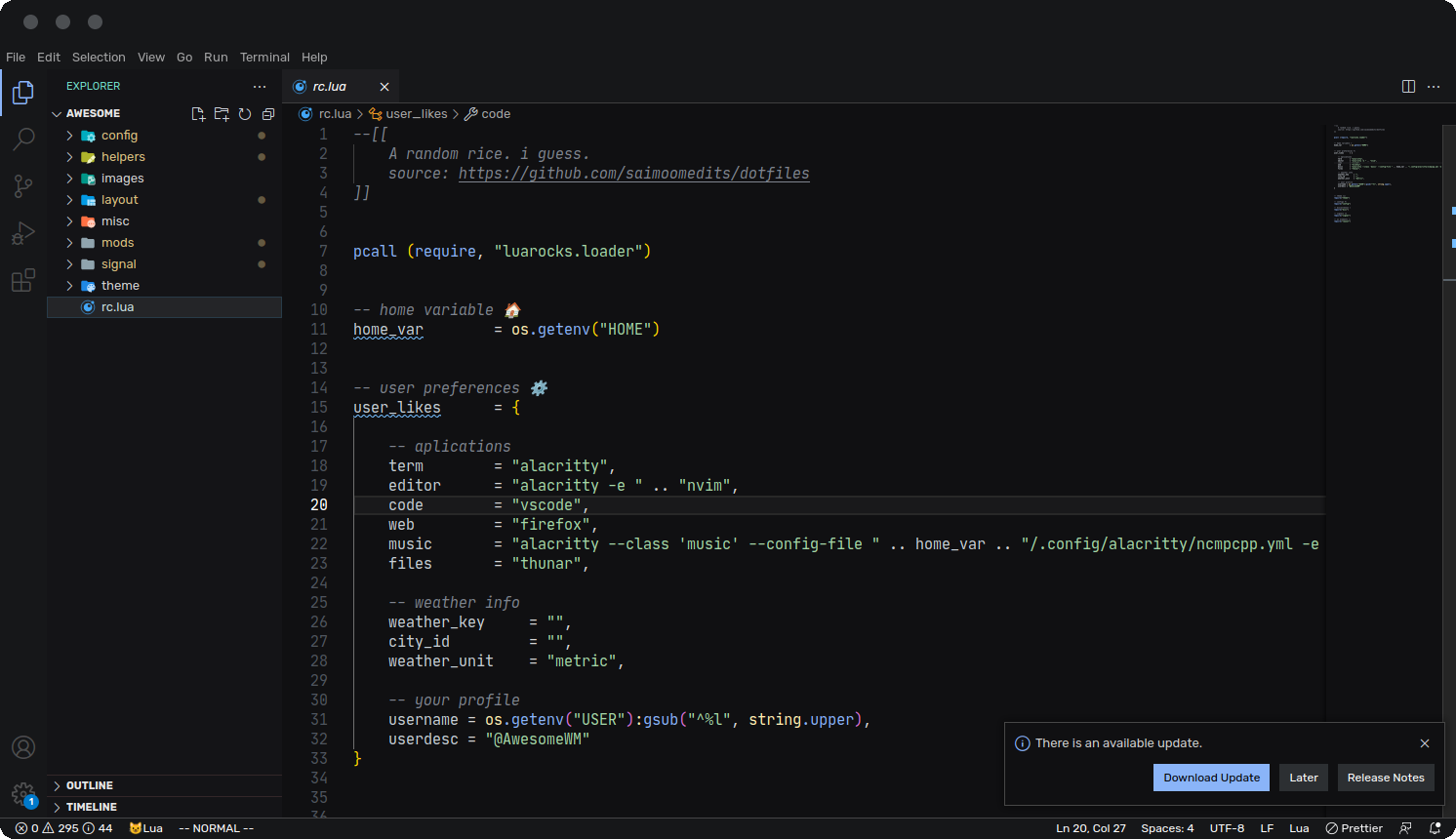
Wip vscode theme
Setup
Instructions
⚠️ NOTE: The following instructions are for Arch/Arch-based system ⚠️
Install packages / dependencies
yay -S picom-git awesome-git acpid git mpd ncmpcpp wmctrl \
firefox lxappearance gucharmap thunar alacritty neovim polkit-gnome \
xdotool xclip scrot brightnessctl alsa-utils pulseaudio jq acpi rofi \
inotify-tools zsh mpdris2 bluez bluez-utils bluez-plugins acpi acpi_call \
playerctl redshift cutefish-cursor-themes-git cutefish-icons upower xorg xorg-init tar
Make backup of directories that will be changed (optional)
cd
mkdir .backup_config
cp -r ~/.config/* .backup_config/
cp -r ~/.mpd .backup_config/
cp -r ~/.ncmpcpp .backup_config/
cp -r ~/.themes .backup_config/
Clone this repo
cd
clear
git clone --recurse-submodules https://github.com/saimoomedits/dotfiles.git
cd dotfiles
Copy the dotfiles in required places
cp -rf .config/* ~/.config/
cp -rf extras/mpd ~/.mpd
cp -rf extras/ncmpcpp ~/.ncmpcpp
cp -rf extras/fonts ~/.fonts
cp -rf extras/scripts ~/.scripts
cp -rf extras/oh-my-zsh ~/.oh-my-zsh
Extract Gtk-theme
mkdir ~/.themes
cp ./themes/* ~/.themes
cd ~/.themes
tar -xf Awesthetic.tar
tar -xf Cutefish-light-modified.tar
rm Awesthetic.tar Cutefish-light-modified.tar
make some files executeable
cd ~/.config/awesome/misc
sudo chmod -R +x *
Startup services
systemctl --user enable mpd
sudo systemctl enable bluetooth
Done
- if your already logged into awesome, reload it
- else, Login to AwesomeWM
Enjoy :smile:
Vscode theme
- copy
extras/vscode-theme/Awestheticto~/.vscode/extentions/. - now, in VScode, open the Color Theme picker with
File > Preferences > Color Theme. - select
Awesthetictheme.
- copy
Keybinds
- you can get a list of keybindings here in the wiki.
- the dock can be opened by hovering bottom edge of primary screen
- the control-Center can either be opened by keybinding
super(windows key) + aor
by click on thecontrol centericon in bar
Modules
-
- Created by andOrlando
- Basically, Allows you to animate a number value in AwesomeWM
-
- Created by the BlingCorp community
- Adds a lot more cool modules to AwesomeWM
-
- Created by xinhaoyuan
- Manual layout with interactive editor
-
- Created by Aire-One
- A UPowerGlib based battery widget for the AwesomeWM.
Awesome-Dock
- Created by me....
- A tasklist dock with pinned apps
- you can use it in your config (hopefully)
- but there are still lots of things to improve
More info
you can use this dock in your awesome config. but...
the catch is that. you need a spcific icon-theme in
/usr/share/iconsfor pinned apps to work properly
but if your using the exact rice as mine, you don't have to worry about it
- You can customize the dock's colors, size, spacing, hide-timeout, etc in
theme/init.lua
example:
theme.awesome_dock_size = 80
theme.awesome_dock_pinned = {
    {"xterm", "terminal"},
    {"spotify", "spotify"},
    {"xterm"},
    {"thunar"}
}
theme.awesome_dock_color_active = theme.accent
theme.awesome_dock_color_inactive = theme.fg_color .. "66"
theme.awesome_dock_color_minimized = theme.accent .. "33"
theme.awesome_dock_color_hover = theme.fg_color .. "33"
theme.awesome_dock_color_bg = theme.bg_color
theme.awesome_dock_disabled = false
theme.awesome_dock_spacing = 10
theme.awesome_dock_timeout = 1.2
to add more pinned apps you can do the following in
theme.lua:--[[ table example: { "app command", "app class"} * `app command` is well. the command that launches that app * `app class` is the class or name of the app for icons. ]] theme.awesome_dock_pinned = { {"spotify", "spotify"}, {"xterm"}, {"thunar"} }
Todos
- Make dock's icon-handler identify global icon-theme
- Improve Ncmpcpp decorations
- Improve Notifications
- Polish Awesthetic-gtk-theme
Credits
- special thanks to :heart:
also these 🌃 awesome people!
extras :sparkles:
Explorar proyectos relacionados
sindresorhus/awesome
😎 Listas Awesome sobre todo tipo de temas interesantes [NOTA: Las pull requests están temporalmente desactivadas hasta que tenga ocasión de ponerme al día con las existentes]
535,958 estrellasEbookFoundation/free-programming-books
:books: Libros de programación disponibles de forma gratuita
401,496 estrellasnilbuild/developer-roadmap
Hojas de ruta interactivas, guías y otros contenidos educativos para ayudar a los desarrolladores a crecer en su carrera.
371,915 estrellasvinta/awesome-python
La lista definitiva que responde a «Quiero hacer X en Python, ¿qué herramienta debería usar?».
334,331 estrellas