
pilcrowmd/pilcrow
pilcrowmd/pilcrow has 74 GitHub stars and 9 forks. GitHot measured 0 stars in 24 hours and +5 in 7 days. Last checked 2026-11-11 17:14 UTC. Last push 2026-11-03.
A beautiful, private Markdown reader & editor for Android — native rendering, no WebView, no ads, no tracking. Free and open source.
What you can do
- Full GitHub-Flavored Markdown – headings, emphasis, lists, task lists, blockquotes, tables, fenced code, thematic breaks, links, and pictures stored with the note (web pictures are not downloaded).
- Native syntax highlighting for fenced code blocks, with a one-tap copy button.
- LaTeX math – inline ($…$ or $$…$$) and block $$…$$, rendered as crisp native bitmaps (no WebView). Single-$ parsing is currency-aware, so $5 and $10 stays plain text.
- Reader + source editor – toggle between a polished reader and a real code editor with Markdown highlighting, a line-number gutter, and soft wrap.
Crecimiento de estrellas medido
- in 24h
- 0
- in 7 days
- +5
- in 15 days
- Recopilando historial
- in 1 month
- Recopilando historial
Cambios netos en períodos que se solapan, no totales diarios. Los datos no disponibles se dejan en blanco. Las estrellas indican interés, no calidad.
README.md
OriginalPilcrowMD
A beautiful, reliable, private Markdown reader for Android.


Install: Google Play · F-Droid · the APK is also attached to every GitHub Release.





pilcrowmd.com – screenshots, changelog, privacy policy
Also for Mac (beta): a separate app, not open source – pilcrowmd.com/mac
What & why
The web is full of Markdown – LLM answers, READMEs, notes, technical docs – and most Android apps render it in a WebView wrapped in ads and trackers. PilcrowMD takes the opposite approach.
PilcrowMD renders Markdown natively – no WebView for your text, no network calls to read your files, and no internet permission at all. The result is fast, typographically careful rendering of full GitHub-Flavored Markdown (tables, code, math, task lists, frontmatter) with a reading experience that looks designed rather than dumped.
- Beautiful. Serif body type, real syntax highlighting, rendered LaTeX, and a calm dark theme (with a warm-cream light theme) built from an exact design-token system.
- Reliable. Atomic saves that never truncate your file, round-trip fidelity that preserves your line endings and frontmatter (a file with mixed line endings is written back uniformly in its dominant style), and a renderer that degrades gracefully instead of crashing on syntax it doesn't support.
- Private. Files are read through Android's Storage Access Framework and stay on your device. No accounts, no ads, no analytics, no telemetry, no crash reporting, and no internet permission: the app cannot connect to the internet. Free software under the GPL.
Features
- Full GitHub-Flavored Markdown – headings, emphasis, lists, task lists, blockquotes, tables, fenced code, thematic breaks, links, and pictures stored with the note (web pictures are not downloaded).
- Native syntax highlighting for fenced code blocks, with a one-tap copy button.
- LaTeX math – inline (
$…$or$$…$$) and block$$…$$, rendered as crisp native bitmaps (no WebView). Single-$parsing is currency-aware, so$5 and $10stays plain text. - Reader + source editor – toggle between a polished reader and a real code editor with Markdown highlighting, a line-number gutter, and soft wrap.
- In-document search with match highlighting and next/previous navigation.
- Table of contents drawer generated from your headings, with tap-to-jump.
- Notes folders – add a folder of notes and browse it in My folders; new or changed notes are marked until you open them. Browsing never changes, renames or deletes your files.
- Links between notes – in a notes folder, tap a link to another note to open it (at its heading, if the link names one) and press Back to return.
- Full-screen reading – an optional switch hides the top bar, status bar and navigation bar while you read; swipe in from the edge to bring them back.
- Open file name – a small line above the text names the open file, and for a note inside a folder you added, the folders it sits in.
- YAML frontmatter rendered as a tidy metadata card.
- Export to PDF – paginated and print-styled, on white pages.
- Three themes – a default dark theme, a true-black AMOLED theme and a warm-cream light theme.
- Per-file memory – reopens your last file at the position you left it; keeps a recents list.
- Crash recovery – while you type, a private copy of your edits is kept on the phone; if the app is closed or crashes before you save, it offers to put your text back the next time you open the file.
- Adjustable type – independent font scaling for reader and editor.
- Mermaid diagrams, offline – drawn on the phone, following the app's theme, and in PDF exports too. Nothing is sent anywhere. See why there is a WebView.
- Graceful by design – unsupported syntax, and any diagram that cannot be drawn, degrade to readable code blocks rather than breaking the page.
- Offline & ad-free – minimum Android 8.0, no internet permission.
Screenshots
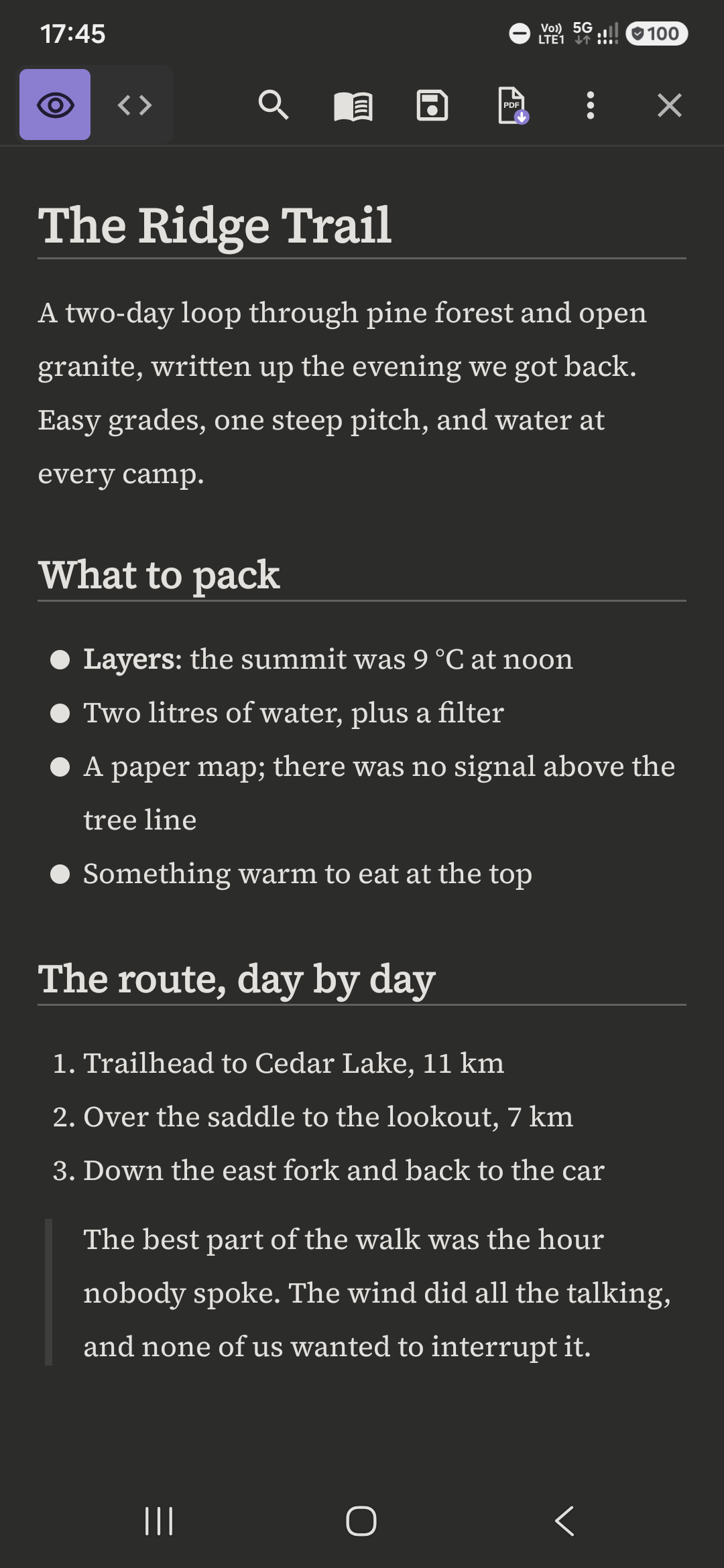
Reader: headings, lists and a blockquote |
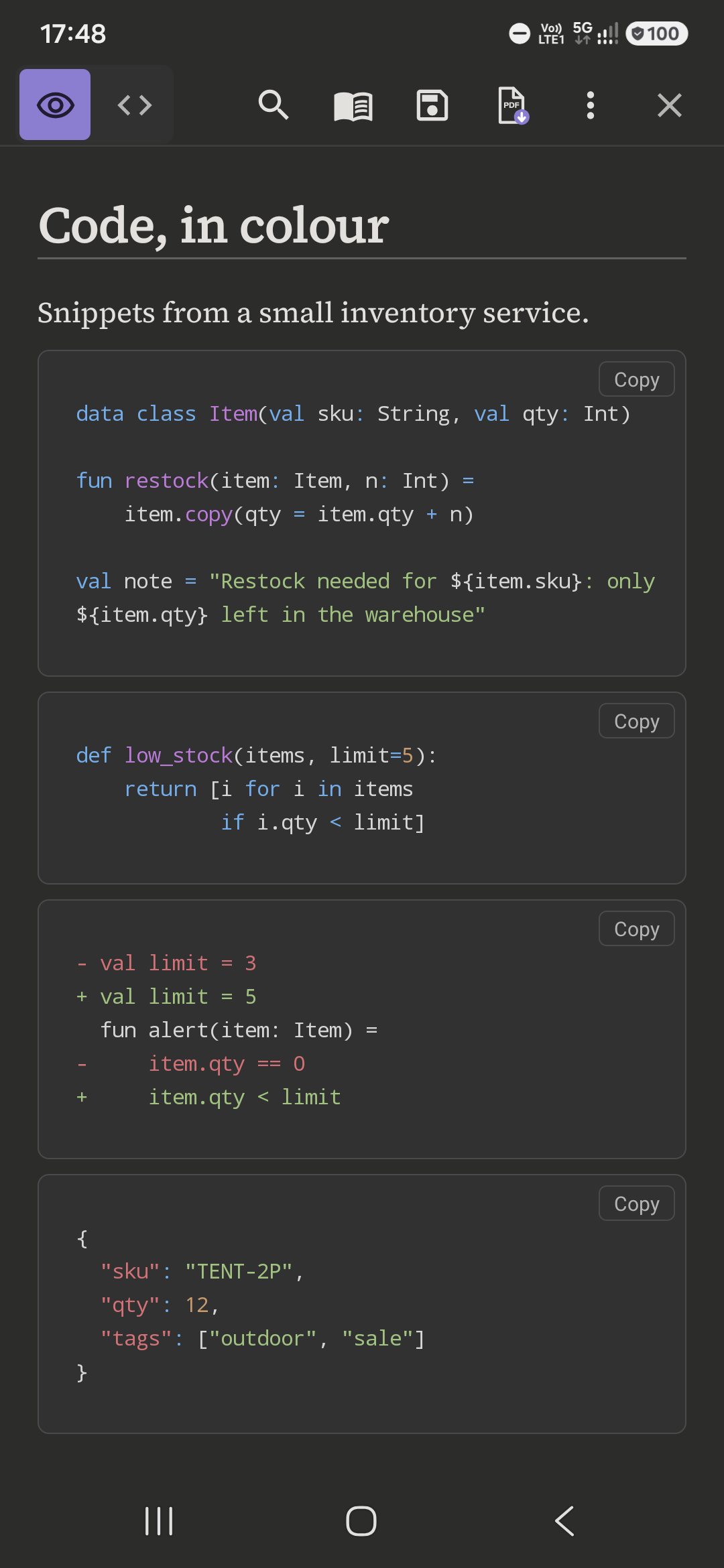 Syntax-highlighted code blocks |
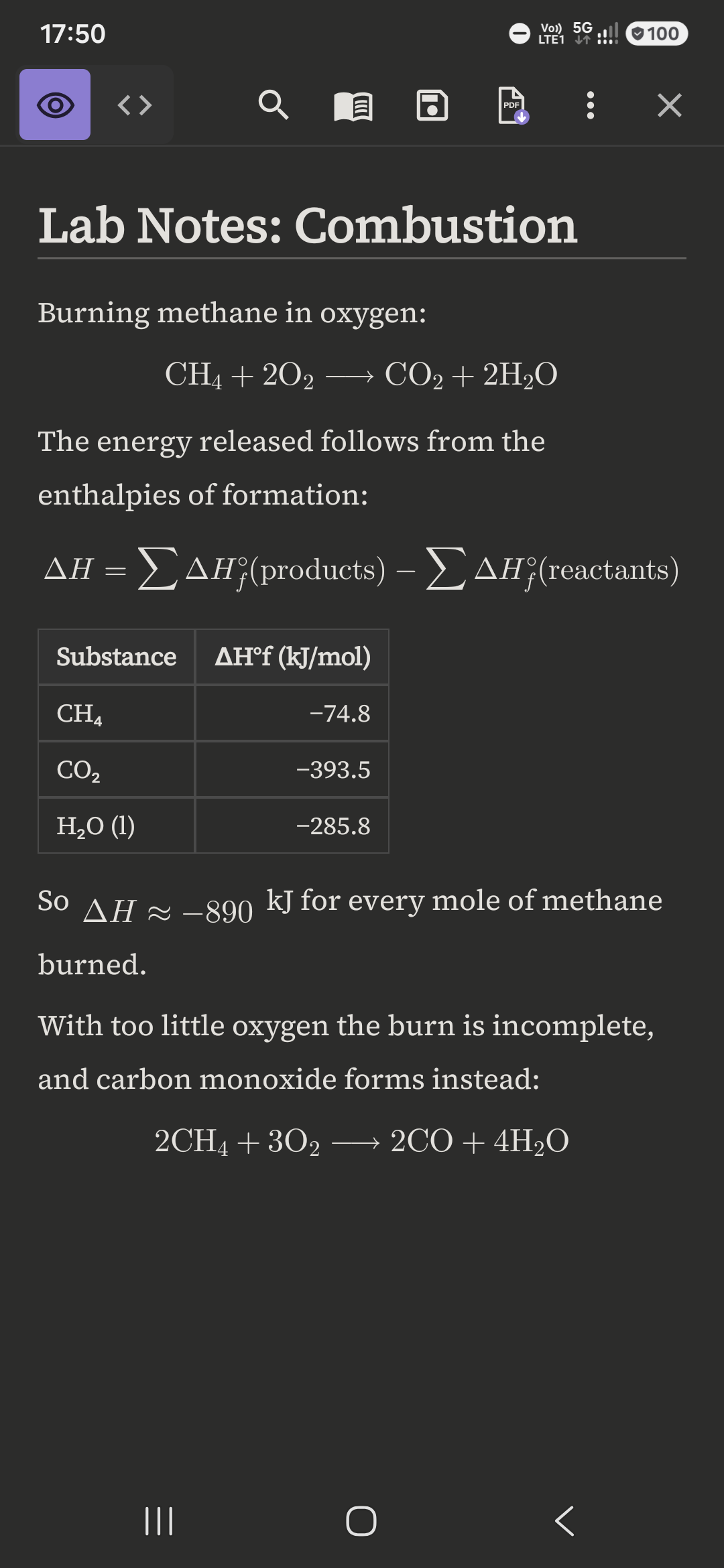 LaTeX math, chemical equations and a table |
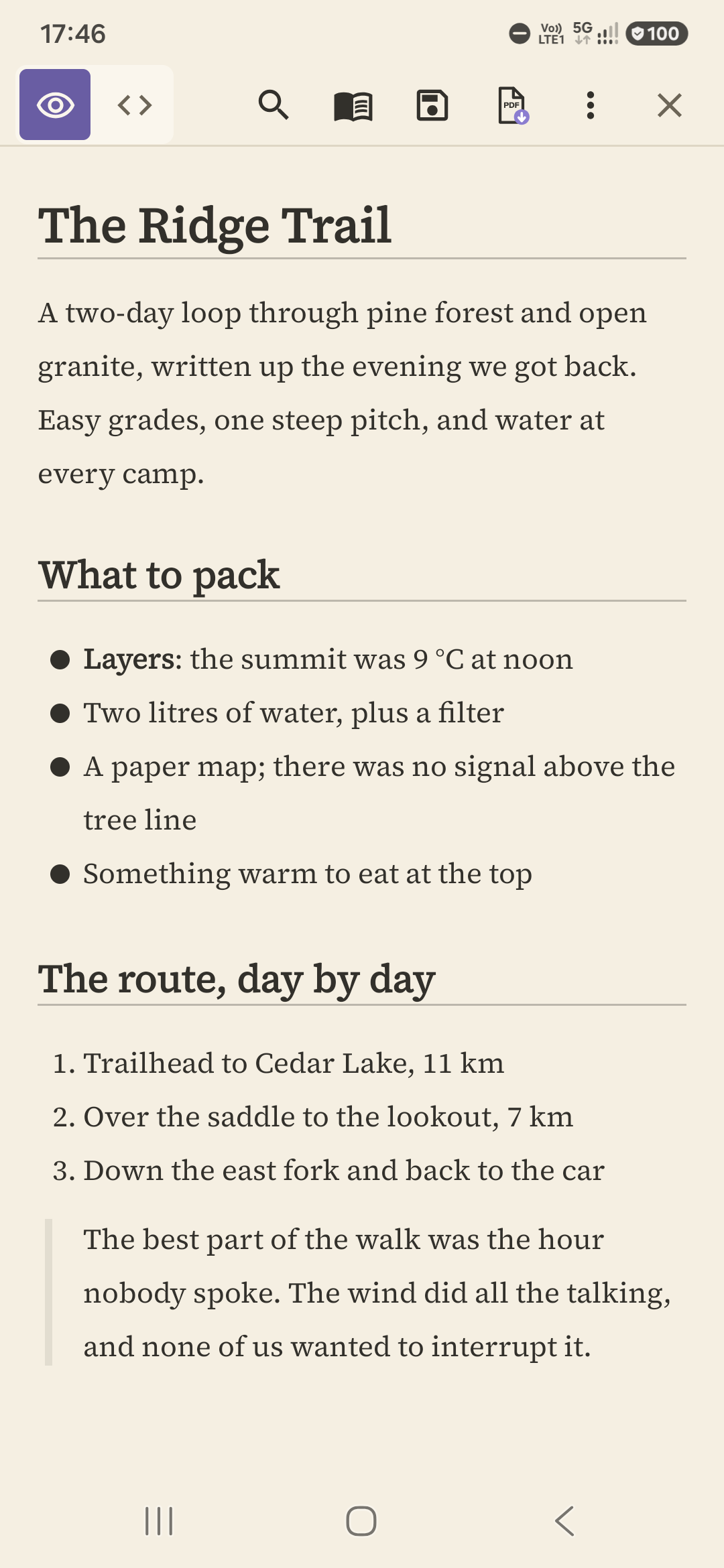 The same document in the warm-cream light theme |
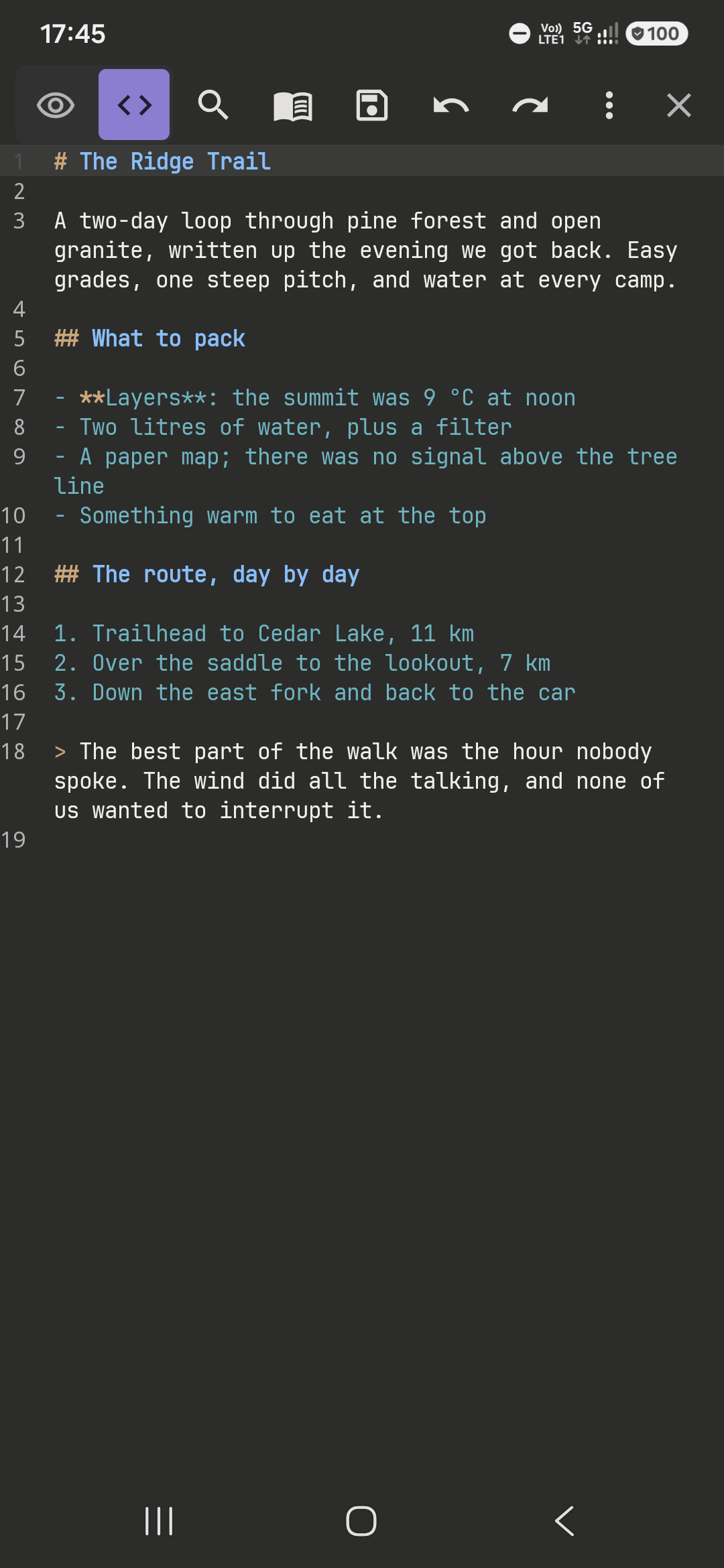 Source editor with line numbers |
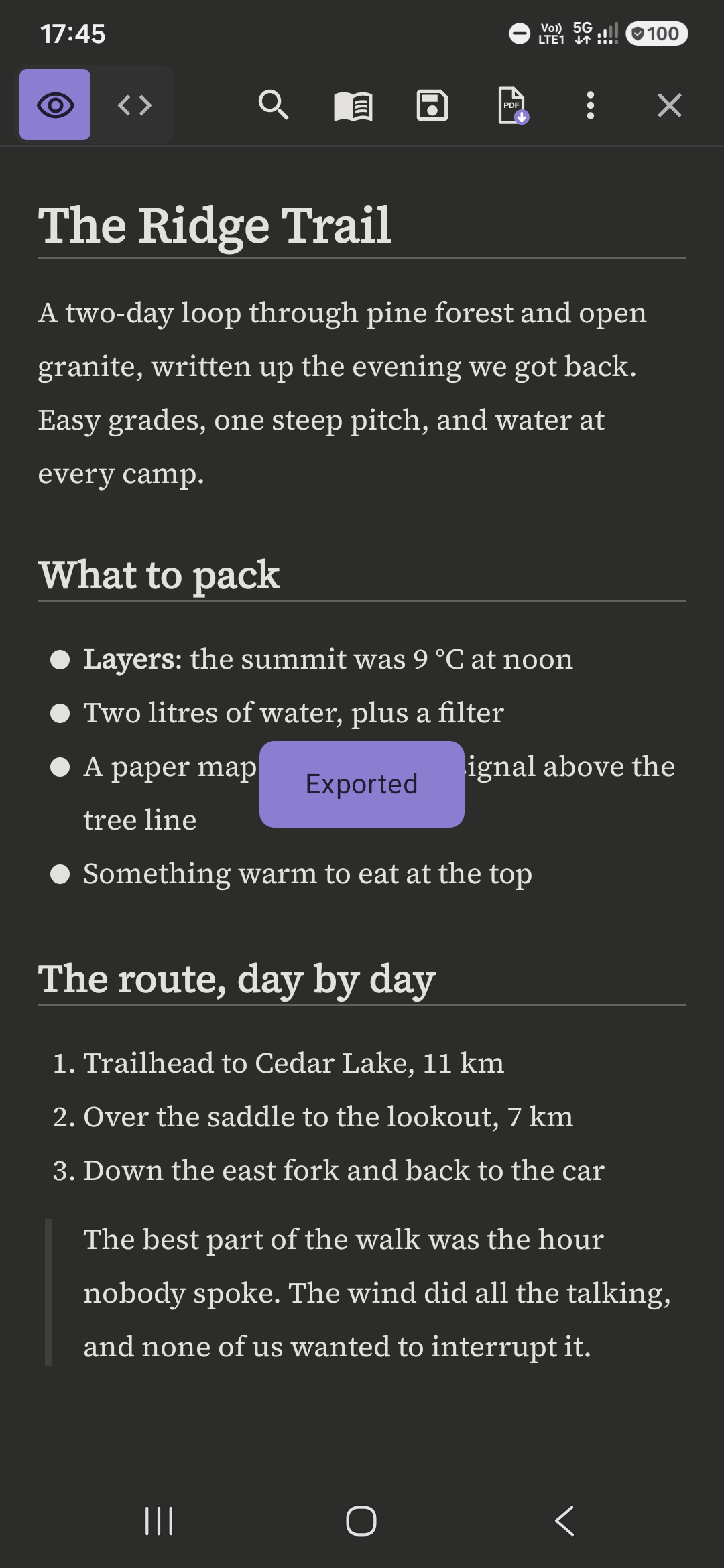 Exporting the document to PDF |
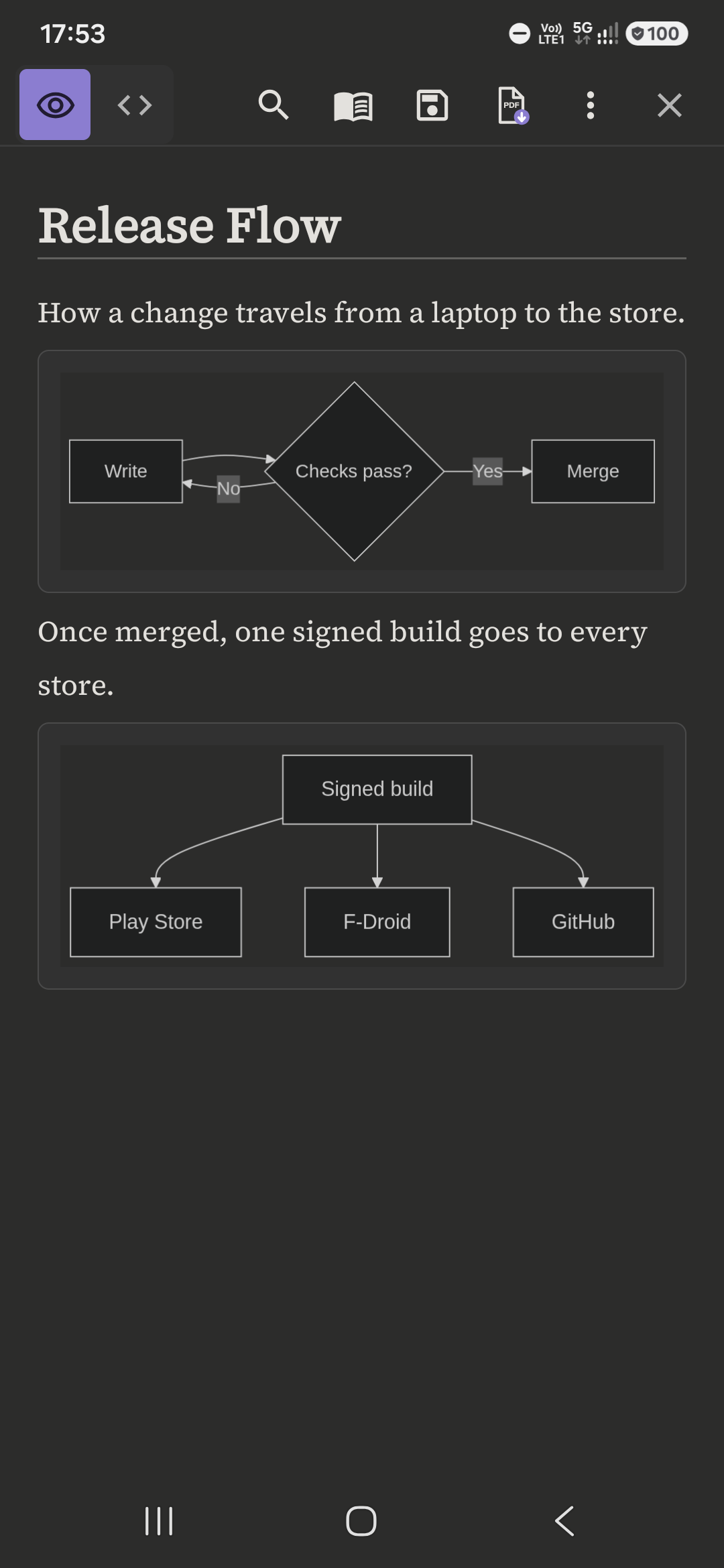 Mermaid diagrams, drawn offline |
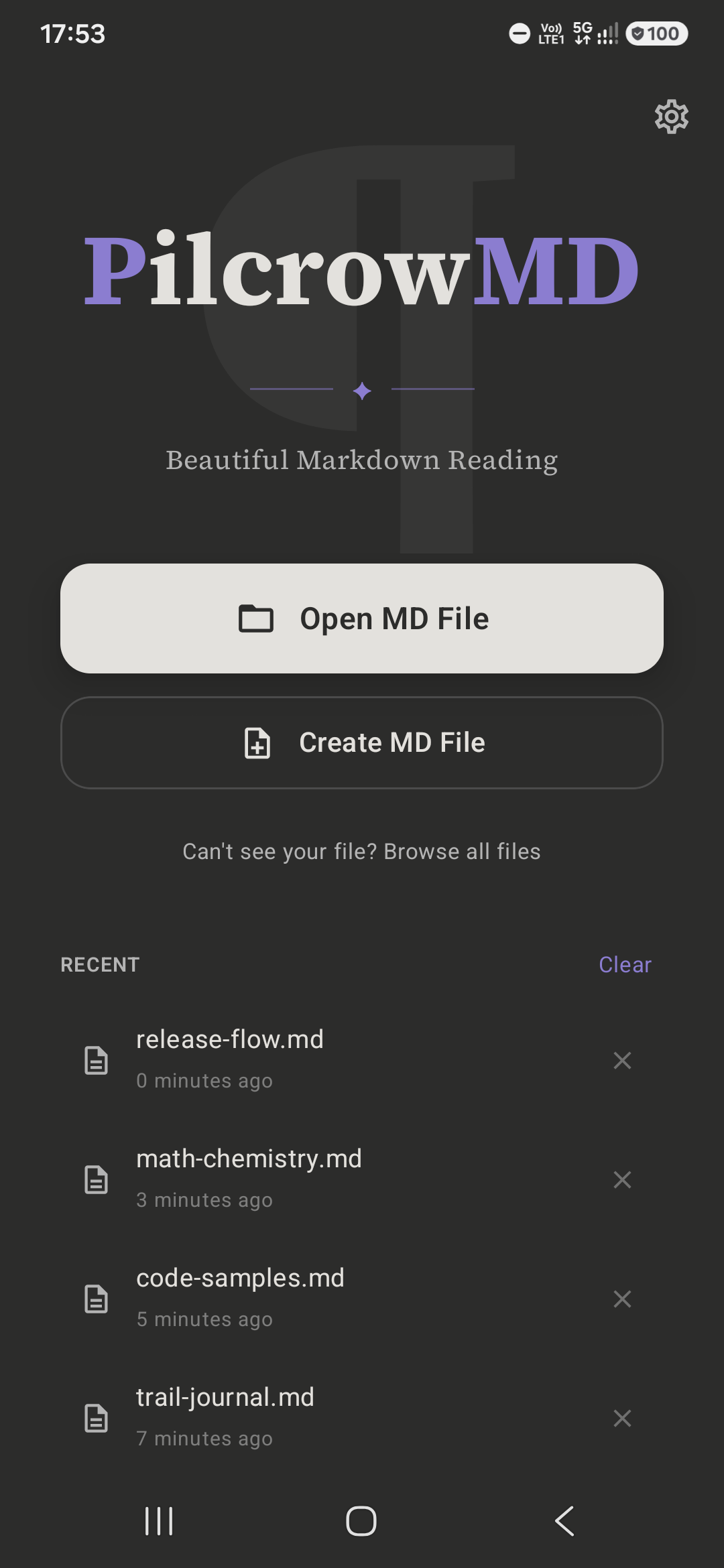 Home screen with recent files |
Architecture overview
PilcrowMD is a single-activity Jetpack Compose app following Clean Architecture + MVVM with unidirectional data flow and strict layer boundaries:
- UI (Compose) is passive and state-driven – no business logic, colors only from design tokens.
- State (
MarkdownViewModel) exposes UI state asStateFlowand orchestrates everything; it never does I/O or parsing directly. - Domain holds pure-Kotlin parsing and search use cases – testable with no emulator.
- Data hides file I/O and persistence behind interfaces (
FileRepositoryover the Storage Access Framework;StorageManagerover Jetpack DataStore).
Dependencies are wired through a single hand-written composition root (a manual AppContainer), and
Markdown is rendered to native views with Markwon – never a
WebView. The one exception is the Mermaid diagram engine, below. The four Essential Safeguards (no
data loss, round-trip fidelity, crash-free rendering, design-token fidelity) are enforced in code and
protected by tests.
→ Full details in docs/ARCHITECTURE.md.
Why there is a WebView (and only one)
Mermaid diagrams need a real browser layout engine to measure text and place shapes. No native
Android Mermaid engine covers its ~20 diagram types, and porting one would be a permanent chase. So
PilcrowMD runs the official Mermaid library (mermaid.js 11.17.2, MIT licence), bundled inside the
app, in a hidden WebView (Android's built-in browser component). It is used only to turn the text of
a ```mermaid block into a picture. The picture is shown in the normal native reader. The
WebView is never shown on screen, and you never see, scroll or touch it. Everything else is native,
and the editor is untouched.
What that WebView can do: run the bundled Mermaid script on the diagram text from the open document, and return a picture. Nothing else.
What it cannot do:
- No network. Network loads are blocked, every request other than the drawing page and its bundled Mermaid script (both served from inside the app) is refused, and the app has no INTERNET permission at all, so Android itself refuses any connection.
- No files. No file access, no
content://access, no access to other documents or app storage. - No way into the app. There is no JavaScript bridge; the page cannot call any app code. The app only reads back the finished picture.
- No navigation and no pop-up windows. Mermaid runs in its "strict" security mode (labels sanitised, click handlers off).
Each diagram has an 8-second time limit. A diagram that is broken, unsupported or too slow is shown as its source in a normal code block, with the caption "Diagram could not be drawn. Showing its source." If the device's WebView is missing or disabled, every diagram shows as source. The app never crashes on a diagram.
The Mermaid script is not stored in this repository. The build downloads the exact npm package
[email protected] and refuses it unless its SHA-256 matches a pinned value (see app/build.gradle.kts,
section "Offline Mermaid"). It adds about 1 MB to the download.
Build & run
Requirements: JDK 21, Android SDK with API 36, and minSdk 26 (Android 8.0) for the target
device. The Gradle wrapper pins the build tooling – no global Gradle install needed.
git clone https://github.com/pilcrowmd/pilcrow.git
cd pilcrow

# Build the debug APK
./gradlew clean assembleDebug

# Install to a connected device / emulator
./gradlew installDebug
The debug APK is written to app/build/outputs/apk/debug/.
Build from
cleanfor any result you intend to trust. PilcrowMD pins Kotlin to 2.3.10 to match the metadata version of its editor dependency (Soraeditor-bom:0.24.5). That toolchain carries a known incremental-compiler quirk: it can cache a stale state and report phantomUnresolved referenceerrors on code that compiles cleanly from scratch – a false negative (green turned red), never a false pass. A from-scratch build is therefore the source of truth, and CI runscleanfirst so it never trusts a poisoned cache.
Testing & quality
Quality is enforced on every push and pull request by CI, which runs the full gate from a clean build:
./gradlew clean
./gradlew assembleDebug ktlintCheck detekt testDebugUnitTest verifyRoborazziDebug bundleRelease lintRelease --rerun-tasks
- Unit tests cover the critical paths, including the
Essential Safeguards: crash-safe save with process-death recovery from a durable write-ahead log
(
LocalFileRepositoryAtomicSaveTest), LF/CRLF round-trip fidelity (MarkdownViewModelLineEndingTest), and a ~5,000-line document renders without crashing (MarkwonRendererLargeFileTest). - Visual-regression goldens via Roborazzi – every Markdown sample × 3 font scales × Dark and Light, each sample in AMOLED, plus the Welcome, search and Settings screens, rendered under Robolectric and pinned to a fixed device config. Any layout or typography drift fails the build.
- Static analysis & style – ktlint and detekt, both baselined and run in the gate.
- License diligence – all third-party dependencies and bundled fonts are tracked in LICENSES.md and surfaced in-app, and verified compatible with GPL-3.0-or-later as a combined work.
Tech stack
| Area | Choice |
|---|---|
| Language | Kotlin 2.3 |
| UI | Jetpack Compose (Material 3) |
| Architecture | Clean Architecture + MVVM + UDF, manual DI |
| Async | Coroutines & Flow |
| Markdown rendering | Markwon (native, no WebView) |
| Syntax highlighting | Prism4j |
| Math | JLatexMath (via Markwon) |
| Code editor | Sora Editor |
| Persistence | Jetpack DataStore (Preferences) |
| File access | Storage Access Framework |
| Testing | JUnit, Robolectric, Roborazzi, MockK |
| Fonts | Source Serif 4 & JetBrains Mono (OFL) |
Roadmap
PilcrowMD v1 is intentionally focused – read and edit Markdown beautifully and safely, offline. Directions under consideration for future releases:
- Additional export targets and richer print options.
- Wider syntax coverage (footnotes, definition lists).
Nothing here is a commitment; the v1 safeguards and native-only constraint always come first.
Contributing
Bug reports, feature ideas, reproductions and design feedback are very welcome – please open an issue. Outside code contributions are not accepted, at least for now; CONTRIBUTING.md is the canonical statement of what is wanted and how a change you care about can still reach the app. Please also read our Code of Conduct. Security issues should follow SECURITY.md rather than a public issue.
License
PilcrowMD is free software, licensed under the GNU General Public License v3.0 or later (GPL-3.0-or-later). Copyright © 2026 pleree.
PilcrowMD is GPL-3.0-or-later with an additional permission for EPL-2.0 libraries (the TextMate grammar engine from Eclipse TM4E and the Eclipse JDT annotations); the wording is in LICENSE-EXCEPTION.
It comes with no warranty. See LICENSE for the full text or https://www.gnu.org/licenses/. The copyleft license is deliberate: it keeps PilcrowMD and its derivatives free and open, and prevents closed-source or ad-laden clones.
The app's own license is distinct from the licenses of its third-party dependencies and bundled assets, which are documented in LICENSES.md and surfaced in-app under Settings → About → Open source licenses.
Acknowledgements
PilcrowMD stands on excellent open-source work:
- Markwon and Prism4j – native Markdown rendering and syntax highlighting.
- Sora Editor – the native code editor.
- JLatexMath – math typesetting.
- Roborazzi – screenshot testing.
- Source Serif 4 and JetBrains Mono – the typefaces, under the SIL Open Font License.
Explorar proyectos relacionados
trimstray/the-book-of-secret-knowledge
Una colección de listas inspiradoras, manuales, chuletas, blogs, trucos, comandos de una línea, herramientas de CLI y web, y más.
257,692 estrellasHack-with-Github/Awesome-Hacking
Una colección de diversas listas awesome para hackers, pentesters e investigadores de seguridad.
125,254 estrellasswisskyrepo/PayloadsAllTheThings
Una lista de payloads y métodos de bypass útiles para la seguridad de aplicaciones web y para pentesting/CTF.
82,583 estrellascaddyserver/caddy
Servidor web HTTP/1-2-3 rápido, extensible y multiplataforma con HTTPS automático
78,959 estrellas