
nol00p/Shoin
nol00p/Shoin has 78 GitHub stars and 8 forks. Star changes are not measured yet. Last checked 2026-11-12 12:07 UTC. Last push 2026-11-11.
A no-clutter terminal Markdown editor with modal editing
Crecimiento de estrellas medido
- in 24h
- Recopilando historial
- in 7 days
- Recopilando historial
- in 15 days
- Recopilando historial
- in 1 month
- Recopilando historial
Cambios netos en períodos que se solapan, no totales diarios. Los datos no disponibles se dejan en blanco. Las estrellas indican interés, no calidad.
README.md
OriginalShoin
A no-clutter terminal Markdown editor.
Modal editing, Obsidian-style live formatting, an iA Writer surface —
one centered column of text and nothing else.



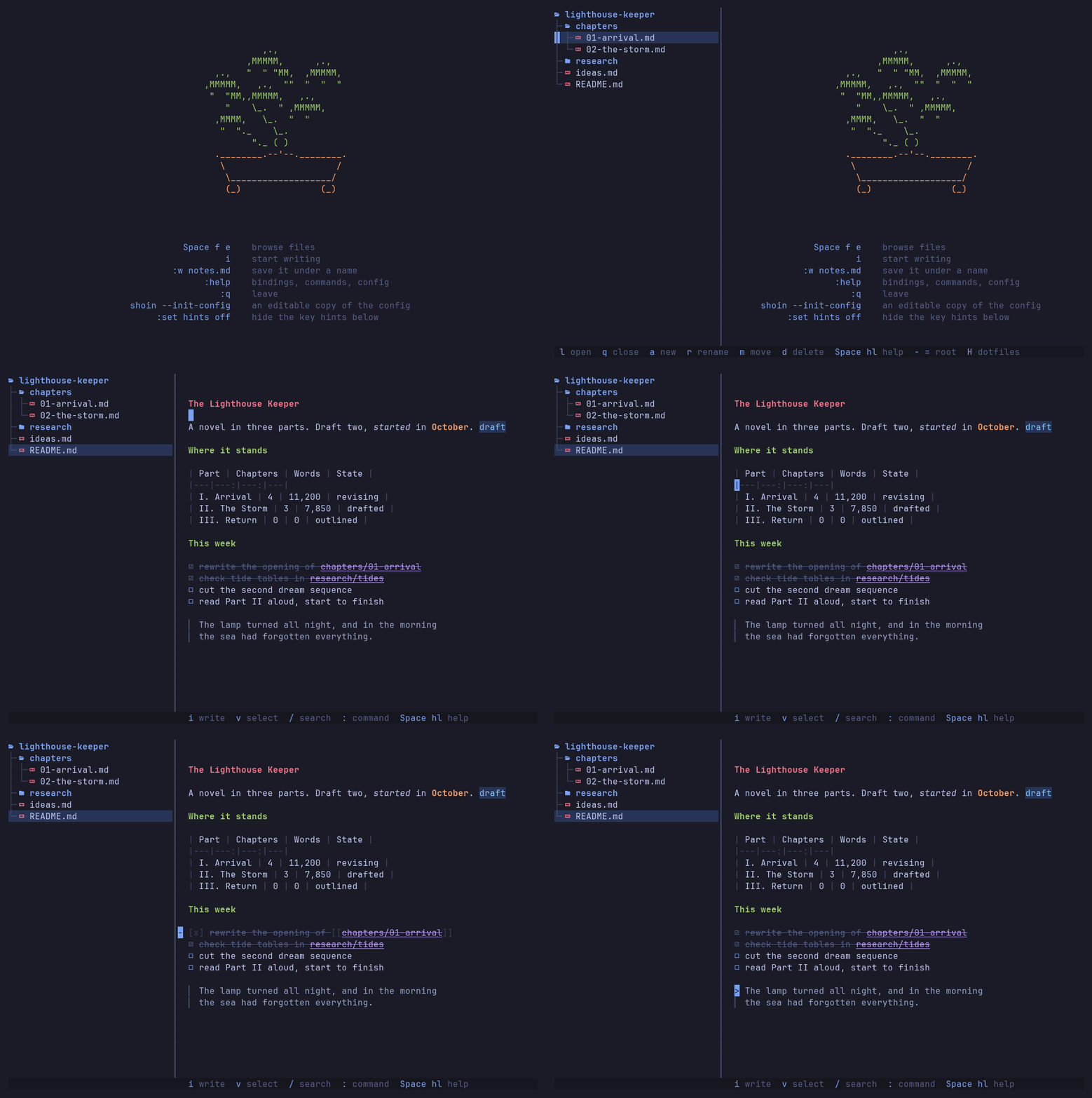
Shoin (書院) is the study alcove of a traditional Japanese house: a writing desk built into a bay by the window, and nothing else in the room.
Why Shoin
- No permanent interface. Text in a centered column and nothing else. The file tree, finder and splits open on a key and close on the same key. → Panels
- Learn it as you go. A bar along the bottom shows the keys for where
you are, and after a key like
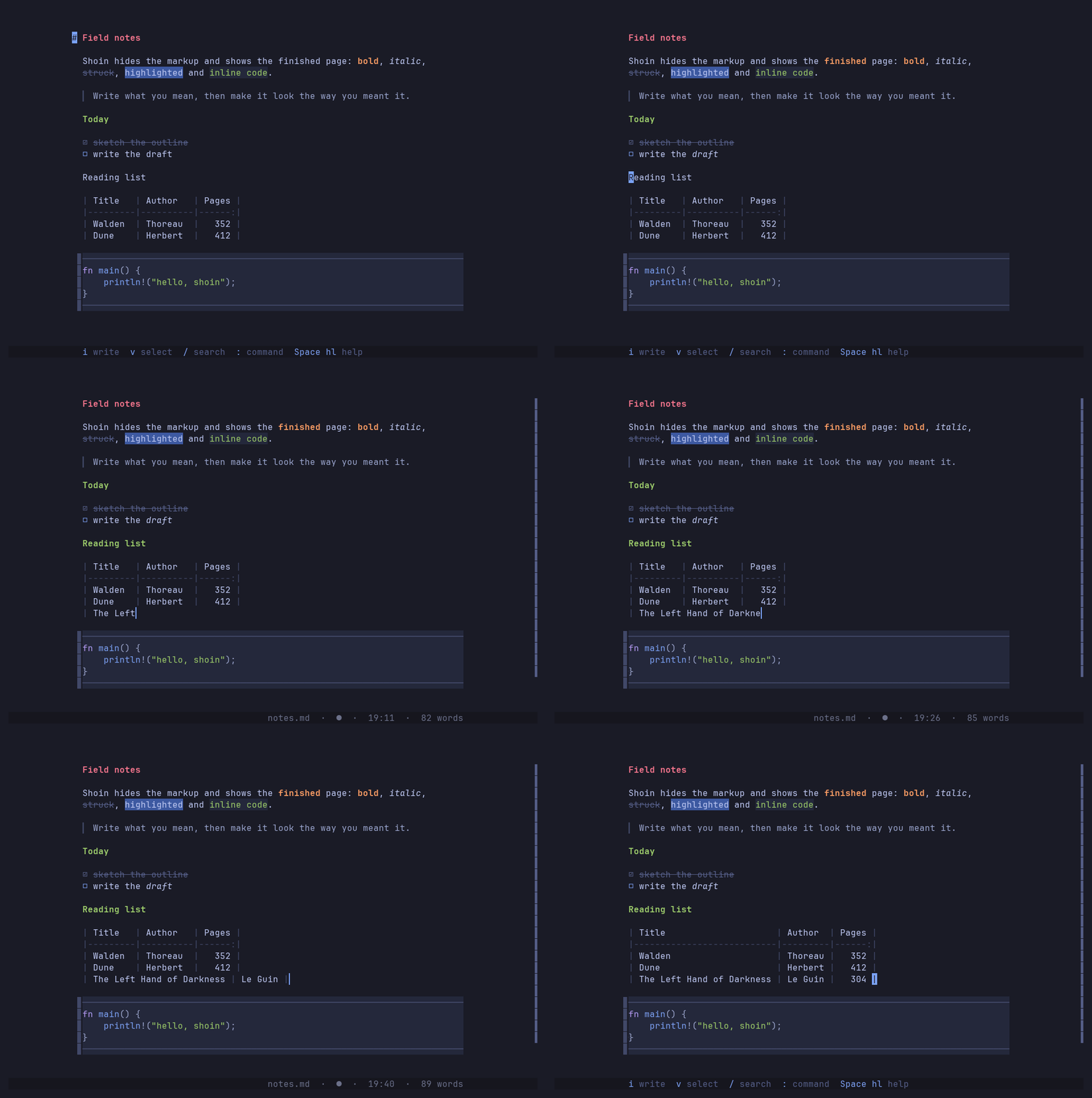
<leader>org, what can follow.:helpis organised by task and searchable, and:help <word>opens at any key, command or setting. Turn the bar off once you know the keys. → Keys - Live preview that never lies. The line under the cursor shows raw Markdown; every other line shows the finished text: headings, bold and italic, quotes, task lists, tables and highlighted code. Tables line up their columns in the file as you type. → Live preview
- Vim grammar, plus writer verbs. Operators, motions, text objects, counts,
registers and
.— andgbfor bold,gtto tick a task,g1–g6for headings,>alandAlt-jto nest and move a list item with everything under it. → Editing · Writing - Notes that compose.
[[links]]you walk withgf,![[embeds]]that pull one note into another, and export to Markdown, text, HTML or PDF. → Notes · Export - Reads like a pager, too.
shoin -p notes.mdprints a note as the editor shows it — concealed, embeds expanded, pictures drawn — and--pagerpages it. Pipe text in (curl -s …/README.md | shoin -p), or open a note withshoin -Rto read it without changing it. → Reading - Careful with your files. Atomic saves, no autosave unless you ask, and a merge view when something else edits a file you're working on. → Files
- Plain config, hot-reloaded. A folder of TOML files; save one and the running editor updates. → Configuration
.md and .txt only. It is not a code editor, though fenced code blocks are
highlighted in seventeen languages.
See it work
Formatting — the finished page with the cursor's line raw, gb, gi and
g2 in place, and a table that lines itself up on Esc.
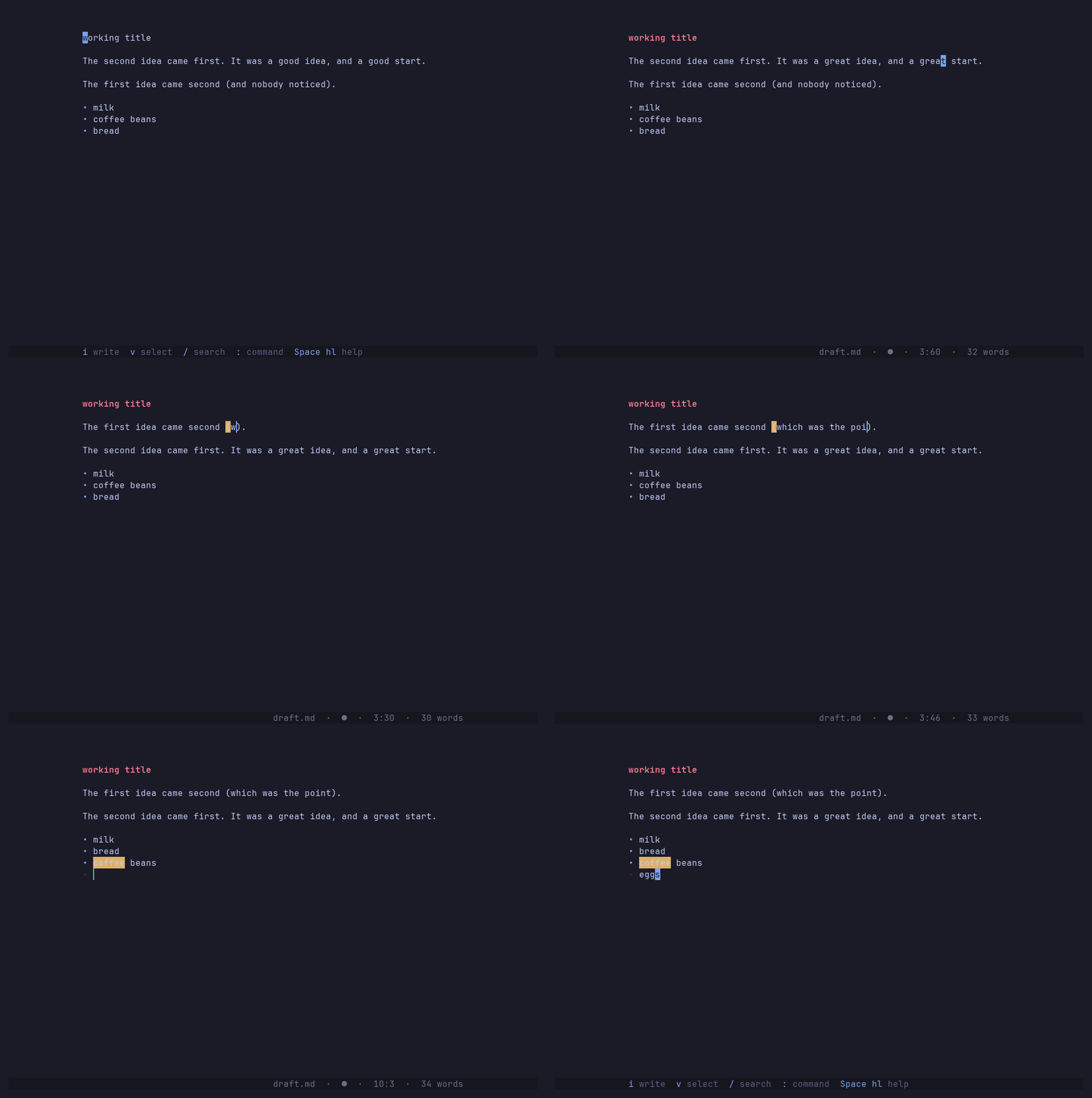
Editing prose with Vim's grammar — ciw and ., moving a paragraph with
dap and p, ci(, list items that continue themselves, undo and redo.
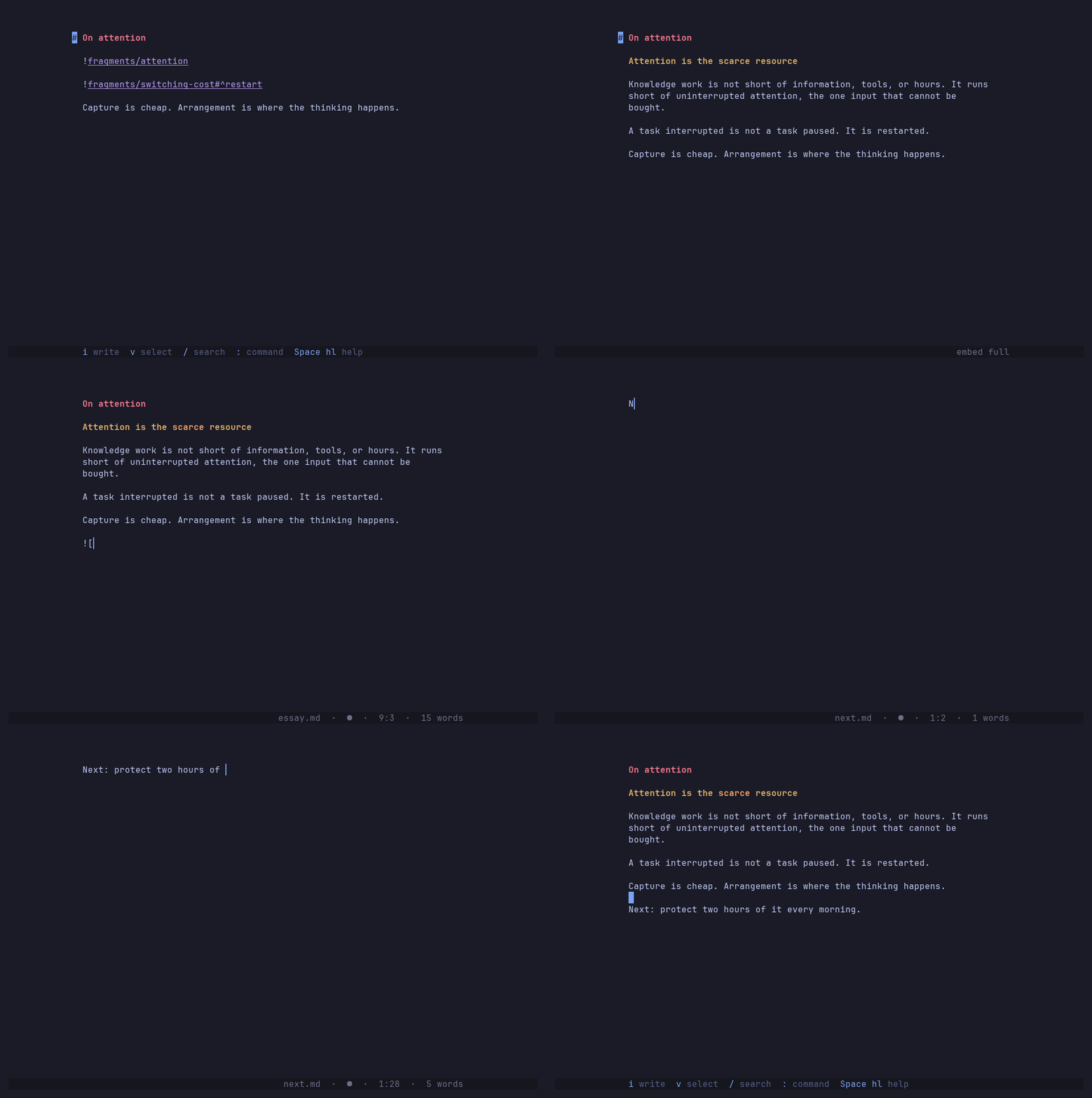
Composing a text from notes — two notes embedded in an essay, :embed full
to read it without seams, gf to follow a link, and a new note created from a
link that didn't resolve yet.
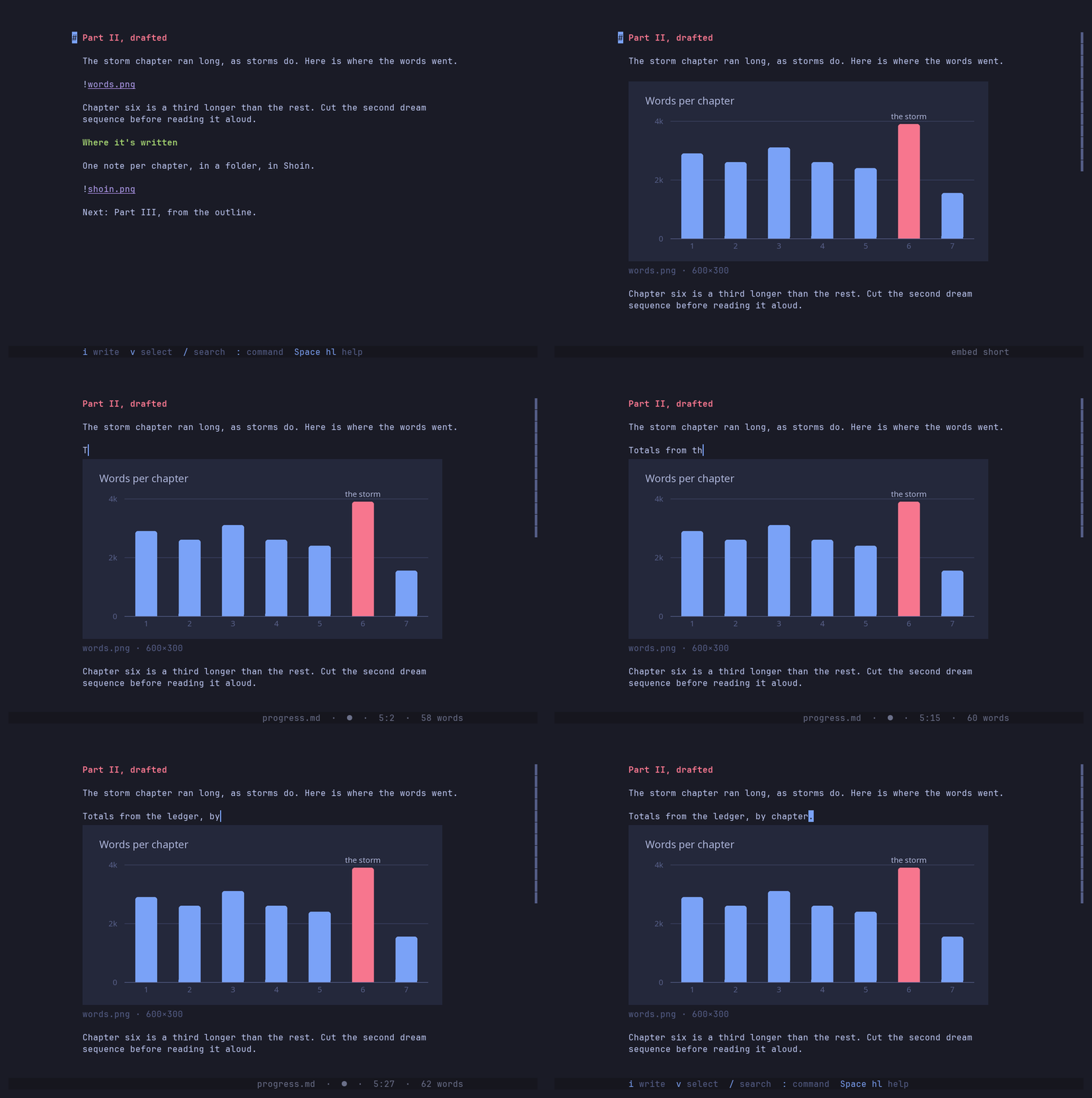
Pictures in the text — ![[picture.png]] drawn as real pixels in the
column, giving way to its raw link on the cursor's line, and moving with the
text around it. Needs kitty, Ghostty, WezTerm or iTerm2.
Reading without editing — shoin -p printing a note into the shell,
piped chapters paged through less, and shoin -R scrolling a note that can't
be changed.

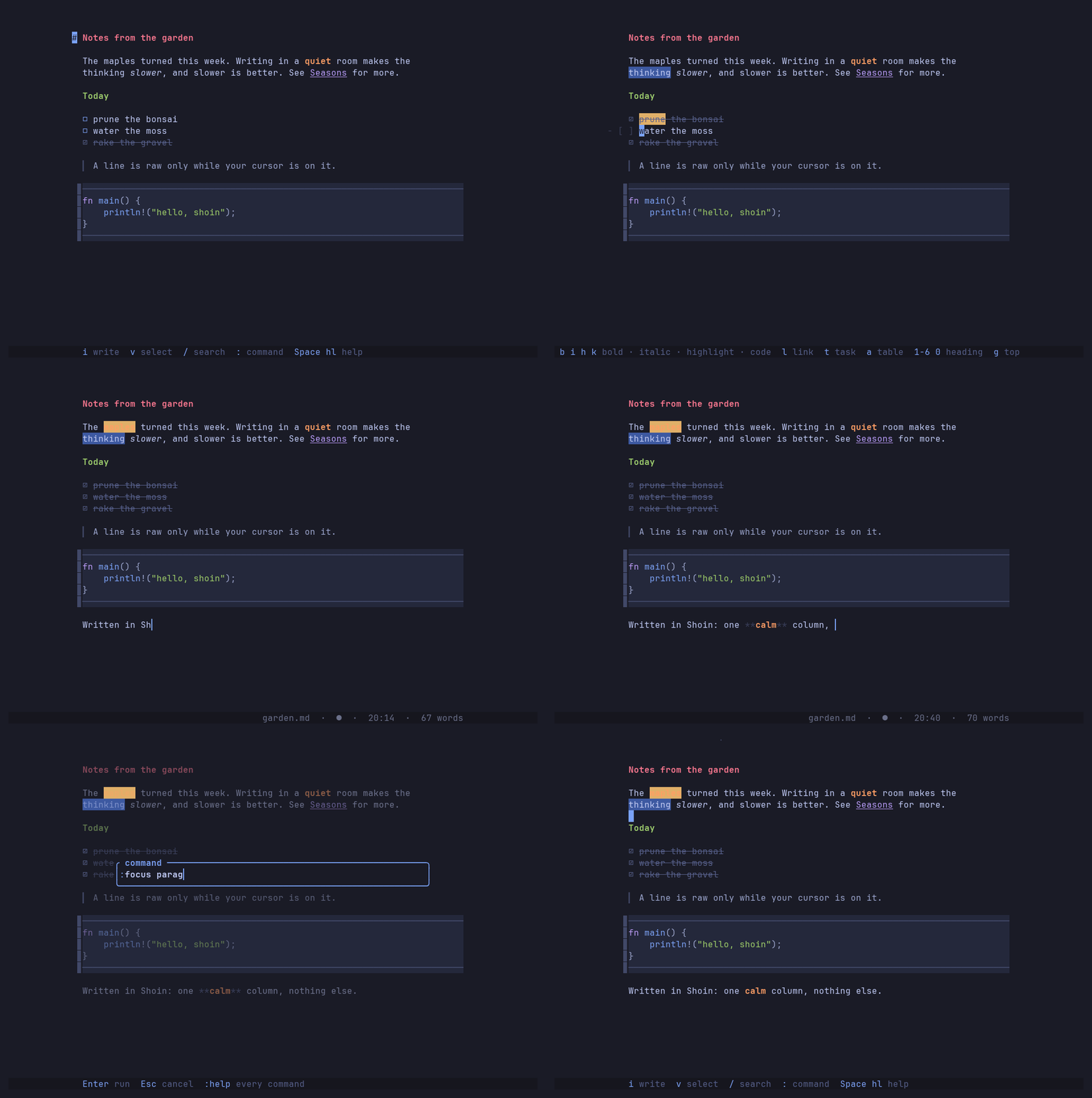
A tour — writer verbs, Insert mode, focus mode and the file tree.
Install
Shoin runs on macOS and Linux, on x86_64 and ARM. Windows isn't supported yet: it isn't built or tested there.
macOS, with Homebrew:
brew install nol00p/tap/shoin
macOS or Linux, with Cargo (Rust 1.88 or newer):
cargo install shoin
macOS or Linux, with the installer, which fetches a prebuilt binary:
curl --proto '=https' --tlsv1.2 -LsSf https://github.com/nol00p/shoin/releases/latest/download/shoin-installer.sh | sh
It works with no config: the leader keys, such as <leader>fe for the file
tree, are built in. <leader> is Space unless you remap it.
shoin --init-config writes an annotated copy of the config to
~/.config/shoin/ when you want to change it. You need a
truecolor terminal and a Nerd Font (or
glyphs.nerd_fonts = false). Getting started
covers the other ways to install and the optional PDF tools.
First five minutes
shoin notes.md            # open a file; it's created on the first :w
shoin                     # a blank page with a few ways in drawn on it
shoin -p notes.md         # print it as the editor shows it (--pager to page it)
shoin -R notes.md         # read it: j/k scroll, q quits, i edits
cat README.md | shoin -p  # anything piped in
| Do this | Press |
|---|---|
| Type, then stop typing | i … Esc (or jk) |
| Save, quit | :w, :q |
| Bold the word under the cursor | gb |
| Open the file tree | <leader>fe |
Follow a [[link]], then come back |
gf, then Ctrl-^ |
| Dim everything but this paragraph | :focus paragraph |
| Open help, by task, with search | <leader>hl or :help |
| Look up one key or setting | :help gb, :help measure |
While you learn, the bar along the bottom shows the keys for where you are.
:help has the rest in tabs: Basics, Navigation, Editing, Writing, View,
Files, and Config, which explains every option.
Documentation
- Getting started — install, requirements, first run
- Live preview — how concealment works
- Editing — motions, operators, text objects, lists, registers
- Clipboard — system clipboard, SSH, pasting
- Writing — writer verbs, focus, typewriter and zen modes
- Panels — file tree, finder, buffers, splits
- Notes — links, embeds,
gf, pictures - Reading — print or page a note, read one piped in, open it read-only
- Export — Markdown, text, HTML, PDF, from the editor or the shell
- Files — saving, autosave, outside edits and
:diff - Configuration — the config folder, themes, key bindings
- Design notes — why Shoin works the way it does
- Reference: keys · commands · command line
- Changelog
License
Licensed under the Apache License, Version 2.0. See LICENSE, or https://www.apache.org/licenses/LICENSE-2.0.
Unless you state otherwise, any contribution you intentionally submit for inclusion in this work is licensed as above, per section 5 of the License, with no additional terms.
Every dependency is permissively licensed — MIT, Apache-2.0, ISC, Zlib, Unlicense or CC0 — so nothing in the tree conflicts with distributing Shoin under Apache-2.0.
Explorar proyectos relacionados
codecrafters-io/build-your-own-x
Domina la programación recreando desde cero tus tecnologías favoritas.
562,123 estrellaspublic-apis/public-apis
Una lista colectiva de API gratuitas
498,508 estrellasmorluto/rea
Ingeniería inversa de cualquier cosa con agentes, desde el comportamiento de la aplicación hasta los binarios nativos.
455,058 estrellasopenclaw/openclaw
La IA que de verdad hace las cosas. Cualquier sistema operativo y cualquier plataforma. Al estilo langosta. 🦞
394,410 estrellas