
nichochar/ari has 219 GitHub stars and 20 forks. GitHot measured 0 stars in 24 hours, +2 in 7 days, and +8 in 15 days. Last checked 2026-11-13 05:27 UTC. Last push 2026-11-01.
learn stuff with pen + paper + AI
Crecimiento de estrellas medido
- in 24h
- 0
- in 7 days
- +2
- in 15 days
- +8
- in 1 month
- Recopilando historial
Cambios netos en períodos que se solapan, no totales diarios. Los datos no disponibles se dejan en blanco. Las estrellas indican interés, no calidad.
README.md
Original
Learn stuff with pen and paper + an AI tutor.
Using pen and paper to actually solving problems is a very effective way for me to learn. It might be for you as well, and if so you might like Ari.
I recommend setting up a camera above your page, I have this one, it works great.
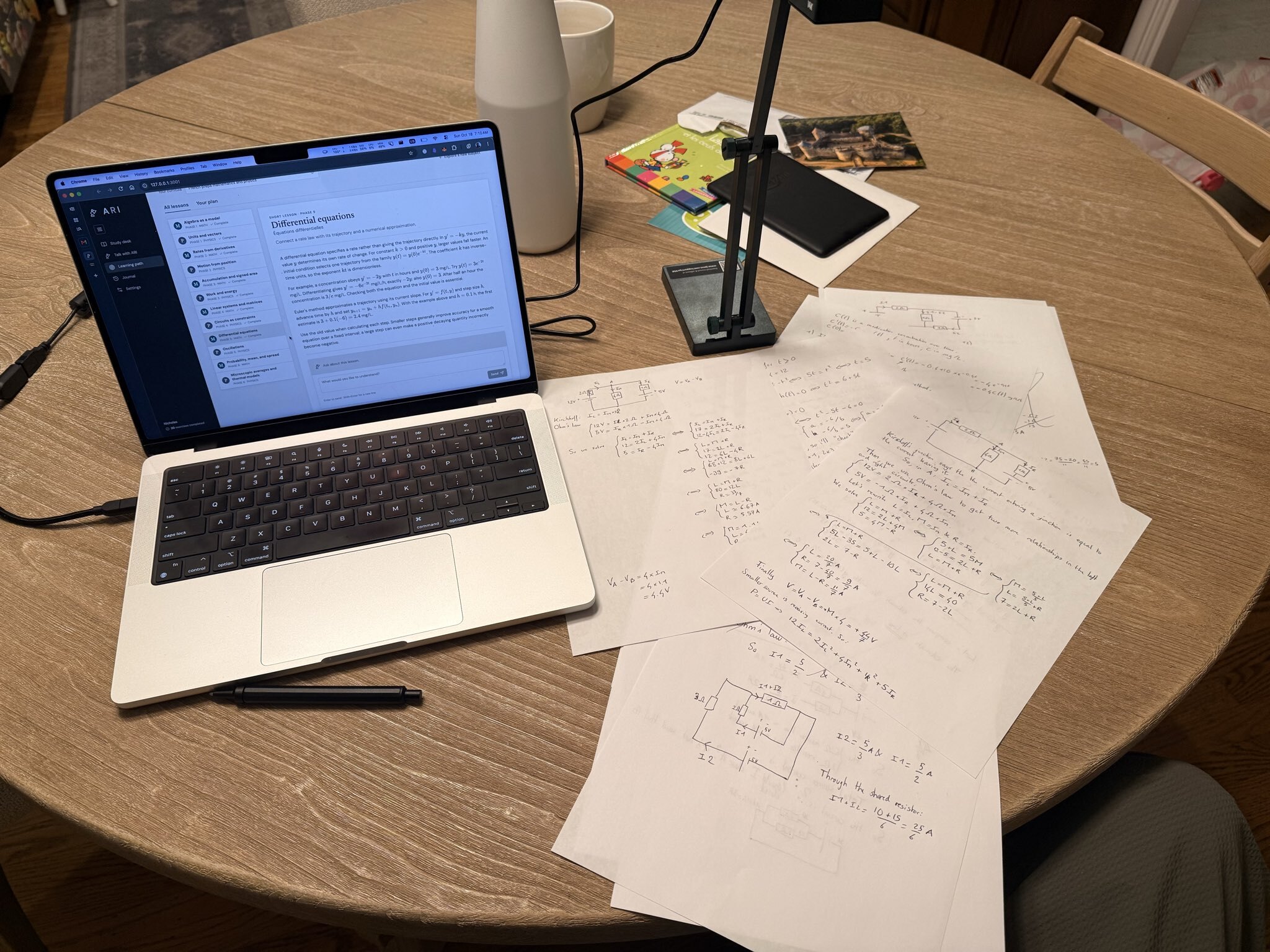
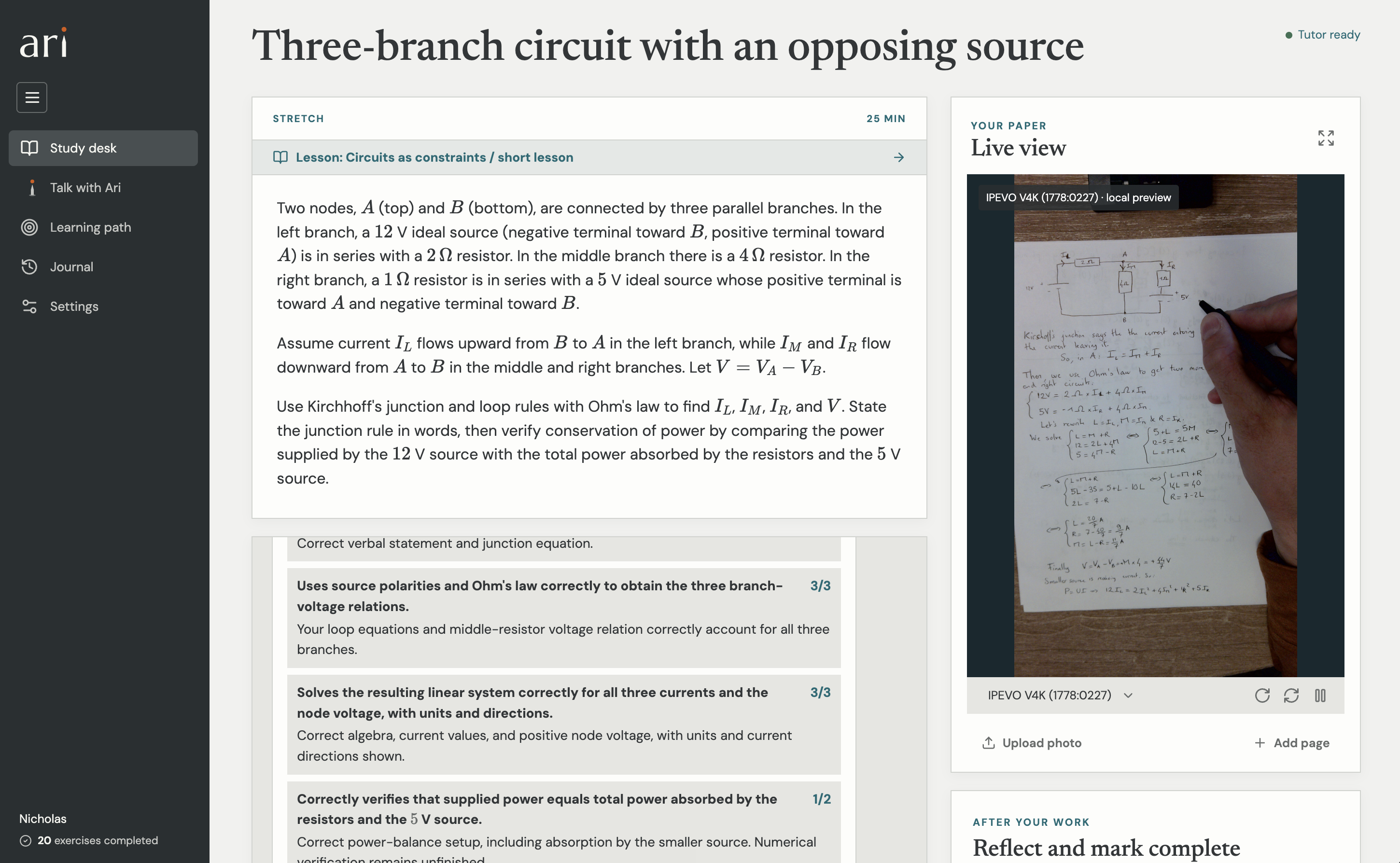
You can then chat with Ari about what you want to learn and it will create a curriculum for you with exercises to work through.
You can ask questions while you work and when you're done, just ask it to grade your work. It can always see what you are writing.
I've had great success doing math and physics this way!
Ari runs locally right now, which allows you to use your codex subscription. I've been using that with Astra (today Anthropic doesn't let you use your subscription for non-official clients).
I recommend just pointing your AI to this repo and ask it to set it all up for you.
Graphs
Ari draws interactive 2D and 3D graphs in its replies, lessons and exercises. It writes a small text block and the app renders it as a live plot: drag the sliders, orbit a surface or edit the expressions, then ask Ari about your changes. It receives your version of the graph and a picture of the view.
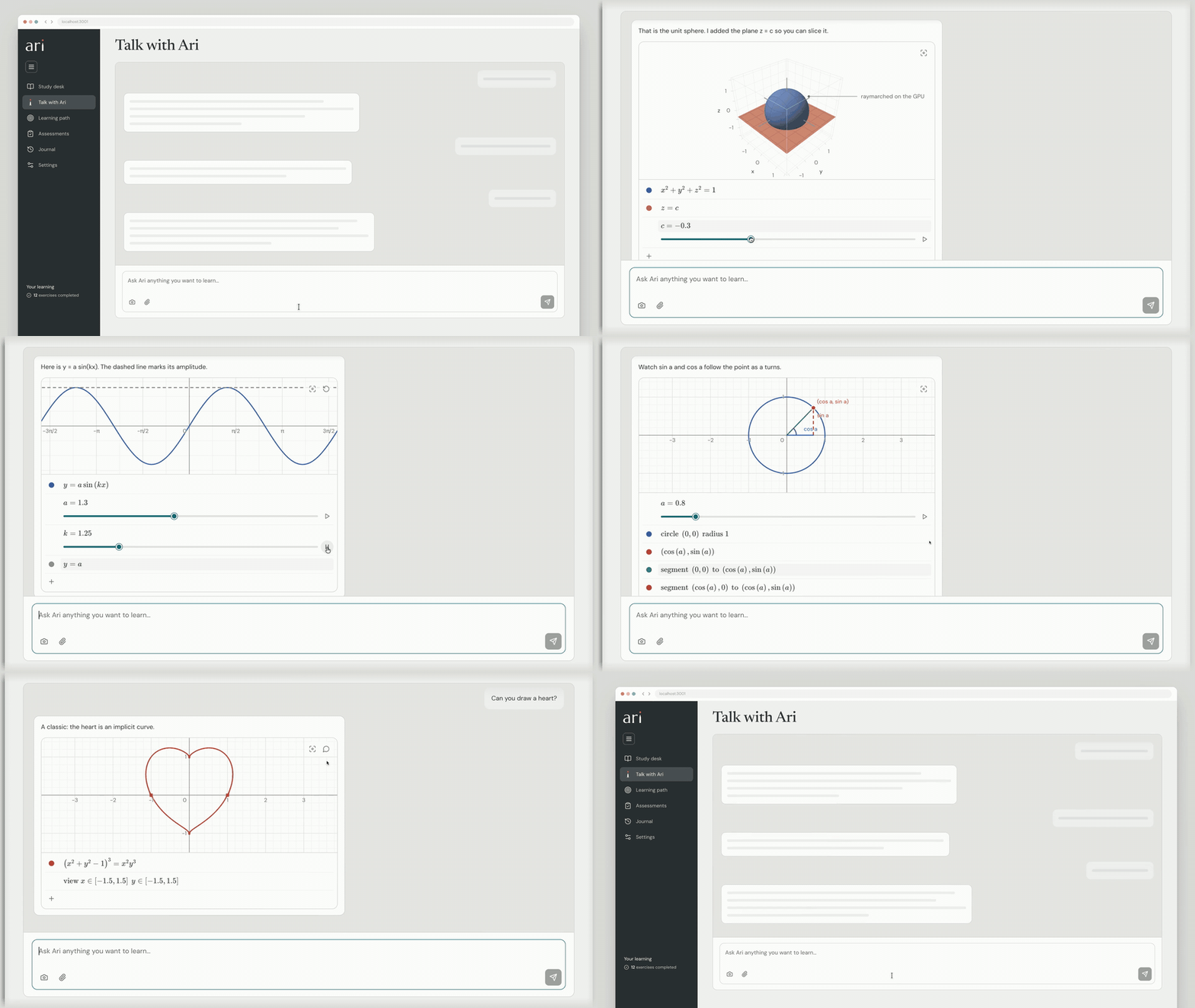
The plotting is its own package, ari-plot, published on npm.
Run locally
You need Node.js 24+, git, ffmpeg, and a chatGPT account. The built-in camera bridge is Mac-only, while browser cameras and photo uploads do not need it.
git clone https://github.com/nichochar/ari.git
cd ari
npm ci
npm install -g @openai/[email protected]
codex -c 'cli_auth_credentials_store="file"' login
Complete sign in with chatGPT in your browser. Ari uses that local Codex login and your subscription's allowance, no API key needed.
cp .env.example .env
npm run build
npm start
Open http://127.0.0.1:3001.
Choose a model and reasoning effort in Settings → Ari’s model. The default is GPT-6 Astra, High. The choice is saved locally and applies to new requests across chats, lessons, grading and assessments. Running replies keep their current model. ChatGPT mode loads models and supported efforts from your Codex connection; API-key mode offers a compatible selection available to your API account. Existing provider/billing settings stay in .env.
In ChatGPT/Codex mode, Codex automatically compacts long conversations using the selected model's default threshold. Ari keeps the full chat transcript separately. LEARNING_COMPACTION_TOKENS applies only to API-key mode.
The chat shows “Compacting conversation…” while this happens, then continues the response.
Make it yours
- Open Talk with Ari and describe what you want to learn. For example: “Teach me photography from scratch, in 20-minute sessions.”
- Discuss the proposed outline, then choose Create lesson or Create curriculum.
- Use the Study desk to practice. Chat through anything as needed, and grade when ready. Save a reflection to help Ari adapt.
- Open Assessments for a fresh mixed paper. Adjust Ari’s proposed topics, work at your pace, and submit for a score and learning diagnosis. Hints are allowed; each submission and its photos stay saved.
New learners start with a brief conversation.
I used a TUTOR.md for Ari's personality and a USER.md for how it learns about you. These evolve automatically but you can edit them directly or by chatting with Ari.
Want to try onboarding without resetting your progress? Run npm run onboarding for a separate fresh learner on port 3002. Stop that preview with PORT=3002 npm run stop.
Your data
Chats, progress, uploaded materials and submitted photos are saved on your computer, under .local/, which Git ignores. Personalization lives in ~/.ari/workspace/: TUTOR.md defines teaching style, USER.md holds learner context, and memories/ holds detailed notes. Ari reads the two core files each turn and retrieves other notes as needed. Edit and restore the core documents in Settings; browse memories there or ask Ari to revise them. Existing learner notes and reflections are imported automatically.
Live camera preview stays local; deliberately submitted work and relevant learning context are sent to OpenAI for tutoring. This is a single-user local app—keep it on localhost.
npm run backup saves learning data, native conversation history and personalization files, excluding credentials. Keep its SQLite file and companion directories together. .env, credentials, backups and personal learning data are not included in this repository.
Personalization backups also include a matching .workspace directory with TUTOR.md, USER.md, memories and the workspace identity marker. To restore, stop Ari and restore the SQLite file, its .codex companion when present, and its .workspace contents to their original locations. The workspace location is saved in the database; preserve its identity marker. If backup reports that notes differ from recorded revisions, open Settings to refresh those edits and retry.
For development: npm run dev (UI on port 5173), npm test, and npm run build. See the frontend module map and design rules.
Explorar proyectos relacionados
sindresorhus/awesome
😎 Listas Awesome sobre todo tipo de temas interesantes [NOTA: Las pull requests están temporalmente desactivadas hasta que tenga ocasión de ponerme al día con las existentes]
536,065 estrellasEbookFoundation/free-programming-books
:books: Libros de programación disponibles de forma gratuita
401,512 estrellasnilbuild/developer-roadmap
Hojas de ruta interactivas, guías y otros contenidos educativos para ayudar a los desarrolladores a crecer en su carrera.
371,928 estrellasvinta/awesome-python
La lista definitiva que responde a «Quiero hacer X en Python, ¿qué herramienta debería usar?».
334,391 estrellas