
lucasfrag/kali-linux-tools-interface
lucasfrag/kali-linux-tools-interface has 277 GitHub stars and 72 forks. GitHot measured 0 stars in 24 hours, 0 in 7 days, and +1 in 15 days. Last checked 2026-11-13 14:10 UTC. Last push 2026-04-27.
Crecimiento de estrellas medido
- in 24h
- 0
- in 7 days
- 0
- in 15 days
- +1
- in 1 month
- Recopilando historial
Cambios netos en períodos que se solapan, no totales diarios. Los datos no disponibles se dejan en blanco. Las estrellas indican interés, no calidad.
Acerca de
Graphical Web interface developed to facilitate the use of security information tools.
SeguridadREADME.md
Original


Kali Linux Tools Interface
A graphical interface to use information security tools by the browser.
Explore the article »
(Available only in Brazilian Portuguese)
Report Bug
·
Request Feature
⚠️ ALERT 🚧
As I am involved in other projects, I am no longer supporting this project. However, the code remains open to anyone who wants to download, test and modify. Thanks to everyone for your support! Enjoy 😉🧩 Citation
If you use this repository in your research, please cite it as follows:
- BibTeX:
@software{Fraga_Kali_Linux_Tools_2025,
author = {Fraga, Lucas},
doi = {10.5281/zenodo.17298710},
license = {MIT},
month = oct,
title = {{Kali Linux Tools Interface: Graphical Web Interface for Security Tools}},
url = {{"type" => "GitHub", "url" => "https://github.com/lucasfrag/kali-linux-tools-interface"}},
version = {v2.0.0},
year = {2025}
}
Getting Started
Kali Linux Tools Interface is a graphical interface to use information security tools by the browser. The project uses the Kali Linux tools as a reference because it is the distribution that has the largest package of native tools.
Prerequisites
- A Debian-based distribution (preferably Kali Linux)
- The information security tools installed
- Apache / Nginx service running
- SSH Service running
- Shell In A Box (if you want to use the Terminal)
- To install Shell In A Box, use the following command:
sudo apt-get install shellinabox
- To install Shell In A Box, use the following command:
Installation
- Extract the contents to the folder of your web server.
- Create a database called
kaliin MySQL and import the fileassets/database.sql. - Edit the file
assets/includes/config.phpand set yours settings. - Enjoy!
Screenshots
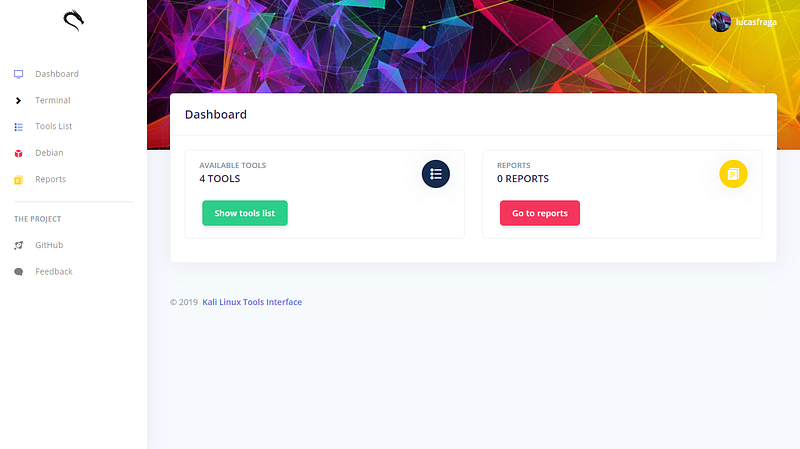
Dashboard
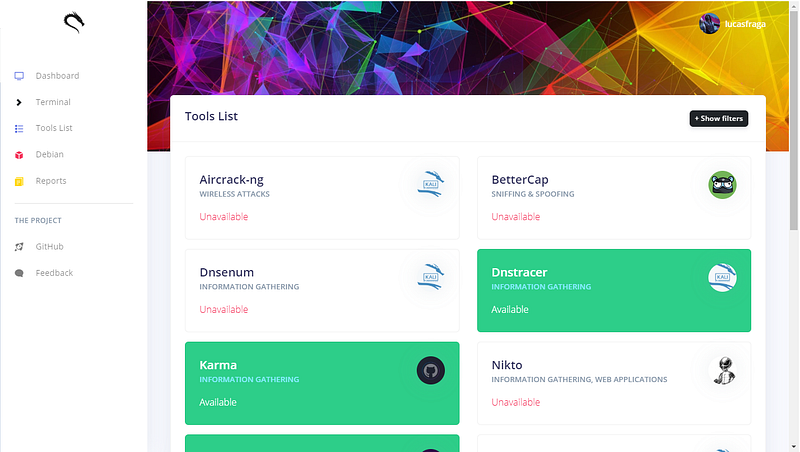
Tools list
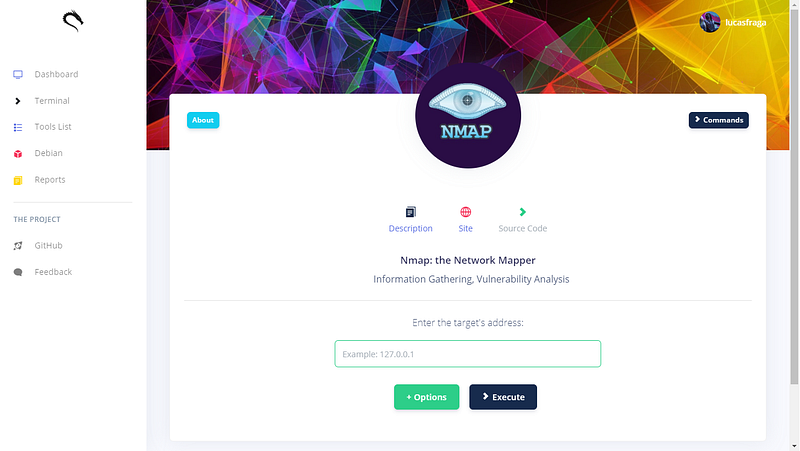
Choose and use!
More screenshots:
Check the article for more screenshots!
Built With
License
Distributed under the MIT License. See LICENSE for more information.
Explorar proyectos relacionados
trimstray/the-book-of-secret-knowledge
Una colección de listas inspiradoras, manuales, chuletas, blogs, trucos, comandos de una línea, herramientas de CLI y web, y más.
258,192 estrellasHack-with-Github/Awesome-Hacking
Una colección de diversas listas awesome para hackers, pentesters e investigadores de seguridad.
125,428 estrellasswisskyrepo/PayloadsAllTheThings
Una lista de payloads y métodos de bypass útiles para la seguridad de aplicaciones web y para pentesting/CTF.
82,654 estrellascaddyserver/caddy
Servidor web HTTP/1-2-3 rápido, extensible y multiplataforma con HTTPS automático
79,041 estrellas