
hanleyweng/CoreML-in-ARKit
hanleyweng/CoreML-in-ARKit has 1,692 GitHub stars and 221 forks. GitHot measured 0 stars in 24 hours, -1 in 7 days, and -1 in 15 days. Last checked 2026-11-23 00:08 UTC. Last push 2021-08-23.
Crecimiento de estrellas medido
- in 24h
- 0
- in 7 days
- -1
- in 15 days
- -1
- in 1 month
- Recopilando historial
Cambios netos en períodos que se solapan, no totales diarios. Los datos no disponibles se dejan en blanco. Las estrellas indican interés, no calidad.
Acerca de
Proyecto sencillo para detectar objetos y mostrar etiquetas 3D sobre ellos en realidad aumentada. Sirve como plantilla básica para un proyecto de ARKit que utiliza Core ML.
Aprendizaje automáticoREADME.md
OriginalCoreML-in-ARKit
This simple project detects objects in Augmented Reality and displays 3D labels on top of them. This serves as a basic template for an ARKit project to use CoreML.
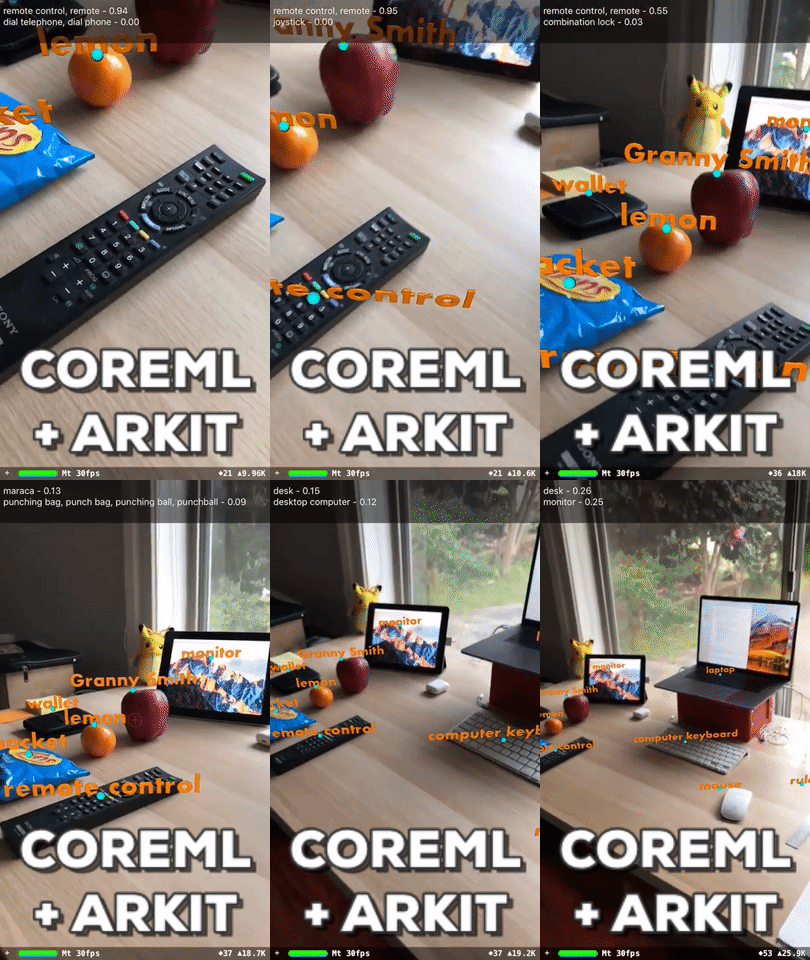
Model: Inception V3
Language: Swift 4.0
Written in: Xcode 9.0 GM (9A235) (Updated) XCode 9 beta 3 (9M174d)
Content Technology: SceneKit
Tested on iPhone 7 plus running iOS 11 beta 3 (15A5318g)
Note: SceneKit can achieve a 60 FPS on iPhone7+ - though when it gets hot, it'll drop to 30 FPS.
Instructions
You'll have to download "Inceptionv3.mlmodel" from Apple's Machine Learning page, and copy it into your XCode project. (As depicted in the following gif)
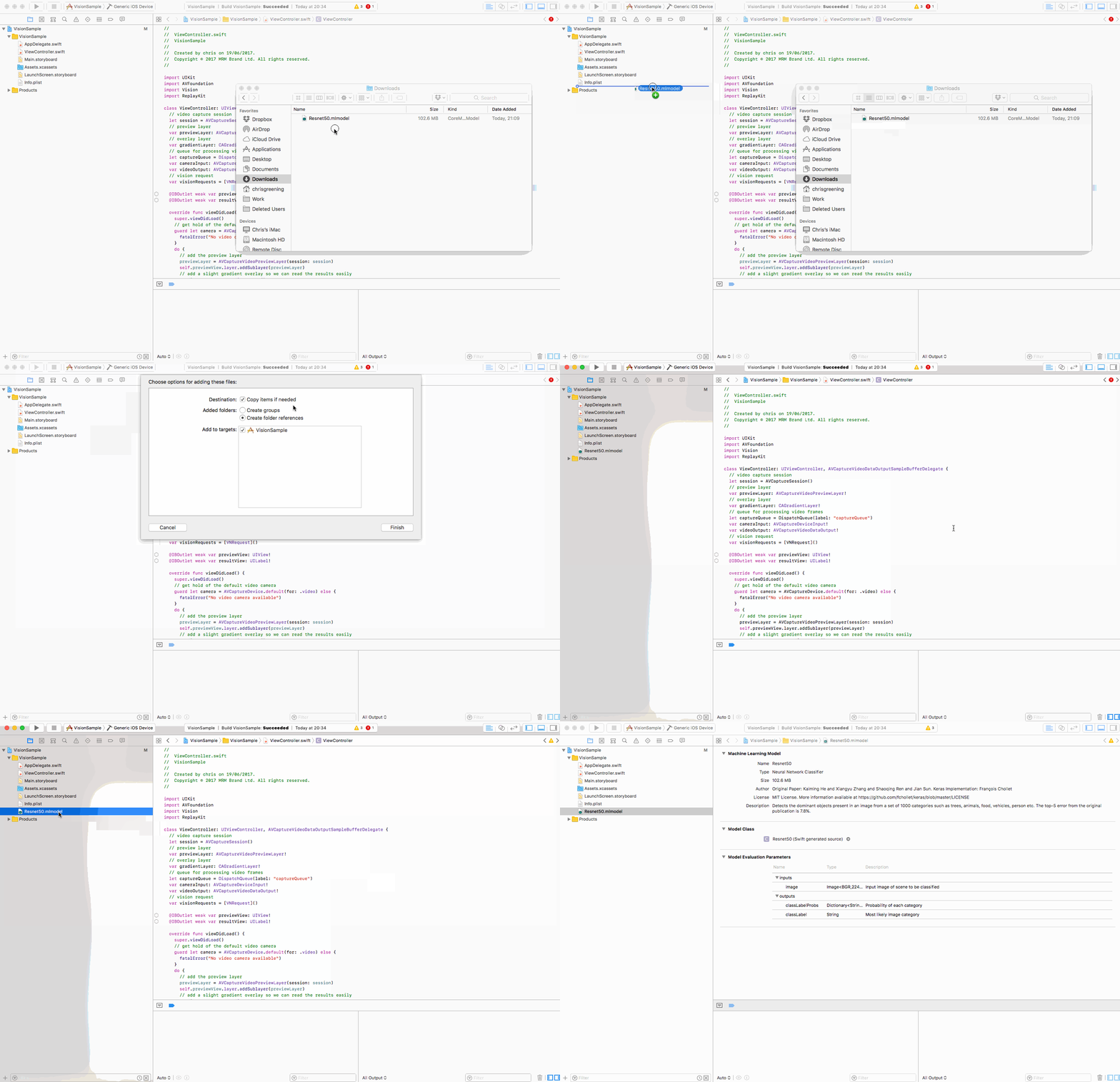
If you're having issues, double check that the model is part of a target (source: stackoverflow).
Footnotes
SceneKit Text Labels are expensive to render. Too many polygons (too much text, smoothness, characters) - can cause crashes. In future, SpriteKit would be more efficient for text-labels.
Not entirely certain if the code is actually transferring RGB data to the Vision Model (as opposed to YUV). Proof-of-concept-wise, it appears to work just fine with the Inception V3 model for now.
Whilst ARKit's FPS , is displayed - CoreML's speed is not. However, it does appear sufficiently fast for real-time ARKit applications.
Placement of the label is simply determined by the raycast screen centre-point to a ARKit feature-point. This could be altered for more stable placement.
Building Blocks (Overview)
Get CoreML running in real time in ARKit
There are some good tutorials / sample projects for getting CoreML running. See: [ 1 ] [ 2 ] [ 3 ]
What we do differently here is we're using ARKit's ARFrame as the image to be fed into CoreML.
let pixbuff : CVPixelBuffer? = (sceneView.session.currentFrame?.capturedImage)
- We also use Threading to continuously run requests to CoreML in realtime, and without disturbing ARKit / SceneView
let dispatchQueueML = DispatchQueue(label: "com.hw.dispatchqueueml")
...
loopCoreMLUpdate() // on viewLoad
...
func loopCoreMLUpdate() {
    dispatchQueueML.async {
        // 1. Run Update.
        self.updateCoreML()
        // 2. Loop this function.
        self.loopCoreMLUpdate()
    }
}
Add 3D Text
- Add a Tap Gesture.
- On Tap. Get the raycast centre point, translating it to appropriate coordinates.
- Render 3D text at that location. Use the most likely object.
Explorar proyectos relacionados
Cargando…