
cweijan/vscode-database-client
cweijan/vscode-database-client has 2,927 GitHub stars and 384 forks. GitHot measured +2 in 7 days. Last checked 2026-11-11 08:13 UTC. Last push 2026-06-13.
Database Client For Visual Studio Code
Crecimiento de estrellas medido
- in 24h
- Actualización retrasada
- in 7 days
- +2
- in 15 days
- Recopilando historial
- in 1 month
- Recopilando historial
Cambios netos en períodos que se solapan, no totales diarios. Los datos no disponibles se dejan en blanco. Las estrellas indican interés, no calidad.
README.md
OriginalDatabase Client
This repository contains the early source code. The new version is closed source.
This project is a database client for Visual Studio Code, supporting the management MySQL/MariaDB, PostgreSQL, SQLite, Redis, ClickHouse, 达梦, and ElasticSearch, and works as an SSH client, boost your maximum productivity!
Project site: vscode-database-client, 中文文档

Installation
Install from the Visual Studio Code Marketplace or Open VSX.
Telemetry Reporting
The Database Client extension will collects and sends anonymous usage data to the Database Client server to help improve our products and services. Read our Privacy Statement to learn more.
Telemetry reporting follows the telemetry settings of VS Code. Additionally, you can independently disable it by setting "database-client.telemetry.usesOnlineServices": false.
Connect
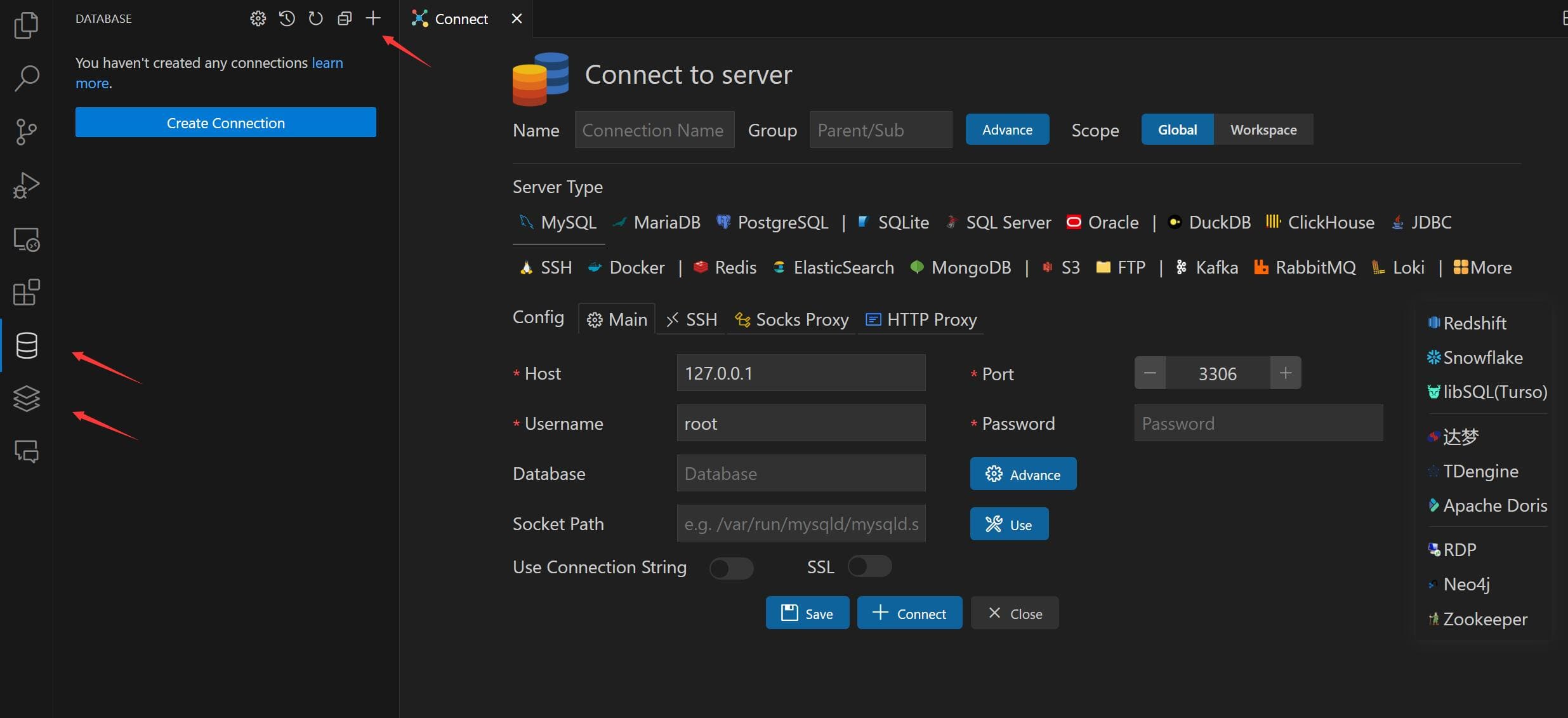
- Open Database Explorer panel, then click the
+button. - Select your database type, input connection config then click the connect button.
Table
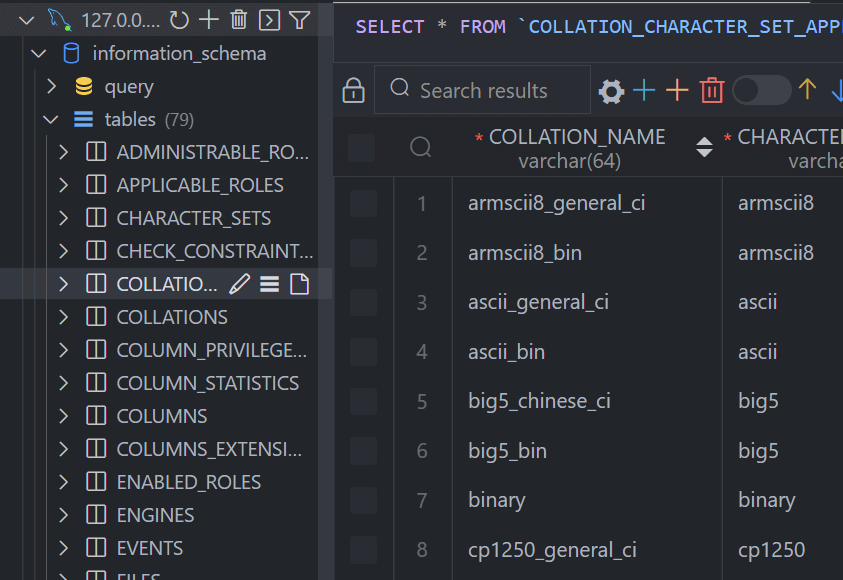
- Click table to open table view.
- Click button beside table to open new table view.
- Then you can do data modification on the table view.
Execute SQL Query
In the Database Explorer panel, click the Open Query button.
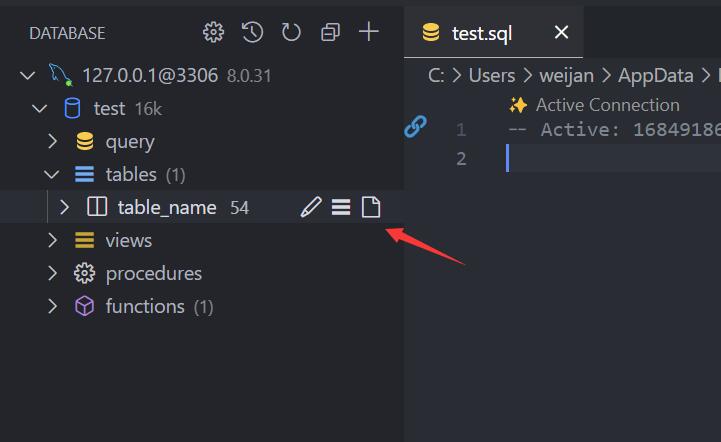
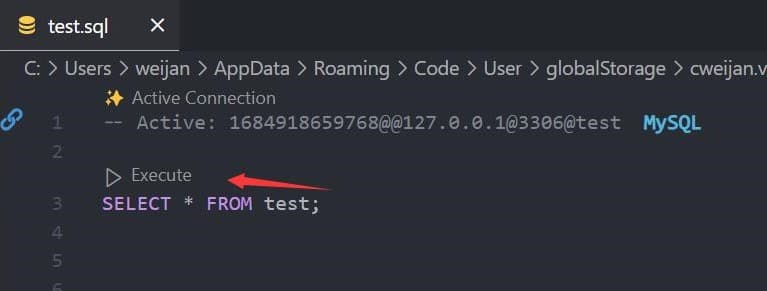
That will open a SQL editor bind of database, it provider:
- IntelliSense SQL edit.
- snippets:
sel、del、ins、upd、joi... - Run selected or current cursor SQL (Shortcut : Ctrl+Enter).
- Run all SQL (Shortcut : Ctrl+Shift+Enter, Command ID:
mysql.runSQL).
The database can be searched by clicking the search button to the right of "Tables".

Cache
In order to improve performance, the database information is cached. If your database structure changes externally, you need to click the refresh button to refresh the cache。
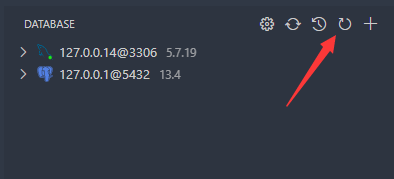
Backup/Import
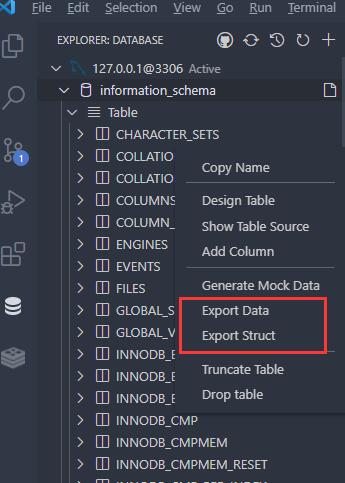
Move to ant DatabaseNode or TableNode. The export/import options are listed in the context menu (right click to open).
The extension implements the backup function, but it is not stable enough. You can add mysql_dump or pg_dump to the environment variable, and the extension will use these tools for backup.
Setting
The extension provides some settings, you can refer to the following operations to go to the console settings.

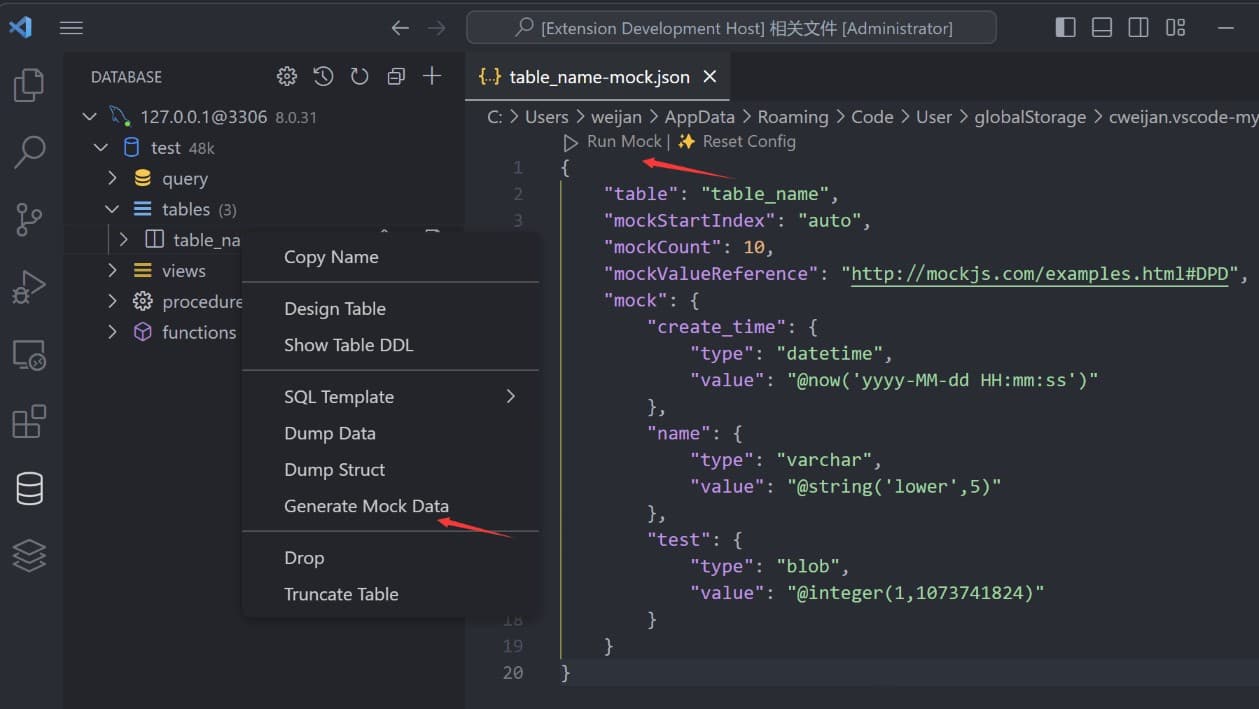
Generate Mock Data
You can easily generate test data.
History
Click the history button to open the list of recently executed query history records.

Credits
- ssh2: SSH client.
- sql-formatter SQL format lib.
- Client Lib:
- node-mysql2 : MySQL client.
- node-postgres: PostgreSQL client.
- tedious: SqlServer client.
- ioredis: Redis client.
- vscode-sqlite: SQLite client code reference.
Explorar proyectos relacionados
Asabeneh/30-Days-Of-Python
El reto de programación 30 Days of Python es una guía paso a paso para aprender el lenguaje de programación Python en 30 días. Este reto puede llevar más de 100 días. Sigue tu propio ritmo. Estos vídeos también pueden ayudarte: https://www.youtube.com/channel/UC7PNRuno1rzYPb1xLa4yktw
78,560 estrellasgrafana/grafana
Plataforma abierta y componible de observabilidad y visualización de datos. Visualiza métricas, registros y trazas de múltiples fuentes, como Prometheus, Loki, Elasticsearch, InfluxDB, Postgres y muchas más.
77,830 estrellasredis/redis
Para los desarrolladores que crean aplicaciones en tiempo real basadas en datos, Redis es la opción preferida, la más rápida y la de más funciones como caché, servidor de estructuras de datos y motor de consultas de documentos y vectores.
77,395 estrellasapache/superset
Apache Superset es una plataforma de visualización y exploración de datos.
75,473 estrellas