
corin8823/Popover
corin8823/Popover has 2,106 GitHub stars and 326 forks. GitHot measured 0 stars in 24 hours, +1 in 7 days, and +1 in 15 days. Last checked 2026-11-23 06:52 UTC. Last push 2024-06-15.
Crecimiento de estrellas medido
- in 24h
- 0
- in 7 days
- +1
- in 15 days
- +1
- in 1 month
- Recopilando historial
Cambios netos en períodos que se solapan, no totales diarios. Los datos no disponibles se dejan en blanco. Las estrellas indican interés, no calidad.
Acerca de
Popover es una biblioteca de globos de información como los de la aplicación de Facebook. Está escrita íntegramente en Swift.
Herramientas de desarrolloREADME.md
OriginalPopover


Description and [appetize.io`s DEMO](https://appetize.io/app/q4n81yf0aakkx20x2cejh107b4)
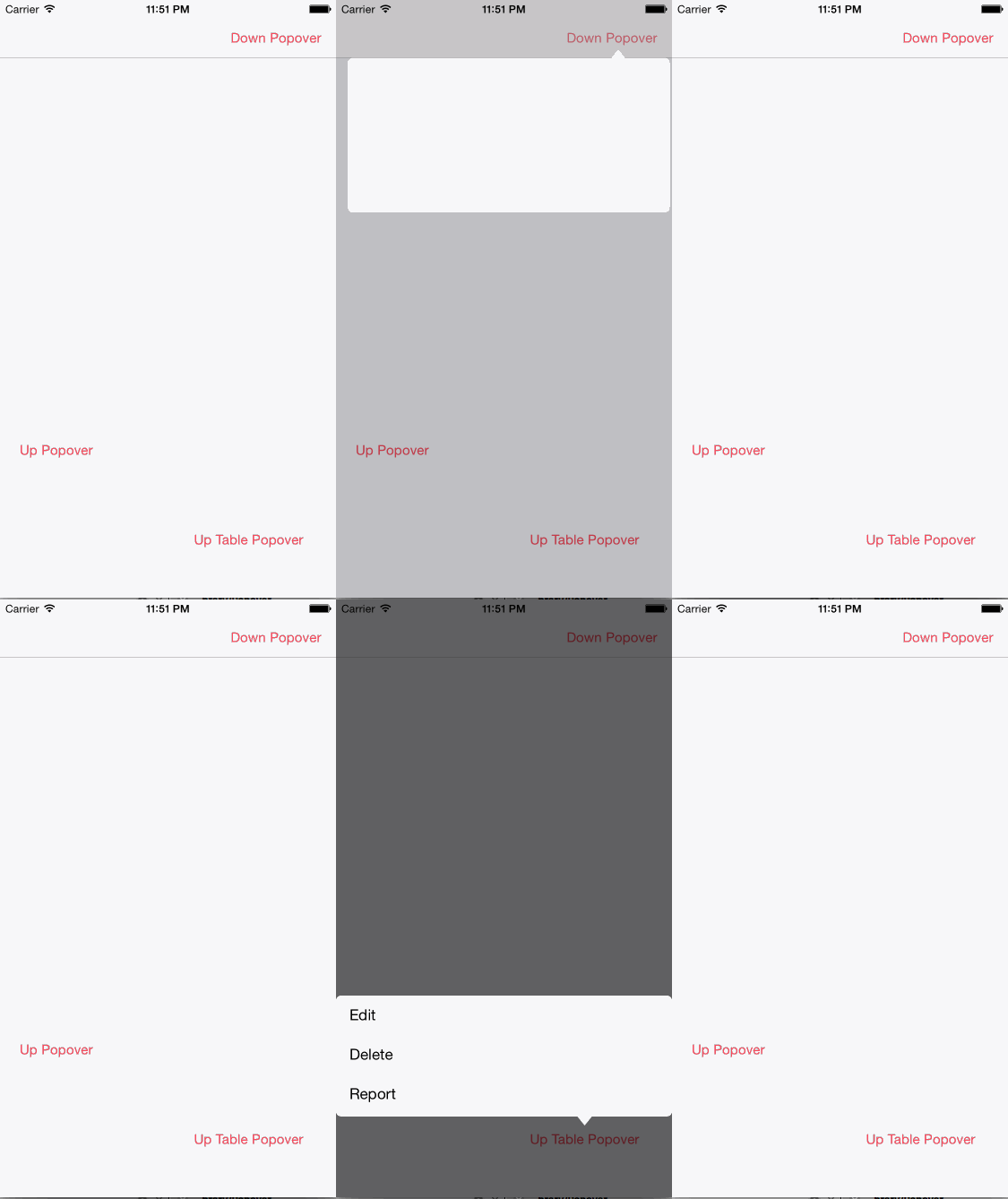
Usage
To run the example project, clone the repo, and run pod install from the Example directory first.
Simple
let startPoint = CGPoint(x: self.view.frame.width - 60, y: 55)
let aView = UIView(frame: CGRect(x: 0, y: 0, width: self.view.frame.width, height: 180))
let popover = Popover()
popover.show(aView, point: startPoint)
Custom
@IBOutlet weak var leftBottomButton: UIButton!

let width = self.view.frame.width / 4
let aView = UIView(frame: CGRect(x: 0, y: 0, width: width, height: width))
let options = [
  .type(.up),
  .cornerRadius(width / 2),
  .animationIn(0.3),
  .blackOverlayColor(UIColor.red),
  .arrowSize(CGSize.zero)
  ] as [PopoverOption]
let popover = Popover(options: options, showHandler: nil, dismissHandler: nil)
popover.show(aView, fromView: self.leftBottomButton)
Requirements
- iOS 9.0+
- Swift 5
Installation
CocoaPods (iOS 8+)
Popover is available through CocoaPods. To install
it, simply add the following line to your Podfile:
use_frameworks!
pod "Popover"
Carthage (iOS 8+)
You can use Carthage to install Popover by adding it to your Cartfile:
github "corin8823/Popover"
Manual Installation
The class file required for Popover is located in the Classes folder in the root of this repository as listed below:
Popover.swift
Customization
Enum
case arrowSize(CGSize)case animationIn(NSTimeInterval)case animationOut(NSTimeInterval)case cornerRadius(CGFloat)case sideEdge(CGFloat)case blackOverlayColor(UIColor)case overlayBlur(UIBlurEffectStyle)case type(Popover.PopoverType)case color(UIColor)case dismissOnBlackOverlayTap(Bool)case showBlackOverlay(Bool)
Property
arrowSize: CGSize = CGSize(width: 16.0, height: 10.0)animationIn: NSTimeInterval = 0.6animationOut: NSTimeInterval = 0.3cornerRadius: CGFloat = 6.0sideEdge: CGFloat = 20.0popoverType: PopoverType = .downblackOverlayColor: UIColor = UIColor(white: 0.0, alpha: 0.2)overlayBlur: UIBlurEffect?popoverColor: UIColor = UIColor.white
Acknowledgments
Inspired by DXPopover in xiekw2010
License
Popover is available under the MIT license. See the LICENSE file for more info.
Explorar proyectos relacionados
Cargando…