
cnosdb/cnosdb
cnosdb/cnosdb has 1,754 GitHub stars and 317 forks. GitHot measured 0 stars in 24 hours, 0 in 7 days, and -1 in 15 days. Last checked 2026-11-12 21:23 UTC. Last push 2026-10-23.
A cloud-native open source distributed time series database with high performance, high compression ratio and high availability.
Crecimiento de estrellas medido
- in 24h
- 0
- in 7 days
- 0
- in 15 days
- -1
- in 1 month
- Recopilando historial
Cambios netos en períodos que se solapan, no totales diarios. Los datos no disponibles se dejan en blanco. Las estrellas indican interés, no calidad.
README.md
Original


CnosDB Cloud • Website • Documentation • Quick Start • Eco-Integration
English | 简体中文
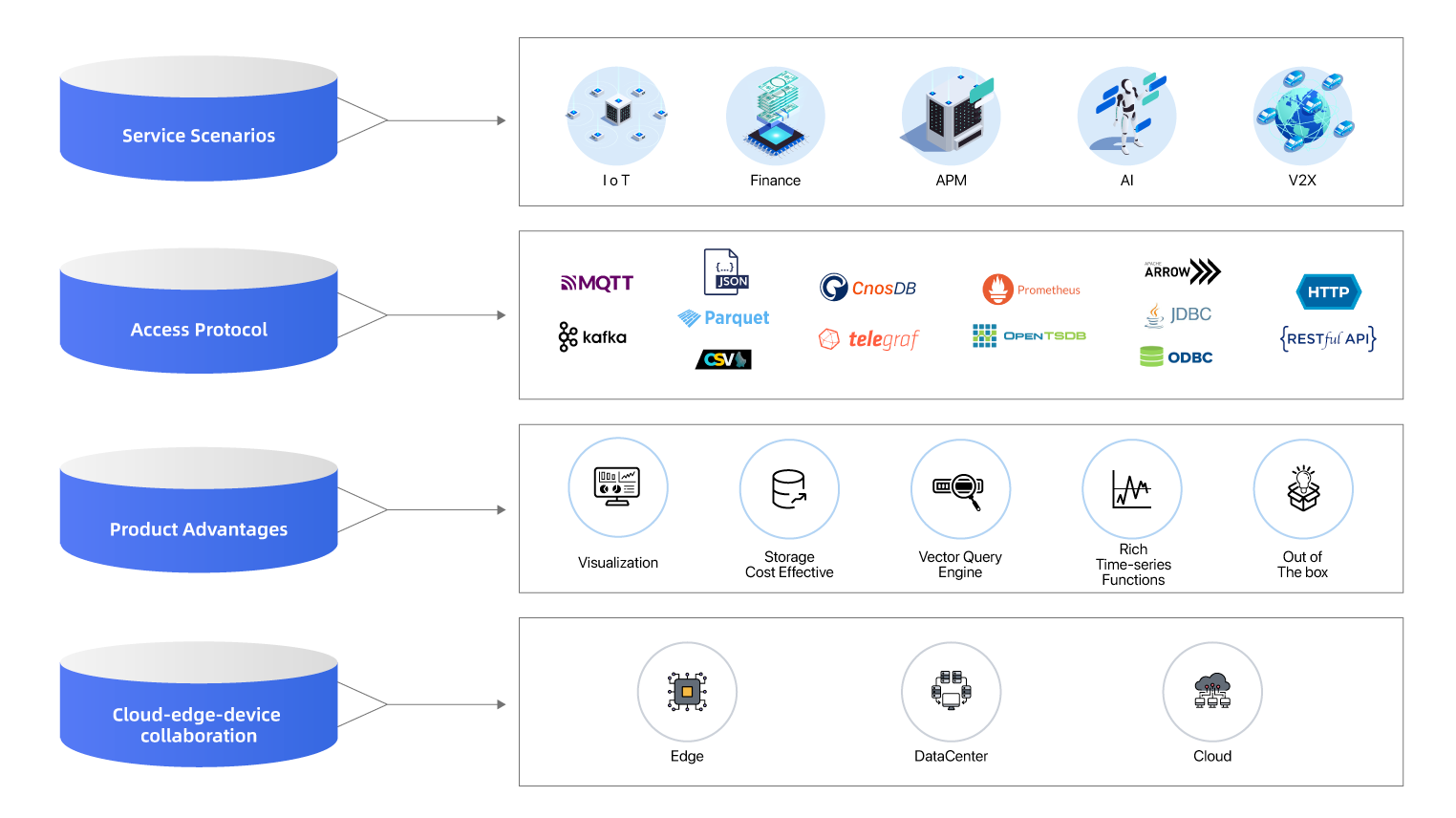
CnosDB is a high-performance, high-compression, and easy-to-use open-source distributed time-series database. It is primarily used in fields such as IoT, industrial internet, connected cars, and IT operations. All of the code is open-sourced and available on GitHub.
In its design, we fully utilize the characteristics of time-series data, including structured data, non-transactions, fewer deletions and updates, more writes and less reads, etc. As a result, CnosDB has a number of advantages that set it apart from other time-series databases:
High performance: CnosDB addresses the issue of time-series data expansion and theoretically supports unlimited time-series data. It supports aggregate queries along the timeline, including queries divided by equal intervals, queries divided by enumeration values of a column, and queries divided by the length of the time interval between adjacent time-series records. It also has caching capabilities for the latest data and the cache space can be configured for fast access to the latest data.
Easy to use: CnosDB provides clear and simple interfaces, easy configuration options, standard SQL support, seamless integration with third-party tools, and convenient data access functions. It supports schema-less writing mode and supports historical data supplement(including out of order writing).
Cloud native: CnosDB has a native distributed design, data sharding and partitioning, separation of storage and computing, Quorum mechanism, Kubernetes deployment and complete observability, ensuring final consistency. It can be deployed in public clouds, private clouds, and hybrid clouds. t also supports multi-tenancy and has role-based permission control. The computing and storage nodes support horizontal scaling.
CnosDB Cloud is now live, click here to get started now.
Architecture
Quick Start
Build&Run from source
Support Platform
We support the following platforms, if found to work on a platform not listed, Please report to us.
- Linux x86(
x86_64-unknown-linux-gnu) - Darwin arm(
aarch64-apple-darwin)
Requirements
- Install
Rust, You can check official website to download and install - Install Cmake
# Debian or Ubuntu
apt-get install cmake
# Arch Linux
pacman -S cmake
# CentOS
yum install cmake
# Fedora
dnf install cmake
# macOS
brew install cmake
- Install FlatBuffers
# Arch Linux
pacman -S flatbuffers
# Fedora
dnf install flatbuffers
# Ubuntu
snap install flatbuffers
# macOS
brew install flatbuffers
If your system is not listed, you can install FlatBuffers as follows
$ git clone -b v22.9.29 --depth 1 https://github.com/google/flatbuffers.git && cd flatbuffers

# Choose one of the following commands depending on your operating system
$ cmake -G "Unix Makefiles" -DCMAKE_BUILD_TYPE=Release
$ cmake -G "Visual Studio 10" -DCMAKE_BUILD_TYPE=Release
$ cmake -G "Xcode" -DCMAKE_BUILD_TYPE=Release

$ sudo make install
- Install Protobuf
# Arch Linux
pacman -S protobuf
# Fedora
dnf install protobuf
# Ubuntu
snap install protobuf
# macOS
brew install protobuf
Compile
git clone https://github.com/cnosdb/cnosdb.git && cd cnosdb
make build
Run
Run CnosDB
The following is a single node startup. If you need to start a cluster, see the Deploy section.
./target/debug/cnosdb run -M singleton --config ./config/config.toml
Run CLI
cargo run --package client --bin cnosdb-cli
Run with Docker
Install Docker
Start container
docker run --name cnosdb -d cnosdb/cnosdb:community-latest cnosdb run -M singleton --config /etc/cnosdb/cnosdb.conf
- Run a command in the running container
docker exec -it cnosdb bash
- Run
cnosdb-cli
cnosdb-cli
Quit
\qHelp\?For more details, check quick start
Write data
The following will show an example of using cli to write data by SQL
- CREATE TABLE
CREATE TABLE air (
    visibility DOUBLE,
    temperature DOUBLE,
    pressure DOUBLE,
    TAGS(station)
);
public ❯ CREATE TABLE air (
    visibility DOUBLE,
    temperature DOUBLE,
    pressure DOUBLE,
    TAGS(station)
);
Query took 0.063 seconds.
- Insert a row
INSERT INTO air (TIME, station, visibility, temperature, pressure) VALUES
                (1673591597000000000, 'XiaoMaiDao', 56, 69, 77);
public ❯ INSERT INTO air (TIME, station, visibility, temperature, pressure) VALUES
                (1673591597000000000, 'XiaoMaiDao', 56, 69, 77);
+------+
| rows |
+------+
| 1    |
+------+
Query took 0.032 seconds.
- insert multiple rows
INSERT INTO air (TIME, station, visibility, temperature, pressure) VALUES
                ('2023-01-11 06:40:00', 'XiaoMaiDao', 55, 68, 76),
                ('2023-01-11 07:40:00', 'DaMaiDao', 65, 68, 76);
public ❯ INSERT INTO air (TIME, station, visibility, temperature, pressure) VALUES
                ('2023-01-11 06:40:00', 'XiaoMaiDao', 55, 68, 76),
                ('2023-01-11 07:40:00', 'DaMaiDao', 65, 68, 76);
+------+
| rows |
+------+
| 2    |
+------+
Query took 0.038 seconds.
Query data
- SQL, compatible with SQL standard.
- Prometheus remote read.
The following will show an example of SQL query using cli
-- query table data
SELECT * FROM air;
public ❯ -- query table data
SELECT * FROM air;
+---------------------+------------+------------+-------------+----------+
| time                | station    | visibility | temperature | pressure |
+---------------------+------------+------------+-------------+----------+
| 2023-01-11T06:40:00 | XiaoMaiDao | 55         | 68          | 76       |
| 2023-01-13T06:33:17 | XiaoMaiDao | 56         | 69          | 77       |
| 2023-01-11T07:40:00 | DaMaiDao   | 65         | 68          | 76       |
+---------------------+------------+------------+-------------+----------+
Query took 0.036 seconds.
Connector
CnosDB supports connections from various clients:
- C/C++
- Go
- Java
- Rust
- Python
- JDBC
- ODBC
- Arrow Filght SQL
Please refer to the "Connector" section in the documentation for the above examples. You can access it here.
Roadmap
- Click to view Roadmap
Join the community
Welcome to join our developer community at discord:
https://discord.com/invite/D8cB4WGpP4

Contributing
Please refer to Contribution Guide to contribute to CnosDB.
Acknowledgement
- CnosDB 2.0 uses Apache Arrow as the memory model.
- CnosDB 2.0's query engine is powered by Apache Arrow DataFusion.
- CnosDB 2.0's bug detection is powered by SQLancer.
- CnosDB 2.0's integration test framework is powered by sqllogictest-rs.
- CnosDB 2.0 combining LangChain to realize the natural language to communicate with the database。
Explorar proyectos relacionados
Asabeneh/30-Days-Of-Python
El reto de programación 30 Days of Python es una guía paso a paso para aprender el lenguaje de programación Python en 30 días. Este reto puede llevar más de 100 días. Sigue tu propio ritmo. Estos vídeos también pueden ayudarte: https://www.youtube.com/channel/UC7PNRuno1rzYPb1xLa4yktw
78,618 estrellasgrafana/grafana
Plataforma abierta y componible de observabilidad y visualización de datos. Visualiza métricas, registros y trazas de múltiples fuentes, como Prometheus, Loki, Elasticsearch, InfluxDB, Postgres y muchas más.
77,859 estrellasredis/redis
Para los desarrolladores que crean aplicaciones en tiempo real basadas en datos, Redis es la opción preferida, la más rápida y la de más funciones como caché, servidor de estructuras de datos y motor de consultas de documentos y vectores.
77,472 estrellasapache/superset
Apache Superset es una plataforma de visualización y exploración de datos.
75,495 estrellas