
bitbrain/pandora
bitbrain/pandora has 1,135 GitHub stars and 42 forks. GitHot measured 0 stars in 24 hours, +3 in 7 days, and +4 in 15 days. Last checked 2026-11-23 03:49 UTC. Last push 2026-08-20.
Crecimiento de estrellas medido
- in 24h
- 0
- in 7 days
- +3
- in 15 days
- +4
- in 1 month
- Recopilando historial
Cambios netos en períodos que se solapan, no totales diarios. Los datos no disponibles se dejan en blanco. Las estrellas indican interés, no calidad.
Acerca de
Complemento de Godot 4 para gestionar datos de RPG, como objetos, inventarios, hechizos, monstruos, misiones y NPC.
Herramientas de desarrolloREADME.md
Original



⚠️ THIS ADDON IS STILL IN ALPHA AND NOT PRODUCTION-READY YET.
Meet Pandora, an addon for the Godot Engine that simplifies the handling of RPG data. Pandora allows you to easily manage RPG elements like items, spells, abilities, characters, monsters, and loot tables. Whether you're building a traditional turn-based RPG or a fast-paced action game, this addon can help.
Features
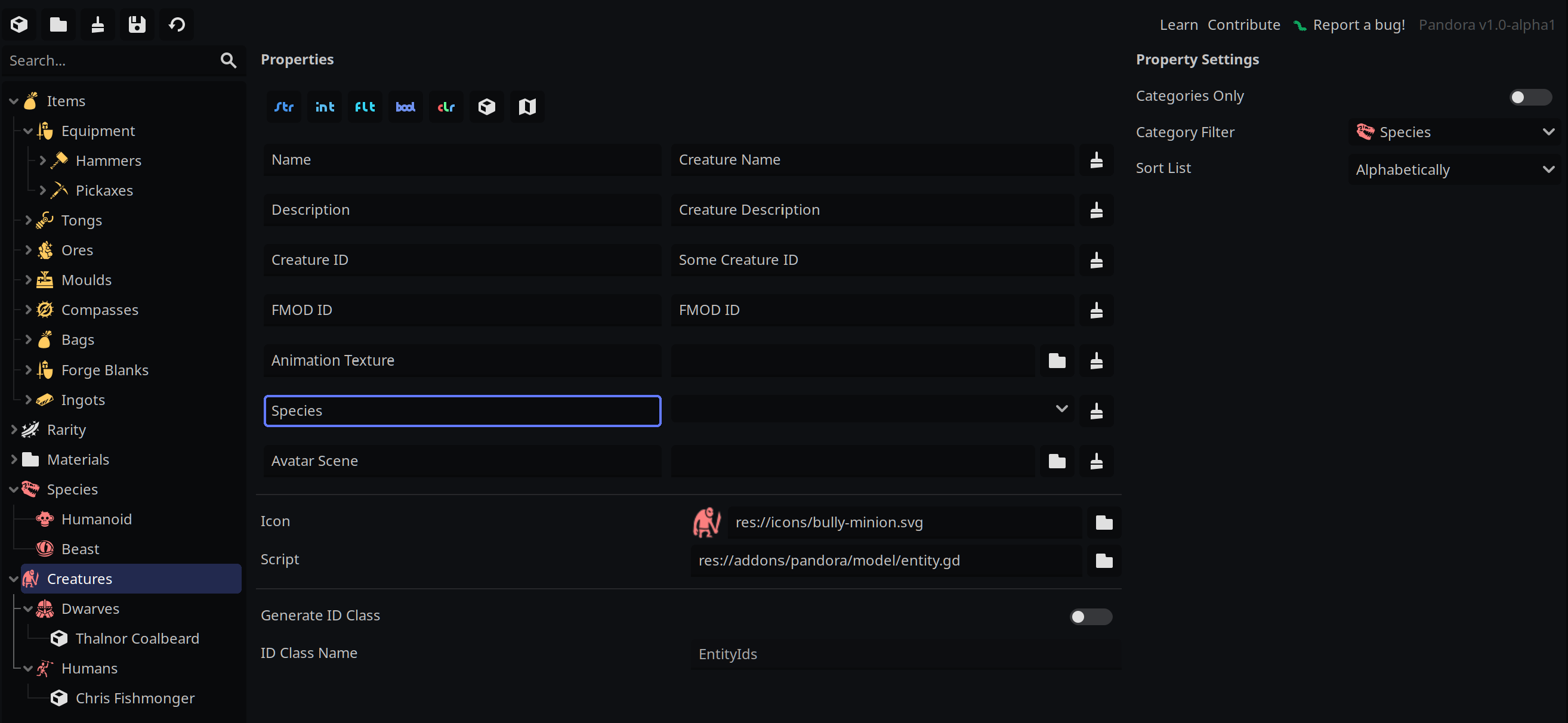
🪟 Dedicated Editor UI
Manage all your RPG data in one place. Create, edit, and delete items, spells, abilities, characters, monsters, and loot tables easily. Properties will propagate automatically to child categories and entities.
🔌 Accessible API
Pandora comes with an accessible API through the Pandora singleton. Access all your data at runtime or even within tool scripts!
class_name MyScene extends Node2D

# Entity can be selected in the editor
@export var entity:PandoraEntity

var instance:PandoraEntity

func _ready():
   # create a new instance of this entity
   self.instance = entity.instantiate()
   instance.set_integer("Current Stack Size", 3)
   var other_entity := Pandora.get_entity(EntityIds.COPPER_ORE)
🧪 Tested
To keep the codebase clean, we cover every feature with unit tests.
📦 Installation
- Download Latest Release
- (optional) access latest build for Godot 4.x
- Extract the
pandorafolder into your/addonsfolder within the Godot project. - Activate the addon in the Godot settings:
Project > Project Settings > Plugins
Getting started
Official Wiki
Got questions?
Head to the Discussion Board to ask any question or discuss ideas.
🥰 Credits
- Logo designs by @NathanHoad
Explorar proyectos relacionados
Cargando…