
bgibson72/Sip-StartPage
bgibson72/Sip-StartPage has 221 GitHub stars and 43 forks. GitHot measured 0 stars in 24 hours and 0 in 7 days. Last checked 2026-11-23 12:05 UTC. Last push 2026-10-11.
What you can do
- 9 stunning color schemes - Catppuccin, Nord, Gruvbox, Tokyo Night, Dracula, Solarized, Kanagawa, Ayu, Monochrome
- Light & Dark modes for every color scheme (18 total theme combinations)
- Modern glassmorphism UI with ambient glow effects
- Smooth animations and responsive layout
Crecimiento de estrellas medido
- in 24h
- 0
- in 7 days
- 0
- in 15 days
- Recopilando historial
- in 1 month
- Recopilando historial
Cambios netos en períodos que se solapan, no totales diarios. Los datos no disponibles se dejan en blanco. Las estrellas indican interés, no calidad.
Acerca de
Highly customizable startpage for your browser.
Herramientas de desarrolloREADME.md
Original☕ Sip - Your Cozy New Tab Page
Transform your browser's new tab into a beautiful, personalized workspace with Sip. Featuring stunning color themes, glassmorphism effects, and intelligent customization, Sip makes every new tab a delightful experience.
🎉 UPDATES - February 2026
🔧 Platform Clarification & Bug Fixes (v1.5.5)
- Updated documentation to clarify desktop-only extension support
- Content Security Policy fix for reliable Font Awesome CDN loading
- Improved mobile guidance for accessing Sip as a website
- All desktop features working perfectly
🎉 UPDATES - January 2026
📱 Full Mobile-Responsive Design (v1.5.0)
Sip works beautifully when accessed on mobile devices as a website!
Note: The Firefox extension only works on desktop. Mobile users can access Sip via GitHub Pages (see Installation section below).
Mobile features:
- Floating Action Button (FAB) - Settings accessible via a purple gear icon in the bottom-right corner
- Touch-Optimized Interface - All buttons and links meet the 44px minimum touch target size
- Responsive Settings Modal - Full-screen modal on mobile with properly sized inputs that don't overflow
- Mobile-First Defaults - Automatically applies optimal settings on mobile:
- Single search engine (Google) for cleaner interface
- Compact density for more content
- Centered footer layout
- Hidden keyboard shortcuts (not needed on touch devices)
- Clean Search Experience - Search engine icons hidden on mobile; placeholder text indicates active engine
- Proper Viewport Configuration - Optimized meta tags for iOS and Android devices
- Touch Feedback - Active states replace hover effects on touch devices
- Performance Optimized - Smooth momentum scrolling and prevented text inflation
- Adaptive Layout - Categories, links, and settings automatically adjust to small screens
🔍 Kagi Search Engine (v1.5.0)
Added support for Kagi search engine alongside existing options (Google, DuckDuckGo, GitHub, YouTube, etc.)
📥 Bookmark Import Wizard (v1.4.0)
Import your existing browser bookmarks with ease!
- One-Click Import - Select your browser's HTML bookmark export file
- Smart Category Detection - Automatically converts bookmark folders into categories
- Selective Import - Preview all bookmarks and choose which ones to import
- Category & Link Checkboxes - Select entire categories or individual links
- Duplicate Prevention - Avoids importing duplicate links (URL-based detection)
- Seamless Merge - Integrates with existing categories or creates new ones
- Multi-Browser Support - Works with bookmark exports from Chrome, Firefox, Edge, and Safari
Access via Settings → General → Import Bookmarks
🎉 UPDATES - December 2025
🎨 9 Color Schemes with Light/Dark Modes
Sip now includes 9 beautiful color schemes, each with both light and dark variants:
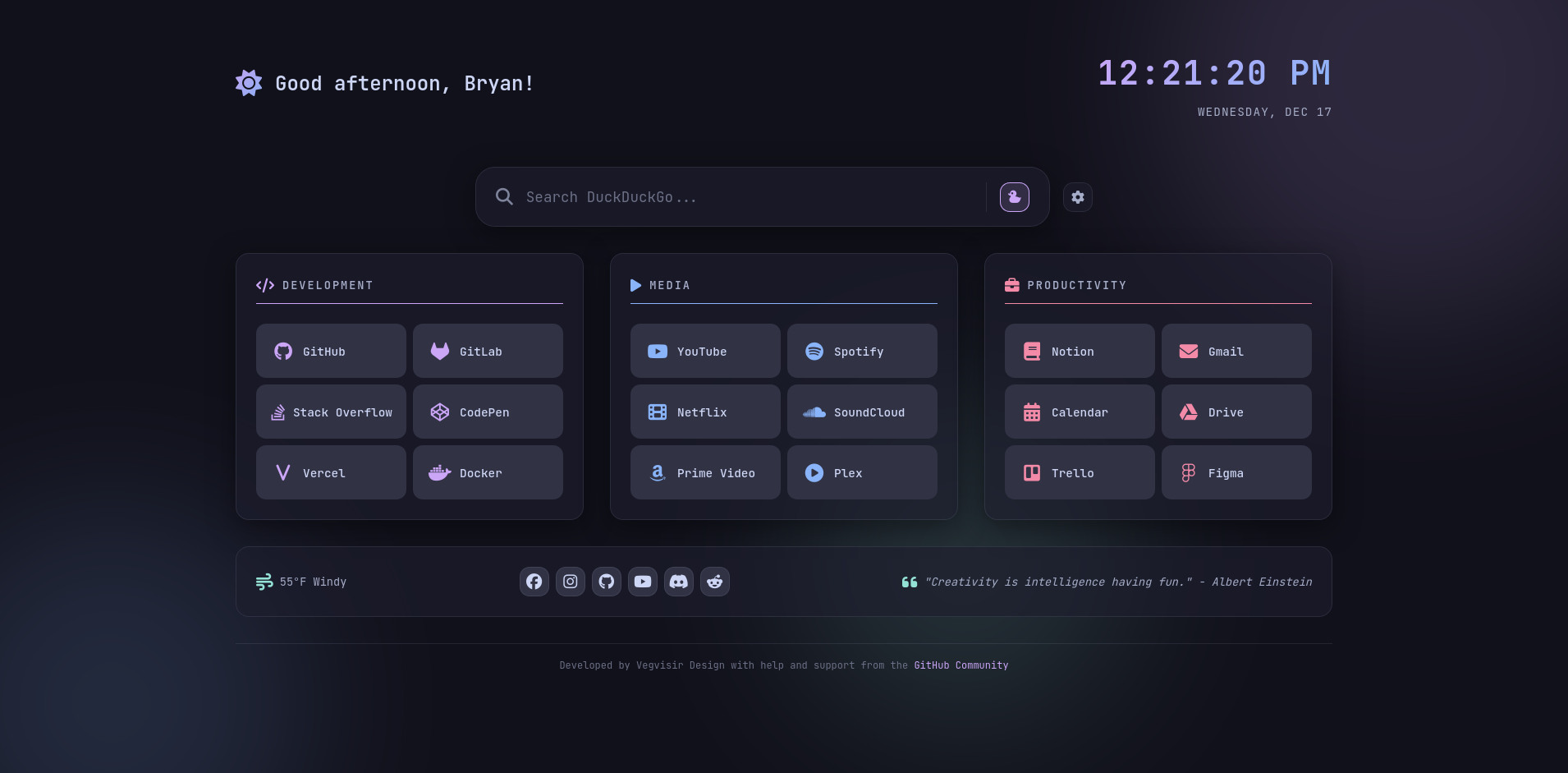
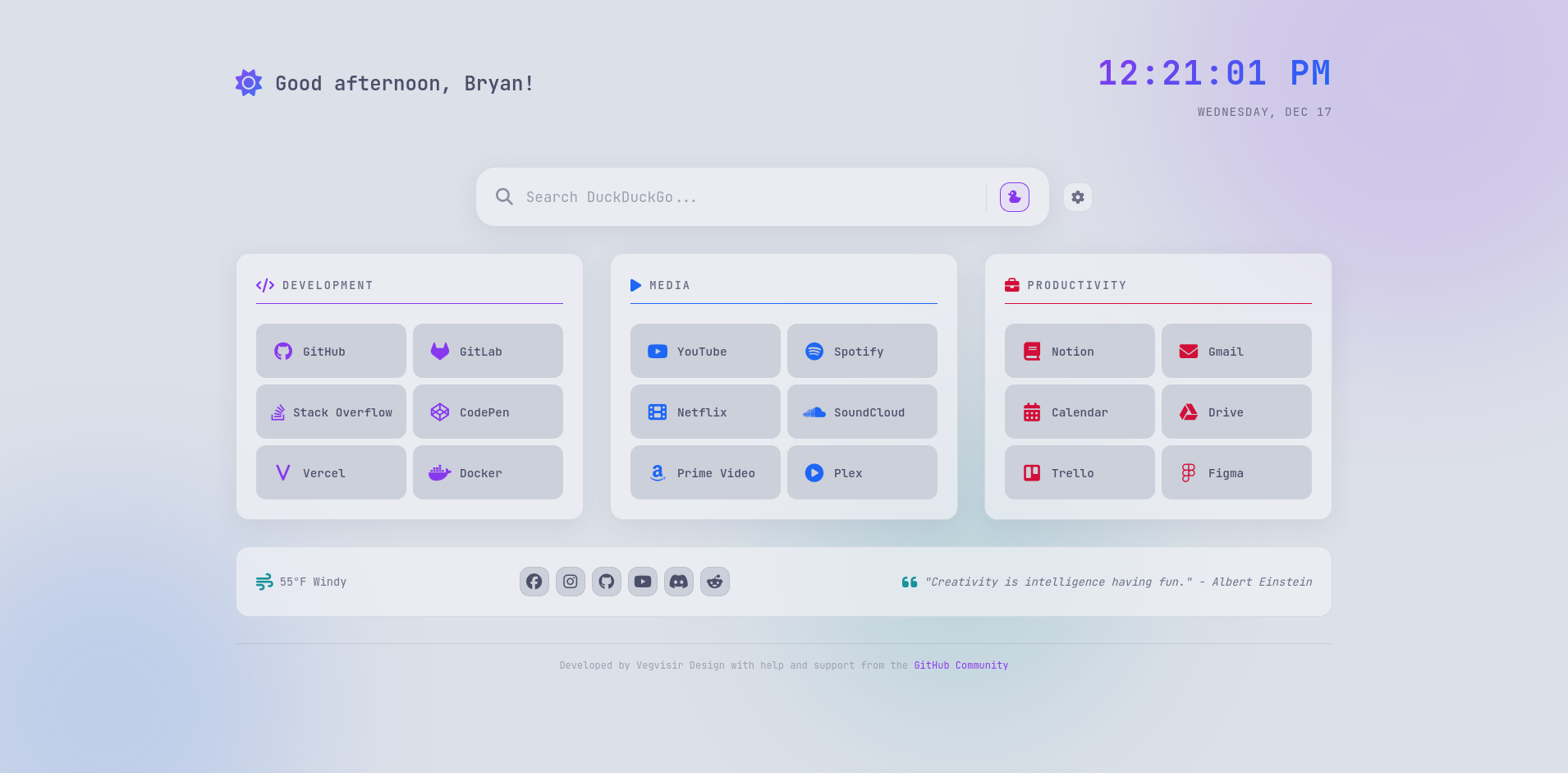
Catppuccin - Warm, soothing pastels (original default)
Dark Mode (Mocha)
Light Mode (Latte)
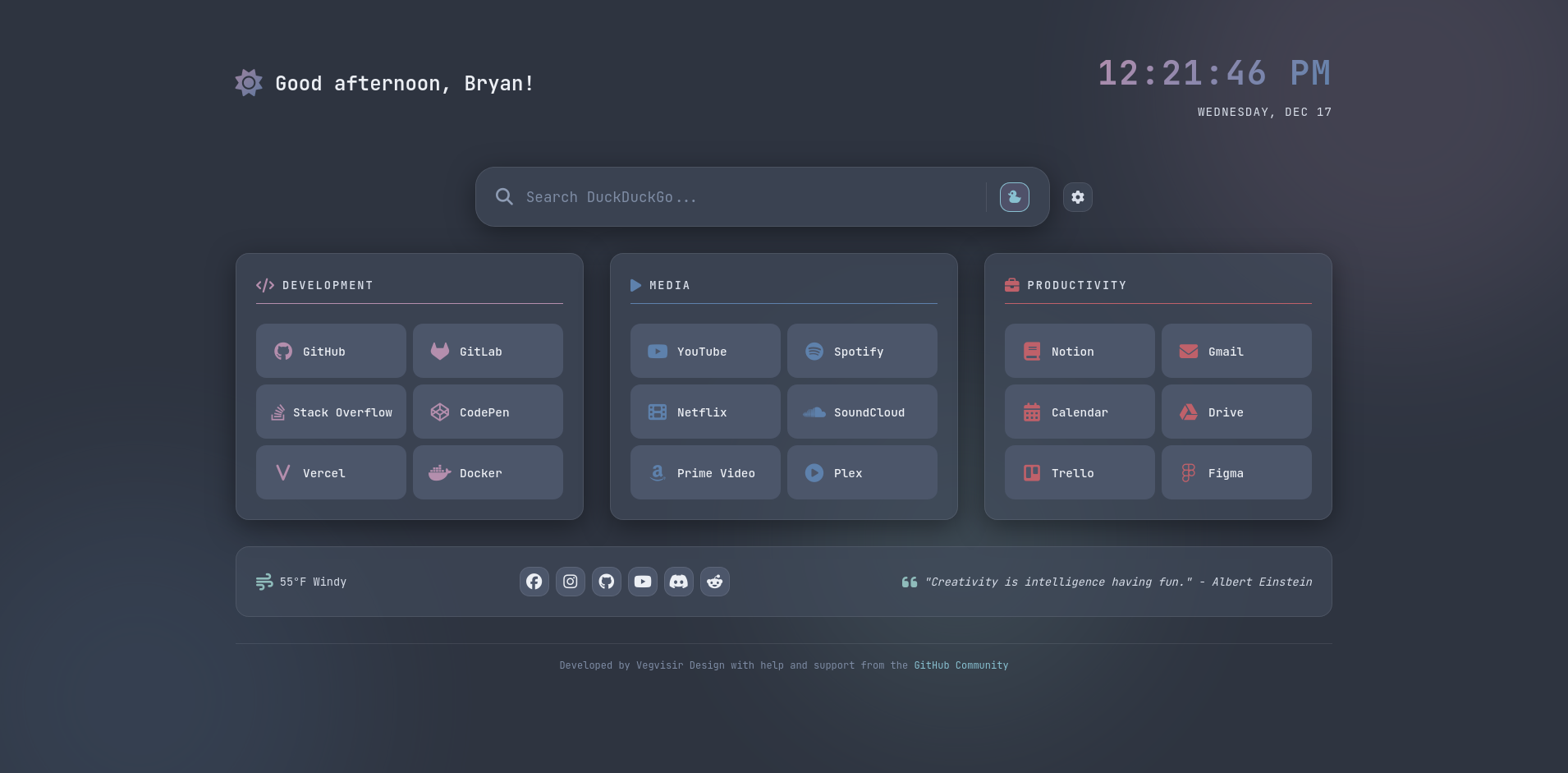
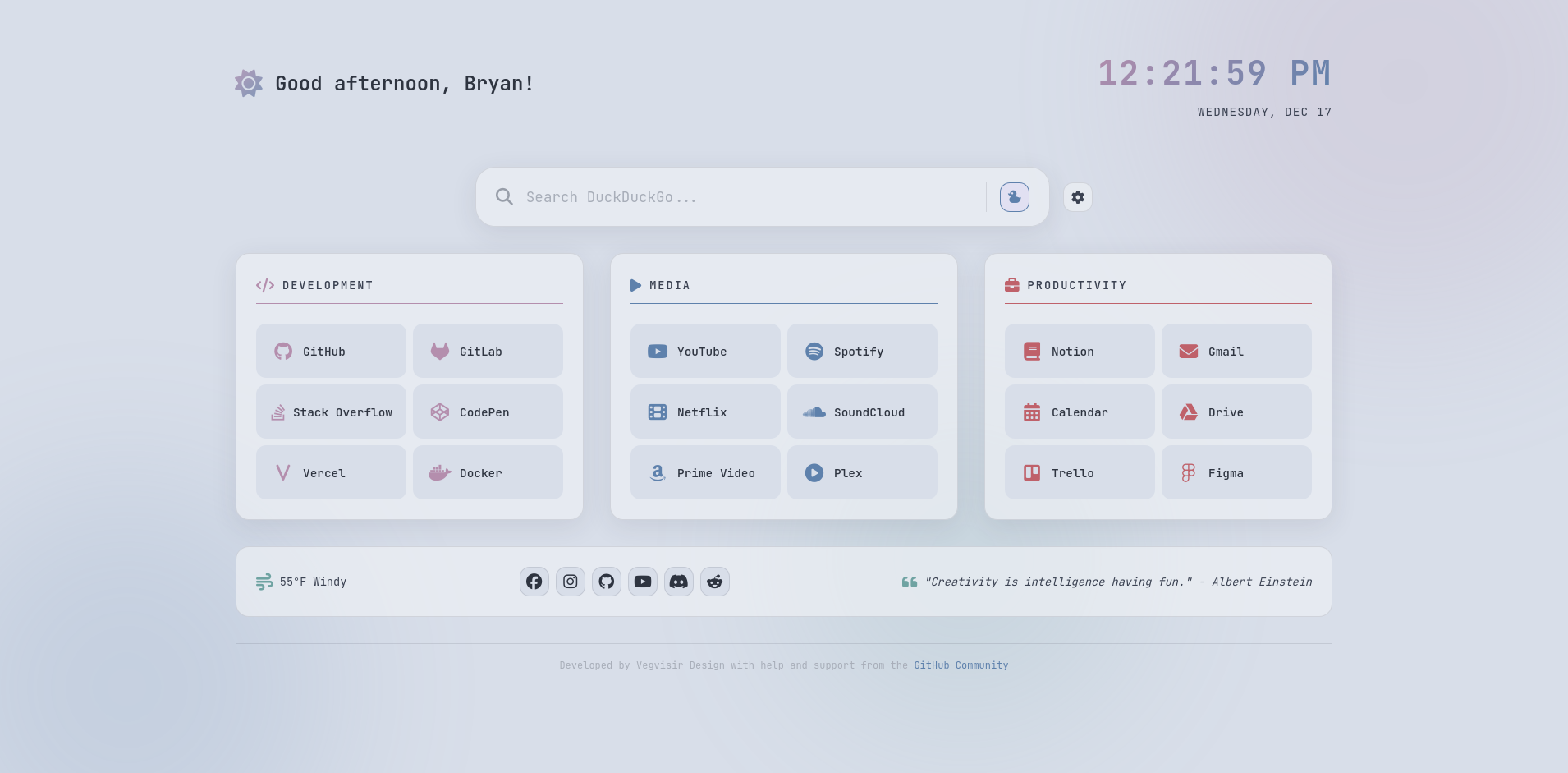
Nord - Cool, arctic-inspired blues and grays
Dark Mode
Light Mode
Gruvbox - Retro, warm earthy tones with high contrast
Dark Mode
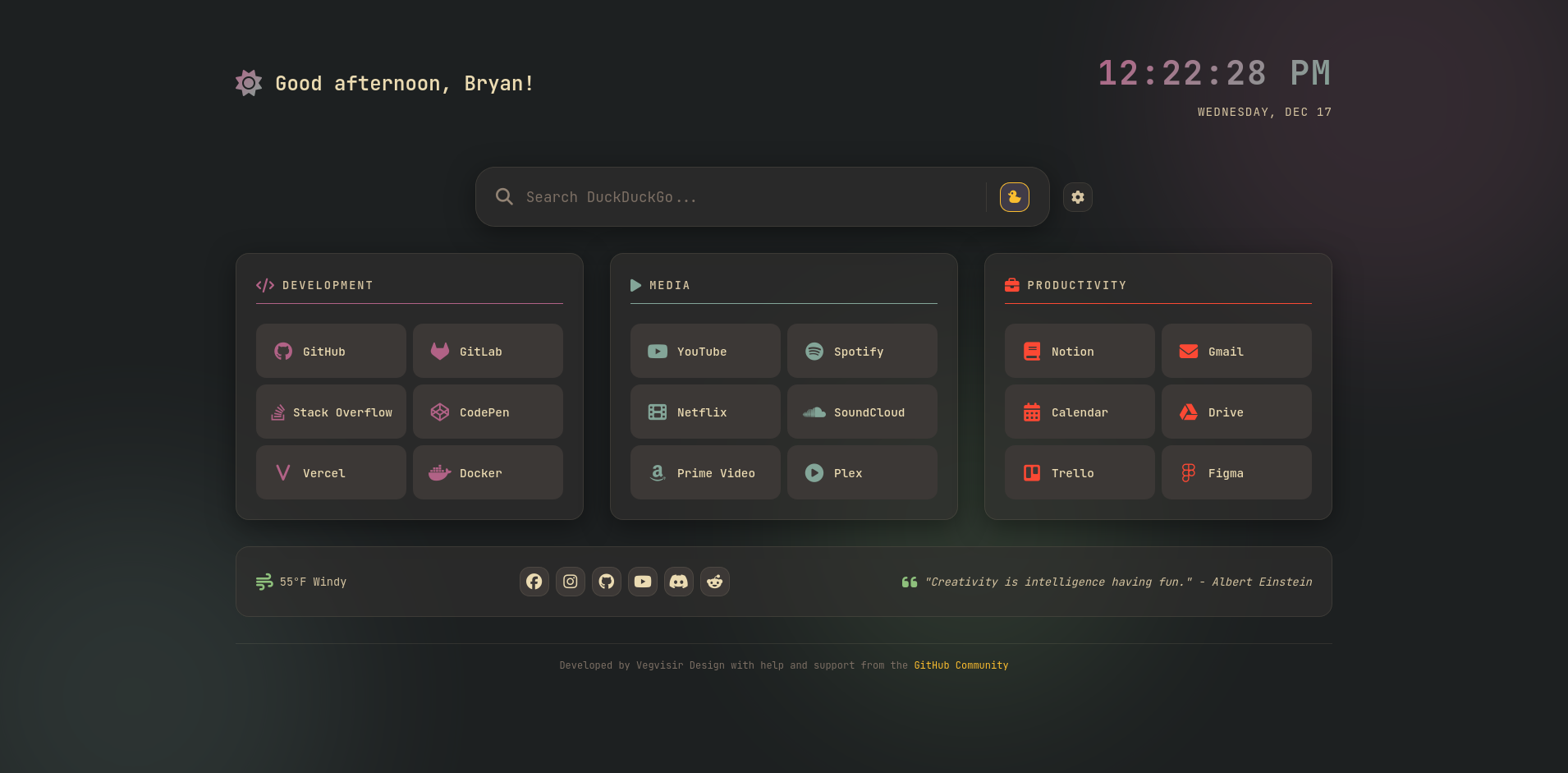
Light Mode
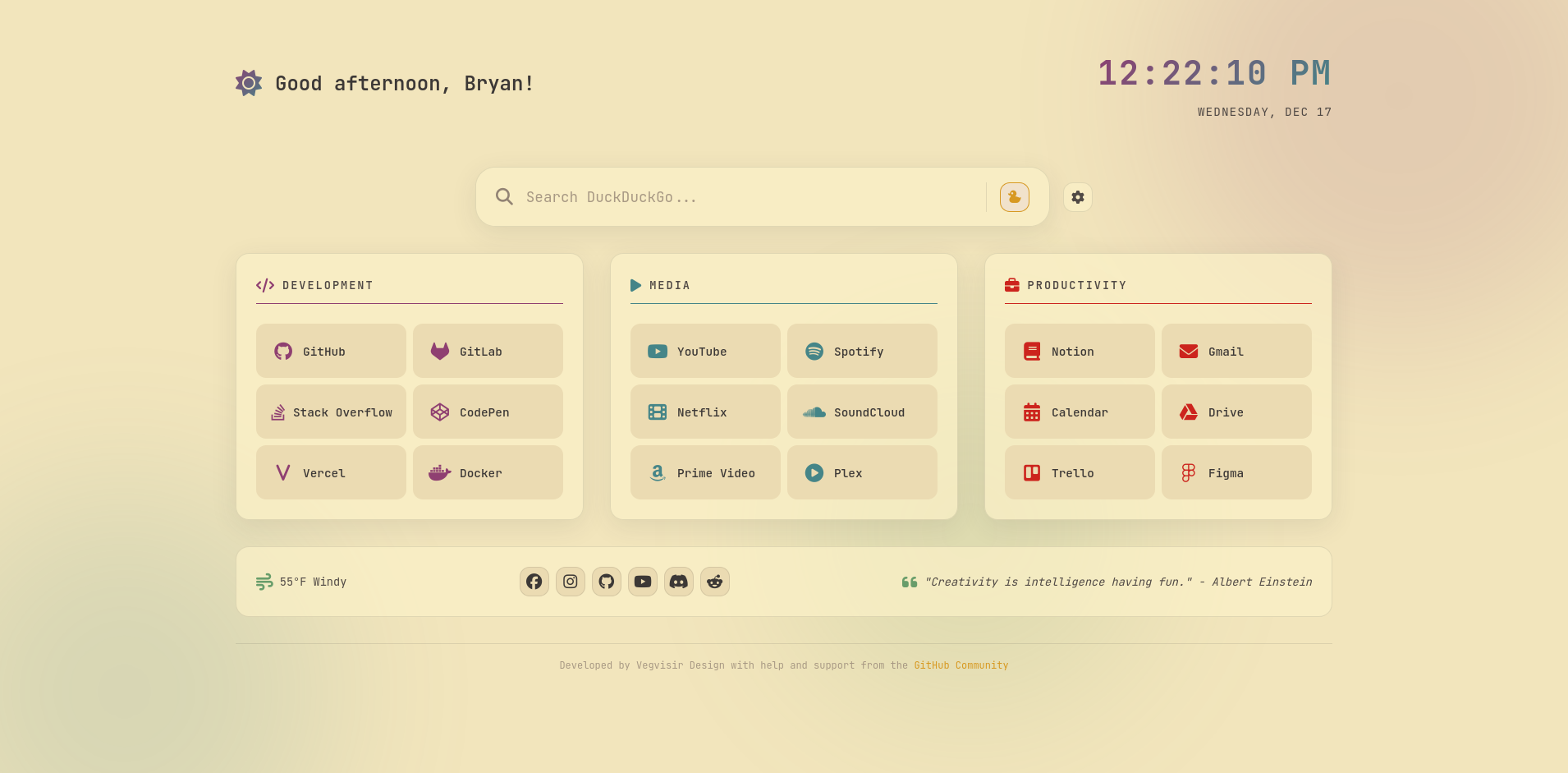
Tokyo Night - Modern deep blues with vibrant accents
Dark Mode
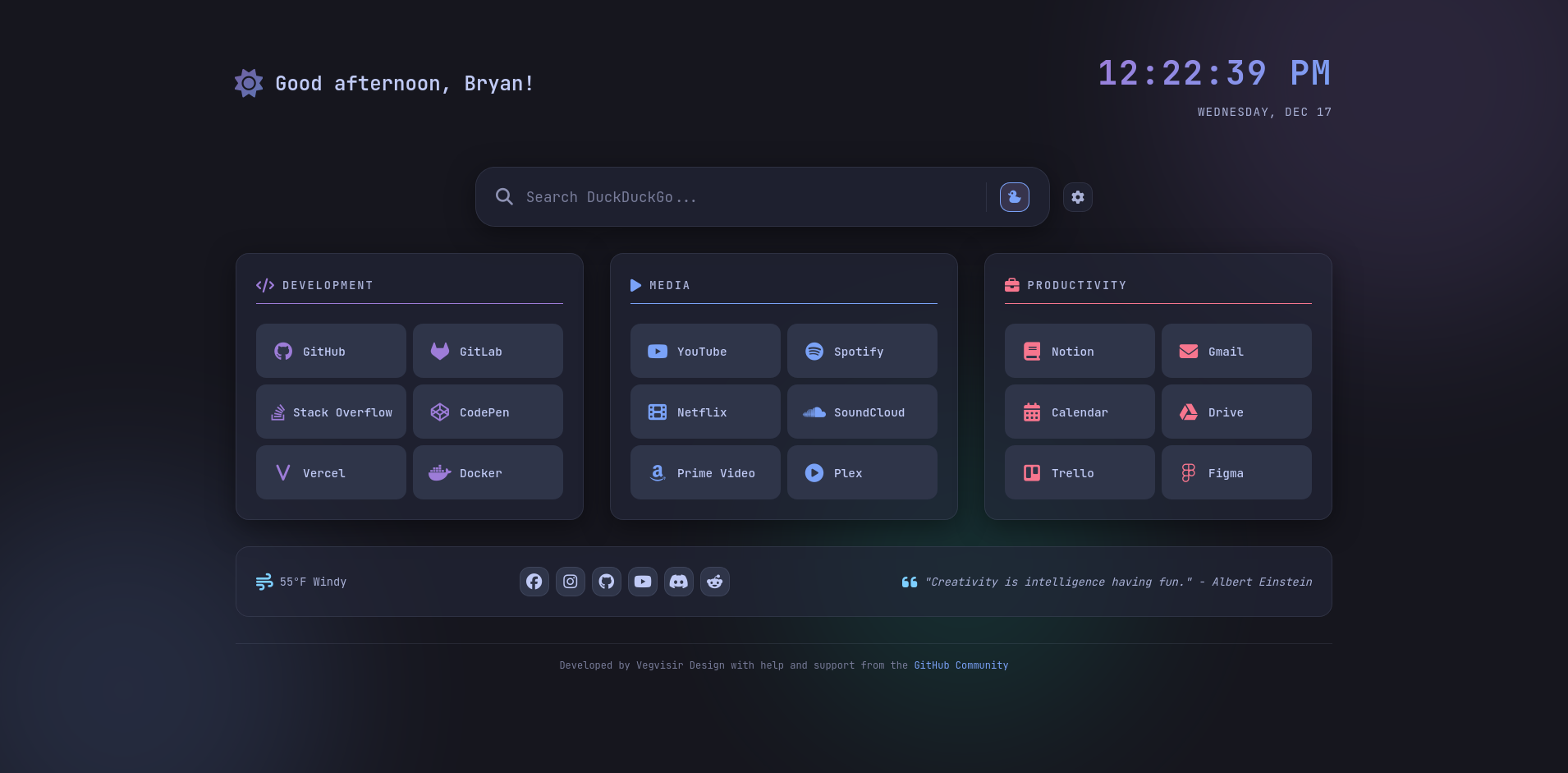
Light Mode
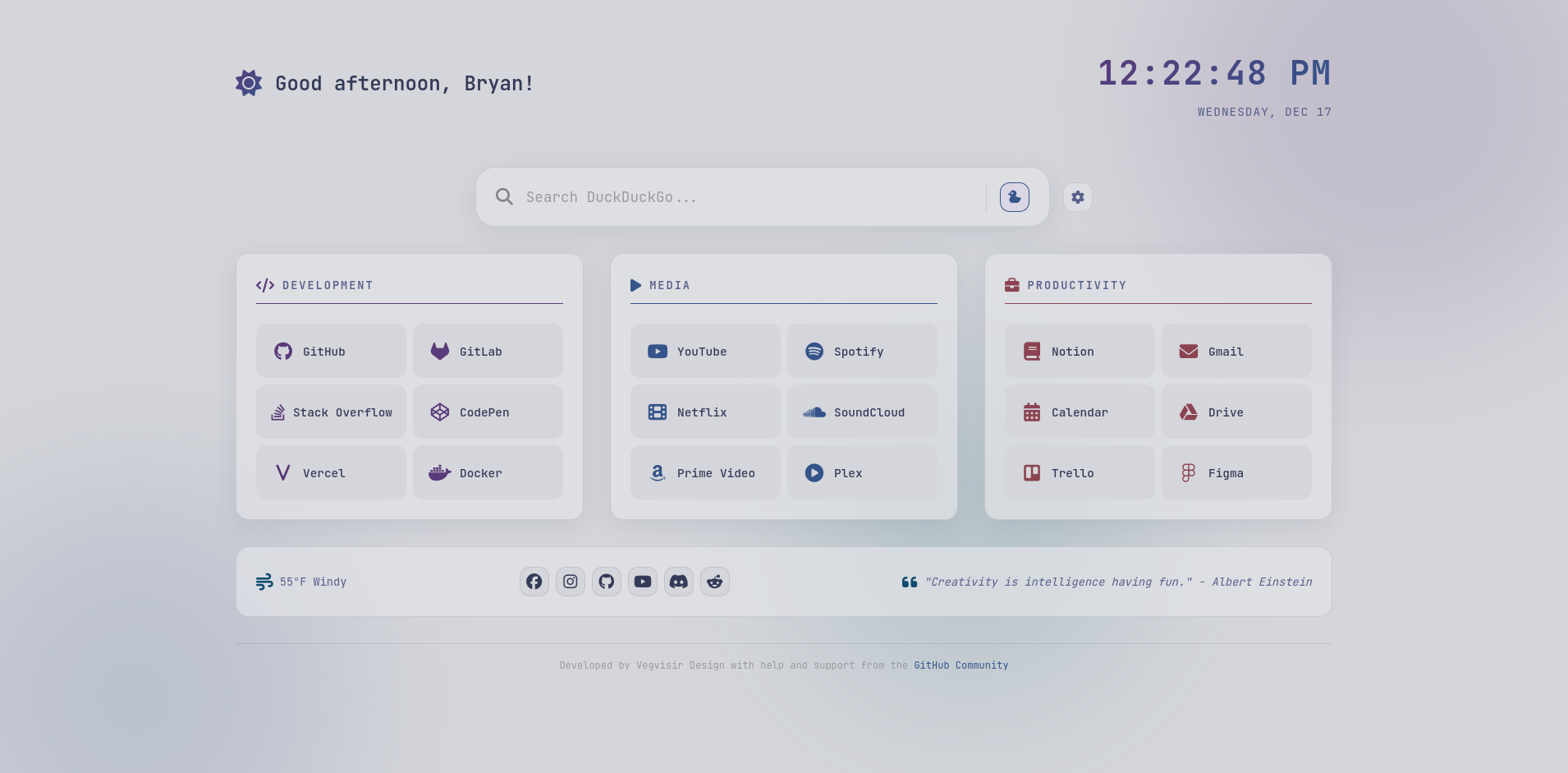
Dracula - Classic vibrant purples and cyans
Dark Mode
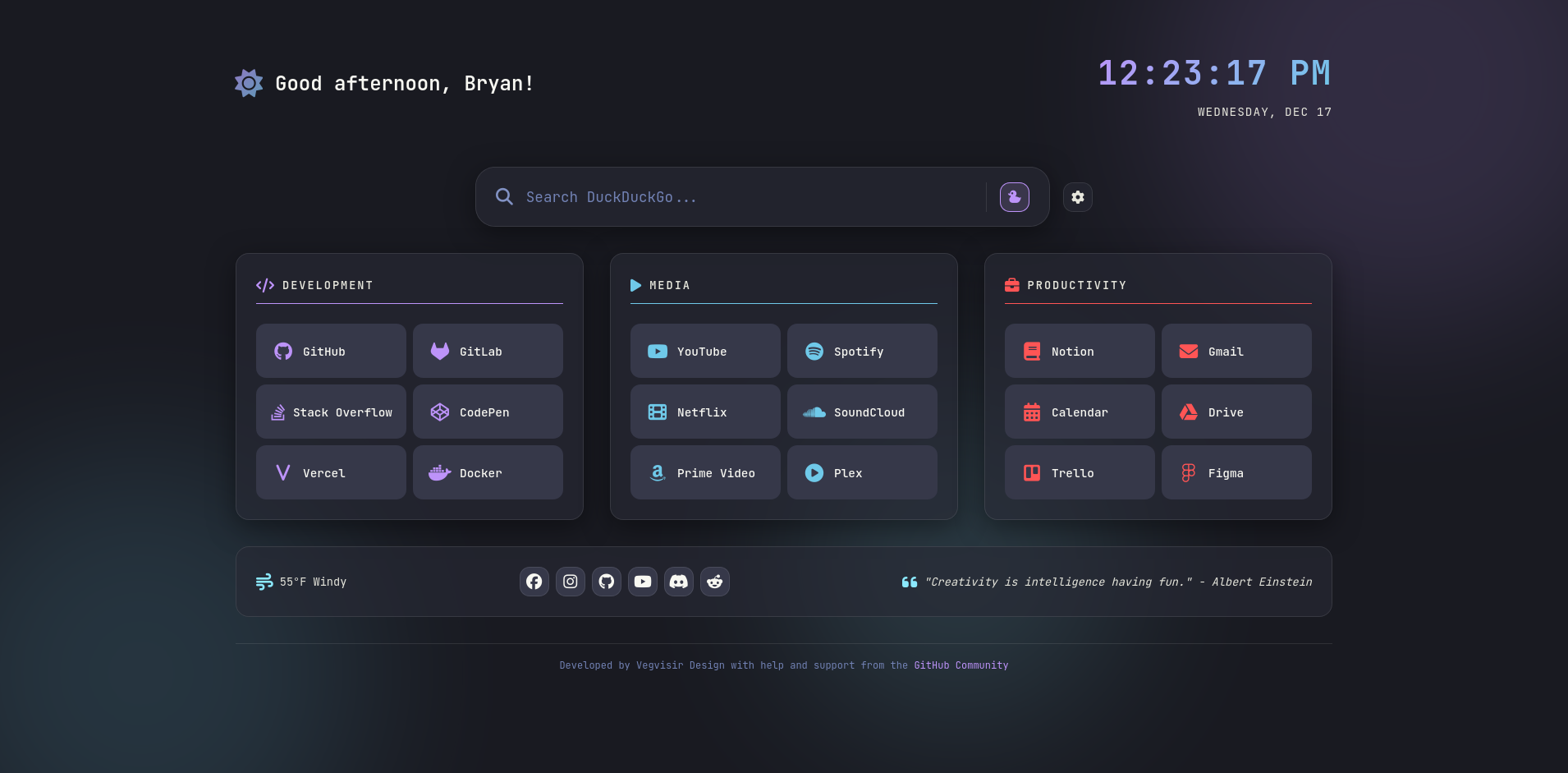
Light Mode
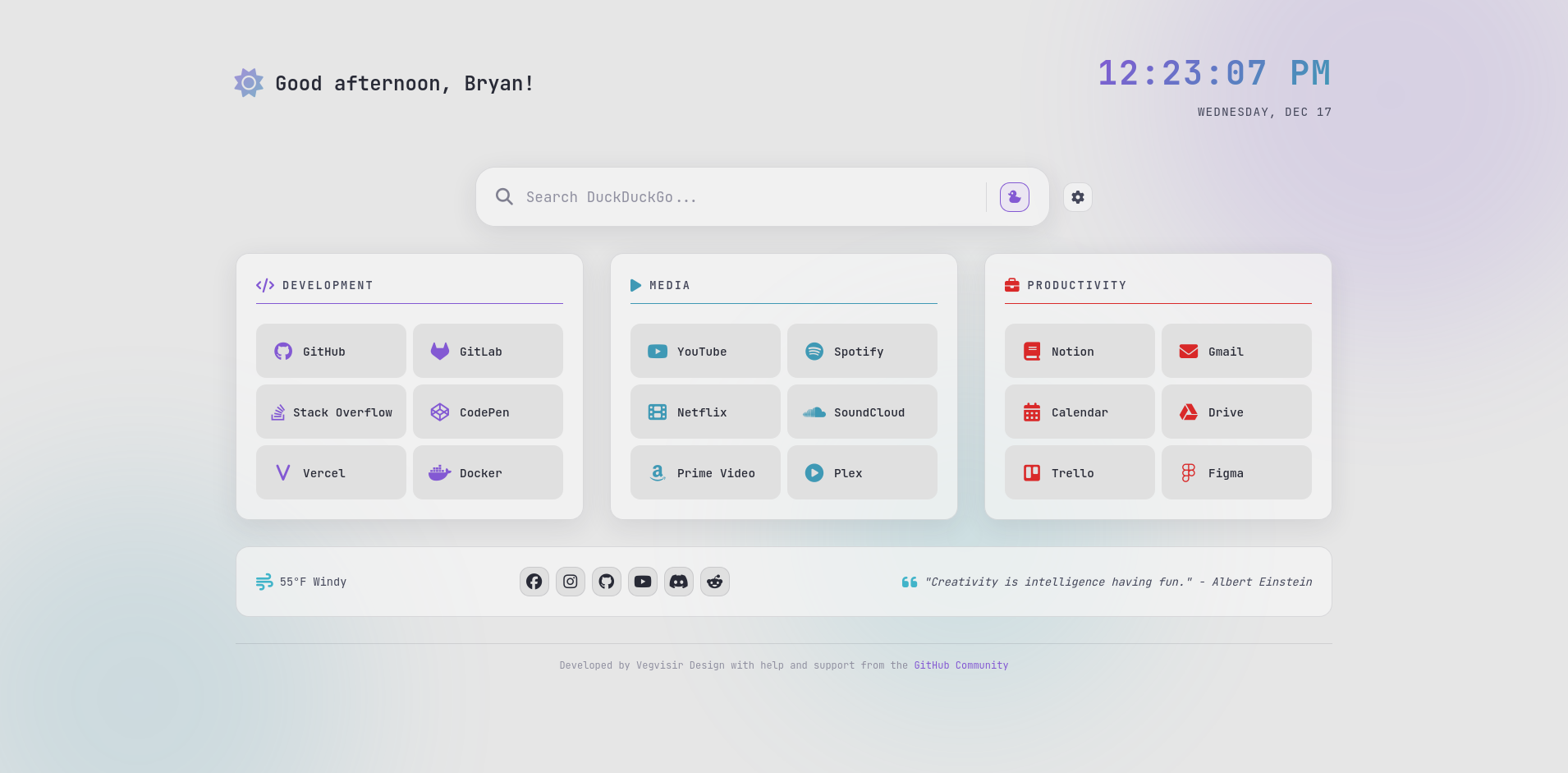
Solarized - Precision colors designed for readability
Dark Mode
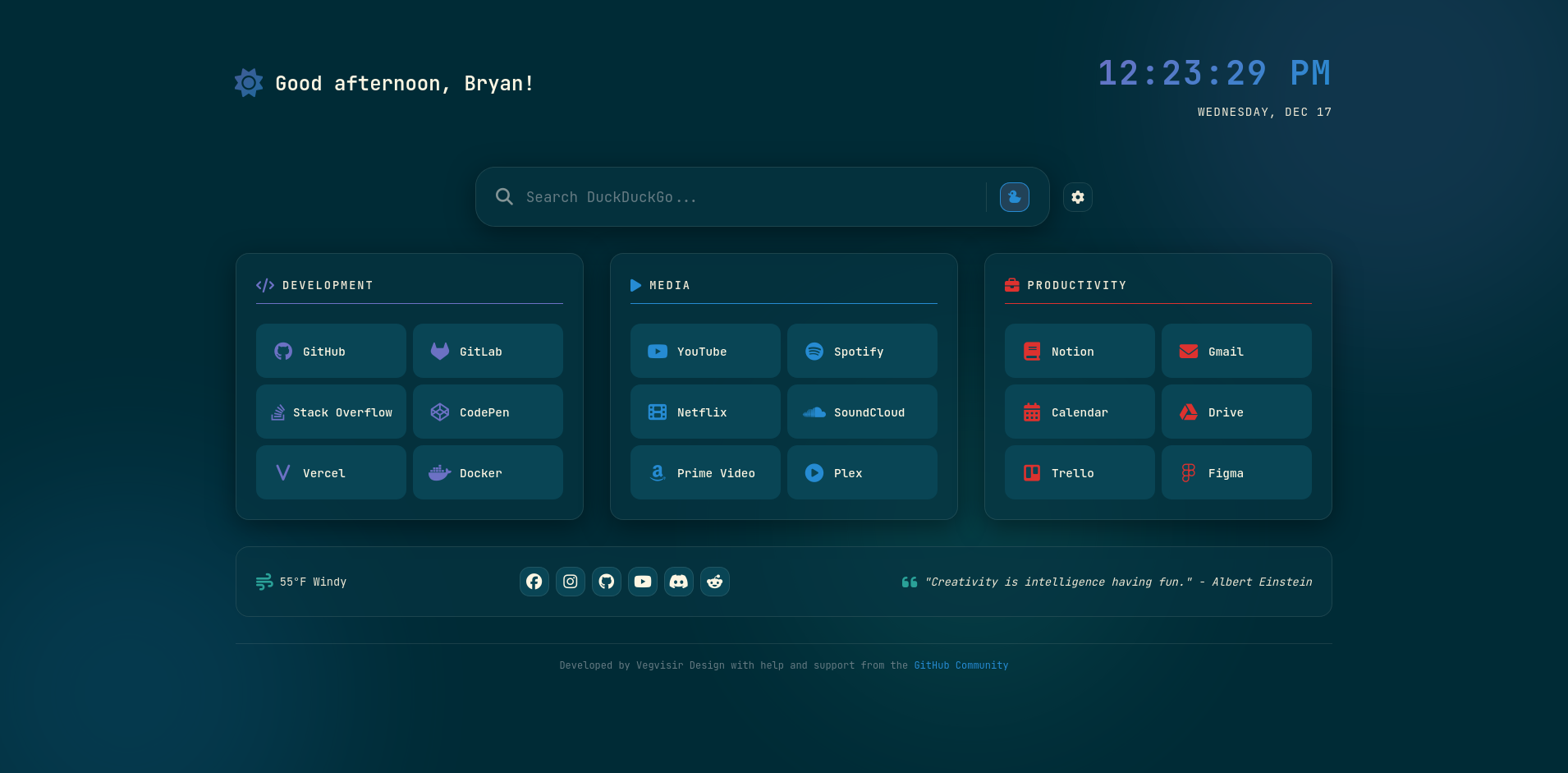
Light Mode
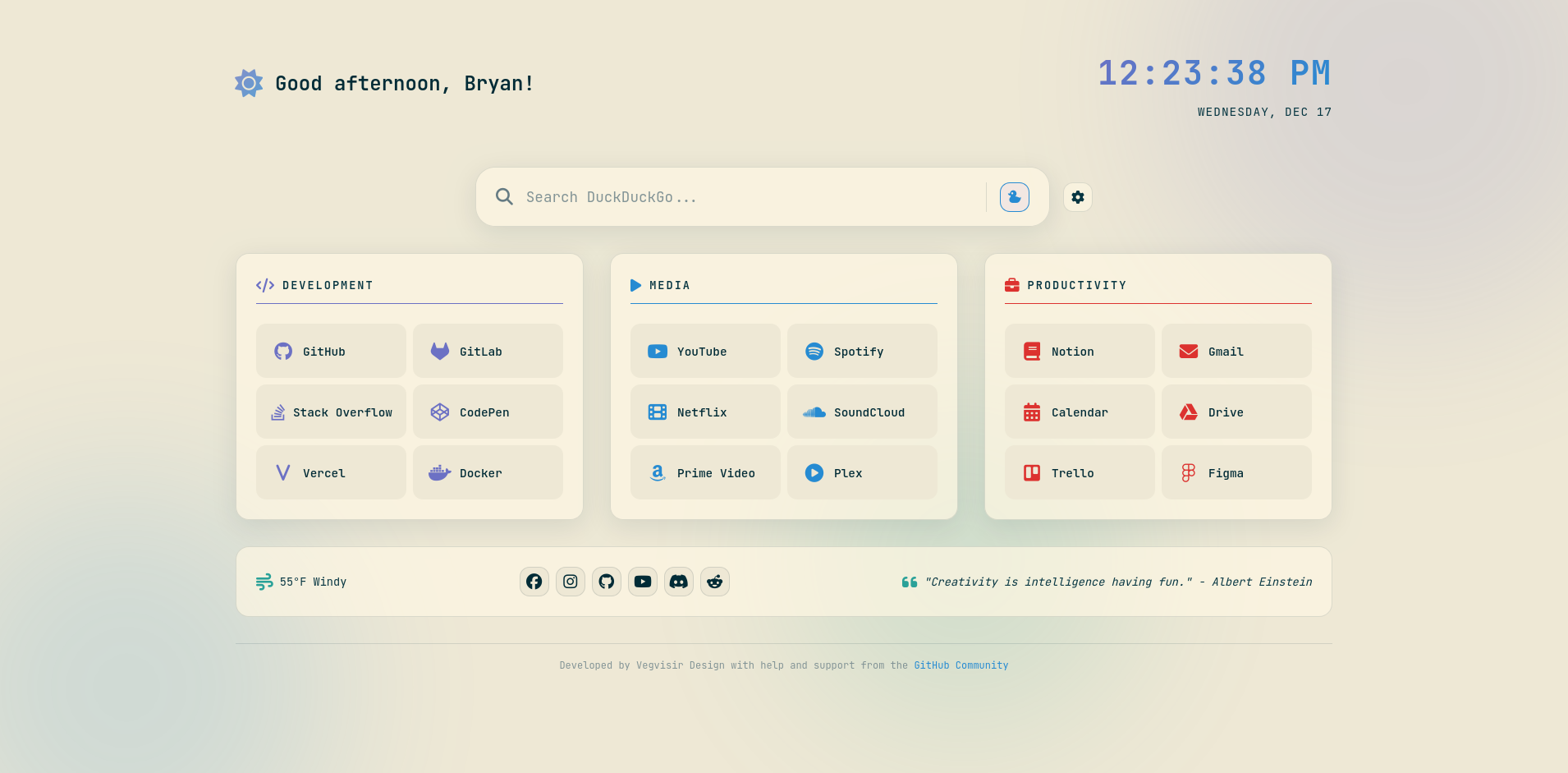
Kanagawa - Japanese-inspired muted, natural tones
Dark Mode (Wave)
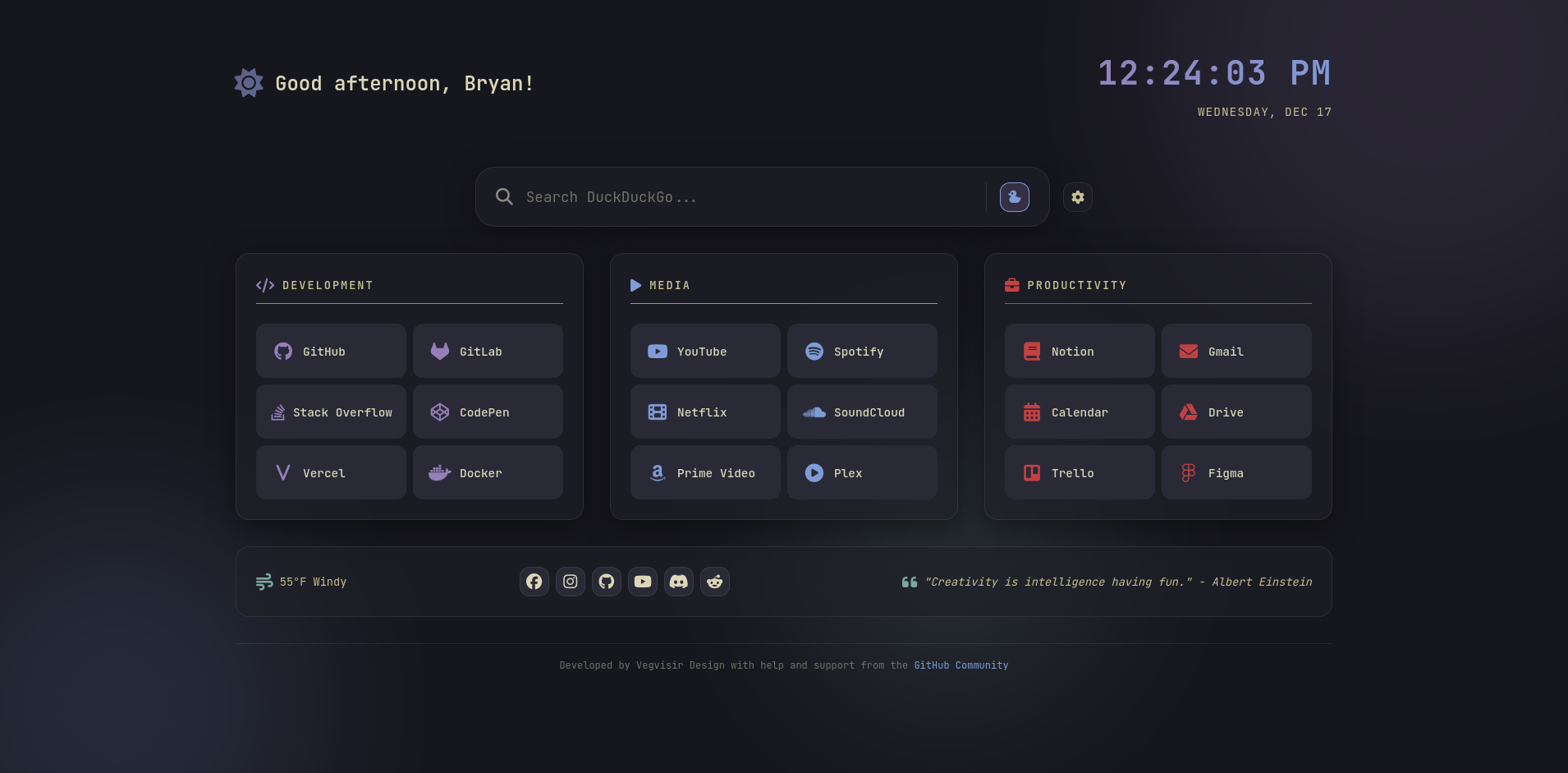
Light Mode (Lotus)
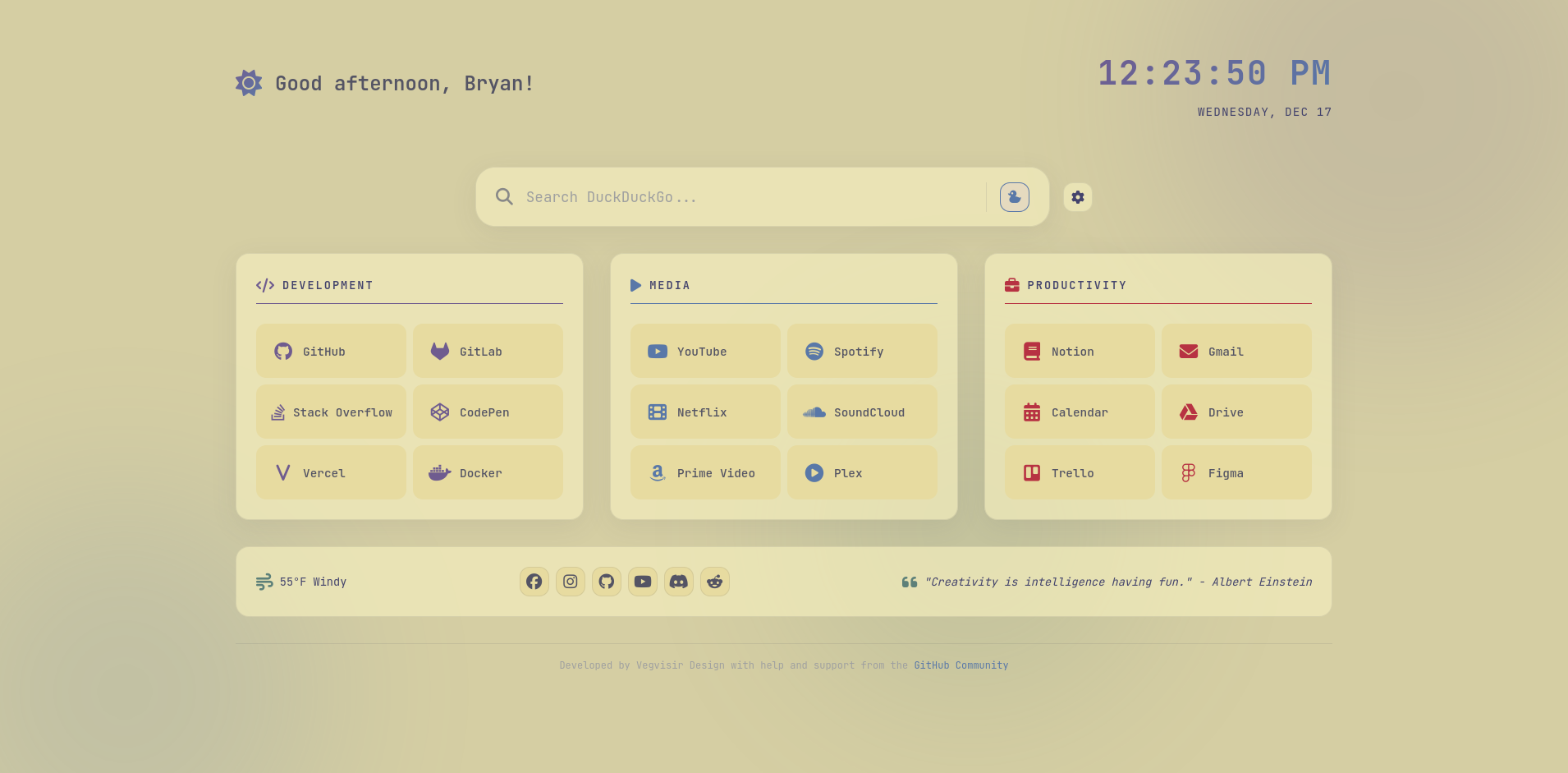
Ayu - Minimal modern with bright accents
Dark Mode
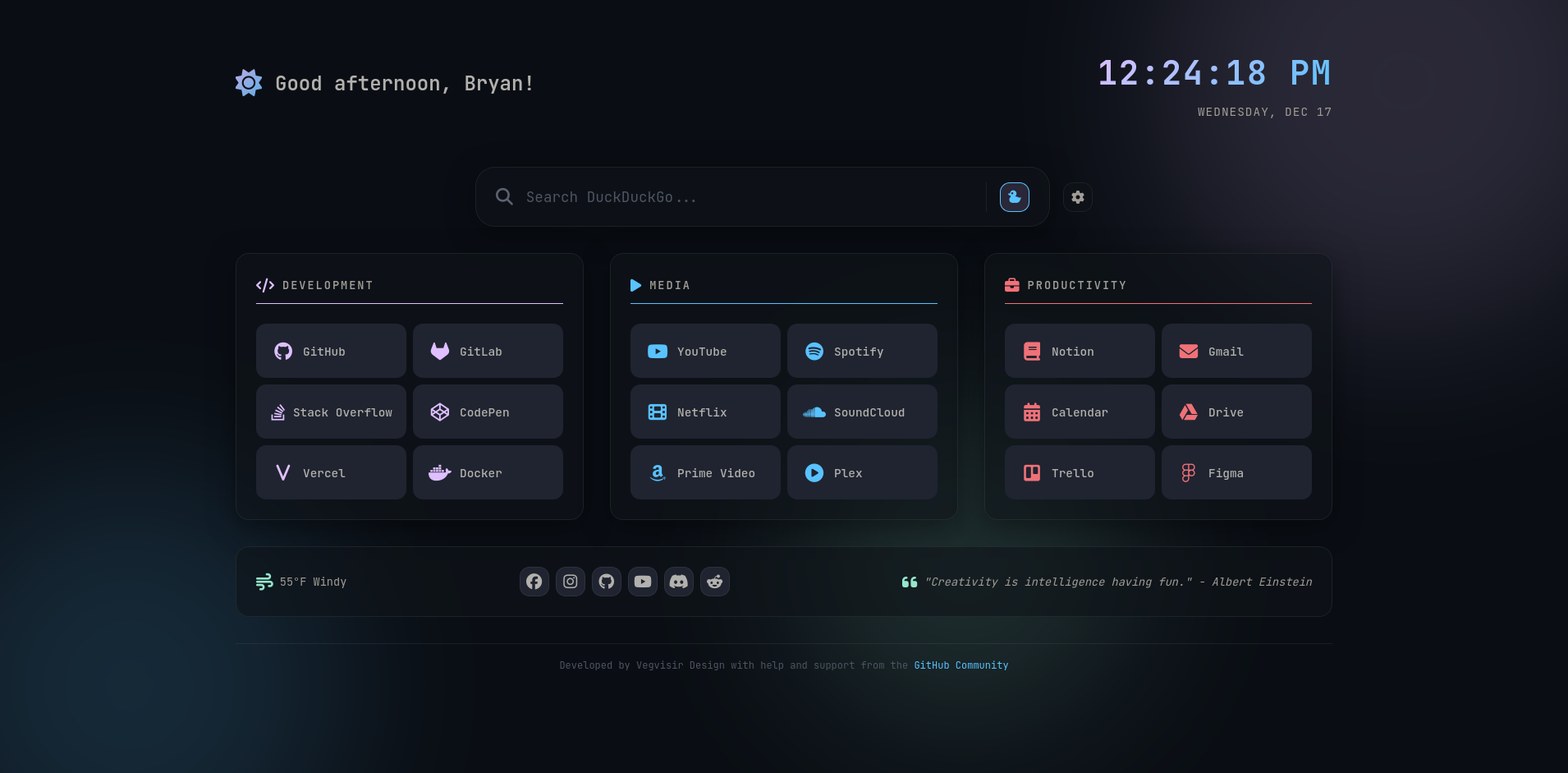
Light Mode
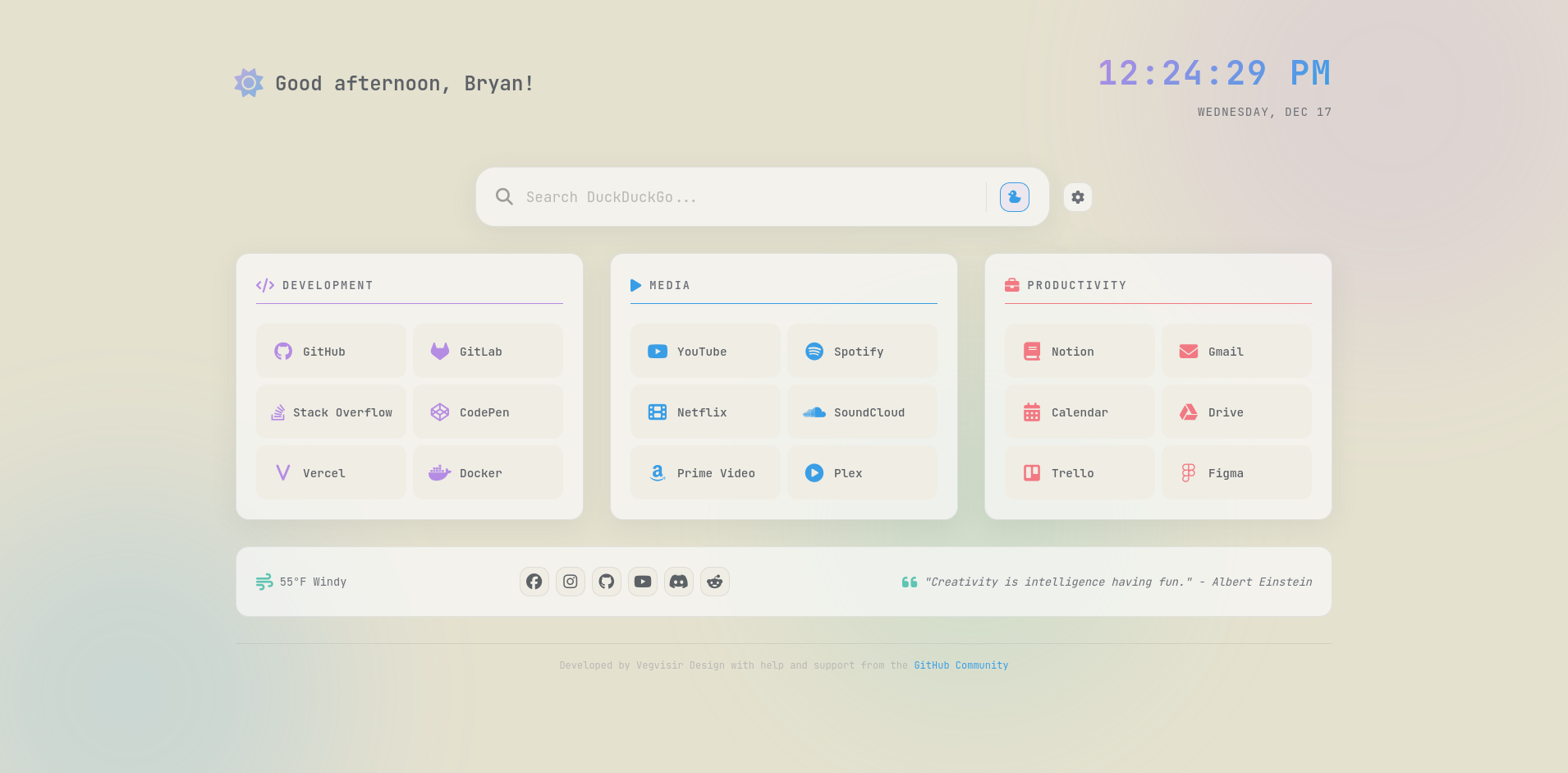
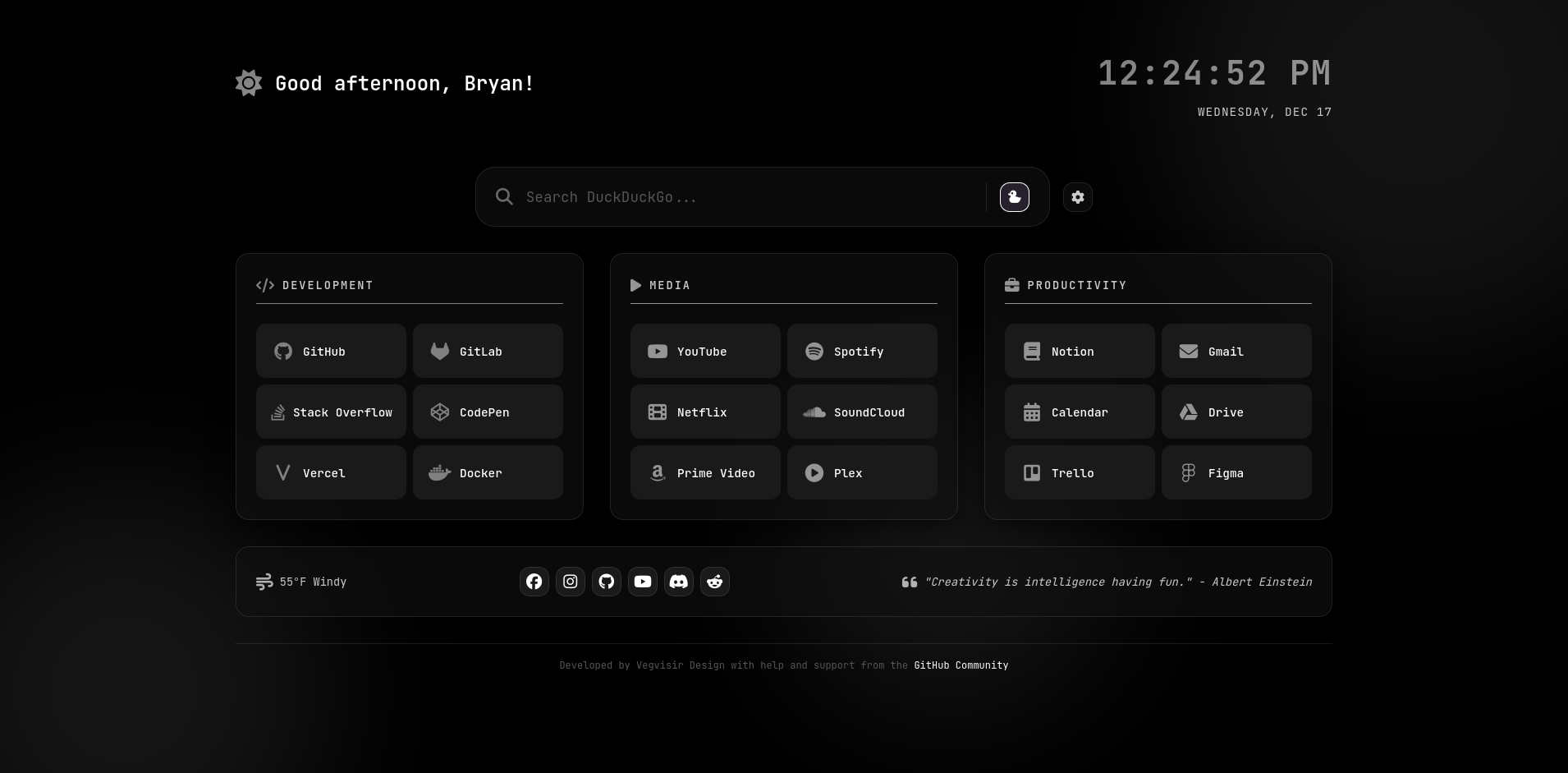
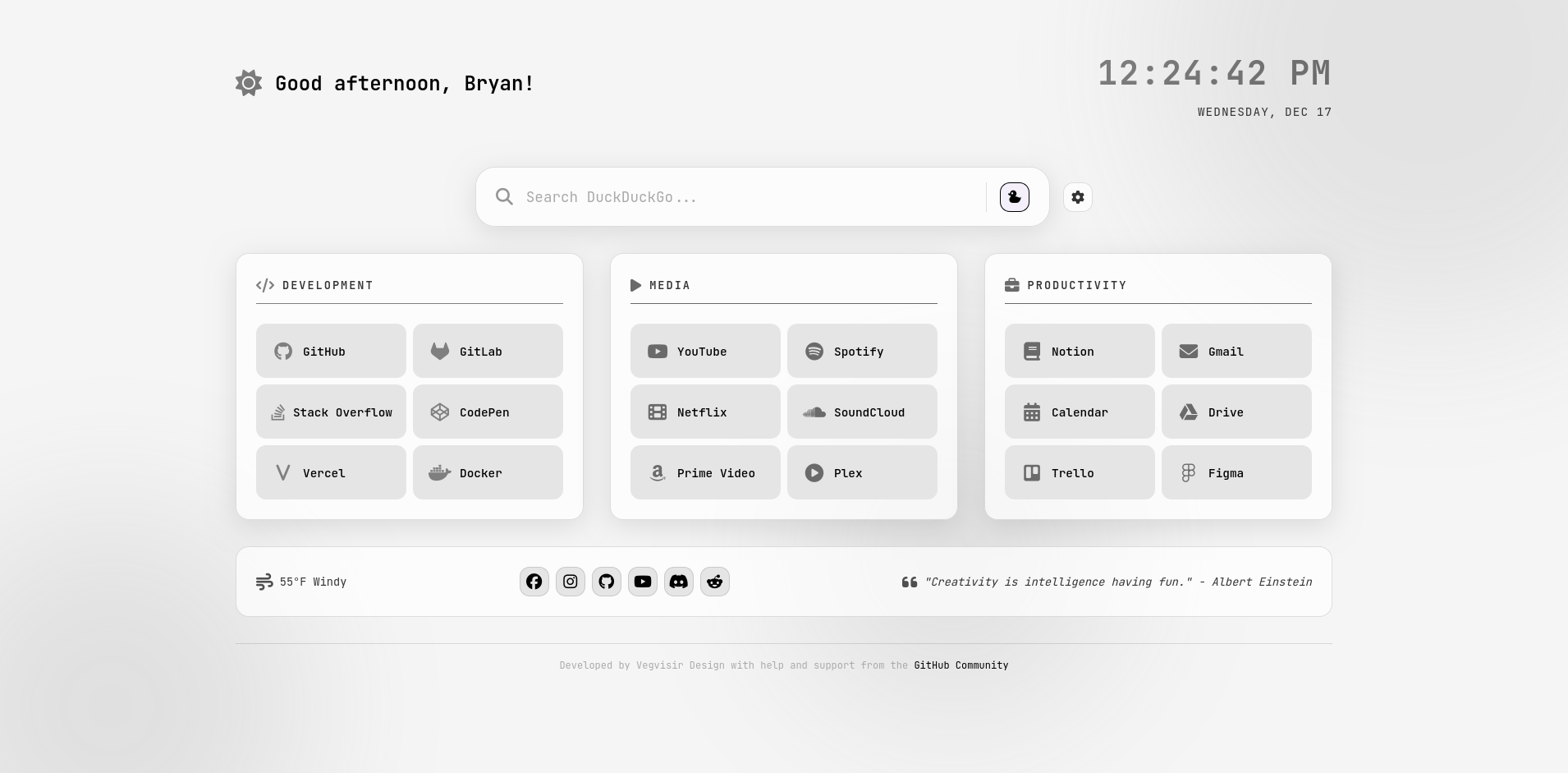
Monochrome - Pure black & white for maximum focus
Dark Mode (White on Black)
Light Mode (Black on White)
⚙️ Enhanced Settings & Customization
- Bookmark Import Wizard - Import bookmarks from HTML files with smart category detection (v1.4.0)
- Backup & Restore - Export and import all your settings, categories, and links (v1.1.1)
- Click Time to Toggle - Click the clock to quickly switch between 12h/24h format
- Show Seconds Option - Display seconds on the clock for precise timekeeping
- Link Behavior Control - Choose to open links in same window, new tab, or new window
- Keyboard Shortcuts Toggle - Show or hide keyboard hint overlays
- Color Scheme Dropdown - Easy selection of any color scheme
🔗 Social Links Integration
- New Social Links settings tab with 10 pre-configured platforms
- Add your social media URLs (Facebook, Instagram, Twitter/X, LinkedIn, GitHub, YouTube, TikTok, Discord, Reddit, Mastodon)
- Toggle visibility for each platform
- Display social icons in the footer
🎯 Footer Customization
- New Footer Settings tab with complete layout control
- Customize left, center, and right footer sections independently
- Choose from: Weather, Social Links, Quotes, or Blank for each section
- Default: Weather (left), Blank (center), Quotes (right)
📚 Improved Help & Documentation
- Help content moved to a dedicated tab in Settings
- Removed standalone help button for cleaner UI
- Comprehensive icon customization guide integrated into settings
🎭 UI/UX Improvements
- Convert color scheme selector to dropdown for scalability
- Removed redundant settings (quotes toggle now managed via Footer tab)
- Better responsive design for settings with tab wrapping
- Enhanced color mode visibility based on theme selection
- Developer credits section at the bottom
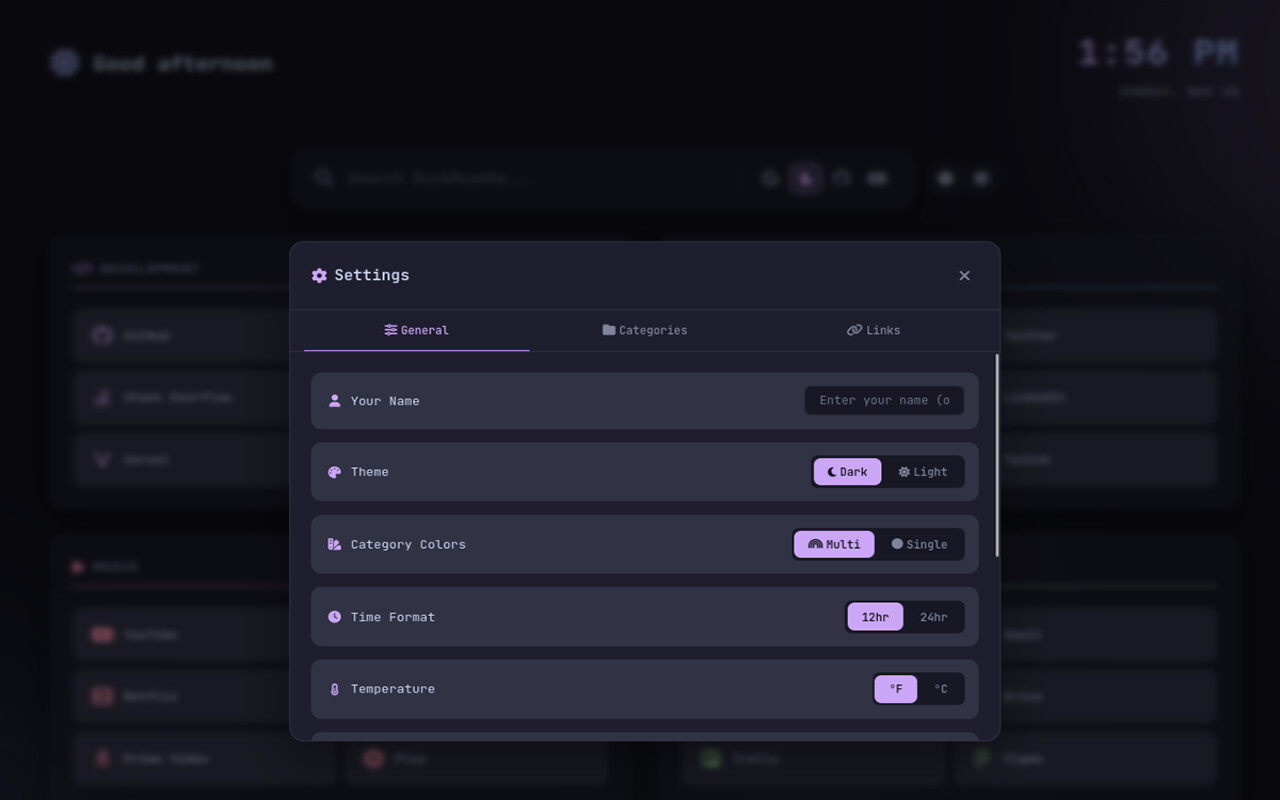
Settings Panel Screenshots
Settings Overview
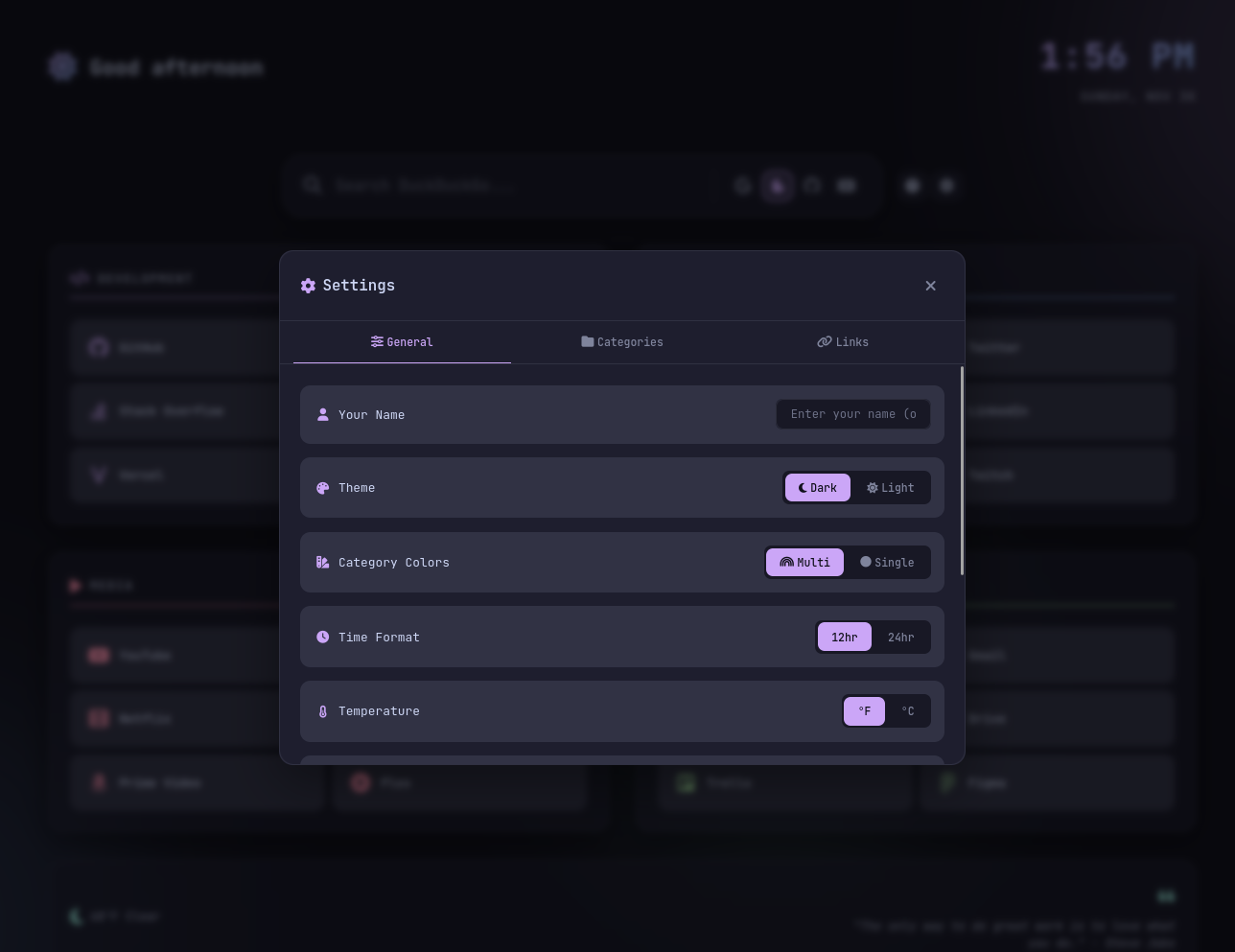
Settings Panels (High Resolution)
✨ Key Features
Beautiful Design
- 9 stunning color schemes - Catppuccin, Nord, Gruvbox, Tokyo Night, Dracula, Solarized, Kanagawa, Ayu, Monochrome
- Light & Dark modes for every color scheme (18 total theme combinations)
- Modern glassmorphism UI with ambient glow effects
- Smooth animations and responsive layout
- Multi-color or monochrome category accent options
Smart Search
- Integrated search respecting your default search engine
- Quick engine switching between 10 search providers (Google, DuckDuckGo, Kagi, GitHub, Git, YouTube, Bing, Amazon, Wikipedia, Internet Archive)
- Keyboard shortcuts for lightning-fast navigation
Personalization
- Dynamic time-based greetings with beautiful icons
- Real-time weather with OpenWeather API integration
- Click clock to toggle 12h/24h format instantly
- Optional seconds display on clock
- Customizable quick links organized by categories (up to 8 categories, 10 links each)
- Toggle between Fahrenheit and Celsius
- Social links integration with 10 popular platforms
- Customizable footer layout (left/center/right sections)
- Backup & Restore - Easily migrate settings between browsers
- Bookmark Import Wizard - Import HTML bookmarks with smart category detection
Productivity
- Organize your favorite sites in customizable categories
- Link behavior control (open in same window, new tab, or new window)
- Built-in help system integrated into settings
- All settings persist locally (no data collection)
- Keyboard shortcuts:
/for search,1-9for engines,Escto clear - Optional keyboard hints overlay
- Fully mobile responsive with touch-optimized interface
Privacy First
- No data collection or tracking
- All preferences stored locally on your device
- Open source and transparent
🎯 Perfect For
- Developers who want quick access to GitHub, Stack Overflow, and dev tools
- Anyone who values beautiful, functional design
- Users who want a personalized browsing experience
- Privacy-conscious individuals
🔒 Privacy & Permissions
Required Permissions:
- Chrome/Firefox:
search- To integrate with your browser's default search engine - Safari: None - No special permissions required
What Sip DOESN'T Do:
- No data collection or analytics
- No tracking or monitoring
- No remote servers (except OpenWeather API if you configure it)
- All settings stored locally using browser's localStorage
See our full Privacy Policy for complete details.
📸 Screenshots & More
Visit our GitHub repository for:
- Detailed screenshots
- Customization guide
- Icon usage instructions
- Development information
- Source code
🆘 Support
Need help? Have suggestions?
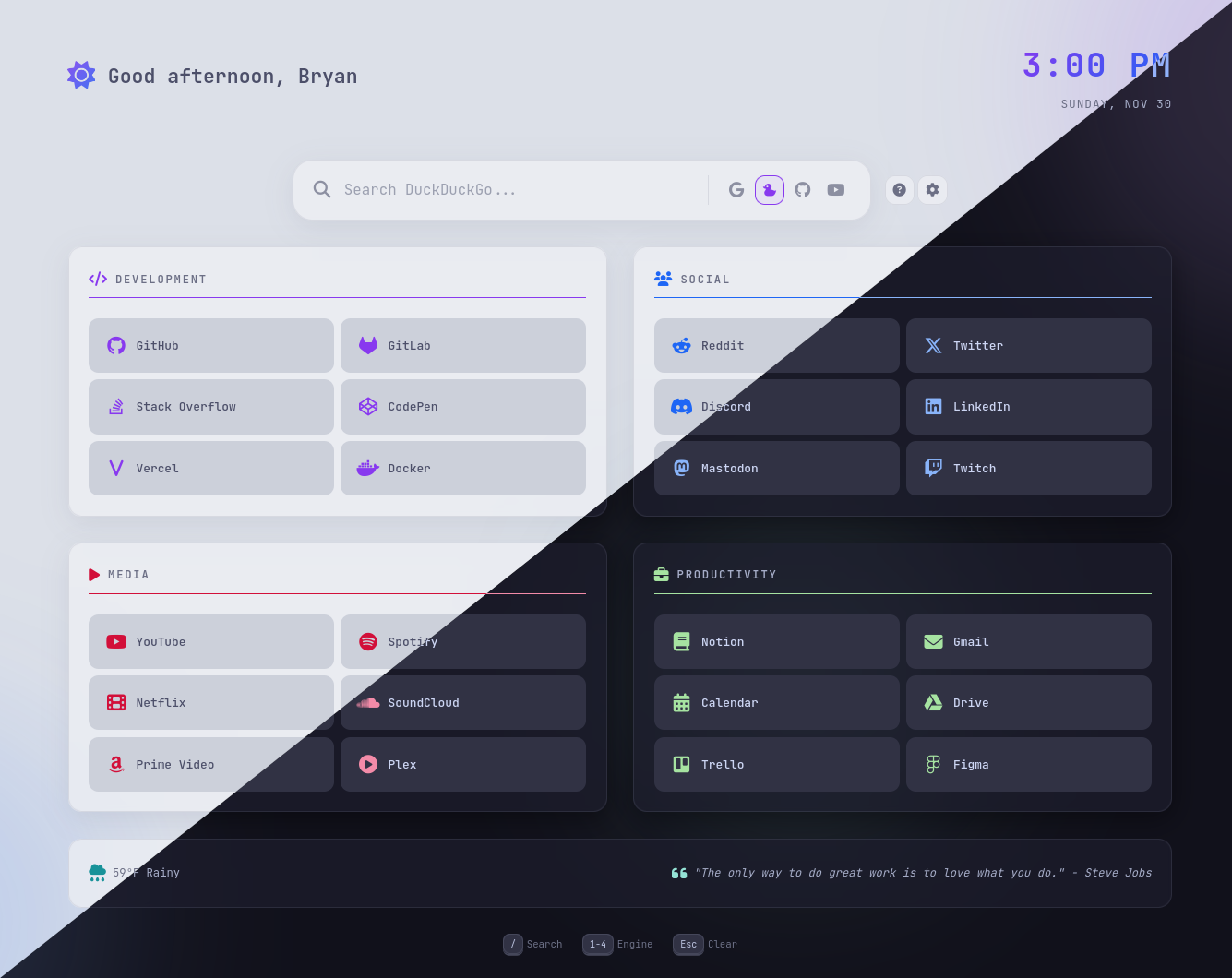
📸 Screenshots - Click to expand
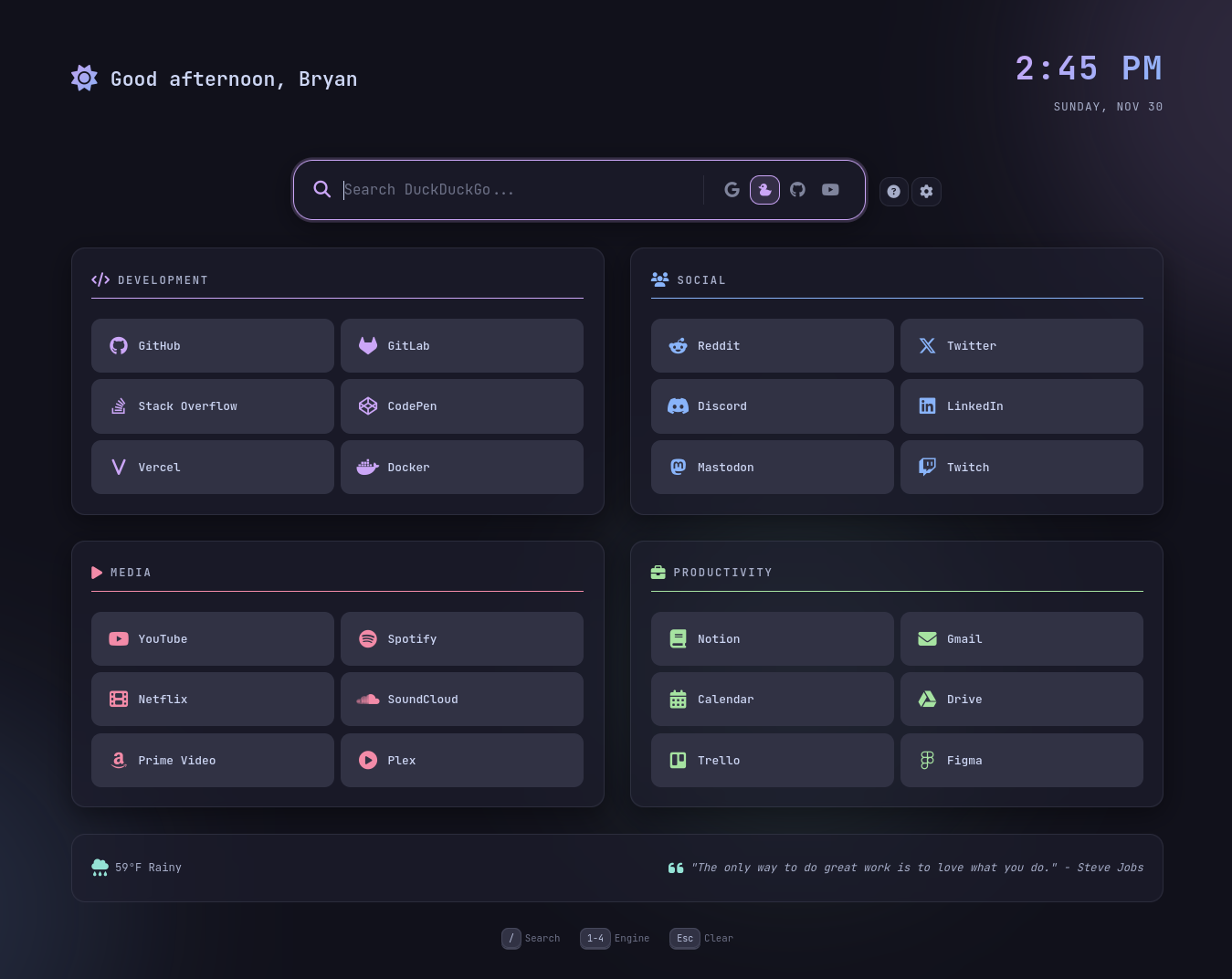
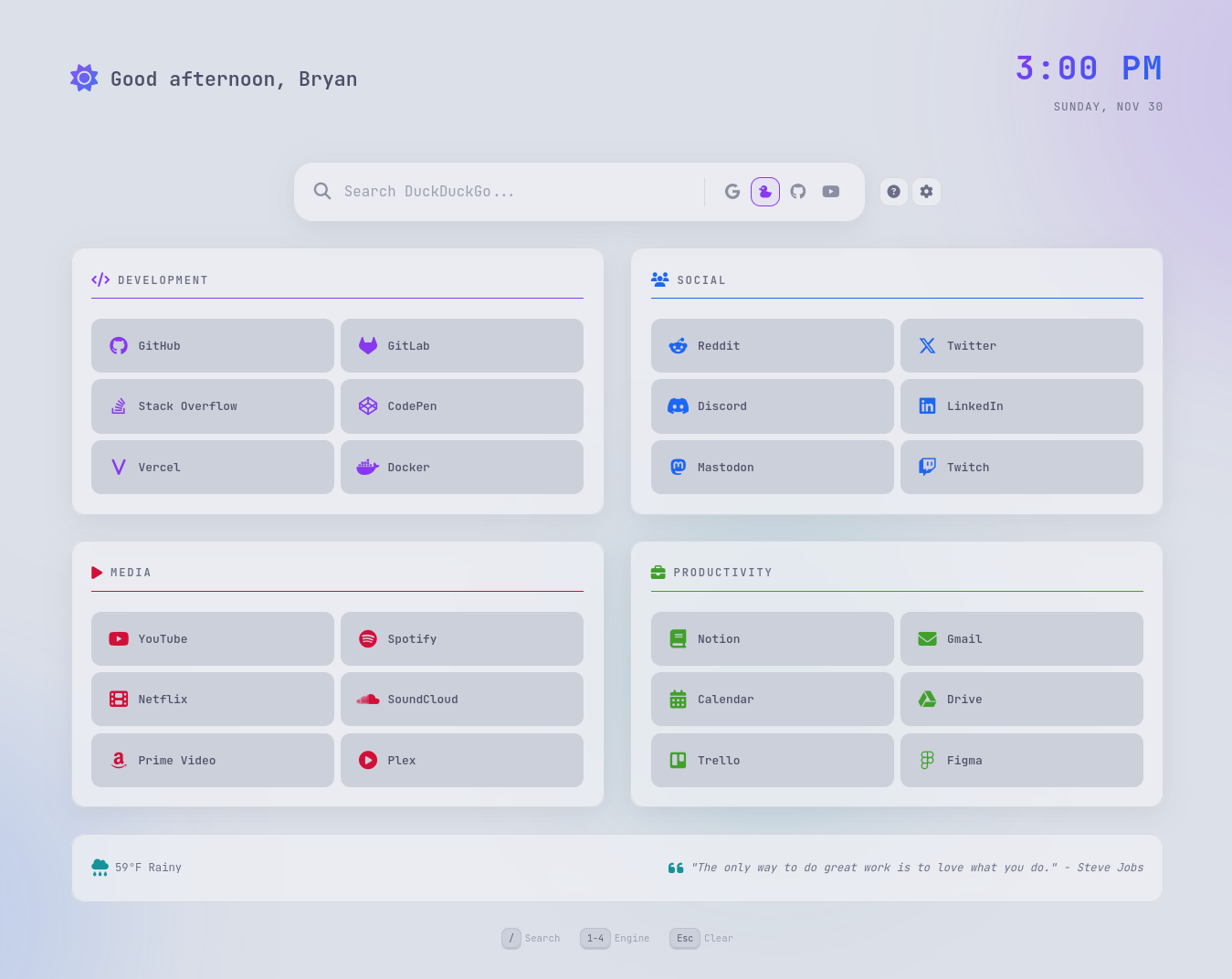
Original Theme Examples
Catppuccin Dark (Mocha)
Catppuccin Light (Latte)
Settings Panel

New Color Schemes (December 2025)
20 additional screenshots showcasing all 9 color schemes in both light and dark modes are available in /screenshots/Updated Screens/. These include:
- Catppuccin (Mocha & Latte)
- Nord (Polar Night & Snow Storm)
- Gruvbox (Dark & Light)
- Tokyo Night (Night & Day)
- Dracula (Dark & adapted Light)
- Solarized (Dark & Light)
- Kanagawa (Wave & Lotus)
- Ayu (Dark & Light)
- Monochrome (Black & White)
Each screenshot demonstrates the glassmorphism effects, customizable categories, and beautiful color harmony of each theme.
New Features Showcase
- Social Links footer widget with platform icons
- Customizable footer sections (Weather, Socials, Quotes)
- Enhanced settings with 6 tabs (General, Categories, Links, Social, Footer, Help)
- Color scheme dropdown selector
- Clock with seconds display option
✨ Features
- Catppuccin Themes - Mocha (dark) and Latte (light) color palettes
- Glassmorphism UI - Modern frosted glass effects with ambient glows
- Multi-Engine Search - Quick switch between popular search engines and developer resources
- Dynamic Greeting - Personalized time-based greetings with sunrise/sun/sunset/moon icons
- Quick Links - Categorized bookmarks (Development, Social, Media, Productivity)
- Weather Widget - Current weather with °F/°C toggle
- Settings Panel - Toggle 12hr/24hr clock, temperature units, and theme
- Inspirational Quotes - Random quotes to brighten your day
- Keyboard Navigation - Fast access with keyboard shortcuts
- Responsive Design - Works on all screen sizes
🧩 Installation
Browser Extension (Desktop Only)
Sip is available as a browser extension for desktop/laptop computers:
- Firefox Add-ons - Available now (Desktop Firefox only)
- Chrome Web Store - Coming soon!
- Safari - Use as a homepage (see below)
Once installed, Sip will automatically replace your new tab page with a beautiful, customizable workspace.
📱 Mobile Browsers
Why not as a mobile extension?
Firefox on phones and tablets doesn't allow extensions to change the new tab page. This is a Firefox limitation to keep mobile browsing fast and battery-efficient.
Good news! You can still use Sip on mobile by accessing it as a website:
- Fork this repository on GitHub
- Enable GitHub Pages in your fork's settings
- Bookmark the page or set it as your homepage
- Enjoy! All features work perfectly - the design is fully mobile-responsive
All the beautiful themes, customization options, and touch-optimized interface work great when accessed as a website!
Safari
Safari does not support third-party new tab page extensions, so Sip cannot replace the new tab page in Safari. Instead, you can use Sip as your homepage:
- Fork this repository on GitHub
- Enable GitHub Pages in your fork's settings
- In Safari, go to Settings → General and set the Homepage to your GitHub Pages URL
- Set New windows open with and New tabs open with to Homepage
Alternatively, open index.html locally and set the file:// path as your homepage in Safari Settings.
🚀 Standalone Installation
Clone the Repository
git clone https://github.com/bgibson72/start-page-v3.git
cd start-page-v3
Set as Browser Homepage
- Open the
index.htmlfile in your browser - Copy the file path (e.g.,
file:///home/username/start-page-v3/index.html) - Set this as your browser's homepage in settings
Or host locally:
# Using Python
python -m http.server 8080

# Then set http://localhost:8080 as your homepage
⚙️ Customization
Change Your Name
Edit script.js and find the userName variable near the top:
const userName = 'Bryan'; // Change to your name
Add/Remove Quick Links
Edit index.html and modify the link cards in each category section:
<a href="https://your-site.com" class="link-card">
    <span class="link-icon"><i class="fa-brands fa-icon-name"></i></span>
    <span class="link-text">Site Name</span>
</a>
Browse Font Awesome Icons for icon options.
Modify Categories
Each category is a <section class="link-group"> in index.html. You can:
- Rename categories by changing the
<h2>text - Add new categories by duplicating a section
- Remove categories by deleting a section
The grid automatically adjusts (2 columns for even count, 3 for odd).
Change Color Scheme
Edit style.css and modify the CSS variables in :root:
:root {
    /* Catppuccin Mocha Colors */
    --crust: #11111b;
    --mantle: #181825;
    --base: #1e1e2e;
    --surface0: #313244;
    --surface1: #45475a;
    --surface2: #585b70;
    --text: #cdd6f4;
    --subtext: #a6adc8;
    --primary: #cba6f7;    /* Mauve - accent color */
    --secondary: #89b4fa;  /* Blue */
    --accent: #f5c2e7;     /* Pink */
    /* ... */
}
Change Weather Units
In script.js, find the fetchWeather function and change units=imperial to units=metric for Celsius:
const response = await fetch(
`https://api.open-meteo.com/v1/forecast?latitude=${lat}&longitude=${lon}¤t_weather=true&temperature_unit=fahrenheit`
);
Change fahrenheit to celsius for metric units.
Add Custom Quotes
Edit the quotes array in script.js:
const quotes = [
    "Your custom quote here.",
    "Another inspiring message.",
    // Add more quotes...
];
⌨️ Keyboard Shortcuts
| Key | Action |
|---|---|
/ |
Focus search bar |
1-4 |
Switch search engine |
Esc |
Clear search / unfocus |
🎨 Icons
This startpage uses:
- Font Awesome 6 for most icons
- Nerd Fonts for DuckDuckGo duck and time-of-day icons
🔒 Privacy
This extension respects your privacy. See our Privacy Policy for details.
TL;DR: No data collection. All preferences stored locally on your device.
📄 License
MIT License - feel free to modify and use as you wish!
Explorar proyectos relacionados
Cargando…