Proyectos Ver en GitHub
bearsprogrammer/real-time-deep-face-recognition
bearsprogrammer/real-time-deep-face-recognition has 231 GitHub stars and 99 forks. GitHot measured 0 stars in 24 hours and 0 in 7 days. Last checked 2026-11-24 01:01 UTC. Last push 2024-07-09.
Crecimiento de estrellas medido
- in 24h
- 0
- in 7 days
- 0
- in 15 days
- Recopilando historial
- in 1 month
- Recopilando historial
Cambios netos en períodos que se solapan, no totales diarios. Los datos no disponibles se dejan en blanco. Las estrellas indican interés, no calidad.
Acerca de
using facenet algorithm
Herramientas de desarrolloREADME.md
Originalreal-time-deep-face-recogniton
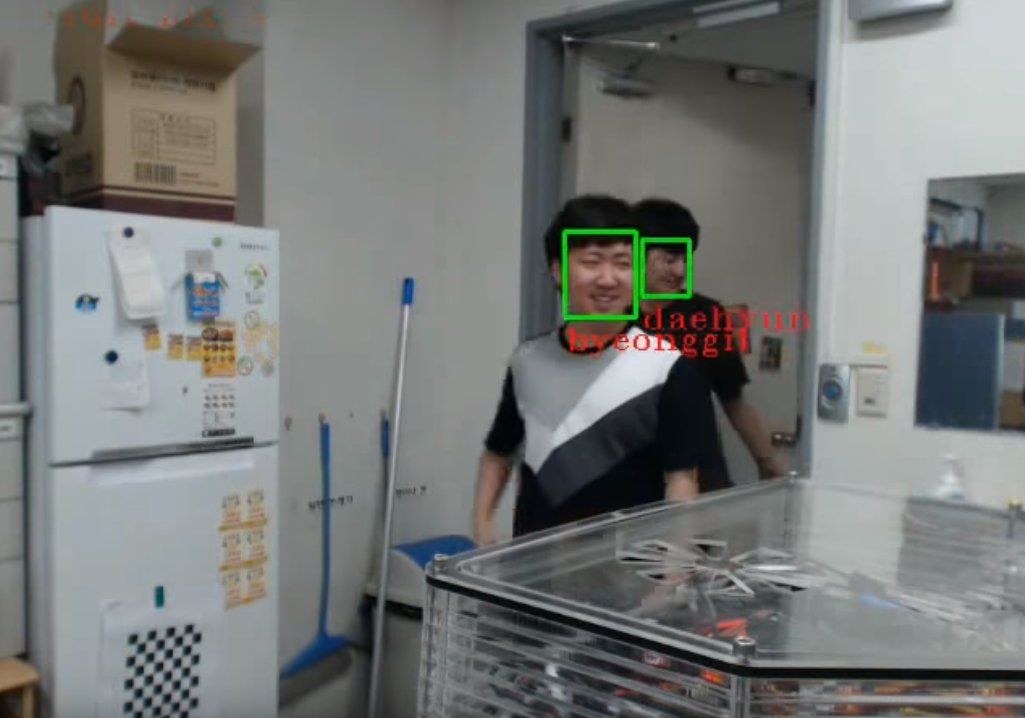
Real-time face recognition program using Google's facenet.
Inspiration
- OpenFace
- I refer to the facenet repository of davidsandberg.
- also, shanren7 repository was a great help in implementing.
Dependencies
- Tensorflow 1.2.1 - gpu
- Python 3.5
- Same as requirement.txt in davidsandberg repository.
Pre-trained models
- Inception_ResNet_v1 CASIA-WebFace-> 20170511-185253
Face alignment using MTCNN
- You need det1.npy, det2.npy, and det3.npy in the davidsandberg repository.
How to use
- First, we need align face data. So, if you run 'Make_aligndata.py' first, the face data that is aligned in the 'output_dir' folder will be saved.
- Second, we need to create our own classifier with the face data we created.
(In the case of me, I had a high recognition rate when I made 30 pictures for each person.)
Your own classifier is a ~.pkl file that loads the previously mentioned pre-trained model ('20170511-185253.pb') and embeds the face for each person.
All of these can be obtained by running 'Make_classifier.py'. - Finally, we load our own 'my_classifier.pkl' obtained above and then open the sensor and start recognition.
(Note that, look carefully at the paths of files and folders in all .py)
Result
Explorar proyectos relacionados
Cargando…