Proyectos Ver en GitHub
automation-stack/electron-sudo
Acerca de
Electron subprocesses with administrative privileges, prompting the user with an OS dialog if necessary.
Herramientas de desarrolloWhat you can do
- Supports spawn and exec subprocess behavior
- Supports applications packaged as asar archive
- Separate password prompt for each call (use sh or bat script for single prompt)
- No external dependencies, does not depend on OS versions
Crecimiento de estrellas medido
- in 24h
- 0
- in 7 days
- 0
- in 15 days
- Recopilando historial
- in 1 month
- Recopilando historial
Cambios netos en períodos que se solapan, no totales diarios. Los datos no disponibles se dejan en blanco. Las estrellas indican interés, no calidad.
README.md
OriginalElectron subprocess with administrative privileges
Run a subprocess with administrative privileges, prompting the user with a graphical OS dialog if necessary. Useful for background subprocesse which run native Electron apps that need sudo.
Windows, uses elevate utility with nativeUser Account Control (UAC)prompt (noPowerShellrequired)OS X, uses bundled applet (inspired by Joran Dirk Greef)Linux, uses systempkexecor gksudo (system or bundled).
If you don't trust binaries bundled in npm package you can manually build tools and use them instead.
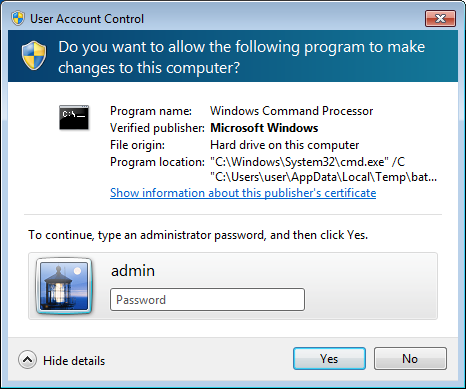
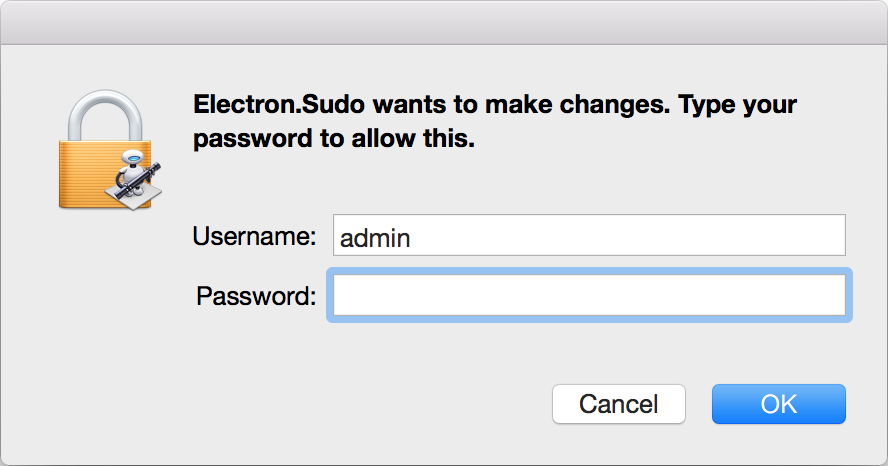
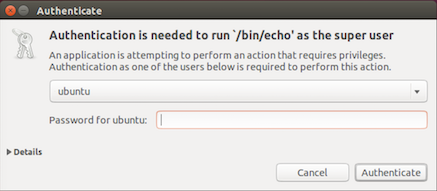
Features
- Supports
spawnandexecsubprocess behavior - Supports applications packaged as
asararchive - Separate password prompt for each call (use
shorbatscript for single prompt) - No external dependencies, does not depend on OS versions
Installation
npm install electron-sudo
Usage
Note: Your command should not start with the sudo prefix.
Version 4.0.*
import Sudoer from 'electron-sudo';

let options = {name: 'electron sudo application'},
    sudoer = new Sudoer(options);

/* Spawn subprocess behavior */
let cp = await sudoer.spawn(
  'echo', ['$PARAM'], {env: {PARAM: 'VALUE'}}
);
cp.on('close', () => {
  /*
    cp.output.stdout (Buffer)
    cp.output.stderr (Buffer)
  */
});

/* Exec subprocess behavior */
let result = await sudoer.exec(
  'echo $PARAM', {env: {PARAM: 'VALUE'}}
);
/* result is Buffer with mixed (both stdout and stderr) output */


/* Usage with Vanila JS */

var Sudoer = require('electron-sudo').default;
var sudoer = new Sudoer(options);
sudoer.spawn('echo', ['$PARAM'], {env: {PARAM: 'VALUE'}}).then(function (cp) {
  /*
    cp.output.stdout (Buffer)
    cp.output.stderr (Buffer)
  */
});
Version 3.0.* (deprecated)
var sudo = require('electron-sudo');
var options = {
  name: 'Your application name',
  icns: '/path/to/icns/file' // (optional, only for MacOS),
  process: {
    options: {
      // Can use custom environment variables for your privileged subprocess
      env: {'VAR': 'VALUE'}
      // ... and all other subprocess options described here
      // https://nodejs.org/api/child_process.html#child_process_child_process_exec_command_options_callback
    },
    on: function(ps) {
      ps.stdout.on('data', function(data) {});
      setTimeout(function() {
        ps.kill()
      }.bind(ps), 50000);
    }
  }
};
sudo.exec('echo hello', options, function(error) {});
Tests
npm i && npm test
Usage with Webpack
Webpack config should contain __dirname equals true for work properly
let nodeModules = fs.readdirSync('./node_modules')
    .filter((module) => {
        return module !== '.bin';
    })
    .reduce((prev, module) => {
        return Object.assign(prev, {[module]: 'commonjs ' + module});
    }, {});

export default {
    ...
    target: 'electron',
    node: {
        /* http://webpack.github.io/docs/configuration.html#node */
        __dirname: true
    },
    externals: nodeModules
};
Explorar proyectos relacionados
Cargando…