
artginzburg/sudo-touchid
Acerca de
Compatibilidad permanente con Touch ID para `sudo` 👆
Herramientas de desarrolloWhat you can do
- Fast & reliable
- Written in Bash — no dependencies
- pam_reattach support for tmux/screen compatibility (GUI session reattachment)
- Supports modern and legacy systems: For macOS 13 and below, see LEGACY_MACOS.md
Crecimiento de estrellas medido
- in 24h
- 0
- in 7 days
- 0
- in 15 days
- +2
- in 1 month
- Recopilando historial
Cambios netos en períodos que se solapan, no totales diarios. Los datos no disponibles se dejan en blanco. Las estrellas indican interés, no calidad.
README.md
Original
sudo-touchid


Native and reliable TouchID support for sudo
Try it out without installing
curl -sL git.io/sudo-touch-id | sh
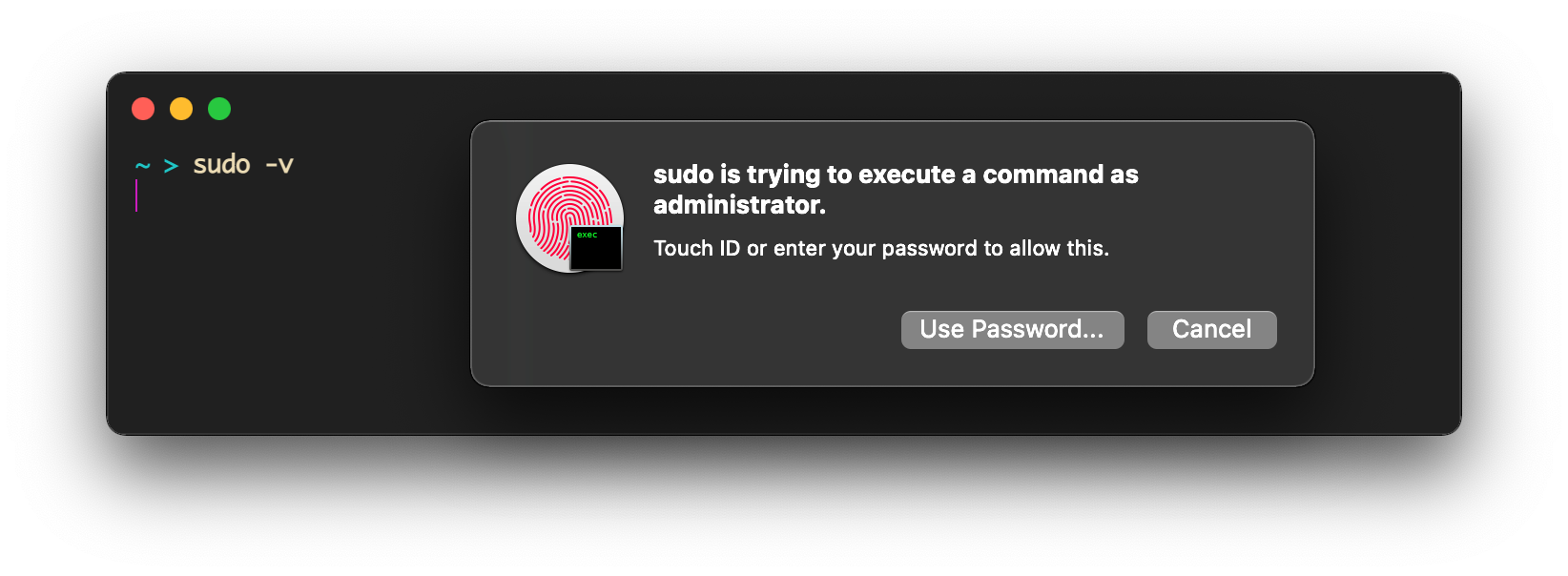
Now sudo is great, just like Safari — with your fingerprint in Terminal.
Don't worry, you can also reverse it
Features
- Fast & reliable
- Written in Bash — no dependencies
- pam_reattach support for tmux/screen compatibility (GUI session reattachment)
- Supports modern and legacy systems: For macOS 13 and below, see LEGACY_MACOS.md
Install
Via 🍺 Homebrew
brew install artginzburg/tap/sudo-touchid
Check out the formula if you're interested
Usage
Copy and run this command:
sudo-touchid
It adds TouchID to sudo configuration, or migrates an existing legacy configuration if you're upgrading from macOS 13 or below.
# Usage:
sudo-touchid [options]
             [-v,  --version]   # Output installed version
             [-d,  --disable]   # Remove TouchID from sudo config
             [--with-reattach]  # Include pam_reattach.so for tmux/screen support
             [--migrate]        # Migrate from legacy configuration
             [--verbose]        # Show detailed output
             [-q,  --quiet]     # Show minimal output (errors only)
             [-y,  --yes]       # Skip confirmation prompts (non-interactive mode)
if not installed, can be used via curl bundled with macOS
sh <( curl -sL git.io/sudo-touch-id )
Accepts the same arguments, like -d or -v.
Why?
- Productivity: Automates TouchID setup
- Lightweight: Small Bash script, no builds or Xcode required
- Reliable: Persistent configuration across system updates
How does it work?
For macOS 14+:
- Creates
/etc/pam.d/sudo_localwith TouchID configuration - Never modifies system-managed
/etc/pam.d/sudofile
All versions:
- Has a
--disable(-d) option that removes all TouchID configurations. - Optional
--with-reattachfor GUI session reattachment support - Creates backup files during migration
- Automatically detects and migrates legacy configurations
Manual installation
Just save sudo-touchid.sh as /usr/local/bin/sudo-touchid with execute permissions
See LEGACY_MACOS.md for additional considerations on older systems
Related
- tmux/screen support: pam_reattach module (built-in via
--with-reattach) - Apple Watch support: pam_watchid module
- Disable password prompt: Change
%admin ALL=(ALL) ALLto%admin ALL=(ALL) NOPASSWD: ALLin/etc/sudoers
Explorar proyectos relacionados
Cargando…