
ZhipingYang/UUChatTableView
ZhipingYang/UUChatTableView has 1,899 GitHub stars and 427 forks. GitHot measured -1 stars in 24 hours, -2 in 7 days, and -2 in 15 days. Last checked 2026-11-25 11:45 UTC. Last push 2026-04-08.
What you can do
- Focused chat surface: text, image, and voice are all supported without pulling in unrelated product logic.
- Pure-code input bar: no storyboard dependency, with expandable media actions and voice mode built in.
- Modern media entry: photo picking uses PHPickerViewController on supported systems.
- Voice feedback that feels alive: the recording HUD shows duration, waveform level, and cancel messaging.
Crecimiento de estrellas medido
- in 24h
- -1
- in 7 days
- -2
- in 15 days
- -2
- in 1 month
- Recopilando historial
Cambios netos en períodos que se solapan, no totales diarios. Los datos no disponibles se dejan en blanco. Las estrellas indican interés, no calidad.
Acerca de
Componente de UI de Cocoa para burbujas de chats grupales o privados, con compatibilidad con texto, imágenes y audio
Creación y multimediaREADME.md
OriginalUUChatTableView
UUChatTableView is a lightweight Objective-C UIKit chat UI for teams that want the core chat experience without dragging in a large product shell. It focuses on the pieces that matter in day-to-day messaging interfaces: message models, layout calculation, bubble rendering, image preview, voice playback, and a polished pure-code input bar.
What you get
A demo-ready chat surface with text, image, and voice states, plus a codebase that is small enough to understand quickly and extend safely.
Preview
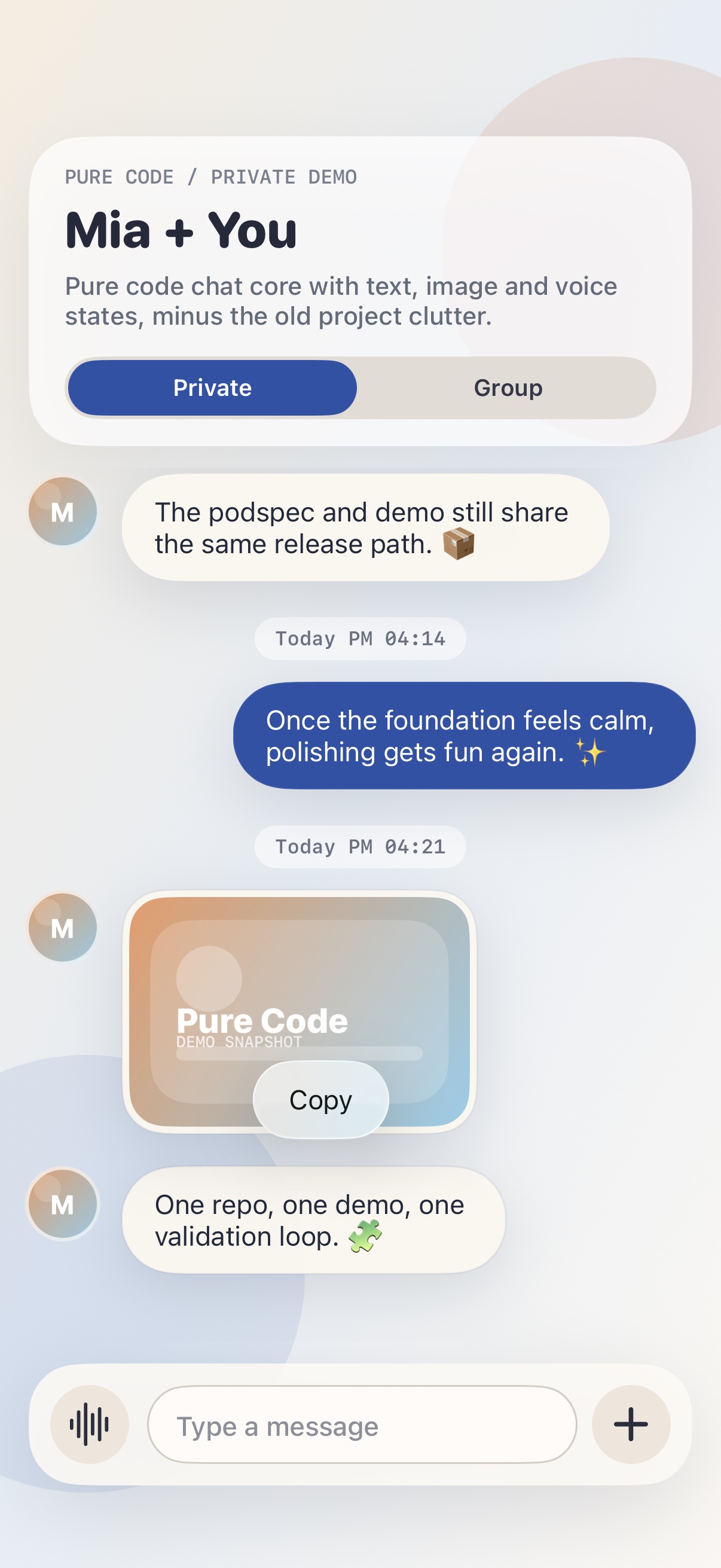
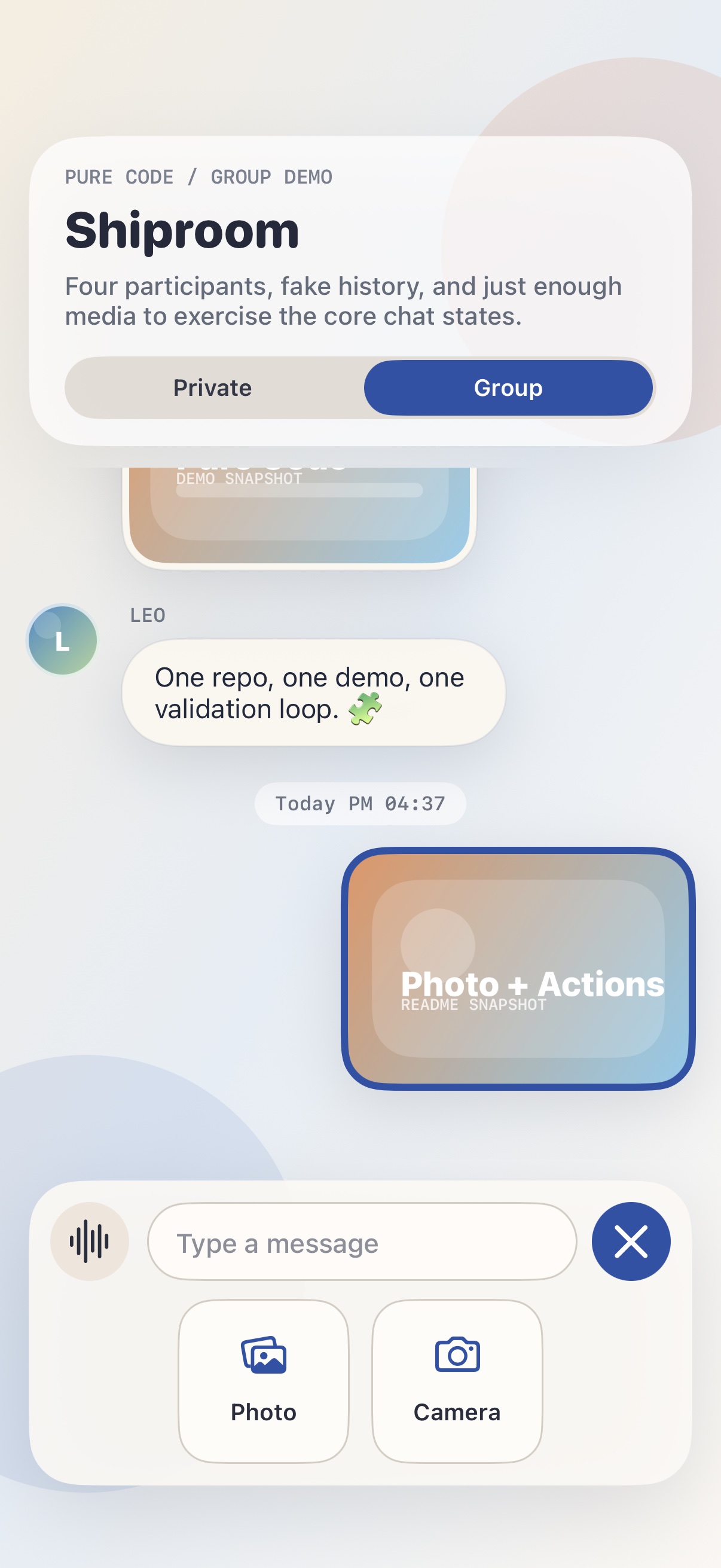
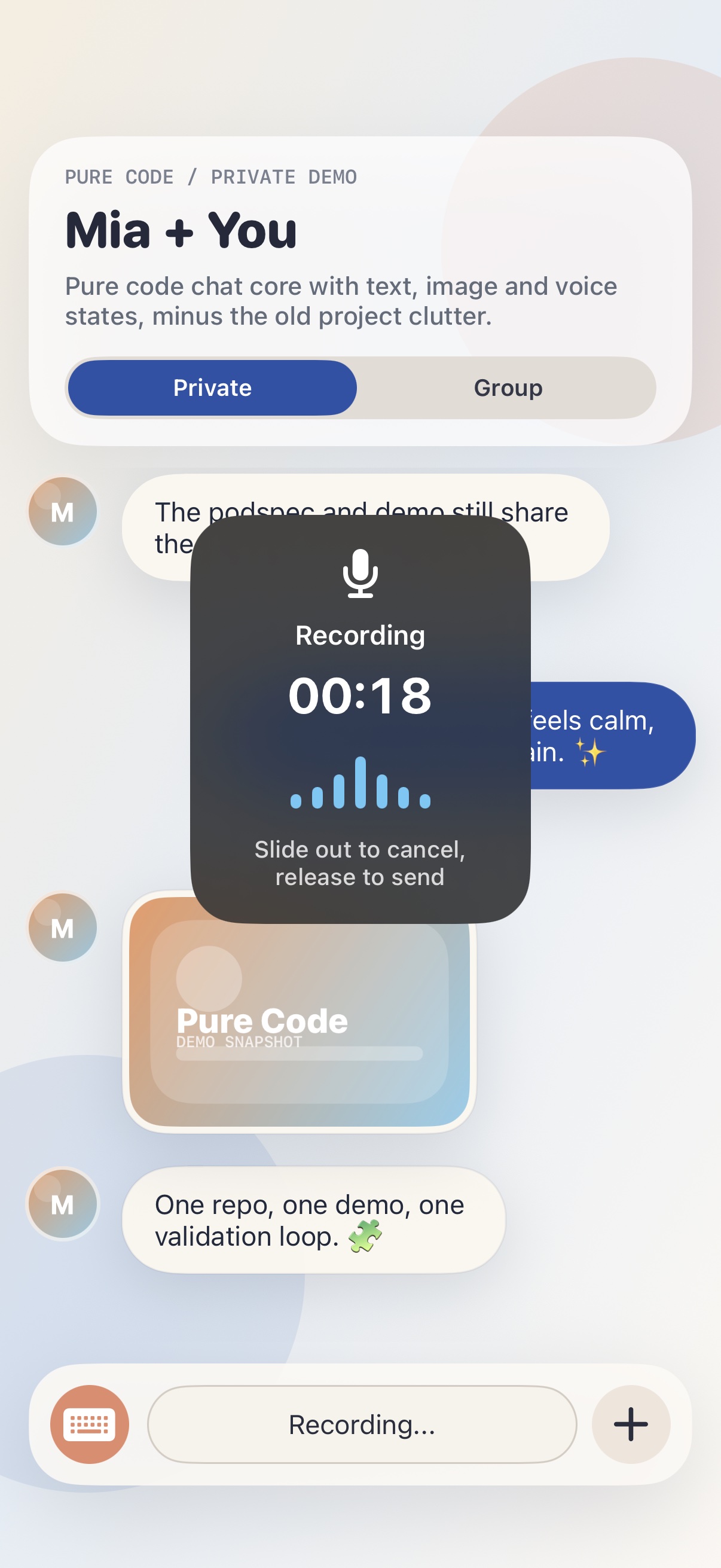
Copy Menu Media Actions Recording HUD
Quick Start
Fastest path
./SetupDemo.command
open Demo/UUChatTableViewDemo.xcworkspace
Manual path
cd Demo
xcodegen generate
pod install
open UUChatTableViewDemo.xcworkspace
Inside the demo
One-to-one chat, multi-participant chat, image bubbles, voice bubbles, pull-to-load history, inline media actions, copy menu, and recording HUD presentation.
Installation
pod 'UUChatTableView'
For local development:
pod 'UUChatTableView', :path => '..'
Platform
Minimum supported version:
iOS 13.0
Typical Usage
The common integration path is small: listen to input callbacks, append a message into your own source of truth, rebuild frames, and render them through the chat table view.
@interface ChatViewController () <UUInputFunctionViewDelegate, UUMessageCellDelegate>
@end

- (void)inputFunctionView:(UUInputFunctionView *)inputFunctionView didSendText:(NSString *)text;
- (void)inputFunctionView:(UUInputFunctionView *)inputFunctionView didSendImage:(UIImage *)image;
- (void)inputFunctionView:(UUInputFunctionView *)inputFunctionView didSendVoiceData:(NSData *)voiceData duration:(NSInteger)duration;
- (void)inputFunctionView:(UUInputFunctionView *)inputFunctionView didSelectCustomActionItem:(UUInputActionItem *)actionItem;
- (void)messageCell:(UUMessageCell *)cell didTapAvatarForUserIdentifier:(NSString *)userIdentifier;
Custom actions can be added with a small configuration block:
self.inputFuncView.customActionItems = @[
    [UUInputActionItem actionItemWithIdentifier:@"file"
                                          title:@"File"
                                systemImageName:@"doc"]
];
Highlights
- Focused chat surface: text, image, and voice are all supported without pulling in unrelated product logic.
- Pure-code input bar: no storyboard dependency, with expandable media actions and voice mode built in.
- Modern media entry: photo picking uses
PHPickerViewControlleron supported systems. - Voice feedback that feels alive: the recording HUD shows duration, waveform level, and cancel messaging.
- Customizable extension point: add your own action items under the input bar without rewriting the component.
At a Glance
| Area | Included |
|---|---|
| Message types | Text, image, and voice |
| Conversation styles | One-to-one and multi-participant demo scenes |
| Input experience | Text send, photo picker, camera entry, voice recording, custom actions |
| Media APIs | PHPickerViewController on iOS 14+ |
| UX details | Copy menu, image preview, waveform HUD, voice playback |
| Setup | XcodeGen + CocoaPods |
Architecture Overview
The project stays intentionally compact: input drives controller callbacks, the data source produces messages, layout frames shape presentation, and cells render the final bubble states.
flowchart LR
    Demo[Demo View Controller]
    Input[UUInputFunctionView]
    Data[UUDemoChatDataSource]
    Message[UUMessage]
    Frame[UUMessageFrame]
    Cell[UUMessageCell]
    Audio[UUAVAudioPlayer / Recording HUD]

    Demo --> Input
    Demo --> Data
    Input --> Demo
    Data --> Message
    Message --> Frame
    Frame --> Cell
    Cell --> Demo
    Cell --> Audio
    Input --> Audio
Message Flow
The runtime flow is straightforward: user input becomes a message, the message becomes layout data, and the table view refreshes into a new visible state.
sequenceDiagram
    participant User
    participant Input as UUInputFunctionView
    participant VC as Demo/View Controller
    participant Source as Chat Data Source
    participant Frame as UUMessageFrame
    participant Table as UITableView

    User->>Input: Type / pick photo / hold to talk
    Input->>VC: Delegate callback
    VC->>Source: Append message
    Source->>Frame: Rebuild layout frames
    VC->>Table: Reload + scroll to bottom
    Table-->>User: Updated bubble state
Core Building Blocks
| Type | Role |
|---|---|
UUMessage |
Message model for sender, content, timestamp, and voice metadata |
UUMessageFrame |
Layout calculator for bubble geometry and cell height |
UUMessageCell |
Bubble renderer for text, image, and voice content |
UUInputFunctionView |
Pure-code input bar with media actions and voice mode |
UUAVAudioPlayer |
Voice playback wrapper |
UUImageAvatarBrowser |
Full-screen image preview helper |
Project Layout
Class/The reusable library source: models, layout, message cells, input UI, audio playback, and image preview helpers.Demo/A pure-code example app generated by XcodeGen and wired through CocoaPods.Docs/Screenshots/README image assets exported from the demo app.SetupDemo.commandOne-step setup script for generating the demo project and installing dependencies.UUChatTableView.podspecCocoaPods definition used for linting and release packaging.
Local Verification
The current repository has been verified with:
xcodegen generatepod installxcodebuild -workspace Demo/UUChatTableViewDemo.xcworkspace -scheme UUChatTableViewDemo -sdk iphonesimulator -configuration Debug -derivedDataPath /tmp/uuchat-deriveddata CODE_SIGNING_ALLOWED=NO buildpod lib lint UUChatTableView.podspec --allow-warnings --skip-tests
Tip
GitHub renders Mermaid diagrams natively. If your local Markdown preview does not, the source is still valid and will render correctly on GitHub.
Explorar proyectos relacionados
Cargando…