
Th3Wall/Fakeflix
Th3Wall/Fakeflix has 4,948 GitHub stars and 666 forks. GitHot measured -1 stars in 24 hours and 0 in 7 days. Last checked 2026-11-12 18:08 UTC. Last push 2024-01-16.
Not the usual clone that you can find on the web.
Crecimiento de estrellas medido
- in 24h
- -1
- in 7 days
- 0
- in 15 days
- Recopilando historial
- in 1 month
- Recopilando historial
Cambios netos en períodos que se solapan, no totales diarios. Los datos no disponibles se dejan en blanco. Las estrellas indican interés, no calidad.
README.md
Original
Fakeflix
Not the usual clone that you can find on the web.

About · Demo · Features · Technologies · Screenshots · Run Locally · Requirements · License · Star history
🎯 About
I have started this project with the purpose of learning how to structure a Web App of a mid-level complexity integrating the Redux logic.
I've tried to replicate the original layout as much as possible and I've also made some improvements in some sections inserting route animations and micro-interactions. I've also inserted a really close clone of Netflix's original splash animation (forked from a famous codepen from Claudio Bonfati), made entirely with CSS, as well as the play animation. I have then sampled the original Netflix "ta-duummm" sound and I made it play along with the two animations.
I put a lot of effort into it and I hope that you could like it.
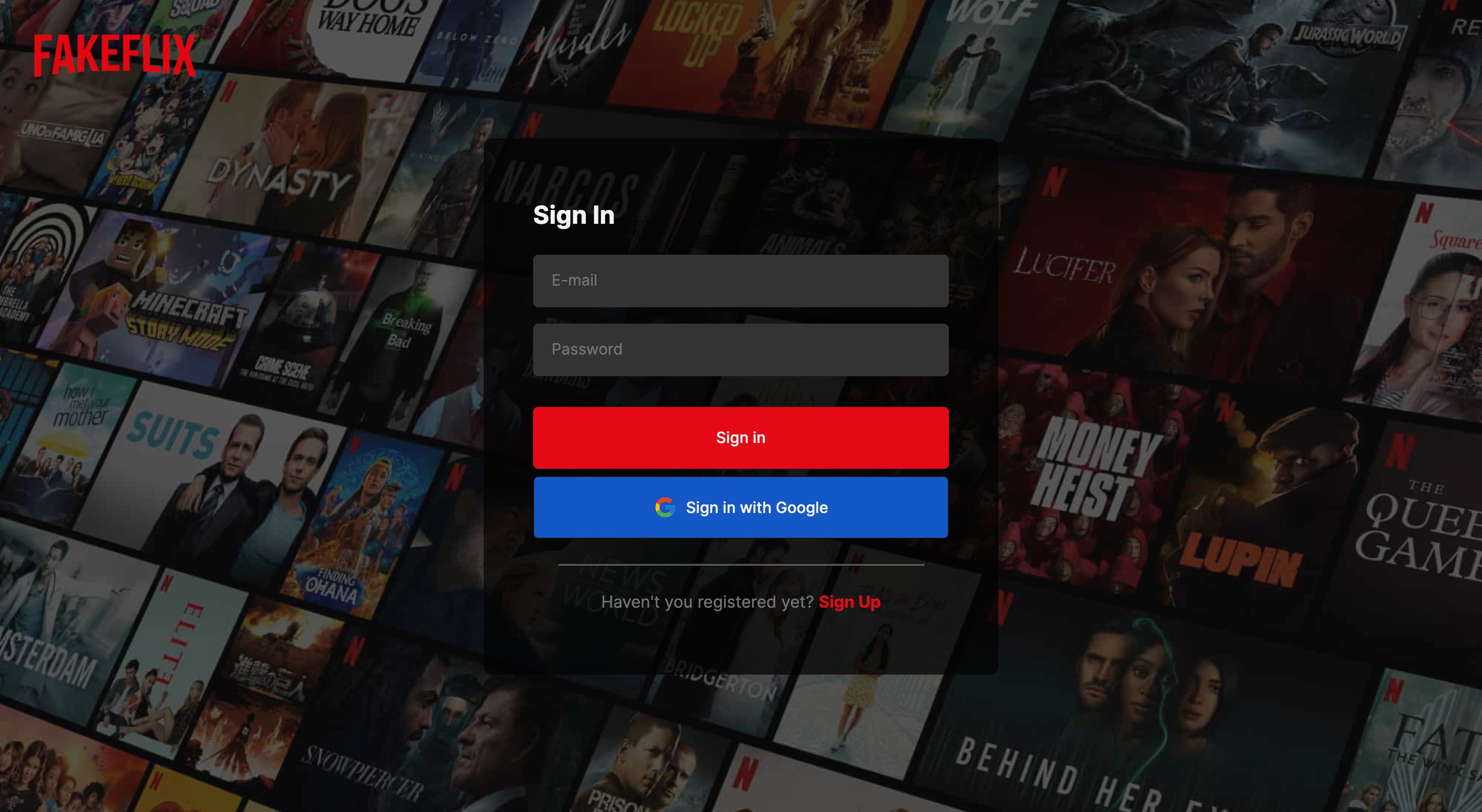
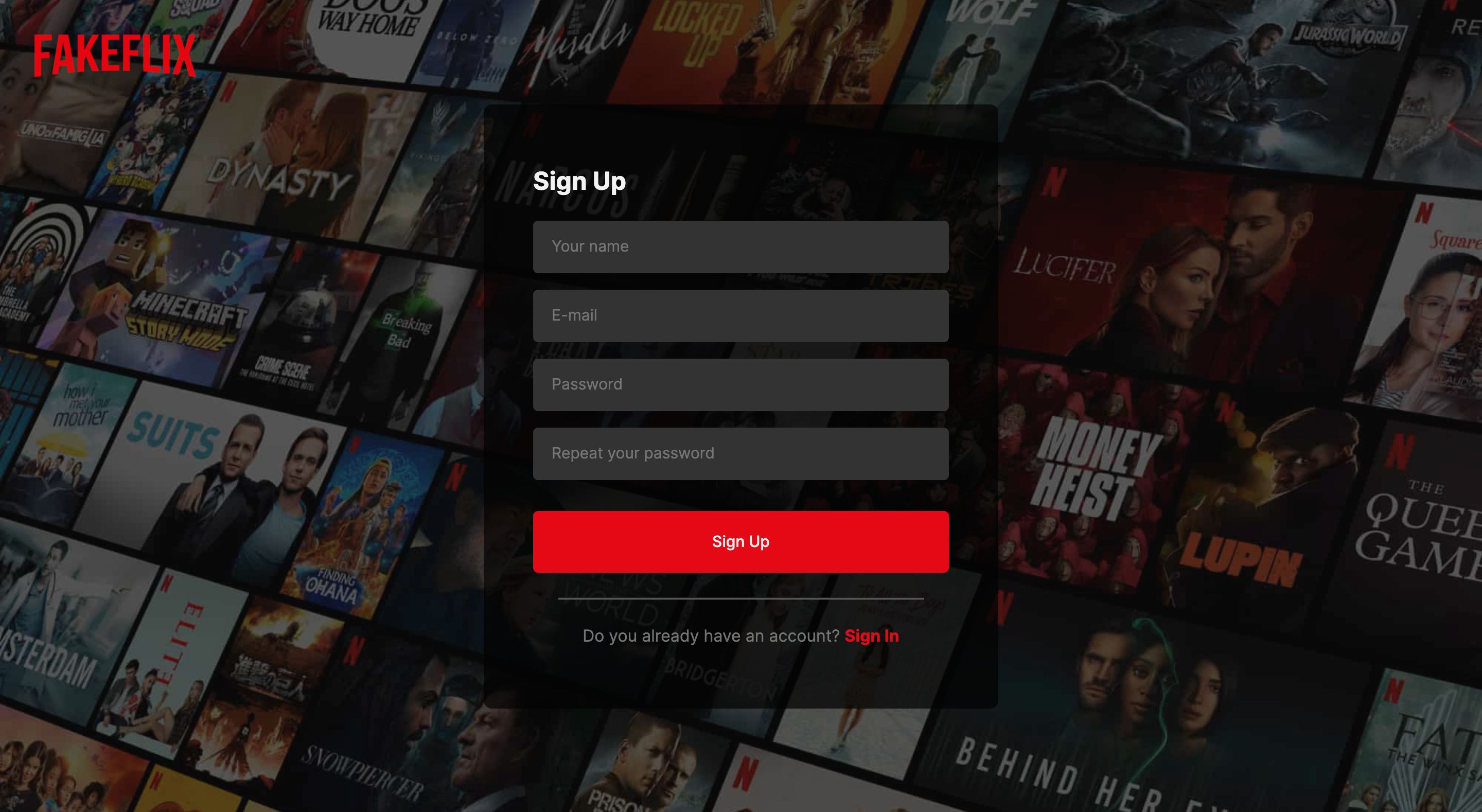
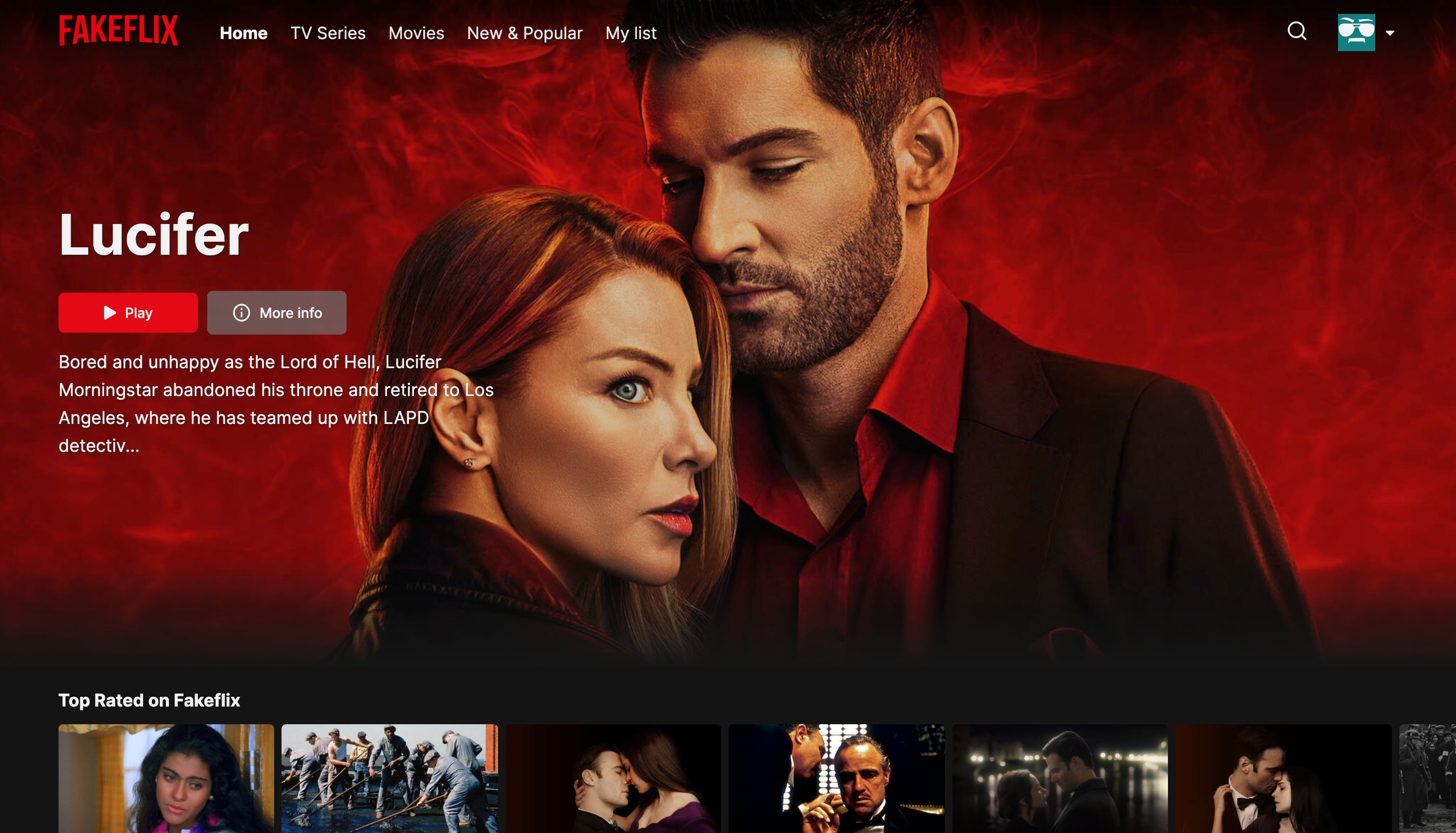
The Web App redirects you to an authentication page, in which you can choose to sign up or to sign in: you can sign in with your custom account or with your Google account. Once you are logged in and after the splash animation, you will land on the homepage, in which you can find a mix of movies and series divided into rows.
Each row represents a movie/series category: you can click on it and you will be redirected to the selected category, a page that loads thousands of movies with an infinite scroll. You can also navigate to the movies page, series page, new & popular page (that contains the upcoming movies/series and the most popular ones) or you can navigate to your favorites page.
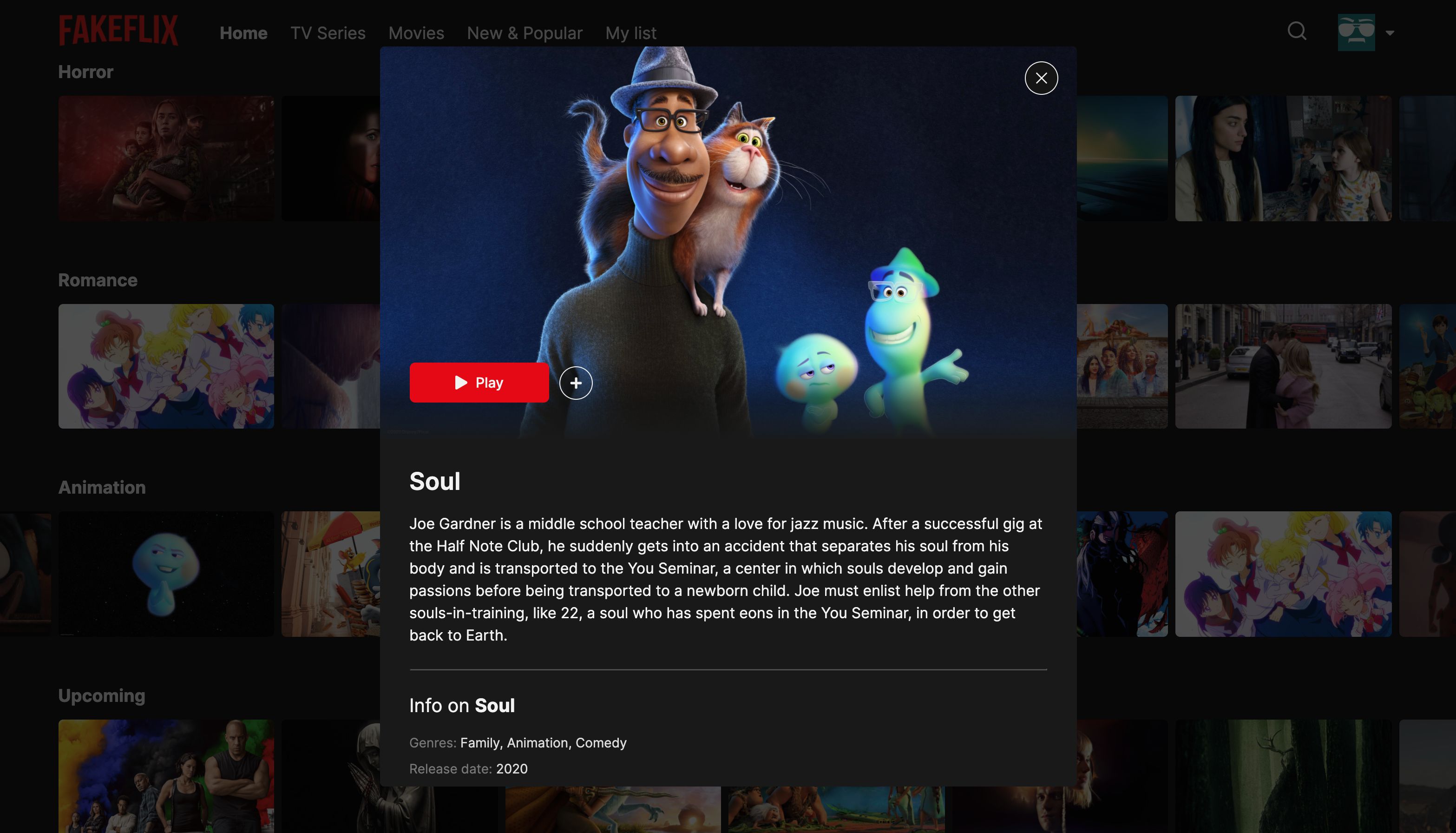
You can add/remove movies/series through the plus and minus buttons that you can find hovering each poster or opening a single movie's detail modal. If you click on the play button you can enjoy a custom CSS-only play animation with Fakeflix's brand name.
You have also the option to search through TMDB's catalogue using the search functionality inside the fixed navbar: you can search by movie name, actor or movie director.
Go try it and please let me know if you enjoyed it with a ⭐️, I would appreciate it a lot.
▶️ Demo
Here you can find the demo link:
Test credentials (for lazy users 😓)
Email: [email protected]
Password: FakeflixTest
I have also added a button that lets you sign in anonymously.
:sparkles: Features
:heavy_check_mark: Display movies and series, old and upcoming, also from the real Netflix
:heavy_check_mark: Category related page with infinite scroll
:heavy_check_mark: Search by title, actor, movie director
:heavy_check_mark: Add/Remove to/from "My list" functionality
:heavy_check_mark: Detail modal with extra informations about the selected movie/series
:heavy_check_mark: Customized splash animation (credits: Claudio Bonfati's pen) with characteristic Netflix sound
:heavy_check_mark: Play animation with characteristic Netflix sound
:heavy_check_mark: Google login
:heavy_check_mark: User Sign In & User Sign Up
:heavy_check_mark: Use of React hooks and custom hooks
:heavy_check_mark: Favourites list persistence (session storage)
:heavy_check_mark: Responsive layout
:heavy_check_mark: Swipeable movies list
:heavy_check_mark: Loading skeletons
:heavy_check_mark: Route animations and micro-interactions (handled with Framer Motion)
:rocket: Technologies
- TMDb API's
- React
- React Hooks
- React Hooks Form
- React Router
- Redux
- Redux Thunk
- Redux Saga
- Redux Persist
- Redux Logger
- Reselect
- Firebase
- SCSS
- SwiperJS
- Framer Motion
- React Icons
- Netlify (have a look below) and Vercel for the deploy and CI.
Deploy configuration steps
- Connect your GitHub account to Netlify
- Select the project
- In Settings → Build & Deploy → Set Build command to : npm run build
- In Settings → Build & Deploy → Set Publish directory to : build
- In Settings → Build & Deploy → Set Environment variables → Click on Edit variables and add yours (ie: TMBd's API key, Firebase configuration).
📸 Screenshots
Sign In
Sign Up
Homepage
Modal Detail
Mobile Experience
Desktop Experience
👨🏻💻 Run Locally
- Clone the project
git clone https://github.com/Th3Wall/Fakeflix
- Go to the project directory
cd fakeflix
- Install dependencies
npm install
Create a .env file
Request an API key from TMDB and them add it to the .env file
REACT_APP_API_KEY=REACT_APP_API_KEY
Create a project inside Google Firebase and export the configuration
Add the configuration inside the .env file created previously
REACT_APP_FIREBASE_API_KEY=REACT_APP_FIREBASE_API_KEY
REACT_APP_FIREBASE_AUTH_DOMAIN=REACT_APP_FIREBASE_AUTH_DOMAIN
REACT_APP_FIREBASE_PROJECT_ID=REACT_APP_FIREBASE_PROJECT_ID
REACT_APP_FIREBASE_STORAGE_BUCKET=REACT_APP_FIREBASE_STORAGE_BUCKET
REACT_APP_FIREBASE_MESSAGING_SENDER_ID=REACT_APP_FIREBASE_MESSAGING_SENDER_ID
REACT_APP_FIREBASE_APP_ID=REACT_APP_FIREBASE_APP_ID
REACT_APP_FIREBASE_MEASUREMEMT_ID=REACT_APP_FIREBASE_MEASUREMEMT_ID
- Start the server
npm start
:white_check_mark: Requirements
Before starting :checkered_flag:, you need to have Git and Node installed.
📝 License
⭐ Star History

Explorar proyectos relacionados
freeCodeCamp/freeCodeCamp
Base de código abierto y plan de estudios de freeCodeCamp.org. Aprende matemáticas, programación y ciencias de la computación gratis.
459,044 estrellasdonnemartin/system-design-primer
Aprende a diseñar sistemas a gran escala y prepárate para la entrevista de diseño de sistemas. Incluye fichas de Anki.
377,699 estrellasreact/react
La biblioteca para interfaces de usuario web y nativas.
252,542 estrellasvuejs/vue
Este es el repositorio de Vue 2. Para Vue 3, visita https://github.com/vuejs/core
212,527 estrellas