
Tengfei-Wang/HFGI has 474 GitHub stars and 50 forks. GitHot measured 0 stars in 24 hours and 0 in 7 days. Last checked 2026-11-18 00:03 UTC. Last push 2022-09-29.
Crecimiento de estrellas medido
- in 24h
- 0
- in 7 days
- 0
- in 15 days
- Actualización retrasada
- in 1 month
- Actualización retrasada
Cambios netos en períodos que se solapan, no totales diarios. Los datos no disponibles se dejan en blanco. Las estrellas indican interés, no calidad.
Acerca de
CVPR 2022 HFGI: High-Fidelity GAN Inversion for Image Attribute Editing
Aprendizaje automáticoREADME.md
OriginalHFGI: High-Fidelity GAN Inversion for Image Attribute Editing (CVPR 2022)
High-Fidelity GAN Inversion for Image Attribute Editing
https://tengfei-wang.github.io/HFGI/
Update: We released the inference code and the pre-trained model on Oct. 31. The training code is coming soon.
Update: We provided a Colab notebook for play.
Update: We released the training code.
paper | supp. | project website | demo video | Colab | online demo
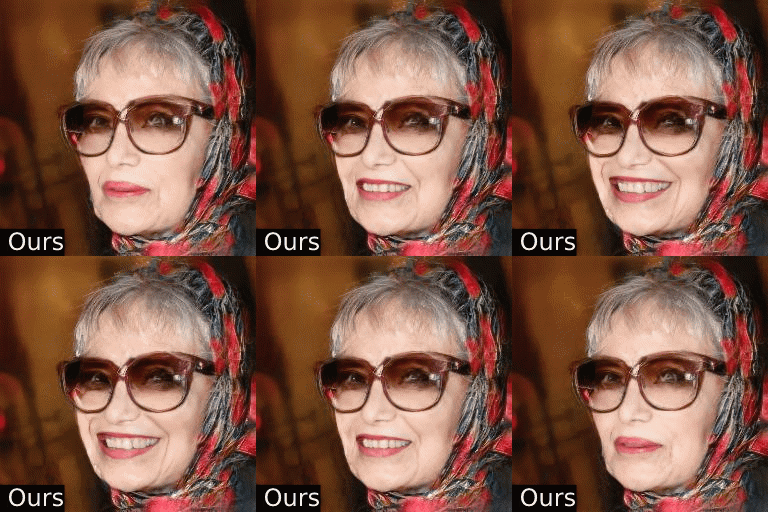
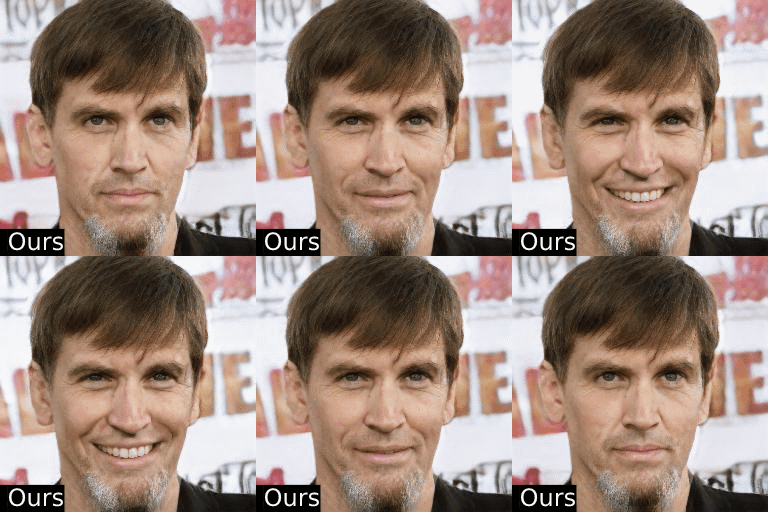
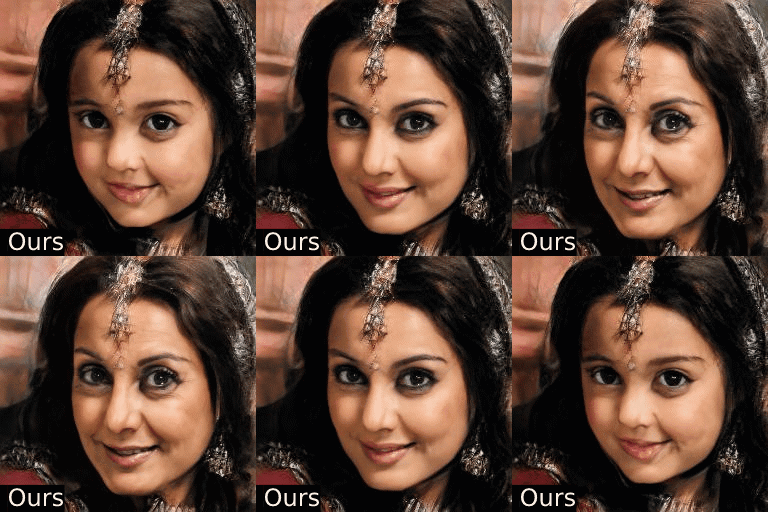
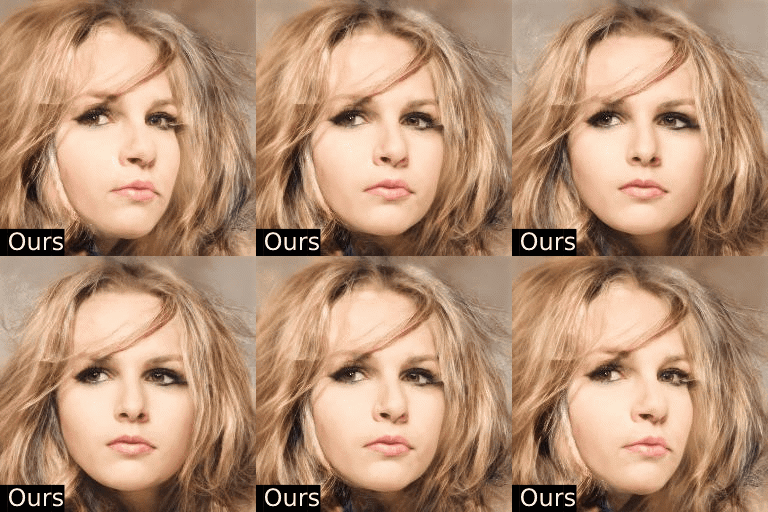
Introduction
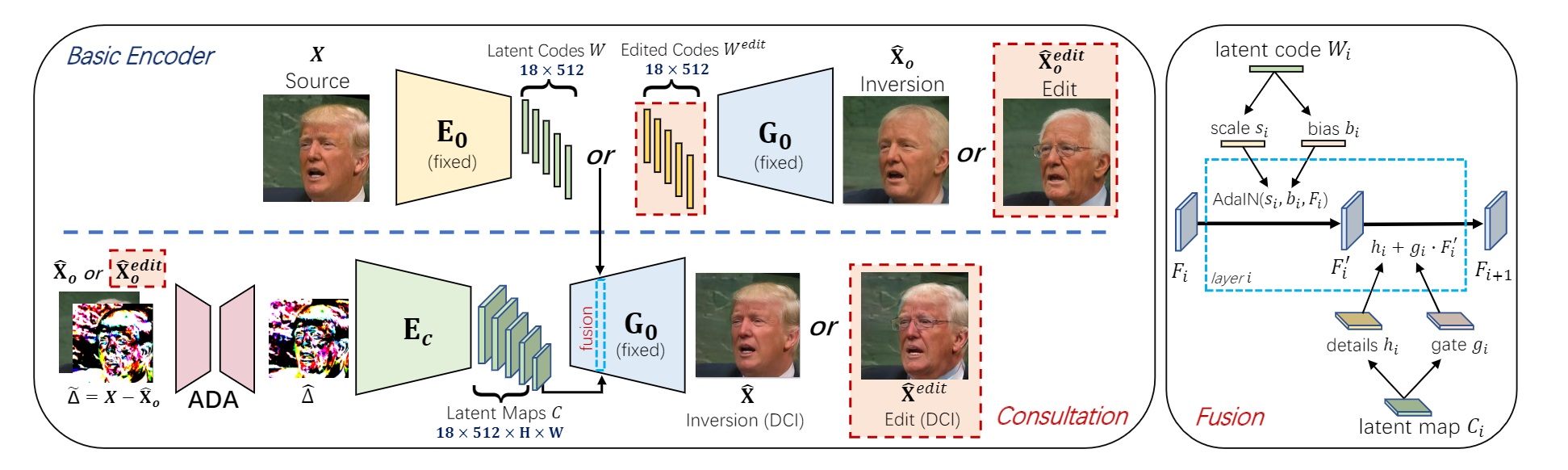
We present a novel high-fidelity GAN inversion framework that enables attribute editing with image-specific details well-preserved (e.g., background, appearance and illumination).
To Do
- Release the inference code
- Release the pretrained model
- Release the training code
Set up
Installation
git clone https://github.com/Tengfei-Wang/HFGI.git
cd HFGI
Environment
The environment can be simply set up by Anaconda (only tested for inference):
conda create -n HFGI python=3.7
conda activate HFGI
pip install torch==1.6.0+cu101 torchvision==0.7.0+cu101 -f https://download.pytorch.org/whl/torch_stable.html
pip install matplotlib
conda install ninja
conda install -c 3dhubs gcc-5
Or, you can also set up the environment from the provided environment.yml:
conda env create -f environment.yml
Quick Start
Pretrained Models
Please download our pre-trained model and put it in ./checkpoint.
| Model | Description |
|---|---|
| Face Editing | Trained on FFHQ. |
Prepare Images
We put some images from CelebA-HQ in ./test_imgs, and you can quickly try them (and other images from CelebA-HQ or FFHQ).
For customized images, it is encouraged to first pre-process (align & crop) them, and then edit with our model. See FFHQ
for alignment details.
Inference
Modify inference.sh according to the follwing instructions, and run:
(It is possibly slow for the first-time running.)
bash inference.sh
| Args | Description |
|---|---|
| --images_dir | the path of images. |
| --n_sample | number of images that you want to infer. |
| --edit_attribute | We provide options of 'inversion', 'age', 'smile', 'eyes', 'lip' and 'beard' in the script. |
| --edit_degree | control the degree of editing (works for 'age' and 'smile'). |
Training
Preparation
- Download datasets and modify the dataset path in
./configs/paths_config.pyaccordingly. - Download some pretrained models and put them in
./pretrained.
| Model | Description |
|---|---|
| StyleGAN2 (FFHQ) | Pretrained face generator on FFHQ from rosinality. |
| e4e (FFHQ) | Pretrained initial encoder on FFHQ from omertov. |
| Feature extractor (for face) | Pretrained IR-SE50 model taken from TreB1eN for ID loss calculation. |
| Feature extractor (for car) | Pretrained ResNet-50 model taken from omertov for ID loss calculation. |
Start Training
Modify option and training.sh and run:
bash train.sh
Video Editing
The source videos and edited results in our paper can be found in this link.
For video editing, we first pre-process (align & crop) each frame, and then perform editing with the pre-trained model.
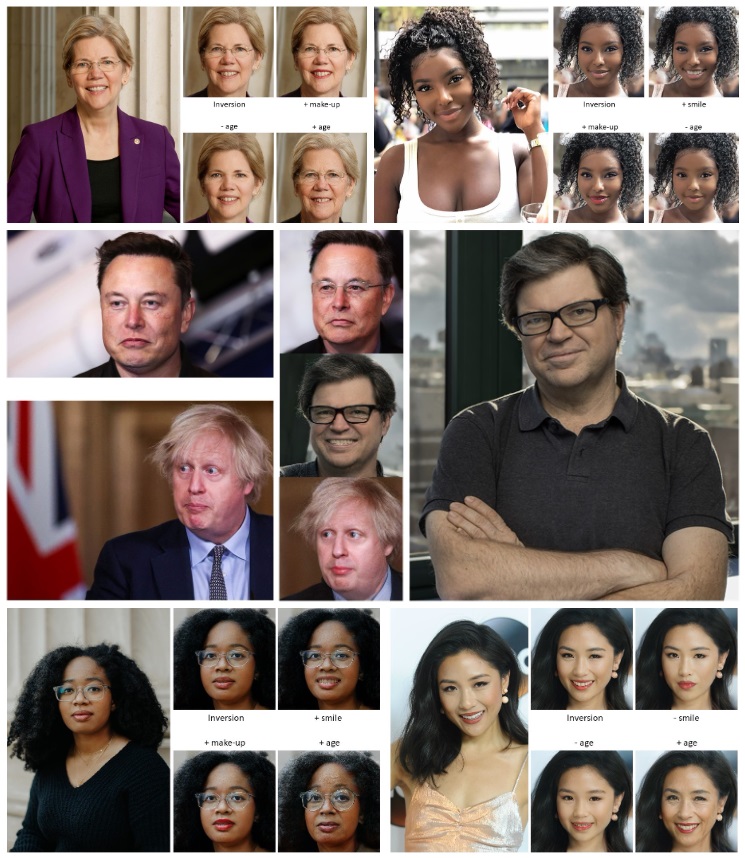
More Results
Citation
If you find this work useful for your research, please cite:
@inproceedings{wang2021HFGI,
  title={High-Fidelity GAN Inversion for Image Attribute Editing},
  author={Wang, Tengfei and Zhang, Yong and Fan, Yanbo and Wang, Jue and Chen, Qifeng},
  booktitle = {Proceedings of the IEEE/CVF Conference on Computer Vision and Pattern Recognition (CVPR)},
  year={2022}
}
Acknowledgement
Thanks to omertov for sharing their code.