
SquidSec/SquidC5
Acerca de
Security-first AI-native C5 teamserver (Command · Control · Cognitive · Collaborative · Coordination) for authorized red team & pentest. Built by SquidSec.
SeguridadWhat you can do
- Scoped API tokens + immutable audit hash chain (sc5 audit-verify)
- Dual AI - MCP off by default; INKO neural operator chat (connection + model switcher, railed tools) + Admin AI capabilities; optional local Ollama
- Native implant - agents/sc5beacon (Go): AEAD, sleep/jitter/kill/hours, files, SOCKS reverse-dial
- Implant factory - sc5 implants build / POST /api/v1/implants/build
Crecimiento de estrellas medido
- in 24h
- 0
- in 7 days
- 0
- in 15 days
- Recopilando historial
- in 1 month
- Recopilando historial
Cambios netos en períodos que se solapan, no totales diarios. Los datos no disponibles se dejan en blanco. Las estrellas indican interés, no calidad.
README.md
OriginalSquidC5
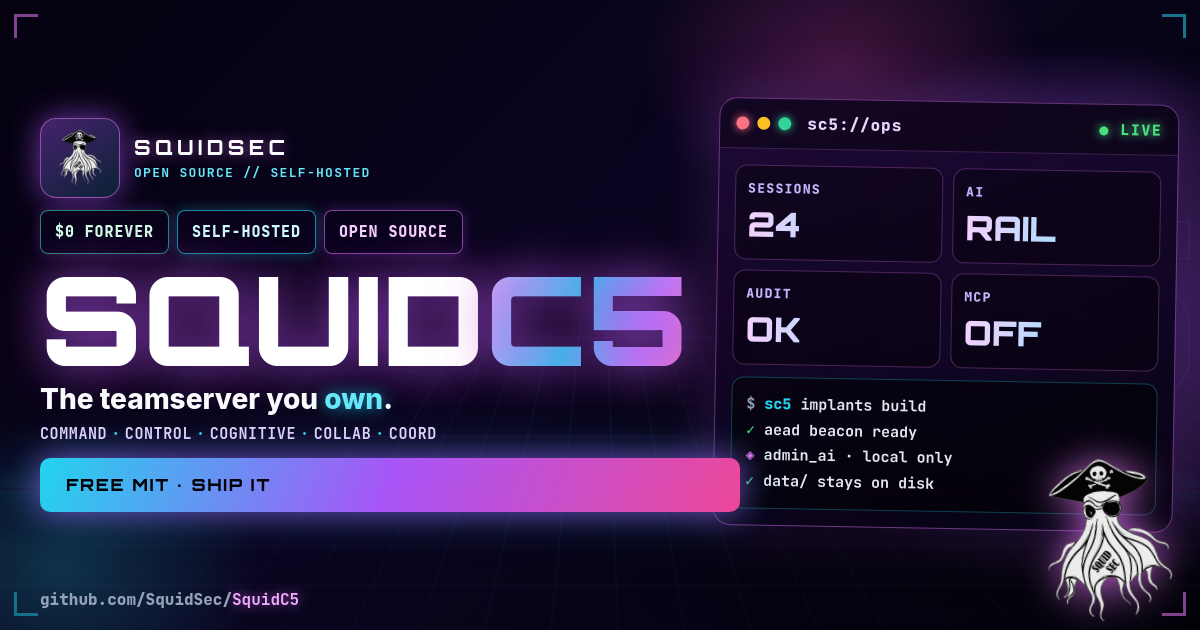
A SquidSec Open Source Project
SquidOffense.com /
GitHub /
Docs




Command / Control / Cognitive / Collaborative / Coordination
Security-first, AI-native C5 teamserver for authorized red team and penetration testing. Built by SquidSec.
Authorized use only. Unauthorized access is illegal.
▶ Watch SquidC5 on YouTube
·
youtu.be/UPGqVn81mVw
What C5 means
| Pillar | Role |
|---|---|
| Command | Tasking shells, beacons, native implants |
| Control | Scoped tokens, policy, HITL, feature flags |
| Cognitive | INKO (Intelligent Neural Kinetic Operator) + sandboxed Admin AI + restricted MCP |
| Collaborative | Teams, handoff, per-operator audit |
| Coordination | Profiles, OAST, timeline, reports |
Features
- Scoped API tokens + immutable audit hash chain (
sc5 audit-verify) - Dual AI - MCP off by default; INKO neural operator chat (connection + model switcher, railed tools) + Admin AI capabilities; optional local Ollama
- Native implant -
agents/sc5beacon(Go): AEAD, sleep/jitter/kill/hours, files, SOCKS reverse-dial - Implant factory -
sc5 implants build/POST /api/v1/implants/build - Malleable C2 profiles - Ops Profiles page; transforms (base64, prepend/append, xor, netbios) + profile push
- Artifacts - save/reuse payloads, custom templates, and generated assets in Ops
- OAST Collaborator - DNS / HTTP / SMTP out-of-band hit capture (
sc5 oast) - TLS certificate library - Admin PEM upload/activate (restart to serve)
- SOCKS5 pivot - operator proxy with implant reverse-dial duplex or direct mode
- File ops -
file:list|read|write|delete(+ chunk offset/length) - Engagement ROE - banned commands, end time, HITL file-write
- Multi-op collab - session claim/lock, handoff packs, spectator, presence, team chat, per-op audit
- Ops console - multi-page nav (Sessions, Assets, Listeners, OAST, Keys, Payloads, Profiles, Artifacts, Post-Ex, Collab, INKO, Observe, Admin), mobile drawer, INKO flyout, Notify alerts (shell, beacon, OAST), resizable dock
- Beacon task results - Sessions -> Tasks shows completed output, not only the pending queue
- Secure defaults - TLS on, empty CORS (no null), no public OpenAPI, admin.js gated, MCP scoped+HITL, implant AEAD on all listeners
- Binary CI - Linux/Windows server+CLI, native agents, SBOM
Quick start (Docker lab)
docker compose up --build -d
curl -sk https://127.0.0.1:8443/api/v1/health
docker compose exec squidc5 cat /data/admin_token.txt
# Ops UI: https://127.0.0.1:8443/ops
Quick start (local)
python3 -m venv .venv && source .venv/bin/activate
pip install -r requirements-dev.txt && pip install -e .
squidc5
# token: data/admin_token.txt
Binaries
Every push to master builds and releases:
https://github.com/SquidSec/SquidC5/releases/latest
| Asset | Role |
|---|---|
squidc5-linux-x64 |
Teamserver (amd64) |
sc5-linux-x64 |
Operator CLI (amd64) |
squidc5-linux-arm64 |
Teamserver (Raspberry Pi / aarch64) |
sc5-linux-arm64 |
Operator CLI (Raspberry Pi / aarch64) |
sc5beacon-* (CI artifact) |
Native implant |
SHA256SUMS.txt / sbom.cdx.json |
Integrity |
chmod +x squidc5-linux-x64 && ./squidc5-linux-x64
./sc5-linux-x64 login --url https://HOST:8443 --token sc5_... --insecure
Prod deploy: binary only from main CI. See docs/deployment.md.
Operator CLI
sc5 login --url https://HOST:8443 --token sc5_... --insecure
sc5 sessions list
sc5 implants build --os linux --arch amd64 C2_HOST 8443
sc5 policy hitl list
sc5 audit-verify
sc5 backup ./backup.db
sc5 ai opsec_review --data "listeners on 443"
Native beacon
cd agents/sc5beacon && go mod tidy && go build -o sc5beacon .
export SC5_URL="https://C2:8443/api/v1/implant/beacon"
export SC5_PSK="$(cat /path/to/data/implant_psk.txt)"
./sc5beacon # TLS verifies system CAs (use real cert or lab CA)
Docs: agents/sc5beacon/README.md
API (selected)
| Area | Path |
|---|---|
| Health | GET /api/v1/health / GET /api/v1/health/deep |
| Implant build | POST /api/v1/implants/build |
| File ops | POST /api/v1/files/op |
| SOCKS | POST /api/v1/pivot/socks |
| Profile push | POST /api/v1/profiles/{id}/push |
| Engagement | GET/PUT /api/v1/engagement |
| HITL | GET /api/v1/policy/hitl |
| Audit verify | GET /api/v1/audit/verify |
| INKO chat (ops) | POST /api/v1/ai/chat / GET /api/v1/ai/tools |
| Admin AI capabilities | POST /api/v1/ai/run / GET /api/v1/ai/status |
| LLM connections | GET/POST /api/v1/llm / PATCH /api/v1/llm/{id} / POST /api/v1/llm/models |
| Assets / artifacts | GET/POST/DELETE /api/v1/assets |
| OAST | POST /api/v1/oast/tokens / GET /api/v1/oast/hits |
| TLS cert library | GET/POST /api/v1/tls/certs / activate |
Auth: Authorization: Bearer <token>. No public OpenAPI on the server.
Documentation
Docs follow Diátaxis: tutorials & how-tos (runbook/deploy), reference (user guide + AGENTS), explanation (vision/threat model). Full catalog: docs/README.md.
| Doc | Link |
|---|---|
| Docs index | docs/README.md |
| User guide | docs/user-guide.md |
| Operator runbook | docs/operator-runbook.md |
| Deployment | docs/deployment.md |
| Threat model | docs/threat-model.md |
| Vision | docs/squidc5-vision.md |
| Roadmap 2026-2027 | docs/roadmap-2026-2027.md |
| Five-star program | docs/roadmap-five-star.md |
| Prod readiness | docs/prod-readiness-plan.md |
| Changelog | CHANGELOG.md |
| Contributing | CONTRIBUTING.md |
| Security | SECURITY.md |
| Agents (CLI + AI memory) | AGENTS.md |
Configuration
See .env.example. All settings use the SQUIDC5_ prefix.
| Variable | Default | Notes |
|---|---|---|
SQUIDC5_TLS_ENABLED |
true |
HTTPS |
SQUIDC5_MCP_ENABLED |
false |
External AI tools |
SQUIDC5_IMPLANT_REQUIRE_AUTH |
true |
AEAD beacons |
SQUIDC5_LOCAL_LLM_ENABLED |
false |
Opt-in Ollama path |
SQUIDC5_LOCAL_LLM_BASE_URL |
http://127.0.0.1:11434/v1 |
Ollama-compatible |
SQUIDC5_LOCAL_LLM_MODEL |
llama3.2 |
Model id when enabled |
SQUIDC5_RATE_LIMIT_PER_MINUTE |
60 |
Raise for ops UI (e.g. 600) |
SQUIDC5_PUBLIC_HOST |
empty | Stage-2 / SOCKS data host |
Security model
- Deny by default / scoped tokens / server-side HITL
- INKO / Admin AI: capability + chat-tool allow-lists,
sanitize_untrusted, audited tool calls - Implant AEAD / no skip-verify in native agent
- Audit chain + verify / engagement ROE
- SquidGate on PRs
Development
pytest -q
ruff check src tests
# optional: cd agents/sc5beacon && go build .
Git cycle: feature branch → tests → PR → green CI → merge master. Never push straight to master.
CI note: org workflows run on SquidSec self-hosted runners and only execute same-repo PRs (fork PRs are not scheduled on those runners). External contributors should run pytest -q and ruff check src tests locally before opening a PR. See CONTRIBUTING.md.
About SquidSec
SquidSec - U.S. veteran-owned security. Sister project: SquidGate.
License
MIT - LICENSE.
Disclaimer
For authorized security testing and education only. Authors are not responsible for misuse.
Explorar proyectos relacionados
Cargando…