
SecurityFTW/cs-suite
SecurityFTW/cs-suite has 1,172 GitHub stars and 208 forks. GitHot measured 0 stars in 24 hours and 0 in 7 days. Last checked 2026-11-12 05:30 UTC. Last push 2022-12-08.
Cloud Security Suite - One stop tool for auditing the security posture of AWS/GCP/Azure infrastructure.
Crecimiento de estrellas medido
- in 24h
- 0
- in 7 days
- 0
- in 15 days
- Actualización retrasada
- in 1 month
- Actualización retrasada
Cambios netos en períodos que se solapan, no totales diarios. Los datos no disponibles se dejan en blanco. Las estrellas indican interés, no calidad.
README.md
OriginalCloud Security Suite (cs-suite) - Version 3.0
Usage
usage: cs.py [-h] -env {aws,gcp,azure,digitalocean} -aip AUDIT_IP -u USER_NAME -pem
             PEM_FILE [-p] [-pId PROJECT_ID] [-az_u AZURE_USER]
             [-az_p AZURE_PASS] [-o OUTPUT] [-w] [-n NUMBER]

this is to get IP address for lynis audit only

optional arguments:
  -h, --help            show this help message and exit
  -env {aws,gcp,azure,digitalocean}, --environment {aws,gcp,azure,digitalocean}
                        The cloud on which the test-suite is to be run
  -aip AUDIT_IP, --audit_ip AUDIT_IP
                        The IP for which lynis Audit needs to be done .... by
                        default tries root/Administrator if username not
                        provided
  -u USER_NAME, --user_name USER_NAME
                        The username of the user to be logged in,for a
                        specific user
  -pem PEM_FILE, --pem_file PEM_FILE
                        The pem file to access to AWS instance
  -p, --password        hidden password prompt
  -pId PROJECT_ID, --project_id PROJECT_ID
                        Project ID for which GCP Audit needs to be run. Can be
                        retrivied using `gcloud projects list`
  -az_u AZURE_USER, --azure_user AZURE_USER
                        username of azure account, optionally used if you want
                        to run the azure audit with no user interaction.
  -az_p AZURE_PASS, --azure_pass AZURE_PASS
                        username of azure password, optionally used if you
                        want to run the azure audit with no user interaction.
  -o OUTPUT, --output OUTPUT
                        writes a log in JSON of an audit, ideal for
                        consumptions into SIEMS like ELK and Splunk. Defaults
                        to cs-audit.log
  -w, --wipe            rm -rf reports/ folder before executing an audit
  -n, --number          Retain number of report to store for a particular
                        environment and user/project.
Requirements
- Operating System OSX or Linux only
- python 2.7
- pip
- git
- jq
- gcc (for sshpass installation (OS Audit). Not a mandatory pre-requisite)
- AWS Audit - AWS ReadOnly Keys
- GCP Audit - gcloud setup
- Azure Audit - Azure user read-only access
- DigitalOcean Audit - DigitalOcean API key and SPACES access_key and access_secret
Installation
(in order to avoid missing with the already installed python libraries)
- get project
git clone https://github.com/SecurityFTW/cs-suite.git && cd cs-suite/ - install virtualenv
pip install virtualenv - create a python 2.7 local enviroment
virtualenv -p python2.7 venv - activate the virtual enviroment
source venv/bin/activate - install project dependencies
pip install -r requirements.txt - run the tool via
python cs.py --help
AWS Configuration
- In AWS create a IAM user with at least the following policy
arn:aws:iam::aws:policy/ReadOnlyAccess - In your local install aws cli
brew install awsclifor OSX - Configure AWS cli
aws configure
GCP Configuration
- create a project in GCP
- enable the Cloud resource manager API
- create a service account, download its key JSON and place it under
cs-suite/tools/G-Scout/keyfile.json) - Install google cloud sdk
- configure google clound sdk
gcloud init
Azure Configuration
- signup and have logged in already to azure.microsoft.com
- install azure CLI
brew install az - authenticate the azure cli
az login, you should see your subscription type if it was successful, simiarly to the response below:
[
  {
    "cloudName": "AzureCloud",
    "id": "xxxxx-5595-4da5-bc27-xxxeeee",
    "isDefault": true,
    "name": "Free Trial",
    "state": "Enabled",
    "tenantId": "xxxxx-18e9-41a4-961b-xxxxx",
    "user": {
      "name": "[email protected]",
      "type": "user"
    }
  }
]
DigitalOcean Configuration
- create Personal Access Tokens and Spaces Access keys cloud.digitalocean.com
- set the credentials by running export
export DO_KEY=*********************
export DO_ACCESS_KEY=*******************
export DO_SECRET_KEY=****************************
Running cs-suite
To run AWS Audit - python cs.py -env aws
To run GCP Audit - python cs.py -env gcp -pId <project_name>
To run Azure Audit - python cs.py -env azure
To run DigitalOcean Audit - python cs.py -env digitalocean
The final report will be available in
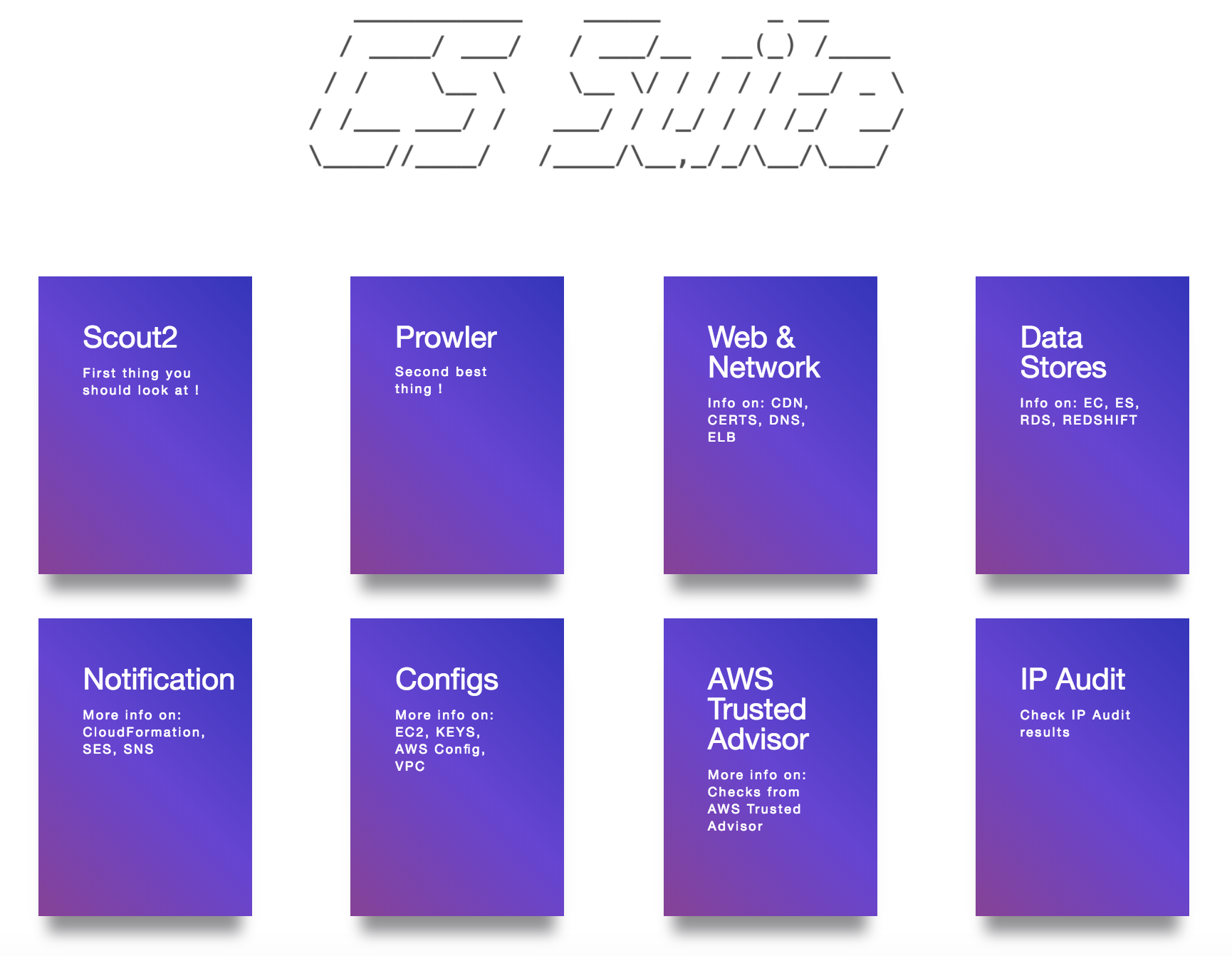
reportsdirectoryThe final AWS Audit report looks like below:
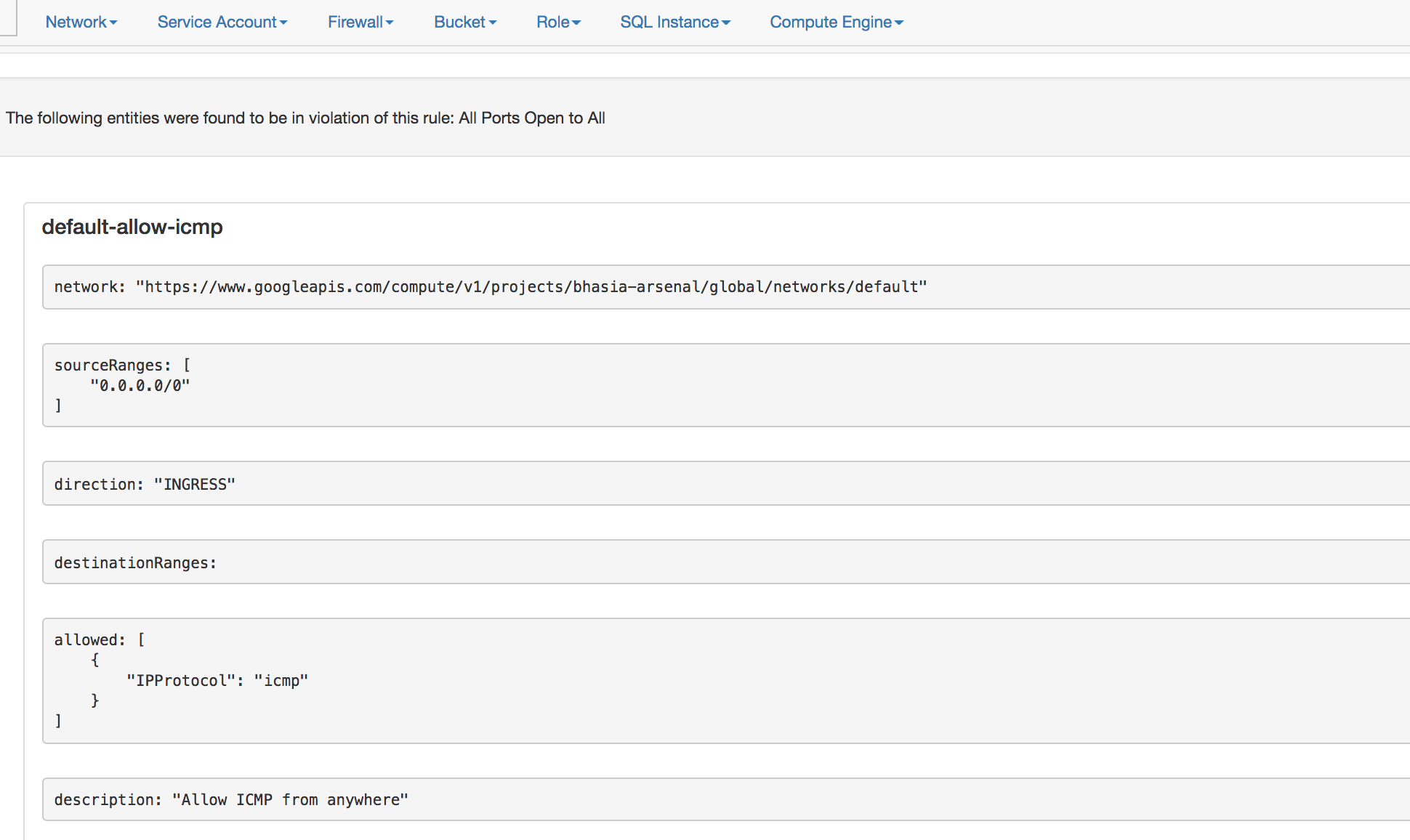
- The final GCP Audit report looks like below:
Docker Setup
Create a local directory
awswithcredentialsandconfigfilesThe
configfile looks like below
$ cat aws/config

[default]
output = json
region = us-east-1
- The
credentialsfile looks like below
$ cat aws/credentials

[default]
aws_access_key_id = XXXXXXXXXXXXXXX
aws_secret_access_key = XXXXXXXXXXXXXXXXXXXXXXXXX
Note: This tool requires arn:aws:iam::aws:policy/ReadOnlyAccess IAM policy
- Then run the follwing docker command to start (passing your specific enviroment)
docker run -v `pwd`/aws:/root/.aws -v `pwd`/reports:/app/reports securityftw/cs-suite -env aws
Documentation
Thanks
- Scout2 - https://github.com/nccgroup/Scout2
- Prowler - https://github.com/Alfresco/prowler
- Lunar - https://github.com/lateralblast/lunar
- Lynis - https://github.com/CISOfy/lynis
- G-Scout - https://github.com/nccgroup/G-Scout
- @alanrenouf - https://github.com/alanrenouf/Windows-Workstation-and-Server-Audit
- Ranjeet Sengar - https://github.com/sengar23
Explorar proyectos relacionados
trimstray/the-book-of-secret-knowledge
Una colección de listas inspiradoras, manuales, chuletas, blogs, trucos, comandos de una línea, herramientas de CLI y web, y más.
257,960 estrellasHack-with-Github/Awesome-Hacking
Una colección de diversas listas awesome para hackers, pentesters e investigadores de seguridad.
125,360 estrellasswisskyrepo/PayloadsAllTheThings
Una lista de payloads y métodos de bypass útiles para la seguridad de aplicaciones web y para pentesting/CTF.
82,623 estrellascaddyserver/caddy
Servidor web HTTP/1-2-3 rápido, extensible y multiplataforma con HTTPS automático
79,020 estrellas