
Raathigesh/majestic
Raathigesh/majestic has 7,437 GitHub stars and 169 forks. GitHot measured -1 stars in 24 hours and -2 in 7 days. Last checked 2026-11-11 05:33 UTC. Last push 2022-05-03.
⚡ GUI sin configuración para Jest
Crecimiento de estrellas medido
- in 24h
- -1
- in 7 days
- -2
- in 15 days
- Recopilando historial
- in 1 month
- Recopilando historial
Cambios netos en períodos que se solapan, no totales diarios. Los datos no disponibles se dejan en blanco. Las estrellas indican interés, no calidad.
README.md
Original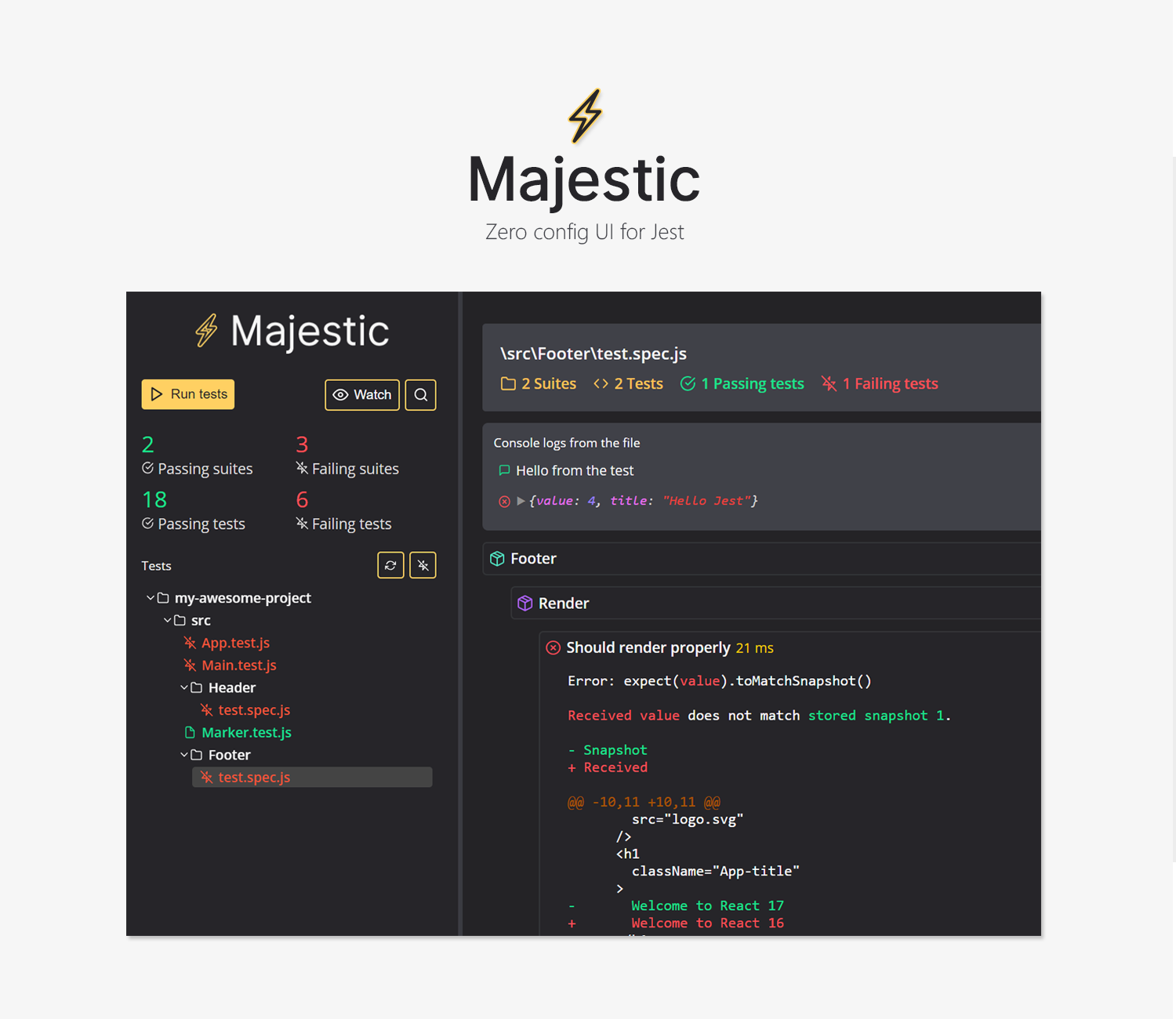




Majestic is a GUI for Jest
- ✅ Run all the tests or a single file
- ⏱ Toggle watch mode
- 📸 Update snapshots
- ❌ Examine test failures as they happen
- ⏲ Console.log() to the UI for debugging
- 🚔 Built-in coverage report
- 🔍 Search tests
- 💎 Works with flow and typescript projects
- 📦 Works with Create react app
Majestic supports Jest 20 and above
Get started
Run majestic via npx in a project directory
cd ./my-jest-project # go into a project with Jest
npx majestic # execute majestic
or install Majestic globally via Yarn and run majestic
yarn global add majestic # install majestic globally
cd ./my-jest-project # go into a project with Jest
majestic # execute majestic
or install Majestic globally via Npm and run majestic
npm install majestic -g # install majestic globally
cd ./my-jest-project # go into a project with Jest
majestic # execute majestic
Running as an app
Running with the --app flag will launch Majestic as a chrome app.
Optional configuration
You can configure Majestic by adding majestic key to package.json.
// package.json
{
    "majestic": {
        // if majestic fails to find the Jest package, you can provide it here. Should be relative to the package.json
        "jestScriptPath": "../node_modules/jest/bin/jest.js",
        // if you want to pass additional arguments to Jest, do it here
        "args": ['--config=./path/to/config/file/jest.config.js'],
        // environment variables to pass to the process
        "env": {
          "CI": "true"
        }
    }
}
Optional configuration in project with multiple Jest configuration files
{
    "majestic": {
        "jestScriptPath": "../node_modules/jest/bin/jest.js",
        "configs": {
          "config1": {
            "args": [],
            "env": {}
          },
          "config2": {
            "args": [],
            "env": {}
          }
        }
    }
}
Arguments
--config - Will use this config from the list supplied in optional configuration.
--debug - Will output extra debug info to console. Helps with debugging.
--noOpen - Will prevent from automatically opening the UI url in the browser.
--port - Will use this port if available, else Majestic will pick another free port.
--version - Will print the version of Majestic and will exit.
Shortcut keys
alt+t - run all tests
alt+enter - run selected file
alt+w - watch
alt+s - search
escape - close search
Troubleshooting
Have a look at some of the common workarounds.
Contribute
Have a look at the contribution guide.
Contributors
Thanks goes to these wonderful people (emoji key):


This project follows the all-contributors specification. Contributions of any kind welcome!
Explorar proyectos relacionados
codecrafters-io/build-your-own-x
Domina la programación recreando desde cero tus tecnologías favoritas.
561,789 estrellaspublic-apis/public-apis
Una lista colectiva de API gratuitas
498,140 estrellasmorluto/rea
Ingeniería inversa de cualquier cosa con agentes, desde el comportamiento de la aplicación hasta los binarios nativos.
452,085 estrellasopenclaw/openclaw
La IA que de verdad hace las cosas. Cualquier sistema operativo y cualquier plataforma. Al estilo langosta. 🦞
394,344 estrellas