
BinaryMuse/planetary.js
BinaryMuse/planetary.js has 1,619 GitHub stars and 177 forks. GitHot measured -1 stars in 24 hours and -1 in 7 days. Last checked 2026-11-12 22:08 UTC. Last push 2024-03-19.
Crecimiento de estrellas medido
- in 24h
- -1
- in 7 days
- -1
- in 15 days
- Actualización retrasada
- in 1 month
- Actualización retrasada
Cambios netos en períodos que se solapan, no totales diarios. Los datos no disponibles se dejan en blanco. Las estrellas indican interés, no calidad.
Acerca de
:earth_americas: Awesome interactive globes for the web
Web y aplicacionesREADME.md
OriginalPlanetary.js
Planetary.js is a JavaScript library for building awesome interactive globes, like this one:
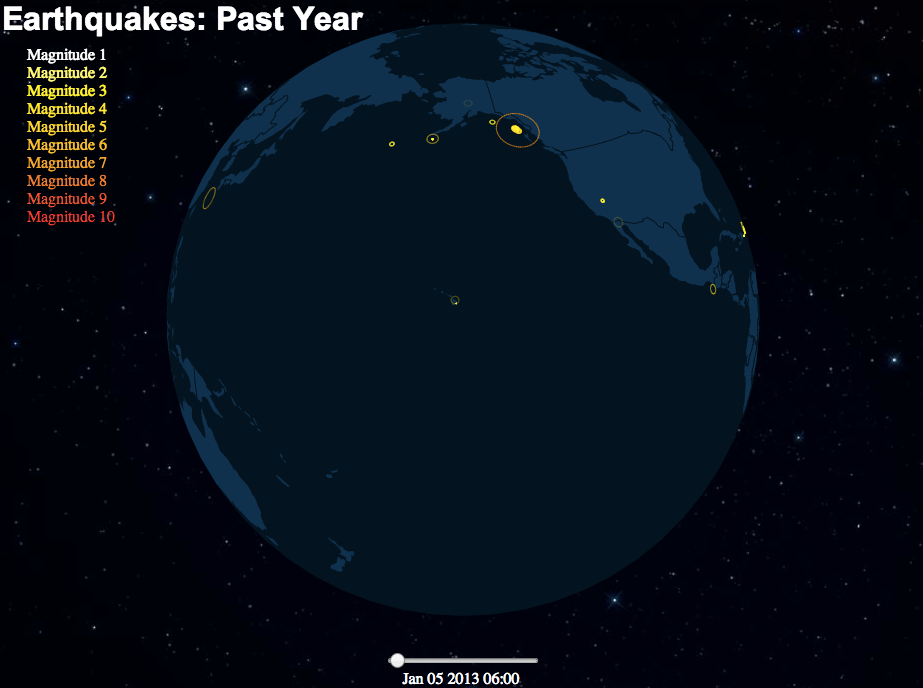
Planetary.js is based on D3.js and TopoJSON. It has built-in support for zoom, rotation, mouse interaction, and displaying animated "pings" at any coordinate. Via plugins, Planetary.js can be extended to do whatever you want!
Examples, documentation, and more can be found at planetaryjs.com.
Requirements
Download
Download Planetary.js from the Planetary.js web site.
Quick Start
You'll need to run this page from a web server of some kind so that Planetary.js can load the TopoJSON data via Ajax.
HTML:
<html>
<head>
  <script type='text/javascript' src='http://d3js.org/d3.v3.min.js'></script>
  <script type='text/javascript' src='http://d3js.org/topojson.v1.min.js'></script>
  <script type='text/javascript' src='planetaryjs.min.js'></script>
</head>
<body>
  <canvas id='globe' width='500' height='500'></canvas>
  <script type='text/javascript' src='yourApp.js'></script>
</body>
</html>
JavaScript (yourApp.js):
var planet = planetaryjs.planet();
// You can remove this statement if `world-110m.json`
// is in the same path as the HTML page:
planet.loadPlugin(planetaryjs.plugins.earth({
  topojson: { file: 'http/path/to/world-110m.json' }
}));
// Make the planet fit well in its canvas
planet.projection.scale(250).translate([250, 250]);
var canvas = document.getElementById('globe');
planet.draw(canvas);
Congratulations! You've rendered your first globe.
Documentation
In-depth documentation can be found at planetaryjs.com.
Building
Building the project requires Node.js. Once you've installed the project's dependencies with npm install, you can build the JavaScript to the dist directory with npm run build.
License
Planetary.js is licensed under the MIT license. See the LICENSE file for more information.
Explorar proyectos relacionados
freeCodeCamp/freeCodeCamp
Base de código abierto y plan de estudios de freeCodeCamp.org. Aprende matemáticas, programación y ciencias de la computación gratis.
459,089 estrellasdonnemartin/system-design-primer
Aprende a diseñar sistemas a gran escala y prepárate para la entrevista de diseño de sistemas. Incluye fichas de Anki.
377,769 estrellasreact/react
La biblioteca para interfaces de usuario web y nativas.
252,576 estrellasvuejs/vue
Este es el repositorio de Vue 2. Para Vue 3, visita https://github.com/vuejs/core
212,527 estrellas