
BCsl/CursorWheelLayout
BCsl/CursorWheelLayout has 729 GitHub stars and 145 forks. GitHot measured -1 stars in 24 hours and -3 in 7 days. Last checked 2026-11-25 05:23 UTC. Last push 2020-11-20.
Crecimiento de estrellas medido
- in 24h
- -1
- in 7 days
- -3
- in 15 days
- Recopilando historial
- in 1 month
- Recopilando historial
Cambios netos en períodos que se solapan, no totales diarios. Los datos no disponibles se dejan en blanco. Las estrellas indican interés, no calidad.
Acerca de
Un widget de Android para seleccionar elementos dispuestos en una rueda giratoria.
Herramientas de desarrolloREADME.md
OriginalCursorWheelLayout
CursorWheelLayout is an Android library that allows view to be placed on a rotatable wheel. It behaves like a Circular ListView where items rotate rather than scroll vertically(but without view recycle strategy).
CursorWheelLayout consists of two components , the center item with id id_wheel_menu_center_item and the menu items that provided by CycleWheelAdapter.
The CursorWheelLayout can be used as a way to select one item from a list. The wheelSelectedAngle attribute determines what position on the wheel is selected.
You can also receive a callback for when an item is clicked, and whether it is selected. Have a look at the sample for a working example!
Screenshot
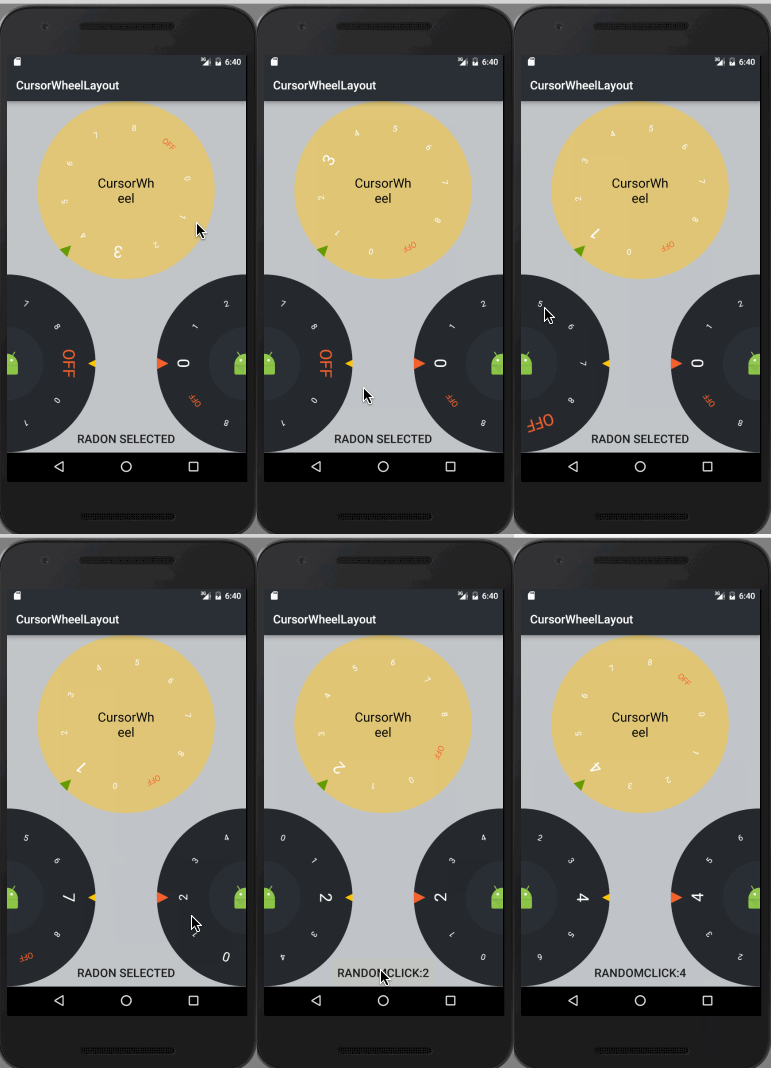
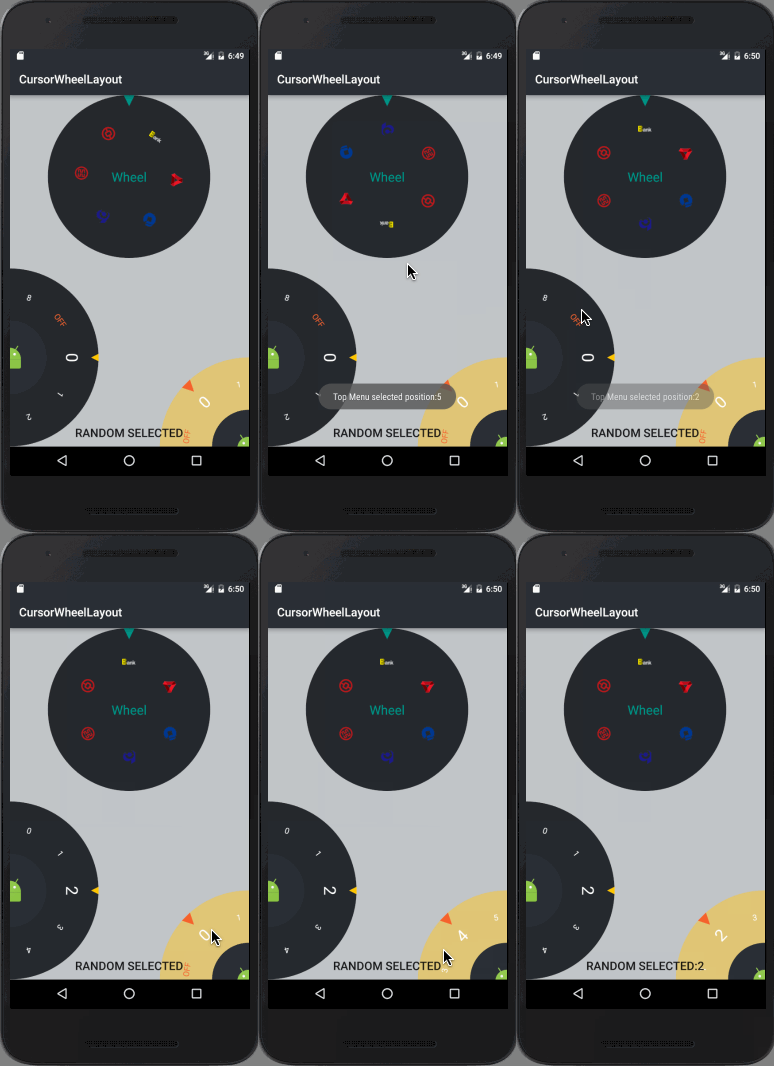
Apk
Setup
Gradle
compile 'github.hellocsl:CursorWheelLayout:1.1.0'
Maven
<dependency>
  <groupId>github.hellocsl</groupId>
  <artifactId>CursorWheelLayout</artifactId>
  <version>1.1.0</version>
  <type>pom</type>
</dependency>
Usage
- Add a custom view in Xml
  <github.hellocsl.cursorwheel.CursorWheelLayout
        android:id="@+id/test_circle_menu_right"
        android:layout_width="306dip"
        android:layout_height="306dip"
        android:layout_gravity="center_vertical|right|bottom"
        android:layout_marginBottom="-153dp"
        android:layout_marginRight="-153dip"
        app:wheelBackgroundColor="@color/colorAccent_Translucent"
        app:wheelCursorColor="@color/red"
        app:wheelCursorHeight="20dip"
        app:wheelFlingValue="460"
        app:wheelSelectedAngle="225">

        <github.hellocsl.cursorwheellayout.widget.SwitchButton
            android:id="@id/id_wheel_menu_center_item"
            android:layout_width="wrap_content"
            android:layout_height="wrap_content"
            app:boardWidth="0dip"
            app:uncheckRevealColor="#ff2a2f36"
        />
    </github.hellocsl.cursorwheel.CursorWheelLayout>
- Define your
WheelCycleAdapter
public class SimpleTextAdapter implements CursorWheelLayout.CycleWheelAdapter{

        public int getCount(){
        //...
        }

        public View getView(View parent, int position){
        //...
        }

        public Object getItem(int position){
        //...
        }

}
- Set your
WheelCycleAdaptersimilar to how you would set an adapter with a ListView
        SimpleTextAdapter simpleTextAdapter = new SimpleTextAdapter(this, menuItemDatas);
        mTestCircleMenuLeft.setAdapter(simpleTextAdapter);
Listener
- A listener for when the closest item to the
SelectionAnglechanges.
      mTestCircleMenuTop.setOnMenuSelectedListener(new CursorWheelLayout.OnMenuSelectedListener() {
            @Override
            public void onItemSelected(CursorWheelLayout parent, View view, int pos) {
                Toast.makeText(MainActivity.this, "Top Menu selected position:" + pos, Toast.LENGTH_SHORT).show();
            }
        });
- A listener for when an item is clicked.
        mTestCircleMenuTop.setOnMenuItemClickListener(new CursorWheelLayout.OnMenuItemClickListener() {
            @Override
            public void onItemClick(View view, int pos) {
                Toast.makeText(MainActivity.this, "Top Menu click position:" + pos, Toast.LENGTH_SHORT).show();

            }
        });
Useful attributes
Here are the custom attributes that can be declared in xml:
- wheelSelectedAngle
- wheelPaddingRadio
- wheelCenterRadio
- wheelItemRadio
- wheelFlingValue
- wheelCursorHeight
- wheelCursorColor
- wheelBackgroundColor
- wheelItemRotateMode
Refer to
http://blog.csdn.net/lmj623565791/article/details/43131133
License
Apache License Version 2.0 http://apache.org/licenses/LICENSE-2.0.txt
Explorar proyectos relacionados
Cargando…