
Aidenable/Blueprint
Aidenable/Blueprint has 29 GitHub stars and 1 forks. Star changes are not measured yet. Last checked 2026-11-11 07:18 UTC. Last push 2026-09-02.
ER schemas on a FigJam-like infinite canvas
Crecimiento de estrellas medido
- in 24h
- Actualización retrasada
- in 7 days
- Recopilando historial
- in 15 days
- Recopilando historial
- in 1 month
- Recopilando historial
Cambios netos en períodos que se solapan, no totales diarios. Los datos no disponibles se dejan en blanco. Las estrellas indican interés, no calidad.
README.md
Original
Blueprint
Draw your database on an infinite canvas, then take the SQL with you.
AI-built
Install · What it does · Export · MCP server · Roadmap
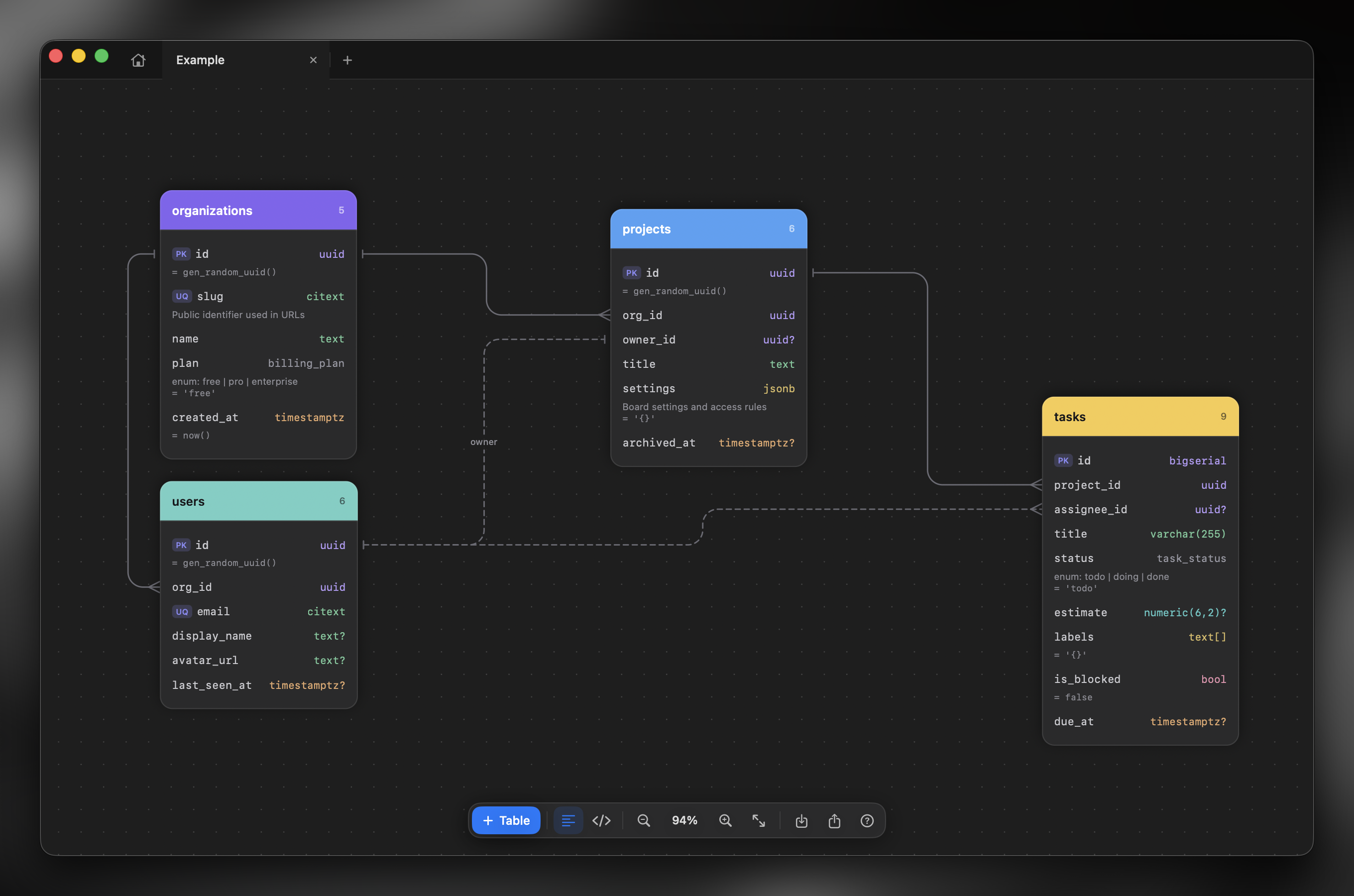
Every project starts the same way: a few tables sketched somewhere, a couple of arrows between them, and a vague feeling that this will do for now. Then the sketch stays in a whiteboard tab nobody opens again, while the real schema drifts away in migrations.
Blueprint is a small macOS app for that first sketch. It feels like a whiteboard — pan, zoom,
drag things around — but it knows what a table is. So the picture you drew turns into
CREATE TABLE instead of staying a picture.
Install
macOS 14 or newer, Xcode 16 (or just the Swift 6 toolchain).
git clone https://github.com/Aidenable/Blueprints.git
cd Blueprints
./scripts/build-app.sh
build/Blueprint.app is a normal app — drag it to /Applications.
What it does
You lay out tables the way you think about them. A card holds fields; a field has a name, a type and whatever else matters — a default, a description, keys and constraints. Types come from PostgreSQL, but nothing stops you from typing your own enum name. Everything is edited by double-clicking it, right where it sits.
Enums are cards of their own: name at the top, values underneath, CREATE TYPE in the export.
A field can carry a CHECK expression, which travels into the DDL with it.
Links go from a field to a field. Pick the cardinality and Blueprint knows the rest: which side owns the foreign key, what to generate, what needs a join table. Routes stay tidy on their own, and you can always move a line by hand.
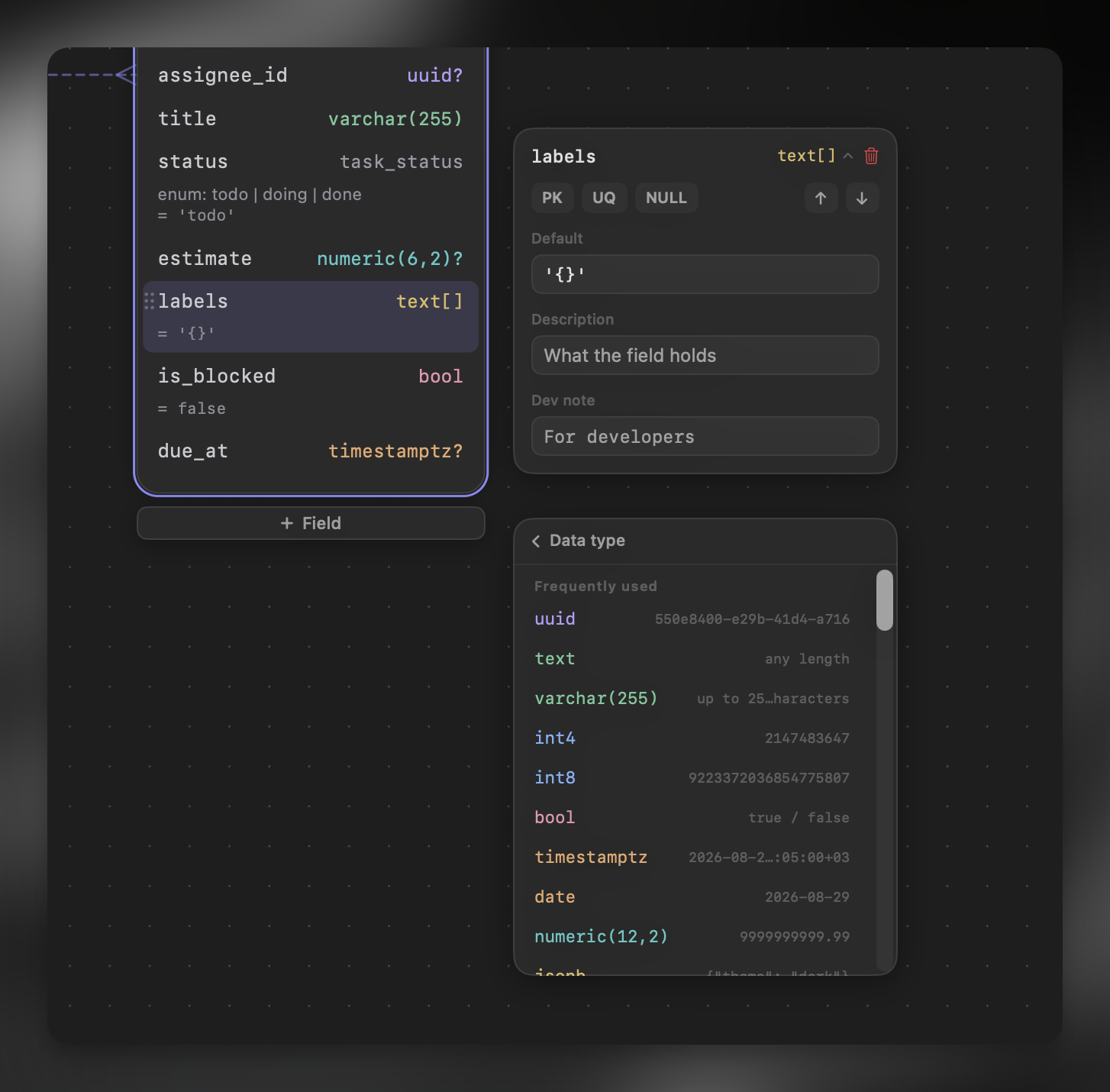
The canvas is more than tables. Sticky notes hold a question, a decision, a "fix before launch"; plain text labels a region; a code snippet keeps the query or the model you are working from right next to the tables, highlighted in one of six languages; screenshots and mockups paste straight in with ⌘V; and the pen draws over all of it when a circle and an arrow explain more than words. Everything travels into the exported image and the SVG together with the schema.
Schemas open as tabs, and the home screen keeps all of them with live previews and projects to sort them into. The library is a plain folder on disk — the files are yours, visible in Finder, easy to back up, comfortable in a git repository.
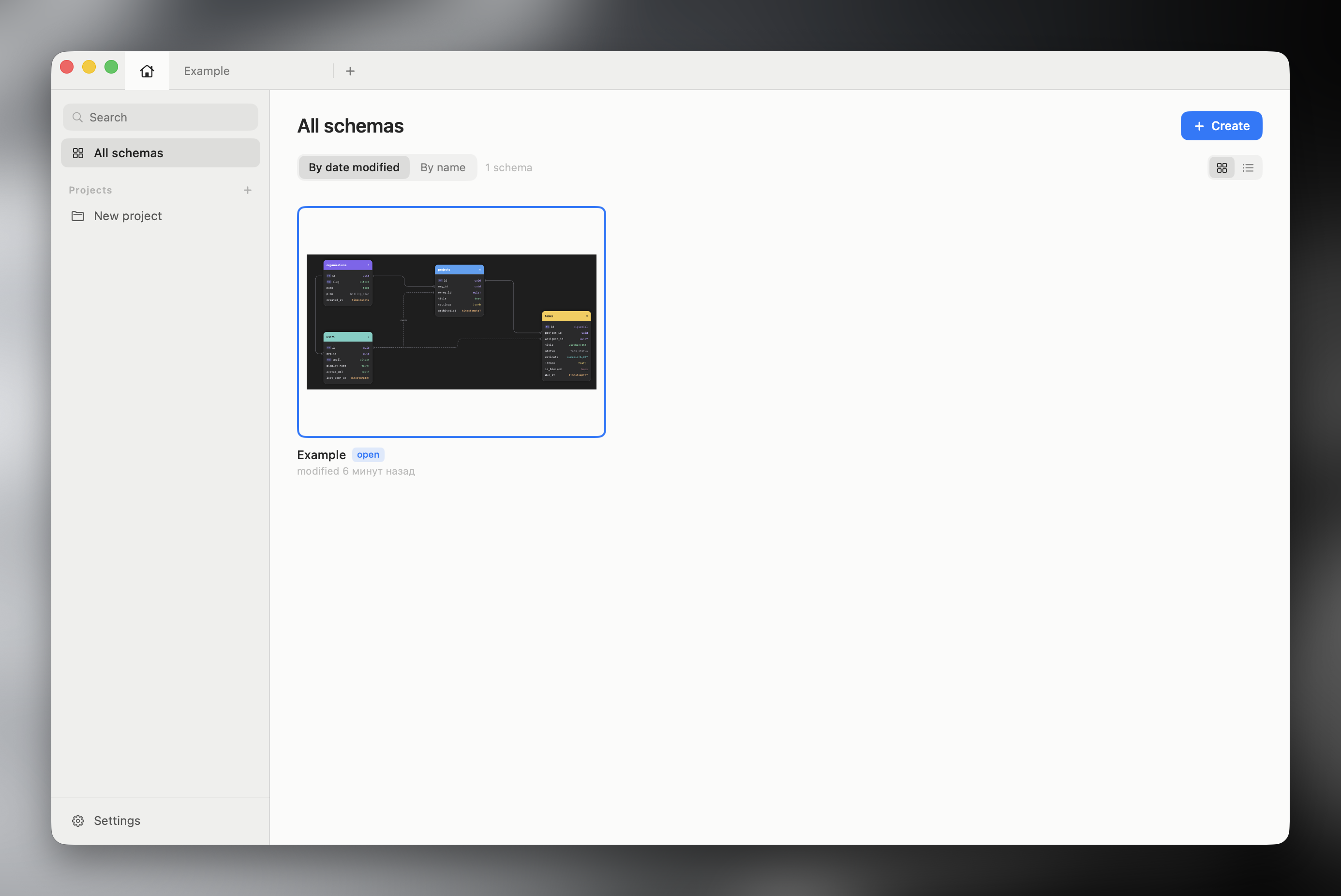
Light and dark themes, English and Russian, autosave, and your tabs come back on the next launch.
Export and import
| Format | What you get |
|---|---|
| SQL | PostgreSQL DDL: tables, constraints, foreign keys, comments |
| SVG | Vector copy of the canvas — paste it straight into FigJam |
| JPEG / PNG | The picture, exactly as you see it |
| Mermaid ERD | Text for Mermaid plugins |
| DBML | For dbdiagram.io |
| Migration | ALTER TABLE script against an earlier version of the same schema |
It reads SQL too. Point the importer at a pg_dump --schema-only and you get a diagram of a
database you inherited, laid out and ready to explore.
Let an agent edit the schema
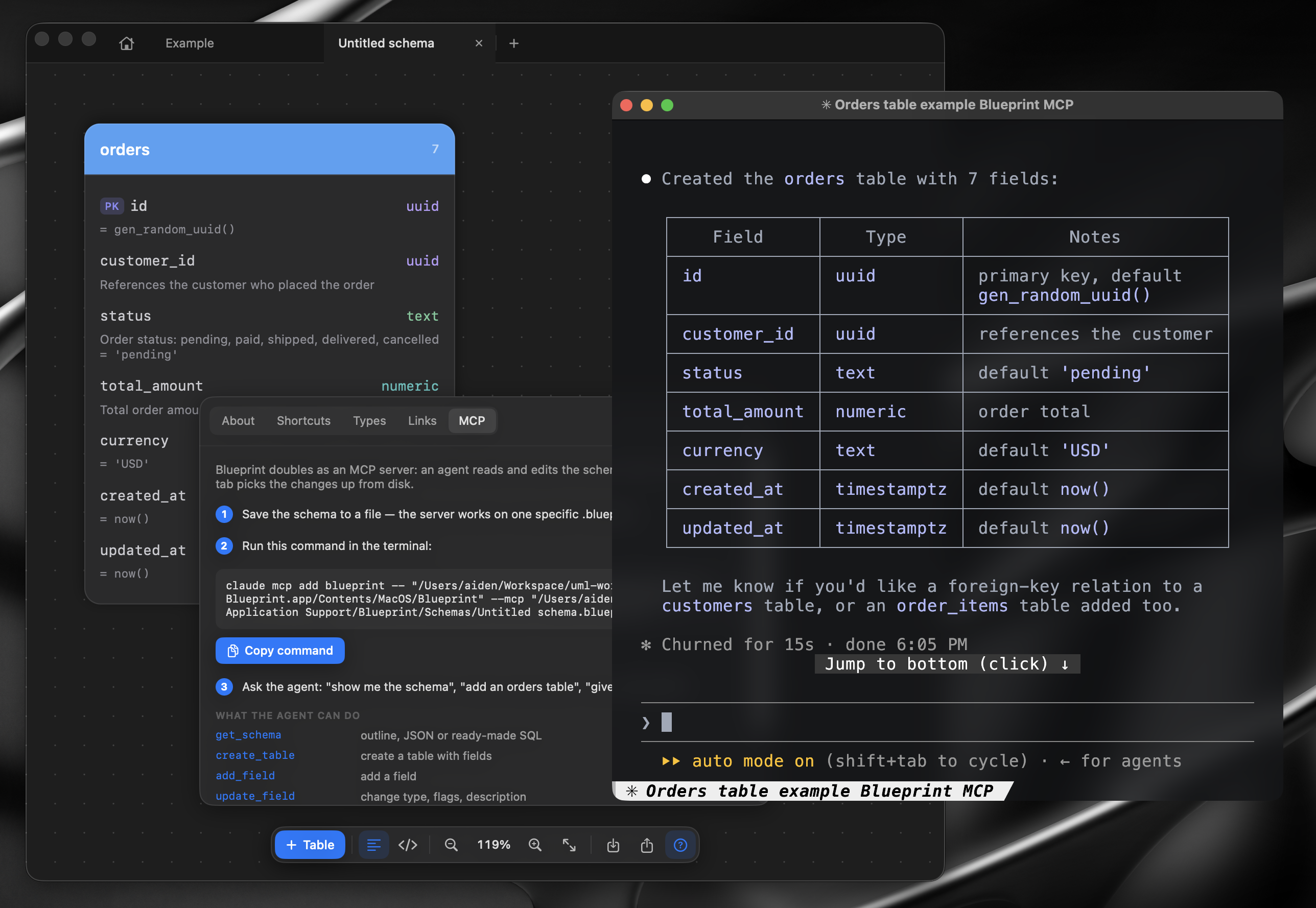
The app doubles as an MCP server, so Claude — or any other MCP client — can work on a schema with you:
claude mcp add blueprint -- /Applications/Blueprint.app/Contents/MacOS/Blueprint --mcp
"add an orders table with a link to customers", "open the Billing schema", "give me the SQL". The agent edits the file and the open window follows along; it can also list the schemas in your library and switch between them, so the server is not tied to one file.
There is a ready-made plugin in the repository —
plugin/blueprint-plugin.zip. Install it and it works on the
schema you have open, with nothing to configure. Full reference in
docs/MCP.md; the ? button in the app has a short version with your own paths
already filled in.
At home on the Mac
Finder shows the schema itself: the space bar draws the diagram and the icon in icon view is a miniature of it, from a Quick Look extension that reads the file without launching the app.
Links like blueprint://table/orders open the schema and take the canvas to that card, lighting
it up. An agent hands them out through link_to, and the context menu of a table or a field
copies one — to paste into a ticket, a comment in code, or a message.
The picture for a README can be built in CI:
Blueprint --render schema.blueprint -o docs/schema.svg --theme light
Besides .svg it understands .png, .sql, .dbml and .mmd, picked by the file extension.
Keyboard
| Pan / zoom | Scroll, ⌘ + scroll, or drag with Space held |
| Fit everything | ⇧⌘0 |
| Find a table or field | ⌘F |
| Arrange by links | ⇧⌘L |
| New table / field | ⌘T / ⇧⌘T |
| New sticky note / text | ⇧⌘N / ⌥⌘T |
| New code snippet / enum | ⌥⌘C / ⌥⌘E |
| Insert image | ⇧⌘I, or paste a screenshot |
| Pen / select | P / V — width and colour in the bar above the toolbar |
| Edit text | Double-click |
| Next field | Tab |
| Delete | Delete |
| Copy / paste | ⌘C / ⌘V |
Files
Schemas are saved as .blueprint — plain JSON, so a diff in git stays readable.
Contributing
Issues and pull requests are welcome.
Sources/Blueprint/
├── Model/     Document, tables, fields, links, PostgreSQL types
├── Design/    Palettes, accents, fonts
├── Canvas/    Camera, layout, link geometry, rendering
├── Export/    SQL, SVG, JPEG/PNG, Mermaid, DBML, SQL importer
├── MCP/       stdio server, tools, schema store
├── UI/        Tabs, home screen, panels, menus
└── Resources/ String catalogues and icons
There are no automated tests yet, so build the app and try what you changed. Interface text
lives in Localizable.strings under stable keys — new strings go there, not into the code.
Built with AI
Blueprint was developed with the help of Claude.
License
MIT — see LICENSE.
The GitHub mark in Sources/Blueprint/Resources comes from
Primer Octicons (MIT).
Explorar proyectos relacionados
Asabeneh/30-Days-Of-Python
El reto de programación 30 Days of Python es una guía paso a paso para aprender el lenguaje de programación Python en 30 días. Este reto puede llevar más de 100 días. Sigue tu propio ritmo. Estos vídeos también pueden ayudarte: https://www.youtube.com/channel/UC7PNRuno1rzYPb1xLa4yktw
78,560 estrellasgrafana/grafana
Plataforma abierta y componible de observabilidad y visualización de datos. Visualiza métricas, registros y trazas de múltiples fuentes, como Prometheus, Loki, Elasticsearch, InfluxDB, Postgres y muchas más.
77,830 estrellasredis/redis
Para los desarrolladores que crean aplicaciones en tiempo real basadas en datos, Redis es la opción preferida, la más rápida y la de más funciones como caché, servidor de estructuras de datos y motor de consultas de documentos y vectores.
77,395 estrellasapache/superset
Apache Superset es una plataforma de visualización y exploración de datos.
75,473 estrellas