
younatics/YNSearch
younatics/YNSearch has 1,181 GitHub stars and 100 forks. Star changes are not measured yet. Last checked 2026-11-09 08:48 UTC. Last push 2026-10-24.
So werden diese Zahlen gemessen
🔍 Awesome fully customize search view like Pinterest written in Swift 5.0 + Realm support!
Gemessener Sternzuwachs
- in 24h
- Aktualisierung verzögert
- in 7 days
- Aktualisierung verzögert
- in 15 days
- Aktualisierung verzögert
- in 1 month
- Aktualisierung verzögert
Nettoänderungen in überlappenden Zeiträumen, keine Tagessummen. Fehlende Messwerte bleiben leer. Sterne zeigen Interesse, nicht Qualität.
README.md
OriginalYNSearch + Realm Support





Updates
See CHANGELOG for details
Intoduction
🔍 Awesome search view, written in Swift 6, appears search view like Pinterest Search view. You can fully customize this library. You can also use this library with Realm! See usage in below
See Highlighter for highlight search result
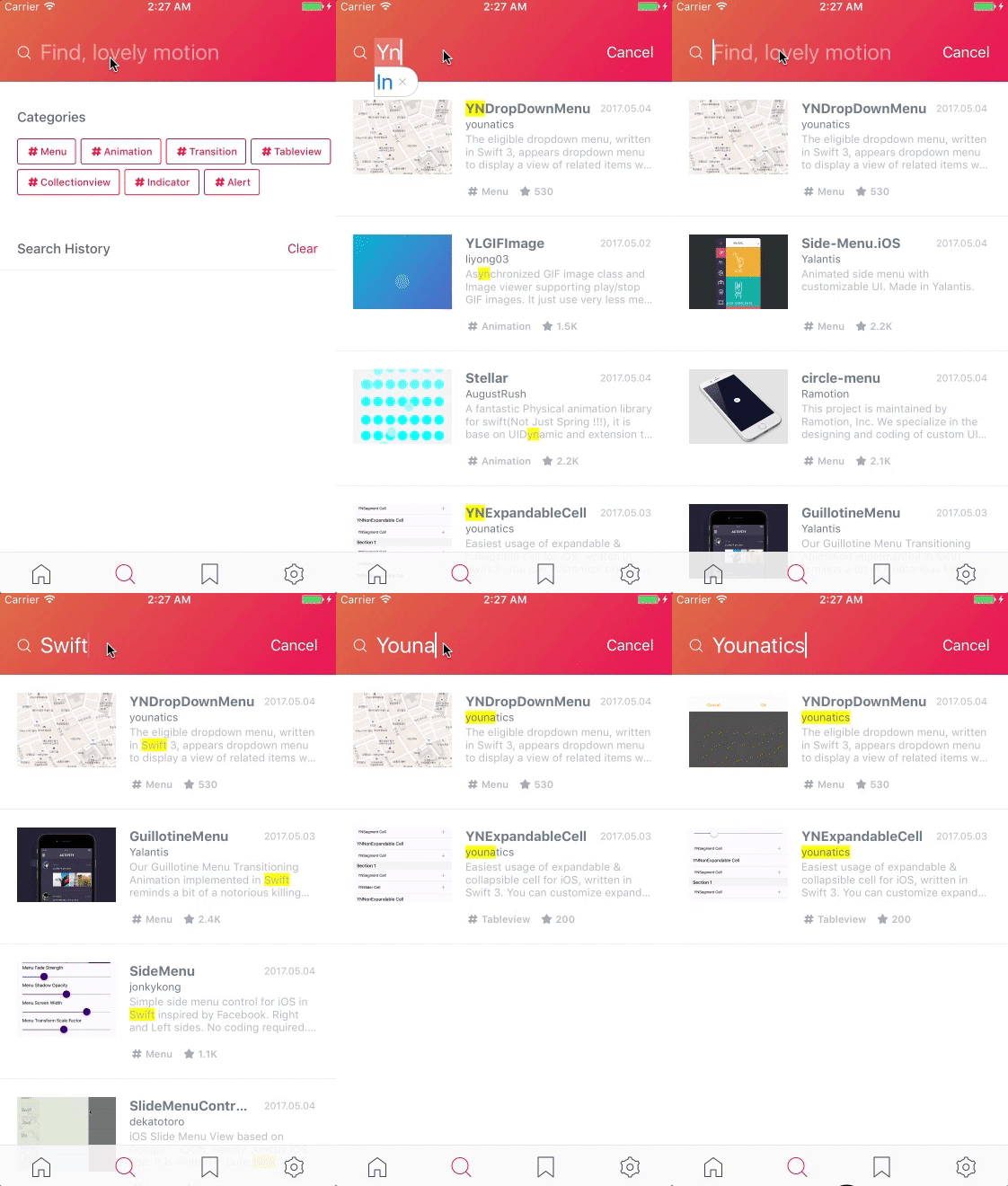
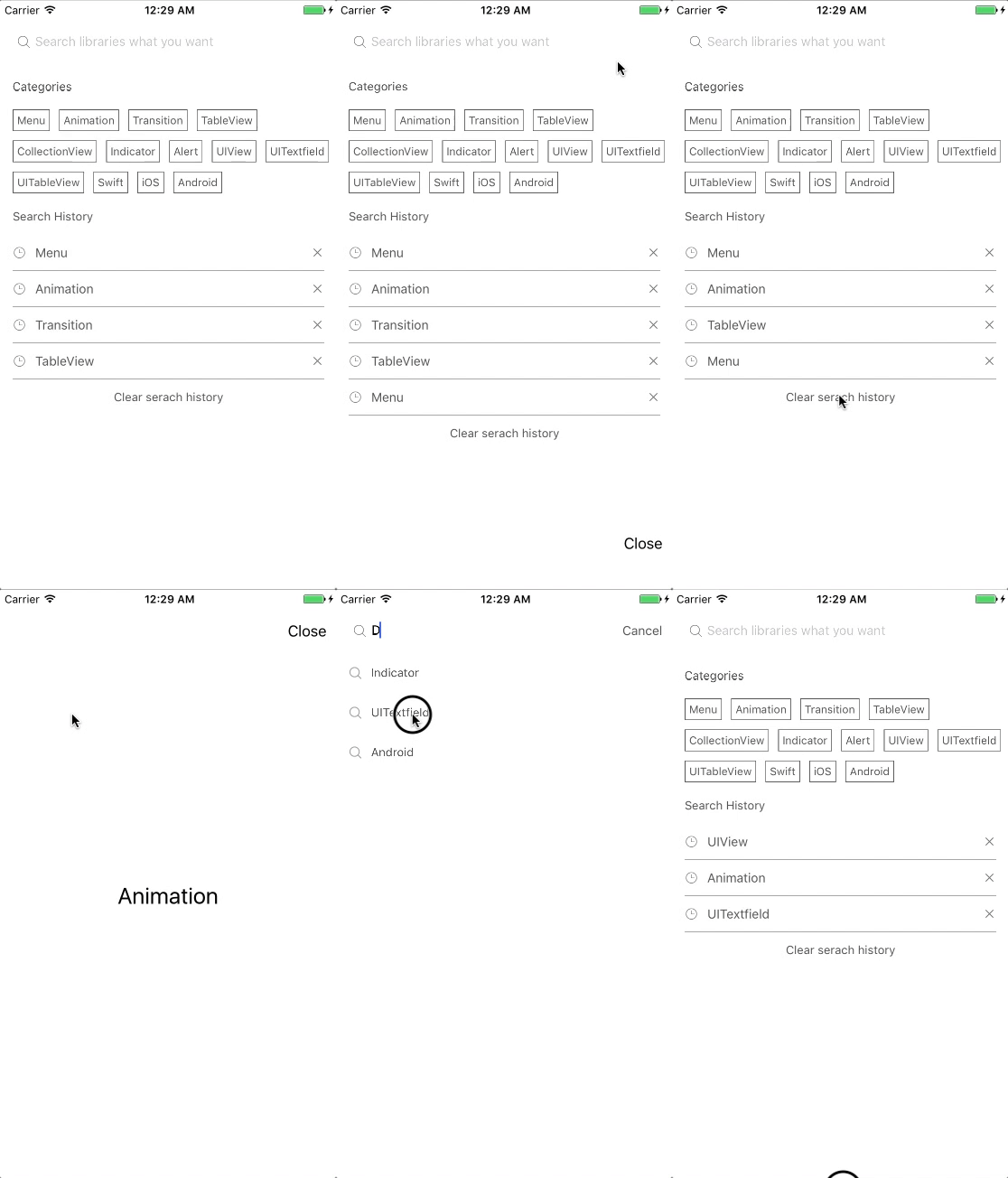
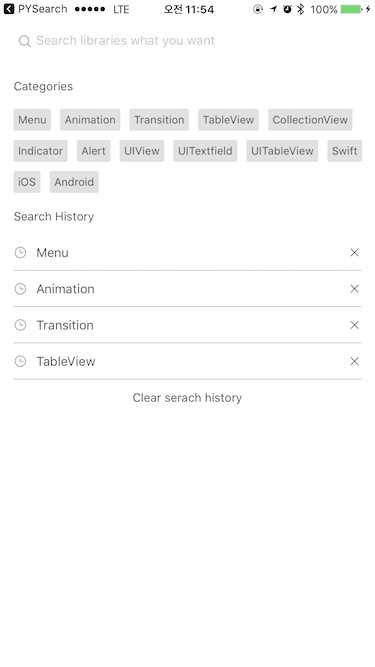
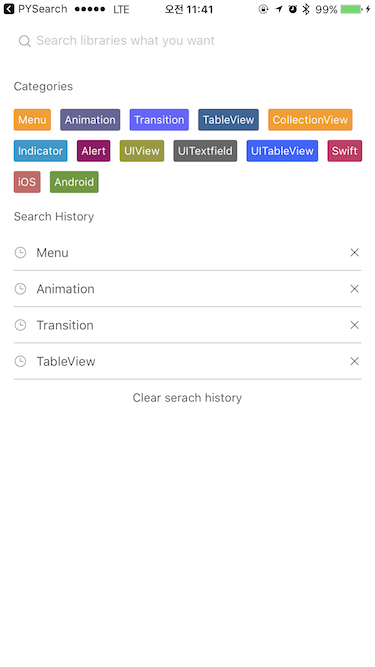
Requirements
YNSearch uses Swift 6.0 and requires iOS 15.0 or later. Package.swift uses Swift tools 6.0, and both Swift Package Manager and CocoaPods declare iOS 15.0 as the minimum deployment target.
Installation
Swift Package Manager
In Xcode, choose File ▸ Add Package Dependencies… and enter:
https://github.com/younatics/YNSearch.git
Or add it to your Package.swift:
dependencies: [
    .package(url: "https://github.com/younatics/YNSearch.git", from: "3.0.0")
]
CocoaPods
YNSearch is available through CocoaPods. To install it, simply add the following line to your Podfile:
pod 'YNSearch', '~> 3.0'
Simple Usage
Set categories (required) and search histories (optional)
import YNSearch

let demoCategories = ["Menu", "Animation", "Transition", "TableView", "CollectionView", "Indicator", "Alert", "UIView", "UITextfield", "UITableView", "Swift", "iOS", "Android"]
let demoSearchHistories = ["Menu", "Animation", "Transition", "TableView"]

let ynSearch = YNSearch()
ynSearch.setCategories(value: demoCategories)
ynSearch.setSearchHistories(value: demoSearchHistories)

ynSearchinit()
Set database (required) and key (required). key will be displayed in YNSearchListView You can set your database [Any] if you want to customize.
let database1 = YNSearchModel(key: "YNDropDownMenu")
let database2 = YNSearchModel(key: "YNSearchData")
let demoDatabase = [database1, database2]

initData(database: demoDatabase)
Set YNSearchListView Delegate
func ynSearchListView(_ ynSearchListView: UITableView, cellForRowAt indexPath: IndexPath) -> UITableViewCell {
    let cell = ynSearchListView.dequeueReusableCell(withIdentifier: YNSearchListViewCell.ID) as! YNSearchListViewCell
    if let model = self.ynSearchView.ynSearchListView.searchResultDatabase[indexPath.row] as? YNSearchModel {
        cell.searchLabel.text = model.key
    }

    return cell
}

func ynSearchListView(_ ynSearchListView: UITableView, didSelectRowAt indexPath: IndexPath) {
    let listView = self.ynSearchView.ynSearchListView
    if let model = listView.searchResultDatabase[indexPath.row] as? YNSearchModel, let key = model.key {
        // Call listview clicked based on key
        listView.ynSearchListViewDelegate?.ynSearchListViewClicked(key: key)

        // return object you set in database
        listView.ynSearchListViewDelegate?.ynSearchListViewClicked(object: model)

        // Append Search history
        listView.ynSearch.appendSearchHistories(value: key)
    }
}
Realm Usage
Get your Data with Realm
let datas = realm.objects(RealmModel.self)
Realm is not collection type so you need to convert it again with [Any]type. This will find all string in your RealmModel and show you results.
var dataArray = [Any]()
for data in datas {
        let searchModel = RealmModel()
            searchModel.author = data.author
            searchModel.detail = data.detail
            searchModel.title = data.title
            searchModel.type = data.type

            dataArray.append(searchModel)
        }

initData(database: dataArray)
I used Objectification for accurate search result. This library will get all data in your object and search if for us.
Done!
View Hierachy
YNSearchViewController: Inherit this viewcontroller
|-- YNSearchTextFieldView: YNSearchTextField with cancel button
|   |-- YNSearchTextField: Search UITextfield
|   |-- cancelButton: Show when YNSearchTextField textFieldDidBeginEditing
|
|-- YNSearchView : get both YNSearchMainView and YNSearchListView
|   |-- YNSearchMainView: First view that you can see
|   |   |-- categoryLabel: Cateogry label
|   |   |-- [YNCategoryButton]: cateogory buttons
|   |   |-- searchHistoryLabel: Search history label
|   |   |-- [YNSearchHistoryView]: history views
|   |   |   |-- [YNSearchHistoryButton]: Search history button
|   |   |   |-- [closeButton]: Close button
|   |
|   |-- YNSearchListView: UITableview with search result
Custom Usage
set YNSearchDelegate if you want callback
delegate = self

func ynSearchHistoryButtonClicked(text: String) {
  print(text)
}

func ynCategoryButtonClicked(text: String) {
  print(text)
}

func ynSearchListViewClicked(key: String) {
  print(key)
}

func ynSearchListViewClicked(object: Any) {
  print(object)
}
Set YNCategoryButton type.
setYNCategoryButtonType(type: .colorful)
See more usage in demo
You can fully customize this YNSearch based on view hierachy
References
Please tell me or make pull request if you use this library in your application :)
Highlighter
Objectification
MotionBook
Author

License
YNSearch is available under the MIT license. See the LICENSE file for more info.
Ähnliche Projekte entdecken
sindresorhus/awesome
😎 Awesome-Listen zu allen möglichen interessanten Themen [HINWEIS: Pull Requests sind vorübergehend deaktiviert, bis ich dazu komme, die vorhandenen abzuarbeiten]
534,826 SterneEbookFoundation/free-programming-books
:books: Frei verfügbare Programmierbücher
401,457 Sternenilbuild/developer-roadmap
Interaktive Roadmaps, Leitfäden und weitere Bildungsinhalte, die Entwicklern helfen, in ihrer Karriere zu wachsen.
371,756 Sternevinta/awesome-python
Die maßgebliche Liste, die die Frage beantwortet: „Ich möchte X in Python machen – welches Tool soll ich verwenden?“
333,839 Sterne