
unhappychoice/terminal_image
unhappychoice/terminal_image has 43 GitHub stars and 6 forks. Star changes are not measured yet. Last checked 2026-11-14 11:35 UTC. Last push 2026-11-10.
Gemessener Sternzuwachs
- in 24h
- Verlauf wird gesammelt
- in 7 days
- Verlauf wird gesammelt
- in 15 days
- Verlauf wird gesammelt
- in 1 month
- Verlauf wird gesammelt
Nettoänderungen in überlappenden Zeiträumen, keine Tagessummen. Fehlende Messwerte bleiben leer. Sterne zeigen Interesse, nicht Qualität.
Über uns
:desktop_computer: Show high resolution images on your terminal !
EntwicklerwerkzeugeREADME.md
OriginalTerminalImage


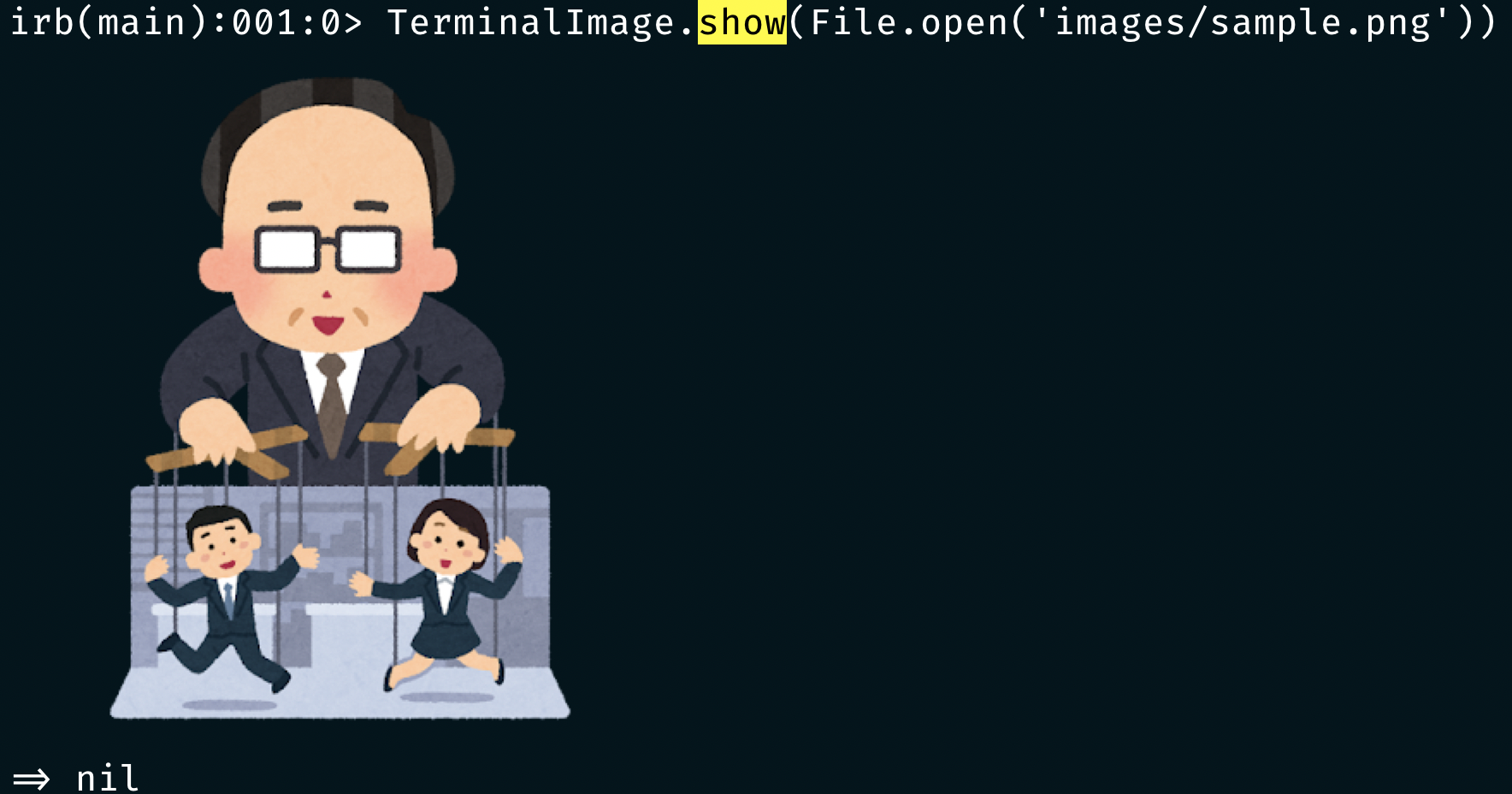
TerminalImage is a library to show images on terminals. Currently, this library supports iTerm2 and terminals with libsixel installed. On other terminals, images fall back to 24-bit ANSI colors (see Fallback).
Installation
Add this line to your application's Gemfile:
gem 'terminal_image'
Terminals other than iTerm2:
Please install libsixel's img2sixel command following https://github.com/saitoha/libsixel#install
Usage
# Print image by File object
TerminalImage.show(File.open('your-image-path.png'))

# Print image from URL
TerminalImage.show_url('https://raw.githubusercontent.com/unhappychoice/terminal_image/master/images/sample.png')

# Get encoded string ready to be displayed
string = TerminalImage.encode(File.open('your-image-path.png'))

# Get encoded string ready to be displayed from URL
string = TerminalImage.encode_url('https://raw.githubusercontent.com/unhappychoice/terminal_image/master/images/sample.png')
Fallback
When the terminal is not iTerm2 and img2sixel is not installed, images are drawn with 24-bit ("truecolor") ANSI colors.
Each character cell is an upper half block (▀): the foreground color is one pixel and the background color is the pixel below it.
The image is scaled down to the terminal width (IO.console, then $COLUMNS, then 80 columns) and is never scaled up.
Transparent pixels keep the terminal's default background.
Supported formats:
- PNG is decoded with the pure-Ruby chunky_png gem and needs nothing else.
- Other formats (JPEG, GIF, WebP, ...) are converted to PNG with the ImageMagick CLI
(
magick, orconvertfor ImageMagick 6) when it is installed. Only the first frame of an animated image is shown. Without ImageMagick they raiseTerminalImage::UnsupportedFormat, a subclass ofTerminalImage::UnsupportedTerminal.
Contributing
Bug reports and pull requests are welcome on GitHub at https://github.com/unhappychoice/terminal_image. This project is intended to be a safe, welcoming space for collaboration, and contributors are expected to adhere to the Contributor Covenant code of conduct.
License
The gem is available as open source under the terms of the MIT License.
Code of Conduct
Everyone interacting in the TerminalImage project’s codebases, issue trackers, chat rooms and mailing lists is expected to follow the code of conduct.