
uinosoft/t3d.js
uinosoft/t3d.js has 214 GitHub stars and 25 forks. Star changes are not measured yet. Last checked 2026-11-11 04:06 UTC. Last push 2026-11-11.
So werden diese Zahlen gemessen
ThingJS 3D Engine (t3d) is a lightweight, web-first, and extendable 3D rendering library.
Gemessener Sternzuwachs
- in 24h
- Aktualisierung verzögert
- in 7 days
- Aktualisierung verzögert
- in 15 days
- Aktualisierung verzögert
- in 1 month
- Aktualisierung verzögert
Nettoänderungen in überlappenden Zeiträumen, keine Tagessummen. Fehlende Messwerte bleiben leer. Sterne zeigen Interesse, nicht Qualität.
README.md
OriginalThingJS 3D Engine


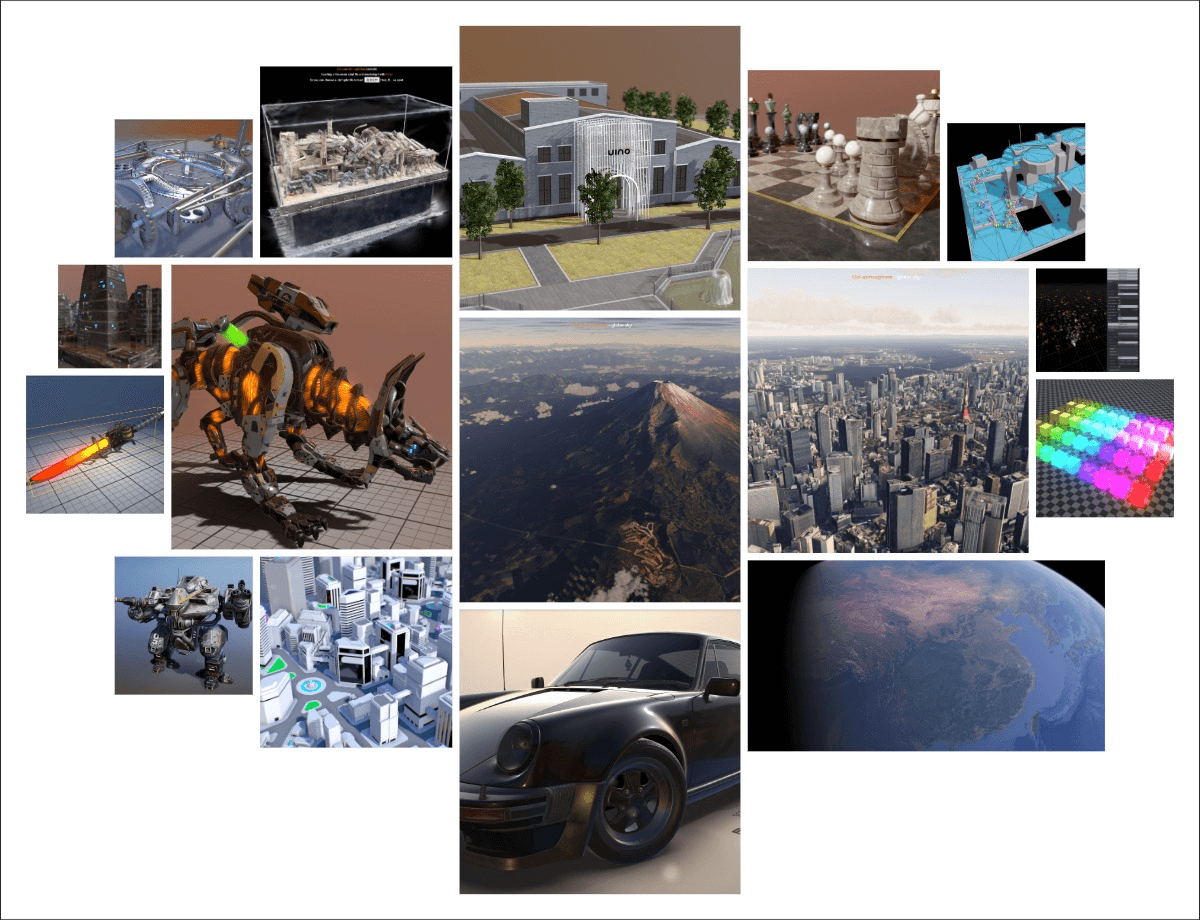
ThingJS 3D Engine (t3d) is a lightweight, web-first, and extendable 3D rendering library. It is used by ThingJS for web3d rendering, but can also be used as a standalone library.
t3d's API borrows the look and feel of three.js—familiar and easy to use—but it is not fully compatible or a drop-in replacement. It keeps a simple, flexible design while adding modern features and extra hooks for real‑time workflows, such as customizable rendering callbacks for finer control and post‑processing, clustered lighting for scalable many‑light scenes, light groups for organizing reusable lights, and other performance-minded optimizations.
Import
Use t3d.js or t3d.min.js in your page:
<script src="t3d.min.js"></script>
or import as es6 module:
import * as t3d from 't3d.module.js';
Npm
t3d is published on npm. To install, use:
npm install t3d --save
This will allow you to import t3d entirely using:
import * as t3d from 't3d';
or individual classes using:
import { Scene, Renderer } from 't3d';
Since v0.2.0, the JavaScript files in examples/jsm can be imported like this:
import { OrbitControls } from 't3d/addons/controls/OrbitControls.js';
CDN
Quick Start
Create a simple rotating cube with PBR materials:
// Initialize renderer with WebGL2
const width = window.innerWidth || 2;
const height = window.innerHeight || 2;

const canvas = document.createElement('canvas');
canvas.width = width;
canvas.height = height;
document.body.appendChild(canvas);

// Create WebGL2 context and renderer
const gl = canvas.getContext('webgl2', {
  antialias: true,
  alpha: false
});
const renderer = new t3d.WebGLRenderer(gl);
const screenRenderTarget = new t3d.ScreenRenderTarget(canvas);
screenRenderTarget.setColorClearValue(0.1, 0.1, 0.1, 1);

// Create scene
const scene = new t3d.Scene();

// Create mesh with PBR material
const geometry = new t3d.BoxGeometry(8, 8, 8);
const material = new t3d.PBRMaterial();
const mesh = new t3d.Mesh(geometry, material);
scene.add(mesh);

// Add lighting
const ambientLight = new t3d.AmbientLight(0xffffff);
scene.add(ambientLight);

const directionalLight = new t3d.DirectionalLight(0xffffff);
directionalLight.position.set(-5, 5, 5);
directionalLight.lookAt(new t3d.Vector3(), new t3d.Vector3(0, 1, 0));
scene.add(directionalLight);

// Set up camera
const camera = new t3d.Camera();
camera.position.set(0, 10, 30);
camera.lookAt(new t3d.Vector3(0, 0, 0), new t3d.Vector3(0, 1, 0));
camera.setPerspective(45 / 180 * Math.PI, width / height, 1, 1000);
scene.add(camera);

// Animation loop
function loop(count) {
  requestAnimationFrame(loop);

  // Rotate cube
  mesh.euler.y = count / 1000 * .5;

  scene.updateMatrix();
  scene.updateRenderStates(camera);
  scene.updateRenderQueue(camera);

  renderer.renderScene(scene, camera, screenRenderTarget);
}
requestAnimationFrame(loop);
Extensions
- t3d-effect-composer - Post Effects extension for t3d.js.
- t3d-particle - This is a particle system developed based on t3d.js.
- t3d-pano - Panorama extension for t3d.
- t3d-3dtiles - A 3dtile extension based on t3d.js.
- t3d-dynamic-sky - Dynamic sky addon for t3d.
- t3d-gaussian-splatting - A t3d-based implementation of 3D Gaussian Splatting.
Tools
- t3d-model-viewer - A Model Viewer based on t3d.js and t3d-effect-composer.
- t3d-particle-editor - A particle editor based on t3d.js and t3d-particle.
- t3d-ibl-baker - This is a simple tool to bake IBL maps for t3d.
Contributing
Please make sure to read the Contributing Guide before making a pull request.
Ähnliche Projekte entdecken
ytdl-org/youtube-dl
Kommandozeilenprogramm zum Herunterladen von Videos von YouTube.com und anderen Videoseiten
141,539 Sterneexcalidraw/excalidraw
Virtuelles Whiteboard zum Skizzieren von Diagrammen im handgezeichneten Stil
135,492 Sternegodotengine/godot
Godot Engine – Plattformübergreifende 2D- und 3D-Spiele-Engine
120,003 Sternemrdoob/three.js
JavaScript-3D-Bibliothek.
118,122 Sterne