
takuoka/PullToBounce
takuoka/PullToBounce has 1,847 GitHub stars and 162 forks. GitHot measured 0 stars in 24 hours, 0 in 7 days, and -2 in 15 days. Last checked 2026-11-20 20:43 UTC. Last push 2019-11-05.
Gemessener Sternzuwachs
- in 24h
- 0
- in 7 days
- 0
- in 15 days
- -2
- in 1 month
- Verlauf wird gesammelt
Nettoänderungen in überlappenden Zeiträumen, keine Tagessummen. Fehlende Messwerte bleiben leer. Sterne zeigen Interesse, nicht Qualität.
Über uns
Animated "Pull To Refresh" Library for UIScrollView. Inspired by https://dribbble.com/shots/1797373-Pull-Down-To-Refresh
Kreativität und MedienREADME.md
OriginalPullToBounce


Animated "Pull To Refresh" Library for UIScrollView.
You can add animated "pull to refresh" action to your UIScrollView, UITableView and UICollectionView.
Inspired by https://dribbble.com/shots/1797373-Pull-Down-To-Refresh
ScreenShot
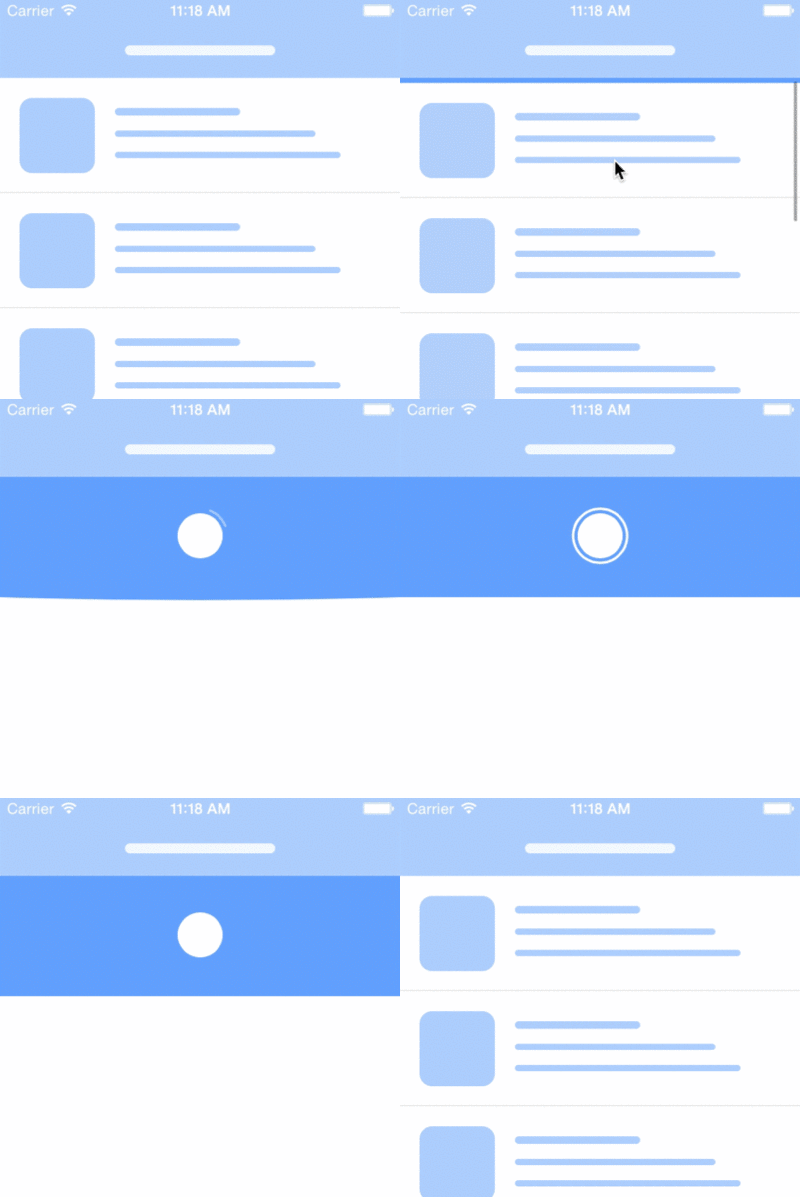
You can play demo at appetize.io.
Installation
You can install this to your project via CocoaPods.
pod 'PullToBounce'
Usage
Please Wrap your scroll view
// Please wrap your scroll view
tableView.frame = yourFrame
let tableViewWrapper = PullToBounceWrapper(scrollView: tableView)

// Please add wrapper view to your view instead of your scroll view.
bodyView.addSubview(tableViewWrapper)
The frame of wrapper will be same as your scrollView.
And the color will be same as your scrollView's background color.
Event Handler
tableViewWrapper.didPullToRefresh = {
    didFinishYourLoading() {
        tableViewWrapper.stopLoadingAnimation()
    }
}
Custom Animation
Default arguments of "init" of PullToBounceWrapper
init(
  scrollView: UIScrollView, // this is the only required argument
  bounceDuration: CFTimeInterval = 0.8,
  ballSize:CGFloat = 36,
  ballMoveTimingFunc: CAMediaTimingFunction = CAMediaTimingFunction(controlPoints:0.49,0.13,0.29,1.61),
  moveUpDuration: CFTimeInterval = 0.25,
  pullDistance: CGFloat = 96,
  bendDistance: CGFloat = 40,
  didPullToRefresh: (()->())? = nil
)
You can use these arguments to customize animation.