
rstudio/plumber
rstudio/plumber has 1,441 GitHub stars and 258 forks. GitHot measured -1 stars in 24 hours and -1 in 7 days. Last checked 2026-11-13 00:08 UTC. Last push 2026-02-09.
So werden diese Zahlen gemessen
Turn your R code into a web API.
Gemessener Sternzuwachs
- in 24h
- -1
- in 7 days
- -1
- in 15 days
- Verlauf wird gesammelt
- in 1 month
- Verlauf wird gesammelt
Nettoänderungen in überlappenden Zeiträumen, keine Tagessummen. Fehlende Messwerte bleiben leer. Sterne zeigen Interesse, nicht Qualität.
README.md
Originalplumber 


Plumber allows you to create a web API by merely decorating your existing R
source code with roxygen2-like comments. Take a look at an example.
# plumber.R

#* Echo back the input
#* @param msg The message to echo
#* @get /echo
function(msg="") {
  list(msg = paste0("The message is: '", msg, "'"))
}

#* Plot a histogram
#* @serializer png
#* @get /plot
function() {
  rand <- rnorm(100)
  hist(rand)
}

#* Return the sum of two numbers
#* @param a The first number to add
#* @param b The second number to add
#* @post /sum
function(a, b) {
  as.numeric(a) + as.numeric(b)
}
These comments allow plumber to make your R functions available as API
endpoints. You can use either #* as the prefix or #', but we recommend the
former since #' will collide with roxygen2.
library(plumber)
# 'plumber.R' is the location of the file shown above
pr("plumber.R") %>%
  pr_run(port=8000)
You can visit this URL using a browser or a terminal to run your R function and
get the results. For instance
http://localhost:8000/plot will show you a
histogram, and
http://localhost:8000/echo?msg=hello
will echo back the 'hello' message you provided.
Here we're using curl via a Mac/Linux terminal.
$ curl "http://localhost:8000/echo"
 {"msg":["The message is: ''"]}
$ curl "http://localhost:8000/echo?msg=hello"
 {"msg":["The message is: 'hello'"]}
As you might have guessed, the request's query string parameters are forwarded to the R function as arguments (as character strings).
$ curl --data "a=4&b=3" "http://localhost:8000/sum"
 [7]
You can also send your data as JSON:
$ curl -H "Content-Type: application/json" --data '{"a":4, "b":5}' http://localhost:8000/sum
 [9]
Installation
You can install the latest stable version from CRAN using the following command:
install.packages("plumber")
If you want to try out the latest development version, you can install it from GitHub.
pak::pkg_install("rstudio/plumber")
library(plumber)
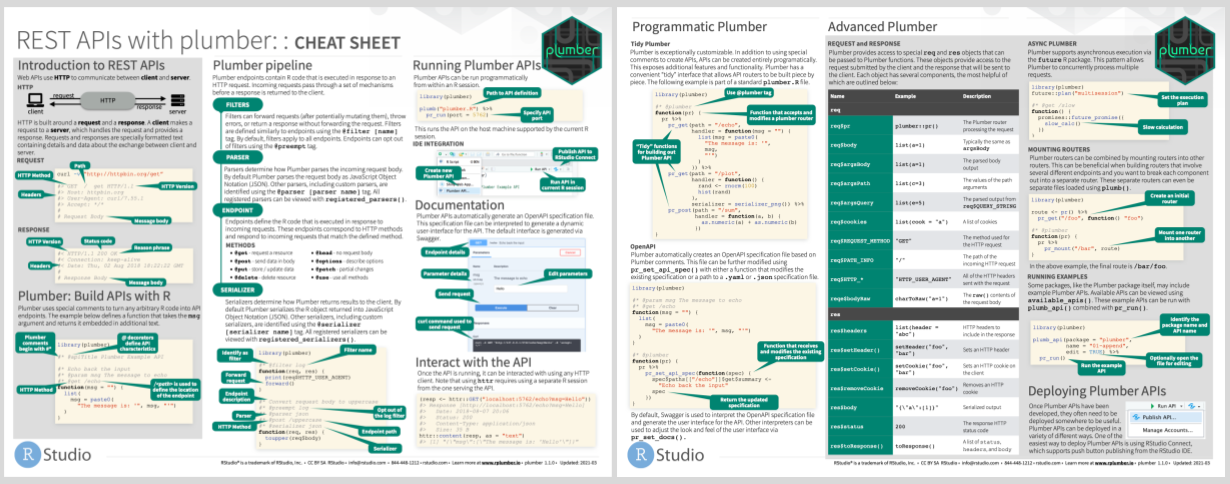
Cheat Sheet
Hosting
If you're just getting started with hosting cloud servers, the
DigitalOcean integration included in plumber
will be the best way to get started. You'll be able to get a server hosting your
custom API in just two R commands. To deploy to DigitalOcean, check out the
plumber companion package plumberDeploy.
Posit Connect is a commercial publishing platform that enables R developers to easily publish a variety of R content types, including Plumber APIs. Additional documentation is available at https://www.rplumber.io/articles/hosting.html#rstudio-connect-1.
A couple of other approaches to hosting plumber are also made available:
- PM2 - https://www.rplumber.io/articles/hosting.html#pm2-1
- Docker - https://www.rplumber.io/articles/hosting.html#docker
Related Projects
Ähnliche Projekte entdecken
freeCodeCamp/freeCodeCamp
Die Open-Source-Codebasis und das Curriculum von freeCodeCamp.org. Lerne Mathematik, Programmierung und Informatik kostenlos.
459,072 Sternedonnemartin/system-design-primer
Lerne, Systeme im großen Maßstab zu entwerfen, und bereite dich auf das Systemdesign-Interview vor. Enthält Anki-Karteikarten.
377,744 Sternereact/react
Die Bibliothek für Web- und native Benutzeroberflächen.
252,569 Sternevuejs/vue
Dies ist das Repository für Vue 2. Das Repository für Vue 3 findest du unter https://github.com/vuejs/core
212,526 Sterne