
ndugram/fasthttp
ndugram/fasthttp has 38 GitHub stars and 4 forks. GitHot measured 0 stars in 24 hours. Last checked 2026-11-14 05:44 UTC. Last push 2026-09-27.
Gemessener Sternzuwachs
- in 24h
- 0
- in 7 days
- Verlauf wird gesammelt
- in 15 days
- Verlauf wird gesammelt
- in 1 month
- Verlauf wird gesammelt
Nettoänderungen in überlappenden Zeiträumen, keine Tagessummen. Fehlende Messwerte bleiben leer. Sterne zeigen Interesse, nicht Qualität.
Über uns
⚡ Async HTTP client with expressive logging and route-based requests
Web und AppsREADME.md
Original

Fast, simple HTTP client with decorator-based routing, async support, and beautiful logging.







Documentation: https://fasthttp.ndugram.dev/ru/latest/
Source Code: https://github.com/ndugram/fasthttp
FastHTTP is a modern async HTTP client library for Python, built on top of httpx. It brings a decorator-based API — similar to FastAPI, but for outgoing requests — with structured logging, middleware, Pydantic validation, and a built-in Swagger UI.
Key features:
- Fast — built on httpx with full async support and parallel request execution.
- Rust-powered — performance-critical internals (URL resolution, HTML parsing, JSON serialization) are compiled Rust extensions via PyO3 — shipped as pre-built wheels, no Rust toolchain required.
- Simple — define HTTP requests as decorated async functions, no boilerplate.
- Typed — full type annotations throughout; validate responses with Pydantic models.
- Logged — colorful, structured request/response logs with timing, built-in.
- Complete — GET, POST, PUT, PATCH, DELETE, HEAD, OPTIONS, QUERY, GraphQL, and WebSocket out of the box.
- Extensible — middleware, dependency injection, routers, lifespan hooks.
- Interactive — built-in Swagger UI via
app.web_run()to browse and execute requests in the browser. - HTTP/2 — optional HTTP/2 support, with automatic fallback to HTTP/1.1.
- Concurrency control — limit parallel requests with
concurrency=Nto respect rate limits or avoid overloading a server.
Sponsors
SudoTeach — a platform for learning programming. Practical courses on Python, backend, and DevOps from working developers.
Requirements
Python 3.10+
FastHTTP depends on:
httpx— async HTTP transport.pydantic— response model validation and serialization.orjson— fast JSON parsing.typer— CLI interface.uvicorn— ASGI server forweb_run().
Installation
$ pip install fasthttp-client

---> 100%
Example
Create it
Create a file main.py:
from fasthttp import FastHTTP
from fasthttp.response import Response

app = FastHTTP()


@app.get(url="https://httpbin.org/get")
async def get_data(resp: Response) -> dict:
    return resp.json()


if __name__ == "__main__":
    app.run()
Run it
$ python main.py
Check it
You will see output like:
16:09:18.955 │ INFO     │ fasthttp │ ✔ FastHTTP started
16:09:19.519 │ INFO     │ fasthttp │ ✔ GET https://httpbin.org/get [200] 458.26ms
16:09:20.037 │ INFO     │ fasthttp │ ✔ Done in 1.08s
The resp object gives you access to status, headers, and body. resp.json() returns the parsed response:
{
    "args": {},
    "headers": {
        "Accept": "*/*",
        "Host": "httpbin.org",
        "User-Agent": "fasthttp/1.3.31"
    },
    "origin": "...",
    "url": "https://httpbin.org/get"
}
Interactive API docs
Replace app.run() with app.web_run():
from fasthttp import FastHTTP
from fasthttp.response import Response

app = FastHTTP()


@app.get(url="https://jsonplaceholder.typicode.com/users/1")
async def get_user(resp: Response) -> dict:
    return resp.json()


@app.post(url="https://jsonplaceholder.typicode.com/users")
async def create_user(resp: Response) -> dict:
    return resp.json()


if __name__ == "__main__":
    app.web_run()
Now go to http://127.0.0.1:8000/docs.
You will see the automatic interactive API documentation:
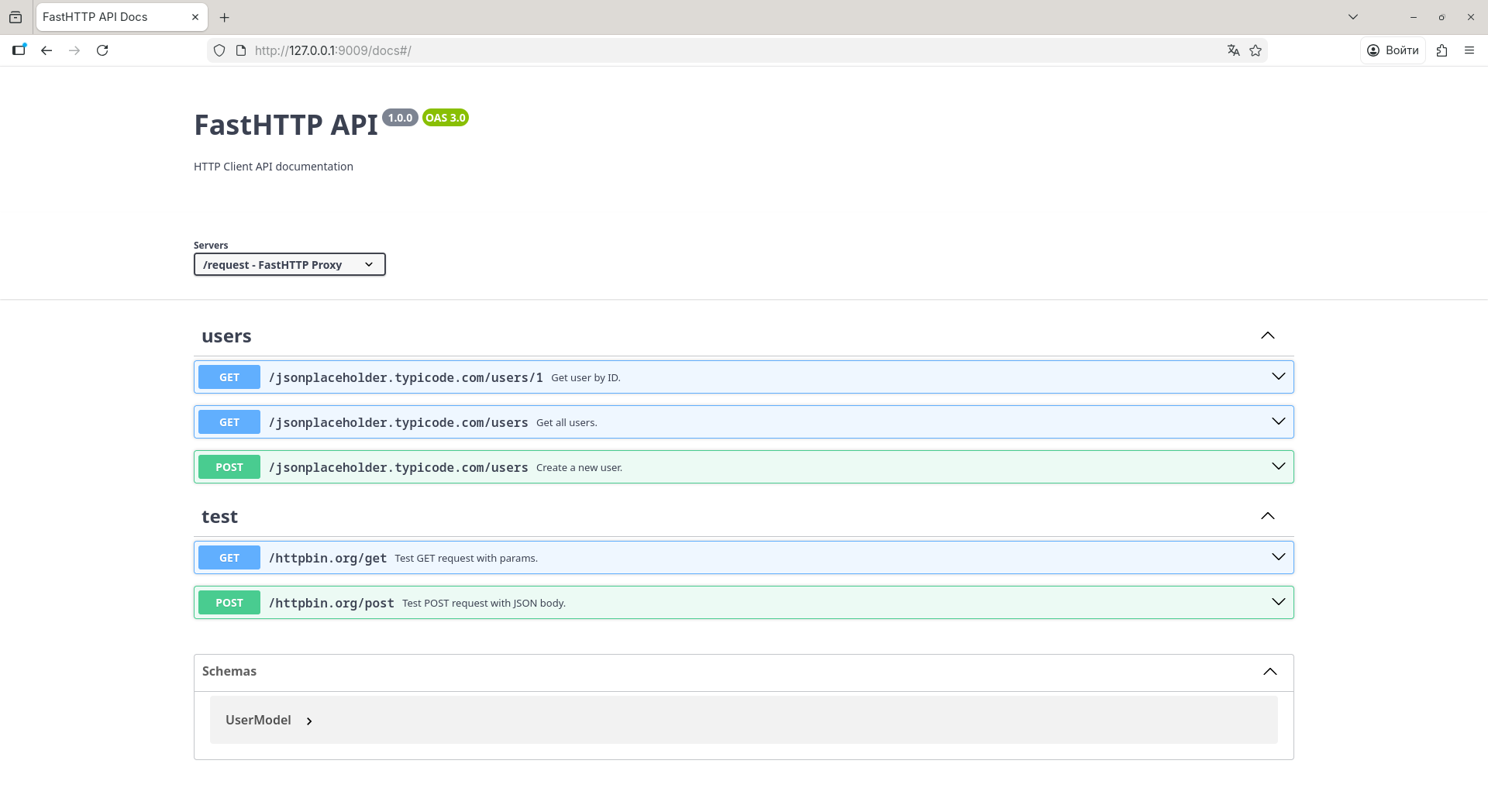
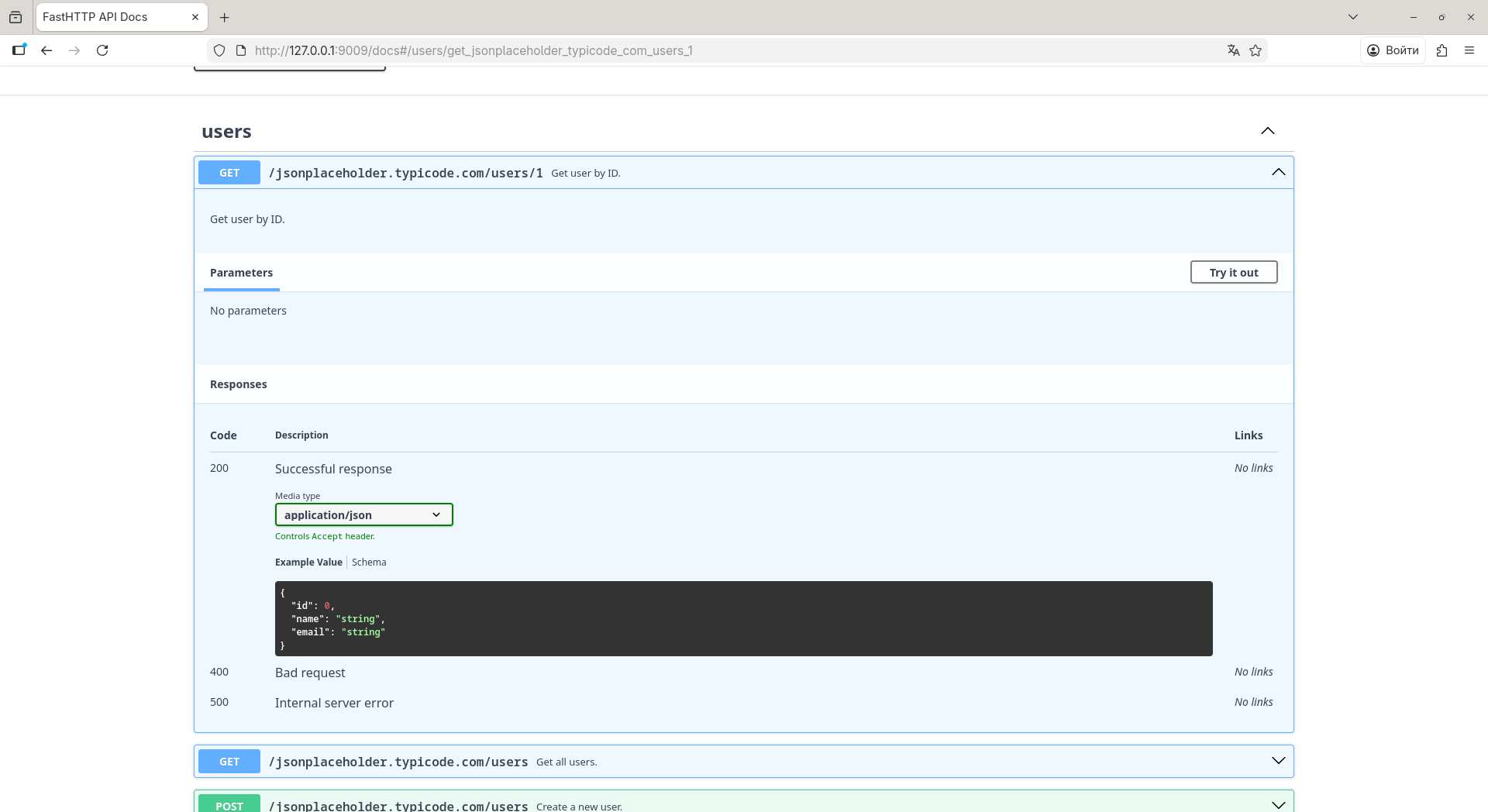
Expand any route to inspect parameters, schemas, and expected responses:
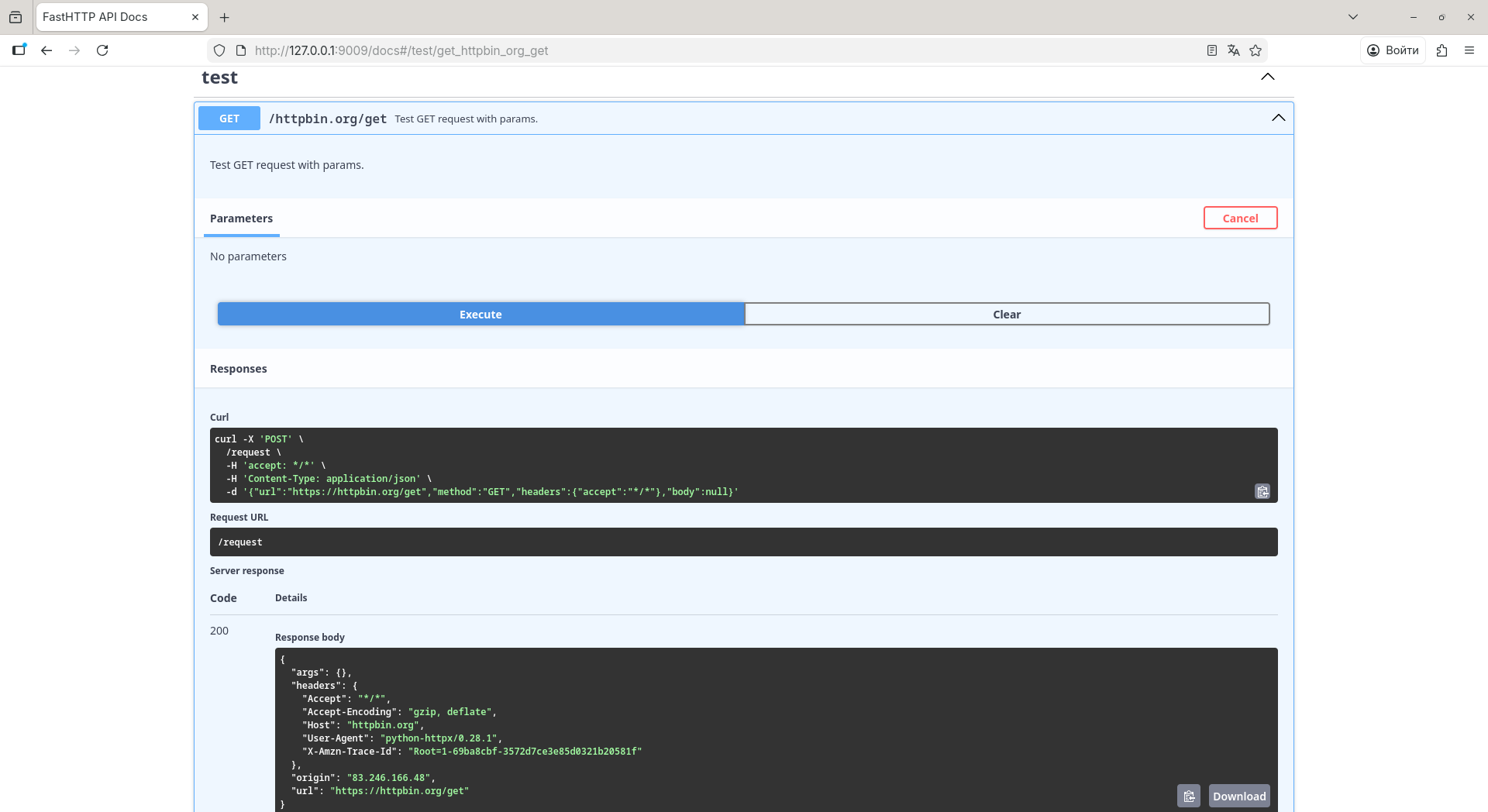
Click Try it out to execute the request directly from the browser and see the real response:
Swagger UI also ships with a dark theme (toggle in the top-right corner):
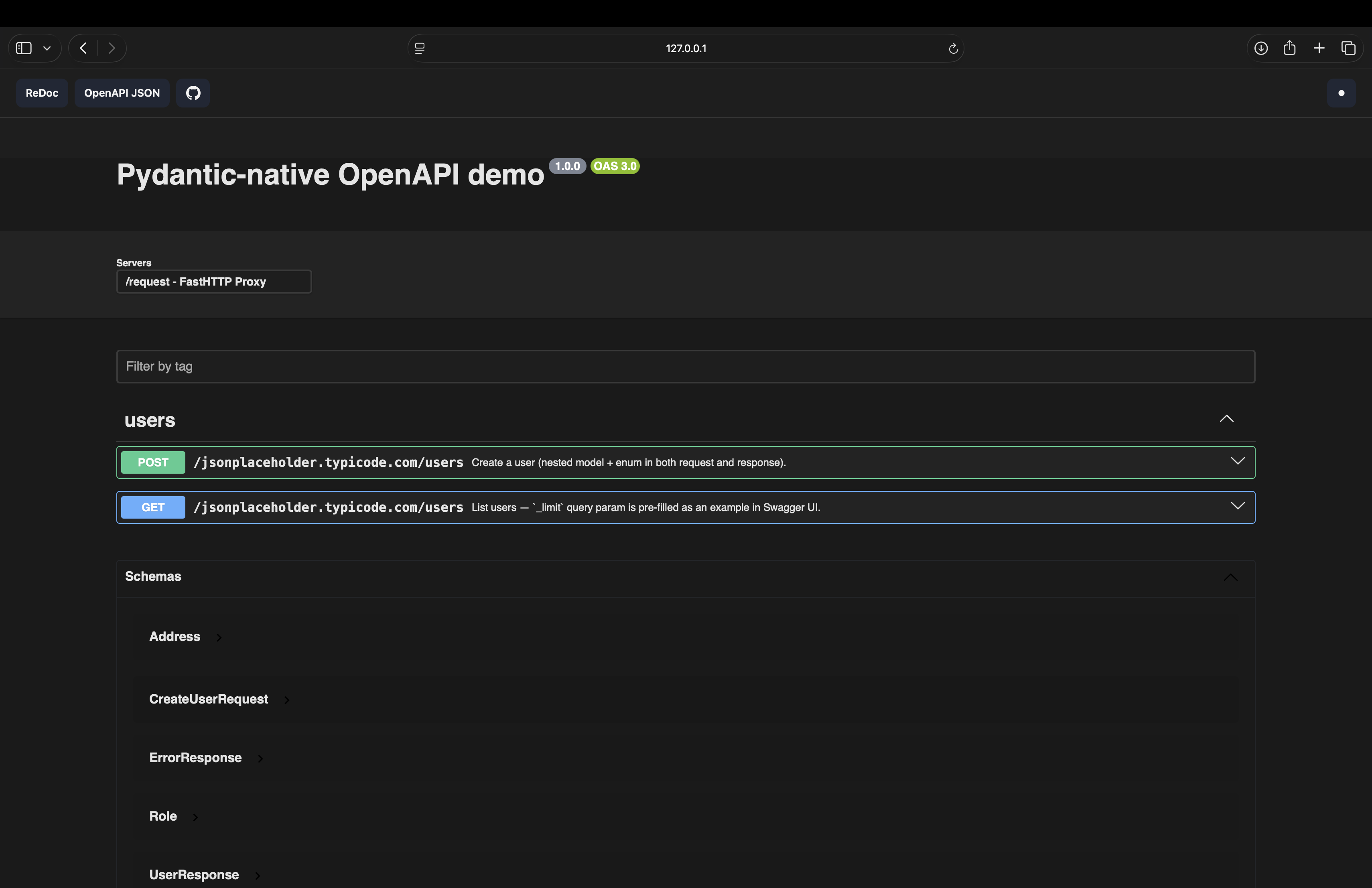
Prefer a clean, read-only view? FastHTTP also serves ReDoc at /redoc:
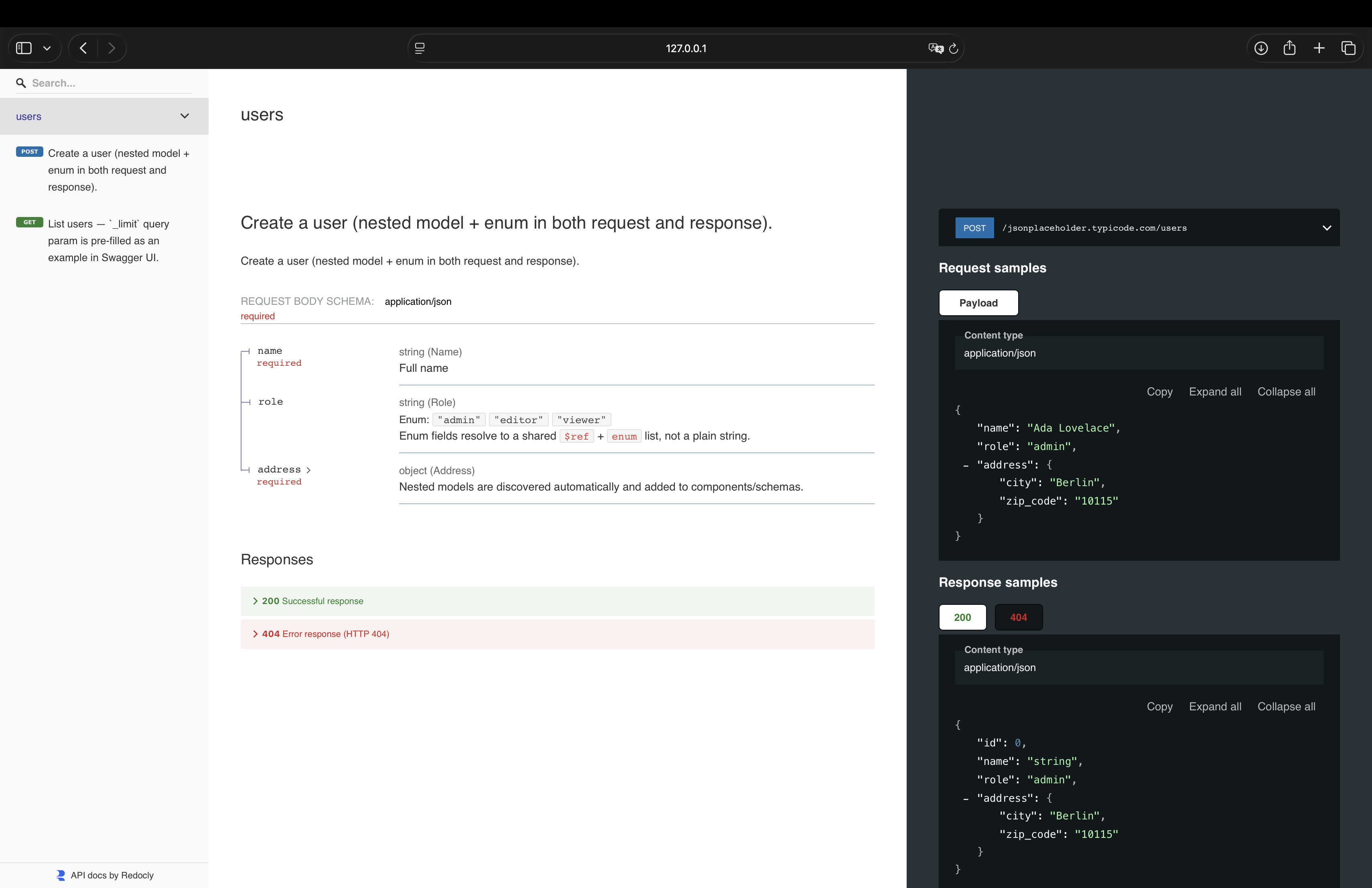
Upgrade the example
Now modify main.py to get more out of FastHTTP. Each upgrade below builds on the previous one.
With Pydantic response models...
Declare a Pydantic model and pass it as response_model. FastHTTP will validate and parse the response automatically:
from fasthttp import FastHTTP
from fasthttp.response import Response
from pydantic import BaseModel


class User(BaseModel):
    id: int
    name: str
    email: str


app = FastHTTP()


@app.get(
    url="https://jsonplaceholder.typicode.com/users/1",
    response_model=User,
)
async def get_user(resp: Response) -> User:
    return User(**resp.json())


if __name__ == "__main__":
    app.run()
With multiple HTTP methods...
Register as many routes as you need across all HTTP methods. FastHTTP runs them concurrently:
from fasthttp import FastHTTP
from fasthttp.response import Response

app = FastHTTP()


@app.get(url="https://httpbin.org/get")
async def get_data(resp: Response) -> dict:
    return resp.json()


@app.post(url="https://httpbin.org/post")
async def post_data(resp: Response) -> dict:
    return resp.json()


@app.put(url="https://httpbin.org/put")
async def put_data(resp: Response) -> dict:
    return resp.json()


@app.patch(url="https://httpbin.org/patch")
async def patch_data(resp: Response) -> dict:
    return resp.json()


@app.delete(url="https://httpbin.org/delete")
async def delete_data(resp: Response) -> int:
    return resp.status_code


@app.head(url="https://httpbin.org/get")
async def head_data(resp: Response) -> int:
    return resp.status


@app.options(url="https://httpbin.org/get")
async def options_data(resp: Response) -> dict:
    return {"allow": resp.headers.get("allow", "")}


if __name__ == "__main__":
    app.run()
With routers...
Group related routes into a Router with a shared prefix or base URL, then include it into the app:
from fasthttp import FastHTTP, Router
from fasthttp.response import Response

users_router = Router(prefix="https://jsonplaceholder.typicode.com")


@users_router.get(url="/users/1")
async def get_user(resp: Response) -> dict:
    return resp.json()


@users_router.get(url="/users/2")
async def get_user_two(resp: Response) -> dict:
    return resp.json()


@users_router.post(url="/users")
async def create_user(resp: Response) -> dict:
    return resp.json()


app = FastHTTP()
app.include_router(users_router)

if __name__ == "__main__":
    app.run()
With middleware...
Intercept and modify requests before they are sent and responses after they are received:
from fasthttp import FastHTTP
from fasthttp.middleware import BaseMiddleware
from fasthttp.response import Response


class LoggingMiddleware(BaseMiddleware):
    __priority__ = 0
    __methods__ = None
    __enabled__ = True

    async def request(self, method: str, url: str, kwargs: dict) -> dict:
        print(f"→ {method} {url}")
        return kwargs

    async def response(self, response: Response) -> Response:
        print(f"← {response.status}")
        return response


app = FastHTTP(middleware=[LoggingMiddleware()])


@app.get(url="https://httpbin.org/get")
async def get_data(resp: Response) -> dict:
    return resp.json()


if __name__ == "__main__":
    app.run()
With dependency injection...
Use Depends to share logic across routes — auth tokens, computed headers, or any reusable setup:
from fasthttp import FastHTTP, Depends
from fasthttp.response import Response
from fasthttp.types import RequestsOptinal


def auth_headers() -> RequestsOptinal:
    return {"headers": {"Authorization": "Bearer my-token"}}


app = FastHTTP()


@app.get(
    url="https://httpbin.org/get",
    dependencies=[Depends(auth_headers)],
)
async def get_data(resp: Response) -> dict:
    return resp.json()


if __name__ == "__main__":
    app.run()
With lifespan...
Run setup and teardown logic around your requests using an async context manager:
from contextlib import asynccontextmanager

from fasthttp import FastHTTP
from fasthttp.response import Response


@asynccontextmanager
async def lifespan(app: FastHTTP):
    print("Startup: loading credentials...")
    app.token = "my-secret-token"  # type: ignore[attr-defined]
    yield
    print("Shutdown: cleanup done.")


app = FastHTTP(lifespan=lifespan)


@app.get(url="https://httpbin.org/get")
async def get_data(resp: Response) -> dict:
    return resp.json()


if __name__ == "__main__":
    app.run()
With concurrency limit...
By default all routes run fully in parallel. Use concurrency to cap how many requests execute at the same time — useful when the target API has a rate limit or you want predictable resource usage:
from fasthttp import FastHTTP
from fasthttp.response import Response

# At most 3 requests run simultaneously
app = FastHTTP(concurrency=3)


@app.get(url="https://api.example.com/items/1")
async def item_1(resp: Response) -> dict:
    return resp.json()


@app.get(url="https://api.example.com/items/2")
async def item_2(resp: Response) -> dict:
    return resp.json()


@app.get(url="https://api.example.com/items/3")
async def item_3(resp: Response) -> dict:
    return resp.json()


@app.get(url="https://api.example.com/items/4")
async def item_4(resp: Response) -> dict:
    return resp.json()


if __name__ == "__main__":
    # First 3 start immediately, item_4 waits for a free slot
    app.run()
With WebSocket...
Use @app.ws() to connect to a WebSocket endpoint and exchange messages in real time:
from fasthttp import FastHTTP, WebSocket

app = FastHTTP()


@app.ws(url="wss://echo.websocket.org")
async def echo(ws: WebSocket) -> None:
    await ws.send("Hello from fasthttp!")
    msg = await ws.recv()
    print(f"Received: {msg}")


if __name__ == "__main__":
    app.run()
Supports auto-reconnect with exponential backoff, async for streaming, and works alongside HTTP routes in the same app.run().
With GraphQL...
Use @app.graphql to send queries and mutations. The handler returns the query body; FastHTTP sends it and gives you the parsed response:
from fasthttp import FastHTTP
from fasthttp.response import Response


app = FastHTTP()


@app.graphql(url="https://countries.trevorblades.com/graphql")
async def get_countries(resp: Response) -> dict:
    return {
        "query": """
            {
                countries {
                    name
                    code
                    capital
                }
            }
        """
    }


if __name__ == "__main__":
    app.run()
Optional dependencies
httpx[http2]— HTTP/2 protocol support.
$ pip install fasthttp-client[http2]
Enable HTTP/2 per app instance:
app = FastHTTP(http2=True)
Servers that don't support HTTP/2 fall back to HTTP/1.1 automatically.
WebSocket
Connect to WebSocket endpoints with the same decorator API:
from fasthttp import FastHTTP, WebSocket

app = FastHTTP()


@app.ws(url="wss://echo.websocket.org")
async def echo(ws: WebSocket) -> None:
    await ws.send("Hello!")
    msg = await ws.recv()
    print(f"Received: {msg}")


if __name__ == "__main__":
    app.run()
See the WebSocket tutorial for details.
CLI
FastHTTP ships with a command-line client. After installation, the fasthttp command is available globally.
Quick HTTP requests
$ fasthttp get https://httpbin.org/get json
$ fasthttp post https://httpbin.org/post json -j '{"name": "alice"}'
$ fasthttp delete https://httpbin.org/delete status
Output format is the last positional argument: status · headers · json · text · all
$ fasthttp get https://httpbin.org/get all
Status: 200
Elapsed: 312.45ms
Headers:
{ ... }
Body:
{ ... }
Pass headers, timeout, and proxy via options:
$ fasthttp get https://api.example.com/users json \
    -H "Authorization:Bearer token,Accept:application/json" \
    --timeout 10 \
    --proxy http://proxy.example.com:8080
Run your app from CLI
Execute all registered routes in a main.py without calling python main.py:
$ fasthttp run main.py
Start the dev server with Swagger UI:
$ fasthttp dev main.py
$ fasthttp dev main.py --host 0.0.0.0 --port 9000
GraphQL
$ fasthttp graphql https://countries.trevorblades.com/graphql \
    -q "{ countries { name code } }" \
    json
Interactive REPL
$ fasthttp repl
Or just fasthttp with no arguments — drops you into the interactive shell.
Command reference
| Command | Description |
|---|---|
fasthttp get <url> [output] |
GET request |
fasthttp post <url> [output] |
POST request |
fasthttp put <url> [output] |
PUT request |
fasthttp patch <url> [output] |
PATCH request |
fasthttp delete <url> [output] |
DELETE request |
fasthttp graphql <url> -q <query> |
GraphQL query or mutation |
fasthttp run <file.py> |
Run all routes from a file |
fasthttp dev <file.py> |
Start dev server with Swagger UI |
fasthttp repl |
Interactive REPL |
fasthttp version |
Show version |
Contributing
Contributions are welcome! Please read the Contributing Guide before opening a pull request.
Found a security issue? See the Security Policy.
License
This project is licensed under the terms of the MIT license.
Ähnliche Projekte entdecken
freeCodeCamp/freeCodeCamp
Die Open-Source-Codebasis und das Curriculum von freeCodeCamp.org. Lerne Mathematik, Programmierung und Informatik kostenlos.
459,109 Sternedonnemartin/system-design-primer
Lerne, Systeme im großen Maßstab zu entwerfen, und bereite dich auf das Systemdesign-Interview vor. Enthält Anki-Karteikarten.
377,831 Sternereact/react
Die Bibliothek für Web- und native Benutzeroberflächen.
252,596 Sternevuejs/vue
Dies ist das Repository für Vue 2. Das Repository für Vue 3 findest du unter https://github.com/vuejs/core
212,524 Sterne