
lochbrunner/react-flow-editor
lochbrunner/react-flow-editor has 204 GitHub stars and 22 forks. GitHot measured 0 stars in 24 hours and 0 in 7 days. Last checked 2026-11-25 02:56 UTC. Last push 2023-01-06.
Gemessener Sternzuwachs
- in 24h
- 0
- in 7 days
- 0
- in 15 days
- Verlauf wird gesammelt
- in 1 month
- Verlauf wird gesammelt
Nettoänderungen in überlappenden Zeiträumen, keine Tagessummen. Fehlende Messwerte bleiben leer. Sterne zeigen Interesse, nicht Qualität.
Über uns
React component which enables creating flow editors with ease
Web und AppsREADME.md
Original


Graph editor
An ui library for creating flow based editors with react and typescript/javascript.
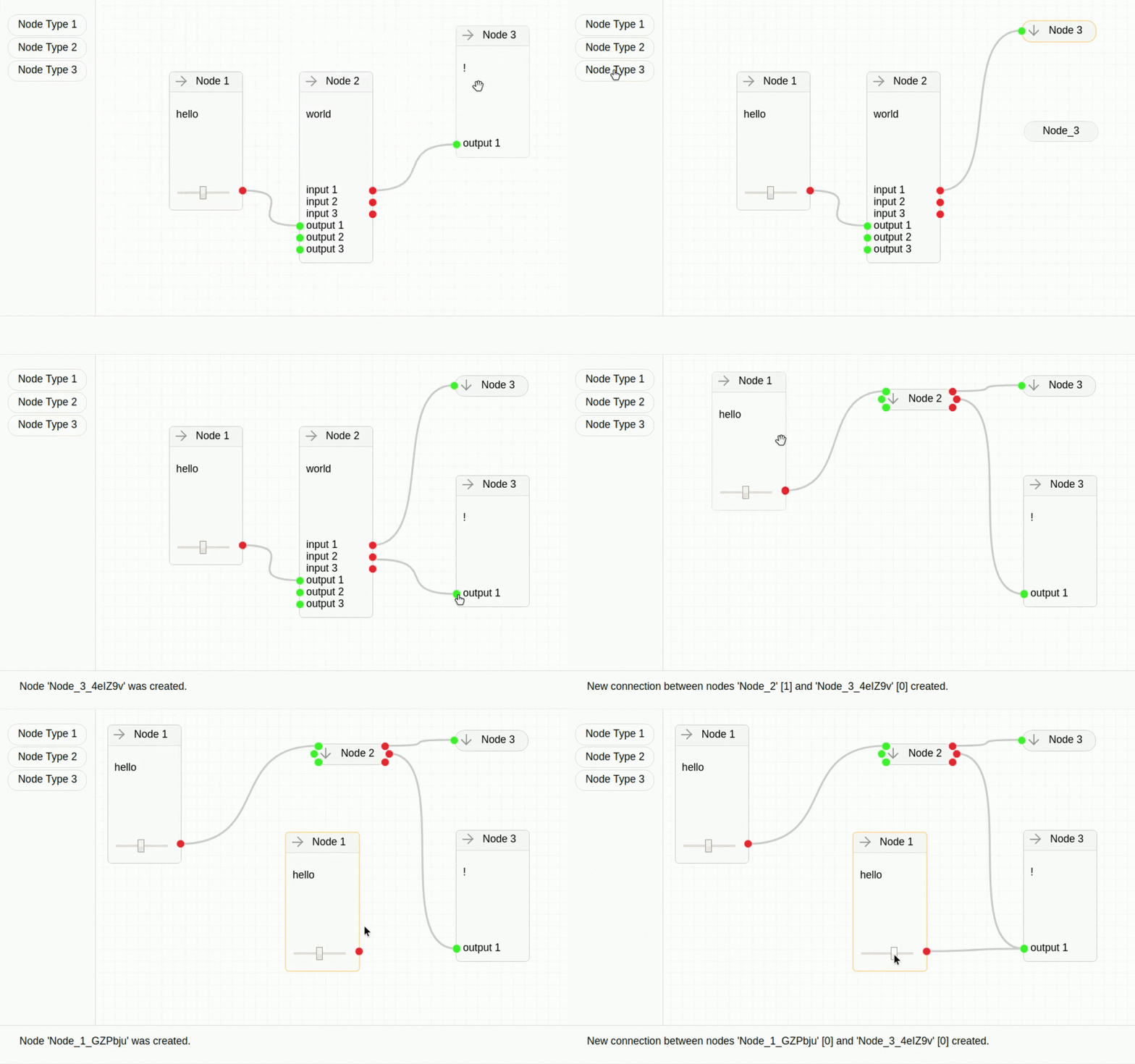
Try the demo in your browser.
If you are interested in redux dive into the example or try the more advanced demo.
Getting started
import * as ReactDOM from 'react-dom';
import { Editor, Node, Config} from 'react-flow-editor';

// Create the initial graph
const nodes: Node[] = [
    {
        id: 'Node 1',
        name: 'First Node',
        payload: { h1: 'hello' },
        inputs: [{
            connection: [], name: 'input 1'
        }],
        outputs: []
}];

// Renders the body of each node
function resolver(data: any): JSX.Element {
    if (data.type === '') return <h2 />;
    return (
        <p>{data.payload.h1}</p>
    );
}

const config: Config = {
    resolver,
    connectionType: 'bezier',
    grid: true,
    demoMode: true,
};

ReactDOM.render(
    <div>
        <Editor config={config} nodes={nodes} />
    </div>,
    document.getElementById('root')
);
See example for usage.
Side effects
- Before creating new nodes, the node under the cursor is a direct child of
document.body. - In order to decouple editor and menu components they use
window.onStartCreatingNewNodeto communicate.
API
Configuration
The config interface looks as follow
export interface Config {
    resolver: (payload: any) => JSX.Element;
    connectionValidator?: (output: { nodeId: string, port: number }, input: { nodeId: string, port: number }) => boolean;
    onChanged?: (node: ChangeAction) => void;
    connectionType?: 'bezier' | 'linear';
    grid?: boolean | { size: number };
    connectionAnchorsLength?: number;
    direction?: 'ew' | 'we';
    demoMode?: boolean;
}
| Property | Description |
|---|---|
resolver |
A function returning a React component which gets placed into the node |
connectionValidator |
A function which evaluates if a possible connection might be valid or not |
onChanged |
A callback which gets called when the flow graph changed |
connectionType |
The geometry type of the connection lines between the nodes |
grid |
Specifies if the grid should be rendered or not (Default is true). Optional specifies distances between the lines (size). Default is 18. |
connectionAnchorsLength |
Specifies the langth of the anker when using bezier as connectionType. |
direction |
Specifies the orientation of the input and output ports. Default is we. |
demoMode |
If this set to true, the Editor takes care of updating the nodes in the props. Be carful using this in production. |
Nodes
A node is specified by the following interface
export interface Node {
  name: string;
  type: string;
  id: string;
  inputs: InputPort[];
  outputs: OutputPort[];
  payload?: any;
  position?: Vector2d;
  properties?: {display: 'stacked' | 'only-dots'};
  classNames?: string[];
  style: Style;
}
For now InputPort and OutputPort are identically to the Port interface:
export interface Port {
  name: string;
  connection?: Connection|Connection[];
  payload?: any;
  renderer?: (connection: Port) => JSX.Element;
}
export interface Connection {
  nodeId: string;
  port: number;
  classNames?: string[];
  notes?: string;
}
Themes
By default we recommend to import the default theme with
@import "react-flow-editor/dist/default-theme.scss";
But you can change the style of all components by coping that file and adjust its values.
Postcss support
When using postcss generated class names just forward them with
import * as style from './style.scss';

// ...

const config: Config = {
    resolver,
    connectionType: 'bezier',
    grid: true,
    demoMode: true,
    direction: 'we',
    style
};
// ...
See Example.
Roadmap
- Editing the title of the node
- Grouping nodes (similar to Blender)
- Optimize hooking
- Fix zooming and scrolling
Contributing
This library is very young. So please consider that it might have some bugs, but I will try to fix them, when they get reported.
If you have any problems or miss an important feature:
Feel free to create a PR or report an issue!
Ähnliche Projekte entdecken
Wird geladen…