
kuprel/min-dalle
kuprel/min-dalle has 3,488 GitHub stars and 244 forks. GitHot measured 0 stars in 24 hours, -1 in 7 days, and 0 in 15 days. Last checked 2026-11-12 09:48 UTC. Last push 2025-04-28.
So werden diese Zahlen gemessen
min(DALL·E) ist eine schnelle, minimalistische Portierung von DALL·E Mini auf PyTorch
Gemessener Sternzuwachs
- in 24h
- 0
- in 7 days
- -1
- in 15 days
- 0
- in 1 month
- Verlauf wird gesammelt
Nettoänderungen in überlappenden Zeiträumen, keine Tagessummen. Fehlende Messwerte bleiben leer. Sterne zeigen Interesse, nicht Qualität.
README.md
Originalmin(DALL·E)




YouTube Walk-through by The AI Epiphany
This is a fast, minimal port of Boris Dayma's DALL·E Mini (with mega weights). It has been stripped down for inference and converted to PyTorch. The only third party dependencies are numpy, requests, pillow and torch.
To generate a 3x3 grid of DALL·E Mega images it takes:
- 55 sec with a T4 in Colab
- 33 sec with a P100 in Colab
- 15 sec with an A10G on Hugging Face
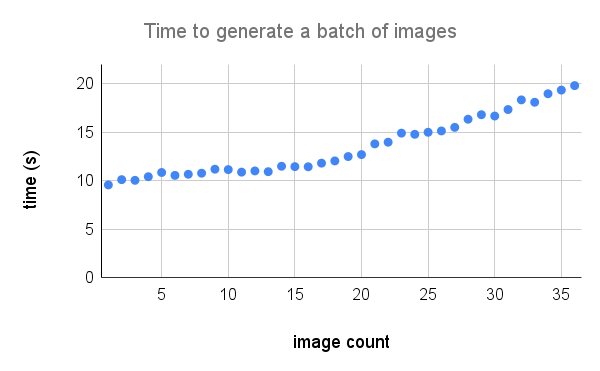
Here's a more detailed breakdown of performance on an A100. Credit to @technobird22 and his NeoGen discord bot for the graph.
The flax model and code for converting it to torch can be found here.
Install
$ pip install min-dalle
Usage
Load the model parameters once and reuse the model to generate multiple images.
from min_dalle import MinDalle

model = MinDalle(
    models_root='./pretrained',
    dtype=torch.float32,
    device='cuda',
    is_mega=True,
    is_reusable=True
)
The required models will be downloaded to models_root if they are not already there. Set the dtype to torch.float16 to save GPU memory. If you have an Ampere architecture GPU you can use torch.bfloat16. Set the device to either "cuda" or "cpu". Once everything has finished initializing, call generate_image with some text as many times as you want. Use a positive seed for reproducible results. Higher values for supercondition_factor result in better agreement with the text but a narrower variety of generated images. Every image token is sampled from the top_k most probable tokens. The largest logit is subtracted from the logits to avoid infs. The logits are then divided by the temperature. If is_seamless is true, the image grid will be tiled in token space not pixel space.
image = model.generate_image(
    text='Nuclear explosion broccoli',
    seed=-1,
    grid_size=4,
    is_seamless=False,
    temperature=1,
    top_k=256,
    supercondition_factor=32,
    is_verbose=False
)

display(image)
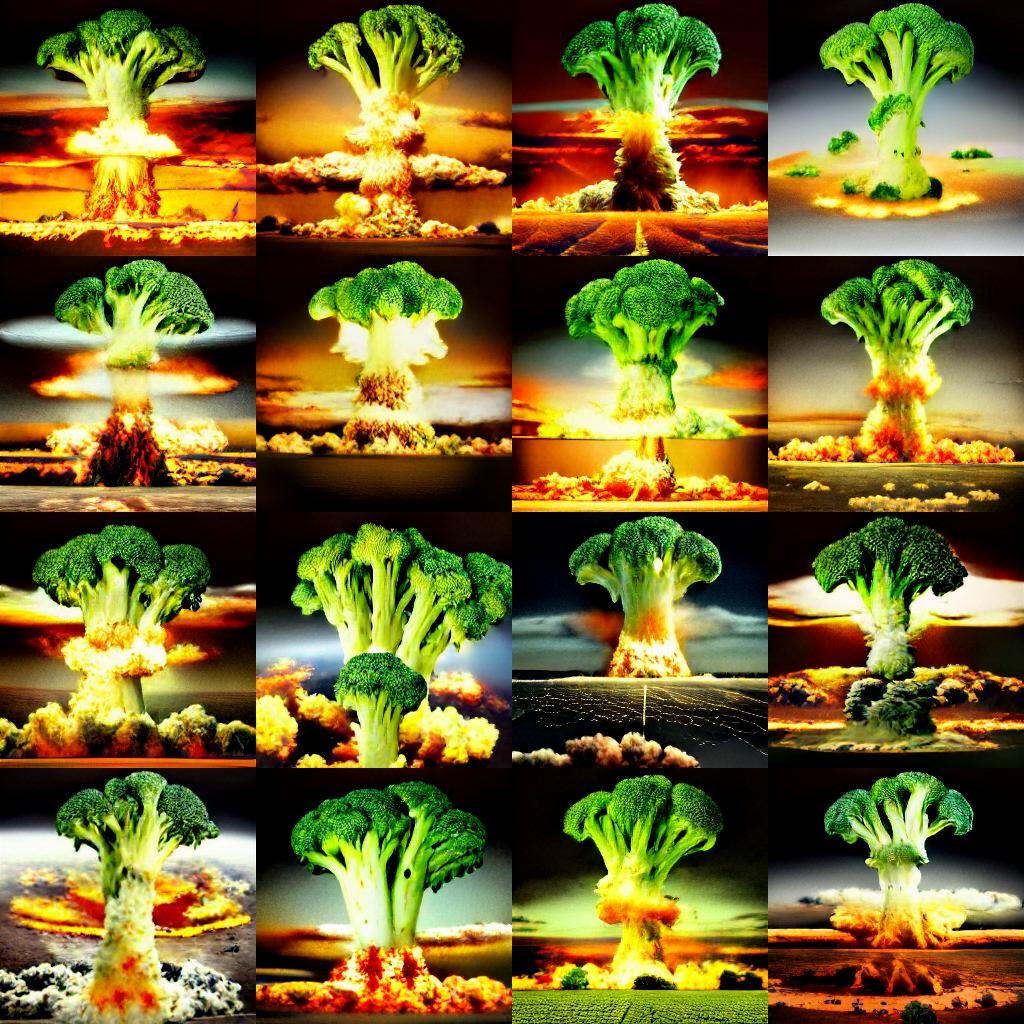
Credit to @hardmaru for the example
Saving Individual Images
The images can also be generated as a FloatTensor in case you want to process them manually.
images = model.generate_images(
    text='Nuclear explosion broccoli',
    seed=-1,
    grid_size=3,
    is_seamless=False,
    temperature=1,
    top_k=256,
    supercondition_factor=16,
    is_verbose=False
)
To get an image into PIL format you will have to first move the images to the CPU and convert the tensor to a numpy array.
images = images.to('cpu').numpy()
Then image $i$ can be coverted to a PIL.Image and saved
image = Image.fromarray(images[i])
image.save('image_{}.png'.format(i))
Progressive Outputs
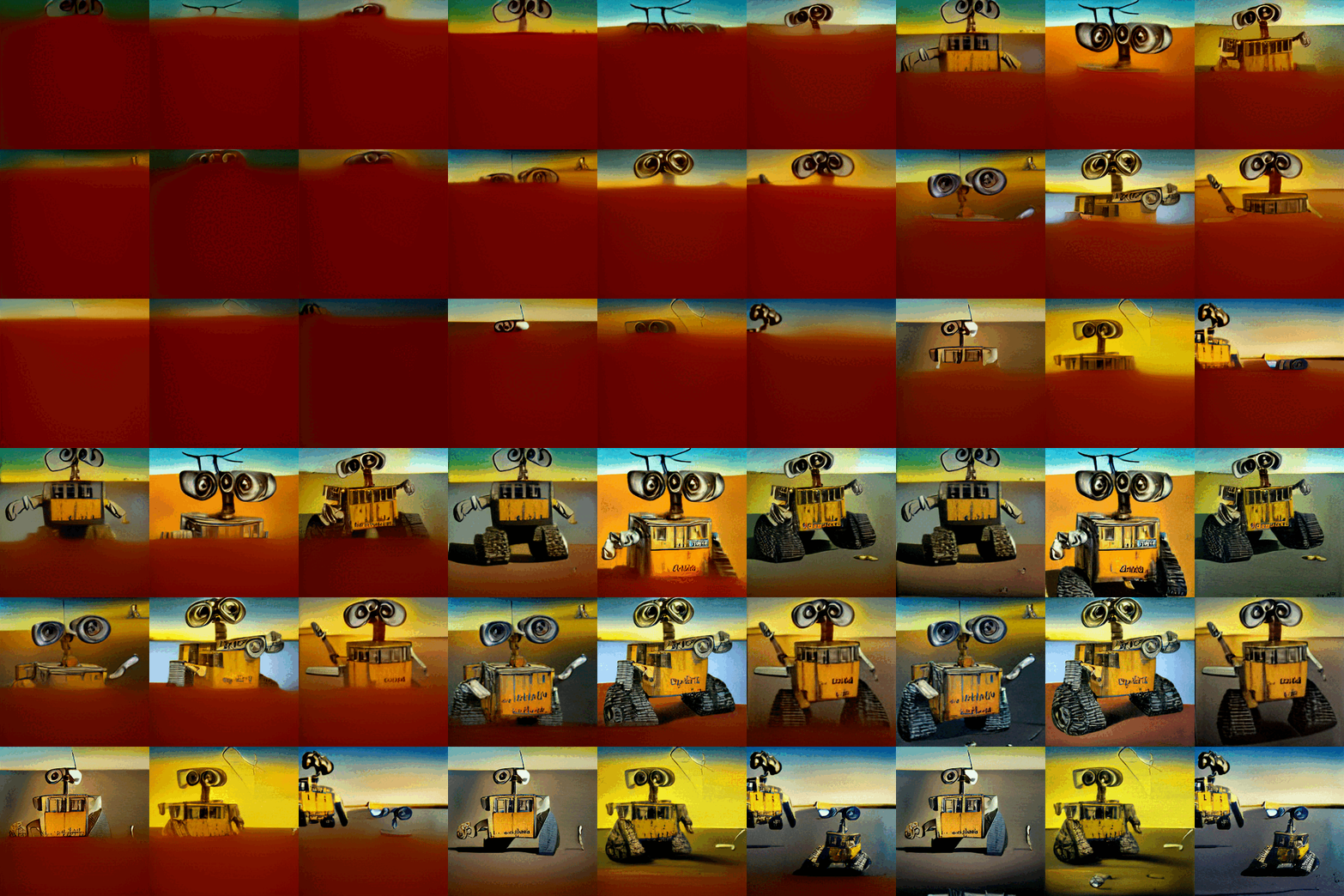
If the model is being used interactively (e.g. in a notebook) generate_image_stream can be used to generate a stream of images as the model is decoding. The detokenizer adds a slight delay for each image. Set progressive_outputs to True to enable this. An example is implemented in the colab.
image_stream = model.generate_image_stream(
    text='Dali painting of WALL·E',
    seed=-1,
    grid_size=3,
    progressive_outputs=True,
    is_seamless=False,
    temperature=1,
    top_k=256,
    supercondition_factor=16,
    is_verbose=False
)

for image in image_stream:
    display(image)
Command Line
Use image_from_text.py to generate images from the command line.
$ python image_from_text.py --text='artificial intelligence' --no-mega

Ähnliche Projekte entdecken
tensorflow/tensorflow
Ein Open-Source-Framework für maschinelles Lernen für alle
201,505 Sternehuggingface/transformers
🤗 Transformers: das Framework zur Modelldefinition für State-of-the-Art-Modelle des maschinellen Lernens in Text, Vision, Audio und multimodal, für Inferenz und Training.
168,815 SterneAUTOMATIC1111/stable-diffusion-webui
Web-UI für Stable Diffusion
165,289 SterneComfy-Org/ComfyUI
Die leistungsstärkste und modularste GUI, API und das Backend für Diffusionsmodelle mit einer Oberfläche aus Graphen und Knoten. Die schnellste lokale Inferenz-Engine der Welt.
146,271 Sterne