
edkahall/vitrail
edkahall/vitrail has 34 GitHub stars and 7 forks. GitHot measured +3 stars in 24 hours. Last checked 2026-11-14 10:09 UTC. Last push 2026-11-11.
What you can do
- Content: media library, playlists, multi-zone templates (any canvas resolution, portrait, LED), documents (PDF/PPTX), web pages, RSS and data feeds, VOD
- Scheduling: programmes, events, priorities, targeting by player, group, site or tags
- Fleet: provisioning by token, OTA updates (with canary), remote commands, screen power schedules, HDMI/RS-232 display control, LAN synchronisation between players, video walls
- In-store audio: music baskets with automatic ducking for jingles and messages
Gemessener Sternzuwachs
- in 24h
- +3
- in 7 days
- Verlauf wird gesammelt
- in 15 days
- Verlauf wird gesammelt
- in 1 month
- Verlauf wird gesammelt
Nettoänderungen in überlappenden Zeiträumen, keine Tagessummen. Fehlende Messwerte bleiben leer. Sterne zeigen Interesse, nicht Qualität.
Über uns
Free and open-source digital signage platform: multi-tenant web CMS + players for Linux, Windows, Raspberry Pi, Android, ChromeOS and BrightSign. Self-hosted, AGPL-3.0.
Web und AppsREADME.md
Original
Vitrail



Vitrail is a free and open-source digital signage platform: a multi-tenant web CMS plus players for Linux, Windows, Raspberry Pi, Android, ChromeOS (PWA), a Chrome extension and BrightSign. It is self-hosted and runs entirely on your own server. No cloud account is needed, and nothing phones home.
Stack: FastAPI (Python 3.12) · PostgreSQL 16 (+ pgvector) · Redis 7 · Celery 5 · Next.js 15 · MinIO
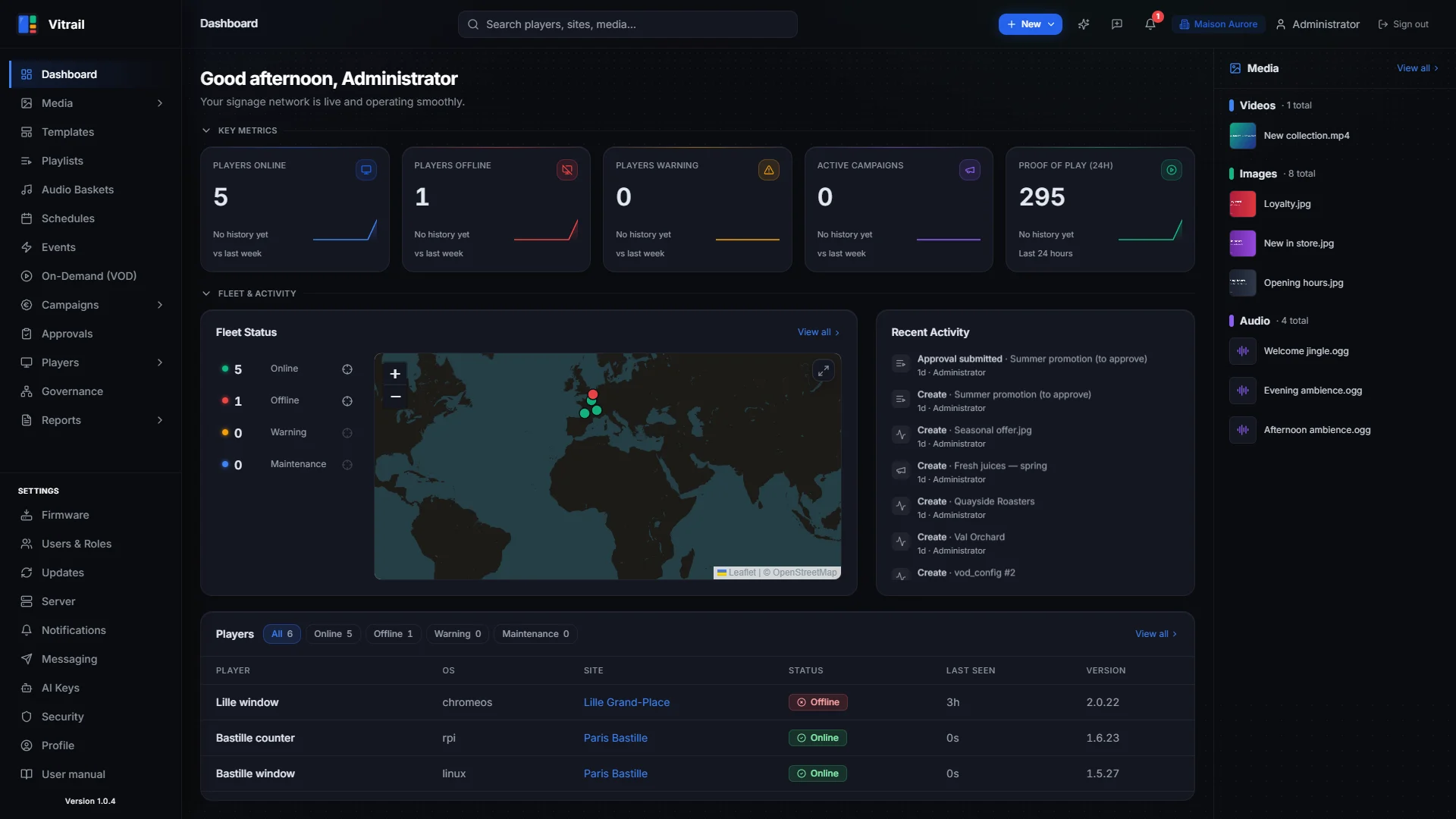
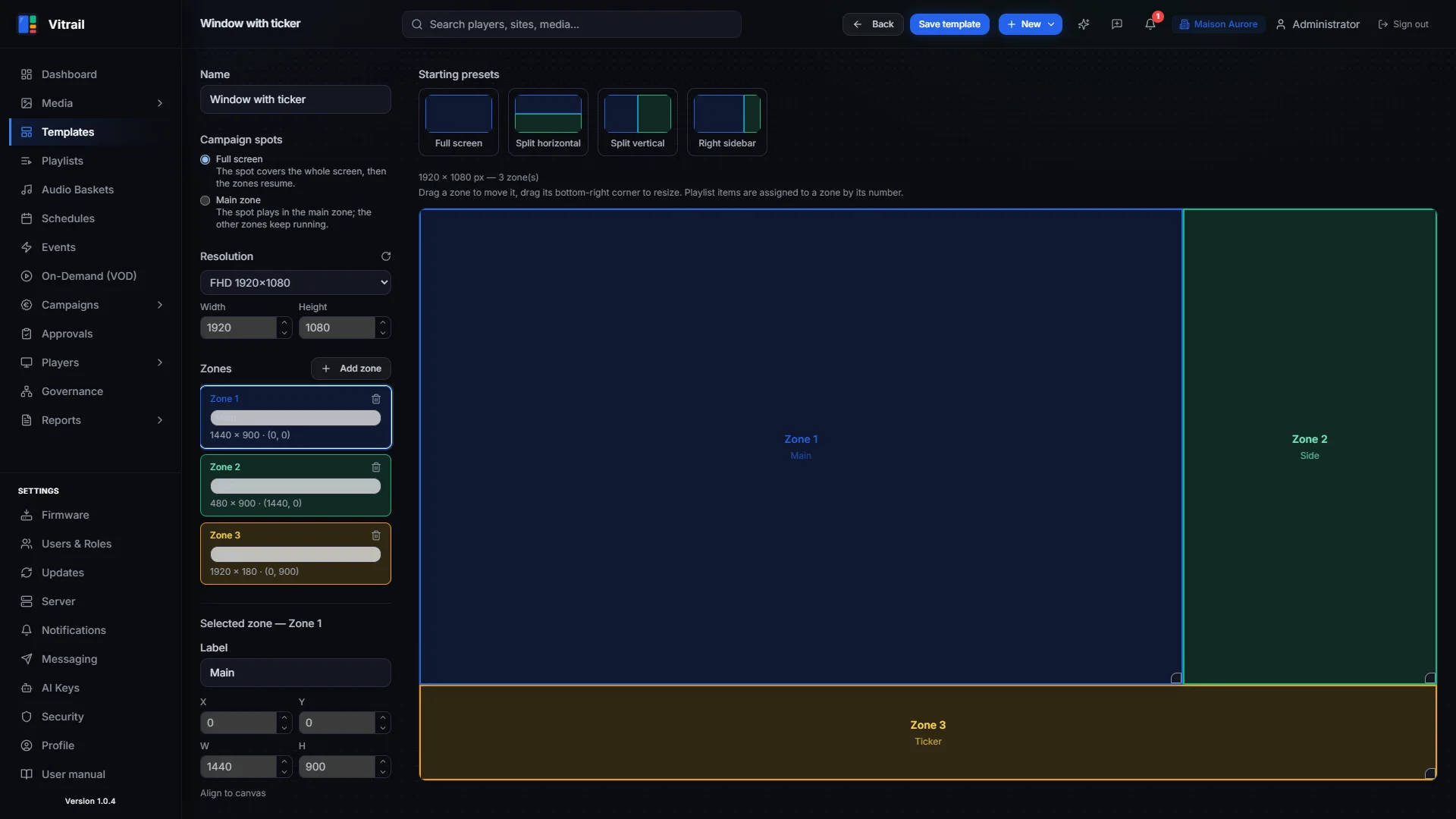
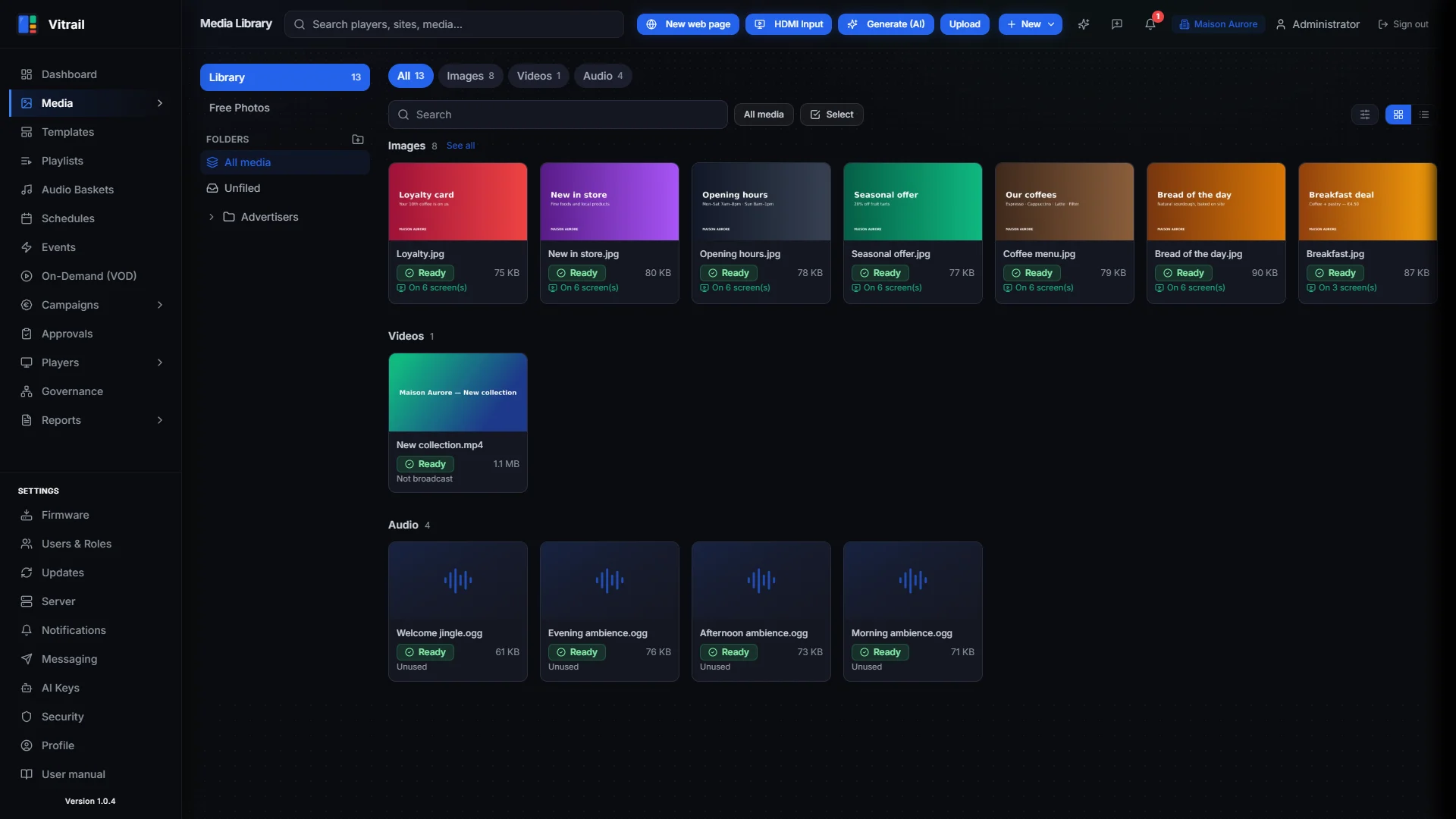
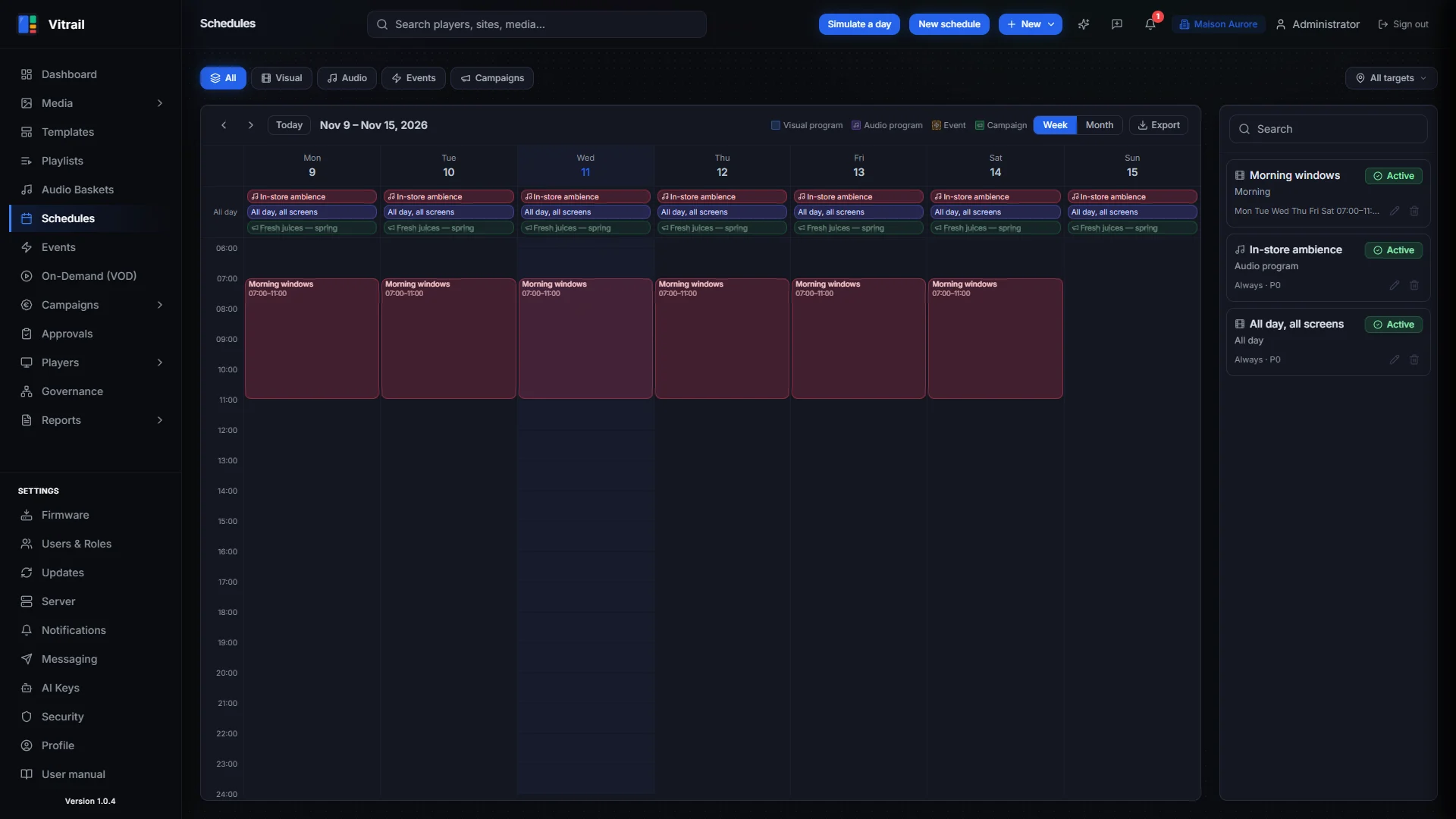
Demo data generated by backend/scripts/seed_demo_content.py — more screenshots in the user manual.
Features
- Content: media library, playlists, multi-zone templates (any canvas resolution, portrait, LED), documents (PDF/PPTX), web pages, RSS and data feeds, VOD
- Scheduling: programmes, events, priorities, targeting by player, group, site or tags
- Fleet: provisioning by token, OTA updates (with canary), remote commands, screen power schedules, HDMI/RS-232 display control, LAN synchronisation between players, video walls
- In-store audio: music baskets with automatic ducking for jingles and messages
- Retail media: share-of-voice inventory, advertiser self-service portal, approval workflow, competitive exclusion, reports
- Proof of Play: play logs signed on the player (Ed25519) and sealed in Merkle trees
- Governance: hierarchical delegation across organisations, sites and groups; RBAC with custom roles; PostgreSQL row-level security between tenants
- Analytics: executive dashboard, network health score, scheduled PDF reports
- AI (optional, bring your own keys): content generation, a documentation-aware assistant, and a Telegram agent
- Notifications: webhooks (HMAC-signed) and email
- Interface in 5 languages (EN, FR, DE, ES, PT); players display English
📘 Getting started
→ Operator's guide · 🇫🇷 Guide d'exploitation
Part 1 gets a server and a first screen running in about 15 minutes, on your own machine and any web browser. Part 2 covers production: sizing (with or without a GPU), HTTPS, every player platform, updates, backups, the Telegram assistant.
Installing a server
install-ubuntu.sh installs a server from source on a fresh Ubuntu machine (tested on
Ubuntu 24.04, 4 vCPU / 8 GB):
curl -fsSL https://raw.githubusercontent.com/edkahall/vitrail/main/install-ubuntu.sh -o install-vitrail.sh
sudo bash install-vitrail.sh
It installs Docker if needed, clones the repo into /opt/signflow, generates a .env with
random secrets, builds and starts the containers, runs the migrations, sets up a systemd service
and an nginx front on port 8080, then creates the first organisation and administrator. The
administrator's credentials and 2FA secret are printed once at the end: note them.
Known limitation: it serves plain HTTP on port 8080. When ufw is active, the installer
opens that port to private networks only; set VITRAIL_PUBLIC_HTTP=1 to open it to everyone
(fine for a quick trial, not for production). For access over the Internet, put the stack behind
a reverse proxy with TLS (see deploy/caddy/Caddyfile.example).
To create a super-admin (the platform role that manages organisations), run this on the server; shell access is the only requirement:
docker compose exec -T backend python3 /app/scripts/create_super_admin.py --email [email protected]
Installing a player
In the interface, go to Players → Provisioning: you get an sfp_ token, a downloadable
payload, or an SD card for BrightSign. In the field, the signflow-provision tool installs a
player over SSH (Linux/RPi), WinRM (Windows) or ADB (Android), or builds an SD
image for a new Raspberry Pi that needs no intervention at first boot. See
installer/README.md and docs/RUNBOOK_POSE_PLAYER.md.
One security rule never changes: connections always go from the player to the server. No inbound port is opened on the player's network.
🤖 Install with an AI assistant
This repository ships a CLAUDE.md that briefs an AI assistant on Vitrail: the
installation steps, the checks to run after each one, the pitfalls met on real installs, and
safety rules (ask before anything destructive, never print secrets).
- With Claude Code: clone the repository on your server
and run
claudein it. Claude readsCLAUDE.mdautomatically and can walk you through the installation, run the checks with you and help you troubleshoot. - In a chat (claude.ai or another assistant): download
CLAUDE.md, add it to the conversation and ask for help installing Vitrail.
The assistant answers in your language. It is the same content as the guide, written for an assistant: the guide stays the reference.
Repository layout
backend/           FastAPI + Celery (API, engines, media/feed/promo workers)
frontend/          Next.js (App Router, next-intl, Tailwind): web CMS + advertiser portal
player-linux/      Electron, Debian (X11 + openbox)
player-windows/    Electron, Windows 11
player-rpi/        Electron, Raspberry Pi OS (Wayland + cage)
player-android/    Native Android app (ExoPlayer)
player-chromeos/   ChromeOS kiosk PWA (served code: frontend/public/player-chromeos/)
player-extension/  Chrome extension (zero hardware)
player-brightsign/ BrightScript autorun (BrightSign BOS)
installer/         Field provisioning tool (multi-channel Python CLI + RPi SD image)
mobile/            Companion mobile app
feed-proxy/        Feed proxy (RSS, social…) with SSRF protection
deploy/            Deployment helpers (backups, load tests, TLS example)
docs/              Technical documentation and guides
The user manual is built into the interface (Help menu, 5 languages). Its source lives in
frontend/public/help/.
Development
To work on the code rather than run a server:
cp .env.example .env            # fill in the secrets (see the comments in the file)
docker compose up -d
make dev-init                   # migrations + MinIO bucket (first run only)
docker compose exec -T backend python3 /app/scripts/bootstrap.py   # first organisation + admin (prints the credentials)
The base docker-compose.yml publishes no ports for postgres, redis, backend or frontend.
Put your port bindings in a docker-compose.override.yml (gitignored). That way the stack can
share a machine with other services.
- Frontend:
cd frontend && npm ci && npm run dev - Backend tests:
make test(needs postgres, redis and minio running) - End-to-end tests:
cd frontend && npx playwright test
Technical notes
The project was born under the working name SignFlow. Technical identifiers still carry it
(SIGNFLOW_* variables, the X-SignFlow-* webhook headers, the server directory
/opt/signflow, the Windows player's install folder and scheduled task "SignFlow Player") so
that existing installations keep working. Everything shown on screen says Vitrail, and the
Android app is app.vitrail.player since v1.0.3.
Contributing
Contributions are welcome: bug reports, fixes, translations, new players, documentation. Read
CONTRIBUTING.md first. Every commit must be signed off (Developer
Certificate of Origin).
To report a security issue, do not open a public issue. Follow SECURITY.md.
Licence
Copyright © 2026 Ed Kahall and the Vitrail contributors.
Vitrail is free software, licensed under the GNU Affero General Public License v3.0 or later
(LICENSE). You may use, study, modify and redistribute it, commercially or not.
If you distribute it, or let users interact with a modified version over a network, you must
make your source code available under the same licence.
Third-party components keep their own licences: see THIRD_PARTY_NOTICES.md.
Ähnliche Projekte entdecken
freeCodeCamp/freeCodeCamp
Die Open-Source-Codebasis und das Curriculum von freeCodeCamp.org. Lerne Mathematik, Programmierung und Informatik kostenlos.
459,120 Sternedonnemartin/system-design-primer
Lerne, Systeme im großen Maßstab zu entwerfen, und bereite dich auf das Systemdesign-Interview vor. Enthält Anki-Karteikarten.
377,843 Sternereact/react
Die Bibliothek für Web- und native Benutzeroberflächen.
252,599 Sternevuejs/vue
Dies ist das Repository für Vue 2. Das Repository für Vue 3 findest du unter https://github.com/vuejs/core
212,526 Sterne