
dev-labs-bg/transitioner
dev-labs-bg/transitioner has 2,044 GitHub stars and 142 forks. GitHot measured 0 stars in 24 hours, -1 in 7 days, and -2 in 15 days. Last checked 2026-11-22 05:04 UTC. Last push 2020-04-24.
Gemessener Sternzuwachs
- in 24h
- 0
- in 7 days
- -1
- in 15 days
- -2
- in 1 month
- Verlauf wird gesammelt
Nettoänderungen in überlappenden Zeiträumen, keine Tagessummen. Fehlende Messwerte bleiben leer. Sterne zeigen Interesse, nicht Qualität.
Über uns
Eine Bibliothek für dynamische Übergänge zwischen Ansichten
Kreativität und MedienREADME.md
Original


Transitioner provides easy, dynamic and adjustable animations between two views with nested children.

App design feature here.
Usage
First you need to create a Transitioner object containing your original and ending views:
val transition = Transitioner(original_view, ending_view)
The view pairs must have matching "tag" attributes so that they can be bound together:
<ConstraintLayout
        android:id="@+id/original_view"
        android:tag="constrView"
        ...>

        <TextView
            android:id="@+id/text"
            android:tag="firstView"
            .../>
</ConstraintLayout>

<ConstraintLayout
        android:id="@+id/ending_view"
        android:tag="constrView"
        android:visibility="invisible"
        ...>

        <EditText
            android:id="@+id/text3"
            android:tag="firstView"
            .../>
 </ConstraintLayout>
I recommend you hide the second view layout, since it's only used as a placeholder for the end destination. The views can be of any type, you can mix and match them, the two layouts can have a different number of views and nested layouts are 100% supported. The only things to keep in mind are:
all views which you would want to match together must have the same tag attribute in both layouts
all unmatched views will remain at their original place inside the original layout
the second layout is just a placeholder. It doesn't hold any logic, it only shows where the original layout should move to.
Basic Usage
 transition.setProgress(0.5f)
 //or
 transition.setProgress(50)
Additional methods and tweaks
transition.duration = 500

transition.interpolator = AccelerateDecelerateInterpolator()

transition.animateTo(percent = 0f)

transition.onProgressChanged {
//triggered on every progress change of the transition
    seekBar.progress = (it * 100).toInt()
    }

val progress: Float = transition.currentProgress
Here is a preview of a simple application made using this library
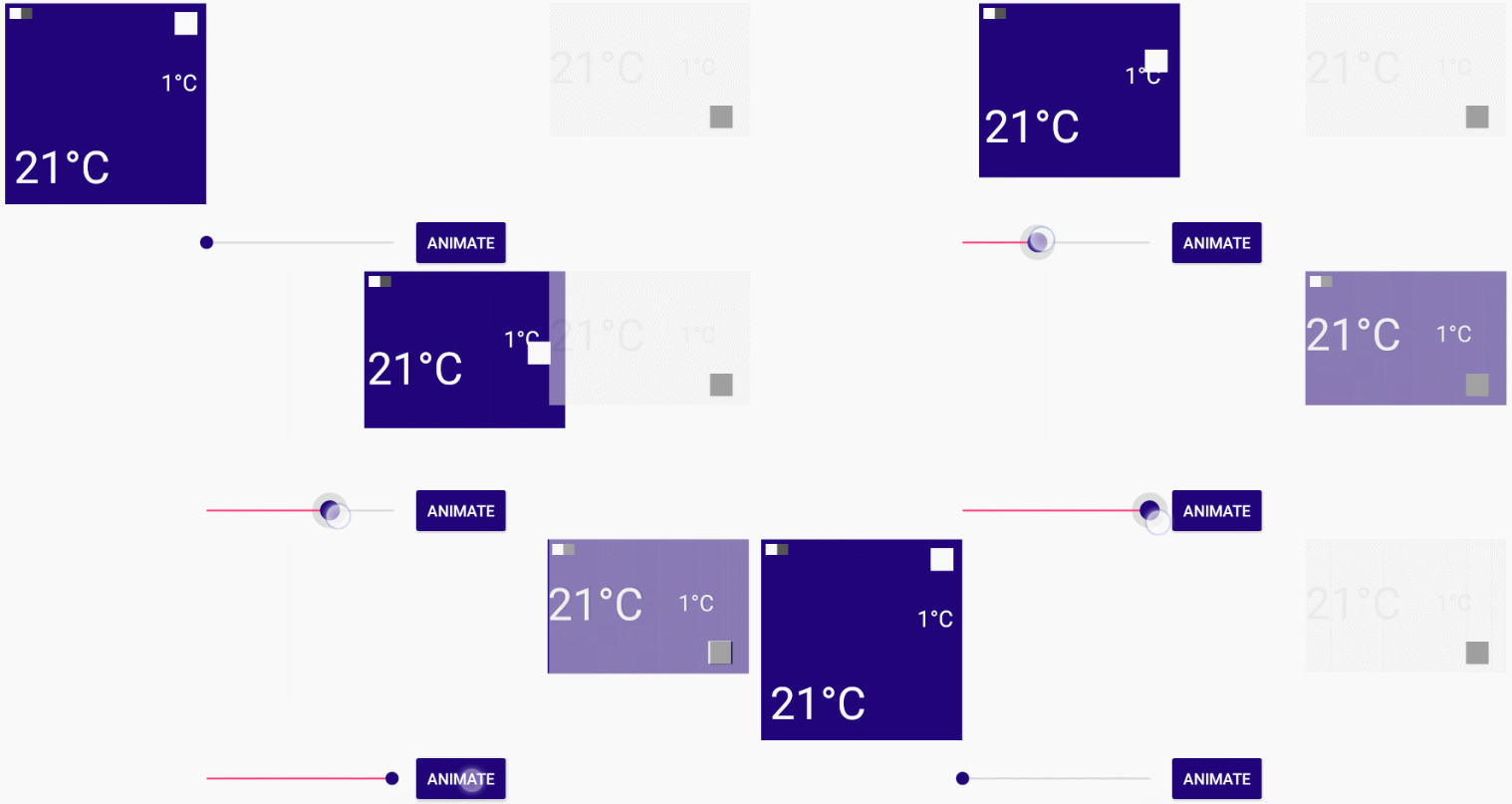
This effect can be reproduced by placing the "Transitioner.setProgress(Float)" function inside a onTouch or a onProgressChanged method.
Download
Manually
The recommended way to download is to copy the single library class file and use it in your application.
Gradle
dependencies {
  compile 'bg.devlabs.transitioner:transitioner:<latest_version>'
}
Getting help
Dev Labs @devlabsbg
Radoslav Yankov @rado__yankov
Under MIT License.
Ähnliche Projekte entdecken
Wird geladen…