
davdroman/swiftui-navigation-transitions
Über uns
Navigationstransitionen ausschließlich mit SwiftUI ✨
Kreativität und MedienGemessener Sternzuwachs
- in 24h
- 0
- in 7 days
- +1
- in 15 days
- +3
- in 1 month
- Verlauf wird gesammelt
Nettoänderungen in überlappenden Zeiträumen, keine Tagessummen. Fehlende Messwerte bleiben leer. Sterne zeigen Interesse, nicht Qualität.
README.md
OriginalSwiftUINavigationTransitions





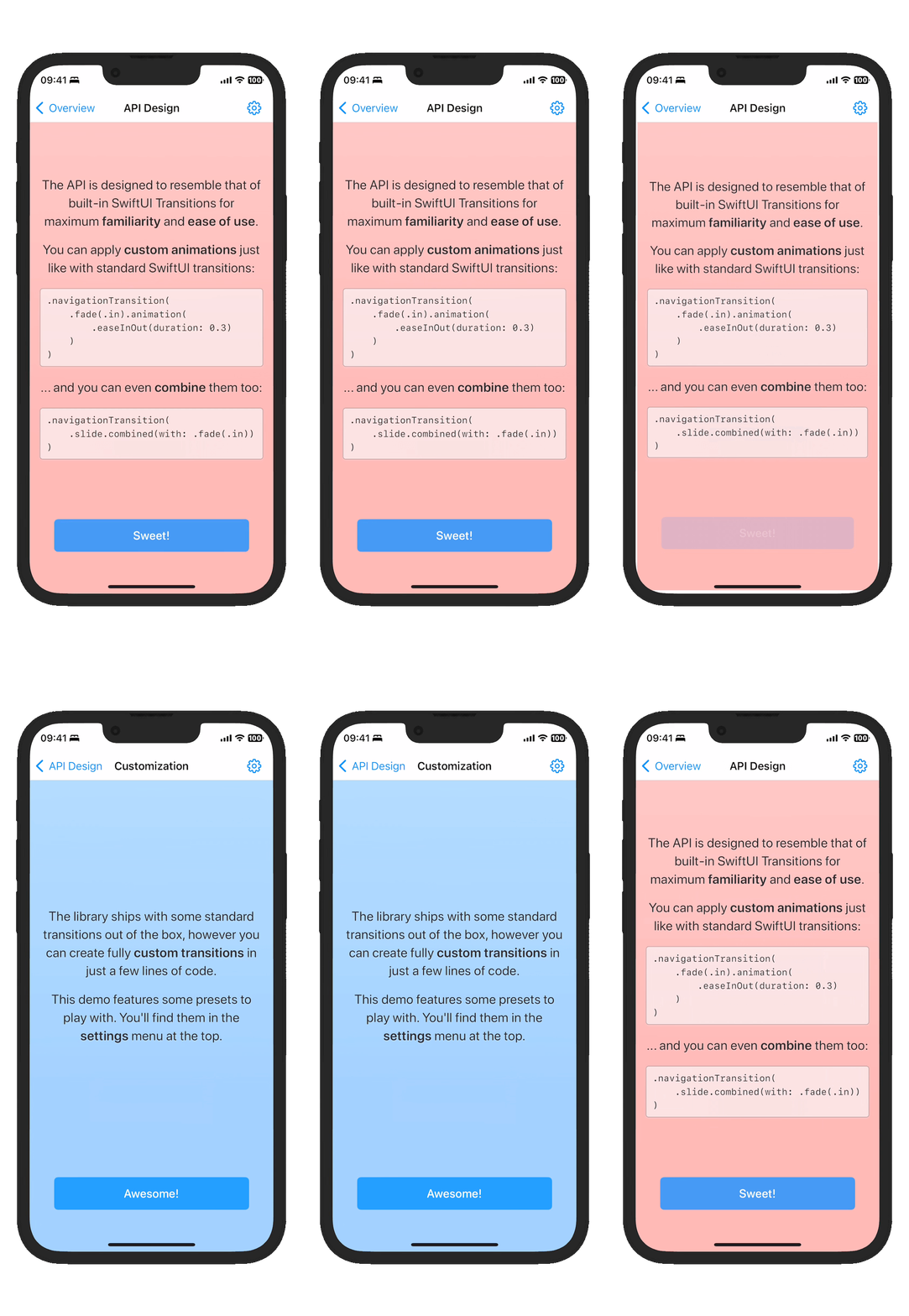

SwiftUINavigationTransitions integrates with SwiftUI's NavigationStack to customize push and pop transitions.
Requires iOS 16+, Mac Catalyst 16+, tvOS 16+, or visionOS 1+.
Overview
Apply a single modifier directly to NavigationStack to control its transitions.
The Basics
NavigationStack {
  // ...
}
.customNavigationTransition(.slide)
The API is designed to resemble that of built-in SwiftUI Transitions for maximum familiarity and ease of use.
You can apply custom animations just like with standard SwiftUI transitions:
.customNavigationTransition(
    .fade(.in).animation(.easeInOut(duration: 0.3))
)
You can combine them:
.customNavigationTransition(
    .slide.combined(with: .fade(.in))
)
And you can dynamically choose between transitions based on logic:
.customNavigationTransition(
    reduceMotion ? .fade(.in).animation(.linear) : .slide(.vertical)
)
Transitions
The library ships with some standard transitions out of the box:
In addition to these, you can create fully custom transitions in just a few lines of SwiftUI-like code!
struct Swing: NavigationTransitionProtocol {
    var body: some NavigationTransitionProtocol {
        Slide(axis: .horizontal)
        MirrorPush {
            let angle = 70.0
            let offset = 150.0
            OnInsertion {
                ZPosition(1)
                Rotate(.degrees(-angle))
                Offset(x: offset)
                Opacity()
                Scale(0.5)
            }
            OnRemoval {
                Rotate(.degrees(angle))
                Offset(x: -offset)
            }
        }
    }
}
The Demo app showcases some of these transitions in action.
Interactivity
Choose from three interactivity options: .disabled, .edgePan, or .contentPan:
.customNavigationTransition(.slide, interactivity: .disabled) // disables back swipes
.contentPan supports full-screen pop gestures on iOS 16 and later:
.customNavigationTransition(.slide, interactivity: .contentPan)
This also works while maintaining the default system transition:
.customNavigationTransition(.default, interactivity: .contentPan)
Installation
Add the package via Swift Package Manager:
dependencies: [
    .package(url: "https://github.com/davdroman/swiftui-navigation-transitions", from: "0.19.0"),
]
.product(name: "SwiftUINavigationTransitions", package: "swiftui-navigation-transitions"),
Development
Install Mise, then install the project tools and Git hooks:
mise install
mise exec -- hk install --mise
Ähnliche Projekte entdecken
Wird geladen…