
d3xvn/flip_box_bar
Über uns
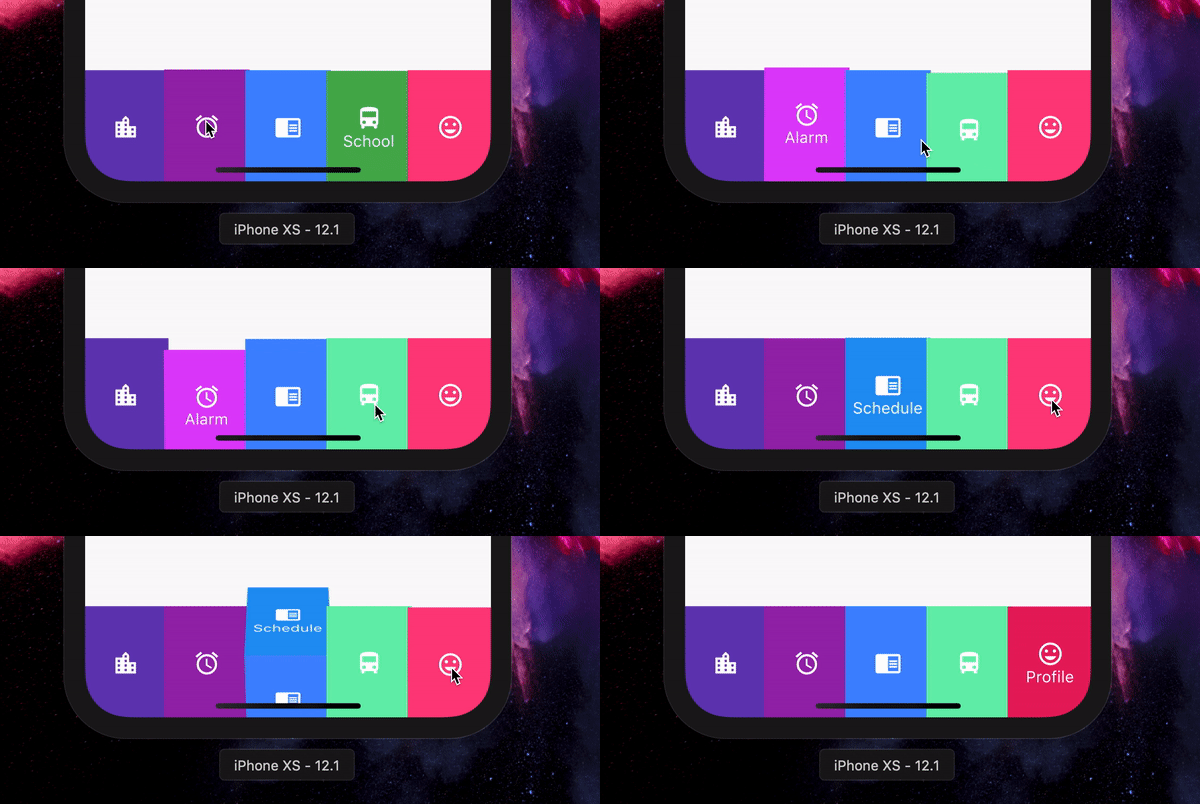
A 3D Bottom Navigation Bar in Flutter
Kreativität und MedienGemessener Sternzuwachs
- in 24h
- 0
- in 7 days
- 0
- in 15 days
- Verlauf wird gesammelt
- in 1 month
- Verlauf wird gesammelt
Nettoänderungen in überlappenden Zeiträumen, keine Tagessummen. Fehlende Messwerte bleiben leer. Sterne zeigen Interesse, nicht Qualität.
README.md
Originalflip_box_bar
A 3D BottomNavigationBar inspired by Dribbble design by Dannniel [https://dribbble.com/shots/4811135-Tab-Bar-Cube-Interaction].
Demo
Example Use
      // In Scaffold
      int selectedIndex = 0;

      bottomNavigationBar: FlipBoxBar(
              selectedIndex: index,
              items: [
                FlipBarItem(icon: Icon(Icons.map), text: Text("Map"), frontColor: Colors.blue, backColor: Colors.blueAccent),
                FlipBarItem(icon: Icon(Icons.add), text: Text("Add"), frontColor: Colors.cyan, backColor: Colors.cyanAccent),
                FlipBarItem(icon: Icon(Icons.chrome_reader_mode), text: Text("Read"), frontColor: Colors.orange, backColor: Colors.orangeAccent),
                FlipBarItem(icon: Icon(Icons.print), text: Text("Print"), frontColor: Colors.purple, backColor: Colors.purpleAccent),
                FlipBarItem(icon: Icon(Icons.print), text: Text("Print"), frontColor: Colors.pink, backColor: Colors.pinkAccent),
              ],
              onIndexChanged: (newIndex) {
                setState() {
                    selectedIndex = newIndex;
                }
              },
            ),
Properties
List<FlipBarItem> items;
The items to be displayed in the BottomNavBar.
Duration animationDuration;
The duration of the animation of the box flip.
ValueChanged<int> onIndexChanged;
Callback for getting value of item selection.
int initialIndex;
The initial selected index of the BottomNavBar.
double navBarHeight;
The height of the BottomNavBar.
Note: Breaking change
Prior to 0.9.0, only initialIndex was provided as a parameter. 0.9.0 onwards, user needs to modify the selectedIndex property and rebuild to animate. The reason for this modification is that it allows programmatically changing the selected index whereas the earlier version did not.
A version of the code before 0.9.0 would look like this:
        // In Scaffold

      bottomNavigationBar: FlipBoxBar(
              initialIndex: 0,
              items: [
                FlipBarItem(icon: Icon(Icons.map), text: Text("Map"), frontColor: Colors.blue, backColor: Colors.blueAccent),
                FlipBarItem(icon: Icon(Icons.add), text: Text("Add"), frontColor: Colors.cyan, backColor: Colors.cyanAccent),
                FlipBarItem(icon: Icon(Icons.chrome_reader_mode), text: Text("Read"), frontColor: Colors.orange, backColor: Colors.orangeAccent),
                FlipBarItem(icon: Icon(Icons.print), text: Text("Print"), frontColor: Colors.purple, backColor: Colors.purpleAccent),
                FlipBarItem(icon: Icon(Icons.print), text: Text("Print"), frontColor: Colors.pink, backColor: Colors.pinkAccent),
              ],
              onIndexChanged: (newIndex) {
                print(newIndex);
              },
            ),
Ähnliche Projekte entdecken
Wird geladen…