codebox/image_augmentor
codebox/image_augmentor has 458 GitHub stars and 152 forks. GitHot measured 0 stars in 24 hours. Last checked 2026-11-17 18:59 UTC. Last push 2023-10-03.
Gemessener Sternzuwachs
- in 24h
- 0
- in 7 days
- Verlauf wird gesammelt
- in 15 days
- Verlauf wird gesammelt
- in 1 month
- Verlauf wird gesammelt
Nettoänderungen in überlappenden Zeiträumen, keine Tagessummen. Fehlende Messwerte bleiben leer. Sterne zeigen Interesse, nicht Qualität.
Über uns
Data augmentation tool for images
Maschinelles LernenREADME.md
OriginalImage Augmentor
This is a simple data augmentation tool for image files, intended for use with machine learning data sets. The tool scans a directory containing image files, and generates new images by performing a specified set of augmentation operations on each file that it finds. This process multiplies the number of training examples that can be used when developing a neural network, and should significantly improve the resulting network's performance, particularly when the number of training examples is relatively small.
Run the utility from the command-line as follows:
python main.py <image dir> <transform1> <transform2> ...
The <image dir> argument should be the path to a directory containing the image files to be augmented.
The utility will search the directory recursively for files with any of the following extensions:
jpg, jpeg, bmp, png.
The transform arguments determine what types of augmentation operations will be performed,
using the codes listed in the table below:
| Code | Description | Example Values |
|---|---|---|
fliph |
Horizontal Flip | fliph |
flipv |
Vertical Flip | flipv |
noise |
Adds random noise to the image | noise_0.01,noise_0.5 |
rot |
Rotates the image by the specified amount | rot_90,rot_-45 |
trans |
Shifts the pixels of the image by the specified amounts in the x and y directions | trans_20_10,trans_-10_0 |
zoom |
Zooms into the specified region of the image, performing stretching/shrinking as necessary | zoom_0_0_20_20,zoom_-10_-20_10_10 |
blur |
Blurs the image by the specified amount | blur_1.5 |
Each transform argument results in one additional output image being generated for each input image. An argument may consist of one or more augmentation operations. Multiple operations within a single argument must be separated by commas, and the order in which the operations are performed will match the order in which they are specified within the argument.
Examples
Produce 2 output images for each input image, one of which is flipped horizontally, and one of which is flipped vertically:
python main.py ./my_images fliph flipv
Produce 1 output image for each input image, by first rotating the image by 90° and then flipping it horizontally:
python main.py ./my_images rot_90,fliph
Operations
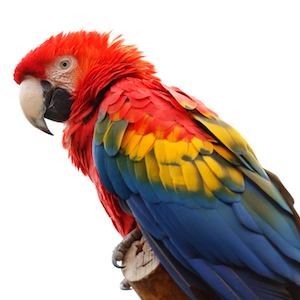
Horizontal Flip
Mirrors the image around a vertical line running through its center
python main.py ./my_images fliph
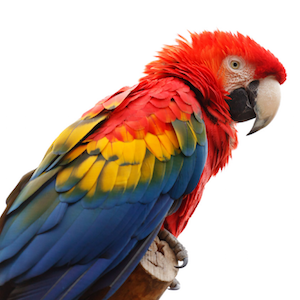
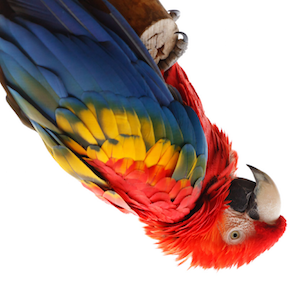
Vertical Flip
Mirrors the image around a horizontal line running through its center
python main.py ./my_images flipv
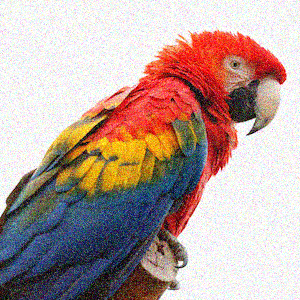
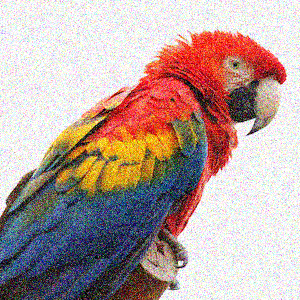
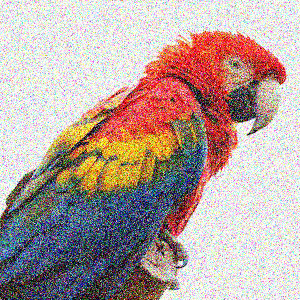
Noise
Adds random noise to the image. The amount of noise to be added is specified by a floating-point numeric value that is included in the transform argument, the numeric value must be greater than 0.
python main.py ./my_images noise_0.01 noise_0.02 noise_0.05
Rotate
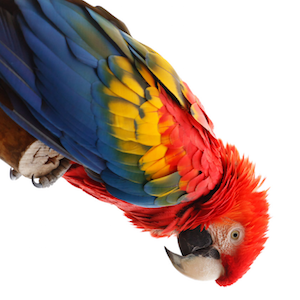
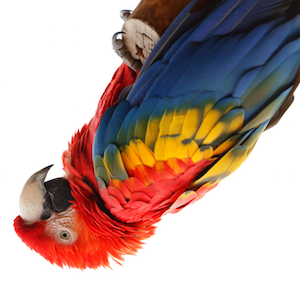
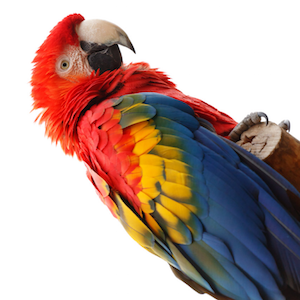
Rotates the image. The angle of rotation is specified by an integer value that is included in the transform argument
python main.py ./my_images rot_90 rot_180 rot_-90
Translate
Performs a translation on the image. The size of the translation in the x and y directions are specified by integer values that are included in the transform argument
python main.py ./my_images trans_20_20 trans_0_100
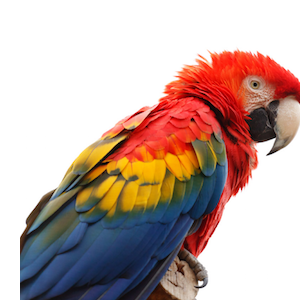
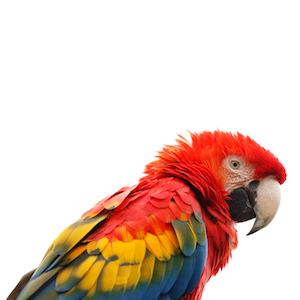
Zoom/Stretch
Zooms in (or out) to a particular area of the image. The top-left and bottom-right coordinates of the target region are specified by integer values included in the transform argument. By specifying a target region with an aspect ratio that differs from that of the source image, stretching transformations can be performed.
python main.py ./my_images zoom_150_0_300_150 zoom_0_50_300_150 zoom_200_0_300_300
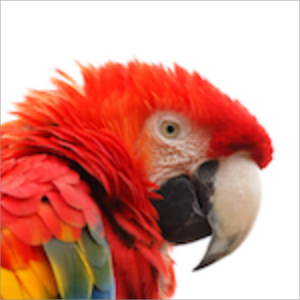
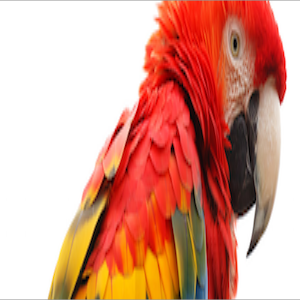
Blur
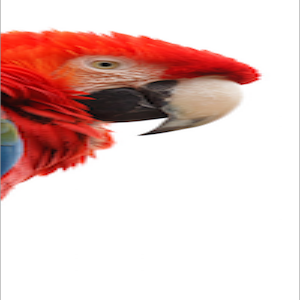
Blurs the image. The amount of blurring is specified by a floating-point value included in the transform argument.
python main.py ./my_images blur_1.0 blur_2.0 blur_4.0