catppuccin/vscode-icons
catppuccin/vscode-icons has 1,045 GitHub stars and 90 forks. GitHot measured 0 stars in 24 hours, +4 in 7 days, and +5 in 15 days. Last checked 2026-11-20 15:08 UTC. Last push 2026-11-16.
What you can do
- Soothing colors from the Catppuccin palette.
- Ever growing collection of language/technology specific icons.
- Look and feel consistency.
- Custom associations, monochrome icons, and more!
Gemessener Sternzuwachs
- in 24h
- 0
- in 7 days
- +4
- in 15 days
- +5
- in 1 month
- Verlauf wird gesammelt
Nettoänderungen in überlappenden Zeiträumen, keine Tagessummen. Fehlende Messwerte bleiben leer. Sterne zeigen Interesse, nicht Qualität.
Über uns
🦊 Soothing pastel icons for VSCode/VSCodium
EntwicklerwerkzeugeREADME.md
Original

Catppuccin Icons for VSCode/VSCodium




Previews
🌻 Latte

🪴 Frappé

🌺 Macchiato
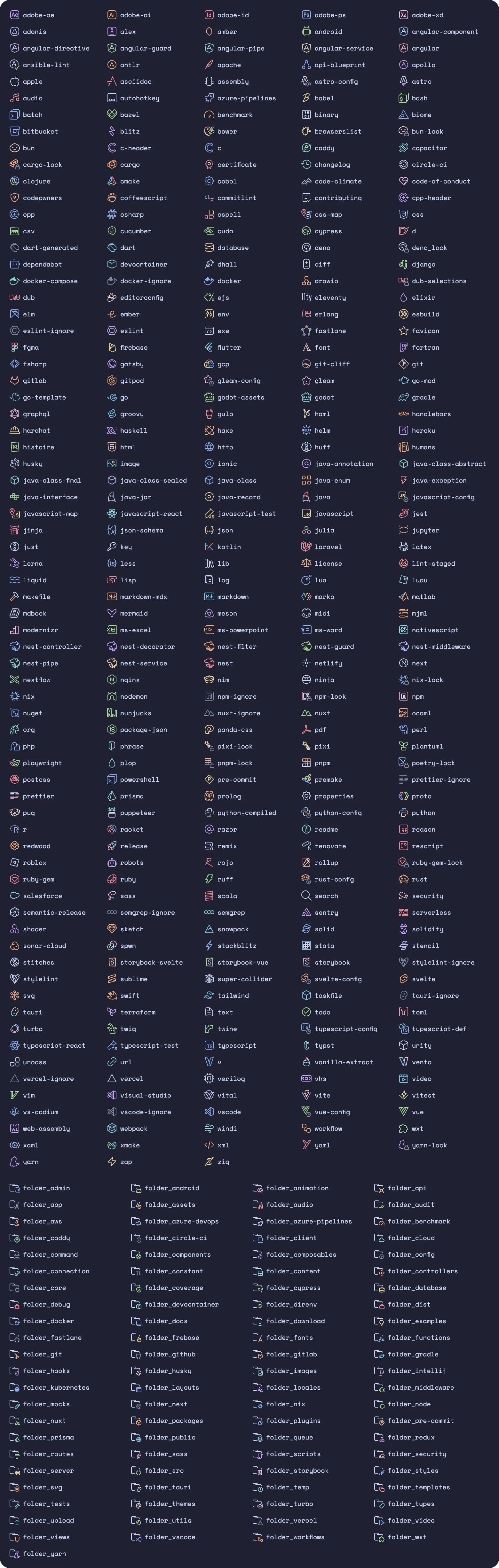
🌿 Mocha
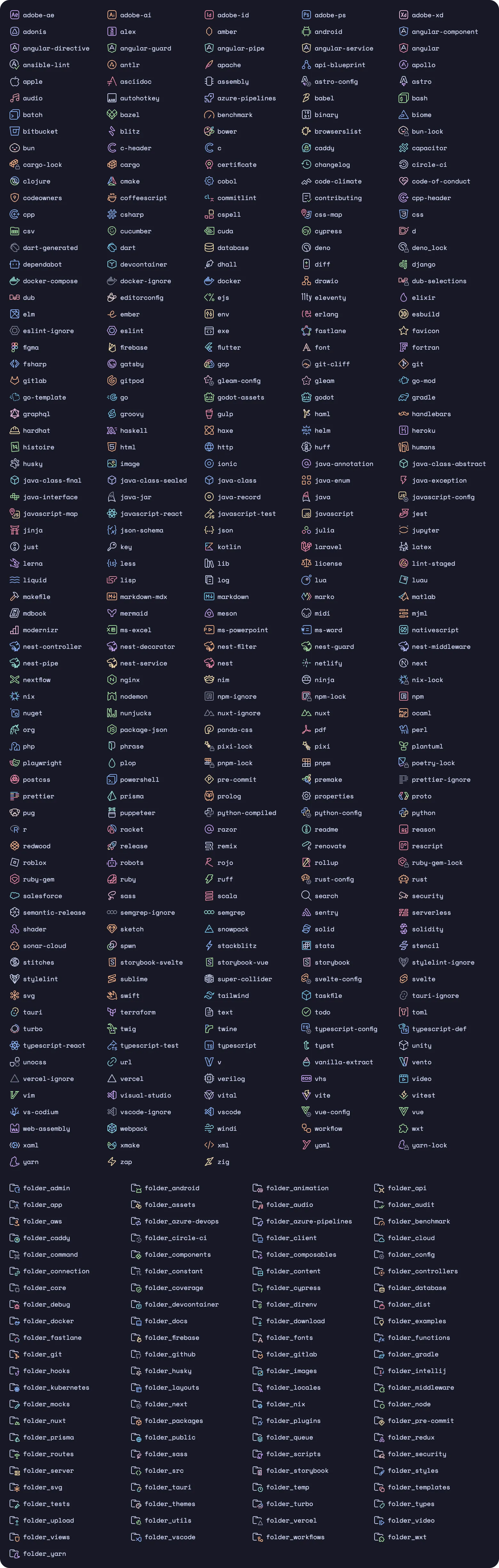
Features
- Soothing colors from the Catppuccin palette.
- Ever growing collection of language/technology specific icons.
- Look and feel consistency.
- Custom associations, monochrome icons, and more!
Usage
[!TIP] We also have a Catppuccin theme for the rest of VSCode/VSCodium, as well as a Catppuccin theme that brings these icons right into file explorers on the web. For Jetbrains IDEs we have catppuccin/Jetbrains-icons.
Marketplace
Install the extension from one of the following marketplaces.
Manual
Download the VSIX from the latest GitHub release. Open the Command Palette and select "Extensions: Install from VSIX...", then select the file you just downloaded.
Customization
Settings
Defaults for each setting are shown below.
{
  // Set to `true` to disable folding arrows next to folder icons.
  "catppuccin-icons.hidesExplorerArrows": false,

  // Set to `false` to only use the default folder icon.
  "catppuccin-icons.specificFolders": true,

  // Set to `true` to only use the `text` fill color for all icons.
  "catppuccin-icons.monochrome": false
}
To see all available options, open your settings UI and look for Extensions > Catppuccin Icons.
[!IMPORTANT] Changing settings regenerates/rewrites theme files and icons. It may take some time on lower-end computers. You may also be prompted to reload the window for changes to take effect.
Custom icon associations
You can also associate specific languagesIds/fileExtensions/fileNames/folderNames to icons and override the provided defaults.
{
  // Files with the language type `typescriptreact` will have the `typescript-react` icon.
  "catppuccin-icons.associations.languages": {
    "typescriptreact": "typescript-react"
  },

  // Files with the `spec.ts` extension will have the `typescript-test` icon.
  "catppuccin-icons.associations.extensions": {
    "spec.ts": "typescript-test"
  },

  // Files with the name `vite.config.ts` will have the `vite` icon.
  "catppuccin-icons.associations.files": {
    "vite.config.ts": "vite"
  },

  // Folders with the name `typings/` will have the `folder_types` icon.
  "catppuccin-icons.associations.folders": {
    "typings": "folder_types"
  }
}
[!NOTE] All available icons are listed in the preview images above. Custom/external SVGs are not supported, though you may request icons.
Commands
We provide a set of commands to interact with the extension and icons if needed.
Catppuccin Icons: Factory reset settings: removes all customization and resets the theme to the defaults.
Requesting icons and features
To request a new icon or a specific feature, open an issue documenting everything needed — the more information provided, the faster your request will be processed.
Contributing
If you are willing to contribute new icons or features, refer to the contribution guide.
💝 Thanks to

Copyright © 2021-present Catppuccin Org