
brianschwabauer/remarkably-organized
brianschwabauer/remarkably-organized has 227 GitHub stars and 65 forks. GitHot measured 0 stars in 24 hours. Last checked 2026-11-21 17:15 UTC. Last push 2025-01-06.
Gemessener Sternzuwachs
- in 24h
- 0
- in 7 days
- Verlauf wird gesammelt
- in 15 days
- Verlauf wird gesammelt
- in 1 month
- Verlauf wird gesammelt
Nettoänderungen in überlappenden Zeiträumen, keine Tagessummen. Fehlende Messwerte bleiben leer. Sterne zeigen Interesse, nicht Qualität.
Über uns
A custom planner pdf generator for e-ink tablets like the Remarkable 2
EntwicklerwerkzeugeREADME.md
Original
Remarkably Organized Planner
A web app for generating customizable planners designed for e-ink tablets like the Remarkable 2.
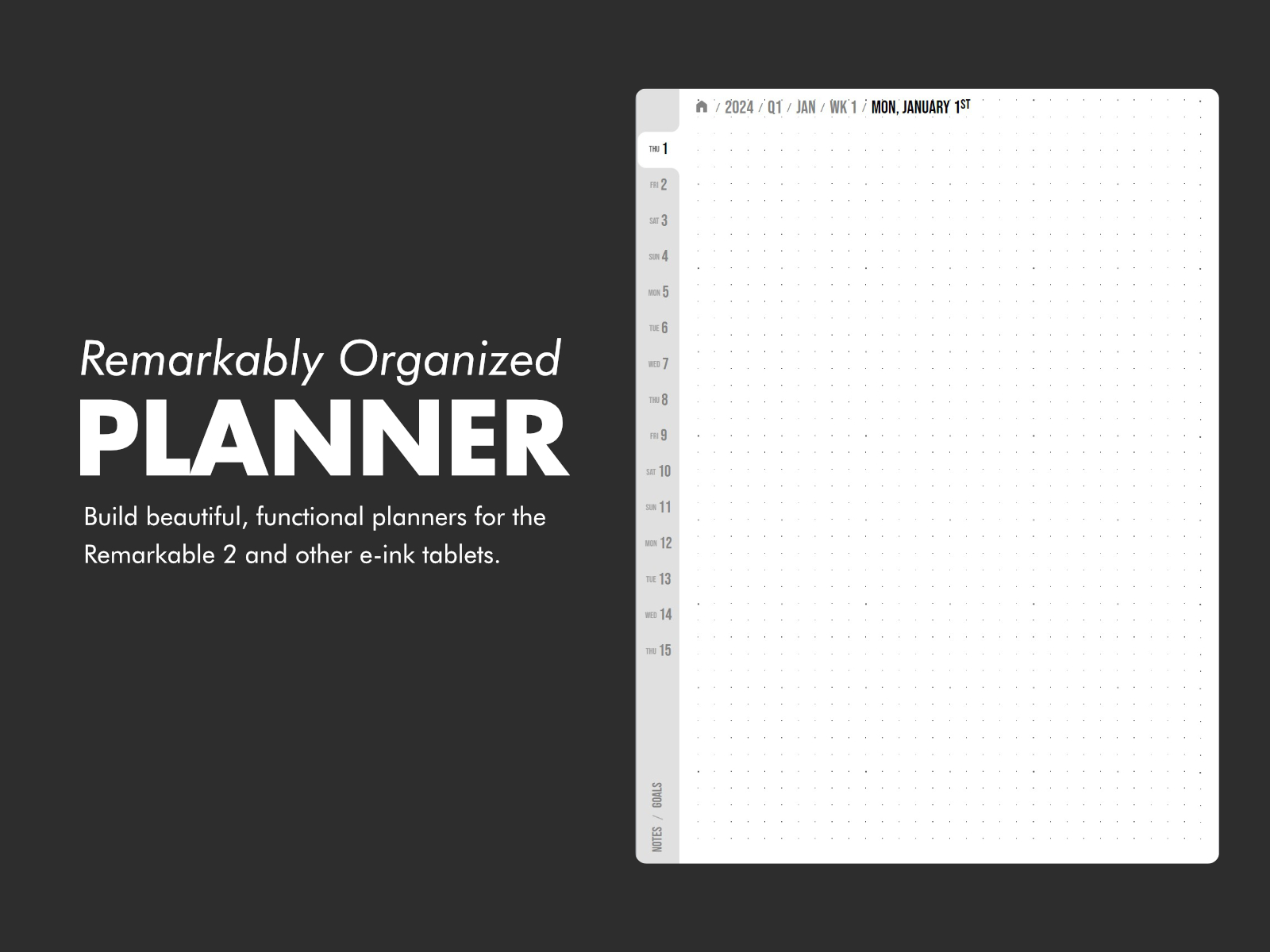
Use the "settings" modal to change the planner's content & design. The preview of the pdf should be generated live.
The current settings are saved in the URL so a particular planner can be shared easily. Just copy the URL and share with others!
Exporting to PDF
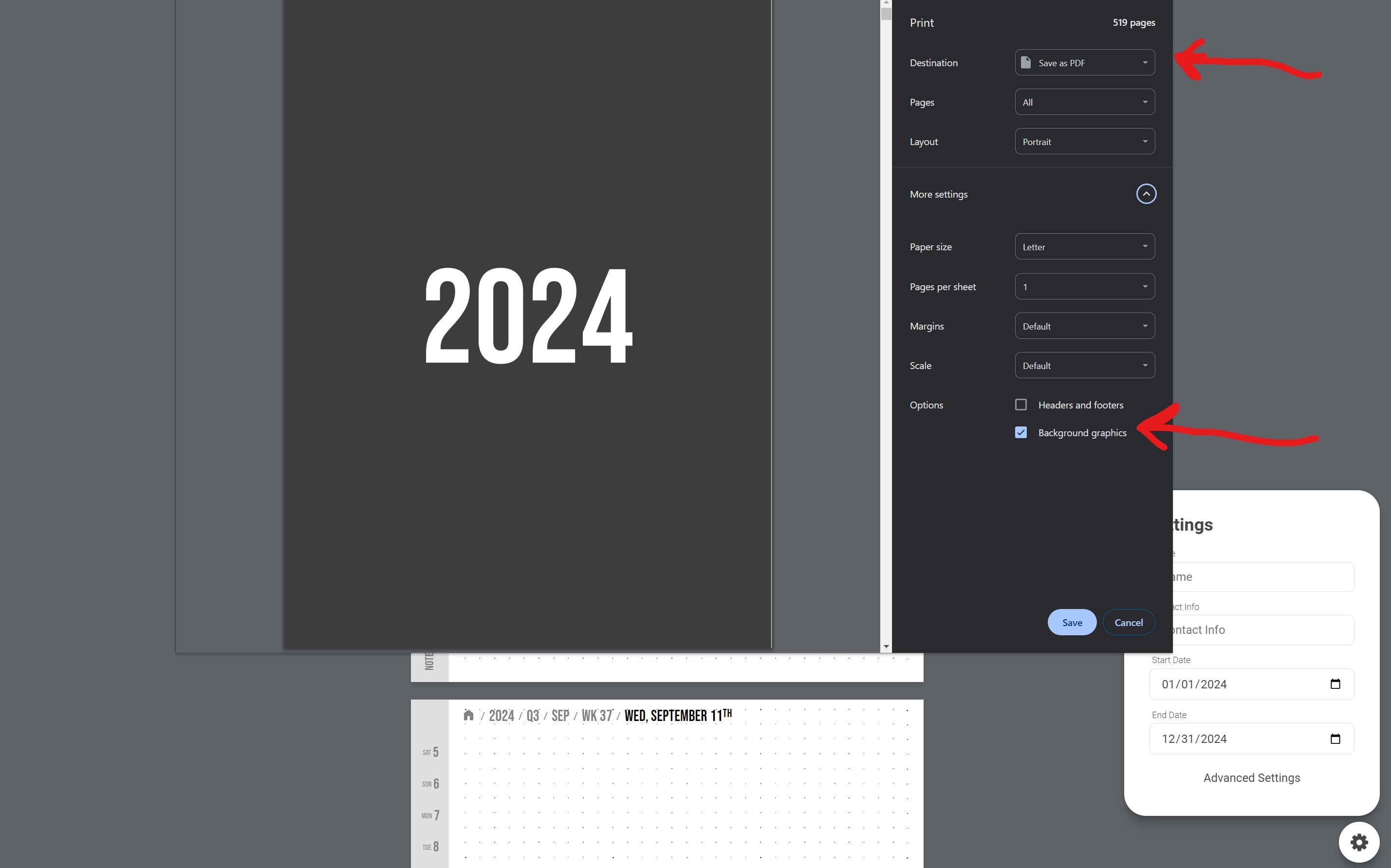
To get the PDF of the generated planner, use the built in print-to-pdf functionality of Chrome. Make sure "Background Graphics" is enabled.
If the selected settings makes a very large PDF, you might have to use a powerful computer to generate the PDF. It can require a decent amount of memory in Chrome for large PDFs.
Development
The web app is built using the Svelte framework. Knowledge of web technologies is required to run this app. If you don't know what pnpm is, you probably won't understand the code.
Install pnpm, and run the following:
pnpm i
pnpm run dev
This will open up locahost:5173 where the actions can be viewed and tested.
It uses Svelte & Vite under the hood for automatic HMR.
To build the code run,
pnpm run build
Future Ideas
Auto linking "Today" button
In the future, there could be a script that runs every day that updates the pdf so that all links to /today would be converted to the actual date (like /2024-1-1).
That way you could always click on a "Today" button to take you to the right page.
Here's a sample command. This command just needs to be run every day once a day.
 sed -i 's/OLD_TEXT/NEW_TEXT/g' PDF_NAME.pdf
 sed -i 's/\/today/\/2024-1-1/g' PDF_NAME.pdf
Insert events from ICS file
Add an input to add a link to a public ICS file that could pull in events into the calendar.
Ähnliche Projekte entdecken
Wird geladen…