
bernardo-bruning/ollama-copilot
bernardo-bruning/ollama-copilot has 888 GitHub stars and 95 forks. GitHot measured 0 stars in 24 hours and +1 in 7 days. Last checked 2026-11-25 10:17 UTC. Last push 2026-09-14.
Gemessener Sternzuwachs
- in 24h
- 0
- in 7 days
- +1
- in 15 days
- Verlauf wird gesammelt
- in 1 month
- Verlauf wird gesammelt
Nettoänderungen in überlappenden Zeiträumen, keine Tagessummen. Fehlende Messwerte bleiben leer. Sterne zeigen Interesse, nicht Qualität.
Über uns
Proxy, mit dem sich Ollama wie GitHub Copilot als Copilot verwenden lässt
EntwicklerwerkzeugeREADME.md
OriginalOllama Copilot
Proxy that allows you to use ollama as a copilot like Github copilot
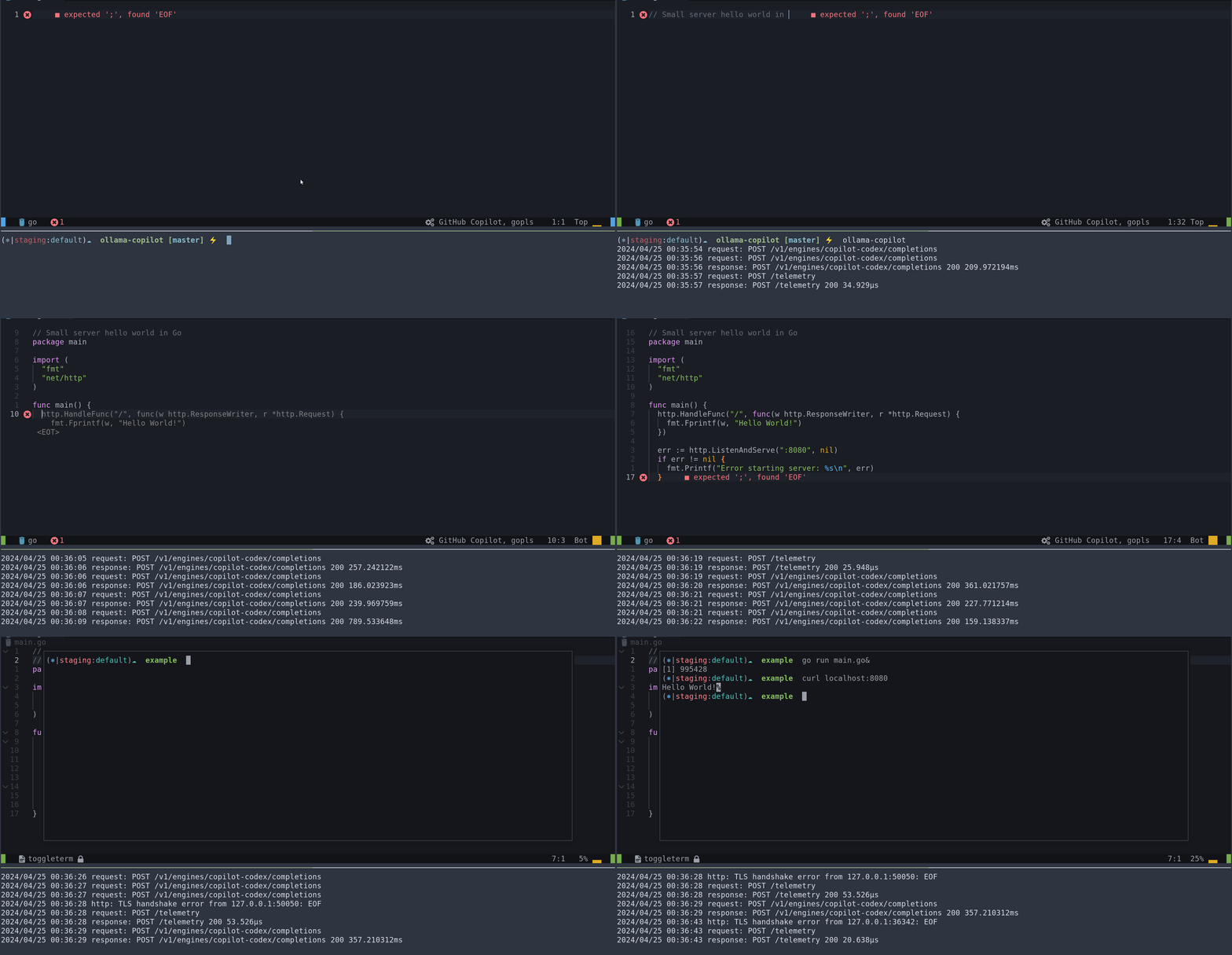
Installation
Ollama
Ensure ollama is installed:
curl -fsSL https://ollama.com/install.sh | sh
Or follow the manual install.
Models
To use the default model expected by ollama-copilot:
ollama pull codellama:code
llmman
llmman is a local model runner that serves the Ollama API on port 17434:
curl -fsSL https://raw.githubusercontent.com/llmmanorg/llmman/main/install.sh | sh
llmman serve
llmman pull hf.co/unsloth/Qwen3.5-0.8B-GGUF
ollama-copilot -provider llmman -model hf.co/unsloth/Qwen3.5-0.8B-GGUF
If llmman is hosted elsewhere, set LLMMAN_HOST="http://192.168.133.7:17434".
DeepSeek
To use DeepSeek:
ollama-copilot -provider deepseek -token YOUR_DEEPSEEK_API_KEY -model deepseek-coder
Mistral
To use Mistral:
ollama-copilot -provider mistral -token YOUR_MISTRAL_API_KEY -model codestral-latest
Automatic Installation & Configuration
You can use the install.sh script to automate the build, installation, and configuration of ollama-copilot and your editors:
./install.sh
This script will:
- Build the binary and install it to
~/.local/bin/ollama-copilot. - Optionally install and start a Systemd Service (allowing you to configure
num-predict). - Automatically detect and offer to configure Neovim, VSCode, and Zed.
Manual Installation
Binary
go install github.com/bernardo-bruning/ollama-copilot@latest
Running
Ensure your $PATH includes $HOME/go/bin or $GOPATH/bin.
For example, in ~/.bashrc or ~/.zshrc:
export PATH="$HOME/go/bin:$GOPATH/bin:$PATH"
ollama-copilot
or if you are hosting ollama in a container or elsewhere
OLLAMA_HOST="http://192.168.133.7:11434" ollama-copilot
Configuration
You can configure the server using command-line flags:
| Flag | Default | Description |
|---|---|---|
-port |
:11437 |
HTTP port to listen on |
-proxy-port |
:11438 |
HTTP proxy port |
-port-ssl |
:11436 |
HTTPS port to listen on |
-proxy-port-ssl |
:11435 |
HTTPS proxy port |
-cert |
Certificate file path (*.crt) for custom TLS |
|
-key |
Key file path (*.key) for custom TLS |
|
-provider |
ollama |
Provider to run LLM (ollama, llmman, openrouter, deepseek, mistral, openai) |
-token |
TOKEN |
Token to pass for provider |
-model |
codellama:code |
LLM model to use |
-num-predict |
250 |
Number of tokens to predict (recommended 25 for copilot) |
-num-ctx |
Context window size for model | |
-template |
<PRE> {{.Prefix}} <SUF> {{.Suffix}} <MID> |
Prompt template for fill-in-middle |
-system |
You are a helpful... |
System prompt to guide the model |
Configure IDE (Manual)
Neovim
- Install copilot.vim
- Complete
:Copilot signinbefore enabling the proxy - Configure variables
- If you already enabled the proxy and sign-in is failing, remove the proxy settings, sign in first, and then enable them again
let g:copilot_proxy = 'http://localhost:11435'
let g:copilot_proxy_strict_ssl = v:false
VScode
- Install copilot extension
- Sign-in or sign-up in github
- Configure open settings config and insert
{
    "github.copilot.advanced": {
        "debug.overrideProxyUrl": "http://localhost:11437"
    },
    "http.proxy": "http://localhost:11435",
    "http.proxyStrictSSL": false
}
Zed
- Open settings (ctrl + ,)
- Set up edit completion proxying:
{
    "features": {
        "edit_prediction_provider": "copilot"
    },
    "show_completions_on_input": true,
    "edit_predictions": {
        "copilot": {
            "proxy": "http://localhost:11435",
            "proxy_no_verify": true
        }
    }
}
PyCharm / JetBrains
- Open Settings (
Ctrl+Alt+S) - Navigate to Appearance & Behavior > System Settings > HTTP Proxy
- Select Manual proxy configuration:
- HTTP
- Host name:
localhost - Port number:
11435
- Navigate to Tools > Server Certificates
- Check Accept non-trusted certificates automatically
- Restart PyCharm
Emacs
(experimental)
- Install copilot-emacs
- Configure the proxy
(use-package copilot
  :straight (:host github :repo "copilot-emacs/copilot.el" :files ("*.el"))  ;; if you don't use "straight", install otherwise
  :ensure t
  ;; :hook (prog-mode . copilot-mode)
  :bind (
         ("C-<tab>" . copilot-accept-completion)
         )
  :config
  (setq copilot-network-proxy '(:host "127.0.0.1" :port 11434 :rejectUnauthorized :json-false))
  )
Roadmap
- Enable completions APIs usage; fill in the middle.
- Enable flexible configuration model (Currently only supported llamacode:code).
- Create self-installing functionality.
- Auto-configure IDEs (Neovim, VSCode, Zed).
- Documentation on how to use.
- Windows setup
Ähnliche Projekte entdecken
Wird geladen…