
beam-cloud/lovable-clone
Über uns
A simple clone of lovable.dev using BAML / FastMCP / Beam
EntwicklerwerkzeugeGemessener Sternzuwachs
- in 24h
- 0
- in 7 days
- 0
- in 15 days
- Verlauf wird gesammelt
- in 1 month
- Verlauf wird gesammelt
Nettoänderungen in überlappenden Zeiträumen, keine Tagessummen. Fehlende Messwerte bleiben leer. Sterne zeigen Interesse, nicht Qualität.
README.md
OriginalLovable Clone - AI-Powered Web App Builder
A real-time AI-powered web application builder inspired by lovable.dev.
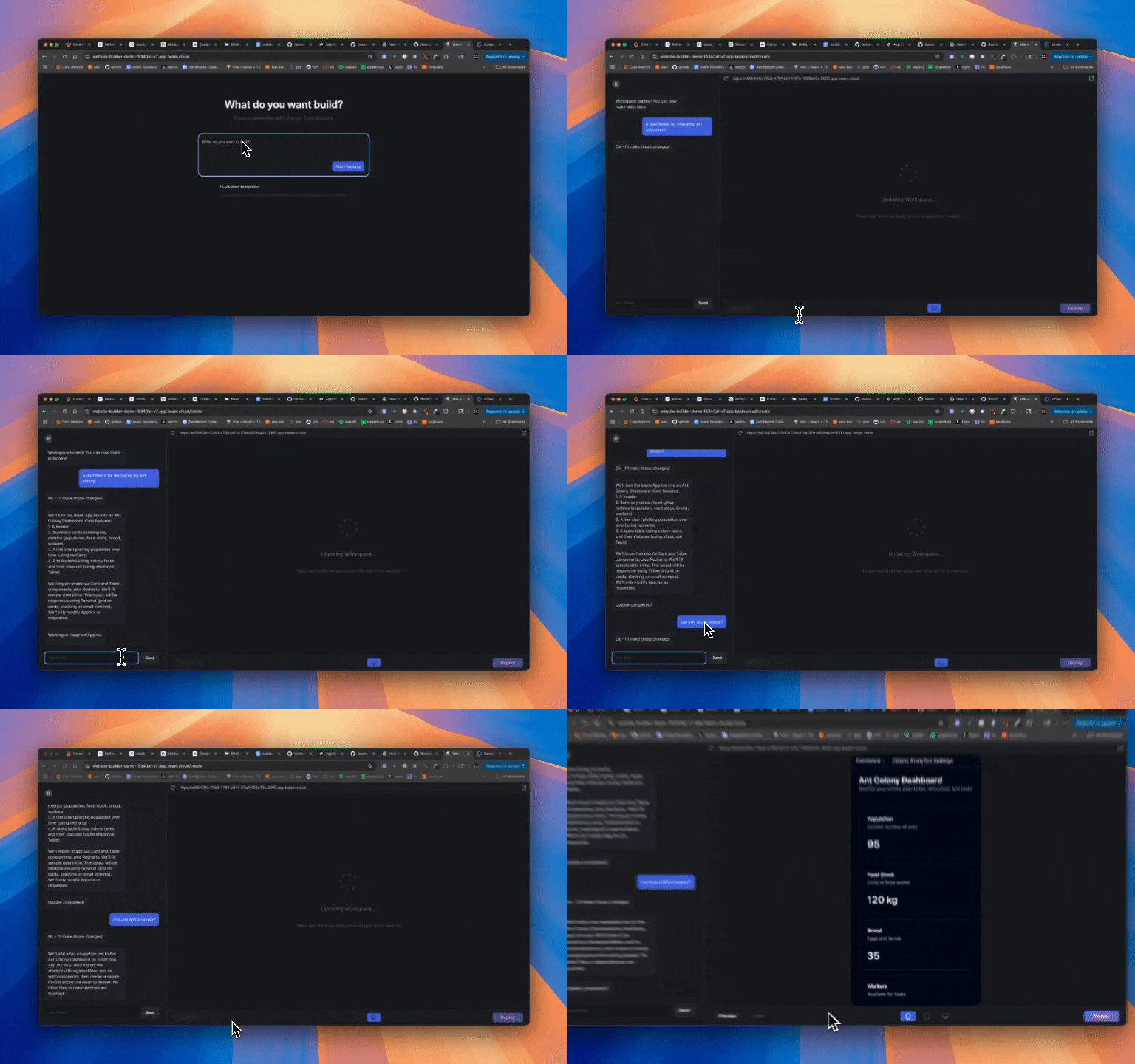
️Architecture
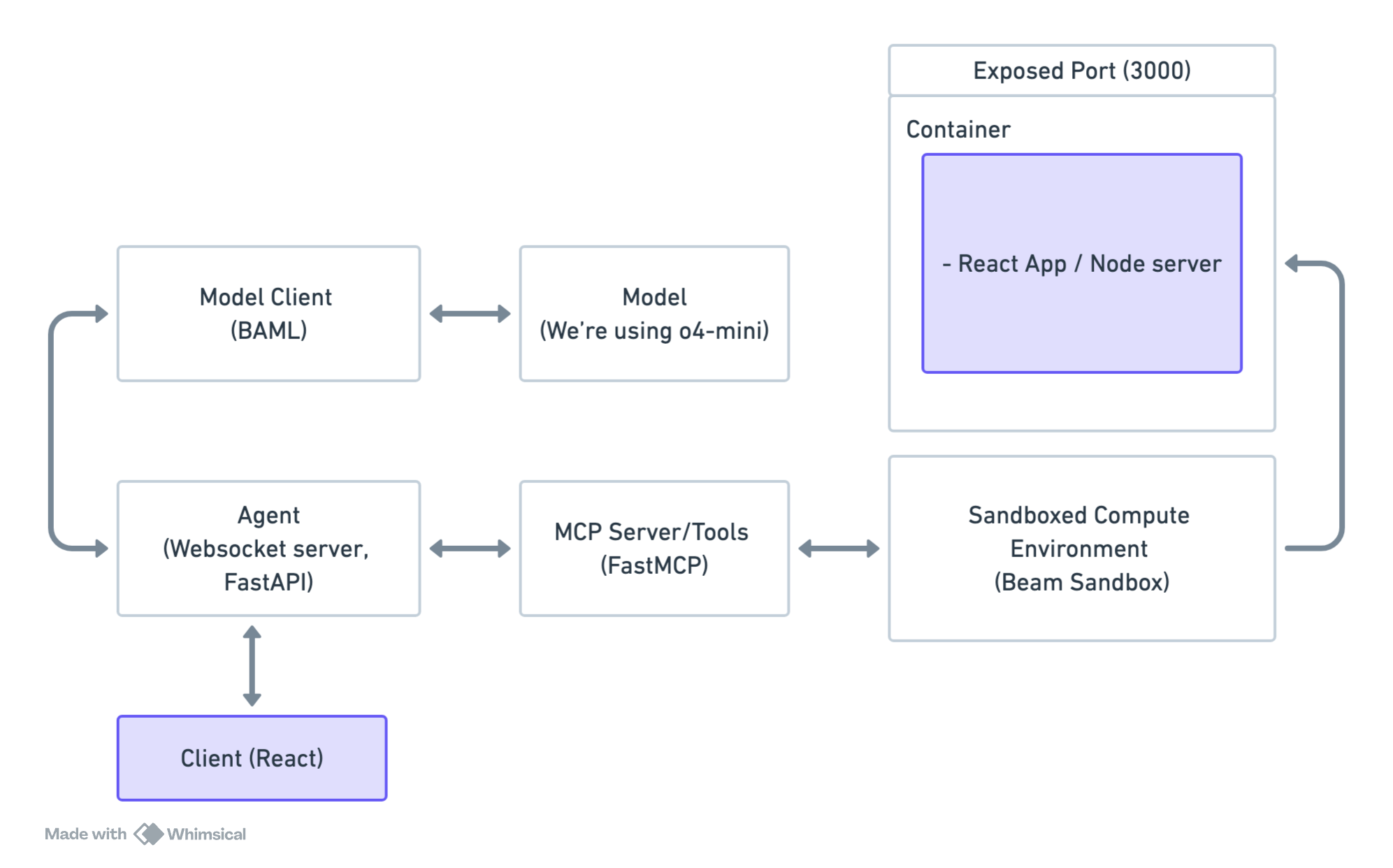
This project demonstrates how to build a simple agent using sandboxed environments, MCP servers, and BAML. It's hosted on beam.cloud.
To learn about the architecture in detail, read the full post on our blog.
The application consists of three main components:
- Model Client - Communication with LLM, based on BAML
- Sandbox Environment - Runs the React preview in a compute sandbox on Beam.
- WS-Based Agent - Streams edit requests from the user to the agent
Prerequisites
Installation
Clone and install
git clone https://github.com/beam-cloud/lovable-clone
cd lovable-clone
pip install -r requirements.txt
Install frontend dependencies
cd frontend
npm install
Set up secrets
You can grab your OpenAI API key here.
beam secret create OPENAI_API_KEY 'your-openai-api-key'
- Add
.env
Create an .env file in /frontend
You’ll need a Beam token and the websocket URL, printed in your shell after running the command below.
VITE_BEAM_WS_URL=your-agent-ws-url # URL printed in your shell after running `beam serve` - fill this in after running the command below
VITE_BEAM_TOKEN=your-beam-token # Get Beam token here: https://platform.beam.cloud/settings/api-keys
Usage
Start the Agent
The agent handles real-time communication with the client/frontend:
beam serve src/agent.py:handler
Paste the websocket URL printed in your shell into your
.envfile above
Run the Frontend
In a new terminal window, run:
cd frontend
npm run dev
BAML / Prompts
Prompts are defined in baml_src/build.baml:
- EditCode Function - Main function for code generation
- CodeChanges Schema - Defines the structure of AI responses
- Test Cases - Validate prompt behavior
If you want to change the prompt, edit
baml_src/build.bamland runmake generateto regenerate the BAML clients
Sandbox Environment
The sandbox environment is managed in src/tools.py:
- Node.js 20 base image
- React + Vite + shadcn/ui template
- Other deps: React Router, Recharts, TanStack Query, etc.
Ähnliche Projekte entdecken
Wird geladen…