
arditore/Seca has 61 GitHub stars and 11 forks. GitHot measured +1 stars in 24 hours and +11 in 7 days. Last checked 2026-11-23 15:43 UTC. Last push 2026-11-21.
Gemessener Sternzuwachs
- in 24h
- +1
- in 7 days
- +11
- in 15 days
- Verlauf wird gesammelt
- in 1 month
- Verlauf wird gesammelt
Nettoänderungen in überlappenden Zeiträumen, keine Tagessummen. Fehlende Messwerte bleiben leer. Sterne zeigen Interesse, nicht Qualität.
Über uns
Contacts, phone and messages for Android. One Material 3 Expressive design, zero Google dependencies, and end-to-end encrypted messaging between Seca phones.
SicherheitREADME.md
OriginalSeca
     .------.
    | .----. |     S E C A
    | |    | |
    | |    | |     Contacts, Phone and Messages
    | |    | |     for Android
    | '----' |
    |   ()   |     no account, no server, no Google.
     '------'
Three apps that mind their own business.





Seca is an address book, a dialer and a messaging app for Android, written to be used together: one Material 3 Expressive design, one set of coloured profiles, one backup. They need no account, no server of mine, and nothing from Google.
Seca Contacts and Seca Phone do not have the INTERNET permission at all. Not
"we promise not to": the permission is absent, so the system refuses the
connection whatever the code asks for.
📱 The three apps
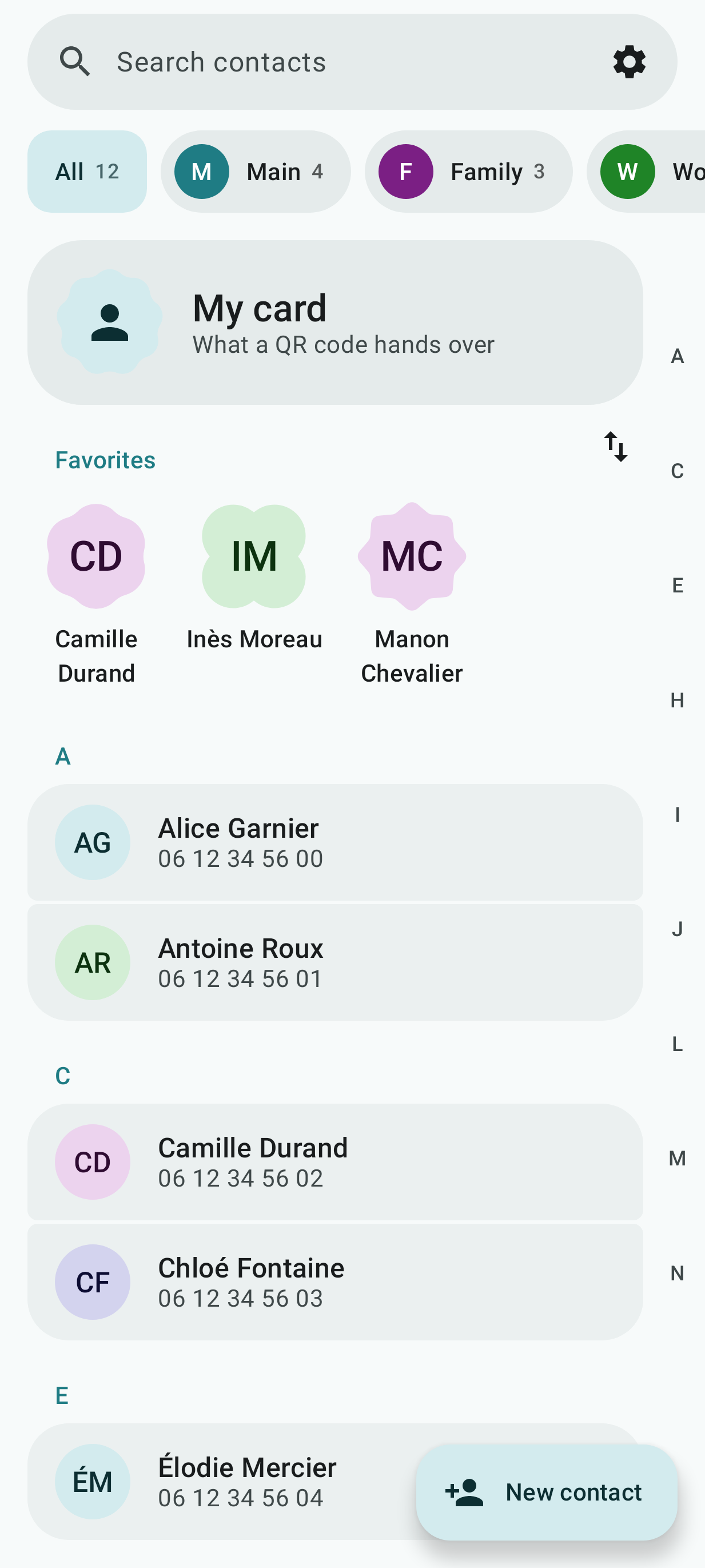
 Seca Contacts the address book |
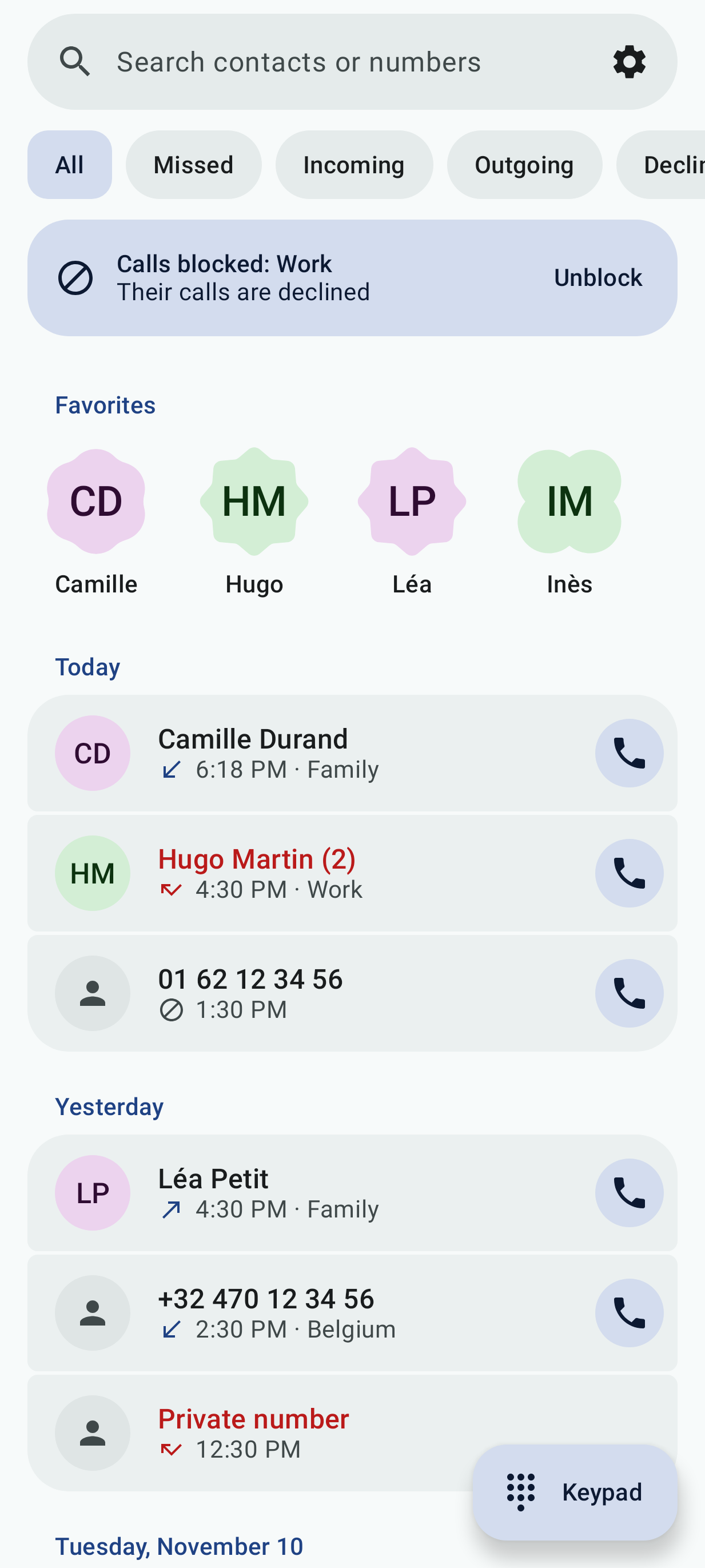
 Seca Phone calls |
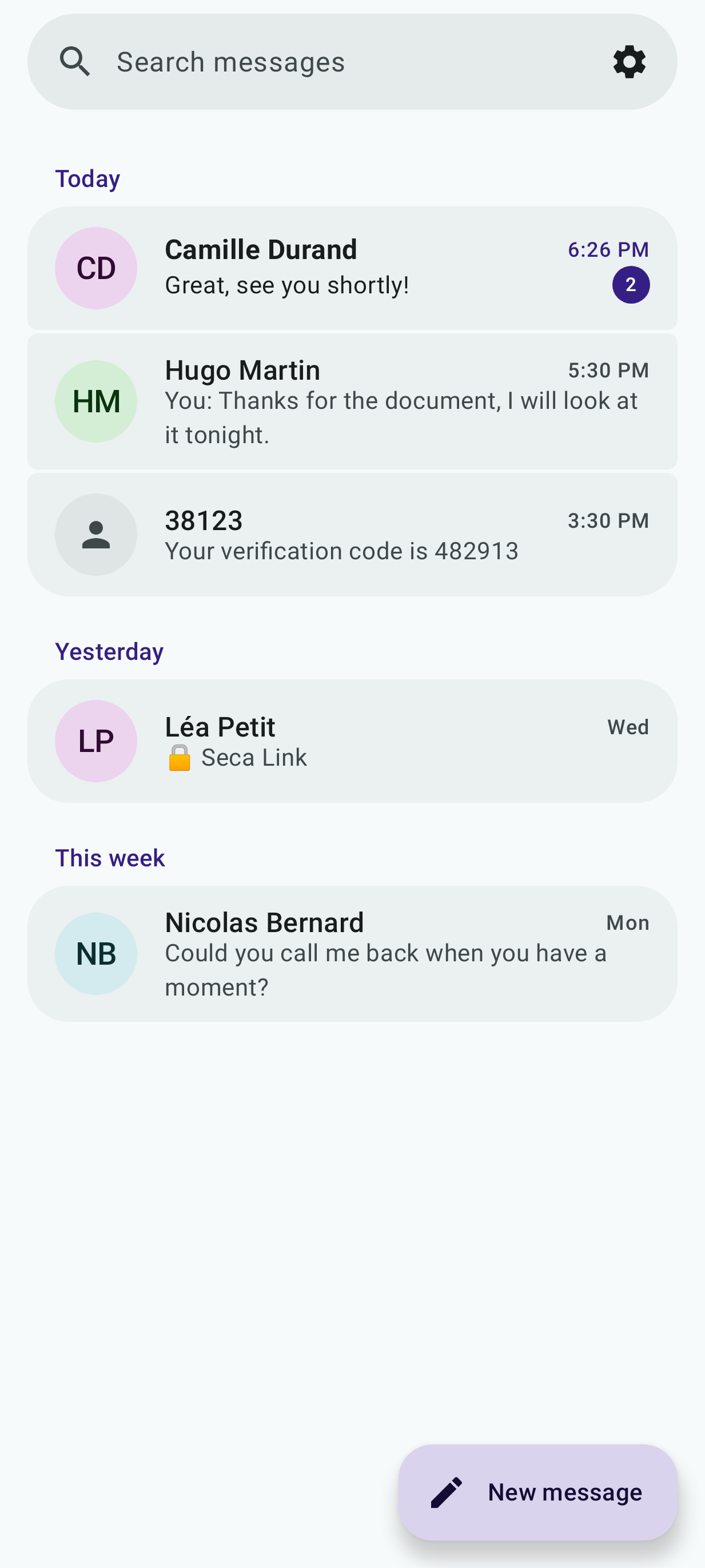
 Seca Messages texts, pictures, Seca Link |
 |
 |
 |
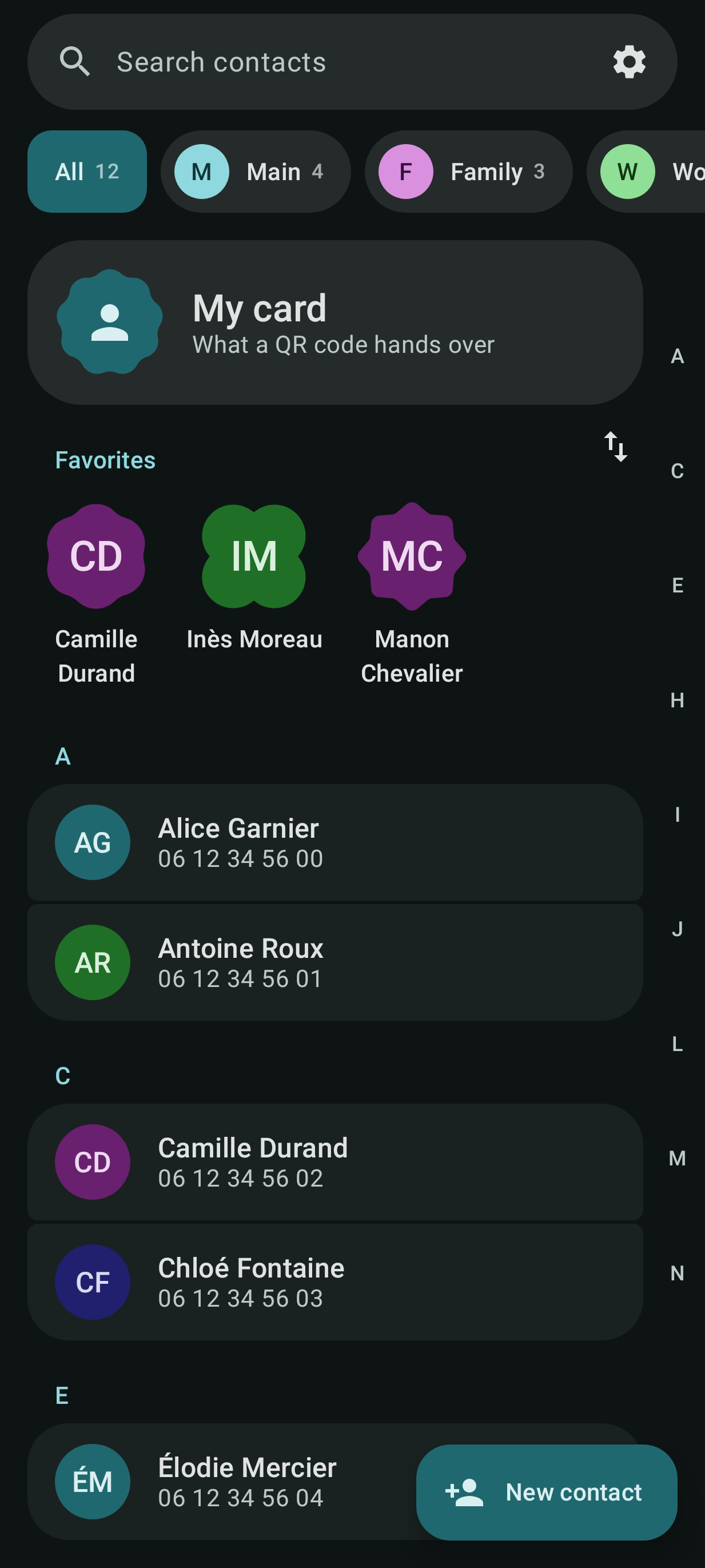
Coloured profiles (Family, Work, whatever you make) shared with the other two apps. Favourites you can arrange by hand, search, duplicate merging, your own card handed over by QR code, a default number and e-mail per contact, birthdays that open your calendar, vCard import and export that keeps each contact's profile, encrypted backup. |
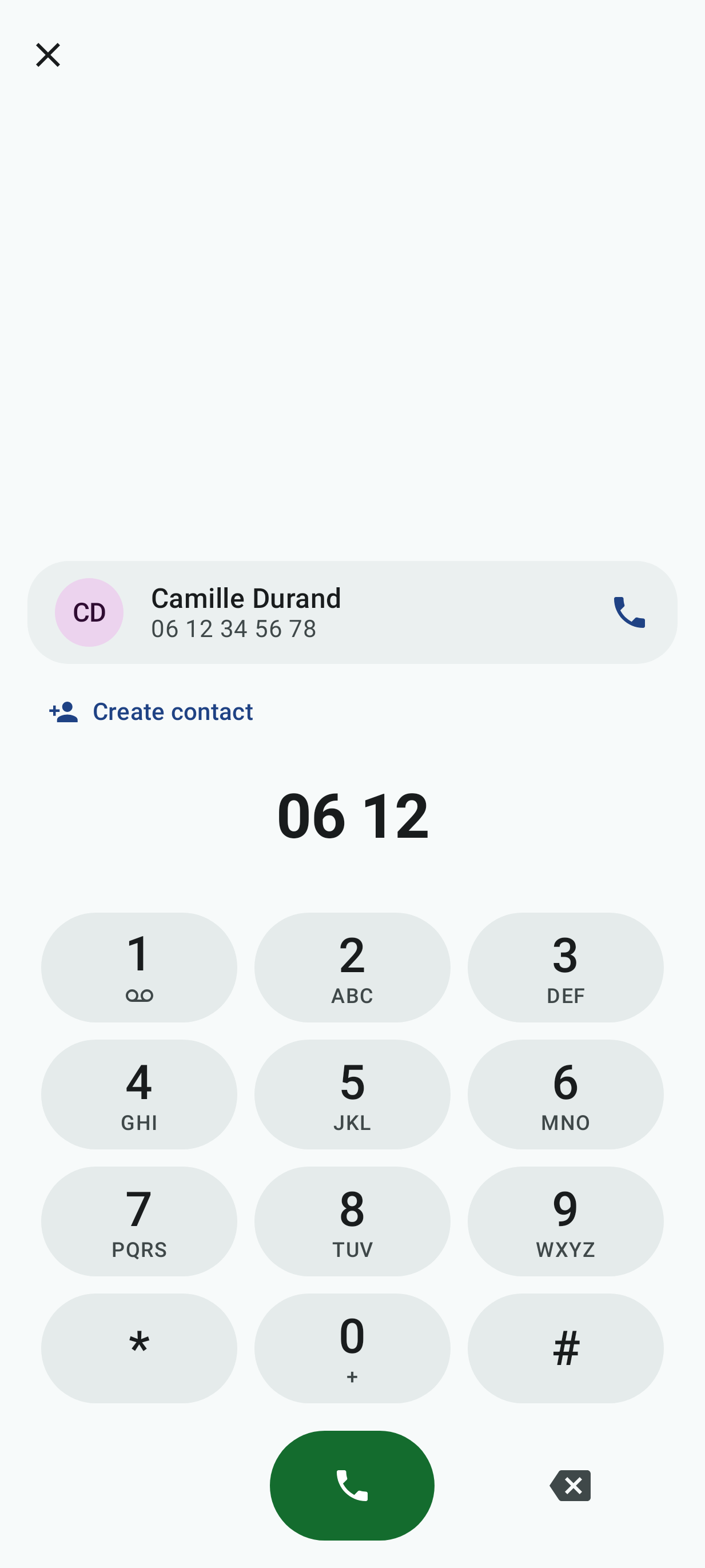
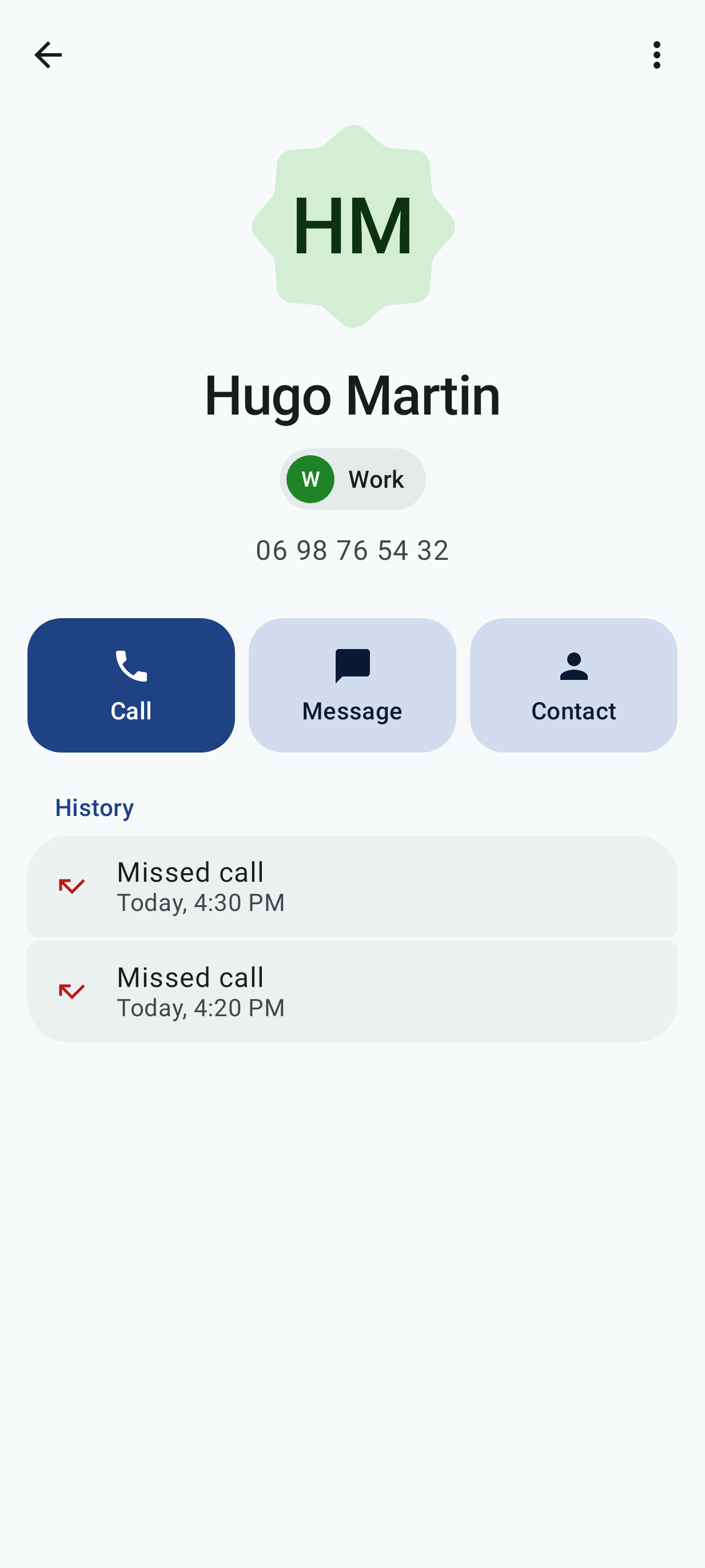
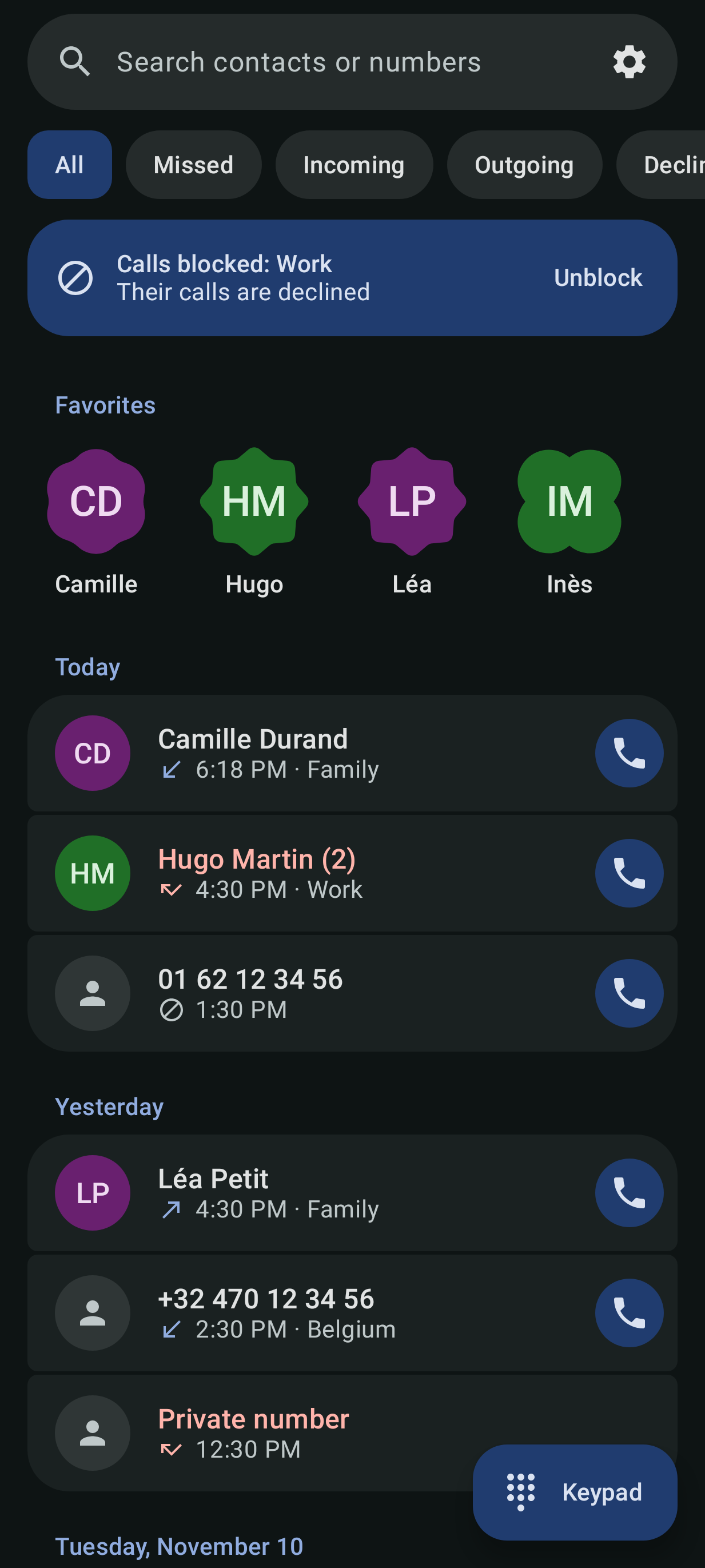
A call screen showing the caller's profile, T9 search, the number ranges France reserves for telemarketing blocked, unknown callers silenced, a profile muted for a chosen time, a whole contact blocked in one act, a remembered SIM per contact, declining with a message, several calls deleted at once. |
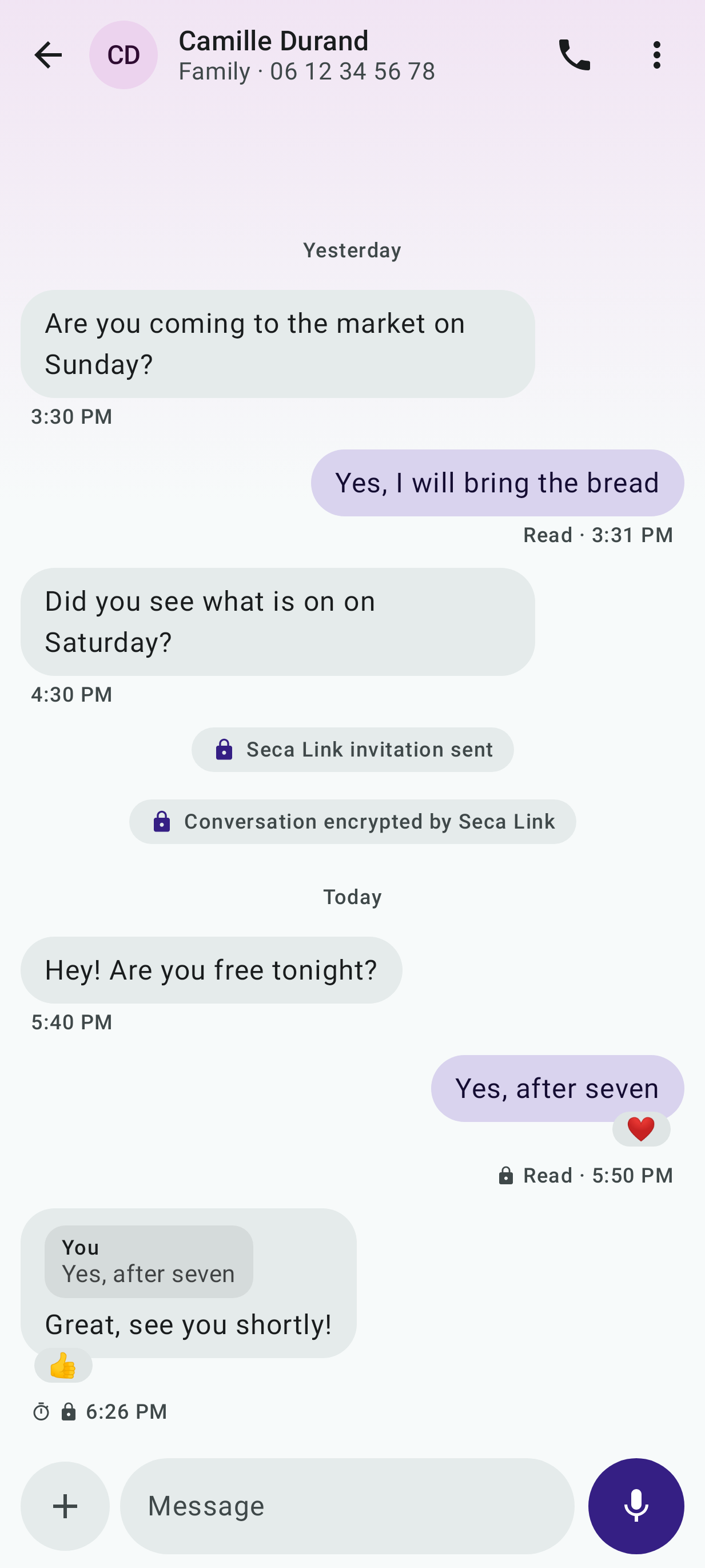
Texts and picture messages, up to four pictures at a time, GIFs that move, photos you can zoom and keep. Conversations in the colours of the contact's profile, scheduled messages, verification codes erased after a delay, advertising filed away, conversations archived or deleted in bulk, encrypted backup. And, between Seca phones, Seca Link. |
From any of the three, a suite backup gathers contacts and profiles, call history and filtering, texts, conversations and settings into one encrypted file, to carry to a new phone. Point it at a folder and it writes itself in the small hours, every day or every week, keeping as many as you ask it to.
🖼️ Screens
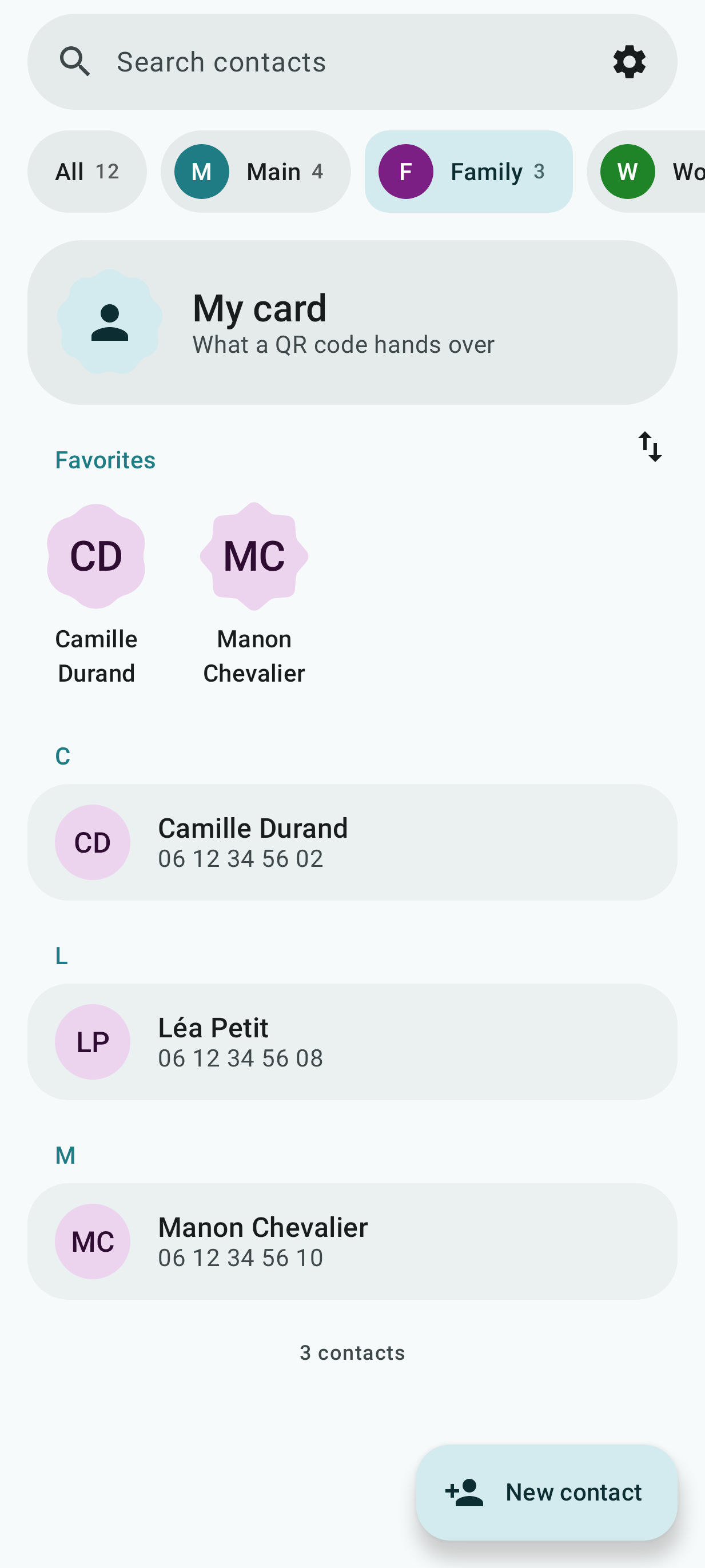
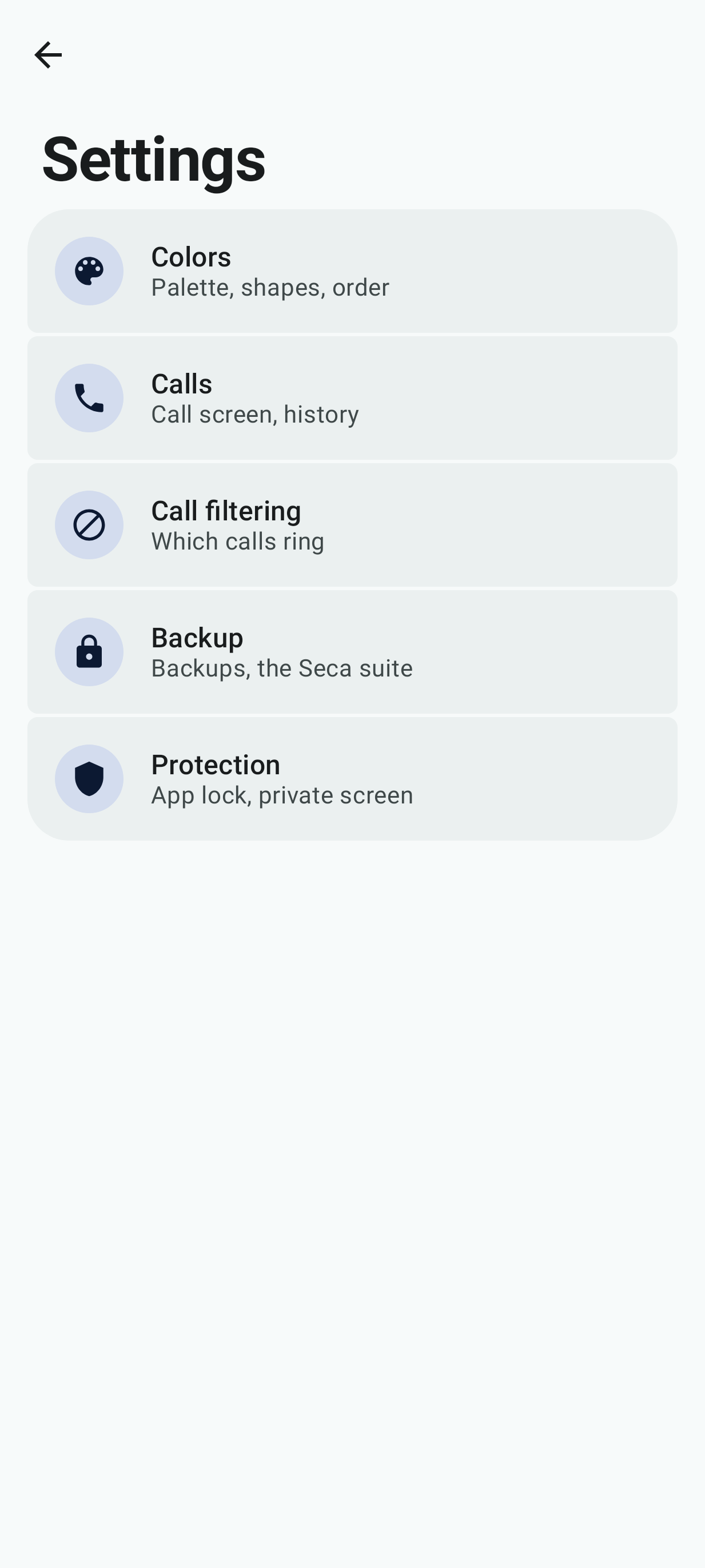
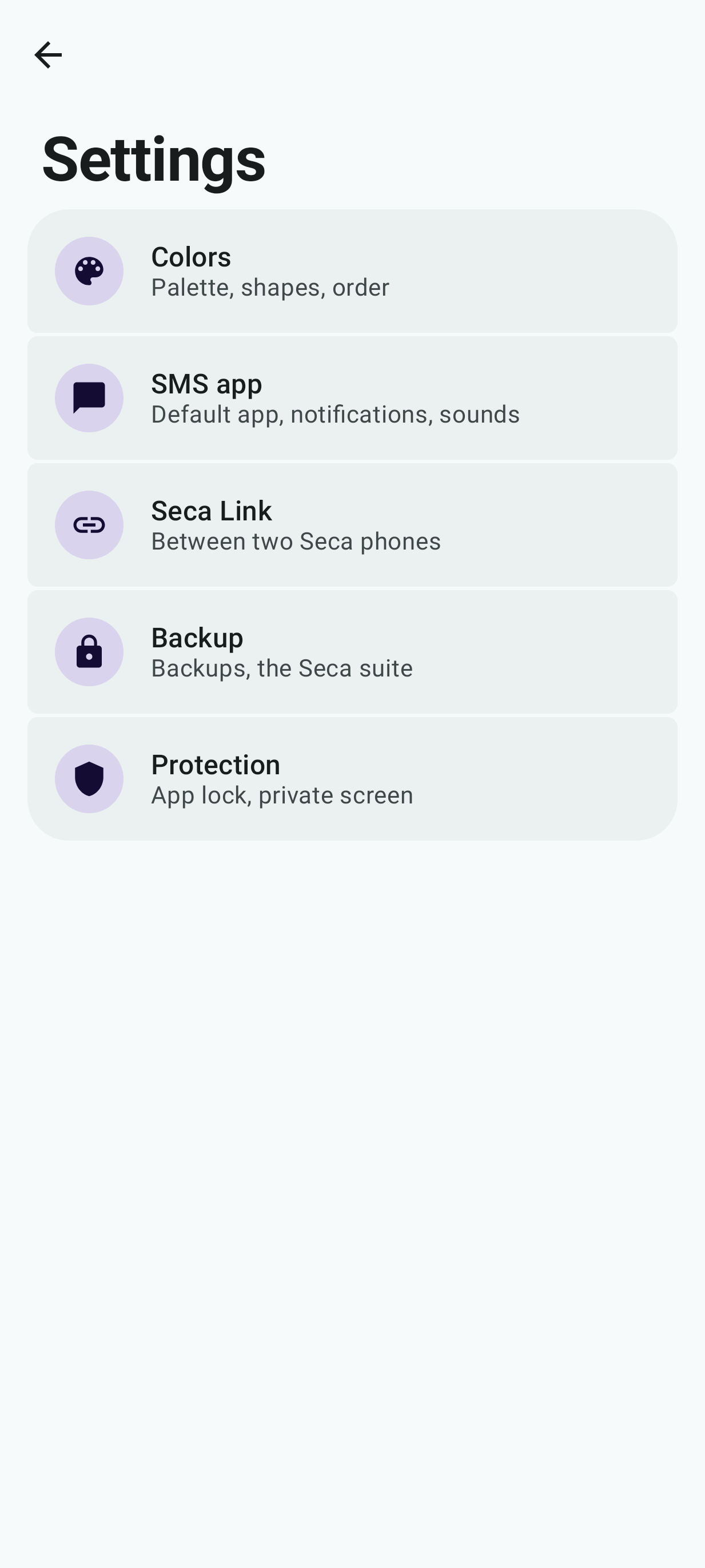
One design, three apps, and you can tell which one you are in.
| One profile at a time | The dialer | Who called |
|---|---|---|
 |
 |
 |
| A conversation | Phone, settings | Messages, settings |
|---|---|---|
 |
 |
 |
| Contacts, dark | Phone, dark | Conversations, dark |
|---|---|---|
 |
 |
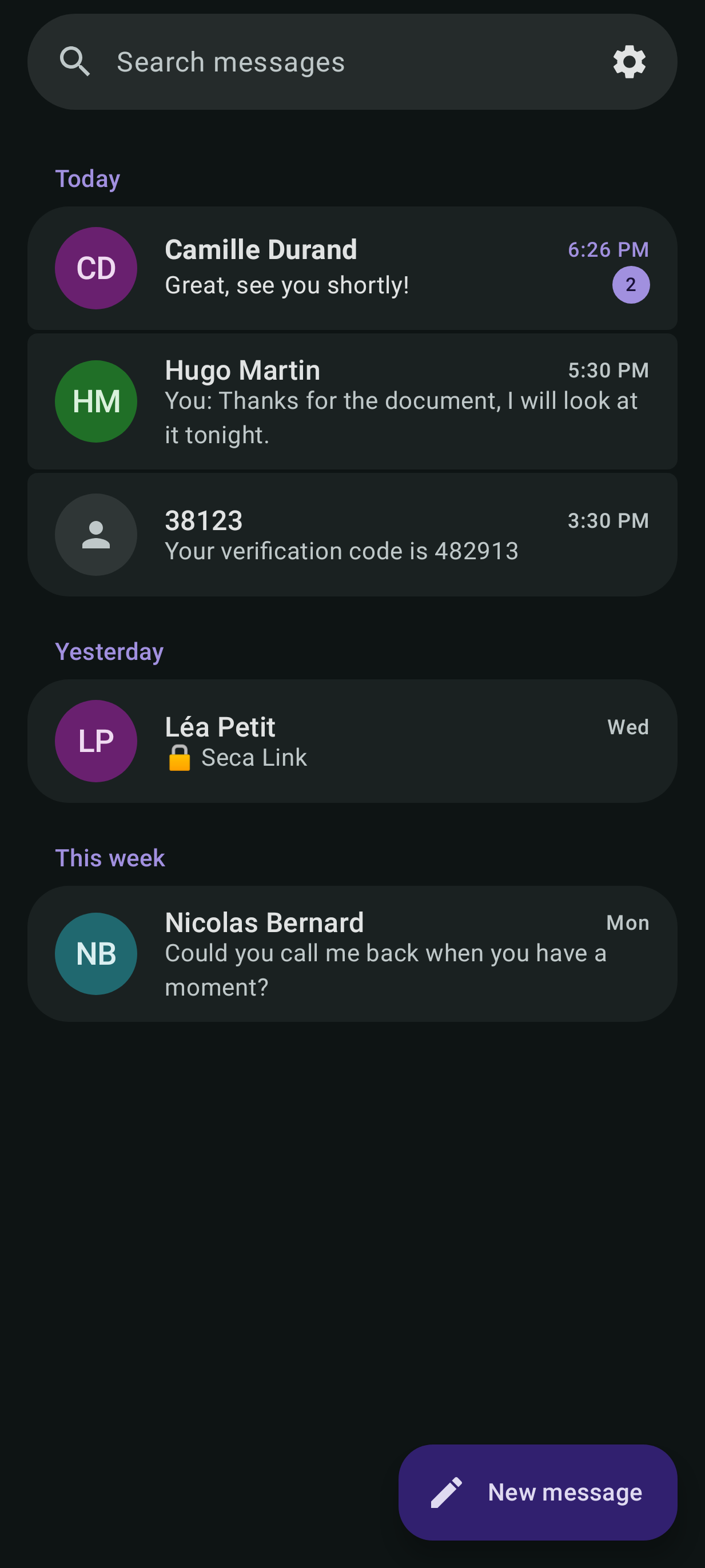 |
The look is yours to set, once, for all three apps: four palettes or one you mix from a hue and an amount of colour, the shape faces are cut to (a different one per person, one for everybody, or one for a single contact), a colour per person instead of per profile, the order the three apps stand in along the bottom, and whether the launcher says "Contacts" or "Seca Contacts".
There is a Pure black switch as well, for OLED screens: in the dark theme the backgrounds drop to black, with four steps just out of it so a card still reads as depth, while accents, text and outlines keep the contrast the palette set.
🔒 What stays on the phone
An address book is not a social network with a worse interface.
- No analytics, no crash reporting, no trackers. None. There is nowhere for them to send anything to.
- Seca Contacts and Seca Phone have no
INTERNETpermission. This is checked by the system, not by me. - No Google anything. Each app checks at build time that no
com.google.android.gms,com.google.firebaseorcom.google.android.playartifact reaches its runtime: theverifyReleaseNoProprietaryDependenciestask is wired intocheckand fails the build otherwise. - Contacts live in Android's own contacts store, not in a database of mine, so nothing is locked in and nothing is duplicated.
- Seca Contacts' profiles can only be read by apps signed with the same key.
- Seca Messages uses the Internet only for Seca Link, and only once Seca Link has been turned on. Off, it does not use the network at all.
🔗 Seca Link
End-to-end encrypted messaging between Seca phones, with no account and no server of mine.
- The encryption is Signal's: libsignal, with the post-quantum PQXDH key agreement.
- Encrypted messages travel through public Nostr relays. Each envelope is signed by a throwaway key: a relay sees who receives, when and roughly how much. Never who writes, nor what is written.
- Two phones that both have Seca Link find each other on their own, through a data SMS a phone without Seca never displays, sent when a conversation opens. The conversation then says so and turns encrypted. Scanning each other's code in person works too.
- Read receipts, typing, reactions, quoted replies, encrypted photos and voice messages, disappearing messages, and a safety number to compare.
- A contact who turns Seca Link off tells your phone at once: the lock goes and what you write leaves as an ordinary SMS. One who removes Seca says nothing, because nothing runs there any more, so their keys stop being refreshed and expire within a day. That ends the conversation the same way.
- A contact's new phone brings a new key. Only your side is told, and the safety number is there to compare.
- A Tor option with Orbot: relays no longer see the phone's address.
- Off by default.
🌍 Languages
English, French, Spanish, Polish and German, following the phone's own language, or the per-app language Android 13 offers. Nothing ships half translated: a language is listed in the build only once its strings are complete, in the apps and in every module they share.
Translations are welcome. The strings are in each app's
src/main/res/values-<language>/strings.xml.
📦 Reproducible builds
F-Droid does not take my word for it. Their servers rebuild each app from this source and compare the result, byte for byte, with the file I published. When it matches, what they distribute is my own APK, signed with my key. The app you install from F-Droid is the one I built, and anyone can check that claim rather than believe it.
That property is maintained deliberately: the release build is done on Linux, and signing preserves the archive's alignment so that not one byte moves.
APKs, from here or from F-Droid, are signed with this certificate:
2F:DE:A7:B4:6B:EF:FE:16:45:9B:B4:DC:DD:34:DB:5E:0C:B9:12:27:4A:5E:B6:28:E4:B0:D8:A5:96:21:17:90
📲 Install
Seca is in beta.
| Seca Contacts | Seca Phone | Seca Messages | |
|---|---|---|---|
| F-Droid | published | published | published |
| GitHub | latest release | latest release | latest release |
F-Droid rebuilds each tag itself, so its copy trails the release here by a few days. How that works is in docs/fdroid.md.
After installing, choose Seca Phone as the Phone app and Seca Messages as the SMS app, in Android's default-apps settings. The three install in any order and work on their own; together they share profiles, the palette and the backup.
📶 Which phone?
Any phone running Android 12 or newer: Samsung, Xiaomi, OnePlus, Fairphone, Pixel… Seca needs neither Google Play nor Google services, and uses neither when they are there.
GrapheneOS is recommended, not required. Seca keeps what it handles on the phone whatever the system, but only a system without Google keeps the rest of the phone as discreet. GrapheneOS also brings things Seca makes use of: Contact Scopes, a network permission per app, and a hardened system.
On other phones, Seca Link listens to its relays through its own connection rather than a push service. Let Seca Messages run in the background when it asks. Some brands (Xiaomi, Huawei, Oppo, Samsung…) add their own battery or autostart restrictions on top: dontkillmyapp.com explains them brand by brand.
🚫 What Seca does not do
- No RCS. Google keeps its RCS API to a closed list of apps. This is not a decision of mine, and I cannot work around it.
- No Wi-Fi calling as such. VoWiFi belongs to the system's IMS stack and works whatever the dialer; Seca Phone shows its state.
- No group conversations over MMS, yet. A group text arrives and is readable, but the thread is named after whoever wrote last and a reply goes to them rather than to everyone. Being fixed: issue #48.
- No profiles backed by address books, yet. Profiles are assigned by hand; deriving them from the DAVx⁵ account a contact syncs from is issue #44.
- No GIF button on the keyboard, yet. A GIF picked from the gallery sends, and one that arrives plays, but the keyboard's own GIF key is not listened for: issue #54.
🧱 Build
Requirements: JDK 17 and the Android SDK (platform android-37, build-tools
36.0.0). The Seca Link tests also need a JDK 25, which Gradle finds by itself.
./gradlew :apps:contacts:assembleDebug :apps:phone:assembleDebug :apps:messages:assembleDebug
./gradlew test
./gradlew check
To draw the main screens with made-up data, which is where the screenshots in this README and in the F-Droid listings come from:
SECA_SCREENSHOTS=build/captures SECA_SCREENSHOTS_LANGUAGE=en-rUS \
  ./gradlew testDebugUnitTest --tests "*ScreenshotsTest"
SECA_SCREENSHOTS_LANGUAGE takes an Android qualifier (en-rUS, fr-rFR,
es-rES) and draws every screen in that language, words and dates alike. Each
listing's images are generated this way, one language at a time.
📜 License
GPL-3.0-or-later, except Seca Messages.
Seca Messages is AGPL-3.0-or-later. It links libsignal, which Signal publishes under the AGPL, and the AGPL asks the whole work to be offered under its own terms. Seca Contacts, Seca Phone and every shared module stay GPL-3.0-or-later.
     .------.
    | .----. |   Your contacts stay on your phone.
    | |    | |   Your calls ask nobody.
    | '----' |   Your messages are yours.
     '------'
Ähnliche Projekte entdecken
Wird geladen…