
anshk1234/MEDUCID
anshk1234/MEDUCID has 77 GitHub stars and 3 forks. GitHot measured -1 stars in 24 hours and +27 in 7 days. Last checked 2026-11-11 19:49 UTC. Last push 2026-11-03.
So werden diese Zahlen gemessen
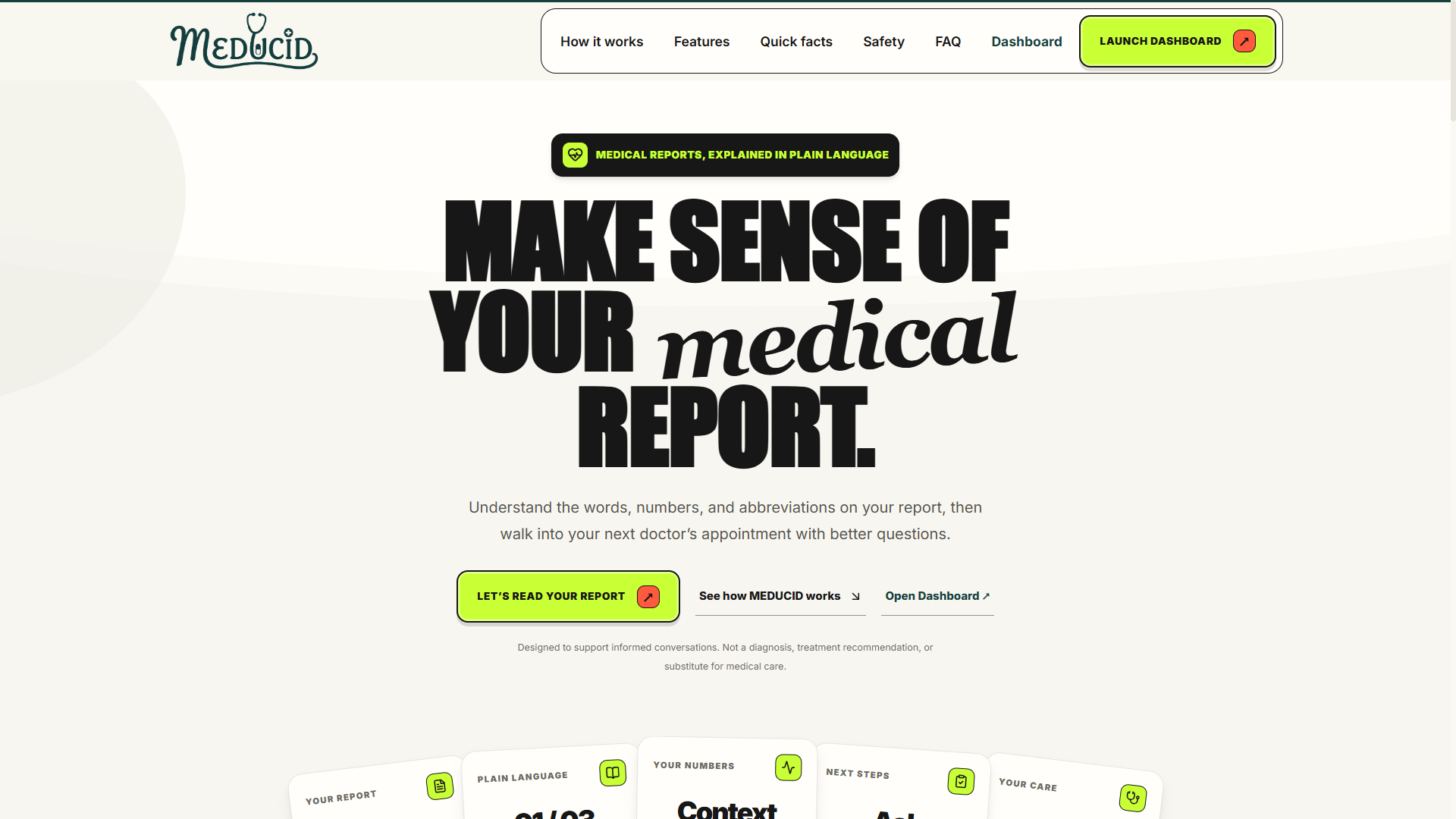
MEDUCID is a web application that takes medical laboratory reports , presents them in clear, readable language. It displays the original document side-by-side with extracted measurements, checks whether values fall within their printed reference ranges, and explains what each biomarker measures in simple terms without providing medical diagnoses.
Gemessener Sternzuwachs
- in 24h
- -1
- in 7 days
- +27
- in 15 days
- Verlauf wird gesammelt
- in 1 month
- Verlauf wird gesammelt
Nettoänderungen in überlappenden Zeiträumen, keine Tagessummen. Fehlende Messwerte bleiben leer. Sterne zeigen Interesse, nicht Qualität.
README.md
Original

MEDUCID
Understand your lab report in plain language.
MEDUCID is a web application that takes medical laboratory reports (such as blood tests, metabolic panels, and urinalysis) and presents them in clear, readable language. It displays the original document side-by-side with extracted measurements, checks whether values fall within their printed reference ranges, and explains what each biomarker measures in simple terms without providing medical diagnoses.
What It Does
When you receive a laboratory report, it is often filled with abbreviations, technical units, and dense tables. MEDUCID simplifies this information while keeping the source data intact:
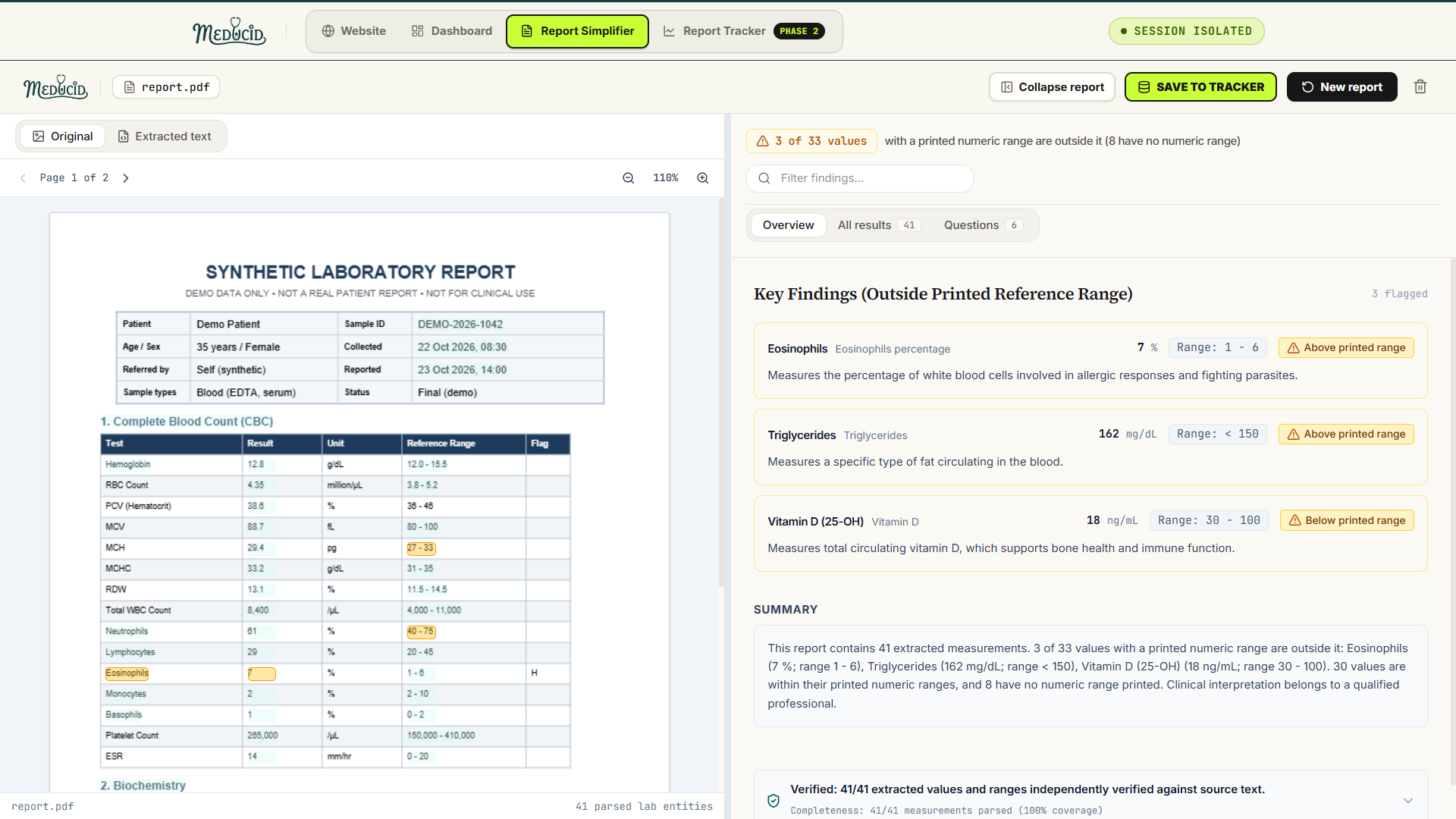
- Extracts Laboratory Findings: Reads tests, results, units, reference ranges, and flags from uploaded PDFs, images, text files, or pasted text.
- Side-by-Side Verification: Displays the original document on the left and structured results on the right. Clicking or hovering a result highlights its matching text line in the original document.
- Reference Range Evaluation: Compares each numeric value strictly against the printed range on the report to determine if it is within range, above range, or below range.
- Plain-Language Explanations: Explains what each biomarker is in general terms (for example, Eosinophils: A type of white blood cell) without guessing causes or diagnosing illnesses.
- Neutral Clinician Questions: Generates objective, factual questions you can take to your doctor or healthcare provider.
- User Correction Flow: Allows you to edit any extracted value, unit, or range directly in the interface if needed.
Data Flow & Architecture
flowchart TD
    A["Uploaded Report (PDF, Image, TXT, DOCX)"] --> B["Document Ingestion & Preprocessing"]
    B --> C{"Text Layer Available?"}
    C -- "Yes (Digital PDF / TXT)" --> D["Local Parser (PDF.js / Coordinate Extractor)"]
    C -- "No (Scanned / Image)" --> E["Gemini Vision API (Multimodal Extraction)"]
    D --> F["Unified Medical Finding Extractor"]
    E --> F
    F --> G["Reference Range Interpreter"]
    G --> H["Factual Consistency & Verbatim Grounding Audit"]
    H --> I["Isolated Browser Session State (No Database)"]
    I --> J["Split-Screen Workspace (Document + Results)"]
Core Principles & Safety Guardrails
- Verbatim Preservation: Test names, numerical values, measurement units, and reference ranges appear exactly as printed on the source document. MEDUCID never rounds numbers or reformats units.
- Strict Range Comparisons: "Outside range" means only that a value falls above or below the printed reference interval on that specific report. It never suggests causes, diseases, treatments, or dietary changes.
- Non-Diagnostic Explanations: Explanations describe what a test or cell type is in general biology. They never make claims about a patient's personal condition.
- Three-Bucket Count Consistency: Every extracted measurement is placed in exactly one of three mutually exclusive categories that sum to the total:
- Within printed numeric range
- Outside printed numeric range
- No numeric range printed (qualitative tests like Negative or tests without ranges)
- No Database & Session Isolation: MEDUCID does not store your files on a server or in a database. All active data is kept in the user's browser
sessionStorage, ensuring different users never see or mix each other's files. - Synthetic / De-Identified Data Only: Built for educational understanding of de-identified or synthetic reports. Medical interpretation always belongs to a qualified healthcare professional.
Technologies Used
- Framework: Next.js 16 (App Router, Turbopack)
- UI Library: React 19
- Language: TypeScript 5
- Styling: Tailwind CSS v4
- Icons: Lucide React
- Document Viewing: PDF.js for in-browser canvas rendering and coordinate-based text layer synchronization
- AI Extraction & OCR: Google Gemini API with automatic 10-key rotation and multi-model fallback (
gemini-3.5-flash,gemini-3.1-flash-lite,gemini-3.6-flash,gemini-3.7-flash) - Testing: Vitest for unit and regression testing
Project Structure
MEDUCID/
├── src/
│   ├── app/
│   │   ├── api/
│   │   │   └── extract/
│   │   │       └── route.ts          # Stateless API route for AI extraction & model rotation
│   │   ├── globals.css               # Global styling and Tailwind imports
│   │   ├── layout.tsx                # App root layout and metadata
│   │   └── page.tsx                  # Main app controller (Landing, Processing, Workspace)
│   ├── components/
│   │   ├── AnnotatedExplanation.tsx  # Term definition tooltips for medical vocabulary
│   │   ├── CompactRangeBar.tsx       # Visual range gauge (~100px) showing value within bounds
│   │   ├── LandingScreen.tsx         # Upload dropzone, file validation, and sample reports menu
│   │   ├── NoticeBanner.tsx          # Persistent educational notice banner
│   │   ├── OriginalReportPane.tsx    # Left pane viewer (PDF canvas, image, extracted text)
│   │   ├── PdfCanvasViewer.tsx       # PDF.js canvas renderer with interactive text highlighting
│   │   ├── ProcessingStepper.tsx     # 3-step animated progress stepper
│   │   ├── SimplifiedResultsPane.tsx # Right pane (Overview, All Results, Clinician Questions)
│   │   └── SplitScreenWorkspace.tsx  # Draggable 50/50 split-screen workspace
│   ├── data/
│   │   ├── medicalTerms.ts           # Plain-language dictionary for clinical terminology
│   │   └── syntheticReports.ts       # Synthetic test benchmarks (CMP, CBC, Lipid, Thyroid)
│   ├── lib/
│   │   ├── consistencyChecker.ts     # Verbatim grounding audit & field-level verification
│   │   ├── documentExtractor.ts      # Multi-section parsing (CBC, Biochemistry, Urinalysis)
│   │   ├── fileProcessor.ts          # PDF/image/text file preparation & coordinate extraction
│   │   ├── geminiRotation.ts         # Multi-key rotation and model fallback handler
│   │   ├── rangeInterpreter.ts       # Numeric interval and qualitative reference range parser
│   │   ├── sessionState.ts           # Isolated tab-scoped browser session storage
│   │   └── simplificationEngine.ts   # Summary generation and clinician question builder
│   └── types/
│       └── report.ts                 # TypeScript types (MedicalFinding, SimplifiedReport, etc.)
├── tests/
│   ├── extractionCompleteness.test.ts # PDF vs TXT consistency & multi-section tests
│   ├── factualConsistency.test.ts    # Factual grounding & 3-bucket sum tests
│   └── sessionState.test.ts          # Multi-user session isolation tests
├── package.json
└── tsconfig.json
Getting Started
Prerequisites
- Node.js (version 18 or newer)
- npm or yarn
Installation
Clone or download the repository:
git clone https://github.com/anshk1234/MEDUCID.git
cd MEDUCID
Install dependencies:
npm install(Optional) Configure Gemini API keys in
.env.local:GEMINI_API_KEYS="key1,key2,key3..."Note: If no API keys are provided, MEDUCID automatically uses its local clinical parser for digital PDFs and text files.
Running Locally
To start the development server accessible to your computer and devices on your local network:
npm run dev
Open your browser and navigate to:
- On the host machine:
http://localhost:3000 - On other devices on your local network:
http://<your-ip-address>:3000
Building for Production
To create an optimized production build:
npm run build
npm start
Running Tests
MEDUCID includes an automated test suite covering document extraction, reference range boundaries, verbatim grounding, and session isolation:
npm test
All 46 unit and regression tests run using Vitest.
Privacy & Security
- MEDUCID operates without a persistent backend database.
- Uploaded files are processed in-memory or directly inside the client browser.
- Session information is saved only to the individual user's browser
sessionStorageand is discarded when the session is closed or cleared.
Ähnliche Projekte entdecken
freeCodeCamp/freeCodeCamp
Die Open-Source-Codebasis und das Curriculum von freeCodeCamp.org. Lerne Mathematik, Programmierung und Informatik kostenlos.
459,008 Sternedonnemartin/system-design-primer
Lerne, Systeme im großen Maßstab zu entwerfen, und bereite dich auf das Systemdesign-Interview vor. Enthält Anki-Karteikarten.
377,623 Sternereact/react
Die Bibliothek für Web- und native Benutzeroberflächen.
252,531 Sternevuejs/vue
Dies ist das Repository für Vue 2. Das Repository für Vue 3 findest du unter https://github.com/vuejs/core
212,532 Sterne