
a-shygun/dripfetch
a-shygun/dripfetch has 175 GitHub stars and 5 forks. Star changes are not measured yet. Last checked 2026-11-14 01:04 UTC. Last push 2026-11-01.
What you can do
- Rain with adjustable density, symbols, colors, speed, length, and box collisions
- Seven box types: logo, sysinfo, clock, calendar, weather, net, text
- 487 ASCII logos, auto-detected from your OS or chosen explicitly
- Five border styles, shared palette and padding
Gemessener Sternzuwachs
- in 24h
- Verlauf wird gesammelt
- in 7 days
- Verlauf wird gesammelt
- in 15 days
- Verlauf wird gesammelt
- in 1 month
- Verlauf wird gesammelt
Nettoänderungen in überlappenden Zeiträumen, keine Tagessummen. Fehlende Messwerte bleiben leer. Sterne zeigen Interesse, nicht Qualität.
Über uns
A customizable terminal system information display with animated rain.
EntwicklerwerkzeugeREADME.md
OriginalDripfetch
A customizable terminal dashboard with animated Matrix-style rain. Place system info, logos, clocks, calendars, weather, text, and network graphs anywhere on screen, and tune everything from one YAML file.


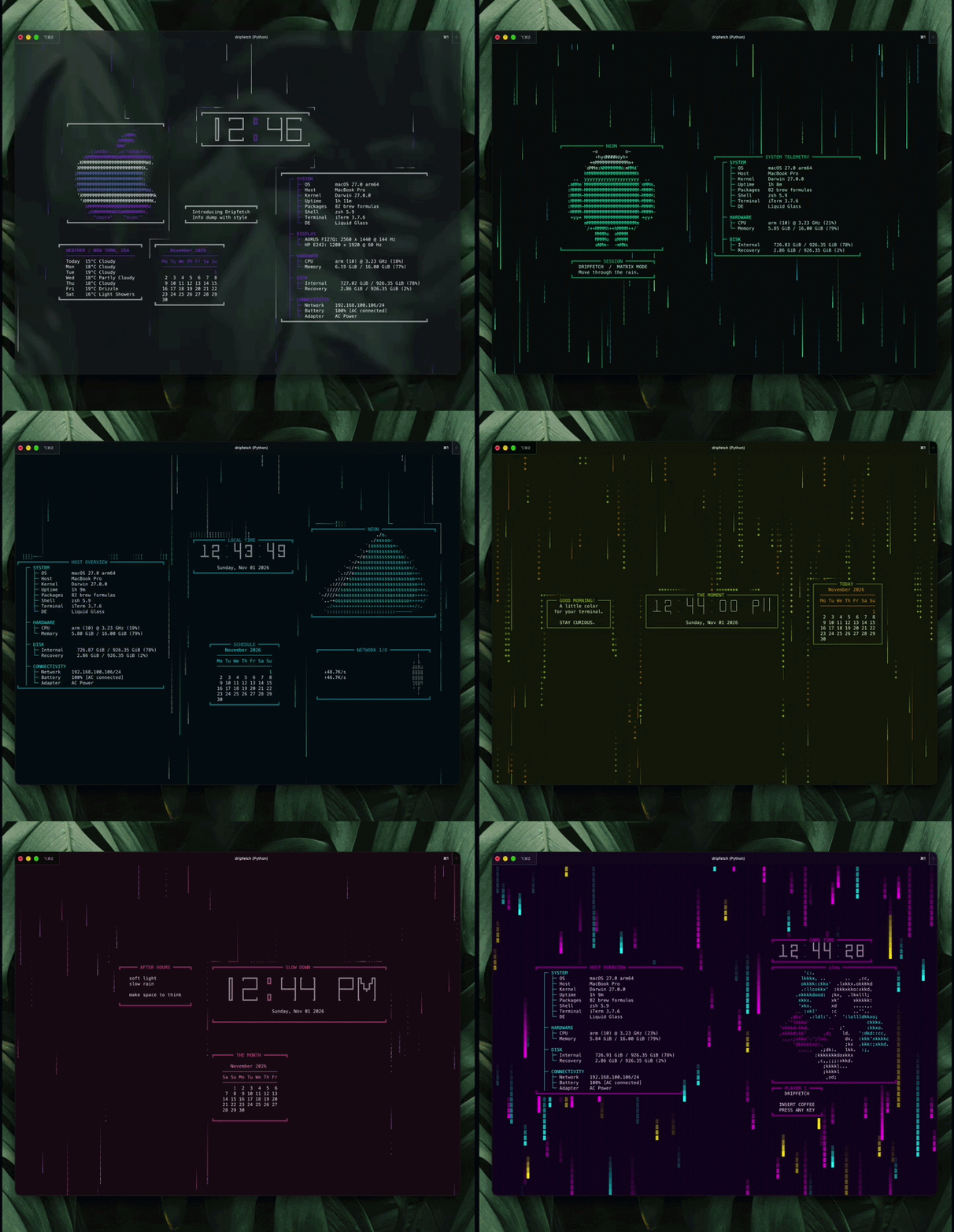
Features
- Rain with adjustable density, symbols, colors, speed, length, and box collisions
- Seven box types:
logo,sysinfo,clock,calendar,weather,net,text - 487 ASCII logos, auto-detected from your OS or chosen explicitly
- Five border styles, shared palette and padding
- Click a box and move it with arrows or WASD; the position is saved to YAML
- Seven presets plus a default (
0), validated configs with clear error paths
Install
Requires Python 3.10+ and a POSIX terminal with curses (macOS, Linux).
pipx install dripfetch                       # recommended
python -m pip install dripfetch              # inside a virtual environment
pipx install .                               # from a source checkout

brew tap a-shygun/dripfetch https://github.com/a-shygun/dripfetch.git
brew install a-shygun/dripfetch/dripfetch    # Homebrew

yay -S dripfetch                             # Arch (AUR)
GitHub release downloads
Each GitHub Release includes these files (0.5.0 below is an example; use the version you want):
dripfetch_0.5.0_linux_amd64.deb— Debian or Ubuntu on x86_64dripfetch_0.5.0_linux_arm64.deb— Debian or Ubuntu on ARM64dripfetch_0.5.0_macos_x86_64.tar.gz— macOS on Inteldripfetch_0.5.0_macos_arm64.tar.gz— macOS on Apple Silicondripfetch-0.5.0-py3-none-any.whlanddripfetch-0.5.0.tar.gz— Python wheel and source distributiondripfetch_checksums.txt— SHA-256 hashes for the downloadable package files
On Debian or Ubuntu, download the .deb matching your CPU architecture, then install it from the folder where it was downloaded:
sudo apt install ./dripfetch_0.5.0_linux_amd64.deb
Use the linux_arm64 filename on an ARM64 machine. The command installs the dripfetch program, which you can then run from a terminal.
On macOS, download the archive matching your Mac's processor, then extract and install the command into your personal ~/.local/bin directory:
tar -xzf dripfetch_0.5.0_macos_arm64.tar.gz
mkdir -p "$HOME/.local/bin"
install -m 755 dripfetch "$HOME/.local/bin/dripfetch"
Use the macos_x86_64 filename on an Intel Mac. If ~/.local/bin is not on your PATH, add it in your shell configuration. To install the Python wheel instead, use python -m pip install ./dripfetch-0.5.0-py3-none-any.whl in a virtual environment.
To check a download, calculate its SHA-256 hash with sha256sum <filename> on Linux or shasum -a 256 <filename> on macOS, then compare it with the matching filename in dripfetch_checksums.txt.
bash install.sh sets up a local virtual environment in ~/dripfetch and links dripfetch into ~/.local/bin; bash uninstall.sh removes it and keeps your config.
Uninstall: pipx uninstall dripfetch · python -m pip uninstall dripfetch · brew uninstall dripfetch · yay -R dripfetch
Nix
psutil and ruamel.yaml are runtime dependencies, not native build inputs. Put them in dependencies (or propagatedBuildInputs), not nativeBuildInputs, or the installed command fails with ModuleNotFoundError:
python3Packages.buildPythonApplication {
  pname = "dripfetch";
  version = "0.4.0";
  pyproject = true;
  src = ./.; # when evaluated from the repository root
  build-system = [ python3Packages.setuptools ];
  dependencies = with python3Packages; [ psutil ruamel-yaml ];
}
Temporarily build and run via nix flakes (no install)
nix run github:a-shygun/dripfetch?dir=packaging/nix
Install via nix flakes
- Add flake input
flake.nix
{
  inputs = {
    nixpkgs.url = "github:NixOS/nixpkgs/nixos-unstable";
    dripfetch = {
      url = "github:a-shygun/dripfetch?dir=packaging/nix";
    };
  };
}
- Install via system config or home-manager
configuration.nix
environment.systemPackages = with pkgs; [
  inputs.dripfetch.packages.${pkgs.stdenv.hostPlatform.system}.default
];
or
home.nix
home.packages = with pkgs; [
  inputs.dripfetch.packages.${pkgs.stdenv.hostPlatform.system}.default
];
Usage
dripfetch
| Key | Action |
|---|---|
q |
Quit |
Space |
Pause / resume rain |
| Click | Select a box |
Arrows / WASD |
Move the selected box (saved automatically) |
Esc |
Deselect |
Commands
| Command | Action |
|---|---|
dripfetch -c, --use-config NUMBER|NAME|PATH |
Run with a preset or YAML file for this session only |
dripfetch --set-config NUMBER|NAME|PATH |
Save a preset or file as the active config |
dripfetch --set-logo NAME |
Save a logo in the active config |
dripfetch --list-configs / --list-logos / --list-boxes |
List presets, logos, or box types |
dripfetch --print-logo NAME |
Print a logo |
dripfetch --config-path |
Show the config path in use |
dripfetch --init-config |
Create or restore the default config |
dripfetch -v, --version / --version-raw |
Show the version |
dripfetch -h, --help |
Show help |
dripfetch --use-config 2                  # try a preset
dripfetch -c ./my-layout.yaml             # try your own file
dripfetch --set-config moonlight_observatory
Presets are 01_neon_matrix, 02_moonlight_observatory, 03_ops_console, 04_citrus_pop, 05_arcade_white, 06_ink_and_amber, 07_arcade_cabinet, and 0 for the default. A selector can be the number, full name, or short name.
Lower CPU usage
The rain is the main cost. Lower rain.intensity to use less CPU; 0 disables rain and leaves the dashboard nearly idle. Around 20–60 suits a laptop on battery. Pausing with Space and shorter lengths also help.
Configuration
The active config is ~/.config/dripfetch/config.yaml. The packaged 0_default.yaml documents every option. Moving a box writes its new position back to the file in use.
background: "#080B12"
keyboard:
  layout: qwerty            # qwerty | azerty | qwertz
rain:
  collision: true
  intensity: 60             # lower = less CPU
  character: ["│", "┃", "╎"]
  colors:  [[0.7, "#21F7A8"], [0.3, "#45B8FF"]]   # [probability, value], must sum to 1
  speeds:  [[0.5, 30], [0.5, 50]]                 # ms per step, lower = faster
  lengths: [[0.8, 6], [0.2, 14]]
  effects: {acceleration: false, splash: false}
boxes:
  border: titled_single     # single | double | titled_single | titled_double | none
  border_color: "#50FFC1"
  text_color: "#D9E5F4"
  accent_color: "#50FFC1"
  padding: {horizontal: 2, vertical: 0}
  items:
    - type: logo
      logo: arch2
      position: {horizontal: -32, vertical: 0}
    - type: clock
      clock_size: small
      show_date: true
      position: {horizontal: 28, vertical: -7}
    - type: text
      title: NOTE
      text: |
        Dripfetch is running.
      alignment: center
      position: {horizontal: 28, vertical: 7}
Colors are #RRGGBB or #RRGGBBAA. Positions are cell offsets from the center (positive = right / down).
Box options
| Type | Options |
|---|---|
logo |
logo (omit to detect your OS), colors for $1, $2, … markers |
sysinfo |
sections: system, display, hardware, disk, connectivity (true/false) |
clock |
clock_size small/medium/big, clock_style single/double, clock_24h, show_seconds, show_am_pm, blink_colon, show_date |
calendar |
starting_day: monday, sunday, saturday |
weather |
location or latitude/longitude, units celsius/fahrenheit (or metric/imperial), days 1–7. Uses Open-Meteo and needs internet. |
net |
width, height, interval, download_color, upload_color |
text |
text (string, block, or list), alignment left/center/right |
Every box also accepts title, border, and position.
Gallery
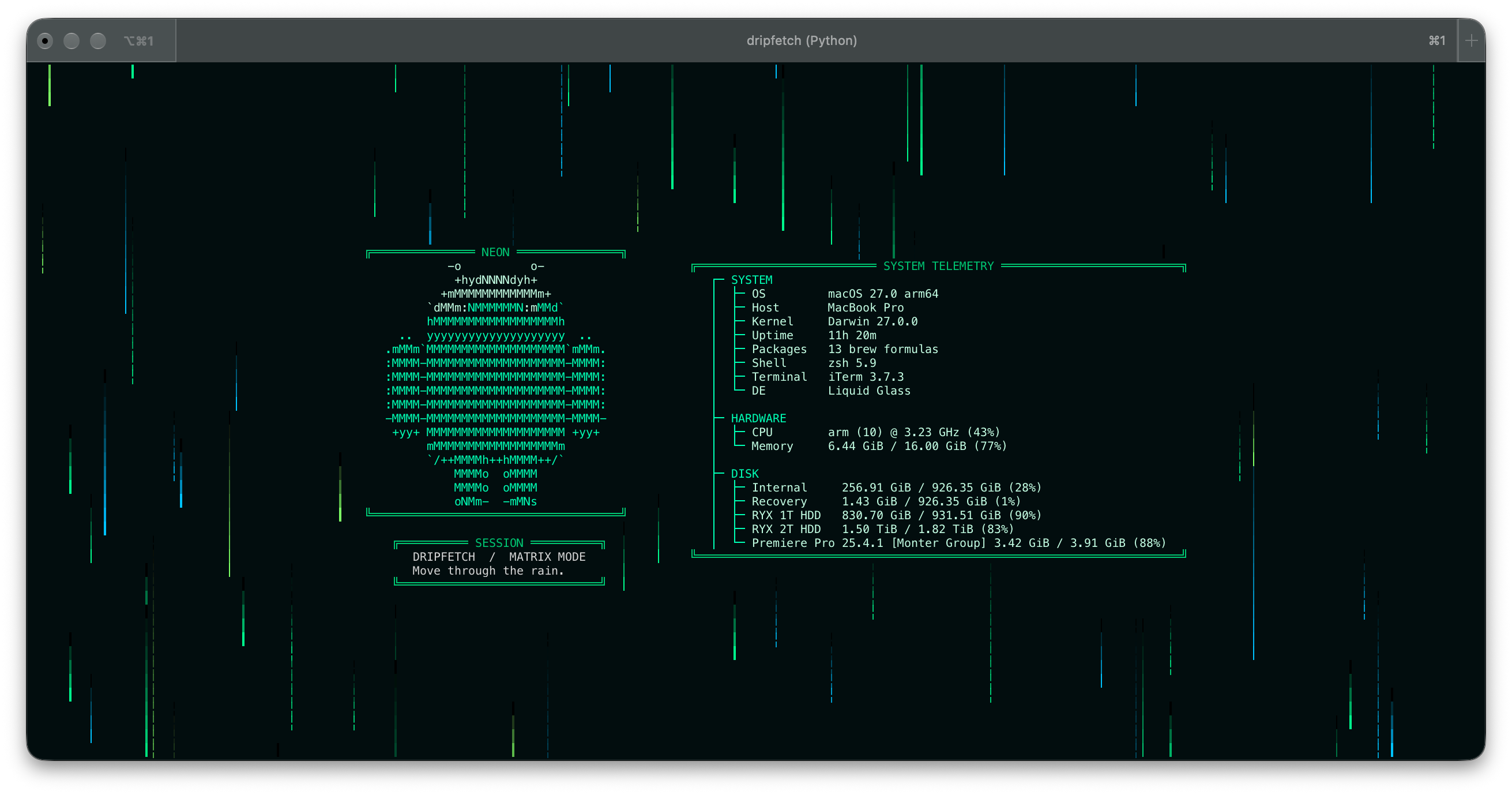 01 · Neon Matrix |
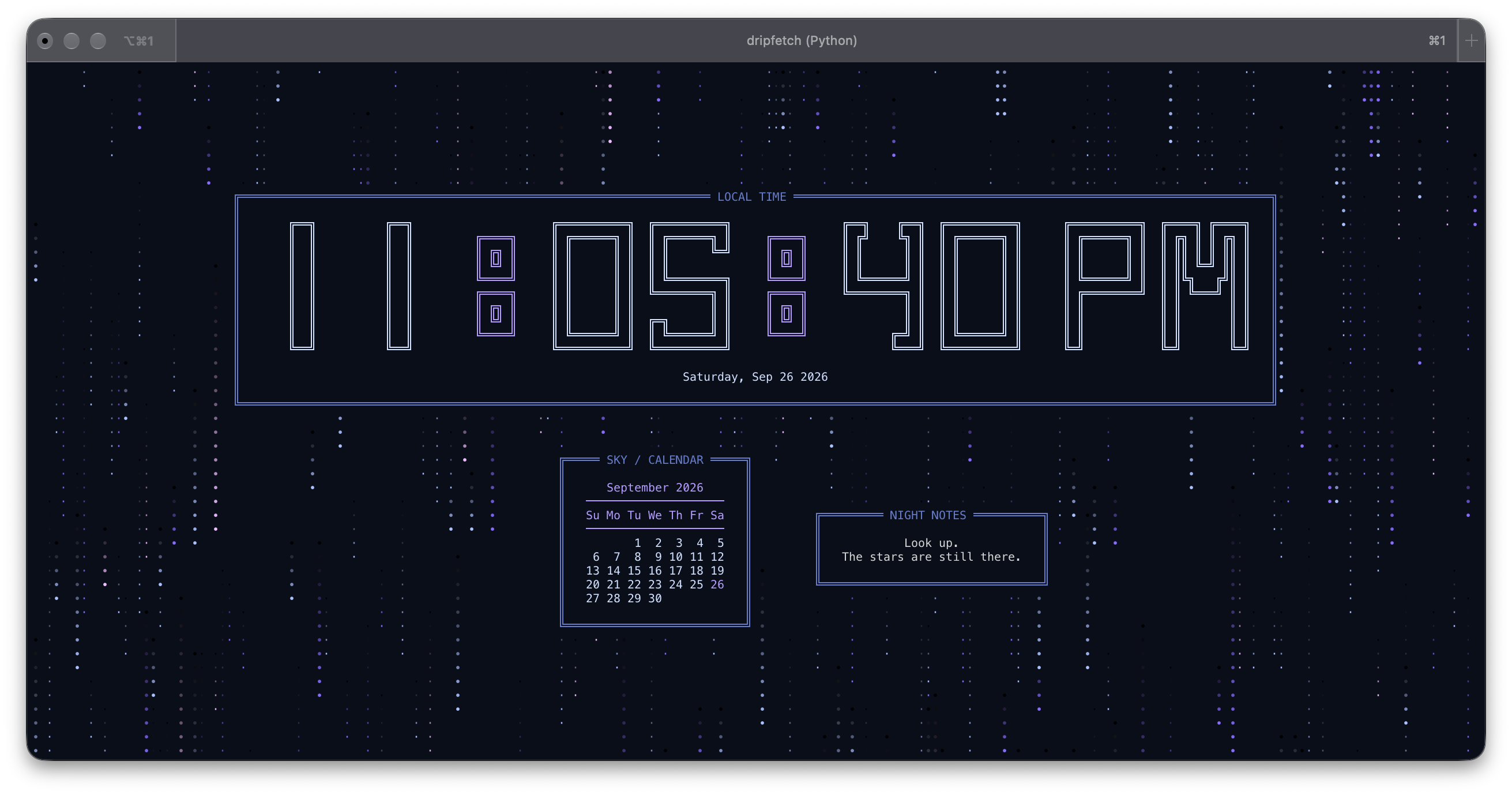 02 · Moonlight Observatory |
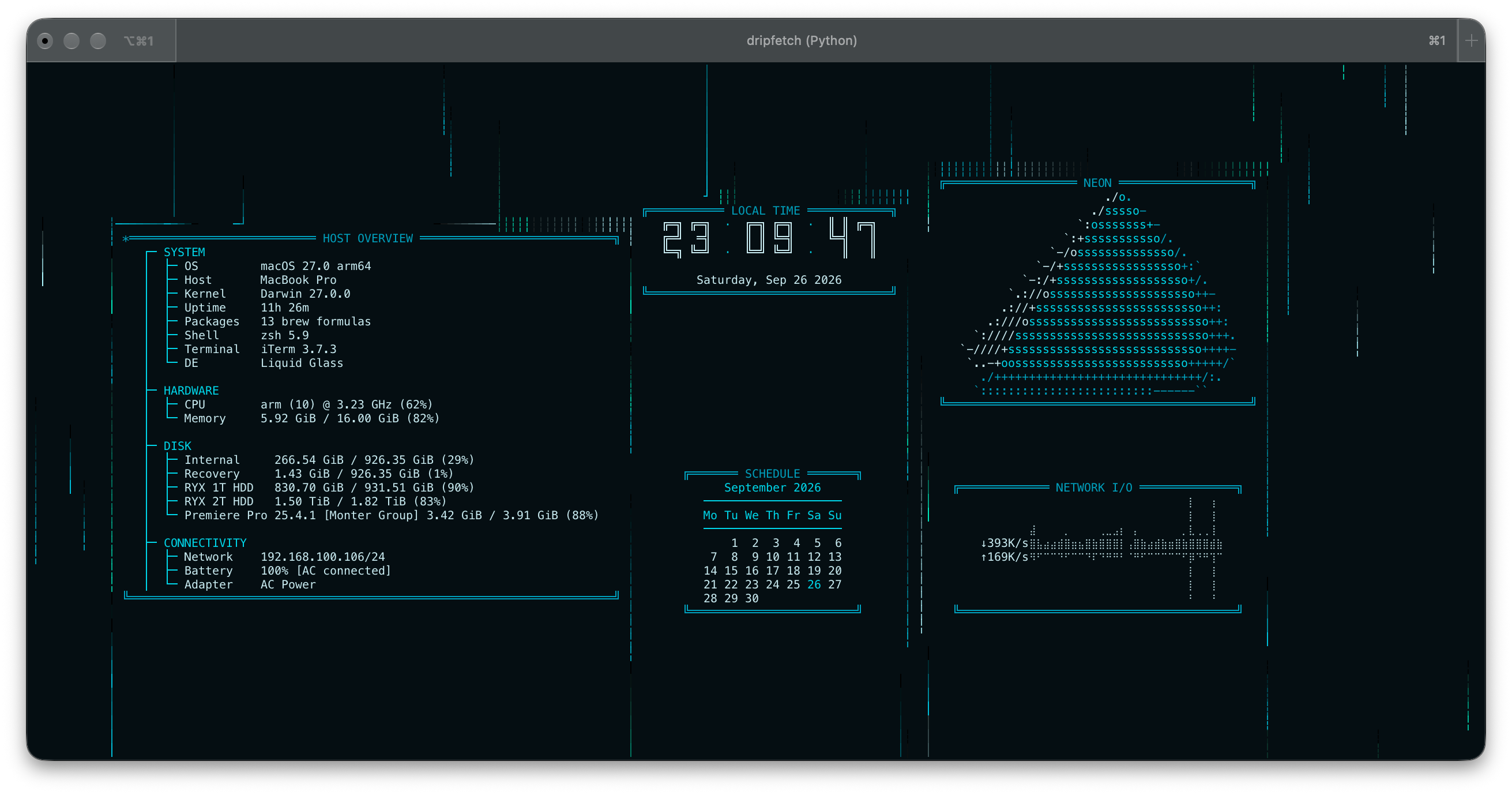 03 · Ops Console |
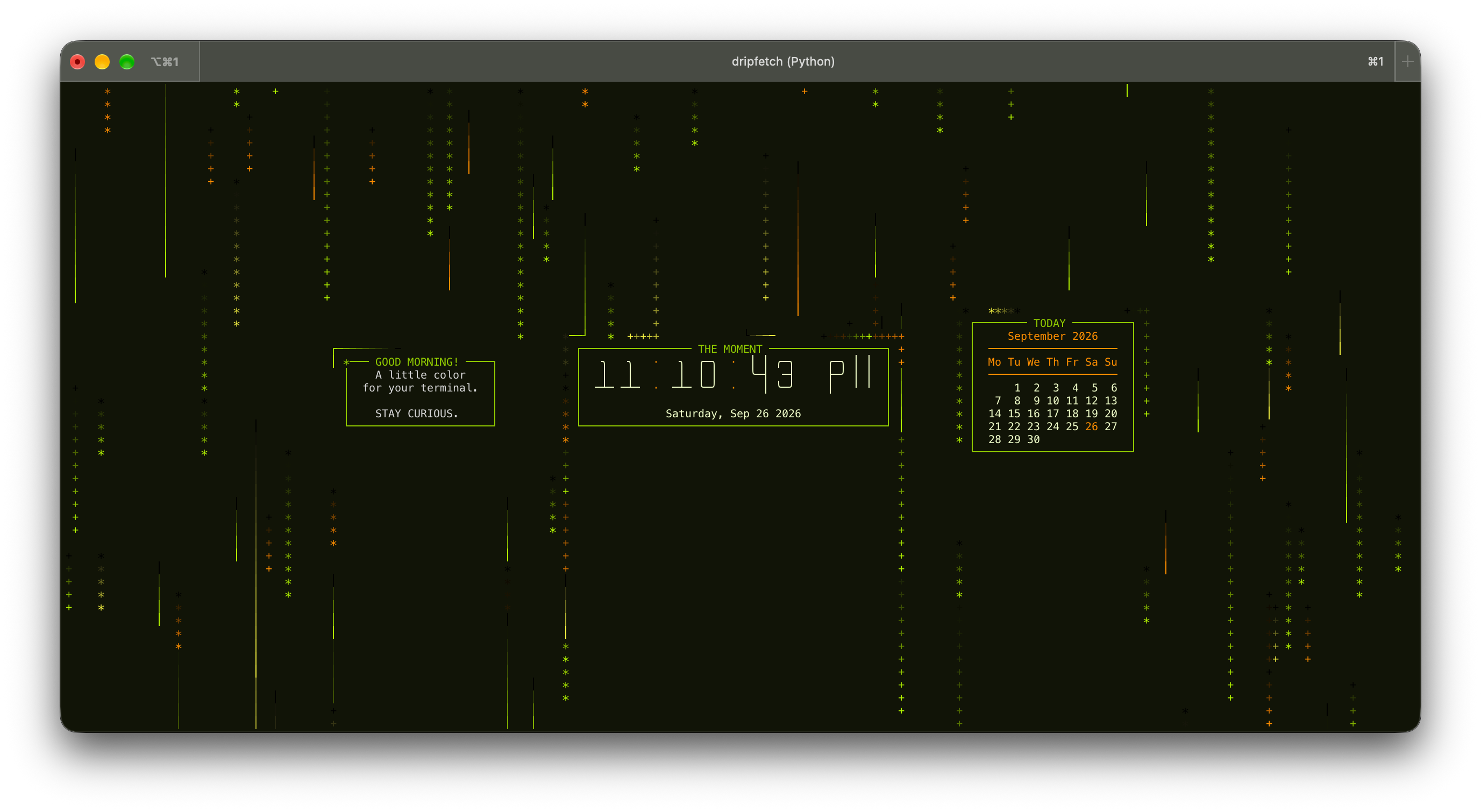 04 · Citrus Pop |
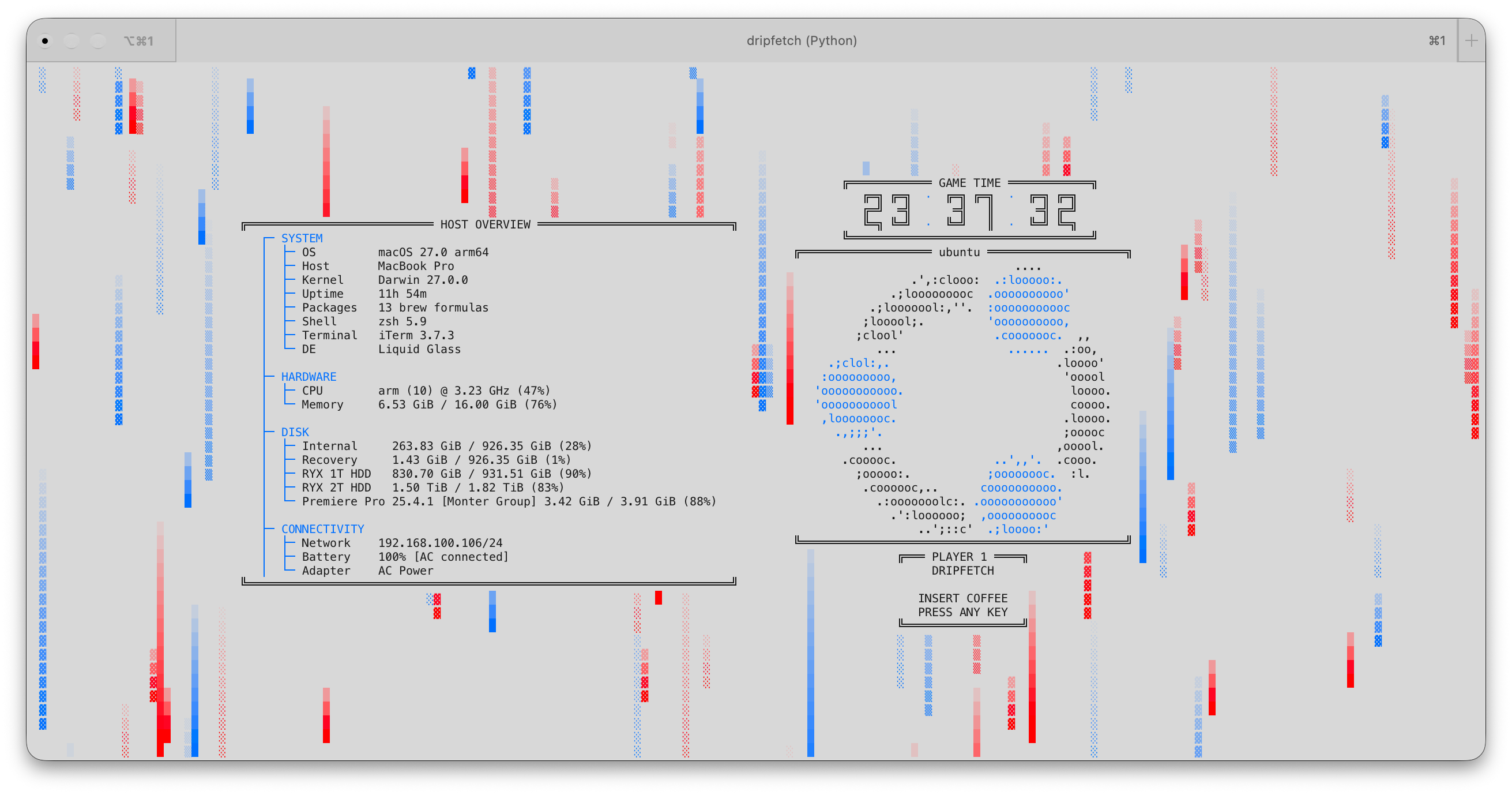 05 · Arcade White |
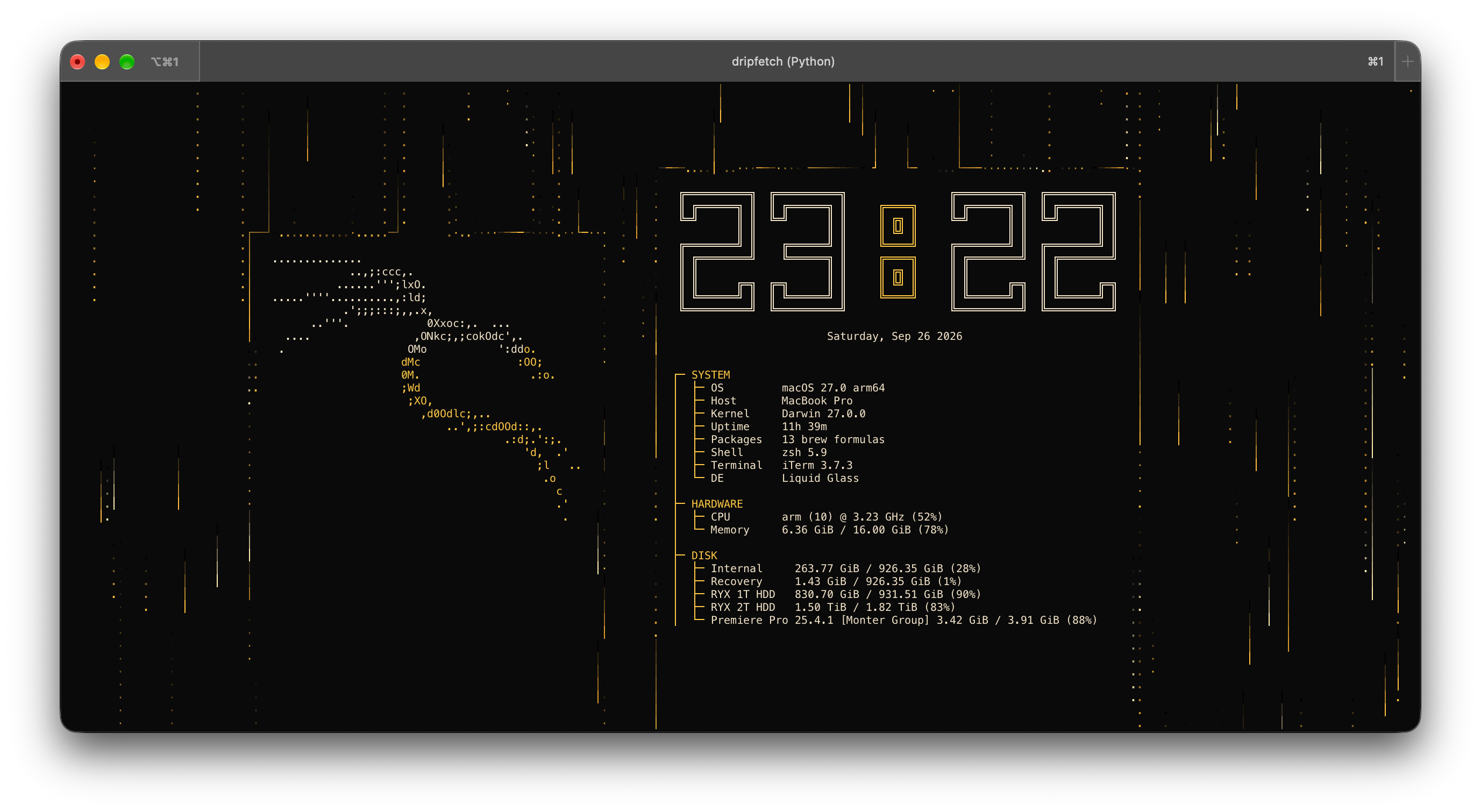 06 · Ink and Amber |
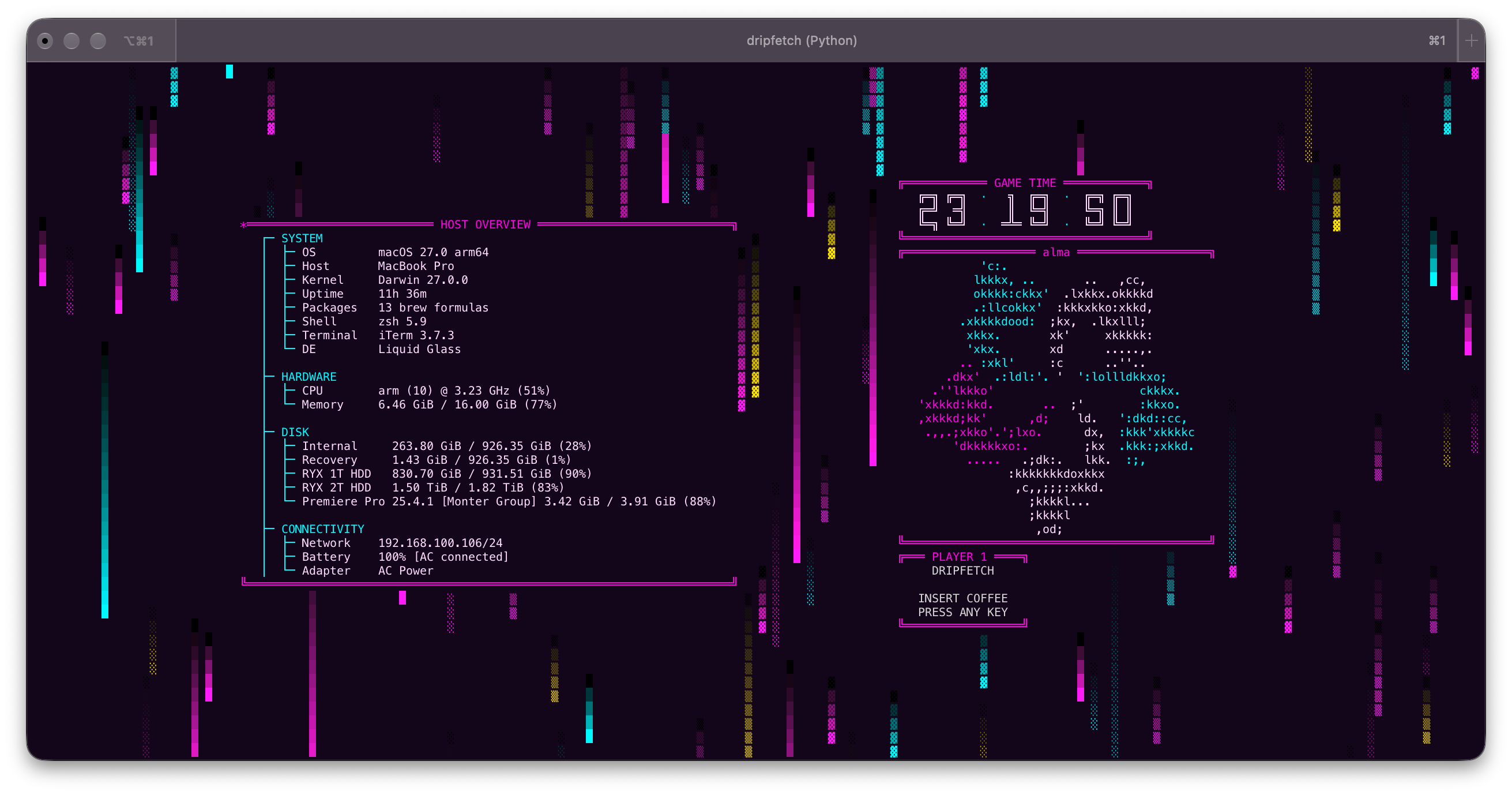 07 · Arcade Cabinet |
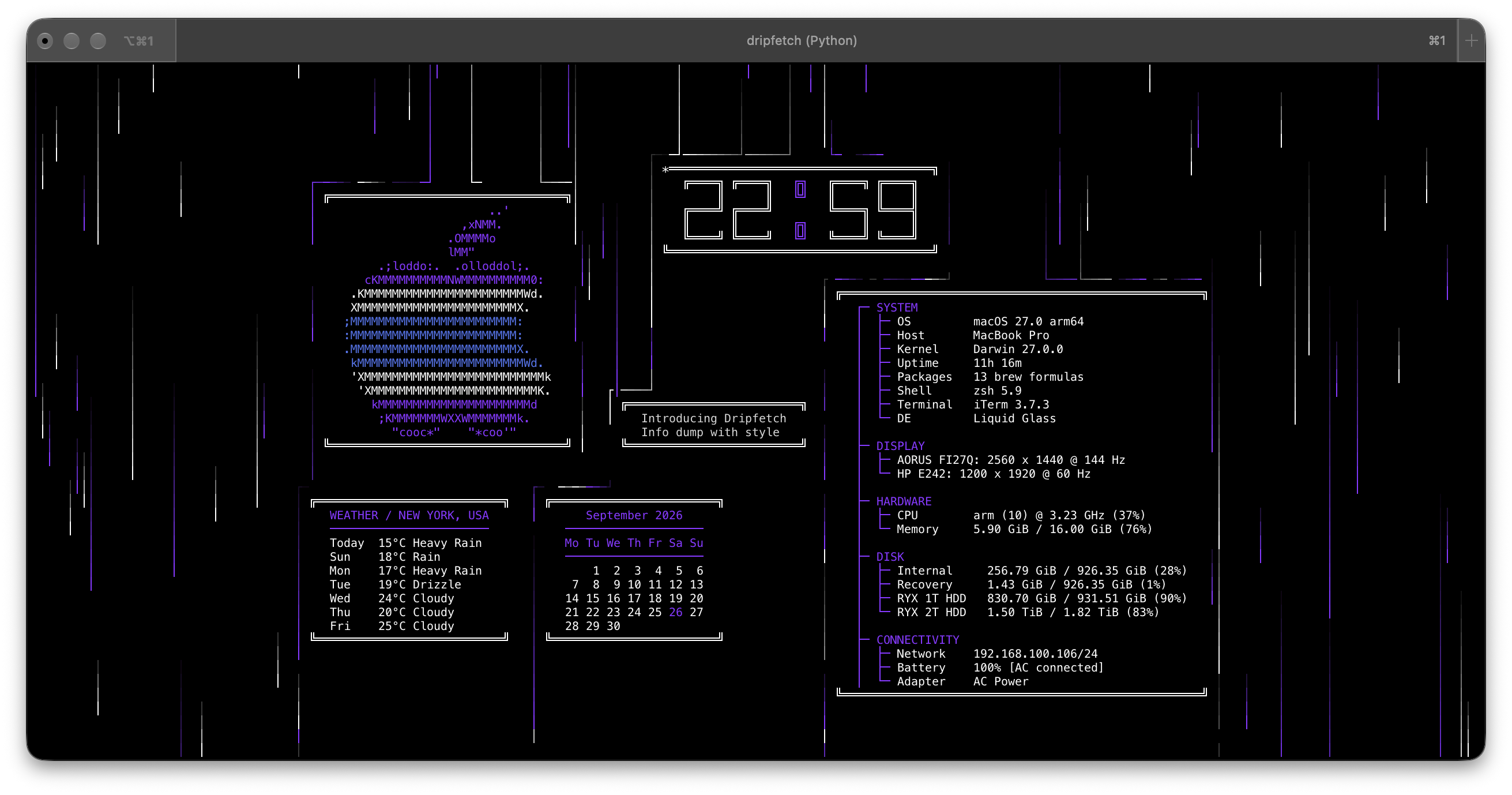 0 · Default |
Project layout
src/dripfetch/
├── app/      cli.py (arguments), app.py (main loop), config.py (YAML + validation), terminal.py (renderer)
├── box/      base, manager, layout, placement, border, colors, registry, validation
│   └── types/  one module per box type; helper/ holds their support code
├── rain/     manager, spawning, physics, rendering, colors, models, constants
└── assets/   logos/*.txt and configs/*.yaml
Formula/      Homebrew formula        packaging/arch/  AUR PKGBUILD
packaging/nix/  Nix flake and package expression
To add a box type, drop a module with one BaseBox subclass into box/types/. It is discovered automatically and the module name becomes its type. An optional validate_config(cls, item, path) classmethod validates its options.
License
MIT. Report vulnerabilities privately, see SECURITY.md.
Ähnliche Projekte entdecken
codecrafters-io/build-your-own-x
Meistere das Programmieren, indem du deine Lieblingstechnologien von Grund auf neu erschaffst.
562,352 Sternepublic-apis/public-apis
Eine gemeinschaftliche Liste kostenloser APIs
498,798 Sternemorluto/rea
Mit Agenten alles per Reverse Engineering untersuchen, vom Verhalten der Anwendung bis hin zu nativen Binärdateien.
457,748 Sterneopenclaw/openclaw
Die KI, die wirklich Dinge erledigt. Jedes Betriebssystem, jede Plattform. Auf die Hummer-Art. 🦞
394,399 Sterne